Final Build:
static files replacement:
- at first, in /twittme-web
- npm run build to create new static files ```bash [root@localhost twittme-web]# npm run build
twittme-web@0.1.0 build /root/SourceCode/Python/reactjs/Twittme/twittme-web react-scripts build
Creating an optimized production build… Compiled successfully.
File sizes after gzip:
43.59 KB (+3.51 KB) build/static/js/2.46f141e7.chunk.js 3.54 KB (+367 B) build/static/js/main.bee67ef9.chunk.js 762 B build/static/js/runtime~main.a8a9905a.js 556 B build/static/css/main.0b57e251.chunk.css
The project was built assuming it is hosted at the server root. You can control this with the homepage field in your package.json. For example, add this to build it for GitHub Pages:
“homepage” : “http://myname.github.io/myapp“,
The build folder is ready to be deployed. You may serve it with a static server:
npm install -g serve serve -s build
Find out more about deployment here:
- delete directories /static/css and /static/js- copy and paste directories /twittme-web/build/static/css and /twittme-web/build/static/js into /static- make file names of /templates/react/css.html and /templates/react/js.html identical to new static files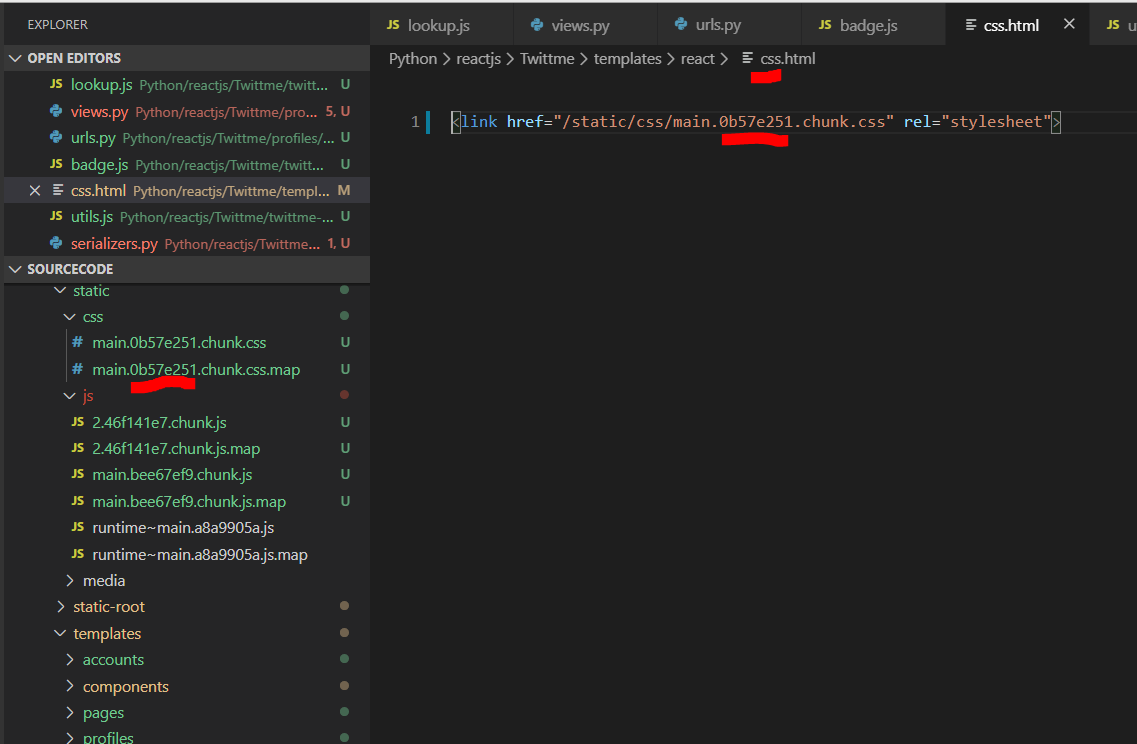<br />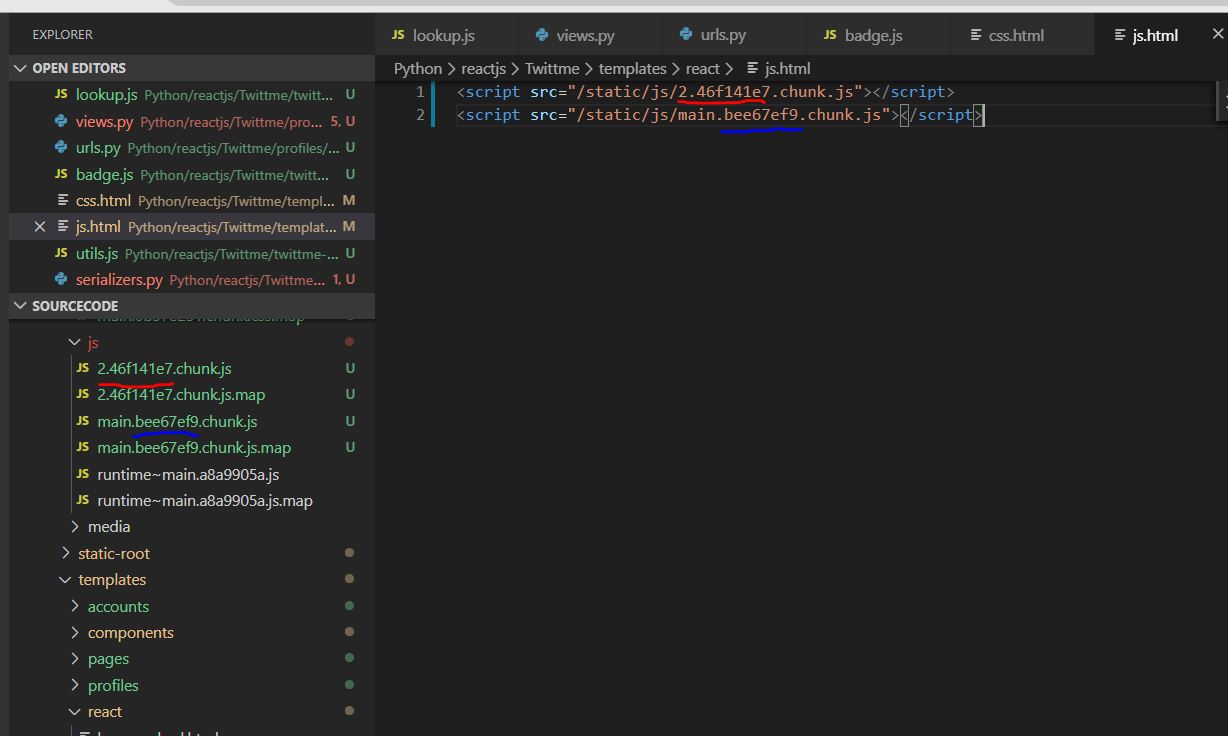<br />now we got those changes about profiles.- finally, remember to update with collectstatic```bash[root@localhost Twittme]# python3 ./manage.py collectstaticYou have requested to collect static files at the destinationlocation as specified in your settings:/root/SourceCode/Python/reactjs/Twittme/static-rootThis will overwrite existing files!Are you sure you want to do this?Type 'yes' to continue, or 'no' to cancel: yes8 static files copied to '/root/SourceCode/Python/reactjs/Twittme/static-root', 164 unmodified.
profile badge:
- in /templates/profiles/detail.html
- add div block with class “tweetme-2-profile-badge” ```html {% extends ‘base.html’ %}
{% block content %}
{% endblock content %}
runserver and see a profile<br />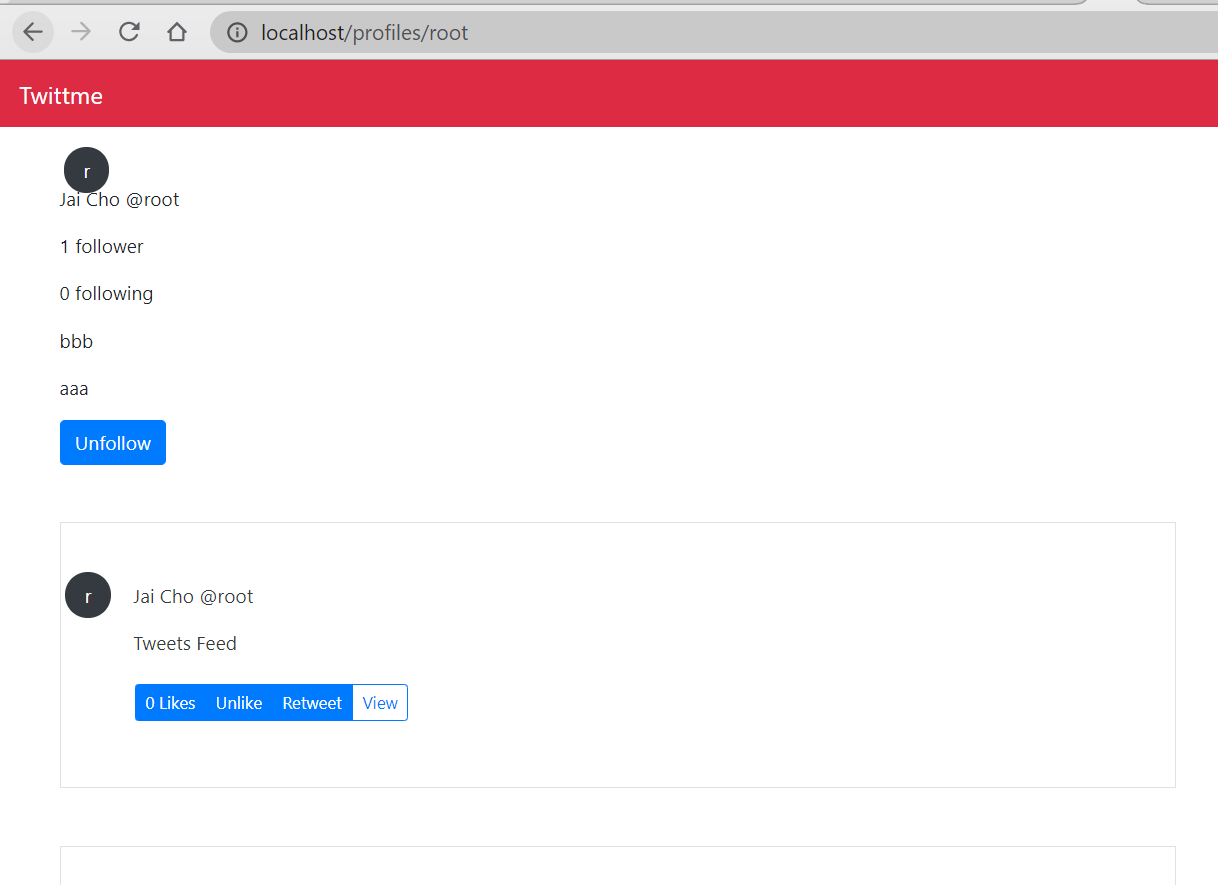<br />so that the profile badge is imported successfully.<a name="IvQdM"></a>#### Navbar:We have to update our navbar to make some pages accessible not just by urls, but also clicking.- modify /templates/components/navbar.html- apply "nav-item" and "nav-link" to create buttons that apply links in /Twittme/urls.py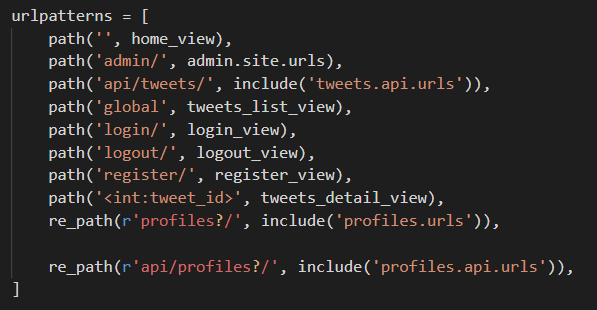- depends on login and logout, there should have different buttons```html<nav class="navbar navbar-expand-lg navbar-dark bg-tweetme mb-4"><a class="navbar-brand" href="/">Twittme</a><button class="navbar-toggler" type="button" data-toggle="collapse" data-target="#navbarSupportedContent" aria-controls="navbarSupportedContent" aria-expanded="false" aria-label="Toggle navigation"><span class="navbar-toggler-icon"></span></button><!--<div class="collapse navbar-collapse d-none" id="navbarSupportedContent"><ul class="navbar-nav mr-auto d-none"><li class="nav-item active"><a class="nav-link" href="#">Home <span class="sr-only">(current)</span></a></li>--><!--new--><div class="collapse navbar-collapse" id="navbarSupportedContent"><ul class="navbar-nav ml-auto"><li class="nav-item"><!--<a class="nav-link" href="#">Link</a>--><!--new--><a class="nav-link" href="/">Home <span class="sr-only">(current)</span></a></li><!--<li class="nav-item dropdown"><a class="nav-link dropdown-toggle" href="#" id="navbarDropdown" role="button" data-toggle="dropdown" aria-haspopup="true" aria-expanded="false">Dropdown</a><div class="dropdown-menu" aria-labelledby="navbarDropdown"><a class="dropdown-item" href="#">Action</a><a class="dropdown-item" href="#">Another action</a><div class="dropdown-divider"></div><a class="dropdown-item" href="#">Something else here</a></div>--><!--new-->{% if request.user.is_authenticated %}<li class="nav-item"><a class="nav-link" href="/logout">Logout</a></li><li class="nav-item"><!--<a class="nav-link disabled" href="#" tabindex="-1" aria-disabled="true">Disabled</a>--><!--new--><a class="nav-link" href="/profile/edit">Edit</a></li><!--new-->{% else %}<li class="nav-item"><a class="nav-link" href="/login">Login</a></li><li class="nav-item"><a class="nav-link" href="/register">Register</a></li>{% endif %}</ul><form class="form-inline my-2 my-lg-0 d-none"><input class="form-control mr-sm-2" type="search" placeholder="Search" aria-label="Search"><button class="btn btn-outline-success my-2 my-sm-0" type="submit">Search</button></form></div></nav>
runserver and see the navbar.
If you are not login, the navbar shows “Home” “Login” and “Register” buttons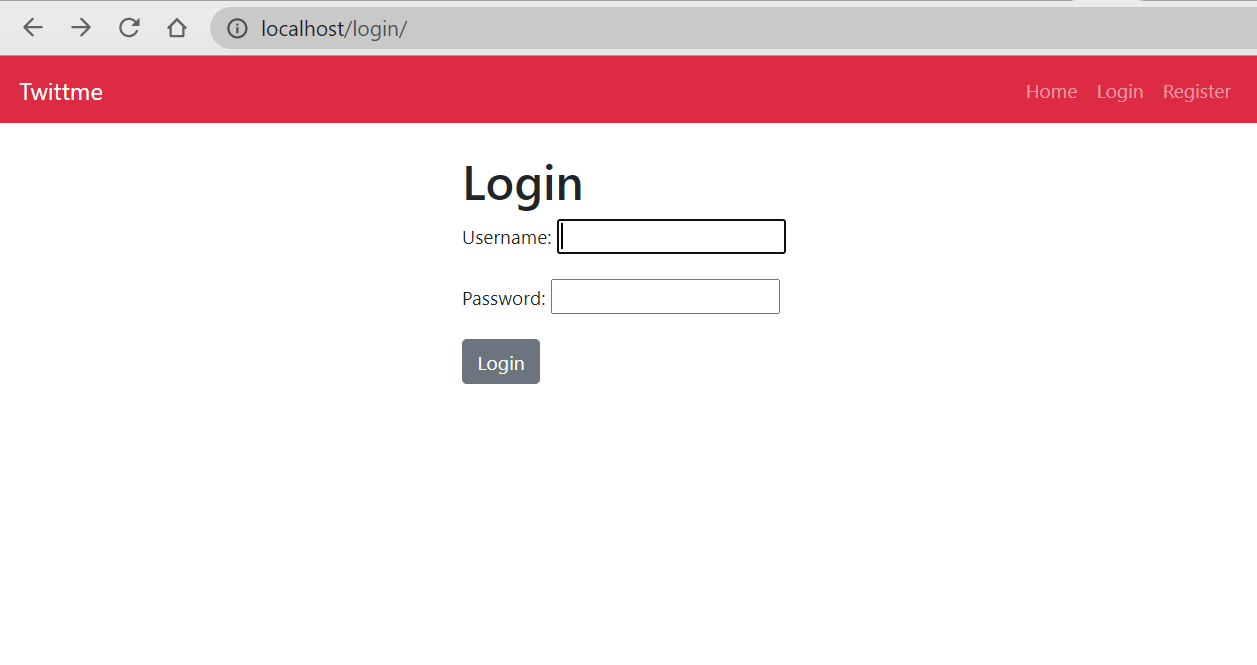
If you have logged in, the navbar shows “Home” “Logout” and “Edit” buttons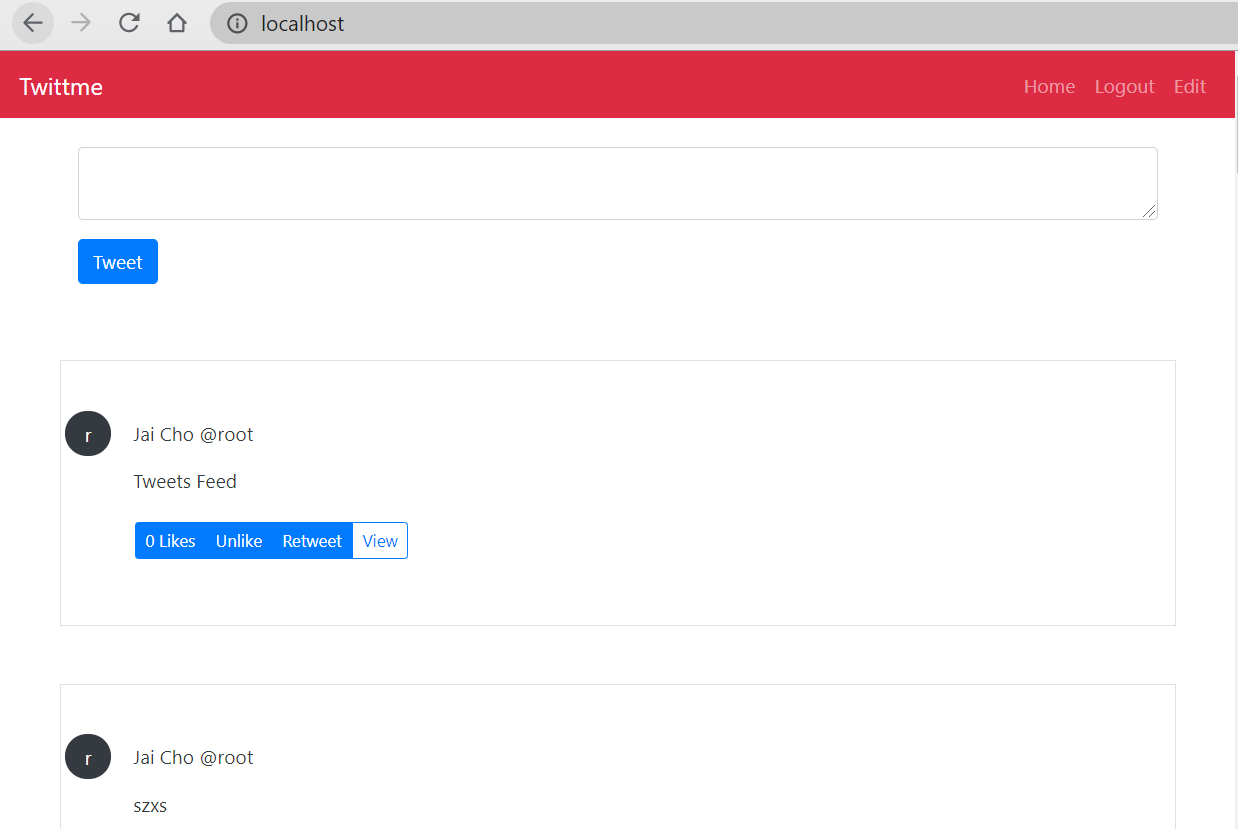
also, all those buttons are functional.

若有收获,就点个赞吧
0 人点赞


