Tweet Action View:
prepare a system to handle all possible actions.
add a list of TWEET_ACTION_OPTIONS in /Twittme/settings.py
# ...TWEET_ACTION_OPTIONS = ["like", "unlike", "retweet"]# ...
add a action serializer in /tweets/serializers.py ```python
…
TWEET_ACTION_OPTIONS = settings.TWEET_ACTION_OPTIONS
…
class TweetActionSerializer(serializers.Serializer): id = serializers.IntegerField() action = serializers.CharField()
def validate_action(self, value):value = value.lower() # to lowercase, and remove header spacesif not value in TWEET_ACTION_OPTIONS:raise serializers.ValidationError("This is not a valid action for tweets")return value
…
- add the action view in /tweets/views.py```python@api_view(['POST'])@permission_classes([IsAuthenticated])def tweet_action_view(request, *args, **kwargs):# id is required# action: like, unlike, retweetserializer = TweetActionSerializer(data=request.data)if serializer.is_valid(raise_exception=True):data = serializer.validated_datatweet_id = data.get("id")action = data.get("action")qs = Tweet.objects.filter(id=tweet_id)if not qs.exists():return Response({}, status=404)obj = qs.first()if action == "like":obj.likes.add(request.user) # add the current user into the like listelif action == "unlike":obj.likes.remove(request.user) # remove the current user from the like listelif action == "retweet":# this is todopassreturn Response({}, status=200)
JavaScript Tweet Action Handler:
apply the action view before.
- add new paths in /Twittme/urls.py ```python from django.contrib import admin from django.urls import path, re_path
from tweets.views import ( home_view, tweet_detail_view, tweet_list_view, tweet_create_view, tweet_delete_view, tweet_action_view, # new )
urlpatterns = [
path(‘admin/‘, admin.site.urls),
path(‘’, home_view),
path(‘tweets’, tweet_list_view),
path(‘create-tweet’, tweet_create_view),
path(‘tweets/
- update /tweets/serializers.py```pythonclass TweetSerializer(serializers.ModelSerializer):likes = serializers.SerializerMethodField(read_only==True) # newclass Meta:model = Tweet# fields = ['content']fields = ['id', 'content', 'likes']def get_likes(self, obj): # newreturn obj.likes.count() # return how many likesdef validate_content(self, value):if len(value) > MAX_TWEET_LENGTH:raise serializers.ValidationError("This tweet is too long")return value
to test, runserver
[root@localhost Twittme]# ./manage.py runserverFile "./manage.py", line 14) from exc^SyntaxError: invalid syntax[root@localhost Twittme]# python3 manage.py runserver
because we changed the environment, apply python3 before runserver.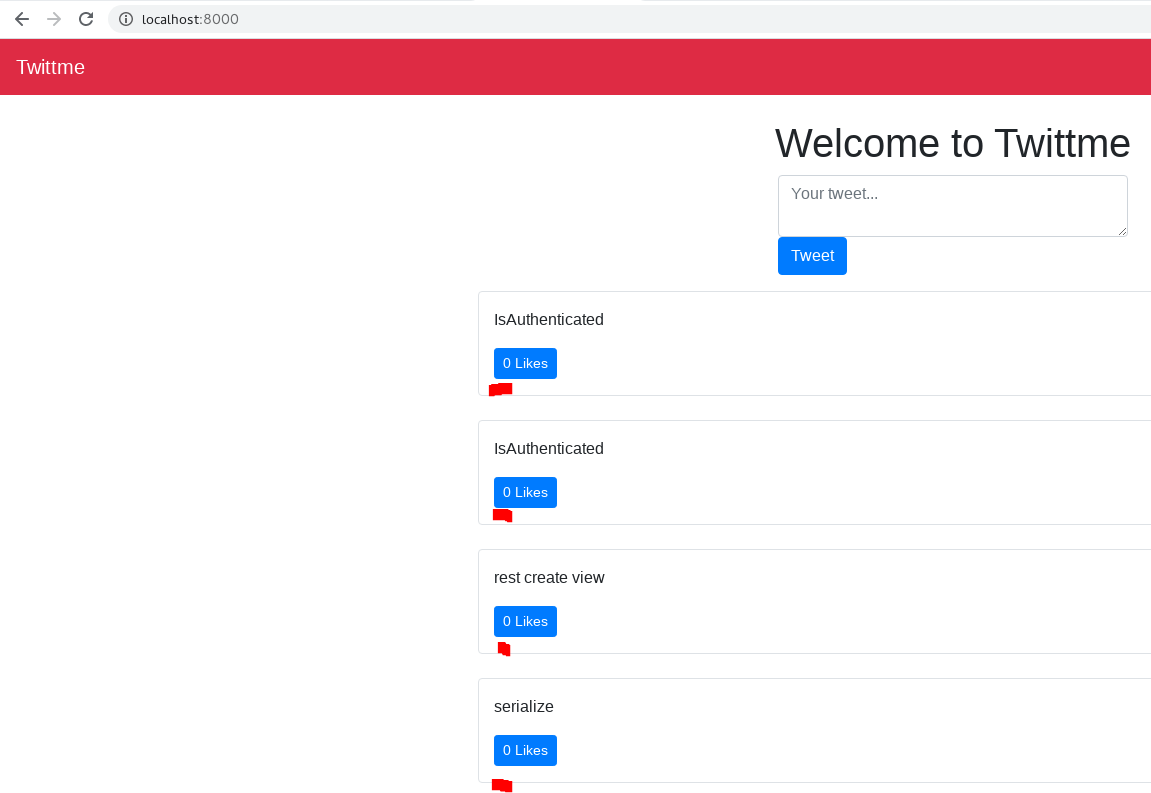
now we have numbers instead of “undefined” before “likes”
- complete handleDidLike() in home.html
to test, runserverfunction handleDidLike(tweet_id, currentCount) {console.log(tweet_id, currentCount)const url = "/api/tweets/action"const method = "POST"const data = JSON.stringify({id: tweet_id,action: "like"})const xhr = new XMLHttpRequest()xhr.open(method, url)xhr.setRequestHeader("Content-Type", "application/json")xhr.setRequestHeader("HTTP_X_REQUESTED_WITH", "XMLHttpRequest")xhr.setRequestHeader("X-Requested-With", "XMLHttpRequest")xhr.onload = function() {console.log(xhr.status, xhr.response)}xhr.send(data)return}
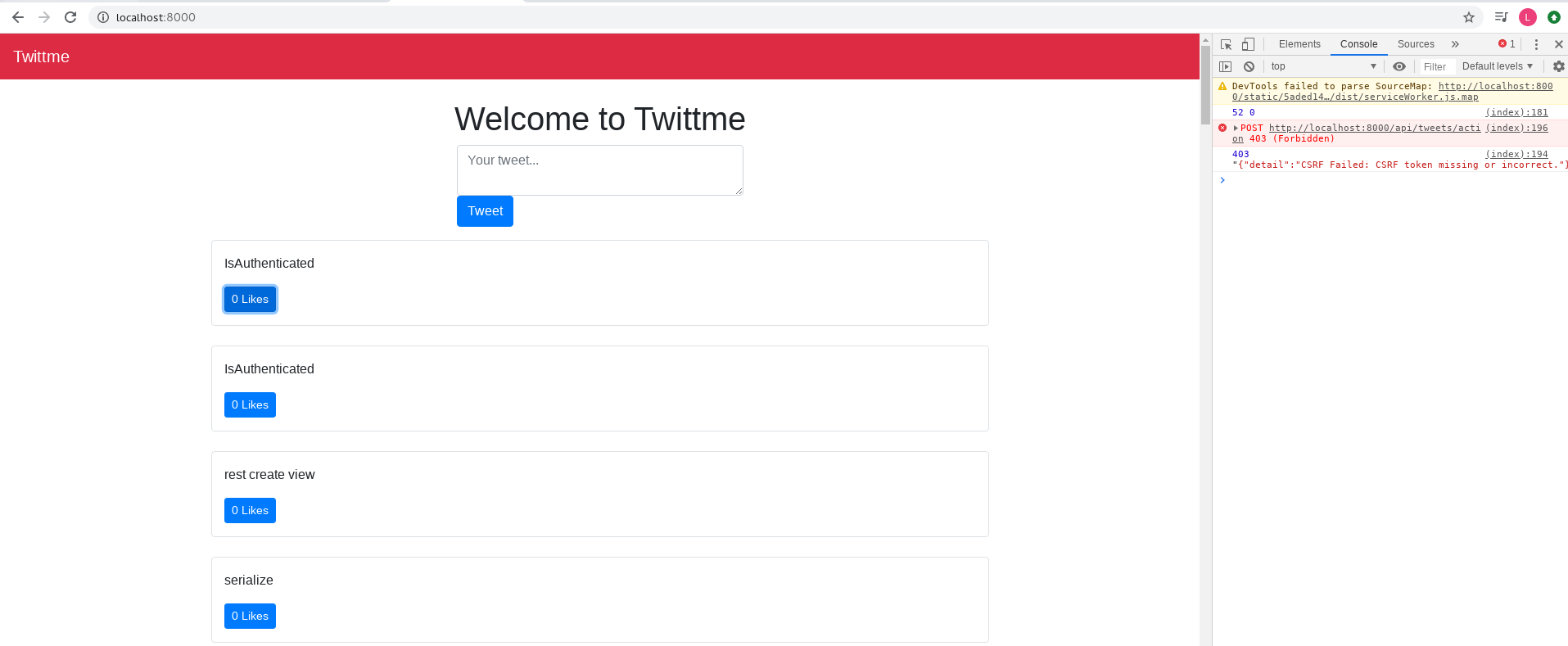
got a 403 problem, because we haven’t actually save CSRF token
CSRF & Client Side Action Buttons
this section handle CSRF token and other client side action buttons.
- CSRF stands for Cross Site Request Forgery
- about CSRF protection in django: https://docs.djangoproject.com/en/3.0/ref/csrf/
- again, CSRF token is to prevent Cross Site Request Forgery, we use {% csrf_token %} in templates to apply it.
to avoid pass CSRF token for each POST request, another method is “on each XMLHttpRequest, set a custom
X-CSRFTokenheader (as specified by theCSRF_HEADER_NAMEsetting) to the value of the CSRF token.”add getCookie() and CSRF token realted changes to handleDidlike() in home.html
function getCookie(name) {var cookieValue = null;if (document.cookie && document.cookie !== '') {var cookies = document.cookie.split(';');for (var i = 0; i < cookies.length; i++) {var cookie = cookies[i].trim();// Does this cookie string begin with the name we want?if (cookie.substring(0, name.length + 1) === (name + '=')) {cookieValue = decodeURIComponent(cookie.substring(name.length + 1));break;}}}return cookieValue;}//...function handleDidLike(tweet_id, currentCount) {console.log(tweet_id, currentCount)const url = "/api/tweets/action"const method = "POST"const data = JSON.stringify({id: tweet_id,action: "like"})const xhr = new XMLHttpRequest()const csrftoken = getCookie('csrftoken')xhr.open(method, url)xhr.setRequestHeader("Content-Type", "application/json")xhr.setRequestHeader("HTTP_X_REQUESTED_WITH", "XMLHttpRequest")xhr.setRequestHeader("X-Requested-With", "XMLHttpRequest")xhr.setRequestHeader("X-CSRFToken", csrftoken) //add header of CSRF tokenxhr.onload = function() {console.log(xhr.status, xhr.response)}xhr.send(data)return}
to test, runserver
this time, click likes button of “rest create view”, we see the id is 50, (number of ) likes is 0, and status code is 200(OK)
refresh and we have 1 likes from the root user right now, the adding is successful, but since we have no unlike right now, we cannot cancel it.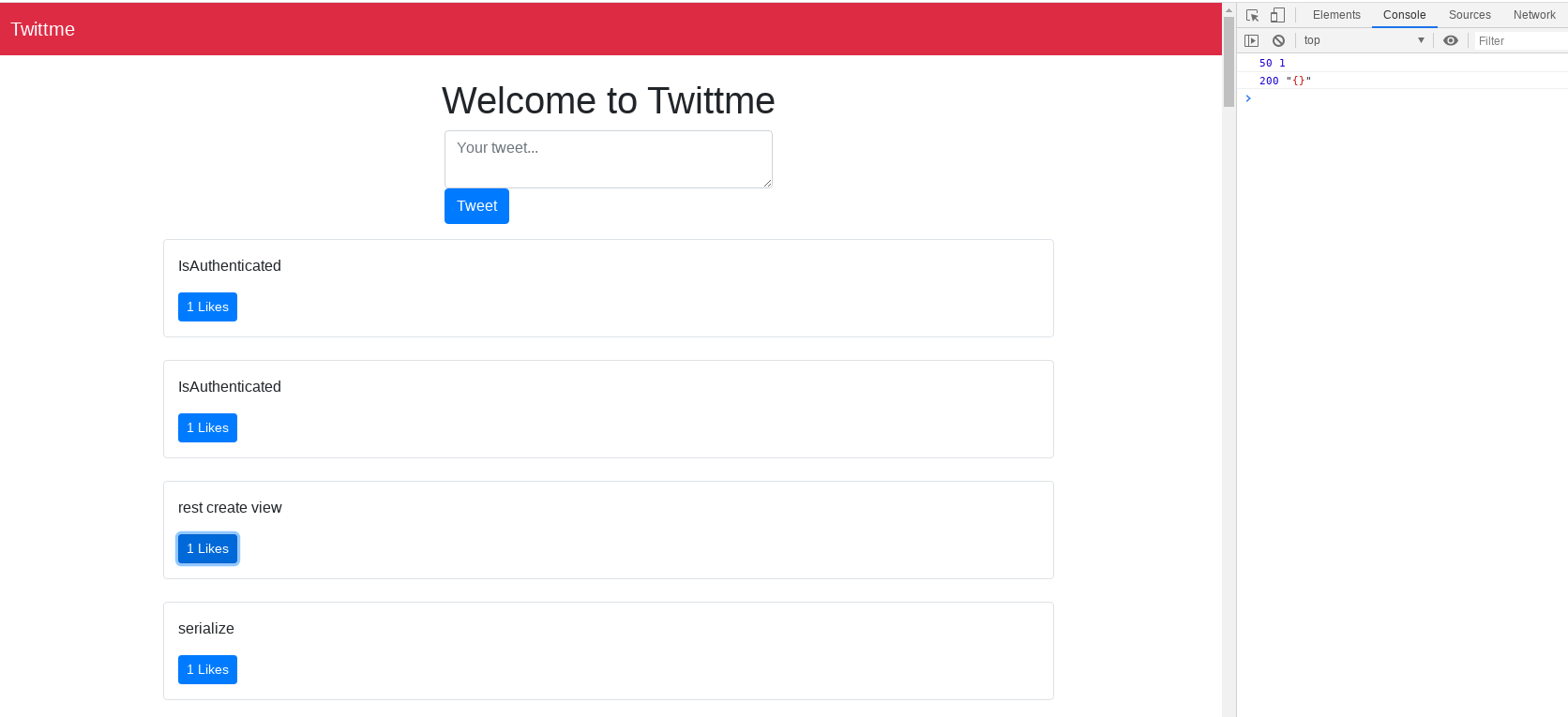
return data of that liked tweet
@api_view(['POST'])@permission_classes([IsAuthenticated])def tweet_action_view(request, *args, **kwargs):# ...if action == "like":obj.likes.add(request.user) # add the current user into the like listserializer = TweetSerializer(obj)return Response(serializer.data, status=200)# ...
to test, runserver
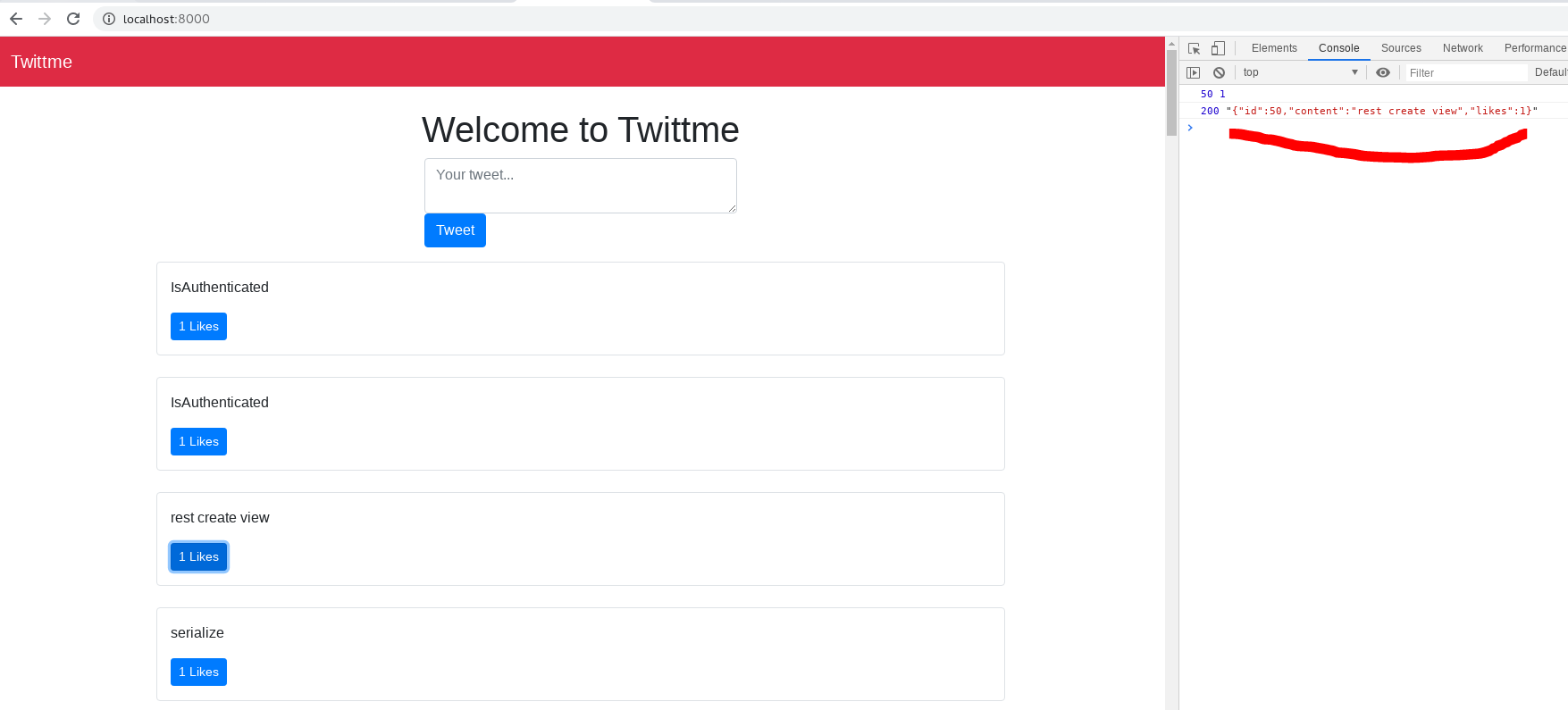
now we have more detailed data.Load the status change instantly by loadTweets() in home.html
function handleDidLike(tweet_id, currentCount) {console.log(tweet_id, currentCount)const url = "/api/tweets/action"const method = "POST"const data = JSON.stringify({id: tweet_id,action: "like"})const xhr = new XMLHttpRequest()const csrftoken = getCookie('csrftoken')xhr.open(method, url)xhr.setRequestHeader("Content-Type", "application/json")xhr.setRequestHeader("HTTP_X_REQUESTED_WITH", "XMLHttpRequest")xhr.setRequestHeader("X-Requested-With", "XMLHttpRequest")xhr.setRequestHeader("X-CSRFToken", csrftoken)xhr.onload = function() {//console.log(xhr.status, xhr.response)//react.jsloadTweets(tweetsContainerElement)}xhr.send(data)return}
and 0->1 likes status change don’t need to refresh.
next is “unlike”, update home.html to separate actions ```javascript //function handleDidLike(tweet_id, currentCount) { function handleDidLike(tweet_id, currentCount, action) { //… const data = JSON.stringify({
id: tweet_id,
//action: “like”
action: action
}) //… return }
//… function LikeBtn(tweet) { return “

若有收获,就点个赞吧
0 人点赞


