Append New Tweet & Reorder:
it’s not enough to just prepend formatted tweet, and it needs to be rendered.
home.html
function handleTweetCreateFormDidSubmit(event) {
//...
  xhr.onload = function() {
    if (xhr.status === 201) {
      const newTweetJson = xhr.response
      console.log(newTweetJson.likes)
      const newTweetElement = formatTweetElement(newTweetJson)
      console.log(newTweetElement)
      const ogHtml = tweetsContainerElement.innerHTML //new
      //tweetsContainerElement.prepend(newTweetElement)
      tweetsContainerElement.innerHTML = (newTweetElement) + ogHtml
    }
  }
  xhr.send(myFormData)
}
This time is to change innerHTML by putting tweets in front of older tweets.
to test, runserver and send something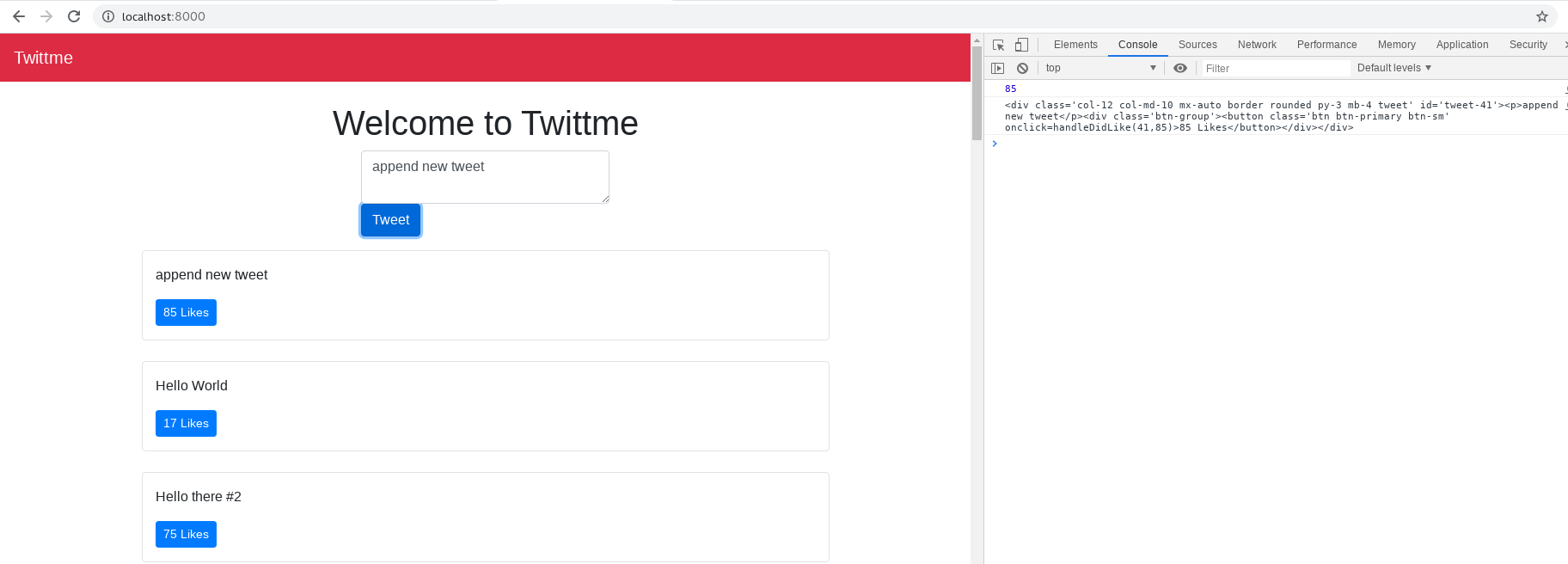
so this time “append new tweet” is before all tweets, but the front one is temporatory, while after you reload the page, that tweet is saved and shown in the bottom.Then we can remove 2 console.log() lines, we don’t need them now
function handleTweetCreateFormDidSubmit(event) {
//...
  xhr.onload = function() {
    if (xhr.status === 201) {
      const newTweetJson = xhr.response
      //console.log(newTweetJson.likes)
      const newTweetElement = formatTweetElement(newTweetJson)
      //console.log(newTweetElement)
      const ogHtml = tweetsContainerElement.innerHTML
      tweetsContainerElement.innerHTML = (newTweetElement) + ogHtml
    }
  }
  xhr.send(myFormData)
}
let tweets order in id sequence, modify /tweets/models.py ```python from django.db import models import random
class Tweet(models.Model):
# id = models.AutoField(primary_key=True)
content = models.TextField(blank=True, null=True)
image = models.FileField(upload_to="images/", blank=True, null=True)

class Meta: # now
    ordering = ['-id']

def serialize(self):
    return {
        "id": self.id,
        "content": self.content,
        "likes": random.randint(0, 200)
    }
- make and apply migrations
```bash
(reactjs) [root@localhost Twittme]# ./manage.py makemigrations
Migrations for 'tweets':
  tweets/migrations/0002_auto_20200611_1758.py
    - Change Meta options on tweet
(reactjs) [root@localhost Twittme]# ./manage.py migrate
Operations to perform:
  Apply all migrations: admin, auth, contenttypes, sessions, tweets
Running migrations:
  Applying tweets.0002_auto_20200611_1758... OK
to test, runserver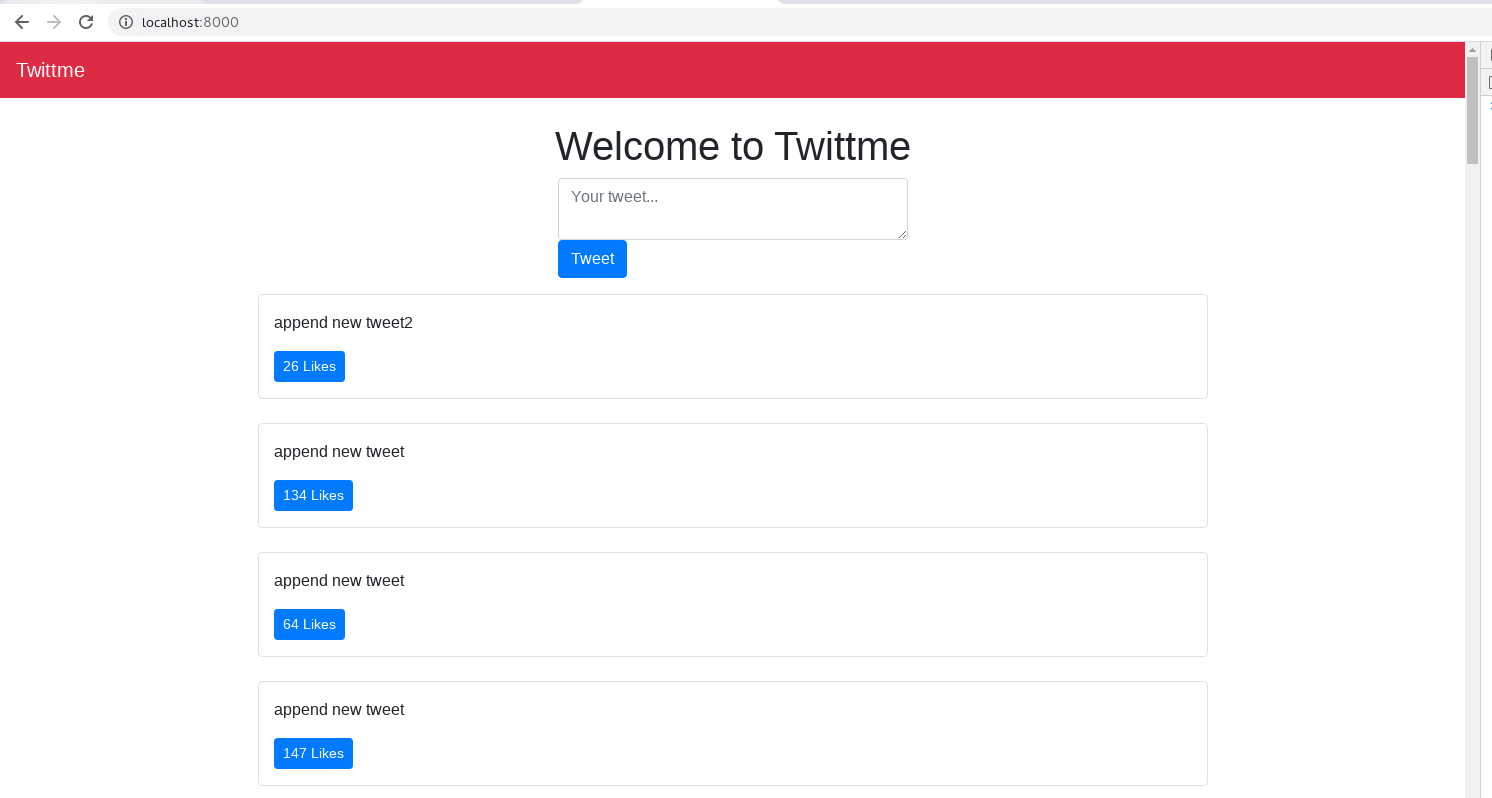
and now it’s listed in id sequence, it’s “latest get first”
2 more adjusts:
reset textarea after submitting in home.html
function handleTweetCreateFormDidSubmit(event) {
//...
xhr.onload = function() {
 if (xhr.status === 201) {
   const newTweetJson = xhr.response
   const newTweetElement = formatTweetElement(newTweetJson)
   const ogHtml = tweetsContainerElement.innerHTML
   tweetsContainerElement.innerHTML = (newTweetElement) + ogHtml
   myForm.reset() //new
 }
}
xhr.send(myFormData)
}
disable empty textarea in home.html
- (I did similar things in /tweets/forms.py)
and when send with empty textarea, we have<div class='row mb-3'> <div class='col-md-4 mx-auto col-10'> <form class='form' id='tweet-create-form' method='POST' action='/create-tweet'> {% csrf_token %} <input type='hidden' value='/' name='next' /> <!--textarea class='form-control' name='content' placeholder='Your tweet...'--> <textarea required='required' class='form-control' name='content' placeholder='Your tweet...'></textarea> <button type='submit' class='btn btn-primary'>Tweet</button> </form> </div> </div>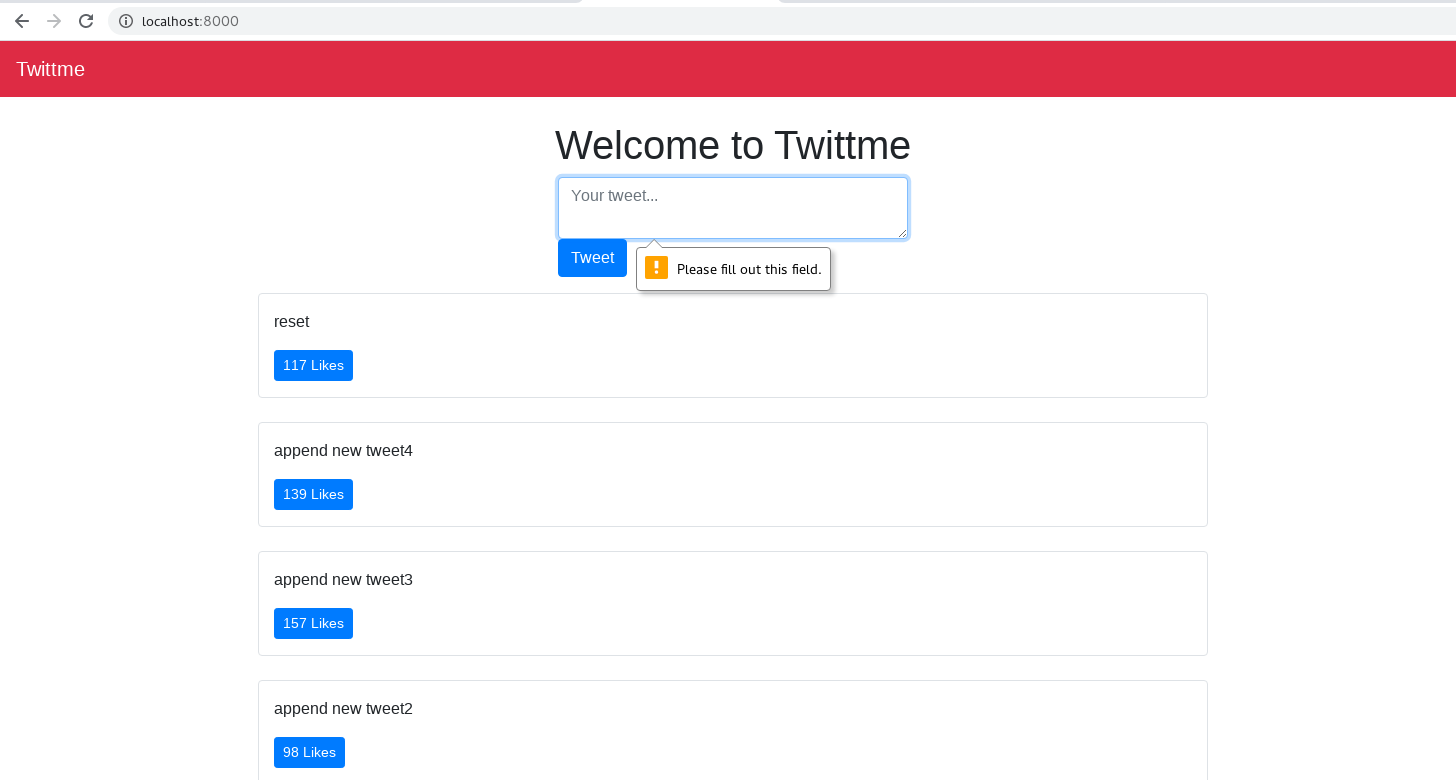
Handling Form Errors:
This part is to return errors when sending form data
/tweets/views.py
def tweet_create_view(request, *args, **kwargs):
  form = TweetForm(request.POST or None)
  print('post data is', request.POST)
  next_url = request.POST.get("next") or None
  if form.is_valid():
      obj = form.save(commit=False)
      obj.save()
      if request.is_ajax():
          return JsonResponse(obj.serialize(), status=201)
      if next_url != None and is_safe_url(next_url, ALLOWED_HOSTS):
          return redirect(next_url)
      form = TweetForm()
  if form.errors: # new
      if request.is_ajax():
          return JsonResponse(form.errors, status=400)

  return render(request, 'components/form.html', context={"form" : form})
to test, runserver and input a very long text (>240 letters)
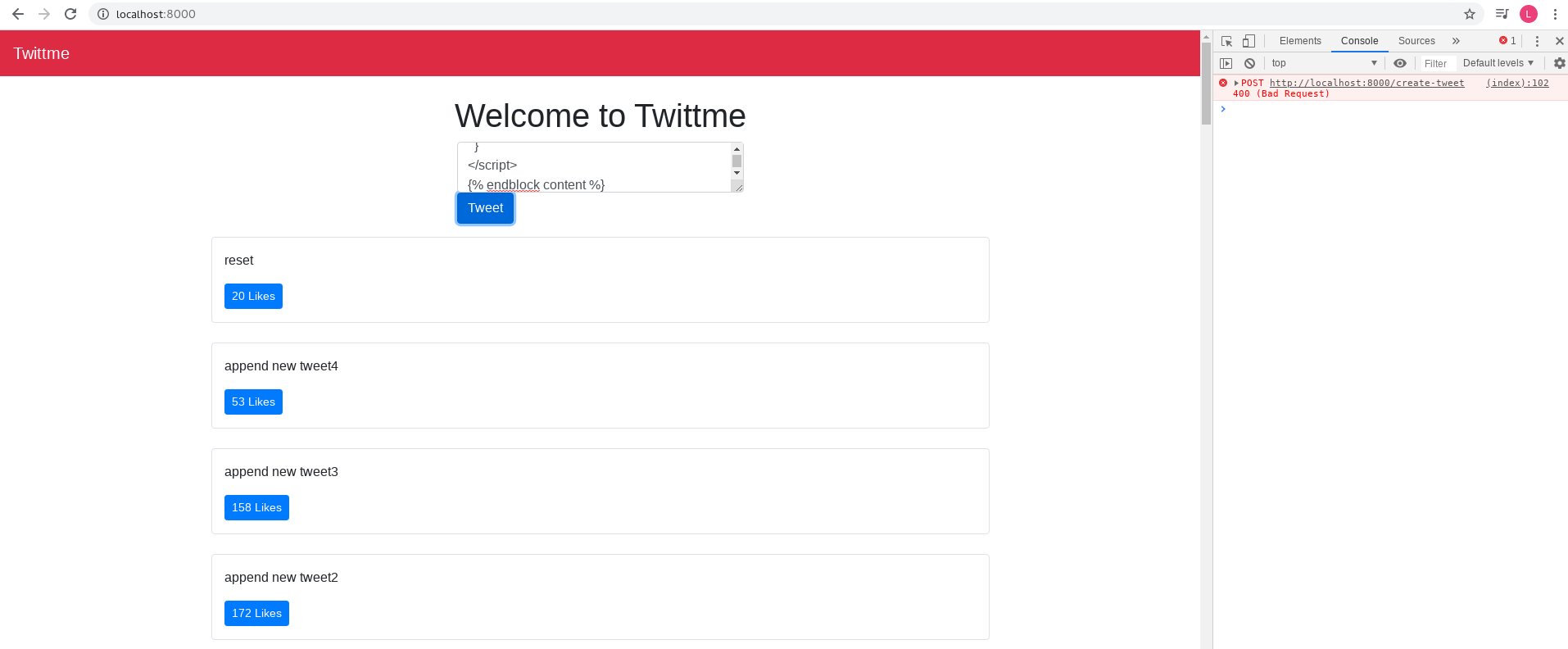
and we see error in the console log.For further return, modify home.html
function handleTweetCreateFormDidSubmit(event) {
//...
  xhr.onload = function() {
    if (xhr.status === 201) {
      const newTweetJson = xhr.response
      const newTweetElement = formatTweetElement(newTweetJson)
      const ogHtml = tweetsContainerElement.innerHTML
      tweetsContainerElement.innerHTML = (newTweetElement) + ogHtml
      myForm.reset()
    } else if(xhr.status === 400){ //new
      const errorJson = xhr.response
      console.log(errorJson)
    }
  }
  xhr.onerror = function(){ //new, this is for some kind of "major" error
    alert("An error occured. Please try again later.")
  }
  xhr.send(myFormData)
}
to test, runserver and input a very long text (>240 letters)
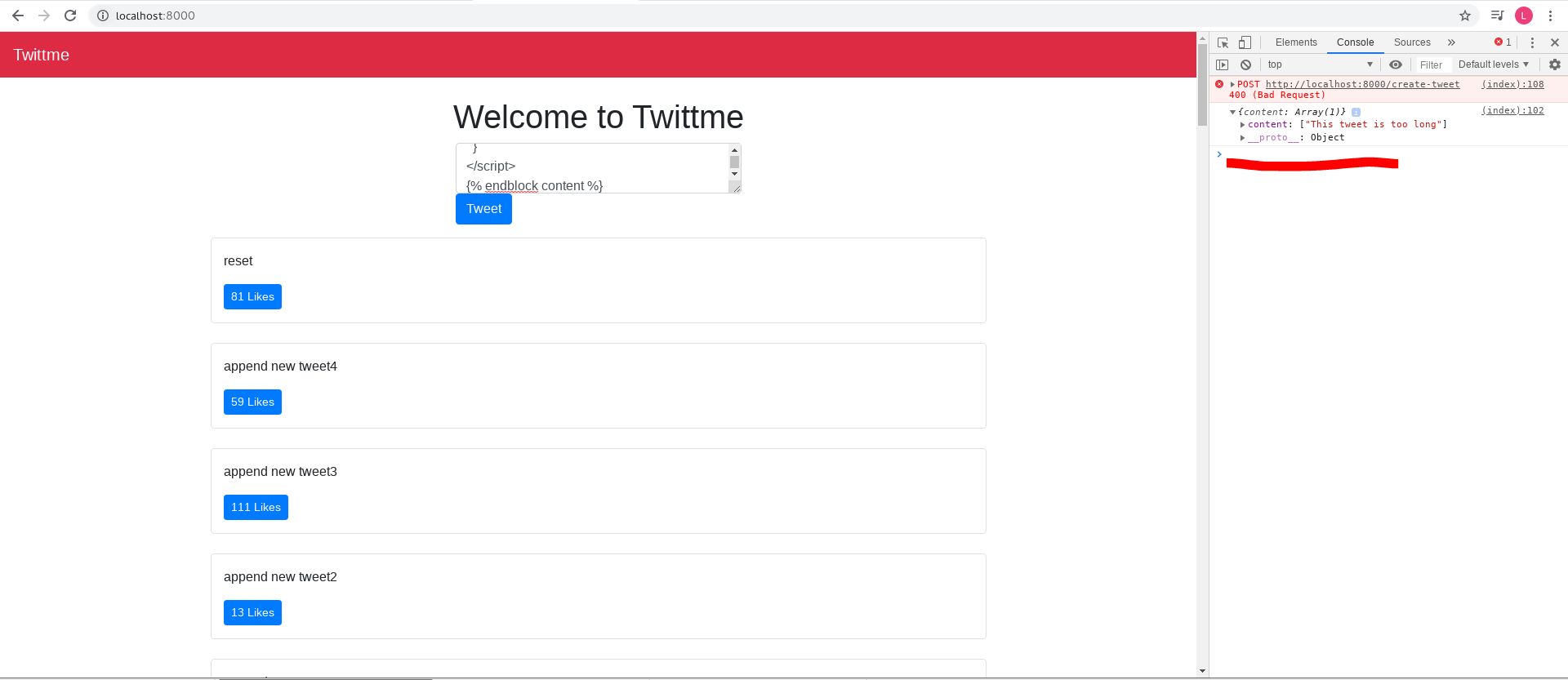
now we have a more detailed error content in the console log, the first line says: “This tweet is too long”
and to test that “major” error, we close server first and try to send something, we get: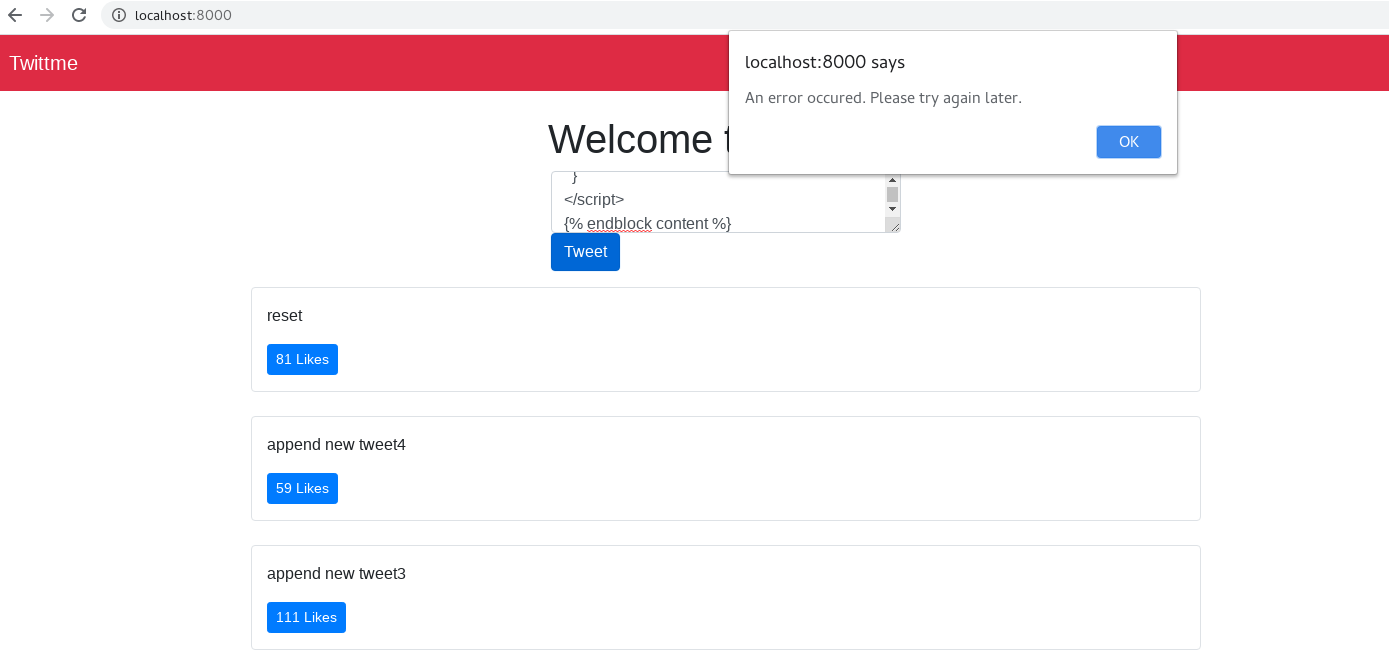
to simulate server error, we temporarily add this line in views.py
def tweet_create_view(request, *args, **kwargs):
  print(abc) //temporarily
  //...
to test, runserver and send something:
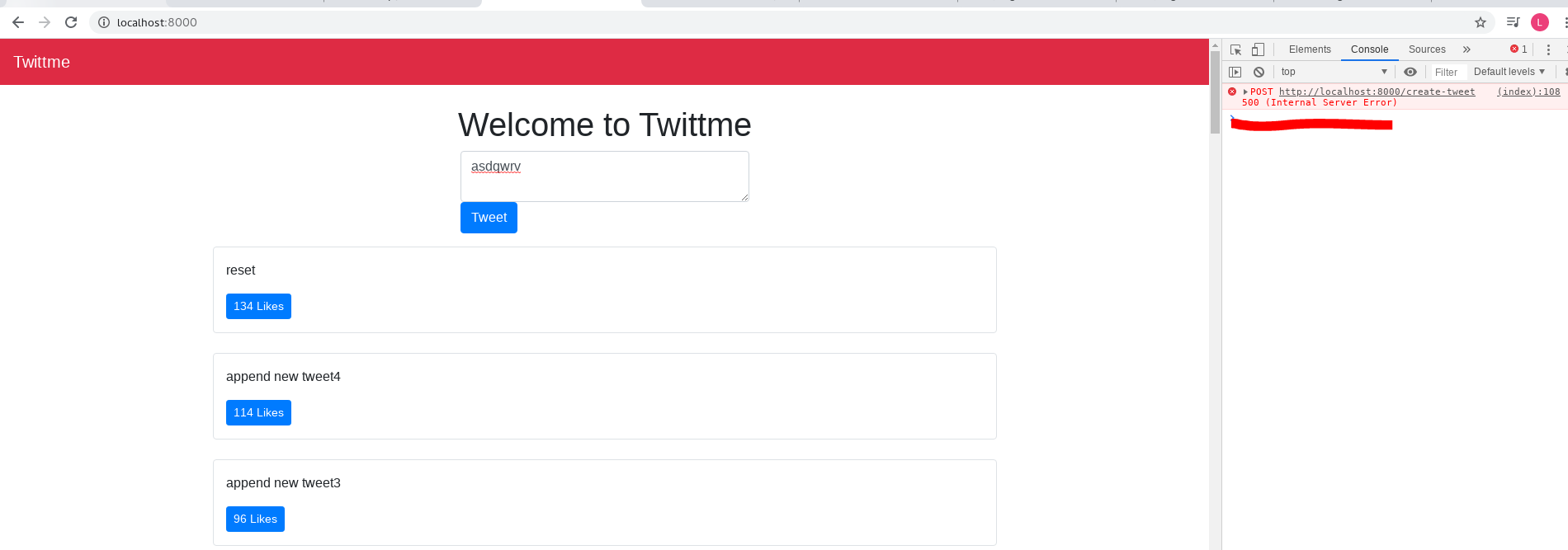
this time we get a status 500 (internal server error), and that’s because abc in tweet_create_view() is undefined.add a status 500 handler home.html
function handleTweetCreateFormDidSubmit(event) {
  //...
  xhr.onload = function() {
    if (xhr.status === 201) {
      const newTweetJson = xhr.response
      const newTweetElement = formatTweetElement(newTweetJson)
      const ogHtml = tweetsContainerElement.innerHTML
      tweetsContainerElement.innerHTML = (newTweetElement) + ogHtml
      myForm.reset()
    } else if(xhr.status === 400){
      const errorJson = xhr.response
      console.log(errorJson)
    } else if(xhr.status === 500){ //new
      alert("There was a server error. Please try again later.")
    }
  }
  xhr.onerror = function(){
    alert("An error occured. Please try again later.")
  }
  xhr.send(myFormData)
}
to test, runserver and input something:

now we both see the console log status 500 error and the alert.
Rendering the Error Message via Vanilla JavaScript:
it only shows basic techniques about Vanilla JavaScript.
prepare a more detail error report for status 400 in home.html
function handleTweetCreateFormDidSubmit(event) {
//...
  xhr.onload = function() {
    if (xhr.status === 201) {
      //...
    } else if(xhr.status === 400){
      const errorJson = xhr.response
      console.log(errorJson)
      const contentError = errorJson.content
      let contentErrorMsg;
      if(contentError) {
        contentErrorMsg = contentError[0] //only the first element has meaningful words
      } else{
        alert("An error occured. Please try again.")
      }
      console.log(contentErrorMsg)
    } else if(xhr.status === 500){
      alert("There was a server error. Please try again later.")
    }
  }
  xhr.onerror = function(){
    alert("An error occured. Please try again later.")
  }
  xhr.send(myFormData)
}
to test, runserver and send a long text(>240 letters):
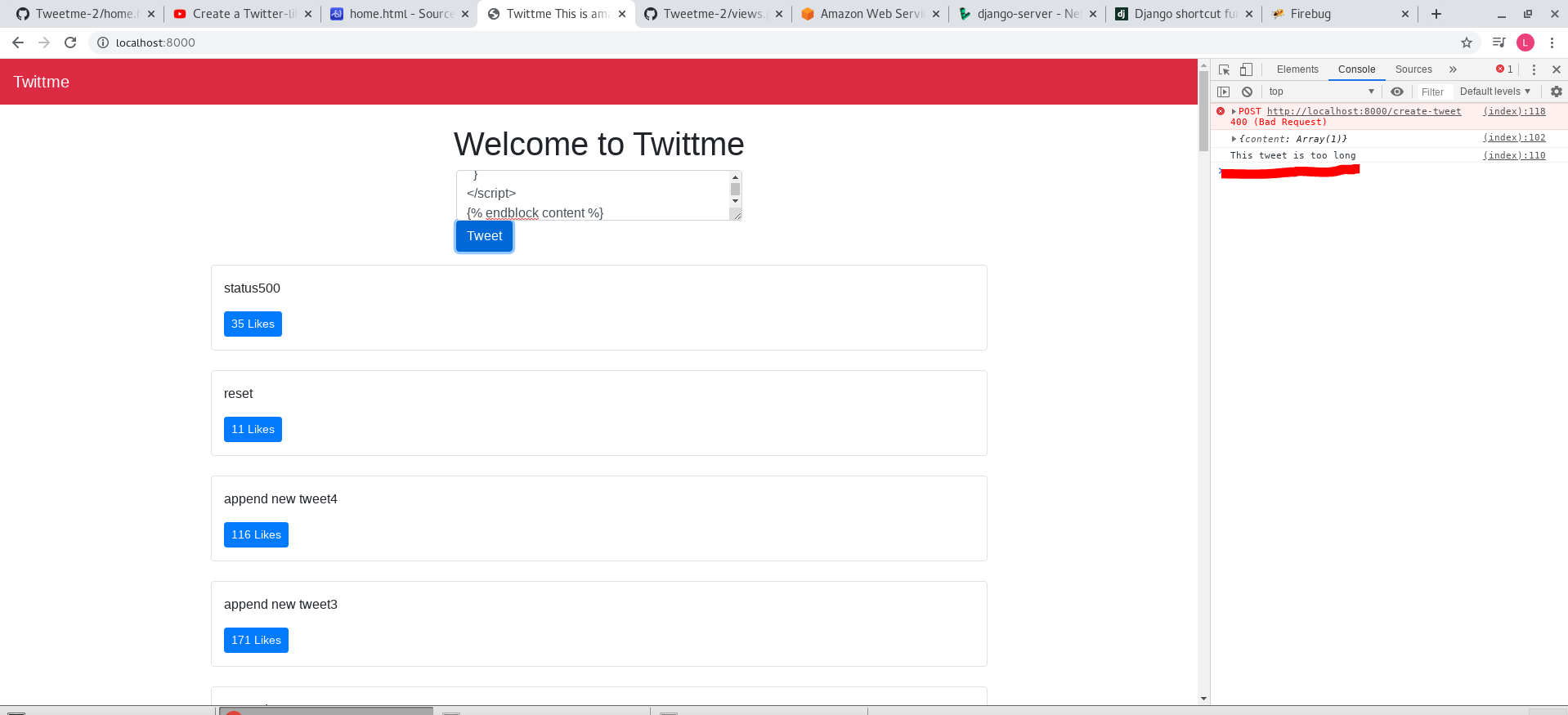
now we have a specific error message: “This tweet is too long.”we add an individual error div for home.html, and a corresponding display control function for that div ```html
to test, runserver and still send a too long text(>240 letters):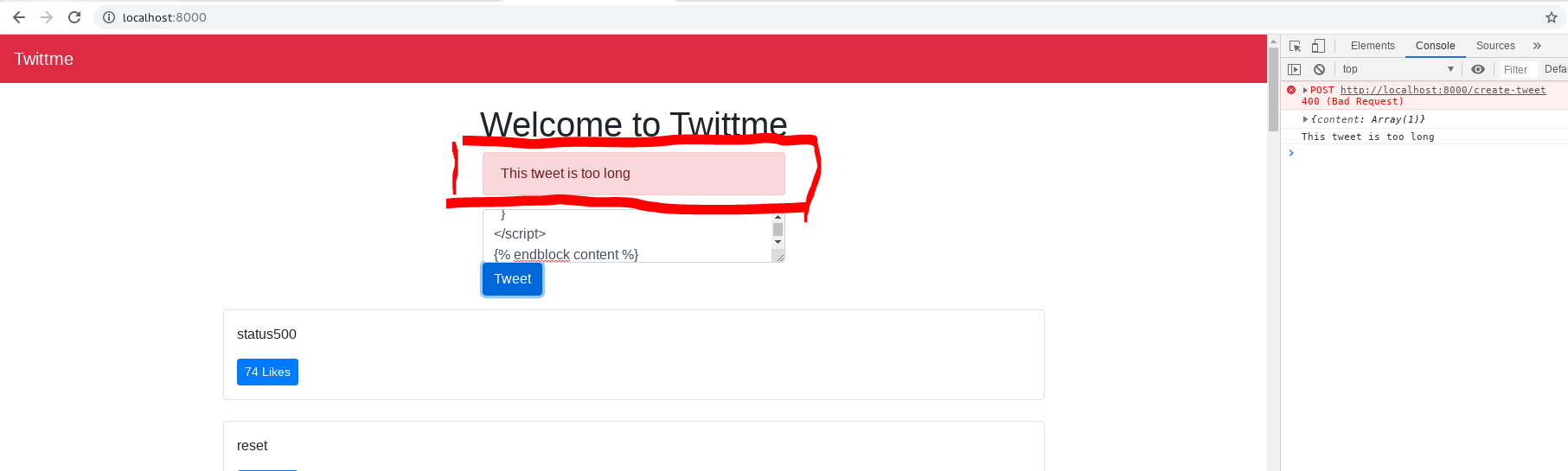<br />we see that error block now.<br />and after we send something normal:<br />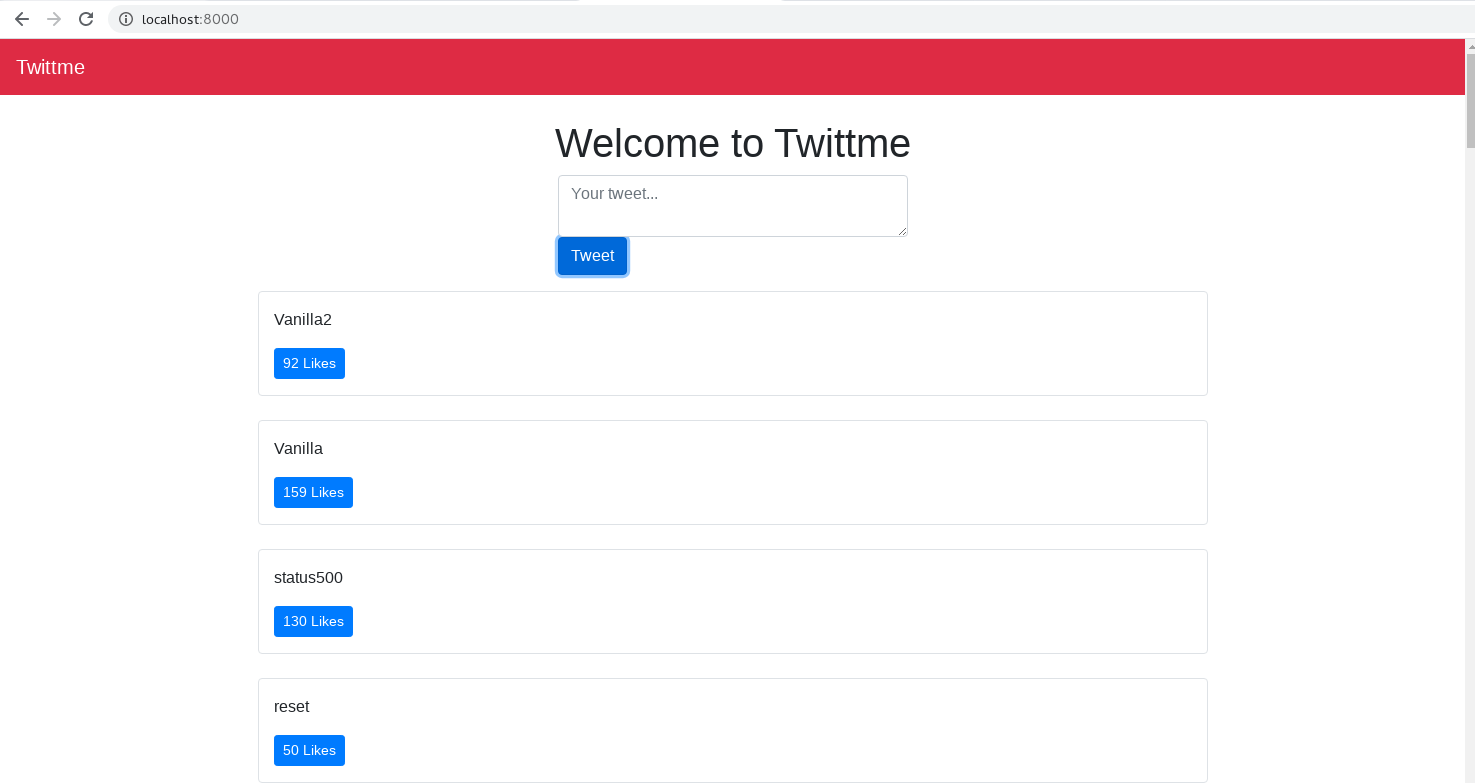<br />the error block disappears.
<a name="pf0LH"></a>
#### Users & Tweets:
apply users to this project
- define users in /tweets/models.py
```python
from django.db import models
from django.conf import settings # new
import random
User = settings.AUTH_USER_MODEL
class Tweet(models.Model):
# maps to SQL data
# id = models.AutoField(primary_key=True)
user = models.ForeignKey(User, on_delete=models.CASCADE) # many users can many tweets
content = models.TextField(blank=True, null=True)
image = models.FileField(upload_to="images/", blank=True, null=True)
class Meta:
ordering = ['-id']
def serialize(self):
return {
"id": self.id,
"content": self.content,
"likes": random.randint(0, 200)
}
on_delete=models.CASCADE can be considered as when user(s) is deleted, also delete relative tweets.
To start this step we need a superuser
(reactjs) [root@localhost Twittme]# python manage.py createsuperuser
Username (leave blank to use 'root'):
Email address:
Password:
Password (again):
Superuser created successfully.
makemigations and migrate cause we modified models.py
(reactjs) [root@localhost Twittme]# python manage.py makemigrations
You are trying to add a non-nullable field 'user' to tweet without a default; we can't do that (the database needs something to populate existing rows).
Please select a fix:
1) Provide a one-off default now (will be set on all existing rows with a null value for this column)
2) Quit, and let me add a default in models.py
Select an option: 1
Please enter the default value now, as valid Python
The datetime and django.utils.timezone modules are available, so you can do e.g. timezone.now
Type 'exit' to exit this prompt
>>> 1
Migrations for 'tweets':
tweets/migrations/0003_tweet_user.py
  - Add field user to tweet
```bash
(reactjs) [root@localhost Twittme]# ./manage.py migrate Operations to perform: Apply all migrations: admin, auth, contenttypes, sessions, tweets Running migrations: Applying tweets.0003_tweet_user… OK ```

若有收获,就点个赞吧
0 人点赞


