Prepending Dynamic Retweets:
update in time:
- first we have to let the retweet be updated after click “retweet”
in /twittme-web/src/tweets/components.js
- add “didRetweet”
- setTweetsInit() and setTweets() ```javascript export function Tweet(props) { //const { tweet } = props; const { tweet, didRetweet } = props; //new element
const [actionTweet, setActionTweet] = useState( props.tweet ? props.tweet : null );
//…
const handlePerformAction = (newActionTweet, status) => { if (status === 200) {
setActionTweet(newActionTweet);
} else if (status === 201) {
//newif (didRetweet) {didRetweet(newActionTweet);}
} };
//… }
export function TweetsList(props) { const [tweetsInit, setTweetsInit] = useState([]); const [tweets, setTweets] = useState([]);
const [tweetsDidSet, setTweetsDidSet] = useState(false);
//…
//new const handleDidRetweet = (newTweet) => { const updateTweetsInit = […tweetsInit]; //grabbing tweetsInit list updateTweetsInit.unshift(newTweet); //add newTweet to the beginning of updateTweetsInit setTweetsInit(updateTweetsInit); //update status const updateFinalTweets = […tweets]; //grabbing tweets list updateFinalTweets.unshift(tweets); //add tweets to the beginning of updateFinalTweets setTweets(updateFinalTweets); //update status };
return tweets.map((item, index) => {
return (
to test, runserver and npm start, access localhost:30<br />click this retweet button: <br />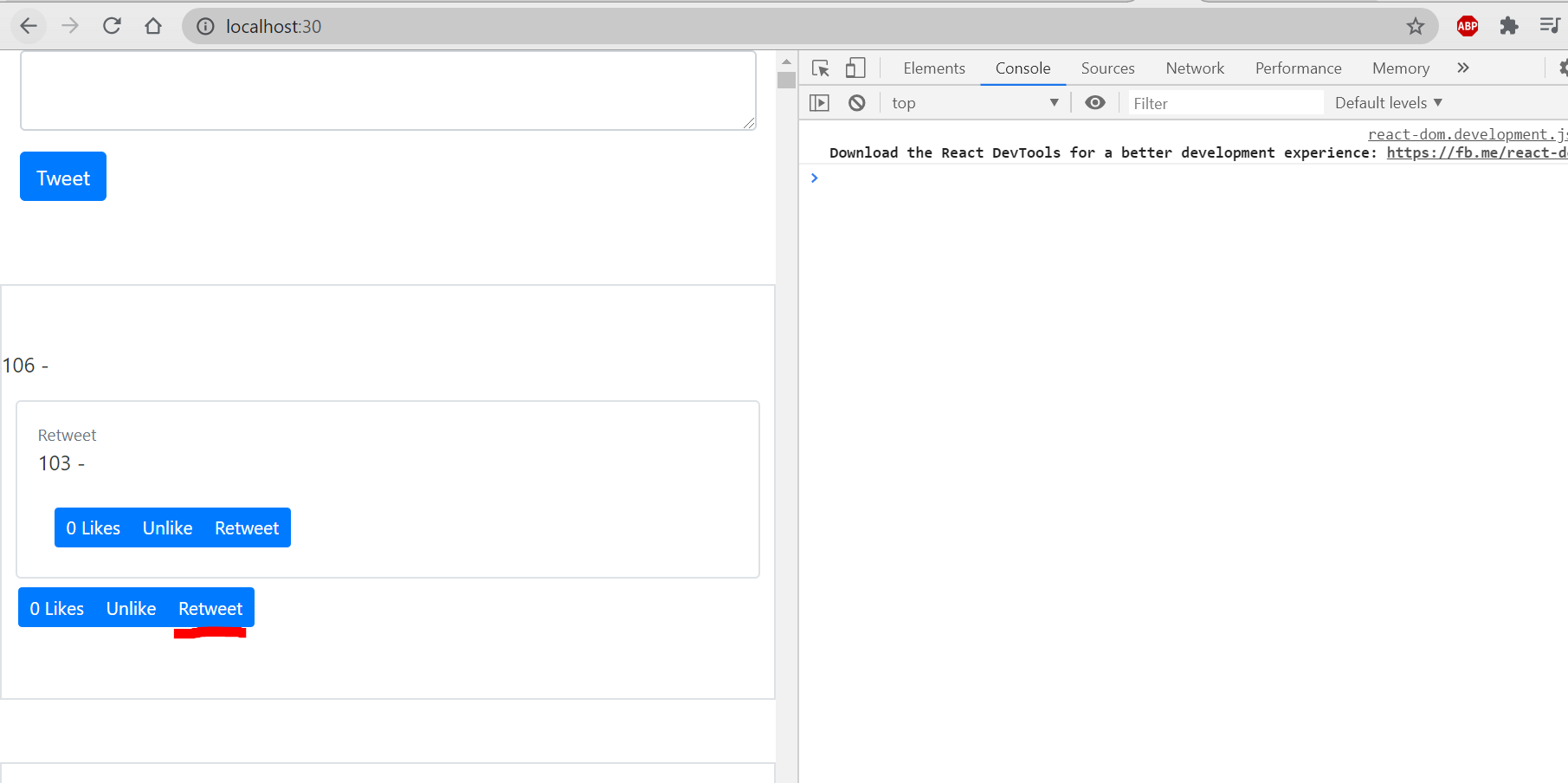<br />a pair of tweet and retweet will be immediately updated without refreshing<br />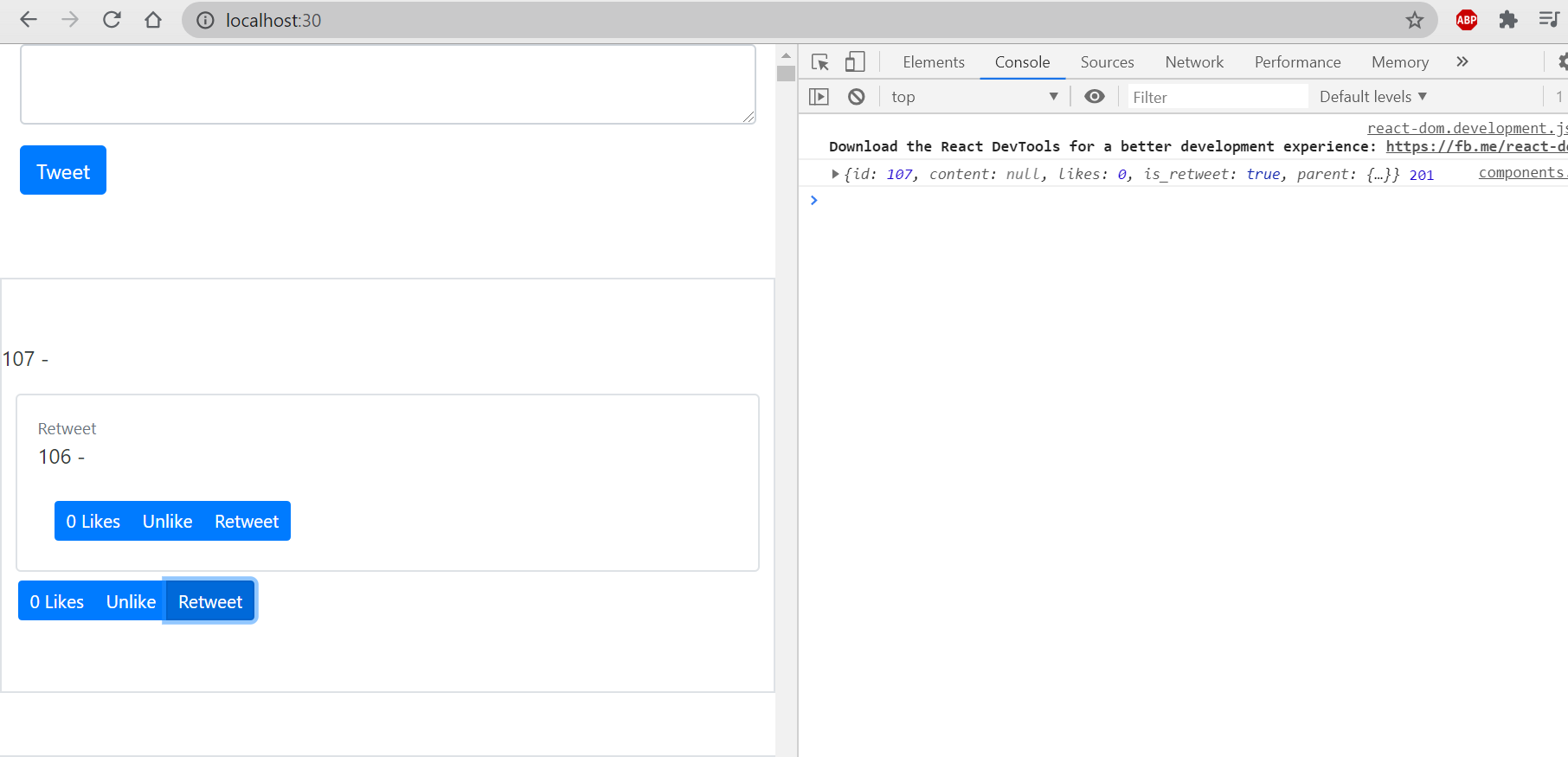<br />but another challenge is that if we click retweet button of a retweet(such as retweet button in 106), the status will not be updated immediately.<a name="4FIPH"></a>#### hide actions for parent tweets:- we need to hide actions on parent tweets to avoid problems- still in /twittme-web/src/tweets/components.js- add "hideActions"```javascriptexport function ParentTweet(props) {const { tweet } = props;return tweet.parent ? (<div className="row"><div className="col-11 mx-auto p-3 border rounded"><p className="mb-0 text-muted small">Retweet</p><Tweet hideActions className={" "} tweet={tweet.parent} /></div></div>) : null;/*return tweet.parent ? (<div className="row"><div className="col-11 mx-auto p-3 border rounded"><p className="mb-0 text-muted small">Retweet</p><Tweet className={" "} tweet={tweet.parent} /></div></div>) : null;*/}export function Tweet(props) {//const { tweet, didRetweet } = props;const { tweet, didRetweet, hideActions } = props; //new elementconst [actionTweet, setActionTweet] = useState(props.tweet ? props.tweet : null);const className = props.className? props.className: "col-10 mx-auto col-md-6";const handlePerformAction = (newActionTweet, status) => {if (status === 200) {setActionTweet(newActionTweet);} else if (status === 201) {if (didRetweet) {didRetweet(newActionTweet);}}};return (<div className={className}><div><p>{tweet.id} - {tweet.content}</p><ParentTweet tweet={tweet} /></div>{(actionTweet && hideActions !== true) && (<div className="btn btn-group"><ActionBtntweet={actionTweet}didPerformAction={handlePerformAction}action={{ type: "like", display: "Likes" }}/><ActionBtntweet={actionTweet}didPerformAction={handlePerformAction}action={{ type: "unlike", display: "Unlike" }}/><ActionBtntweet={actionTweet}didPerformAction={handlePerformAction}action={{ type: "retweet", display: "Retweet" }}/></div>)}</div>);/*return (<div className={className}><div><p>{tweet.id} - {tweet.content}</p><ParentTweet tweet={tweet} /></div>{actionTweet && (<div className="btn btn-group"><ActionBtntweet={actionTweet}didPerformAction={handlePerformAction}action={{ type: "like", display: "Likes" }}/><ActionBtntweet={actionTweet}didPerformAction={handlePerformAction}action={{ type: "unlike", display: "Unlike" }}/><ActionBtntweet={actionTweet}didPerformAction={handlePerformAction}action={{ type: "retweet", display: "Retweet" }}/></div>)}</div>);*/}
refresh and see the page: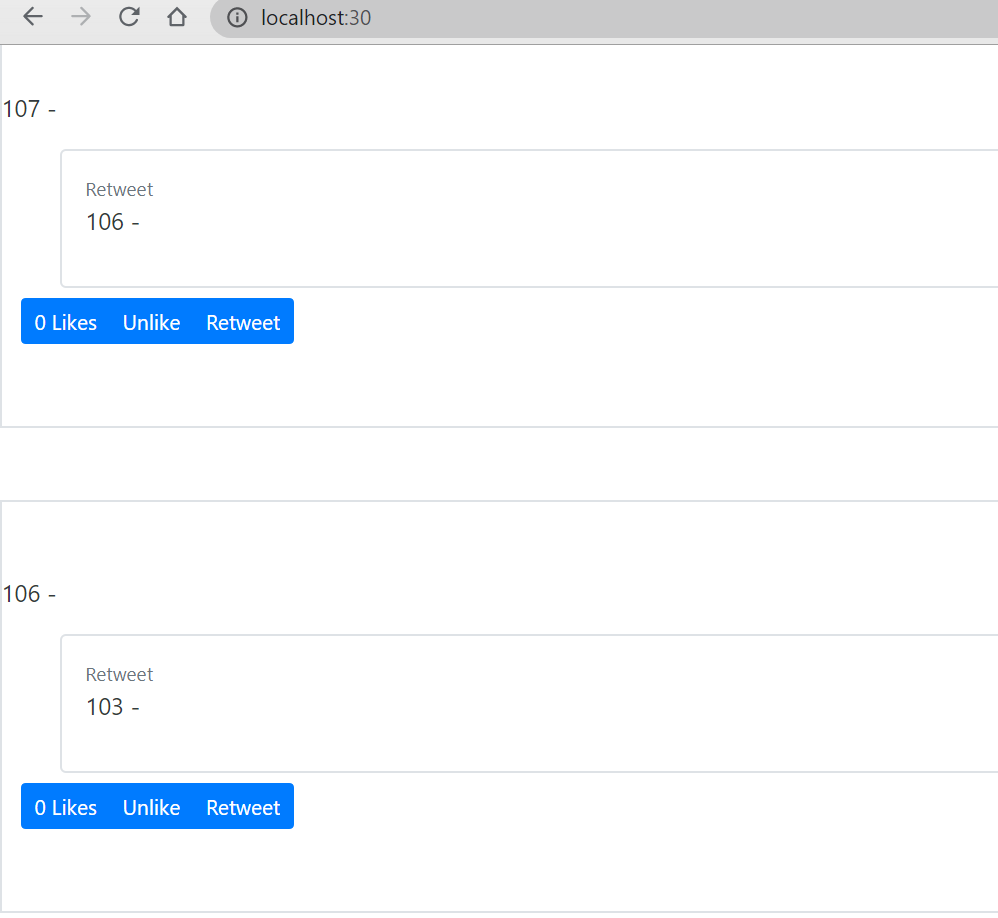
now only new tweets have action buttons, and it make the page more organized with too complicated relationships.
Set Data Props on ReactDOM Render:
about dataset:
do a test first
add an element “data-username” in “tweetme-2” in /twittme-web/public/index.html ```html
- console.log(tweetsEl.dataset) to see what's new in /twittme-web/src/index.js```javascriptconst tweetsEl = document.getElementById("tweetme-2")if (tweetsEl) {console.log(tweetsEl.dataset) //newReactDOM.render(<TweetsComponent />, tweetsEl);}
refresh and see the console log:
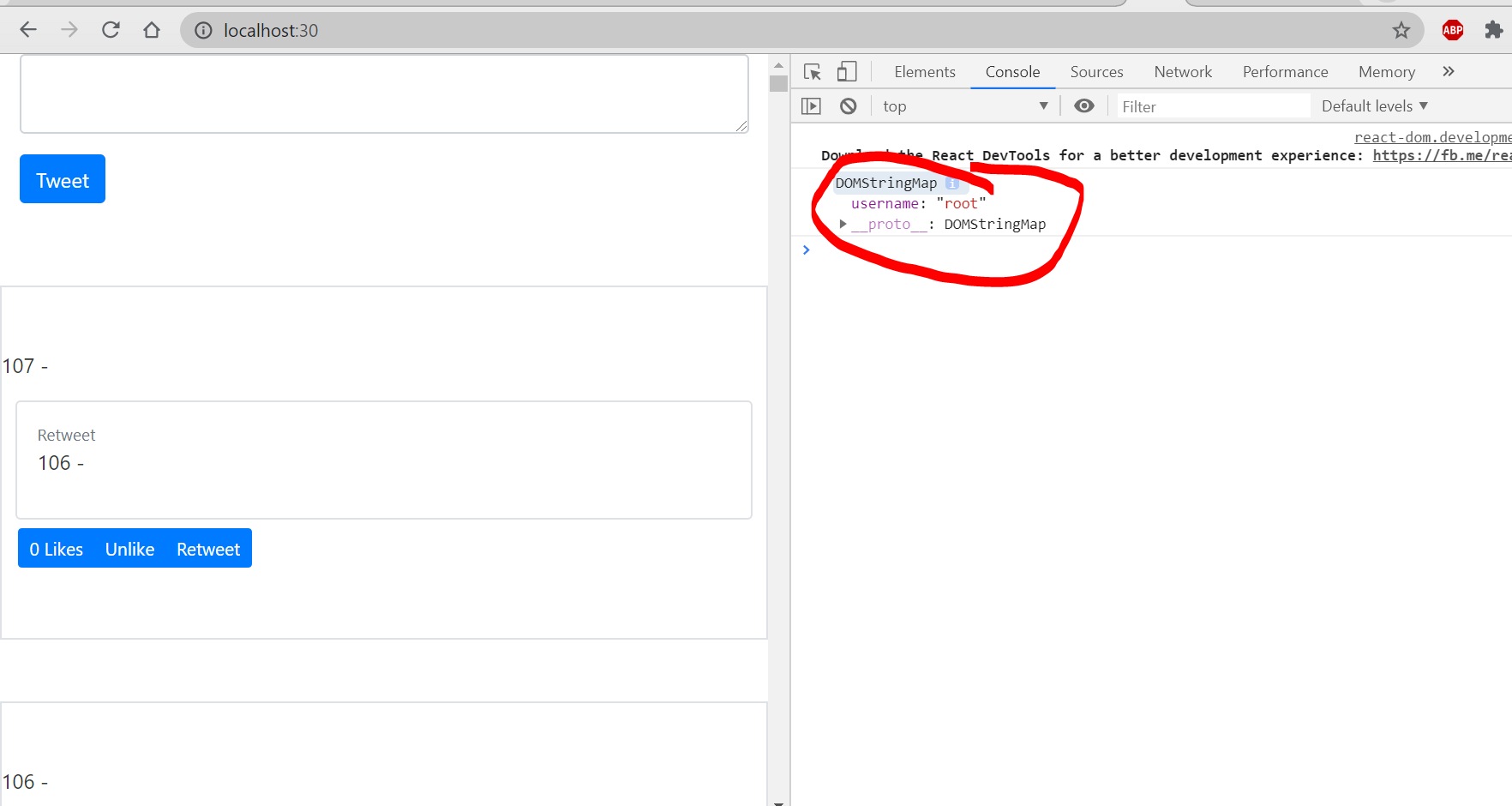
we have a username: “root” as we setup.to test again, add new element in /twittme-web/public/index.html
<body><noscript>You need to enable JavaScript to run this app.</noscript><!--<div id="tweetme-2" data-username="root"></div>--><div id="tweetme-2" data-username="root" data-valid="true"></div><!--This HTML file is a template.If you open it directly in the browser, you will see an empty page.You can add webfonts, meta tags, or analytics to this file.The build step will place the bundled scripts into the <body> tag.To begin the development, run `npm start` or `yarn start`.To create a production bundle, use `npm run build` or `yarn build`.--></body>
refresh and see the console log:
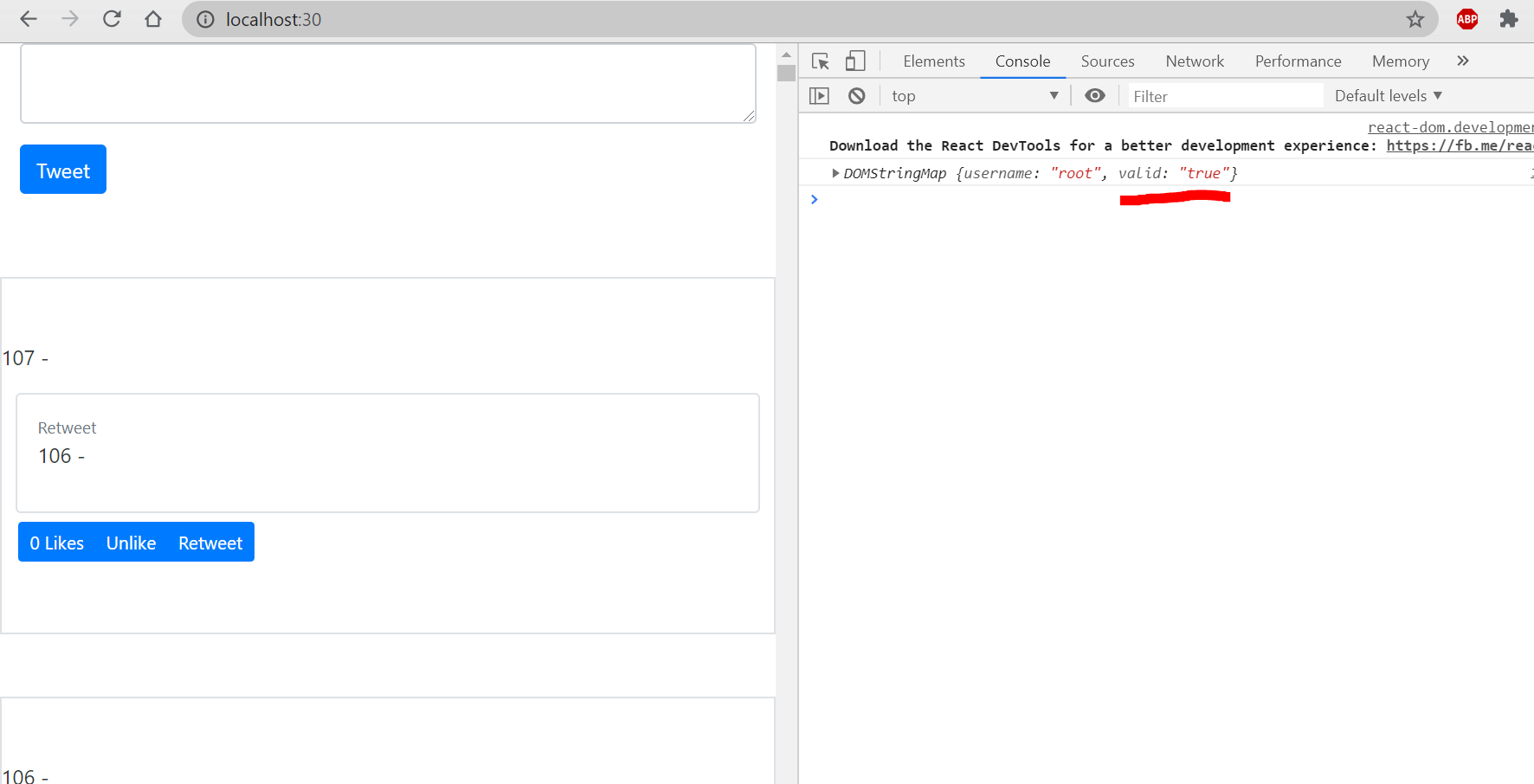
“valid” is shown either.
so we just need “data-“ in the name of elements in a div to let it be included in the dataset.
pass data as component:
The next step, we have to pass dataset to
For example, the previous step we have “username”
we add some details in /twittme-web/src/index.js
const tweetsEl = document.getElementById("tweetme-2")if (tweetsEl) {console.log(tweetsEl.dataset)//ReactDOM.render(<TweetsComponent />, tweetsEl);ReactDOM.render(<TweetsComponent username={tweetsEl.dataset.username} />, tweetsEl);//new}
to see what is sent, in /twittme-web/src/tweets/components.js ```javascript export function TweetsComponent(props) { console.log(props); //new
//… } ``` refresh and access localhost:30
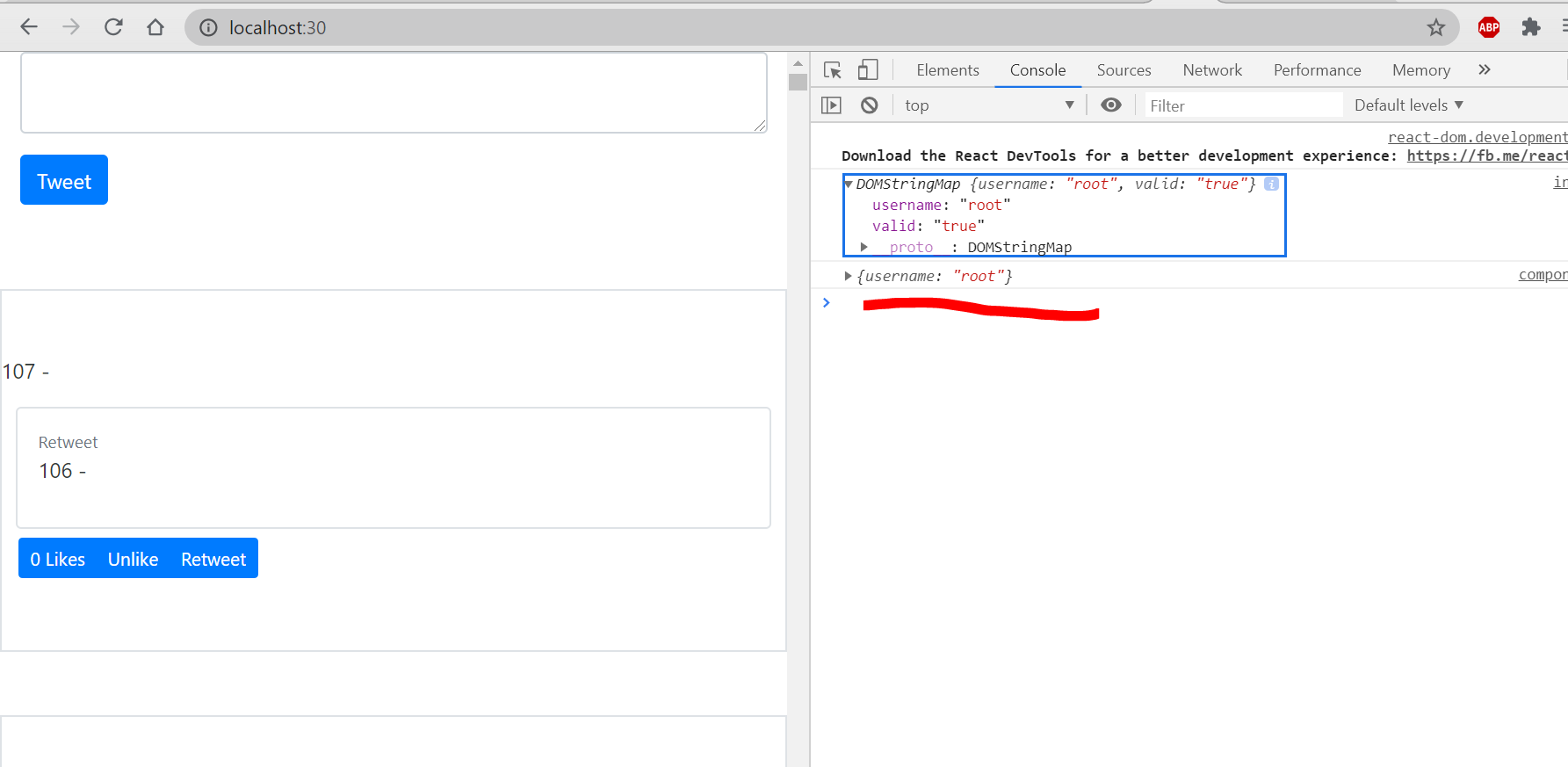
and “username” is successfully sent as a tweet component.
pass dataset as component:
The previous method successfully passed something, but it’s too complicated if we need to insert all names.
We can pass all at once:
- in /twittme-web/src/index.js
refresh and access homepage:const e = React.createElement //newconst tweetsEl = document.getElementById("tweetme-2")if (tweetsEl) {//console.log(tweetsEl.dataset)const MyComponent = e(TweetsComponent, tweetsEl.dataset) //new//ReactDOM.render(<TweetsComponent username={tweetsEl.dataset.username} />, tweetsEl);ReactDOM.render(MyComponent, tweetsEl);}
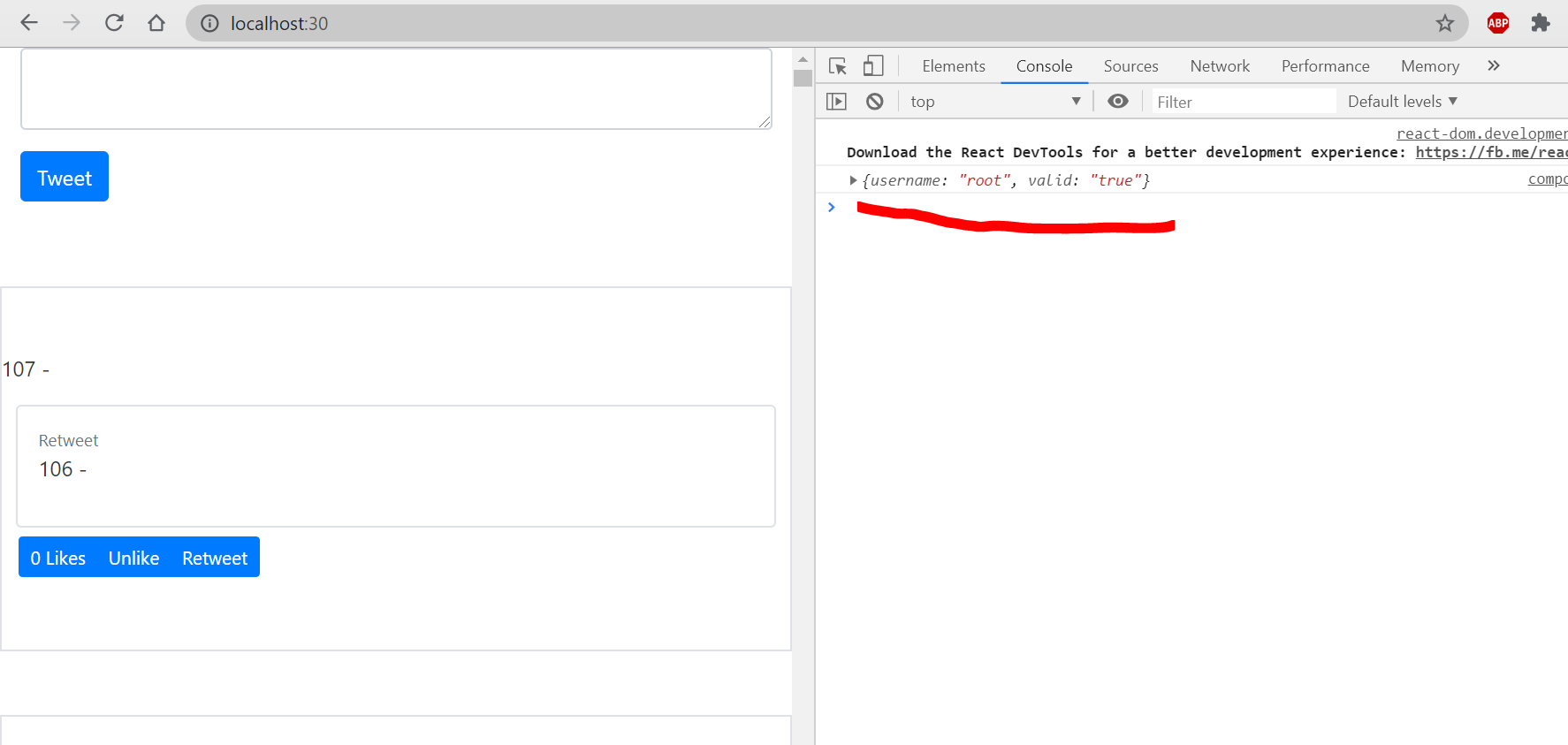
both username and valid are passed.
Now we can update list view by passed elements.

若有收获,就点个赞吧
0 人点赞


