Display Tweet User Details:
User link and User picture:
- in /twittme-web/src/tweets/detail.js
- create function UserLink and UserPicture, they return corresponding HTML blocks
- replace return of tweets to apply UserLink and UserPicture ```javascript import React, { useState } from “react”;
import { ActionBtn } from “./buttons”;
//return user link
function UserLink(props) {
const { user, includeFullName } = props; //pick user and is include fullname
const nameDisplay =
includeFullName === true ? ${user.first_name} ${user.last_name} : null;
//if include full name, display them
const handleUserLink = (event) => {
window.location.href = /profiles/${user.username}; //link to the profile of that user
};
//copied part of return from Tweet funciton below
return (
//return user picture function UserPicture(props) { const { user } = props; //pick user
//reutrn an HTML span block to show an icon of the first letter in username //copied part of return from Tweet funciton below return ( {user.username[0]} ); }
//…
export function Tweet(props) { //…
/ return (
{tweet.user.first_name} {tweet.user.last_name}@{tweet.user.username}
{tweet.content}
return (
{tweet.content}
runserver and npm start to test:<br />For now, the url is [http://localhost:30/](http://localhost:30/)<br />we click a "@root"<br />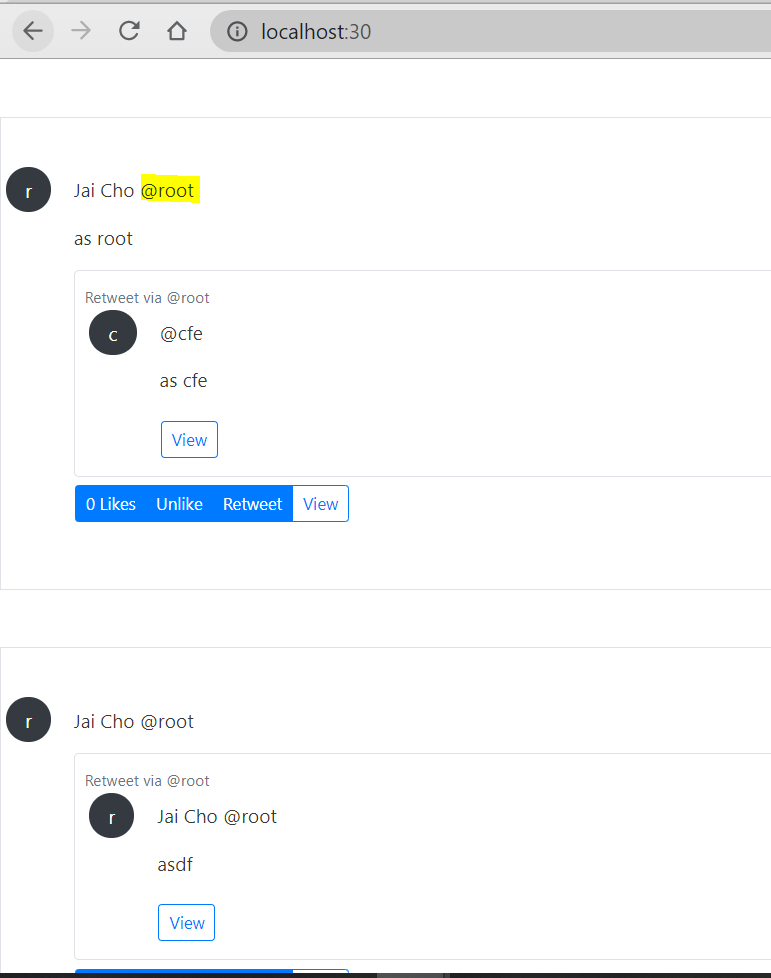<br />Now the url is [http://localhost:30/profiles/root](http://localhost:30/profiles/root)<br />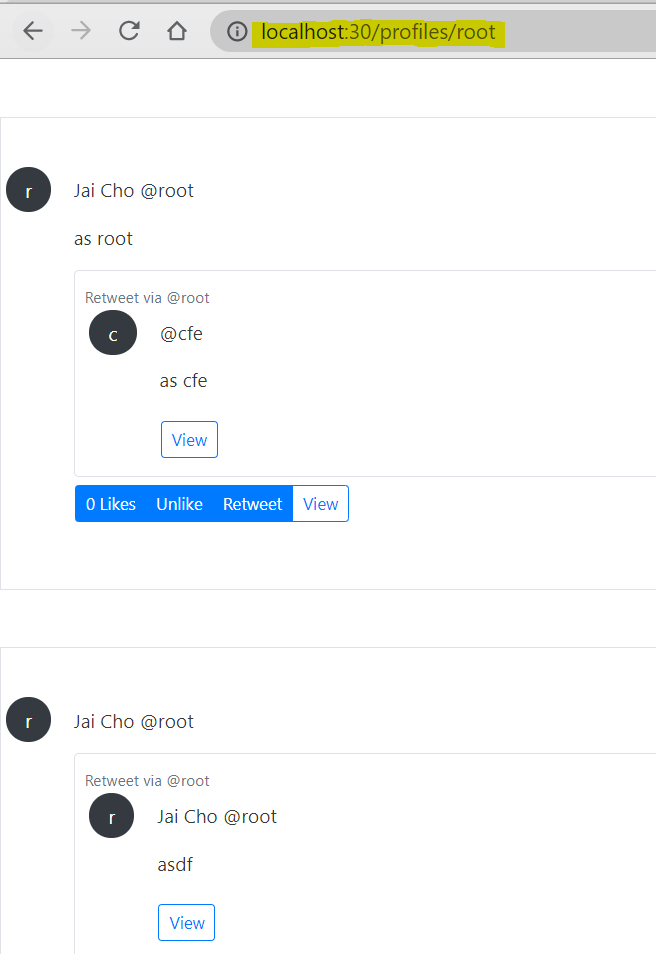<br />we try another one, click a "@cfe"<br />Now the url is [http://localhost:30/profiles/cfe](http://localhost:30/profiles/cfe)<br />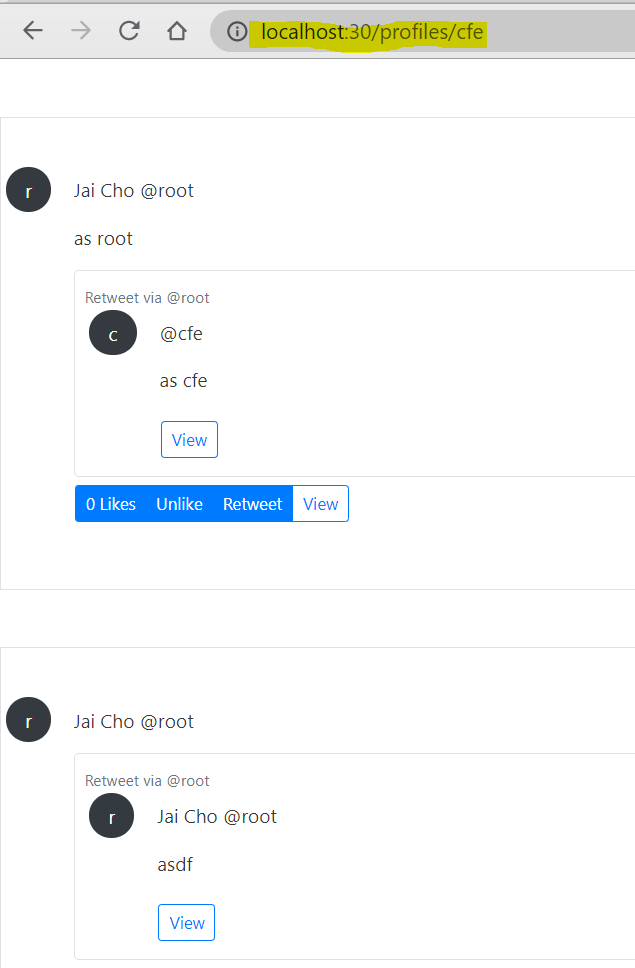<br />so we are able to redirect to the profile link with shown **username**. <br />**Also**, we can click **user picture**s to redirect to another /profiles/ page.<a name="hpjQK"></a>#### Change User link, add User display:Both username and user picture redirect us to another link, so we can separate link function, and let username or user picture has this link to increase code reuse.- in /twittme-web/src/tweets/detail.js- create function UserDisplay and move contents in UserLink into UserDisplay- Let UserLink work just as an appropriate link- apply UserLink in UserDisplay and UserPicture- in Tweet(), change UserLink into UserDisplay```javascriptimport React, { useState } from "react";import { ActionBtn } from "./buttons";//return user linkfunction UserLink(props) {//const { user, includeFullName } = props;const { username } = props;/*const nameDisplay =includeFullName === true ? `${user.first_name} ${user.last_name} ` : null;*/const handleUserLink = (event) => {//window.location.href = `/profiles/${user.username}`;window.location.href = `/profiles/${username}`;};/*return (<React.Fragment>{nameDisplay}<span onClick={handleUserLink}>@{user.username}</span></React.Fragment>);*/return (<span className="pointer" onClick={handleUserLink}>{props.children}</span>);}//newfunction UserDisplay(props) {const { user, includeFullName } = props;const nameDisplay =includeFullName === true ? `${user.first_name} ${user.last_name} ` : null;return (<React.Fragment>{nameDisplay}<UserLink username={user.username}>@{user.username}</UserLink></React.Fragment>);}//return user picturefunction UserPicture(props) {const { user } = props; //pick user/*return (<span className="mx-1 px-3 py-2 rounded-circle bg-dark text-white">{user.username[0]}</span>);*/return (<UserLink username={user.username}><span className="mx-1 px-3 py-2 rounded-circle bg-dark text-white">{user.username[0]}</span></UserLink>);}//...export function Tweet(props) {//.../*return (<div className={className}>{isRetweet === true && (<div className="mb-2"><span className="small text-muted">Retweet via <UserLink user={retweeter} /></span></div>)}<div className="d-flex"><div className=""><UserPicture user={tweet.user} /></div><div className="col-11"><div><p><UserLink includeFullName user={tweet.user} /></p><p>{tweet.content}</p><ParentTweet tweet={tweet} retweeter={tweet.user} /></div><div className="btn btn-group px-0">{actionTweet && hideActions !== true && (<React.Fragment><ActionBtntweet={actionTweet}didPerformAction={handlePerformAction}action={{ type: "like", display: "Likes" }}/><ActionBtntweet={actionTweet}didPerformAction={handlePerformAction}action={{ type: "unlike", display: "Unlike" }}/><ActionBtntweet={actionTweet}didPerformAction={handlePerformAction}action={{ type: "retweet", display: "Retweet" }}/></React.Fragment>)}{isDetail === true ? null : (<buttonclassName="btn btn-outline-primary btn-sm"onClick={handleLink}>View</button>)}</div></div></div></div>);*/return (<div className={className}>{isRetweet === true && (<div className="mb-2"><span className="small text-muted">Retweet via <UserDisplay user={retweeter} /></span></div>)}<div className="d-flex"><div className=""><UserPicture user={tweet.user} /></div><div className="col-11"><div><p><UserDisplay includeFullName user={tweet.user} /></p><p>{tweet.content}</p><ParentTweet tweet={tweet} retweeter={tweet.user} /></div><div className="btn btn-group px-0">{actionTweet && hideActions !== true && (<React.Fragment><ActionBtntweet={actionTweet}didPerformAction={handlePerformAction}action={{ type: "like", display: "Likes" }}/><ActionBtntweet={actionTweet}didPerformAction={handlePerformAction}action={{ type: "unlike", display: "Unlike" }}/><ActionBtntweet={actionTweet}didPerformAction={handlePerformAction}action={{ type: "retweet", display: "Retweet" }}/></React.Fragment>)}{isDetail === true ? null : (<buttonclassName="btn btn-outline-primary btn-sm"onClick={handleLink}>View</button>)}</div></div></div></div>);}
add details about “pointer” in /twittme-web/src/index.css
.pointer {cursor: pointer !important;}
the page work as before.
we create a directory /twittme-web/src/profiles
- create /twittme-web/src/profiles/components.js by coping and modifying some functions in /twittme-web/src/tweets/detail.js ```javascript //import React, { useState } from “react”; import React from “react”;
//import { ActionBtn } from “./buttons”;
//function UserLink(props) { export function UserLink(props) { const { username } = props;
const handleUserLink = (event) => {
window.location.href = /profiles/${username};
};
return ( {props.children} ); }
//function UserDisplay(props) {
export function UserDisplay(props) {
const { user, includeFullName } = props;
const nameDisplay =
includeFullName === true ? ${user.first_name} ${user.last_name} : null;
return (
//function UserPicture(props) { export function UserPicture(props) { const { user } = props;
return (
- create /twittme-web/src/profiles/index.js to export 3 functions```javascriptimport {UserPicture, UserDisplay, UserLink} from './components'export {UserPicture, UserDisplay, UserLink}
- import UserPicture, UserDisplay, UserLink in /twittme-web/src/tweets/detail.js ```javascript import React, { useState } from “react”;
import { ActionBtn } from “./buttons”;
import { //new UserDisplay, UserPicture } from ‘../profiles’
/* function UserLink(props) { const { username } = props;
const handleUserLink = (event) => {
window.location.href = /profiles/${username};
};
return ( {props.children} ); }
function UserDisplay(props) {
const { user, includeFullName } = props;
const nameDisplay =
includeFullName === true ? ${user.first_name} ${user.last_name} : null;
return (
function UserPicture(props) { const { user } = props;
return (
the page totally work as before, but we successfully moved user profile related methods into a directory.<a name="4NBON"></a>### Feed View Component:This part we need to handle components of feed view. <br />We can create a feed list to separate from tweet list to benefit our possible future changes.- create /twittme-web/src/tweets/feed.js- it's basically modified from /twittme-web/src/tweets/list.js```javascriptimport React, { useEffect, useState } from "react";import { apiTweetFeed } from "./lookup";import { Tweet } from "./detail";export function FeedList(props) {const [tweetsInit, setTweetsInit] = useState([]);const [tweets, setTweets] = useState([]);const [nextUrl, setNextUrl] = useState(null);const [tweetsDidSet, setTweetsDidSet] = useState(false);useEffect(() => {const final = [...props.newTweets].concat(tweetsInit); //[...content] means a new list with the contentif (final.length !== tweets.length) {setTweets(final);}}, [props.newTweets, tweets, tweetsInit]);useEffect(() => {if (tweetsDidSet === false) {const handleTweetListLookup = (response, status) => {if (status === 200) {setNextUrl(response.next); //newconsole.log(response);//setTweetsInit(response);setTweetsInit(response.results);setTweetsDidSet(true);} else {alert("There was an error");}};apiTweetFeed(handleTweetListLookup);}}, [tweetsInit, tweetsDidSet, setTweetsDidSet, props.username]);const handleDidRetweet = (newTweet) => {const updateTweetsInit = [...tweetsInit]; //grabbing tweetsInit listupdateTweetsInit.unshift(newTweet); //add newTweet to the beginning of updateTweetsInitsetTweetsInit(updateTweetsInit); //update statusconst updateFinalTweets = [...tweets]; //grabbing tweets listupdateFinalTweets.unshift(tweets); //add tweets to the beginning of updateFinalTweetssetTweets(updateFinalTweets); //update status};const handleLoadNext = (event) => {event.preventDefault();if (nextUrl !== null) {const handleLoadNextResponse = (response, status) => {if (status === 200) {setNextUrl(response.next);const newTweets = [...tweets].concat(response.results);setTweetsInit(newTweets);setTweets(newTweets);} else {alert("There was an error");}};apiTweetFeed(handleLoadNextResponse, nextUrl);}};return (<React.Fragment>{tweets.map((item, index) => {return (<Tweettweet={item}didRetweet={handleDidRetweet}className="my-5 py-5 border bg-white text-dark"key={`${index}-{item.id}`}/>);})}{nextUrl !== null && (<button onClick={handleLoadNext} className="btn btn-outline-primary">Load next</button>)}</React.Fragment>);}
- add function apiTweetFeed in /twittme-web/src/tweets/lookup.js to get the feed list
- modified from apiTweetList ```javascript //…
//new export function apiTweetFeed(callback, nextUrl) { let endpoint = “/tweets/feed/“
if (nextUrl !== null && nextUrl !== undefined) {
//endpoint = nextUrl.replace(“http://localhost:8000/api“, “”)
endpoint = nextUrl.replace(“http://localhost/api“, “”)
}
backendLookup(“GET”, endpoint, callback); }
export function apiTweetList(username, callback, nextUrl) {
let endpoint = “/tweets/“
if(username){
endpoint = /tweets/?username=${username}
}
if (nextUrl !== null && nextUrl !== undefined) { //new //endpoint = nextUrl.replace(“http://localhost:8000/api“, “”) endpoint = nextUrl.replace(“http://localhost/api“, “”) }
backendLookup(“GET”, endpoint, callback); }
- add function FeedComponent in /twittme-web/src/tweets/components.js to organize feed components- modified from TweetsComponent```javascriptimport React, { useState, useEffect } from "react";import { TweetsList } from "./list";import { TweetCreate } from "./create";import { apiTweetDetail } from "./lookup";import { Tweet } from "./detail";import { FeedList } from "./feed"; //new//newexport function FeedComponent(props) {const [newTweets, setNewTweets] = useState([]);const canTweet = props.canTweet === "false" ? false : true;const handleNewTweet = (newTweet) => {let tempNewTweets = [...newTweets];tempNewTweets.unshift(newTweet);setNewTweets(tempNewTweets);};return (<div className={props.className}>{canTweet === true && (<TweetCreate didTweet={handleNewTweet} className="col-12 mb-3" />)}<FeedList newTweets={newTweets} {...props} /></div>);}export function TweetsComponent(props) {const [newTweets, setNewTweets] = useState([]);const canTweet = props.canTweet === "false" ? false : true;const handleNewTweet = (newTweet) => {let tempNewTweets = [...newTweets];tempNewTweets.unshift(newTweet);setNewTweets(tempNewTweets);};return (<div className={props.className}>{canTweet === true && (<TweetCreate didTweet={handleNewTweet} className="col-12 mb-3" />)}<TweetsList newTweets={newTweets} {...props} /></div>);}
- export FeedComponent in /twittme-web/src/tweets/index.js ```javascript import { TweetsComponent, TweetDetailComponent, FeedComponent, //new } from “./components”;
import { ActionBtn } from “./buttons”;
import { Tweet } from “./detail”;
import { TweetsList } from “./list”;
import { TweetCreate } from “./create”;
export { ActionBtn, Tweet, TweetsList, TweetsComponent, TweetCreate, TweetDetailComponent, FeedComponent, //new };
- prepare to render FeedComponent in /twittme-web/src/index.js```javascriptimport React from "react";import ReactDOM from "react-dom";import "./index.css";import App from "./App";import * as serviceWorker from "./serviceWorker";import {TweetsComponent,TweetDetailComponent,FeedComponent, //new} from "./tweets";//...const e = React.createElement;const tweetsEl = document.getElementById("tweetme-2");if (tweetsEl) {const MyComponent = e(TweetsComponent, tweetsEl.dataset);ReactDOM.render(MyComponent, tweetsEl);}//newconst tweetFeedEl = document.getElementById("tweetme-2-feed");if (tweetFeedEl) {const MyComponent = e(FeedComponent, tweetFeedEl.dataset);ReactDOM.render(MyComponent, tweetFeedEl);}//...
in body block of /twittme-web/public/index.html
- add div block “tweetme-2-feed”
hide other 2 div blocks for now ```html
``` to test, runserver and npm start

we meet a status 403 and keeps refreshing.in /twittme-web/src/lookup/components.js
- add a restrict “if already login, redirect to /login?showLoginRequired=true“ and stop refreshing. ```javascript export function backendLookup(method, endpoint, callback, data) { //…
xhr.onload = function () { if (xhr.status === 403) {
const detail = xhr.response.detail;if(detail === "Authentication credentials were not provided."){if(window.location.href.indexOf("login") === -1){ //new, stop refreshing if loginwindow.location.href = "/login?showLoginRequired=true"}}
} callback(xhr.response, xhr.status); }; xhr.onerror = function (e) { console.log(“error”, e); callback({ message: “The request was an error” }, 400); };
xhr.send(jsonData); }
- uncomment 'Twittme.rest_api.dev.DevAuthentication' Python/reactjs/Twittme/Twittme/settings.py to fix 403```pythonDEFAULT_RENDERER_CLASSES = ['rest_framework.renderers.JSONRenderer',]DEFAULT_AUTHENTICATION_CLASSES = ['rest_framework.authentication.SessionAuthentication']if DEBUG:DEFAULT_RENDERER_CLASSES += ['rest_framework.renderers.BrowsableAPIRenderer',]# uncommentDEFAULT_AUTHENTICATION_CLASSES += ['Twittme.rest_api.dev.DevAuthentication']REST_FRAMEWORK = {'DEFAULT_AUTHENTICATION_CLASSES': DEFAULT_AUTHENTICATION_CLASSES,'DEFAULT_RENDERER_CLASSES': DEFAULT_RENDERER_CLASSES}
get back to http://localhost:30/
send something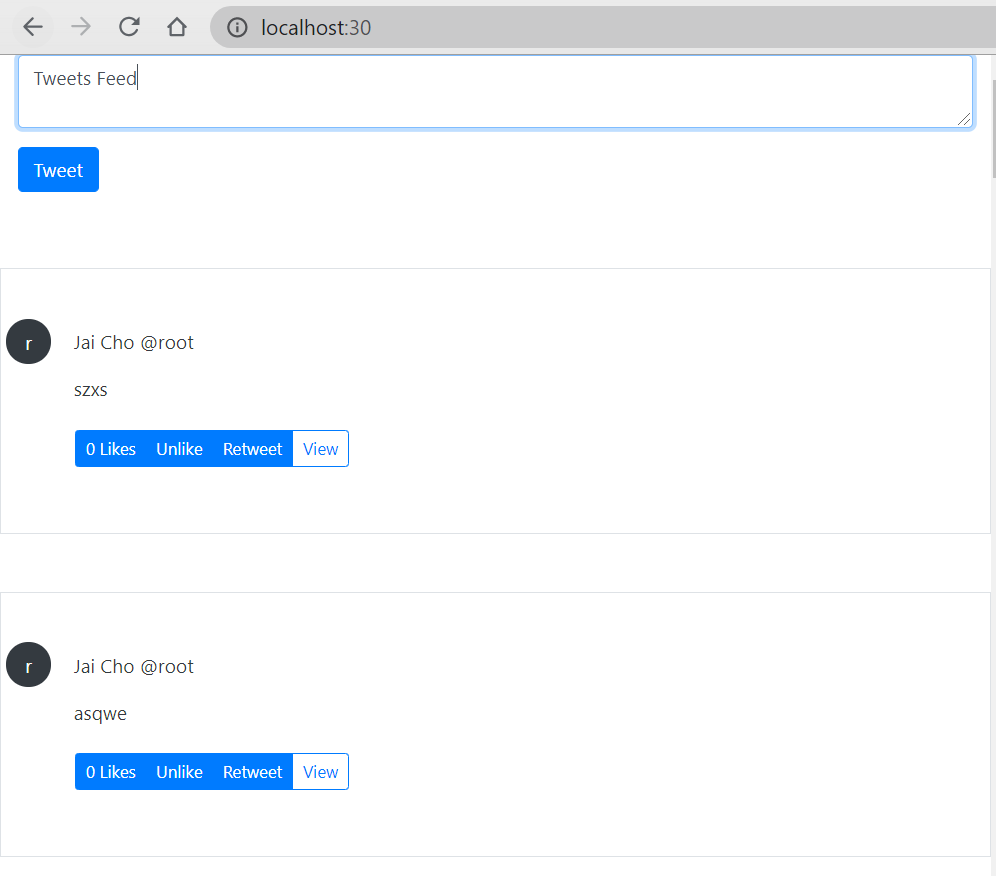
Get the problem “Authentication credentials were not provided.”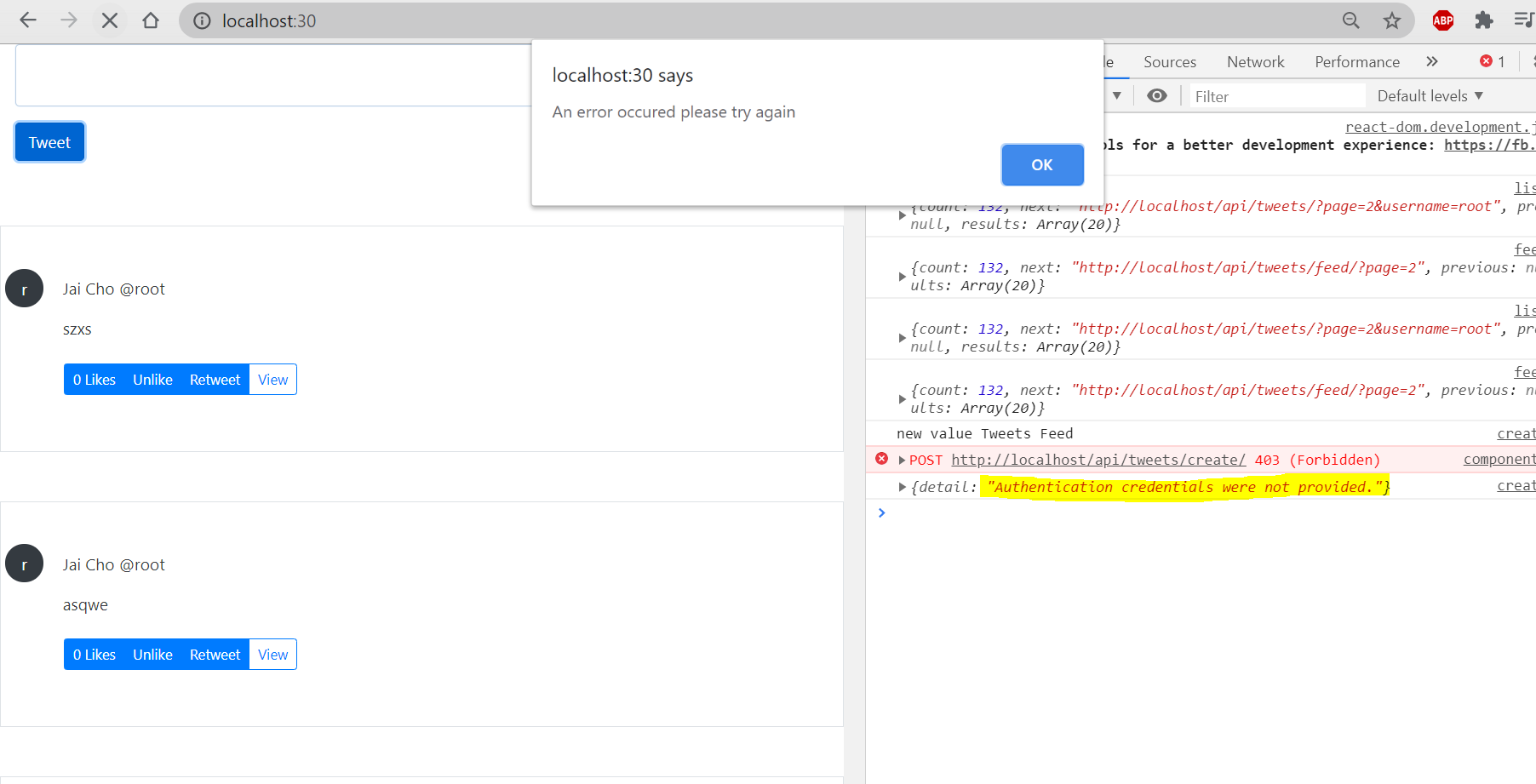
SessionAuthentication is not necessary anymore for tweet_create_view in /tweets/api/views.py
@api_view(['POST'])# @authentication_classes([SessionAuthentication])@permission_classes([IsAuthenticated])def tweet_create_view(request, *args, **kwargs):print(request.user)serializer = TweetCreateSerializer(data=request.data)if serializer.is_valid(raise_exception=True): # send back what the error isserializer.save(user=request.user)return Response(serializer.data, status=201)return Response({}, status=400)
try to send again

successful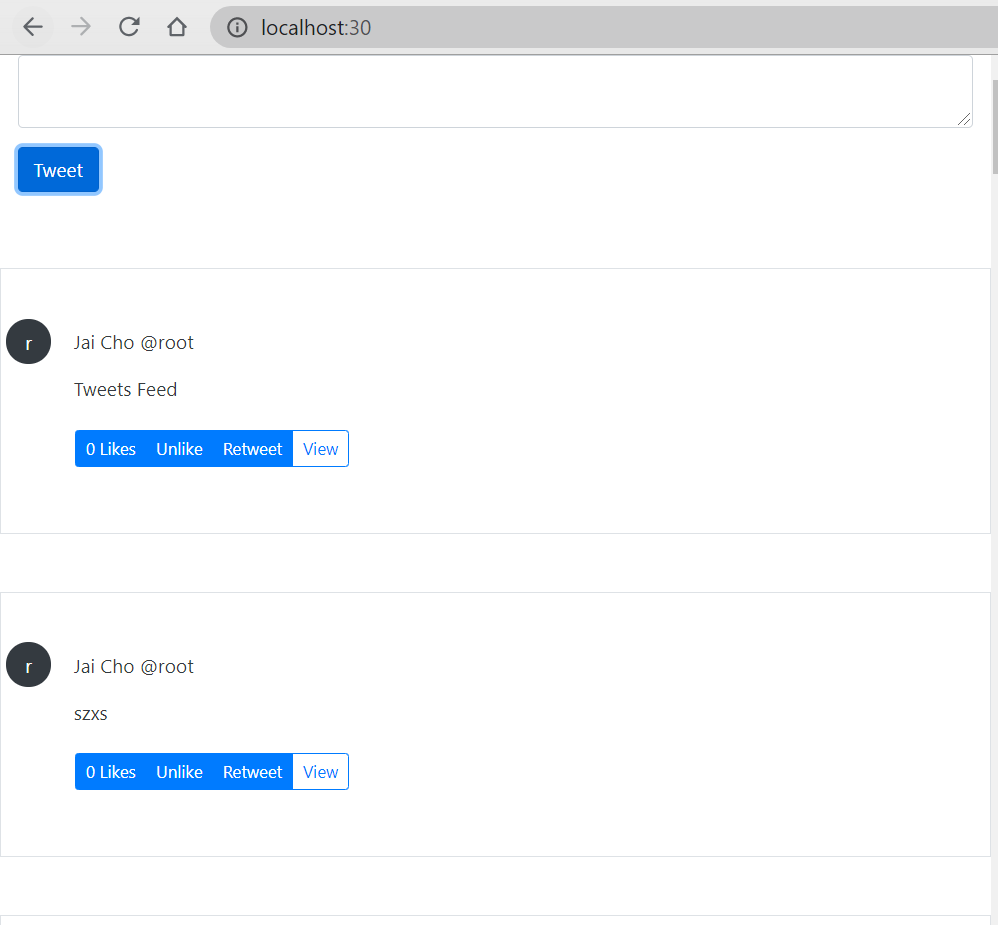
in /Twittme/rest_api/dev.py ```python from rest_framework import authentication from django.contrib.auth import get_user_model
from django.contrib.auth import authenticate
User = get_user_model()
class DevAuthentication(authentication.BasicAuthentication): def authenticate(self, request):
# qs = User.objects.all()qs = User.objects.filter(id=1)user = qs.order_by("?").first()return (user, None)
we see the filter id is 1 (root), so we change it into 2 (cfe)```pythonfrom rest_framework import authenticationfrom django.contrib.auth import get_user_modelfrom django.contrib.auth import authenticateUser = get_user_model()class DevAuthentication(authentication.BasicAuthentication):def authenticate(self, request):# qs = User.objects.all()qs = User.objects.filter(id=2)user = qs.order_by("?").first()return (user, None)
reboot the server and see the homepage
now we only see tweets from cfe, so this is the feed view of cfe. 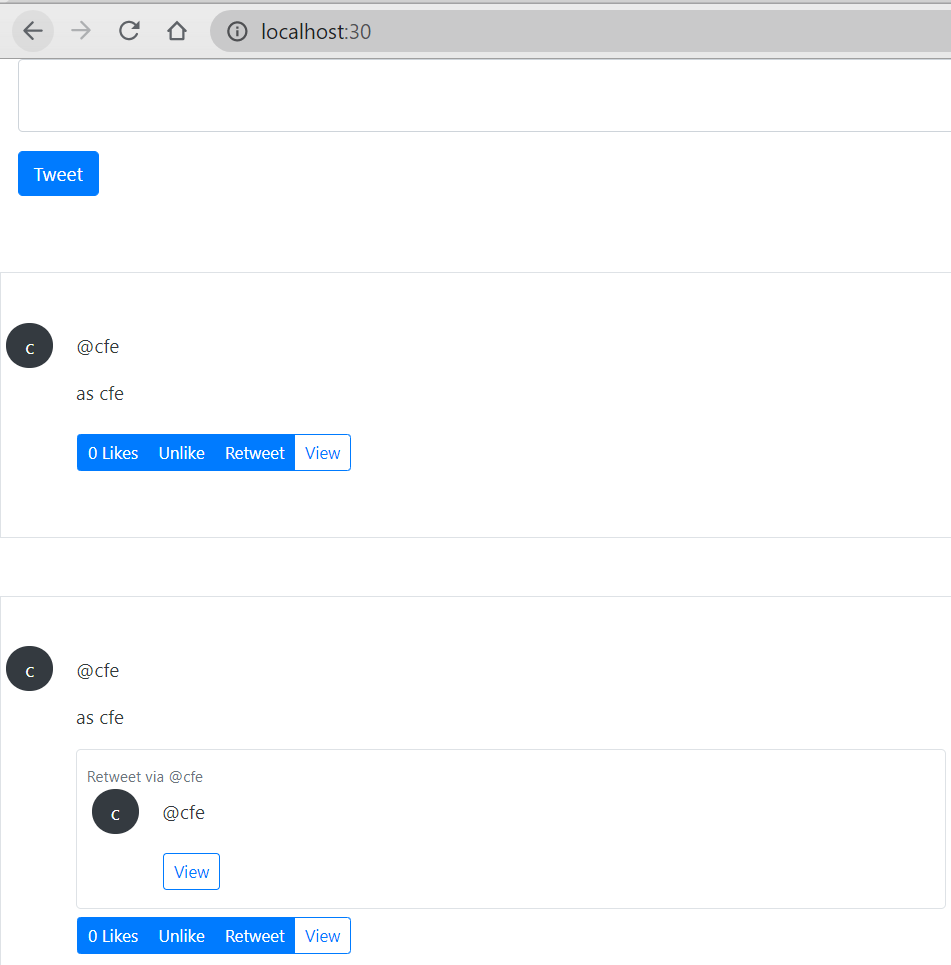

若有收获,就点个赞吧
0 人点赞


