Build for the Feed:
replace static css and static js files:
Because we have ended our setup of a bunch of features like pagination, feed view and user link in reactjs part, now we want to duplicate those settings to django part.
- npm run build to generate css and js files in the terminal, directory /twittme-web ```bash [root@localhost twittme-web]# npm run build
twittme-web@0.1.0 build /root/SourceCode/Python/reactjs/Twittme/twittme-web react-scripts build
Creating an optimized production build… Compiled successfully.
File sizes after gzip:
40.07 KB (+3 B) build/static/js/2.6697c676.chunk.js 3.18 KB (+490 B) build/static/js/main.211cfe2e.chunk.js 762 B build/static/js/runtime~main.a8a9905a.js 556 B (+19 B) build/static/css/main.0b57e251.chunk.css
The project was built assuming it is hosted at the server root. You can control this with the homepage field in your package.json. For example, add this to build it for GitHub Pages:
“homepage” : “http://myname.github.io/myapp“,
The build folder is ready to be deployed. You may serve it with a static server:
npm install -g serve serve -s build
Find out more about deployment here:
- delete- static css directory /static/css- static js directory /static/js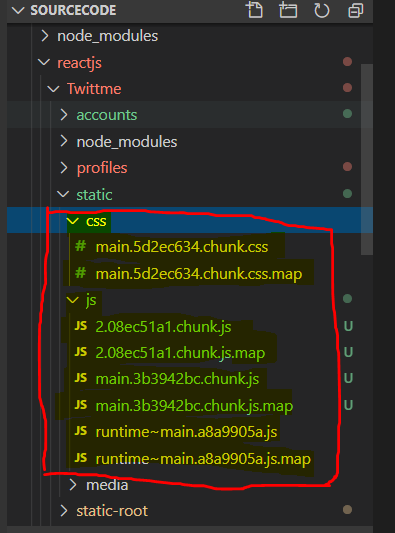- copy the whole directory /twittme-web/build/static/css into /static- copy the whole directory /twittme-web/build/static/js into /static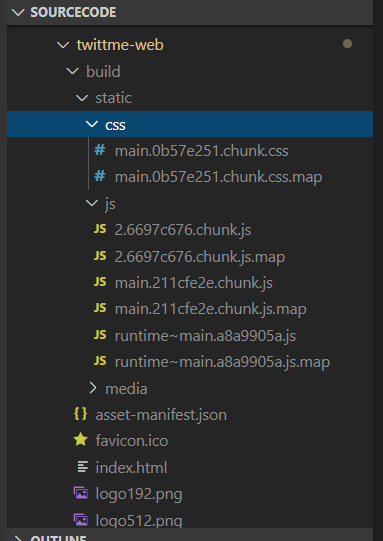<br />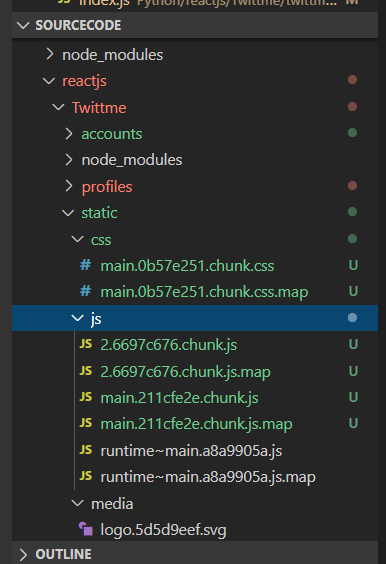<br />files in /twittme-web/build/static/css and /twittme-web/build/static/js are what we just generated by "npm run build"- compare names in /templates/react/css.html and /templates/react/js.html with those names of those replaced files.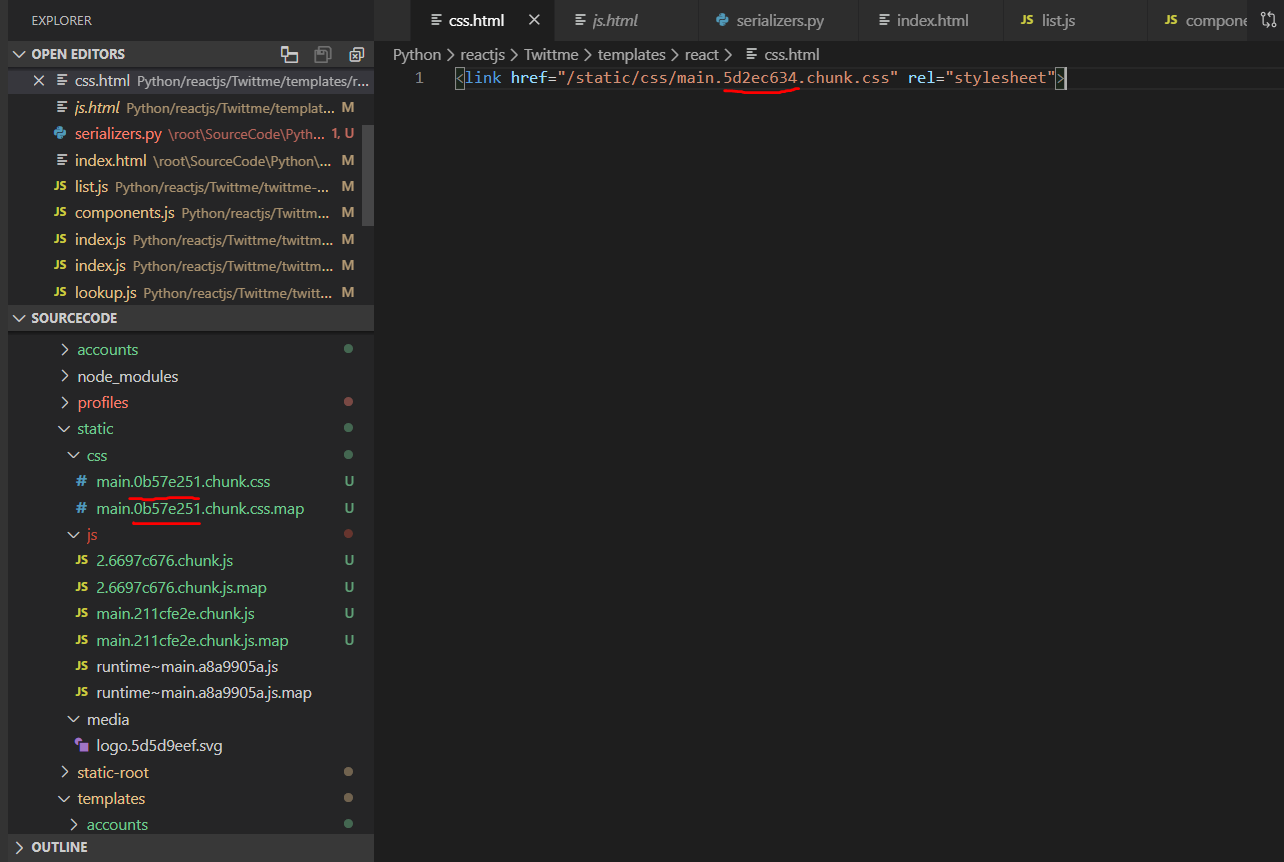<br />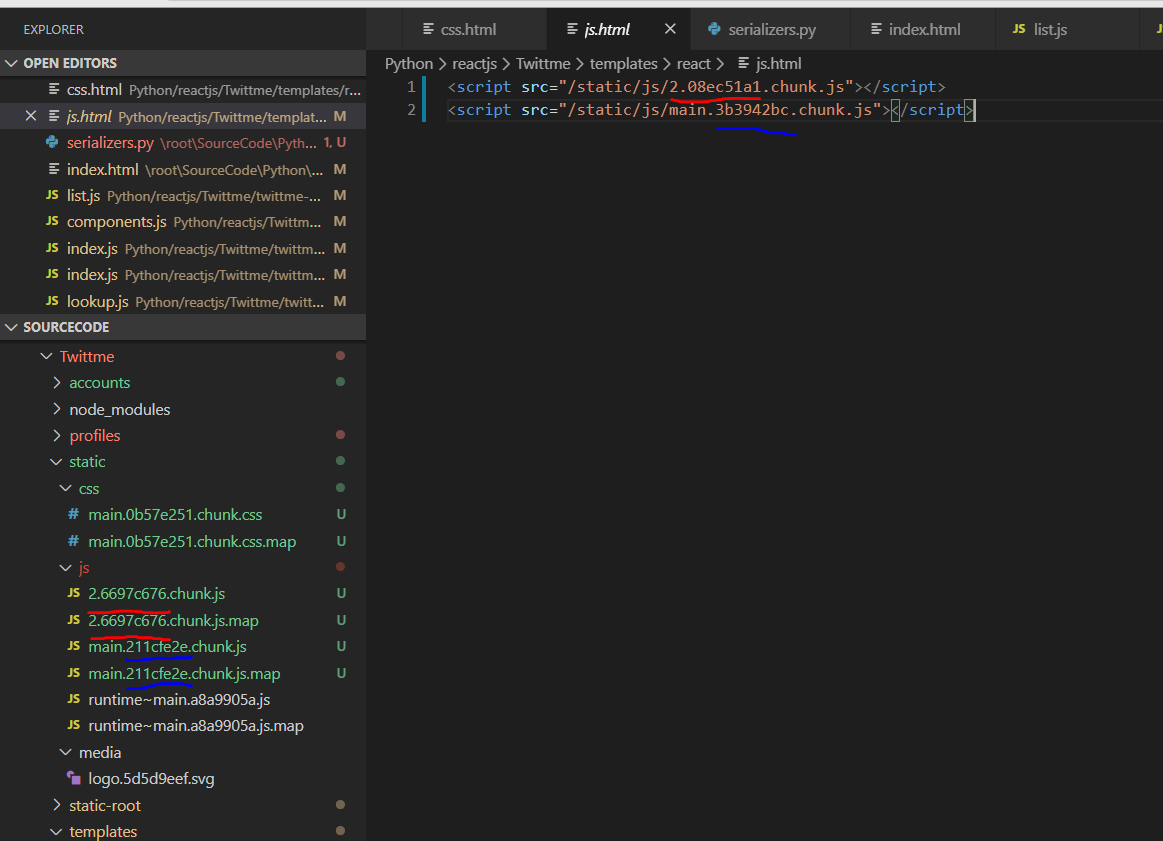<br />because we changed static files manually, we also need to replace those references manually.- rename files in /twittme-web/build/static/js and /twittme-web/build/static/css same as names in /templates/react/css.html and /templates/react/js.htmlOR<br />copy names in /twittme-web/build/static/js and /twittme-web/build/static/css then paste into corresponding positions in /templates/react/css.html and /templates/react/js.htmlwhatever the propose is to let /templates/react/css.html and /templates/react/js.html can refer to /twittme-web/build/static/js and /twittme-web/build/static/cssafter names changed:<br />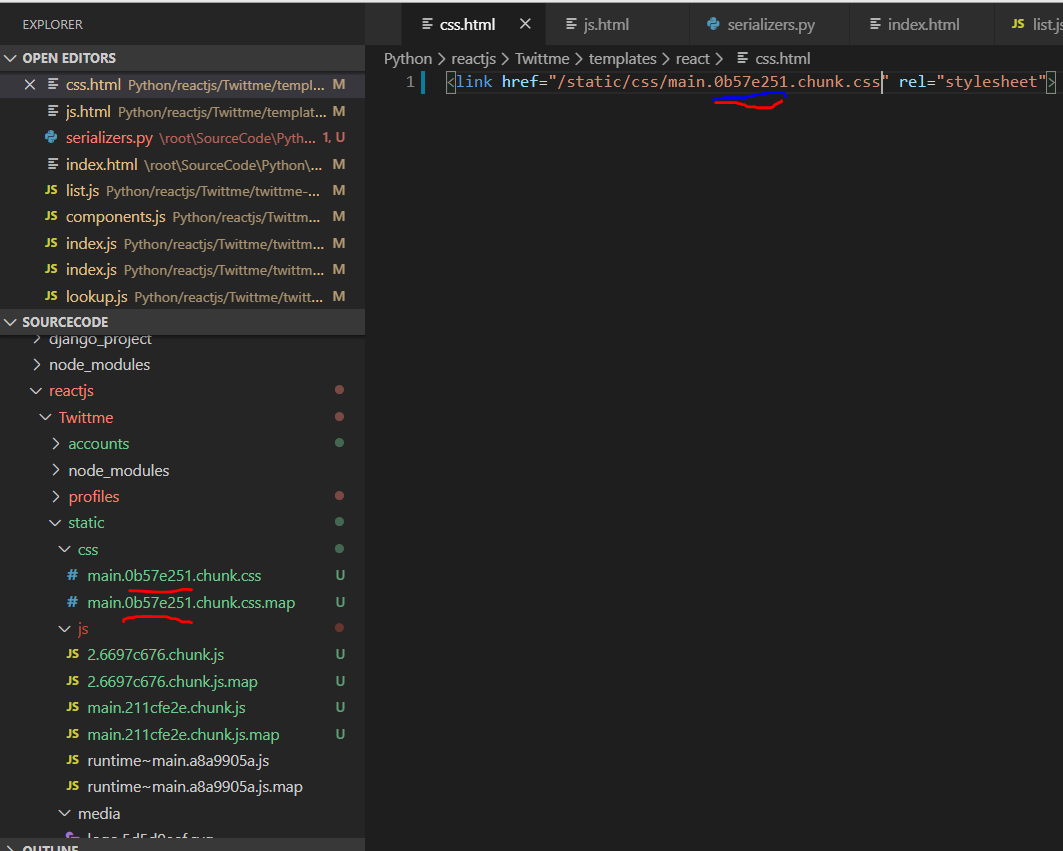<br />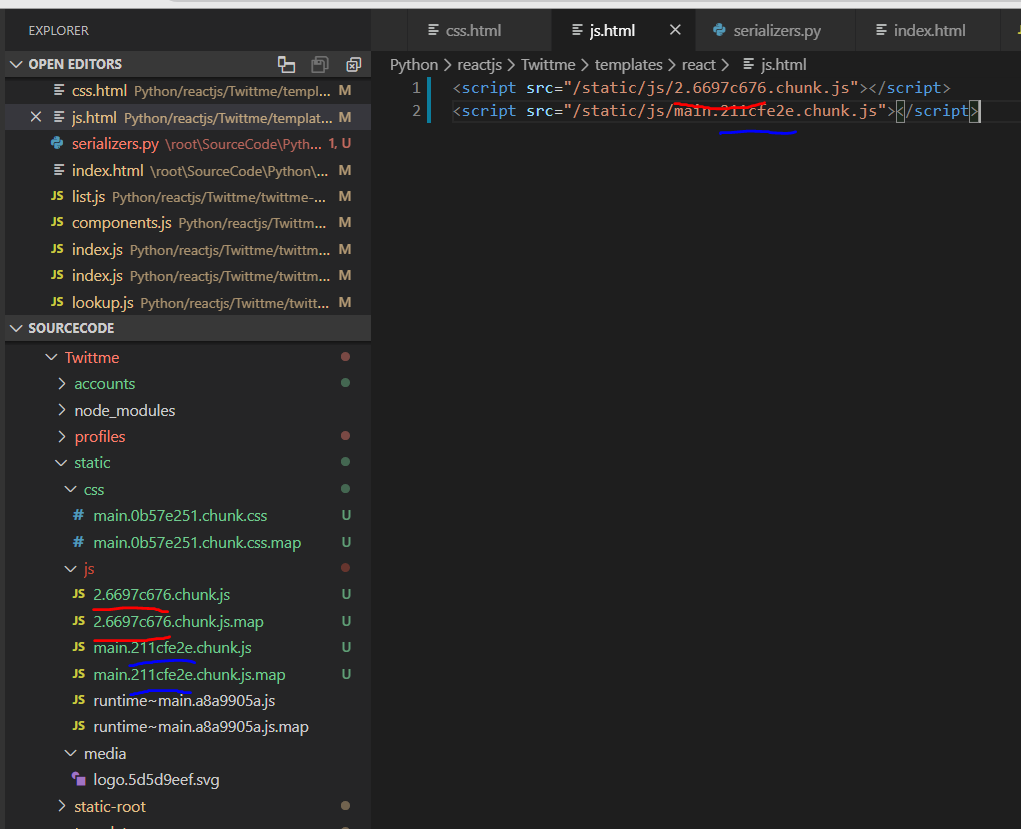- run "collectstatics"```bash[root@localhost Twittme]# python3 ./manage.py collectstaticYou have requested to collect static files at the destinationlocation as specified in your settings:/root/SourceCode/Python/reactjs/Twittme/static-rootThis will overwrite existing files!Are you sure you want to do this?Type 'yes' to continue, or 'no' to cancel: yes8 static files copied to '/root/SourceCode/Python/reactjs/Twittme/static-root', 164 unmodified.
to test, runserver and access http://localhost:80/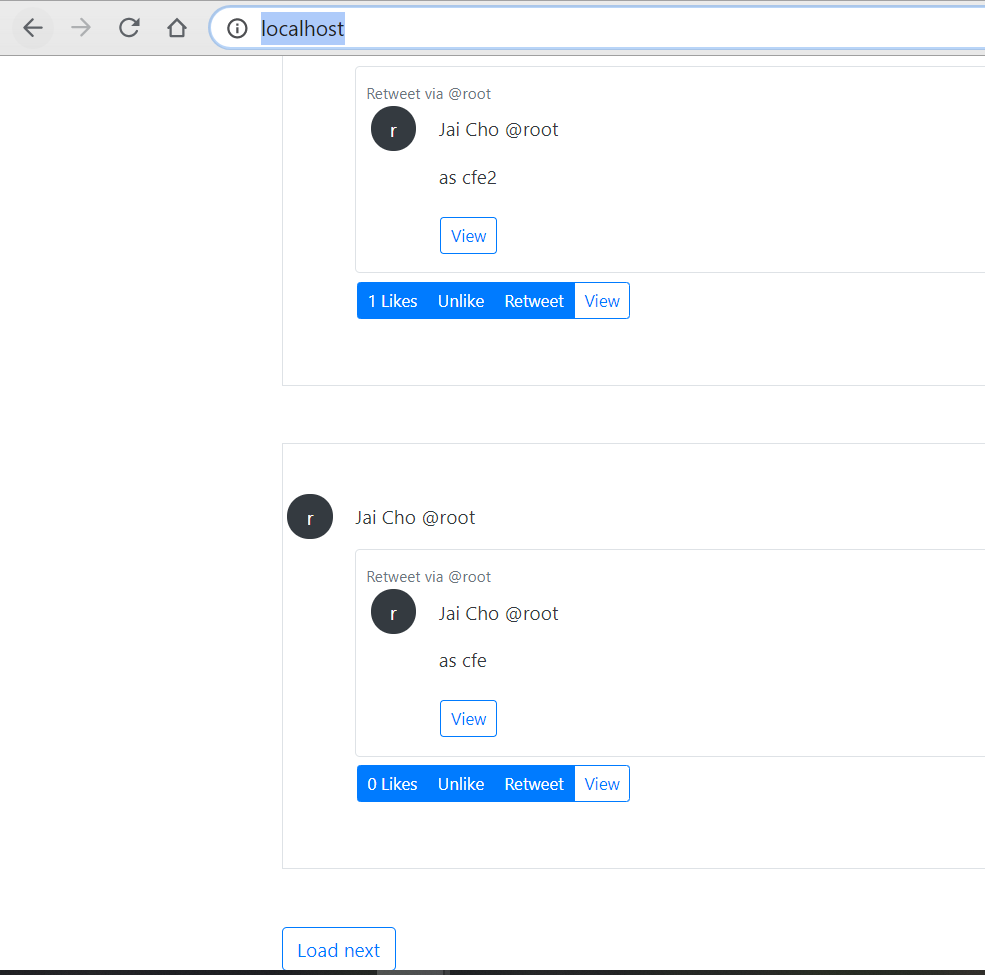
all features that added to reactjs, such as user profile link from user picture or username, pagination of at most 20 tweets each page, and a user picture with the initial letter of username are totally moved into django part now.
import Feed:
- create template /templates/pages/feed.html ```html {% extends ‘base.html’ %}
{% block content %}
{% if request.user.is_authenticated %}
{% else %} {% endif %}{% endblock content %}
- disable DevAuthentication in /Twittme/settings.py```htmlif DEBUG:DEFAULT_RENDERER_CLASSES += ['rest_framework.renderers.BrowsableAPIRenderer',]# DEFAULT_AUTHENTICATION_CLASSES += [# 'Twittme.rest_api.dev.DevAuthentication'# ]
reuse abadndoned home_view in /tweets/views.py
def home_view(request, *args, **kwargs):# username = None# if request.user.is_authenticated:# username = request.user.username# return render(request, "pages/home.html", context={"username": username}, status=200)return render(request, "pages/feed.html") # new
apply home_view (feed_view for real now) in /Twittme/urls.py ```python from tweets.views import ( home_view, # new tweets_list_view, tweets_detail_view, )
urlpatterns = [ path(‘’, home_view), # new path(‘admin/‘, admin.site.urls), path(‘api/tweets/‘, include(‘tweets.api.urls’)),
# path('', tweets_list_view),path('global', tweets_list_view), # newpath('login/', login_view),path('logout/', logout_view),path('register/', register_view),path('<int:tweet_id>', tweets_detail_view),re_path(r'profiles?/', include('profiles.urls')),re_path(r'api/profiles?/', include('profiles.api.urls')),
]
to test, runserver and make sure you are login<br />access [http://localhost:80/](http://localhost/)<br />click a user picture or username, or access [http://localhost/profiles/](http://localhost/profiles/cfe)[a exist user]<br />to get into the feed (profile) page<br />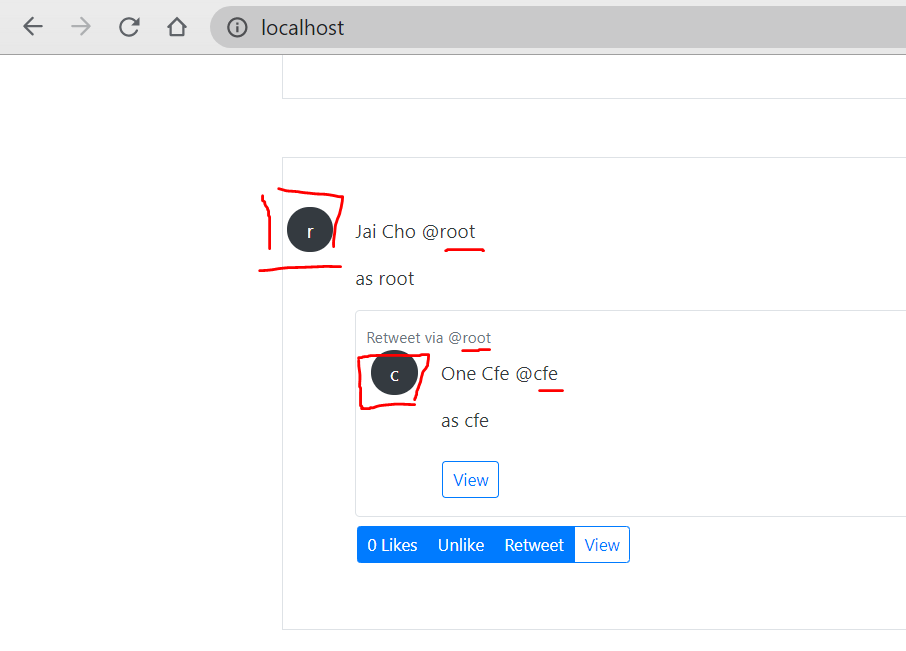<br />For example, we access [http://localhost/profiles/](http://localhost/profiles/cfe)cfe<br />Then we only can see tweets sent by cfe<br />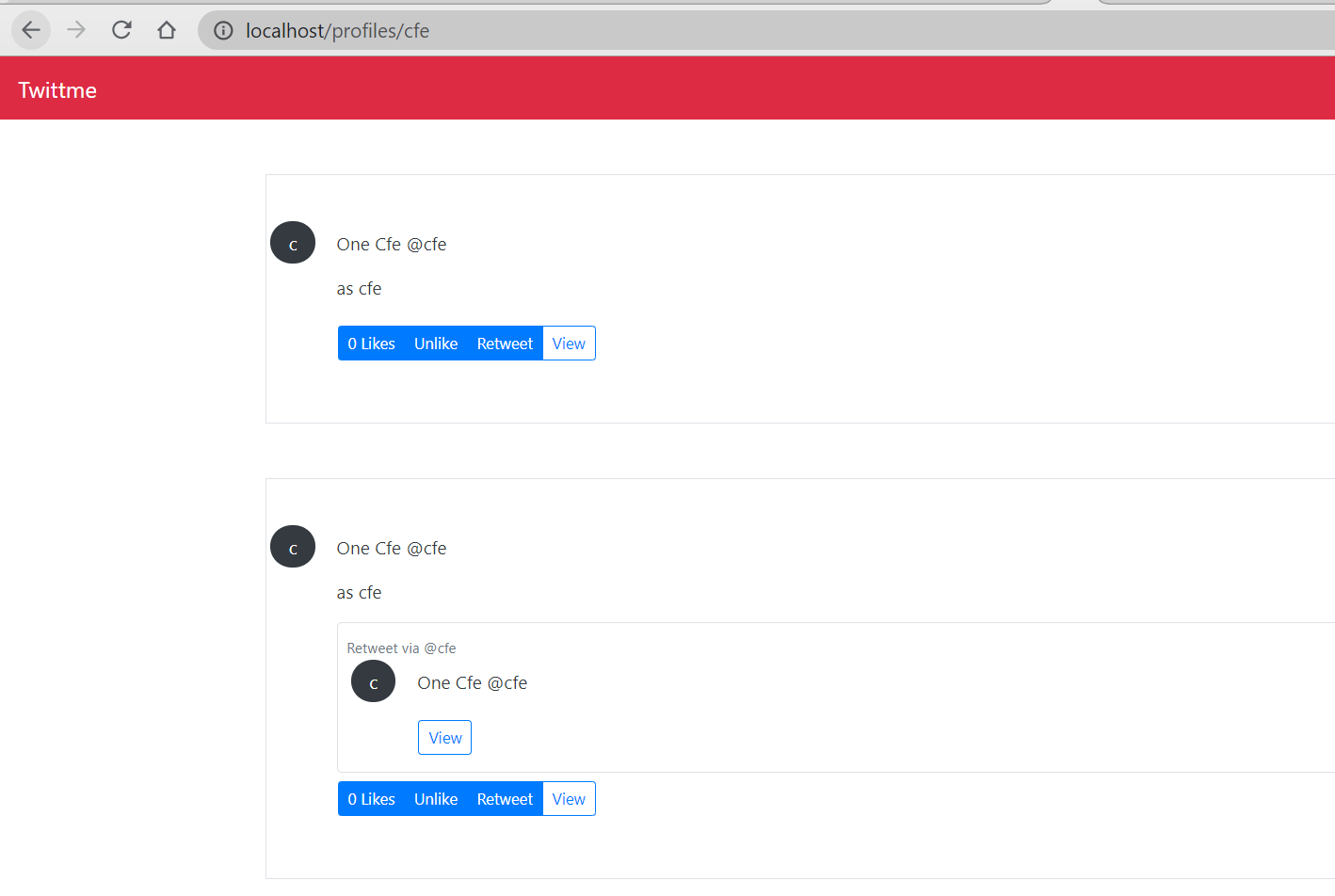<br />Then, we access [http://localhost/profiles/](http://localhost/profiles/cfe)cfe2<br />This user actually exists, but it sent no tweets, so we have a profile page but nothing shown. <br />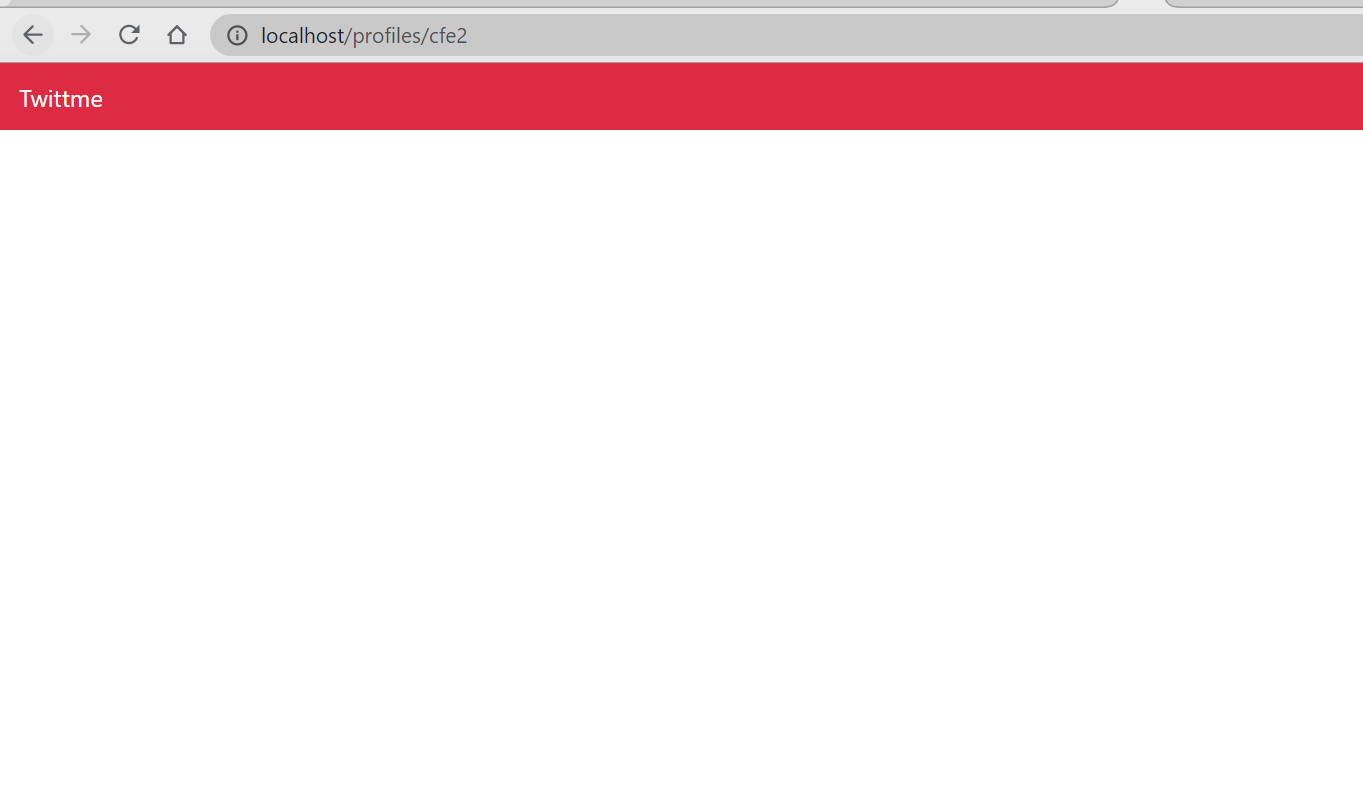<br />Finally, we access a profile page of a user who does not exist.<br />Then we get a 404.<br />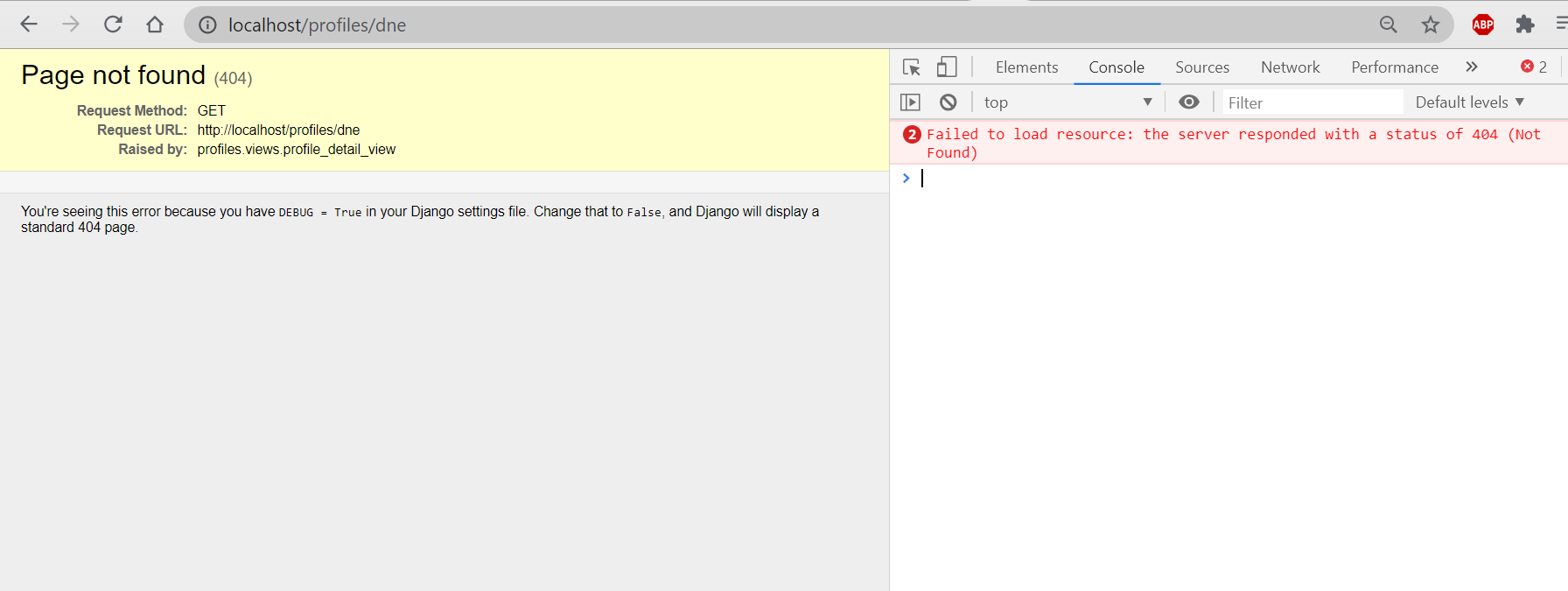<br />Those test cases means the build for the feed is successful.<a name="xi69y"></a>### User Profile API Detail:For a twitter like application, we still need something more for a user profile.<br />We first pass necessary data about user profile in API.- create a profile_detail_api_view in /profiles/api/views.py- this view is basically modified from profile_detail_view in /profiles/views.py```python# ...from ..serializers import PublicProfileSerializer # new# ...# new, response with serialized profile object@api_view(['GET'])def profile_detail_api_view(request, username, *args, **kwargs):# get the profile for the passed usernameqs = Profile.objects.filter(user__username=username)if not qs.exists(): # if user not foundreturn Response({"detail": "User not found"}, status=404)profile_obj = qs.first()data = PublicProfileSerializer(instance=profile_obj)return Response(data.data, status=200)
- add a path to apply this view in /profiles/api/urls.py ```python from django.urls import path
from .views import ( user_follow_view, profile_detail_api_view, # new )
urlpatterns = [
path(‘
with this, the [http://localhost/profiles/](http://localhost/profiles/cfe)[a exist user] will not only just display tweets sent by that user.to test, runserver<br />we use root as the sample user this time, access [http://localhost/api/profiles/root/](http://localhost/api/profiles/root/)<br />**don't forget the last '/'** **after the username**<br />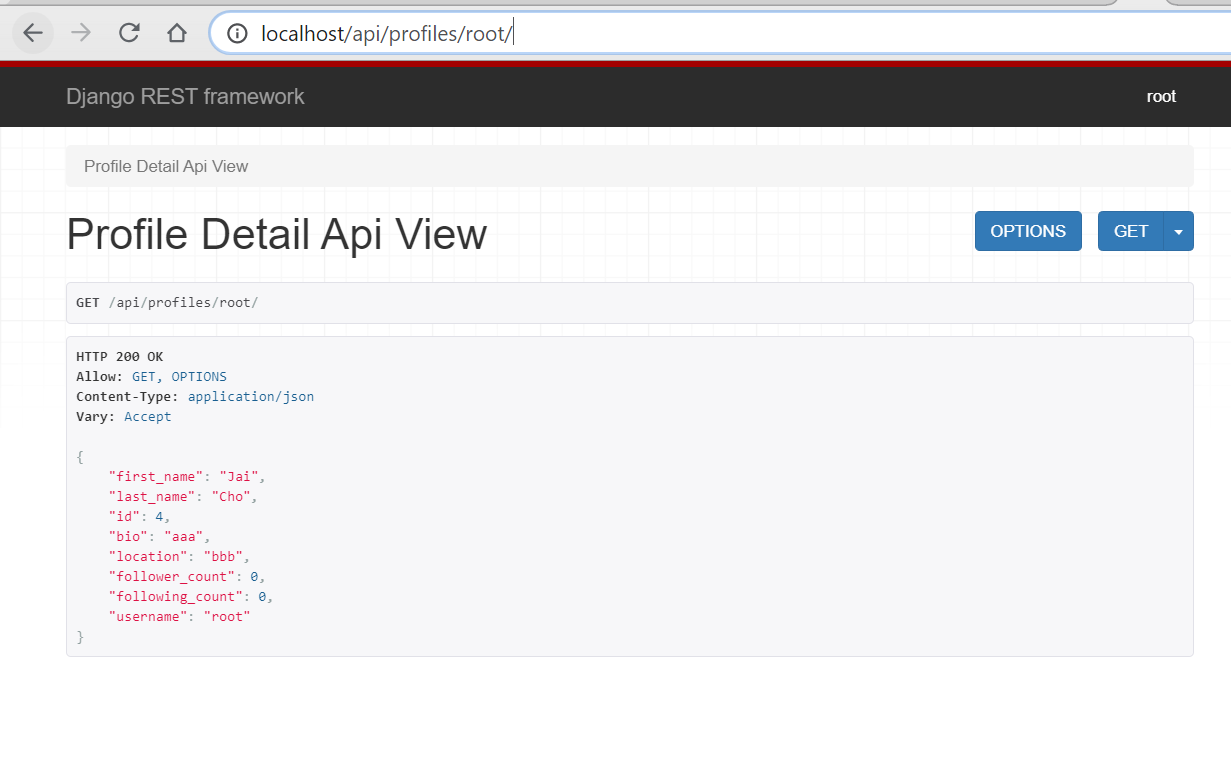<br />so if we need to create a profile, those information should be quite enough.<a name="ElfKd"></a>### Passing the Request to Serializers:<a name="e4Pho"></a>#### check "is this user followed by some other users":- add "is_following" in returned context of profile_detail_view in /profiles/views.py- is_following means is the user who send the request following this profile```pythondef profile_detail_view(request, username, *args, **kwargs):# get the profile for passed usernameqs = Profile.objects.filter(user__username=username)if not qs.exists():raise Http404profile_obj = qs.first()# new, check "is the user who sent request following this profile?"is_following = Falseif request.user.is_authenticated:user = request.useris_following = user in profile_obj.followers.all()# OR# is_following = profile_obj in user.following.all()context = {"username": username,"profile": profile_obj,"is_following": is_following, # new}return render(request, "profiles/detail.html", context)
in /profiles/api/views.py
- let profile_detail_api_view return “request” as the context
@api_view(['GET'])def profile_detail_api_view(request, username, *args, **kwargs):# get the profile for the passed usernameqs = Profile.objects.filter(user__username=username)if not qs.exists():return Response({"detail": "User not found"}, status=404)profile_obj = qs.first()# data = PublicProfileSerializer(instance=profile_obj)data = PublicProfileSerializer(instance=profile_obj, context={"request": request})return Response(data.data, status=200)
- let profile_detail_api_view return “request” as the context
in /profiles/serializers.py
- add “is_following” as a read_only SerializerMethodField and part of “fields”
- write a method to get “is_following” ```python from rest_framework import serializers
from .models import Profile
class PublicProfileSerializer(serializers.ModelSerializer):
first_name = serializers.SerializerMethodField(read_only=True)last_name = serializers.SerializerMethodField(read_only=True)is_following = serializers.SerializerMethodField(read_only=True) # newusername = serializers.SerializerMethodField(read_only=True)follower_count = serializers.SerializerMethodField(read_only=True)following_count = serializers.SerializerMethodField(read_only=True)class Meta:model = Profilefields = ['first_name','last_name','id','bio','location','follower_count','following_count',"is_following", # new'username',]# new, is the user who sent request following this profile?def get_is_following(self, obj):# request???is_following = Falsecontext = self.contextrequest = context.get("request")if request:user = request.useris_following = user in obj.followers.all()return is_followingdef get_first_name(self, obj):return obj.user.first_namedef get_last_name(self, obj):return obj.user.last_namedef get_username(self, obj):return obj.user.usernamedef get_following_count(self, obj):return obj.user.following.count()def get_follower_count(self, obj):return obj.followers.count()
to test, runserver and access [http://localhost/api/profiles/cfe/](http://localhost/api/profiles/cfe/) as "root"<br />(don't forget the last "/")<br />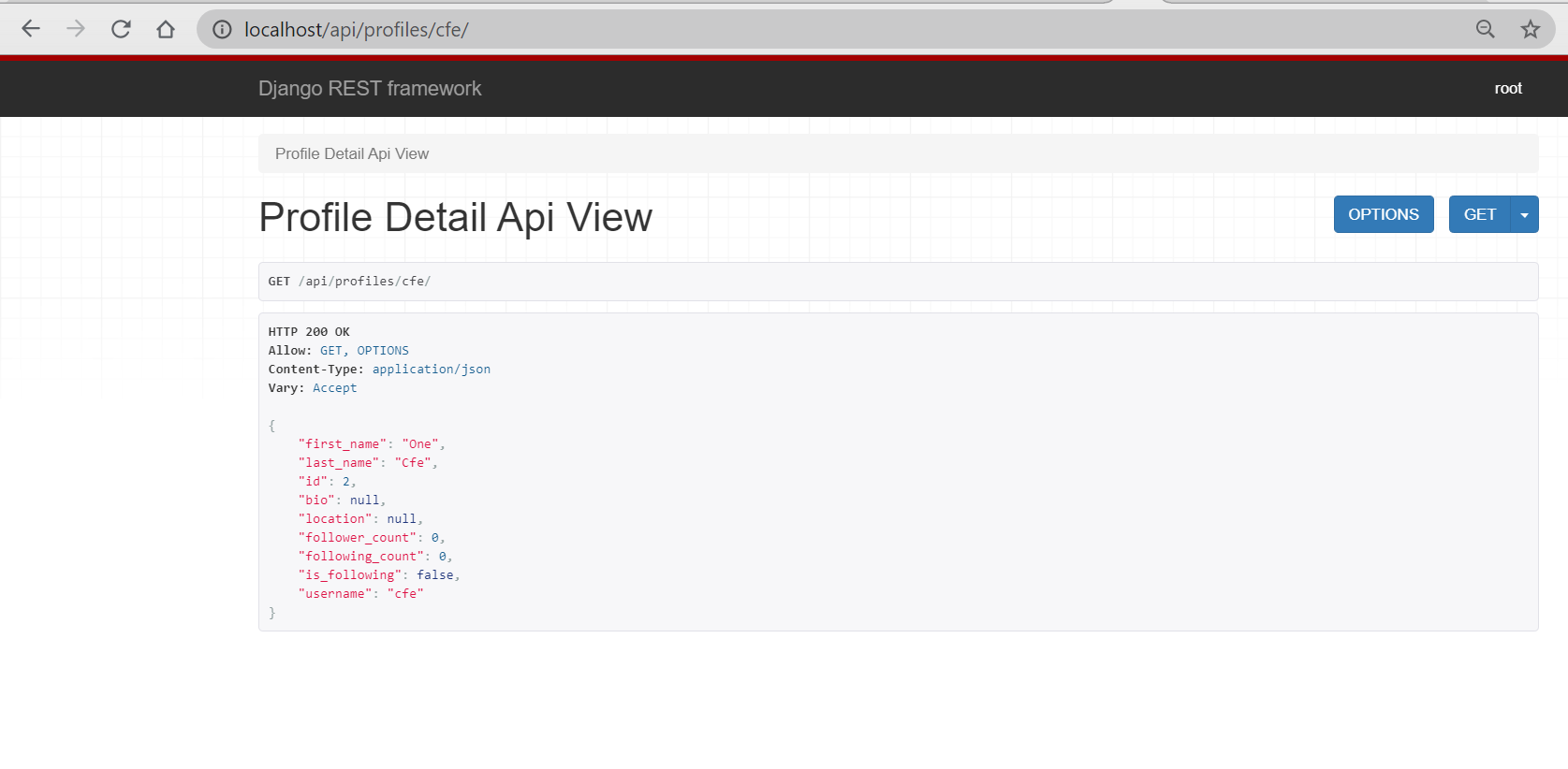<br />"is _following": false,<br />so root is not following cfe.in admin profile page, we add cfe as the follower of root<br />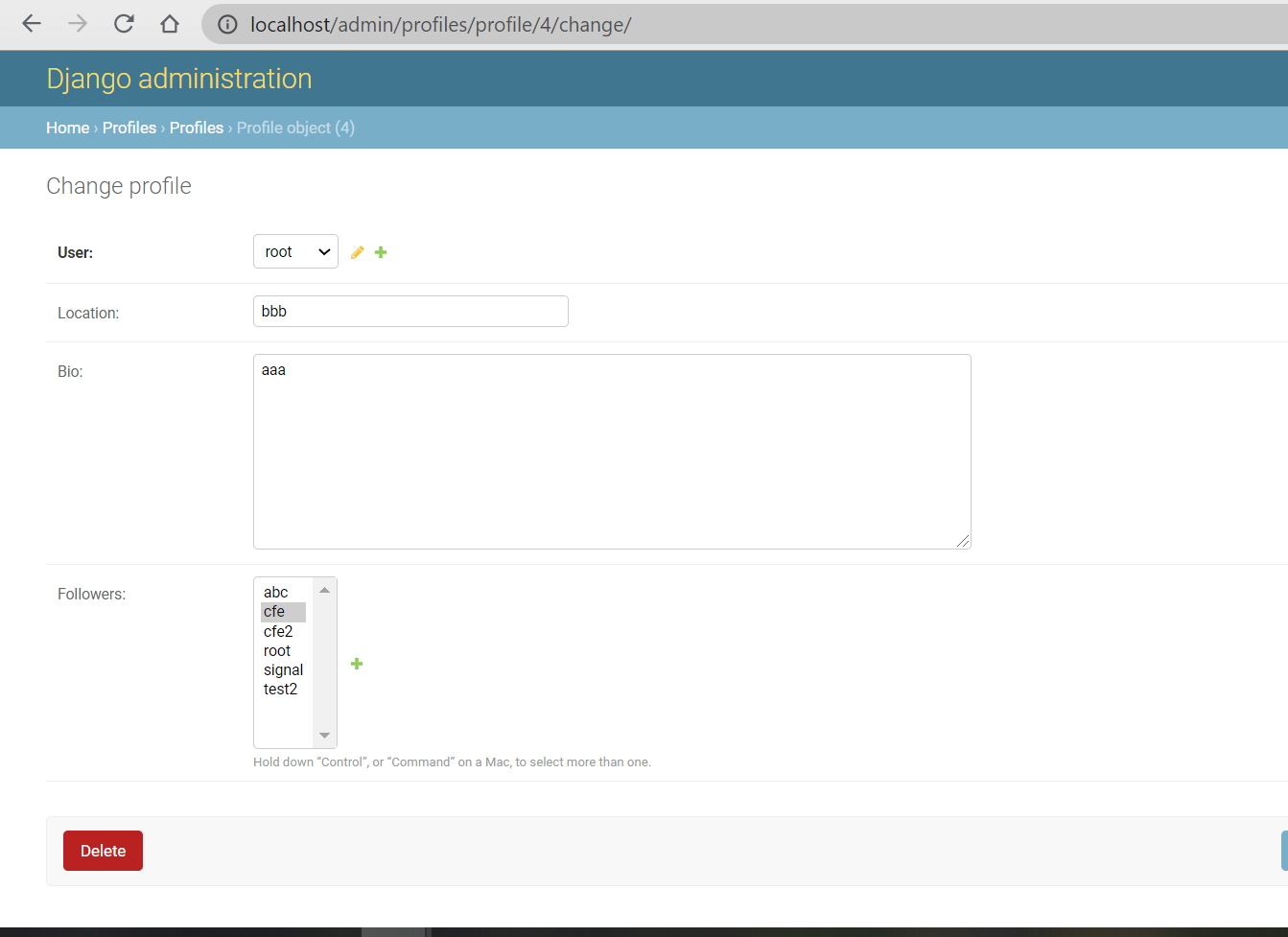<br />logout and login again as cfe, access [http://localhost/api/profiles/root/](http://localhost/api/profiles/root/)<br />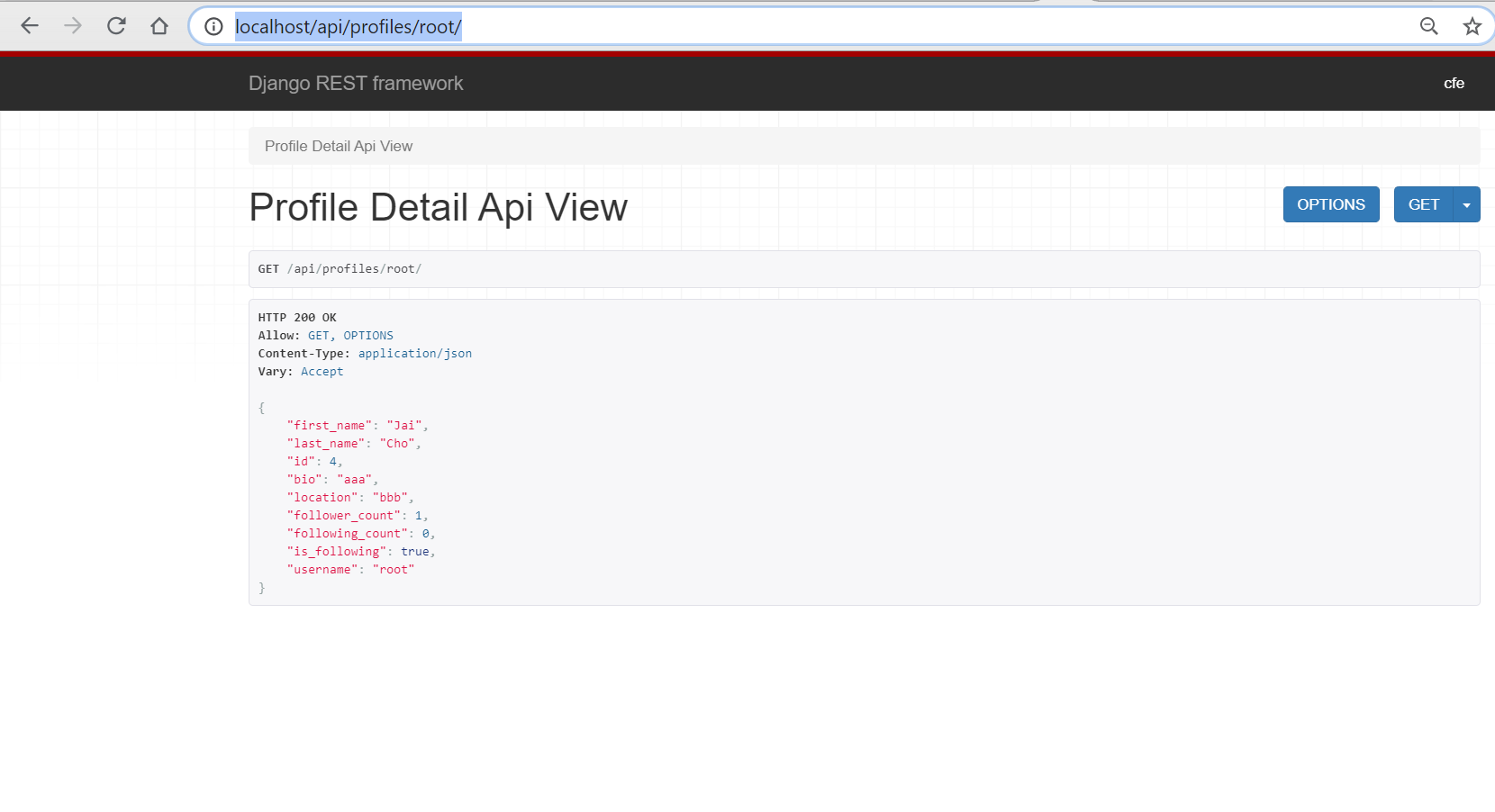<br />because cfe is following root, "is_following" is true.<br />but in [http://localhost/api/tweets/](http://localhost/api/tweets/) "is_following" is still false, so we haven't actually using this context. <br />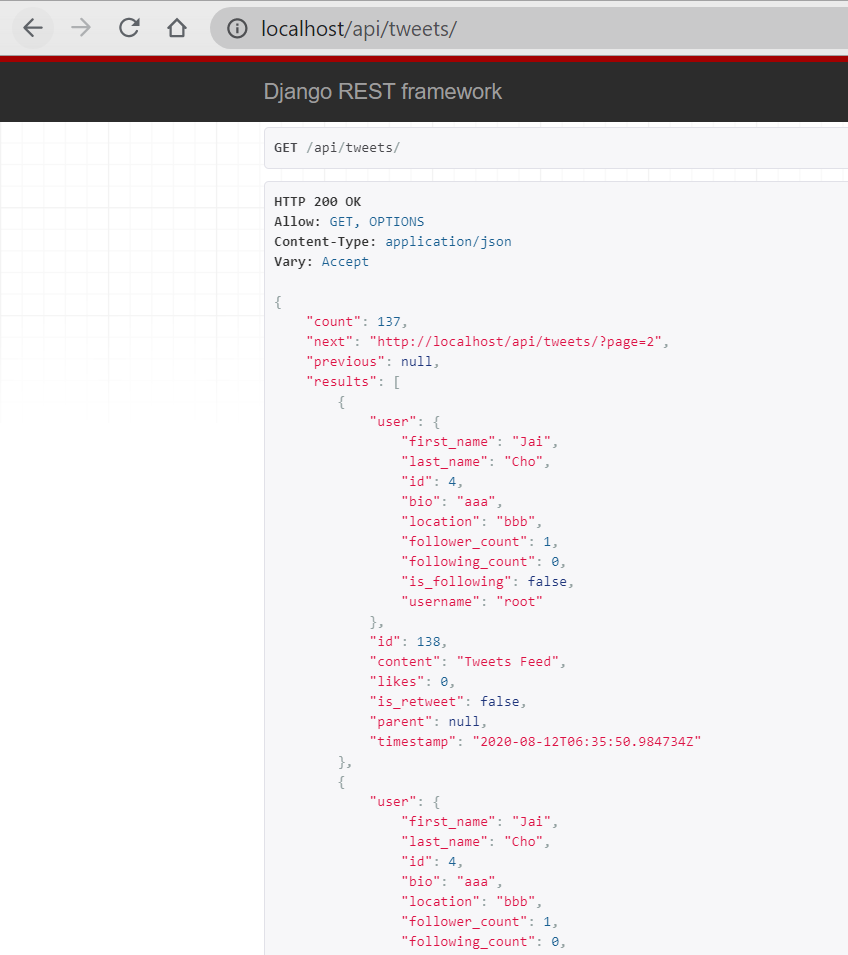<br />This page belongs to /tweets- so we pass this context to the serializer in /tweets/api/views.py```pythondef get_paginated_queryset_response(qs, request):paginator = PageNumberPagination()paginator.page_size = 20paginated_qs = paginator.paginate_queryset(qs, request)# serializer = TweetSerializer(paginated_qs, many=True)serializer = TweetSerializer(paginated_qs, many=True, context={"request": request})return paginator.get_paginated_response(serializer.data)
now access http://localhost/api/tweets/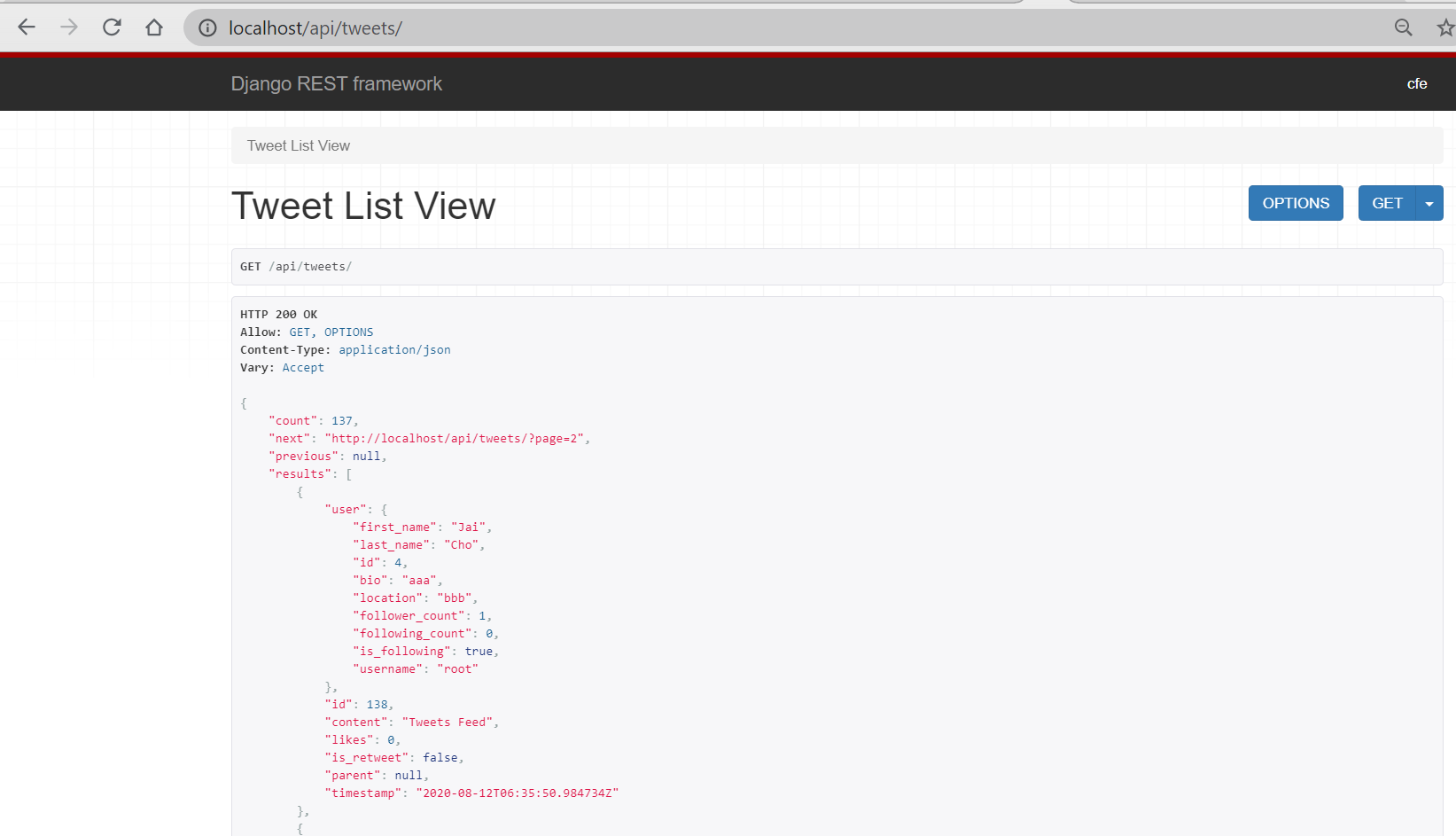
we see this time for each tweets sent by root, “is_following” is true if I am logged in as cfe, so that the status of “is_following” is successfully passed into all tweets.

若有收获,就点个赞吧
0 人点赞


