Build and Use On Django:
in the terminal, use npm run build
[root@localhost twittme-web]# npm run build
it will save everything in /twittme-web/build directory.
delete all files in /static/js
and cut all files in /twittme-web/build/static/js to replace
delete all files in /static/css
- and cut all files in /twittme-web/build/static/css to replace
but because file names are not perfectly match: 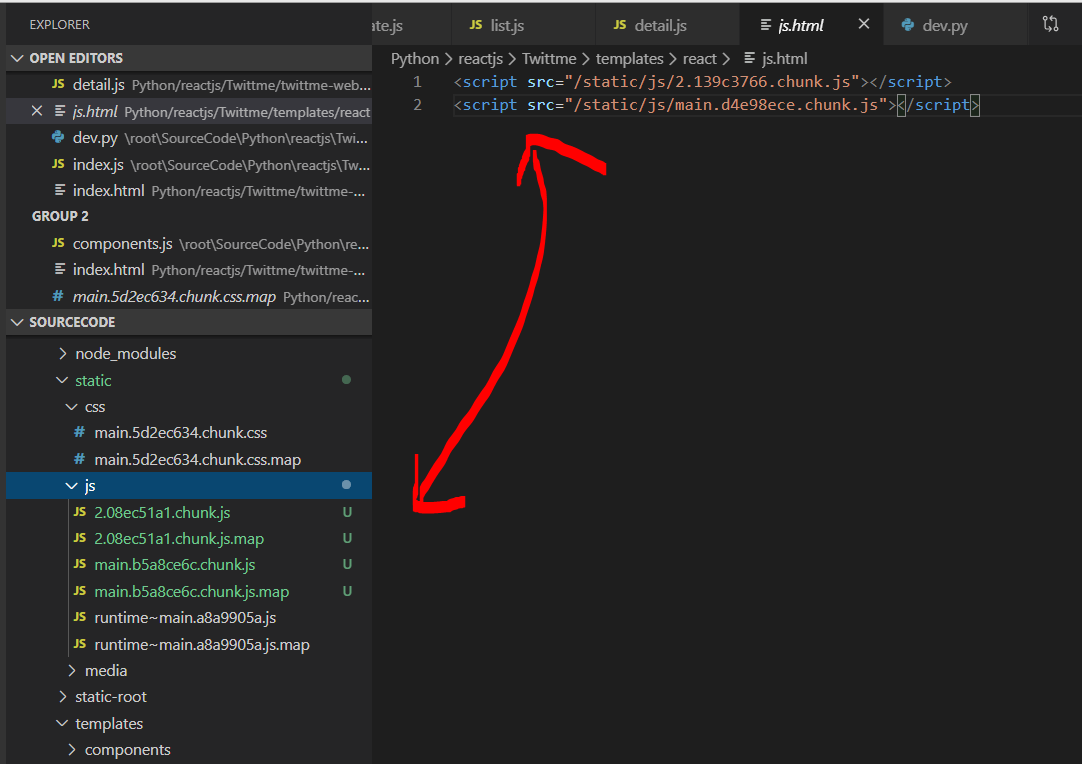
we need to do some modifcations.
- find last 2 script pairs in /twittme-web/build/index.html
- copy and paste them in Python/reactjs/Twittme/templates/react/js.html to replace 2 scripts before ```bash
- run python collectstatic to all static files to /static-root directory```bash[root@localhost Twittme]# python3 ./manage.py collectstaticYou have requested to collect static files at the destinationlocation as specified in your settings:/root/SourceCode/Python/reactjs/Twittme/static-rootThis will overwrite existing files!Are you sure you want to do this?Type 'yes' to continue, or 'no' to cancel: yes8 static files copied to '/root/SourceCode/Python/reactjs/Twittme/static-root', 164 unmodified.
- save functions as templates in /templates/tweets directory
- create /templates/tweets/detail.html
- create /templates/tweets/list.html
- create /templates/tweets/profile.html
- copy content in var tweetEl in /twittme-web/public/index.html
- paste into /templates/tweets/detail.html and modify it as the content of that file ```html {% extends “base.html” %}
{% block content %}
{% endblock content %}
- copy content in /templates/react_via_dj.html and paste into /templates/tweets/list.html```html{% extends 'base.html' %}{% block content %}<div id='tweetme-2'></div>{% endblock content %}
- copy profile info /twittme-web/public/index.html
- paste into /templates/tweets/profile.html and modify ```html {% extends ‘base.html’ %}
{% block content %}
{% endblock content %}
- add 3 corresponding views in /tweets/views.py```pythondef local_tweets_list_view(request, *args, **kwargs):return render(request, "tweets/list.html")def local_tweets_detail_view(request, tweet_id, *args, **kwargs): # pass tweet_idreturn render(request, "tweets/detail.html", context={"tweet_id": tweet_id})def local_tweets_profile_view(request, username, *args, **kwargs): # pass usernamereturn render(request, "tweets/profile.html", context={"profile_username": username})
- import and apply those views in /Twittme/urls.py ```python from django.contrib import admin from django.urls import path, re_path, include from django.conf import settings from django.conf.urls.static import static from django.views.generic import TemplateView
from tweets.views import (
# home_view,# tweet_detail_view,# tweet_list_view,# tweet_create_view,# tweet_delete_view,# tweet_action_view,# newlocal_tweets_list_view,local_tweets_detail_view,local_tweets_profile_view,
)
urlpatterns = [ path(‘admin/‘, admin.site.urls), path(‘api/tweets/‘, include(‘tweets.urls’)),
# newpath('', local_tweets_list_view),path('<int:tweet_id>', local_tweets_detail_view),path('profile/<str:username>', local_tweets_profile_view),# path('', home_view),# path('react/', TemplateView.as_view(template_name='react_via_dj.html')),# path('tweets', tweet_list_view),# path('create-tweet', tweet_create_view),# path('tweets/<int:tweet_id>', tweet_detail_view),
]
if settings.DEBUG: urlpatterns += static(settings.STATIC_URL, document_root=settings.STATIC_ROOT)
- disable DEFAULT_AUTHENTICATION_CLASSES in /Twittme/settings.py```pythonif DEBUG:DEFAULT_RENDERER_CLASSES += ['rest_framework.renderers.BrowsableAPIRenderer',]# DEFAULT_AUTHENTICATION_CLASSES += [# 'Twittme.rest_api.dev.DevAuthentication'# ]
to test, runserver and access localhost:80 (port 8000 in virtual machine):
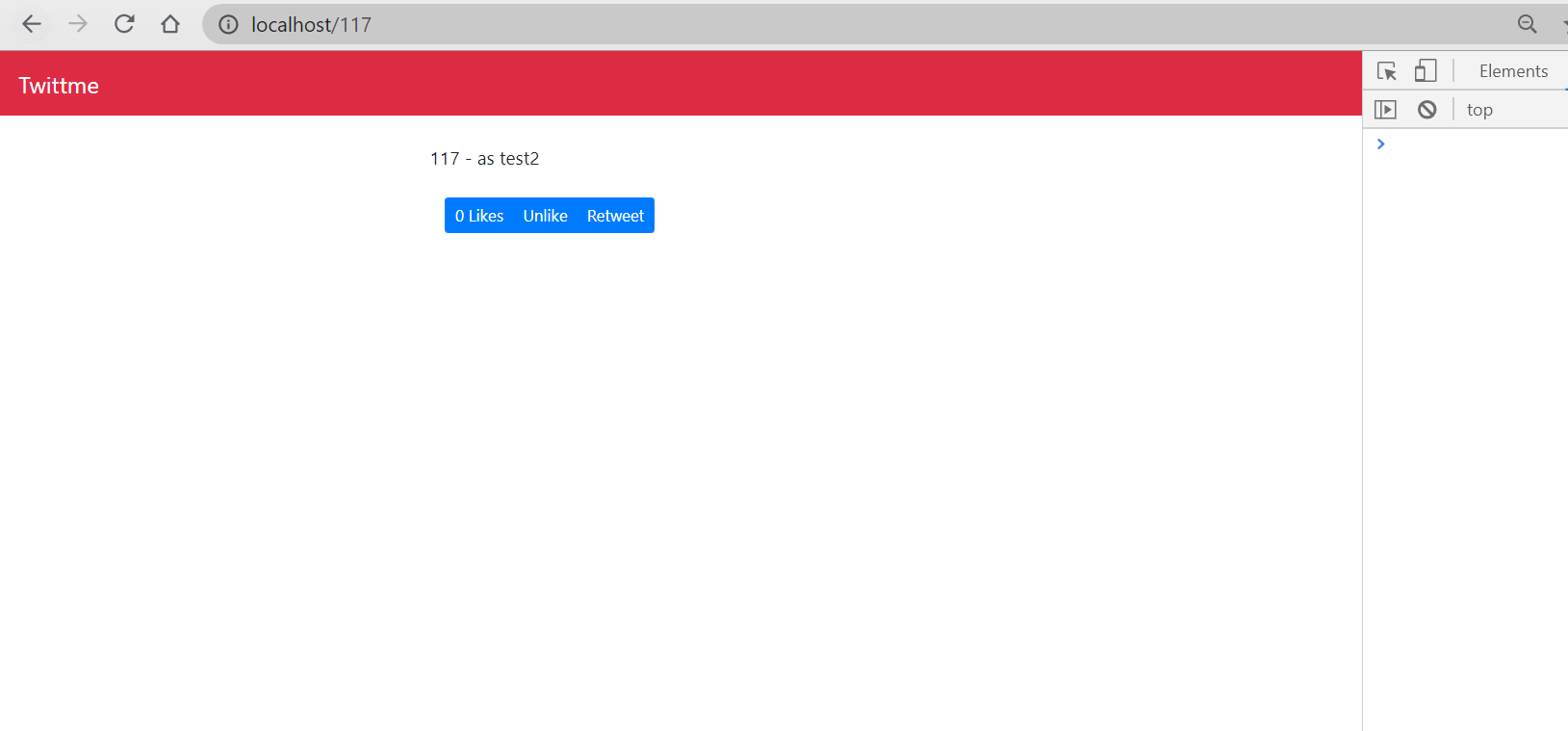
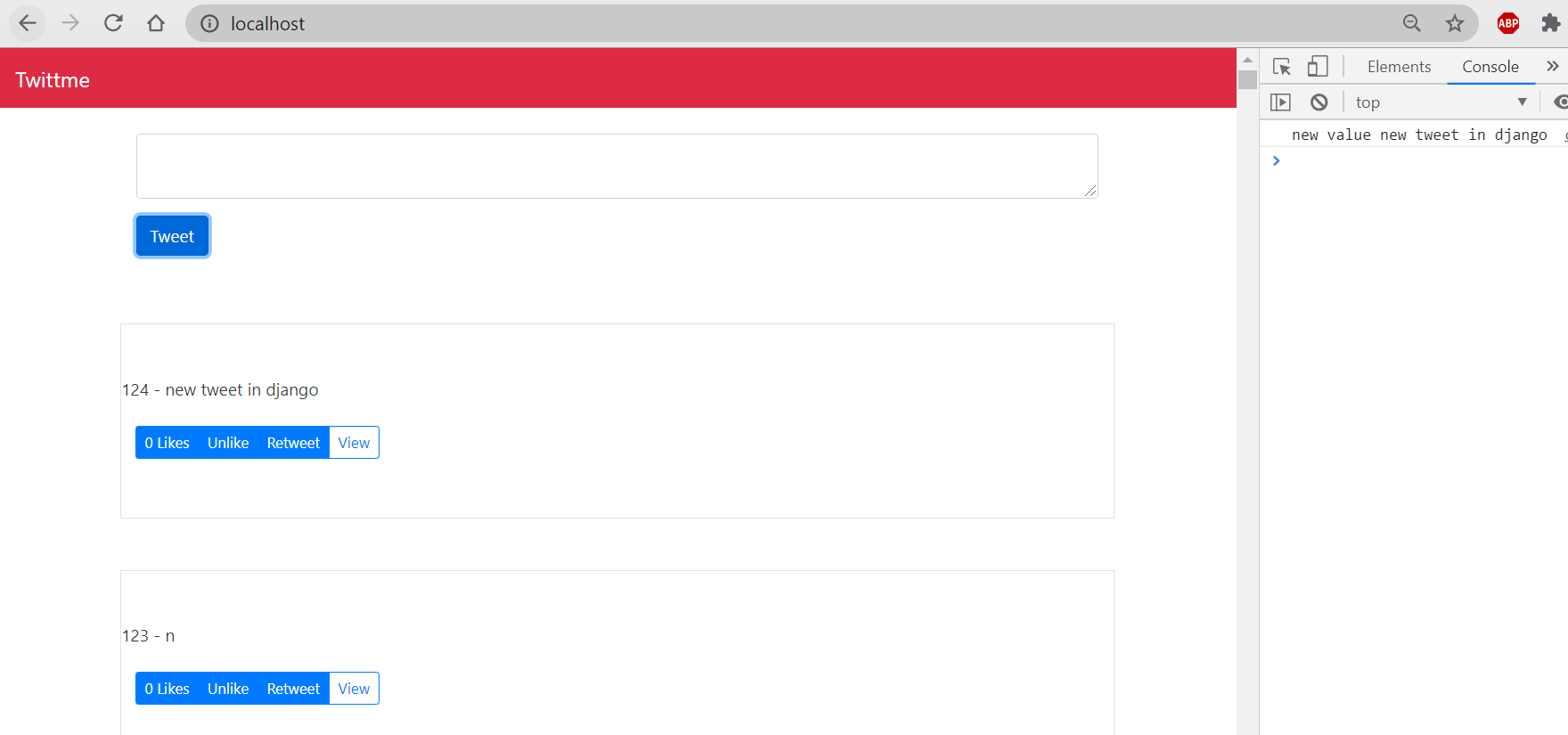
all functions in reactjs are fully functional in django page here.

若有收获,就点个赞吧
0 人点赞


