Render Profile Badge Component:
- create /twittme-web/src/profiles/lookup.js ```javascript import { backendLookup } from “../lookup”;
export function apiProfileDetail(username, callback) {
backendLookup(“GET”, /profiles/${username}/, callback);
}
- create /twittme-web/src/profiles/badge.js```javascriptimport React, { useState, useEffect } from "react";import { apiProfileDetail } from "./lookup";export function ProfileBadgeComponent(props) {const { username } = props;//lookupconst [didLookup, setDidLookup] = useState(false);const [profile, setProfile] = useState(null);const handleBackendLookup = (response, status) => {if (status === 200) {setProfile(response);}};useEffect(() => {if (didLookup === false) {apiProfileDetail(username, handleBackendLookup);setDidLookup(true);}}, [username, didLookup, setDidLookup]);//if still looking up, show "Loading"//if find the user profile, show first name//if can't find the user profile, show nothingreturn didLookup === false ? "Loading..." : profile ? <span>{profile.first_name}</span> : null}
import and export ProfileBadge in /twittme-web/src/profiles/index.js
import { UserPicture, UserDisplay, UserLink } from "./components";import { ProfileBadgeComponent } from "./badge"; // newexport {ProfileBadgeComponent, // newUserPicture,UserDisplay,UserLink,};
render ProfileBadge in /twittme-web/src/index.js ```javascript import React from “react”; import ReactDOM from “react-dom”; import “./index.css”; import App from “./App”; import { ProfileBadgeComponent } from “./profiles”; // new import * as serviceWorker from “./serviceWorker”;
import { TweetsComponent, TweetDetailComponent, FeedComponent } from “./tweets”;
//…
//new const userProfileBadgeElements = document.querySelectorAll(“.tweetme-2-profile-badge”); //get all elements with this class
userProfileBadgeElements.forEach((container) => { ReactDOM.render(e(ProfileBadgeComponent, container.dataset), container); });
//…
- hide feed block, add a div block with class "tweetme-2-profile-badge" in /twittme-web/public/index.html```html<body><noscript>You need to enable JavaScript to run this app.</noscript><!--<div id="tweetme-2-feed"></div>--><div class='d-none' id="tweetme-2-feed"></div><div class='d-none' id='tweet-container'></div><div class="tweetme-2-profile-badge" data-username="root"></div><div class='d-none' id="tweetme-2" data-username="root" data-can-tweet="false"></div><script>var path = window.location.pathnamevar idRegex = /(?<tweetid>\d+)/var match = path.match(idRegex)if(match) {var tweetId = match.groups.tweetidvar tweetme2El = document.getElementById("tweetme-2")tweetme2El.className = 'd-none'var tweetEl = "<div class='tweetme-2-detail' data-tweet-id=" + tweetId + " data-class-name='col-6 mx-auto'></div>"var mainContainer = document.getElementById("tweet-container")mainContainer.innerHTML = tweetEl}</script></body>
- to avoid 403, uncomment ‘Twittme.rest_api.dev.DevAuthentication in /Twittme/settings.py
to test, npm start and runserver, access http://localhost:30/if DEBUG:DEFAULT_RENDERER_CLASSES += ['rest_framework.renderers.BrowsableAPIRenderer',]DEFAULT_AUTHENTICATION_CLASSES += ['Twittme.rest_api.dev.DevAuthentication']
the page displays the first name of root in settings
The Follow Button:
- in /twittme-web/src/profiles/badge.js
- make ProfileBadge into a function
- see contents of the user ```javascript import React, { useState, useEffect } from “react”;
import { apiProfileDetail } from “./lookup”;
//new function ProfileBadge(props) { const { user } = props; console.log(user); return user ? {user.first_name} : null; }
export function ProfileBadgeComponent(props) { const { username } = props;
//lookup const [didLookup, setDidLookup] = useState(false); const [profile, setProfile] = useState(null);
const handleBackendLookup = (response, status) => { if (status === 200) { setProfile(response); } }; useEffect(() => { if (didLookup === false) { apiProfileDetail(username, handleBackendLookup); setDidLookup(true); } }, [username, didLookup, setDidLookup]);
//return didLookup === false ? “Loading…” : profile ? {profile.first_name} : null
return didLookup === false ? (
“Loading…”
) : profile ? (
access localhost:30<br />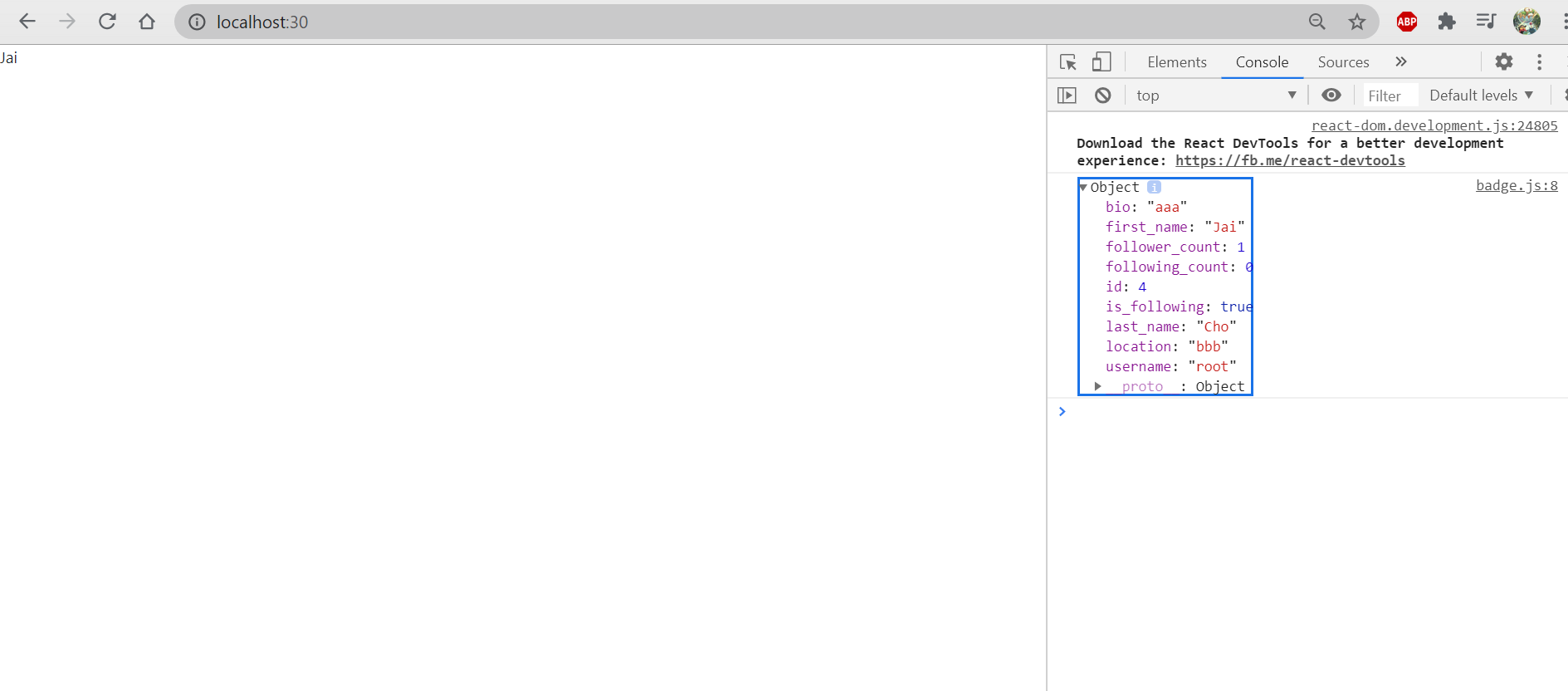<br />Those are what we have in a profile badge.- update UserDisplay and UserPicture in /twittme-web/src/profiles/components.js- if hideLink == True, don't provide the user profile link```javascriptexport function UserDisplay(props) {//const { user, includeFullName } = props;const { user, includeFullName, hideLink } = props;const nameDisplay =includeFullName === true ? `${user.first_name} ${user.last_name} ` : null;/*return <React.Fragment>{nameDisplay}<UserLink username={user.username}>@{user.username}</UserLink></React.Fragment>*/return <React.Fragment>{nameDisplay}{hideLink === true ? `@${user.username}` : <UserLink username={user.username}>@{user.username}</UserLink>}</React.Fragment>}export function UserPicture(props) {//const { user } = props;const {user, hideLink} = propsconst userIdSpan = <span className='mx-1 px-3 py-2 rounded-circle bg-dark text-white'>{user.username[0]}</span>/*return <UserLink username={user.username}><span className="mx-1 px-3 py-2 rounded-circle bg-dark text-white">{user.username[0]}</span></UserLink>*/return hideLink === true ? userIdSpan : <UserLink username={user.username}>{userIdSpan}</UserLink>}
- apply updated UserDisplay and UserPicture into /twittme-web/src/profiles/badge.js ```javascript import React, { useState, useEffect } from “react”;
import { apiProfileDetail } from “./lookup”;
import { UserDisplay, UserPicture } from “./components”; //new function ProfileBadge(props) { const { user } = props; console.log(user); //return user ? {user.first_name} : null; return user ? (
export function ProfileBadgeComponent(props) { const { username } = props;
//lookup const [didLookup, setDidLookup] = useState(false); const [profile, setProfile] = useState(null);
const handleBackendLookup = (response, status) => { if (status === 200) { setProfile(response); } }; useEffect(() => { if (didLookup === false) { apiProfileDetail(username, handleBackendLookup); setDidLookup(true); } }, [username, didLookup, setDidLookup]);
return didLookup === false ? (
“Loading…”
) : profile ? (
access [http://localhost:30/](http://localhost:30/)<br />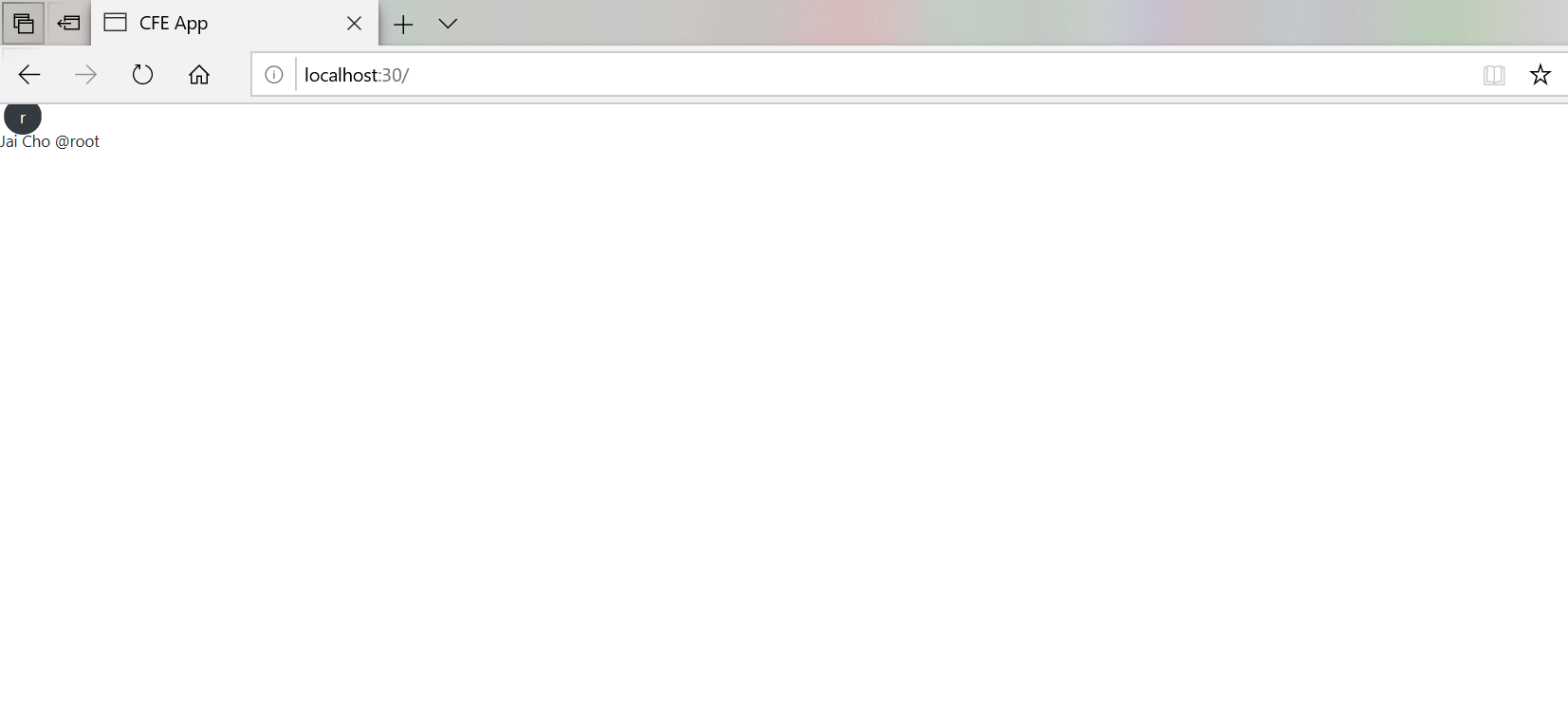<br />now we have a profile badge with a picture, first and last name, and username.Then we need a "Follow" button about this profile.- add that button in /twittme-web/src/profiles/badge.js```javascriptfunction ProfileBadge(props) {const { user } = props;console.log(user);//return user ? <span>{user.first_name}</span> : null;return user ? (<div><UserPicture user={user} hideLink /><p><UserDisplay user={user} includeFullName hideLink /></p><button className='btn btn-primary'>{user.is_following ? "Unfollow" : "Follow"}</button></div>) : null;}
access http://localhost:30/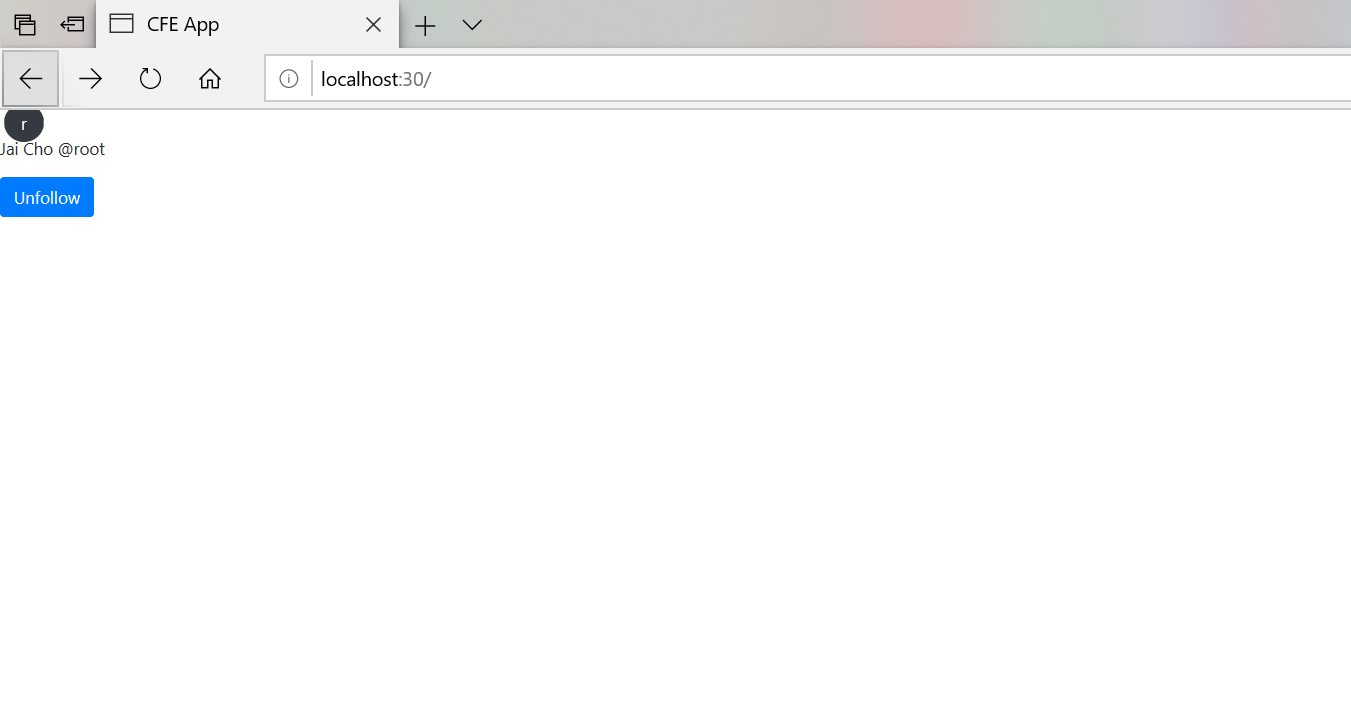
because now this access is following root, so the button is “Unfollow”, if not, it should be “Follow”.
click the button, and we get printed event details. 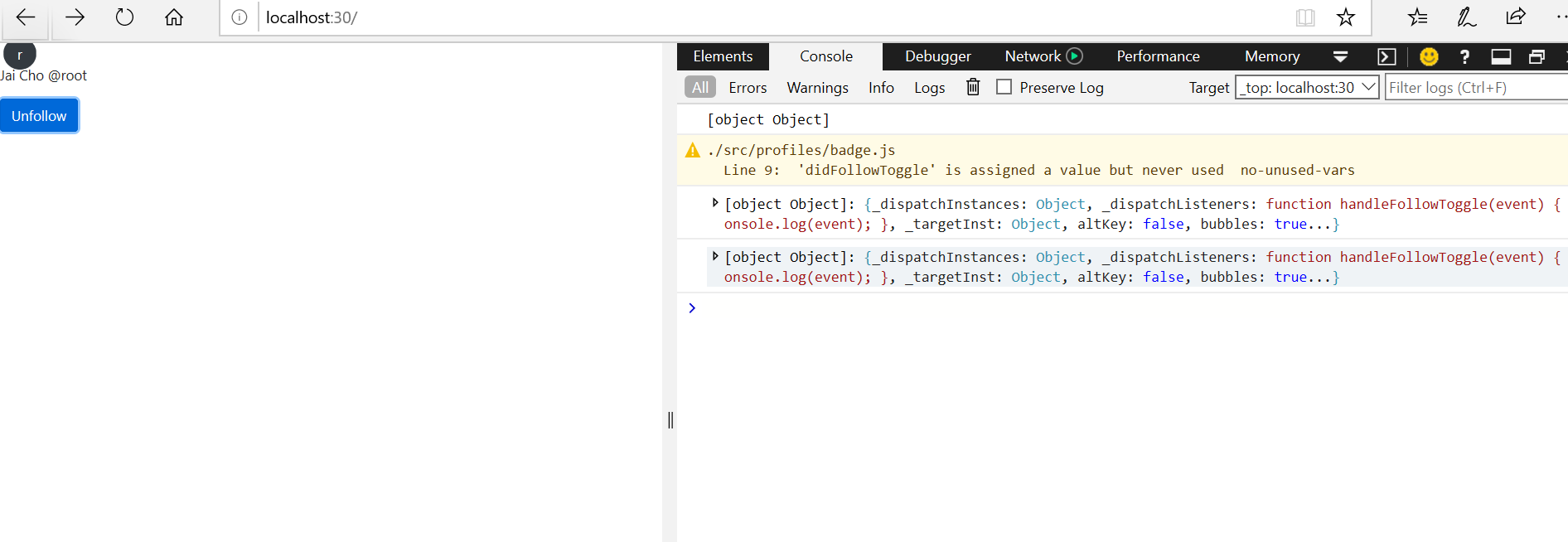
However, this button is not actually interacting with anything now.
- in /twittme-web/src/profiles/badge.js
- set state “didFollowToggle” and “profileLoading”
- apply const “handleFollowToggle” ```javascript import React, { useState, useEffect } from “react”;
import { apiProfileDetail } from “./lookup”;
import { UserDisplay, UserPicture } from “./components”; //new
function ProfileBadge(props) { //const { user } = props; const { user, didFollowToggle, profileLoading } = props; console.log(user);
let currentVerb = user && user.is_following ? “Unfollow” : “Follow”; //new currentVerb = profileLoading ? “Loading…” : currentVerb; //new const handleFollowToggle = (event) => { //console.log(event); event.preventDefault(); //new //new, to make sure the button only can be clicked when the profile isn’t loading if (didFollowToggle && !profileLoading) { didFollowToggle(currentVerb); } };
/ return user ? (
export function ProfileBadgeComponent(props) { const { username } = props;
//lookup const [didLookup, setDidLookup] = useState(false); const [profile, setProfile] = useState(null); const [profileLoading, setProfileLoading] = useState(false); //new
const handleBackendLookup = (response, status) => { if (status === 200) { setProfile(response); } }; useEffect(() => { if (didLookup === false) { apiProfileDetail(username, handleBackendLookup); setDidLookup(true); } }, [username, didLookup, setDidLookup]);
//new const handleNewFollow = (actionVerb) => { console.log(actionVerb); setProfileLoading(true); };
/
return didLookup === false ? (
“Loading…”
) : profile ? (
access localhost:30<br />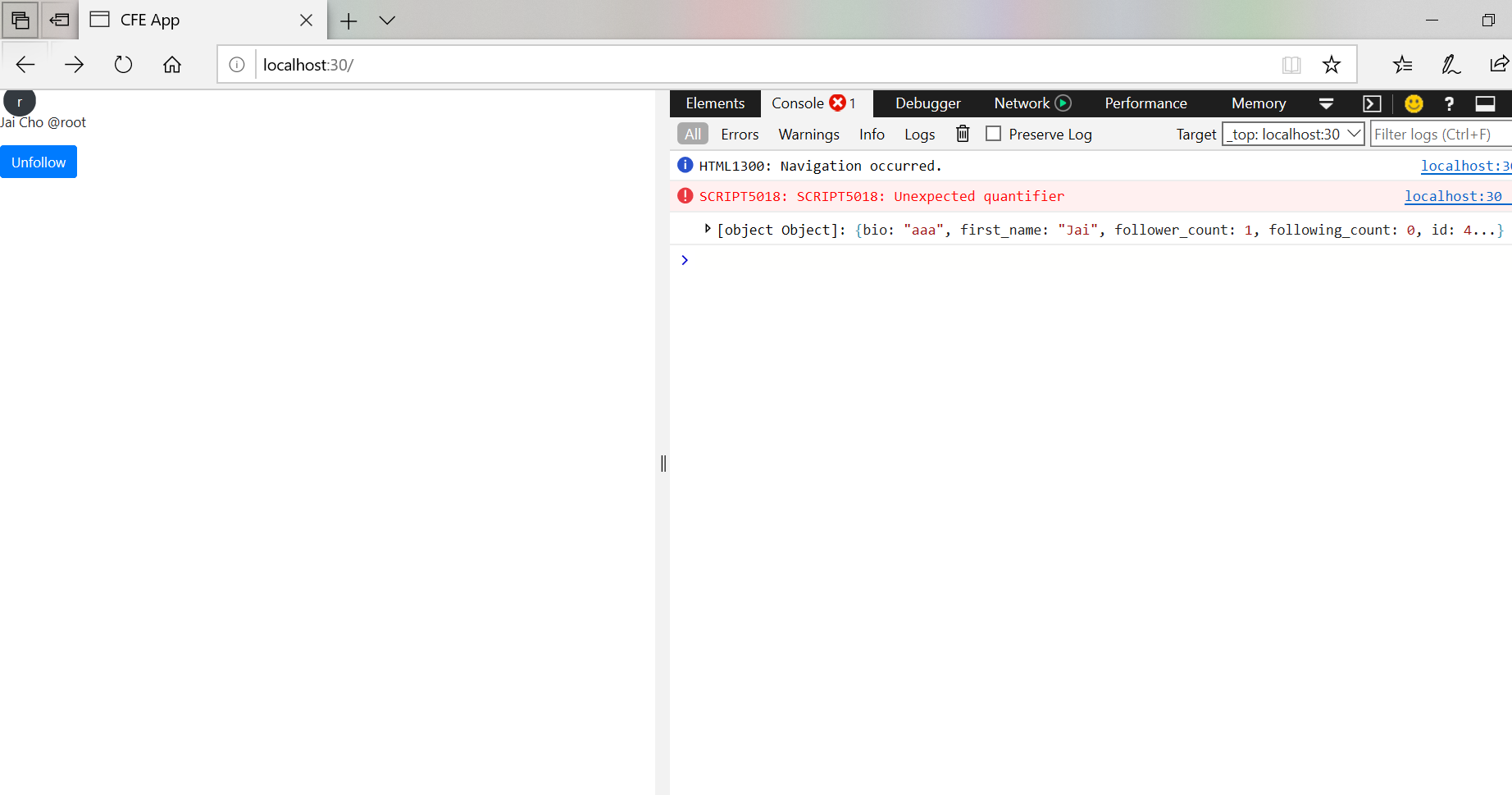<br />click "Unfollow"<br />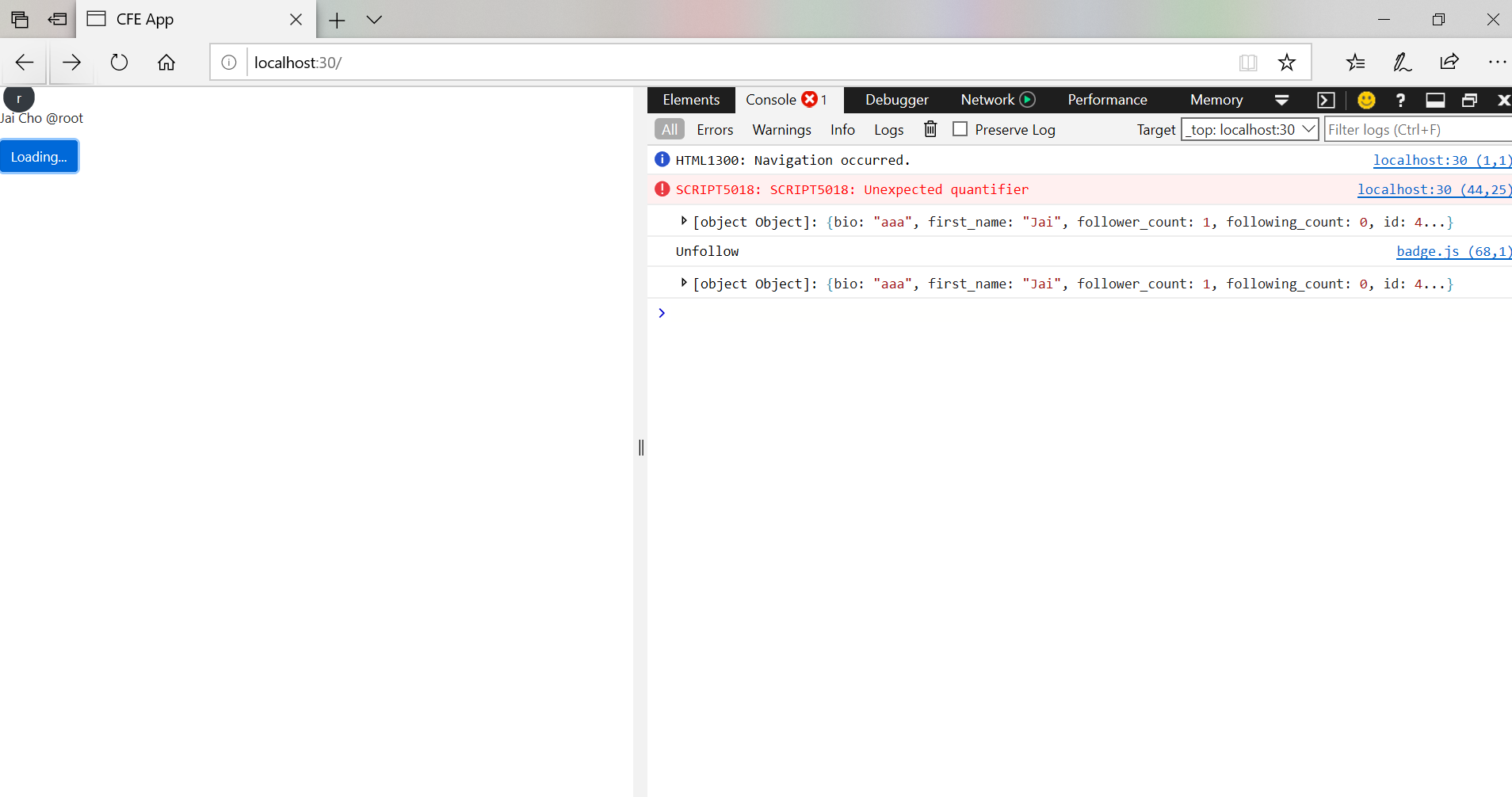<br />so the actionVerb is "Unfollow", button becomes "Loading...", and we cannot click that button again (because it only allow not loading situation to progress)- To make a real interacting button- create apiProfileFollowToggle in /twittme-web/src/profiles/lookup.js```javascriptimport { backendLookup } from "../lookup";export function apiProfileDetail(username, callback) {backendLookup("GET", `/profiles/${username}/`, callback);}//newexport function apiProfileFollowToggle(username, action, callback) {const data = { action: `${action && action}`.toLowerCase() }; //of course, this is "follow" or "unfollow"backendLookup("POST", `/profiles/${username}/follow`, callback, data);}
apiProfileDetail and apiProfileFollowToggle are now related to the same part of data, but apiProfileFollowToggle apply POST to change “is_following”
change what in http://localhost/api/profiles/[username]/follow returns in /profiles/api/views.py
@api_view(['GET', 'POST'])@permission_classes([IsAuthenticated])def user_follow_view(request, username, *args, **kwargs):me = request.userother_user_qs = User.objects.filter(username=username)if me.username == username:my_followers = me.profile.followers.all()return Response({"count": my_followers.count()}, status=200)if not other_user_qs.exists():return Response({}, status=404)other = other_user_qs.first()profile = other.profiledata = request.data or {}action = data.get("action")if action == "follow": # if I am not following this profileprofile.followers.add(me) # start followingelif action == "unfollow": # elseprofile.followers.remove(me) # stop followingelse:pass# current_followers_qs = profile.followers.all()# return Response({"count": current_followers_qs.count()}, status=200)data = PublicProfileSerializer(instance=profile, context={"request": request})return Response(data.data, status=200)
apiProfileFollowToggle above send an action “follow” or “unfollow”, and we change the status of following in line 19-24.
also, it change returns from only a count(following or not following)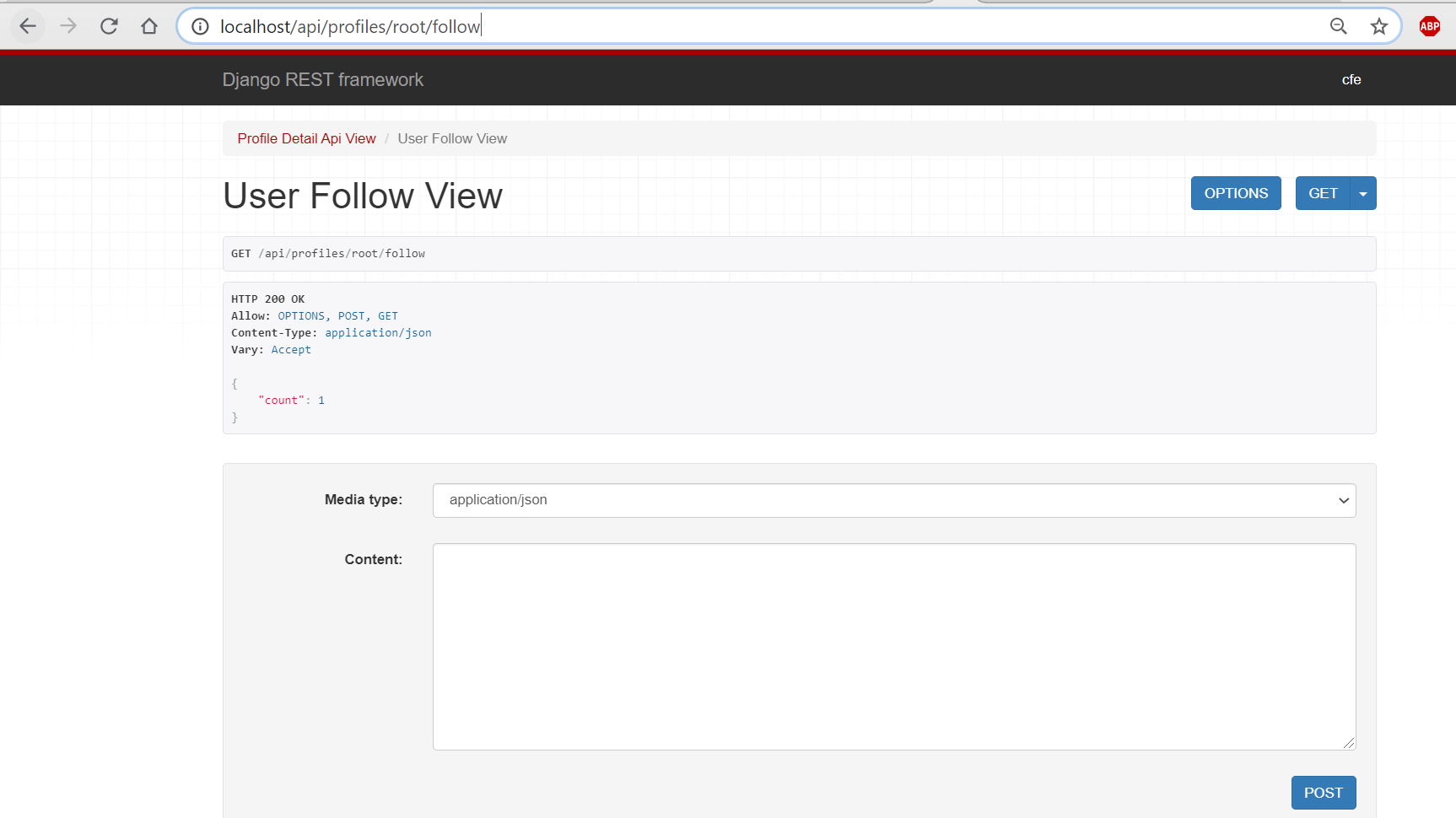
to all data about that user
- apply apiProfileFollowToggle to send the request of “Unfollow” and “Follow” in /twittme-web/src/profiles/badge.js ```javascript import React, { useState, useEffect } from “react”;
import { apiProfileDetail, apiProfileFollowToggle, //new, import from lookup } from “./lookup”;
import { UserDisplay, UserPicture } from “./components”;
function ProfileBadge(props) { const { user, didFollowToggle, profileLoading } = props; //console.log(user);
let currentVerb = user && user.is_following ? “Unfollow” : “Follow”; currentVerb = profileLoading ? “Loading…” : currentVerb; const handleFollowToggle = (event) => { //console.log(event); event.preventDefault(); if (didFollowToggle && !profileLoading) { didFollowToggle(currentVerb); } };
return user ? (
export function ProfileBadgeComponent(props) { const { username } = props;
//lookup const [didLookup, setDidLookup] = useState(false); const [profile, setProfile] = useState(null); const [profileLoading, setProfileLoading] = useState(false); //new
const handleBackendLookup = (response, status) => { if (status === 200) { setProfile(response); } }; useEffect(() => { if (didLookup === false) { apiProfileDetail(username, handleBackendLookup); setDidLookup(true); } }, [username, didLookup, setDidLookup]);
const handleNewFollow = (actionVerb) => { //console.log(actionVerb);
//new, this username is "who I want to follow"apiProfileFollowToggle(username, actionVerb, (response, status)=>{console.log(response, status)if (status===200) {setProfile(response)// apiProfileDetail(username, handleBackendLookup)}setProfileLoading(false) //the profile is now loading here})setProfileLoading(true) //the profile loading is ended here
}
return didLookup === false ? (
“Loading…”
) : profile ? (
now the status is “cfe is following root” so the button is “Unfollow”
clicked “Unfollow” to unfollow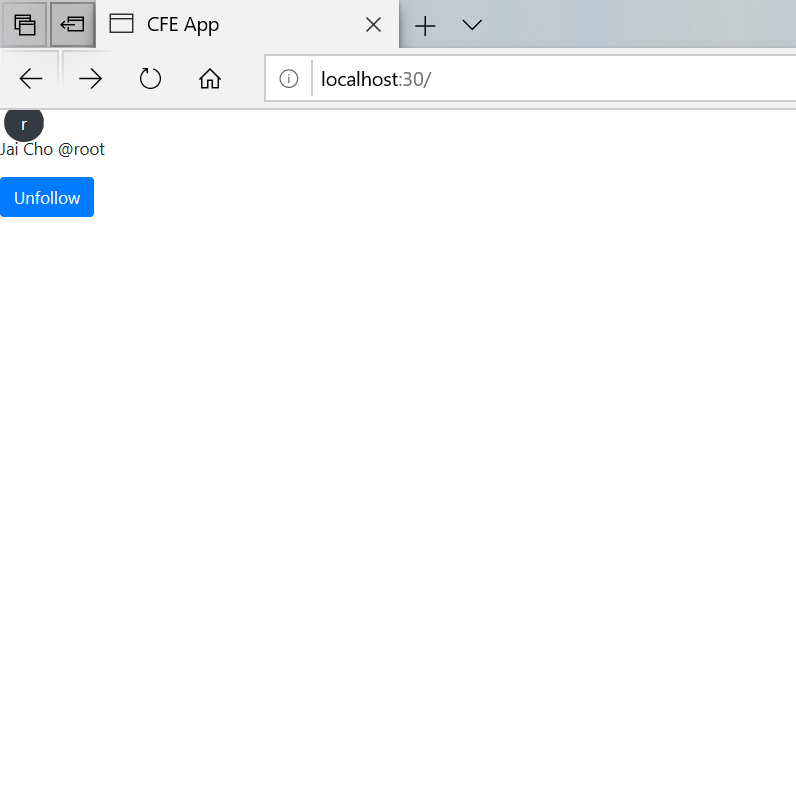
after a short “Loading…” time, the button becomes “Follow”, so now “cfe is not following root”
so does the response shown that “is_following: false”
click “Follow” again
After “Loading…”, we get back to the state at first, button is “Unfollow”, and “is_following: true”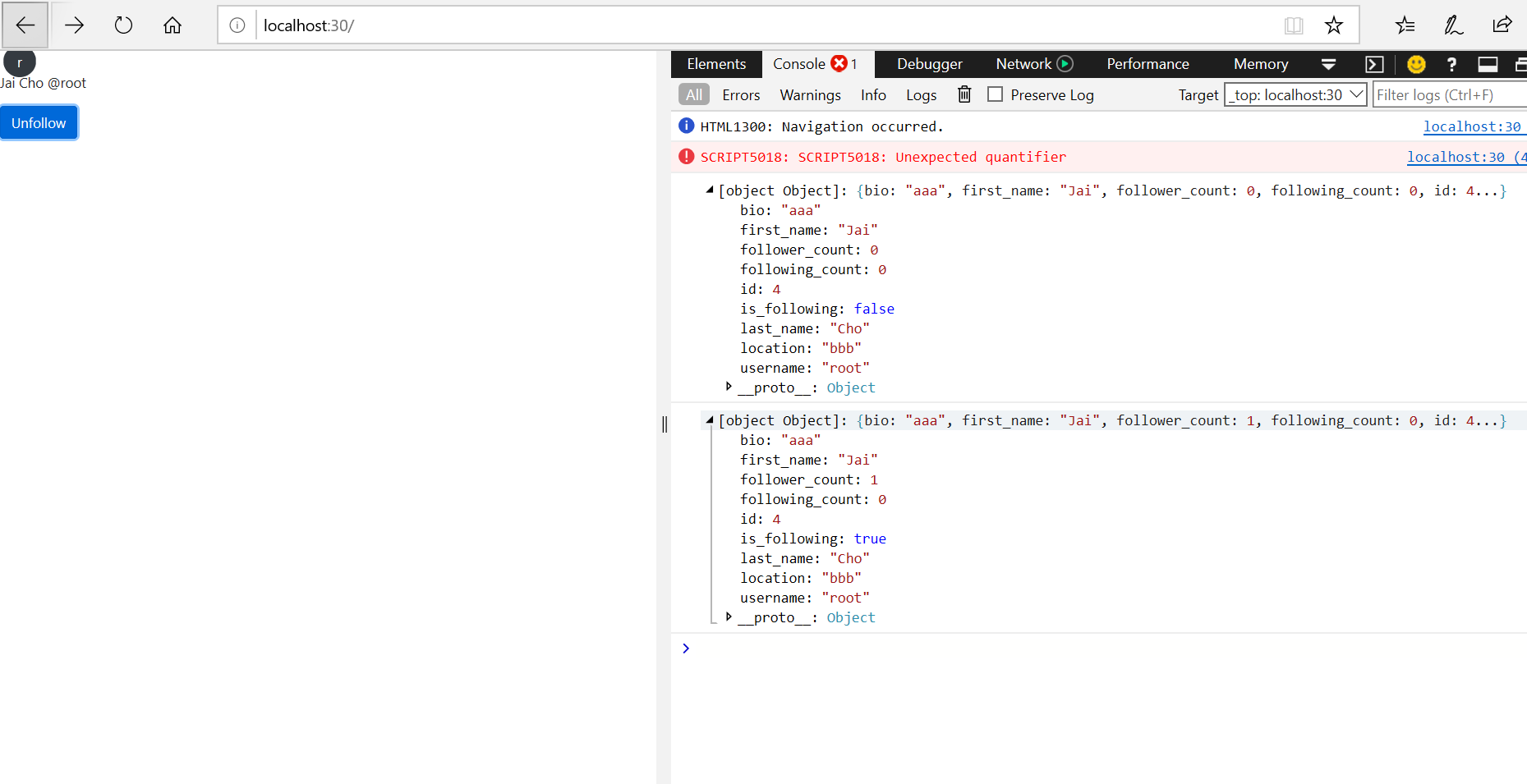

若有收获,就点个赞吧
0 人点赞


