Display User Within Tweet:
name and username:
in /twittme-web/src/tweets/detail.js
- ignore tweet id for a while
- display first name, last name, username in front of their tweets ```javascript //… export function Tweet(props) { //…
/* return (
); */ return (<div><p>{tweet.id} - {tweet.content}</p><ParentTweet tweet={tweet} /></div><div className="btn btn-group">{actionTweet && hideActions !== true && (<React.Fragment><ActionBtntweet={actionTweet}didPerformAction={handlePerformAction}action={{ type: "like", display: "Likes" }}/><ActionBtntweet={actionTweet}didPerformAction={handlePerformAction}action={{ type: "unlike", display: "Unlike" }}/><ActionBtntweet={actionTweet}didPerformAction={handlePerformAction}action={{ type: "retweet", display: "Retweet" }}/></React.Fragment>)}{isDetail === true ? null : (<buttonclassName="btn btn-outline-primary btn-sm"onClick={handleLink}>View</button>)}</div>
); } ``` runserver and npm start, access http://localhost:30/<div><p>{tweet.user.first_name}{" "}{tweet.user.last_name}{" "}@{tweet.user.username}</p><p>{tweet.content}</p><ParentTweet tweet={tweet} /></div><div className="btn btn-group">{actionTweet && hideActions !== true && (<React.Fragment><ActionBtntweet={actionTweet}didPerformAction={handlePerformAction}action={{ type: "like", display: "Likes" }}/><ActionBtntweet={actionTweet}didPerformAction={handlePerformAction}action={{ type: "unlike", display: "Unlike" }}/><ActionBtntweet={actionTweet}didPerformAction={handlePerformAction}action={{ type: "retweet", display: "Retweet" }}/></React.Fragment>)}{isDetail === true ? null : (<buttonclassName="btn btn-outline-primary btn-sm"onClick={handleLink}>View</button>)}</div>
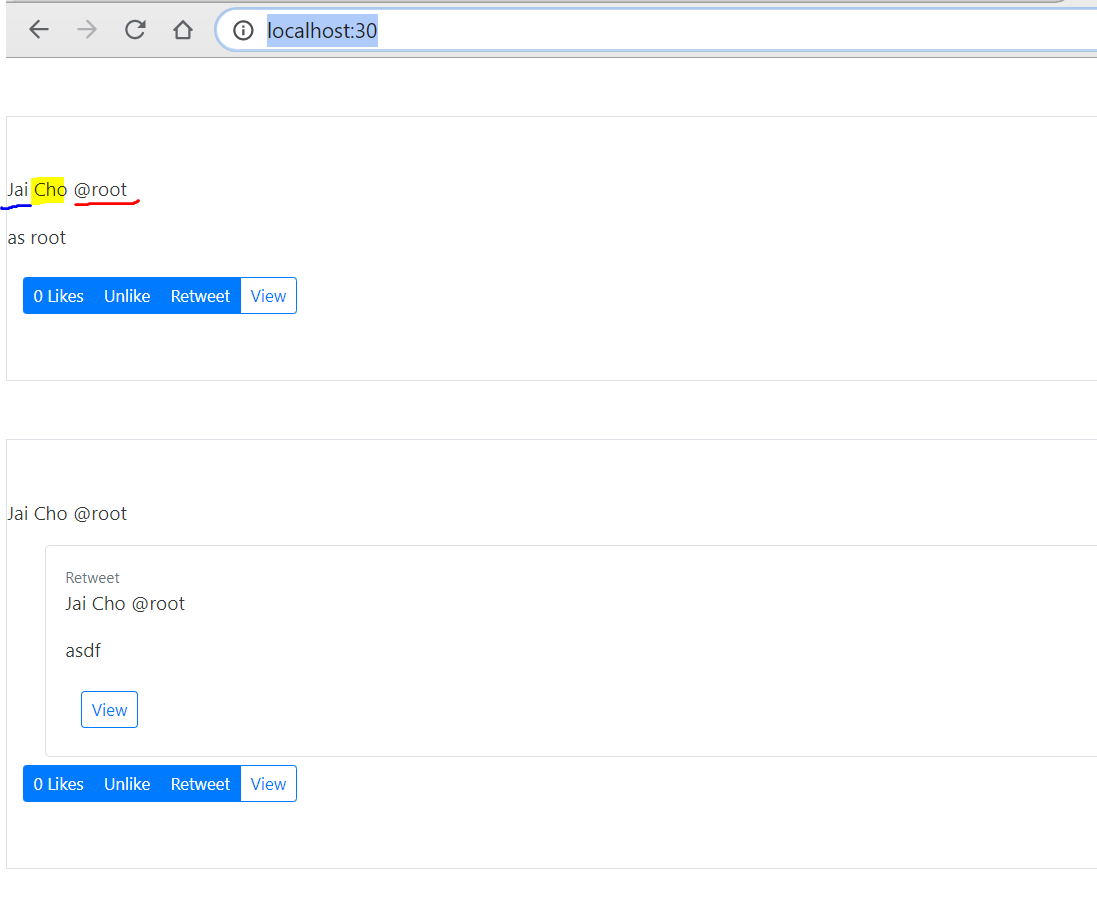
From left to right, we got first name, last name, username.
(I just setup the first name and last name of root)
align the column:
still in the same file,
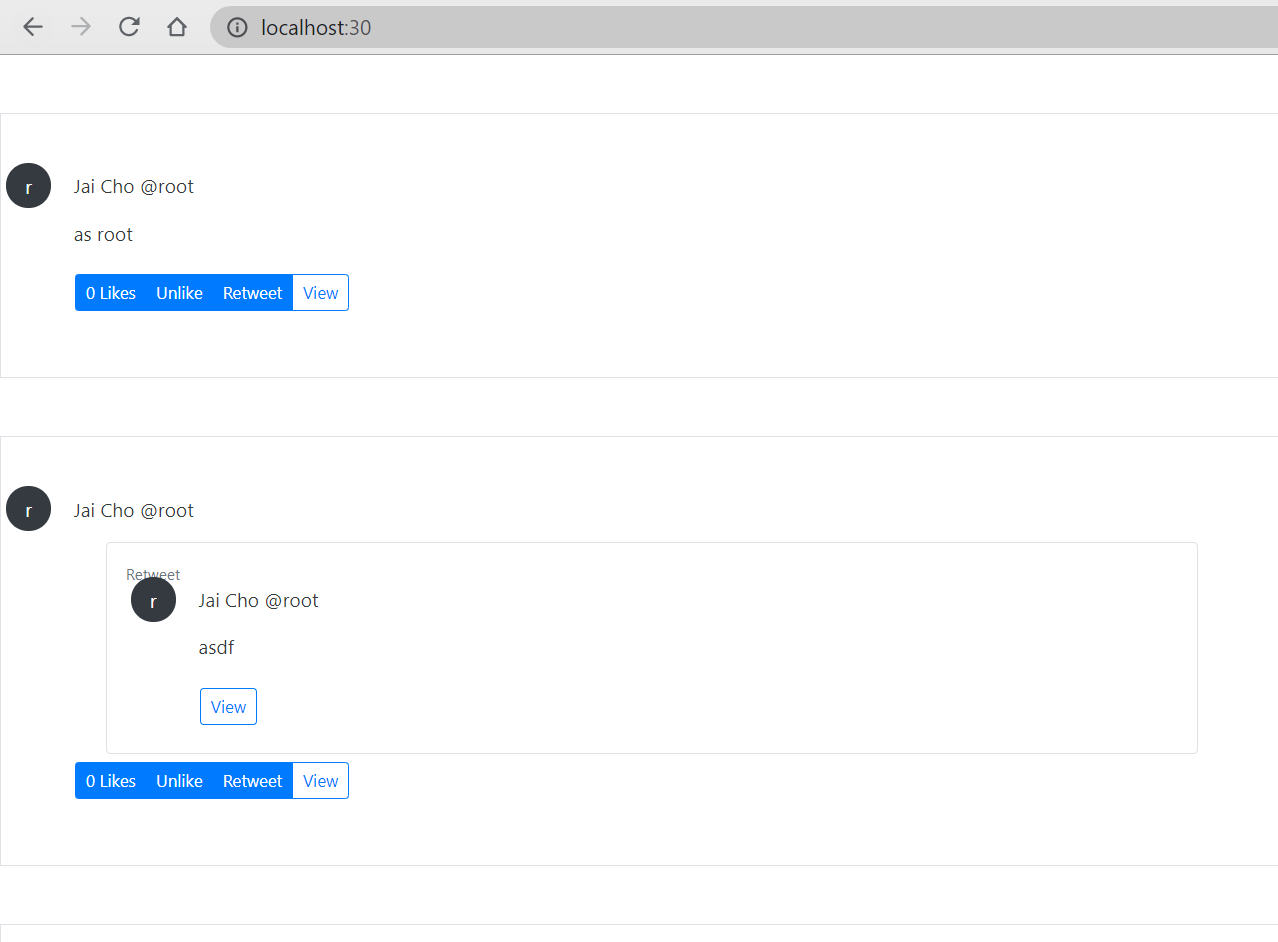
- add “px-0” in div of buttons to align first name and buttons
- add div “d-flex”, and “col-11”, prepare for profile
- add a span block for a simple icon about users ```javascript export function Tweet(props) { //…
/* return (
); */ return (<div><p>{tweet.user.first_name}{" "}{tweet.user.last_name}{" "}@{tweet.user.username}</p><p>{tweet.content}</p><ParentTweet tweet={tweet} /></div><div className="btn btn-group">{actionTweet && hideActions !== true && (<React.Fragment><ActionBtntweet={actionTweet}didPerformAction={handlePerformAction}action={{ type: "like", display: "Likes" }}/><ActionBtntweet={actionTweet}didPerformAction={handlePerformAction}action={{ type: "unlike", display: "Unlike" }}/><ActionBtntweet={actionTweet}didPerformAction={handlePerformAction}action={{ type: "retweet", display: "Retweet" }}/></React.Fragment>)}{isDetail === true ? null : (<buttonclassName="btn btn-outline-primary btn-sm"onClick={handleLink}>View</button>)}</div>
); } ``` and the workout looks like:<div className="d-flex"><div className=""><span className="mx-1 px-3 py-2 rounded-circle bg-dark text-white">{tweet.user.username[0]}</span></div><div className="col-11"><div><p>{tweet.user.first_name} {tweet.user.last_name} @{tweet.user.username}</p><p>{tweet.content}</p><ParentTweet tweet={tweet} /></div><div className="btn btn-group px-0">{actionTweet && hideActions !== true && (<React.Fragment><ActionBtntweet={actionTweet}didPerformAction={handlePerformAction}action={{ type: "like", display: "Likes" }}/><ActionBtntweet={actionTweet}didPerformAction={handlePerformAction}action={{ type: "unlike", display: "Unlike" }}/><ActionBtntweet={actionTweet}didPerformAction={handlePerformAction}action={{ type: "retweet", display: "Retweet" }}/></React.Fragment>)}{isDetail === true ? null : (<buttonclassName="btn btn-outline-primary btn-sm"onClick={handleLink}>View</button>)}</div></div></div>
position and separate class of “retweet”:
still in the same file
- ParentTweet doesn’t need to pass 2 div and 1 p blocks, instead it need to add a isRetweet property
- get isRetweet in Tweet
- change where the position of “retweet” text is by adding a span ```javascript import React, { useState } from “react”;
import { ActionBtn } from “./buttons”;
export function ParentTweet(props) { const { tweet } = props; / return tweet.parent ? (
Retweet
export function Tweet(props) { //const { tweet, didRetweet, hideActions } = props; const { tweet, didRetweet, hideActions, isRetweet } = props; //…
/ return (
{tweet.user.first_name} {tweet.user.last_name} @ {tweet.user.username}
{tweet.content}
{tweet.user.first_name} {tweet.user.last_name}@{tweet.user.username}
{tweet.content}
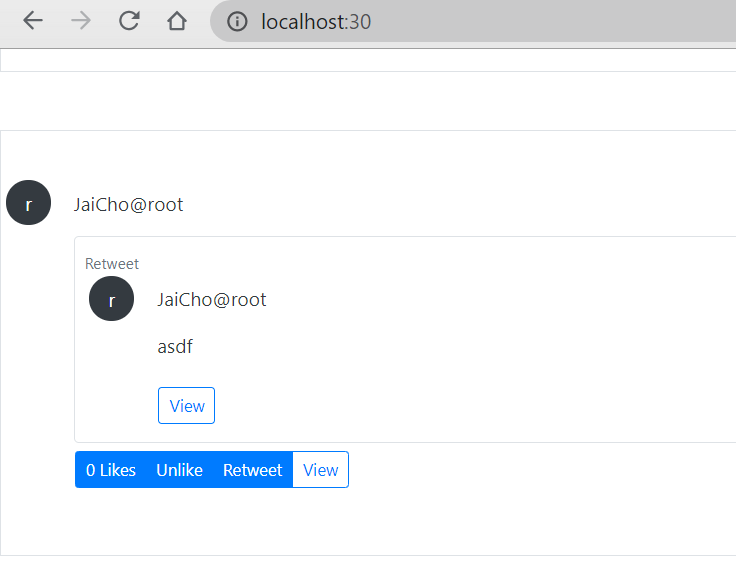
and we got<br />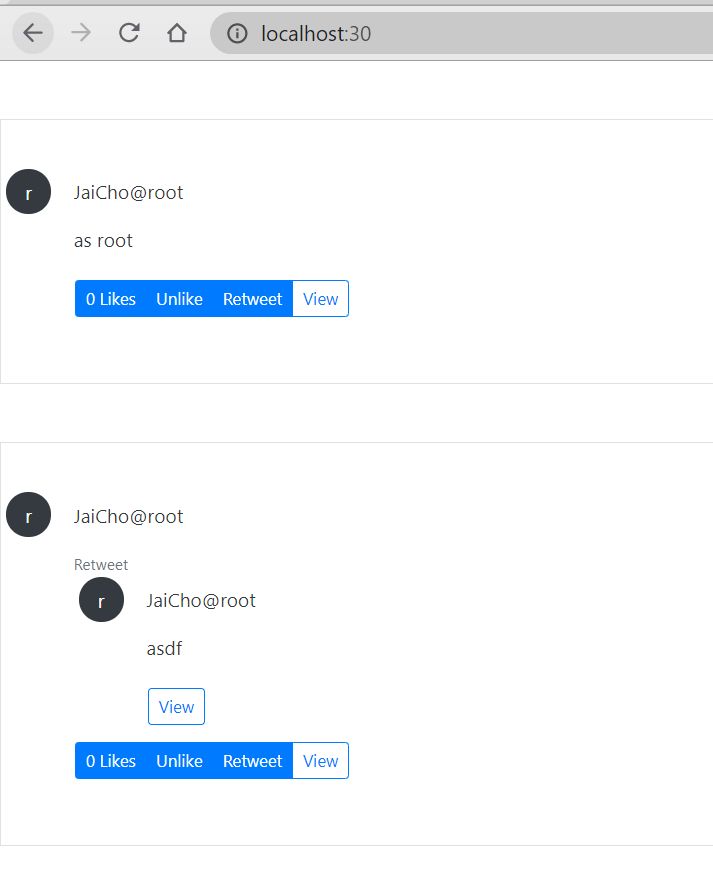- we also can add a border in the class of retweet if it is a retweet```javascriptexport function Tweet(props) {//...//const className = props.className ? props.className : "col-10 mx-auto col-md-6";let className = props.className ? props.className : 'col-10 mx-auto col-md-6'className = isRetweet === true ? `${className} p-2 border rounded` : className //add a border if it's retweet//...}
Who is the retweeter:
- still in /twittme-web/src/tweets/detail.js
- add property “retweeter” (retweeter={tweet.user})
- show who is the retweeter in Tweets() ```javascript import React, { useState } from “react”;
import { ActionBtn } from “./buttons”;
export function ParentTweet(props) {
const { tweet } = props;
/
return tweet.parent ? (
return tweet.parent ? ( //new
export function Tweet(props) { //const { tweet, didRetweet, hideActions, isRetweet } = props; const { tweet, didRetweet, hideActions, isRetweet, retweeter } = props;
//...
/ return (
{tweet.user.first_name} {tweet.user.last_name}@{tweet.user.username}
{tweet.content}
return (
{tweet.user.first_name} {tweet.user.last_name}@{tweet.user.username}
{tweet.content}

若有收获,就点个赞吧
0 人点赞


