(continue)
TEMPLATES = [ { ‘BACKEND’: ‘django.template.backends.django.DjangoTemplates’,
    # 'DIRS': [],
    'DIRS': [os.path.join(BASE_DIR, "templates")],
    'APP_DIRS': True,
    'OPTIONS': {
        'context_processors': [
            'django.template.context_processors.debug',
            'django.template.context_processors.request',
            'django.contrib.auth.context_processors.auth',
            'django.contrib.messages.context_processors.messages',
        ],
    },
},
]
…
and we can refer our templates to requests.

- First, we prepare 2 folders, pages/ and tweets/ for templates/
- Then setup a home.html for the default page in pages/
```bash
(reactjs) [root@localhost Twittme]# tree
.
├── db.sqlite3
├── manage.py
├── templates
│   ├── pages
│   │   └── home.html
│   └── tweets
├── todo.md
├── tweets
│   ├── admin.py
│   ├── apps.py
│   ├── __init__.py
│   ├── migrations
│   │   ├── 0001_initial.py
│   │   └── __init__.py
│   ├── models.py
│   ├── tests.py
│   └── views.py
└── Twittme
    ├── __init__.py
    ├── settings.py
    ├── urls.py
    └── wsgi.py

6 directories, 16 files
<!--home.html-->
<h1>Hello World</h1>
now we cam simply refer the default path in /tweets/views.py to the template page before:
# ...
def home_view(request, *args, **kwargs):
  # return HttpResponse("<h1>Hello World</h1>")
  return render(request, "pages/home.html", context={}, status=200)
# ...
Bootstrap & Django Templates:
apply Starter template in https://getbootstrap.com/docs/4.5/getting-started/introduction/ to replace home.html before:
<!doctype html>
<html lang="en">
<head>
  <!-- Required meta tags -->
  <meta charset="utf-8">
  <meta name="viewport" content="width=device-width, initial-scale=1, shrink-to-fit=no">

  <!-- Bootstrap CSS -->
  <link rel="stylesheet" href="https://stackpath.bootstrapcdn.com/bootstrap/4.5.0/css/bootstrap.min.css" integrity="sha384-9aIt2nRpC12Uk9gS9baDl411NQApFmC26EwAOH8WgZl5MYYxFfc+NcPb1dKGj7Sk" crossorigin="anonymous">

  <title>Hello, world!</title>
</head>
<body>
  <h1>Hello, world!</h1>

  <!-- Optional JavaScript -->
  <!-- jQuery first, then Popper.js, then Bootstrap JS -->
  <script src="https://code.jquery.com/jquery-3.5.1.slim.min.js" integrity="sha384-DfXdz2htPH0lsSSs5nCTpuj/zy4C+OGpamoFVy38MVBnE+IbbVYUew+OrCXaRkfj" crossorigin="anonymous"></script>
  <script src="https://cdn.jsdelivr.net/npm/popper.js@1.16.0/dist/umd/popper.min.js" integrity="sha384-Q6E9RHvbIyZFJoft+2mJbHaEWldlvI9IOYy5n3zV9zzTtmI3UksdQRVvoxMfooAo" crossorigin="anonymous"></script>
  <script src="https://stackpath.bootstrapcdn.com/bootstrap/4.5.0/js/bootstrap.min.js" integrity="sha384-OgVRvuATP1z7JjHLkuOU7Xw704+h835Lr+6QL9UvYjZE3Ipu6Tp75j7Bh/kR0JKI" crossorigin="anonymous"></script>
</body>
</html>
to test, access the homepage again:
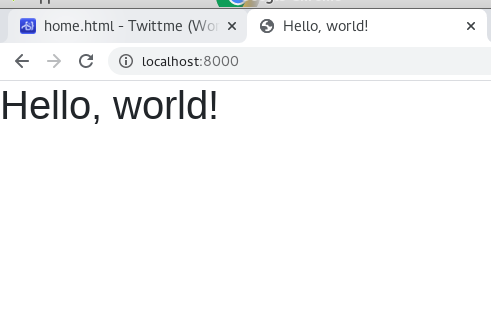
there’s title, and font is different, it means the new template is successfully applied.create a base.html in templates/ to increase code reuse:
<!doctype html>
<html lang="en">
<head>
  <!-- Required meta tags -->
  <meta charset="utf-8">
  <meta name="viewport" content="width=device-width, initial-scale=1, shrink-to-fit=no">

  <!-- Bootstrap CSS -->
  <link rel="stylesheet" href="https://stackpath.bootstrapcdn.com/bootstrap/4.5.0/css/bootstrap.min.css" integrity="sha384-9aIt2nRpC12Uk9gS9baDl411NQApFmC26EwAOH8WgZl5MYYxFfc+NcPb1dKGj7Sk" crossorigin="anonymous">

  <title>Twittme</title>
</head>
<body>
  {% block content %}
  {% endblock content %}

  <!-- Optional JavaScript -->
  <!-- jQuery first, then Popper.js, then Bootstrap JS -->
  <script src="https://code.jquery.com/jquery-3.5.1.slim.min.js" integrity="sha384-DfXdz2htPH0lsSSs5nCTpuj/zy4C+OGpamoFVy38MVBnE+IbbVYUew+OrCXaRkfj" crossorigin="anonymous"></script>
  <script src="https://cdn.jsdelivr.net/npm/popper.js@1.16.0/dist/umd/popper.min.js" integrity="sha384-Q6E9RHvbIyZFJoft+2mJbHaEWldlvI9IOYy5n3zV9zzTtmI3UksdQRVvoxMfooAo" crossorigin="anonymous"></script>
  <script src="https://stackpath.bootstrapcdn.com/bootstrap/4.5.0/js/bootstrap.min.js" integrity="sha384-OgVRvuATP1z7JjHLkuOU7Xw704+h835Lr+6QL9UvYjZE3Ipu6Tp75j7Bh/kR0JKI" crossorigin="anonymous"></script>
</body>
</html>
and change home.html before to build HTML file based on base.html: ```html {% extends ‘base.html’ %}
{% block content %} Welcome to Twittme {% endblock content %}
to test, runserver and access localhost:8000 again:<br />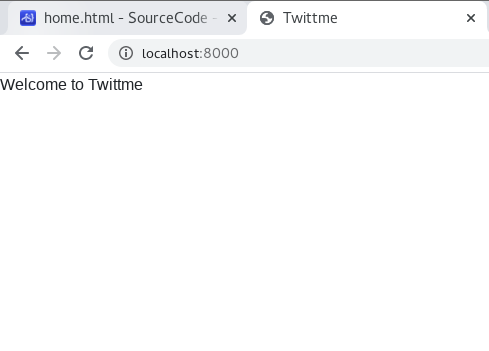<br />so the base.html extension is successful.
- multiple blocks can be in the same pair, if we add another block in base.html:
```html
<!--base.html-->
<title>Twittme {% block head_title %} {% endblock head_title %} </title>
<!--...-->
then add a block with the same name in home.html:
<!--home.html-->
{% block head_title %}
This is amazing!
{% endblock head_title %}
<!--...-->
to test, runserver and access localhost:8000 to watch the title of the browser: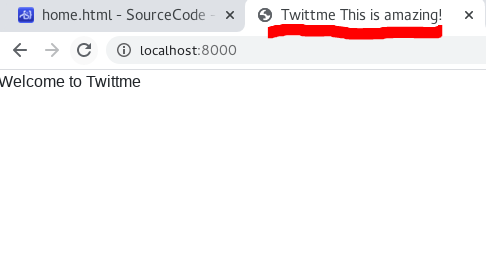
and we see ‘head_title’ is also extended.
Tweet List View:
now we need a view to show all tweets:
- create tweet_list_view in /tweets/views.py
and add a pth in /Twittme/urls,py ```python from django.contrib import admin from django.urls import path, re_path# ... def tweet_list_view(request, *args, **kwargs): qs = Tweet.objects.all() # grad all objects in Tweet tweets_list = [{"id" : x.id, "content" : x.content} for x in qs] data = { "isUser" : False, "response" : tweets_list } return JsonResponse(data) # ...
from tweets.views import home_view, tweet_detail_view, tweet_list_view # new
urlpatterns = [
path(‘admin/‘, admin.site.urls),
path(‘’, home_view),
path(‘tweets’, tweet_list_view), # new
path(‘tweets/
to test, runserver and access localhost:8000/tweets<br />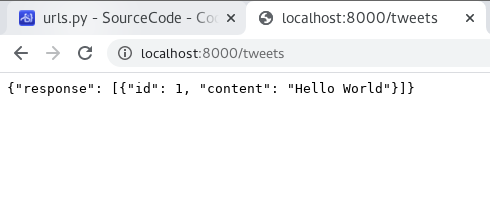<br />and we see returned data with an attribute "response" - a list of all tweets.
<a name="DrMqO"></a>
#### Dynamic Load Tweets via JavaScript
- and a <script> to home.html, let the page send a "GET" request to /tweets
```python
{% extends 'base.html' %}
{% block head_title %}
This is amazing!
{% endblock head_title %}
{% block content %}
Welcome to Twittme
<script>
const xhr = new XMLHttpRequest()
const method = 'GET'
const url = '/tweets'
const responseType = 'json'
xhr.responseType = responseType
xhr.open(method, url)
xhr.onload = function() {
console.log(xhr.response)
}
xhr.send()
</script>
{% endblock content %}
to test, access localhost:8000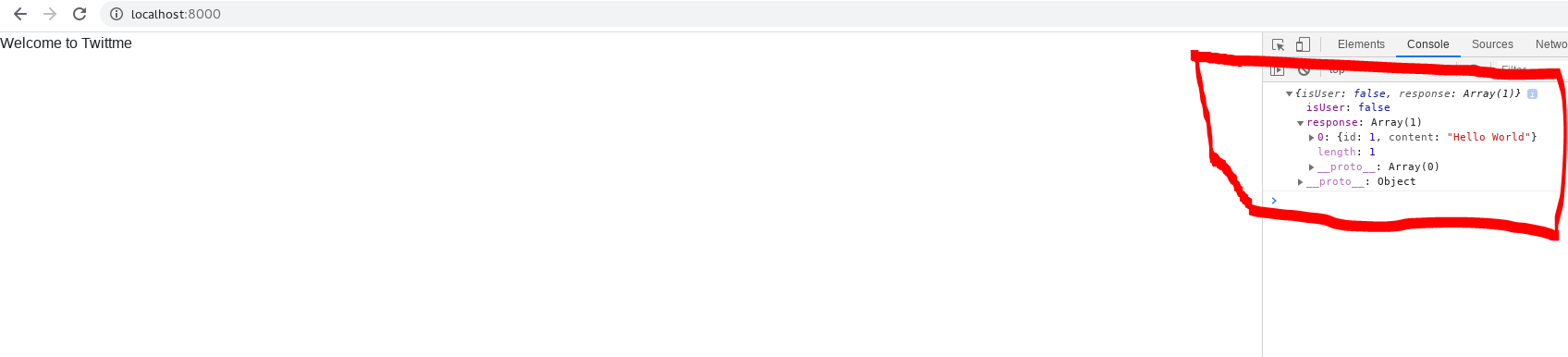
In the console, we saw response (the list of tweets)
- if we want to only get content, we specify it.
- modify xhr.onload in home.html:
runserver and access:<script> //... xhr.onload = function() { const serverResponse = xhr.response var listedItems = serverResponse.response console.log(listedItems) } //... </script>
and now we have HTML content that only includes tweets
Replace HTML Content with JavaScript:
- still in home.html: ```html {% block content %} Welcome to Twittme
{% endblock content %}
if we ignore script, the next line displayed after "Welcome to Twittme" is "Replace me", but we changed innerHTML, so actually:<br />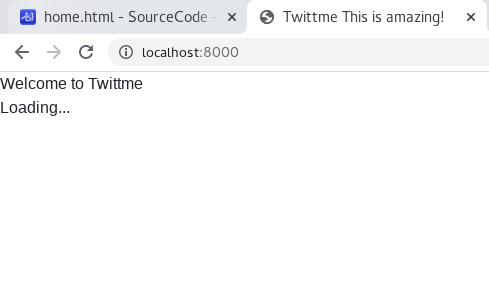<br />it's "Loading..."<br />so after this test, we know how to replace lines if necessary.<br />
- another test case, still in home.html:
```html
{% block content %}
Welcome to Twittme
<div id='tweets'>
Replace me
</div>
<script>
const tweetsElement = document.getElementById("tweets") //get an HTML element
tweetsElement.innerHTML = 'Loading...' //set new HTML in that element
var el1 = "<h1>Hi there 1</h1>"
var el2 = "<h1>Hi there 2</h1>"
var el3 = "<h1>Hi there 3</h1>"
tweetsElement.innerHTML = el1 + el2 + el3
//...
</script>
{% endblock content %}
and we see: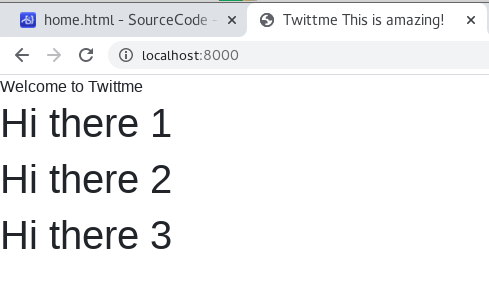
it means we can do innerHTML replacement by adding either, but should take care of format.
Tweets to HTML via JavaScript:
we need to iterate(loop) all tweets in the list.
- still in home.html: ```html {% block content %} Welcome to Twittme
{% endblock content %}
- to show that the loop is successful add a new object to the list:
```bash
(reactjs) [root@localhost Twittme]# ./manage.py shell
Python 3.6.5 (default, Sep 10 2018, 09:39:42)
[GCC 4.8.5 20150623 (Red Hat 4.8.5-28)] on linux
Type "help", "copyright", "credits" or "license" for more information.
(InteractiveConsole)
>>> from tweets.models import Tweet
>>> obj = Tweet.objects.create(content='Hello there #2')
>>> exit()
runserver: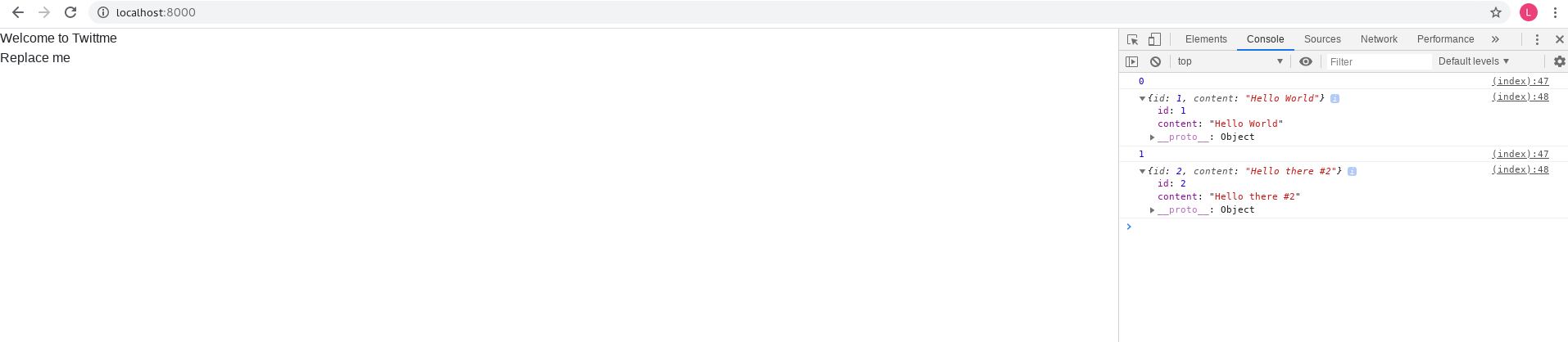
and we can see i and listedItems[i] are shown in the log.
- pend listedItems variables and change the innerHTML of the content: ```html {% block content %} Welcome to Twittme
{% endblock content %}
```
to test, runserver:

若有收获,就点个赞吧
0 人点赞


