Limit List View by Username:
Last part we passed more components in div blocks.
render the current user:
We just know what is passed in TweetsComponent
- We can comment/delete console.log() in twittme-web/src/tweets/components.js this time: ```javascript export function TweetsComponent(props) { //console.log(props);
//… } ```
change components in /twittme-web/public/index.html
<body><noscript>You need to enable JavaScript to run this app.</noscript><!--<div id="tweetme-2" data-username="root" data-valid="true"></div>--><div id="tweetme-2" data-username="root" data-can-tweet="false"></div><!--This HTML file is a template.If you open it directly in the browser, you will see an empty page.You can add webfonts, meta tags, or analytics to this file.The build step will place the bundled scripts into the <body> tag.To begin the development, run `npm start` or `yarn start`.To create a production bundle, use `npm run build` or `yarn build`.--></body>
and tweet_list_view /tweets/views.py to pickup username in ?username=[value] cases
@api_view(['GET']) # http method the client === POSTdef tweet_list_view(request, *args, **kwargs):qs = Tweet.objects.all() # grab all objects in Tweetusername = request.GET.get('username') # ?username=rootif username != None:qs = qs.filter(user__username__iexact=username) # filter that username w/o case sensitiveserializer = TweetSerializer(qs, many=True)return Response(serializer.data)
runserver and npm start,
access http://localhost/api/tweets/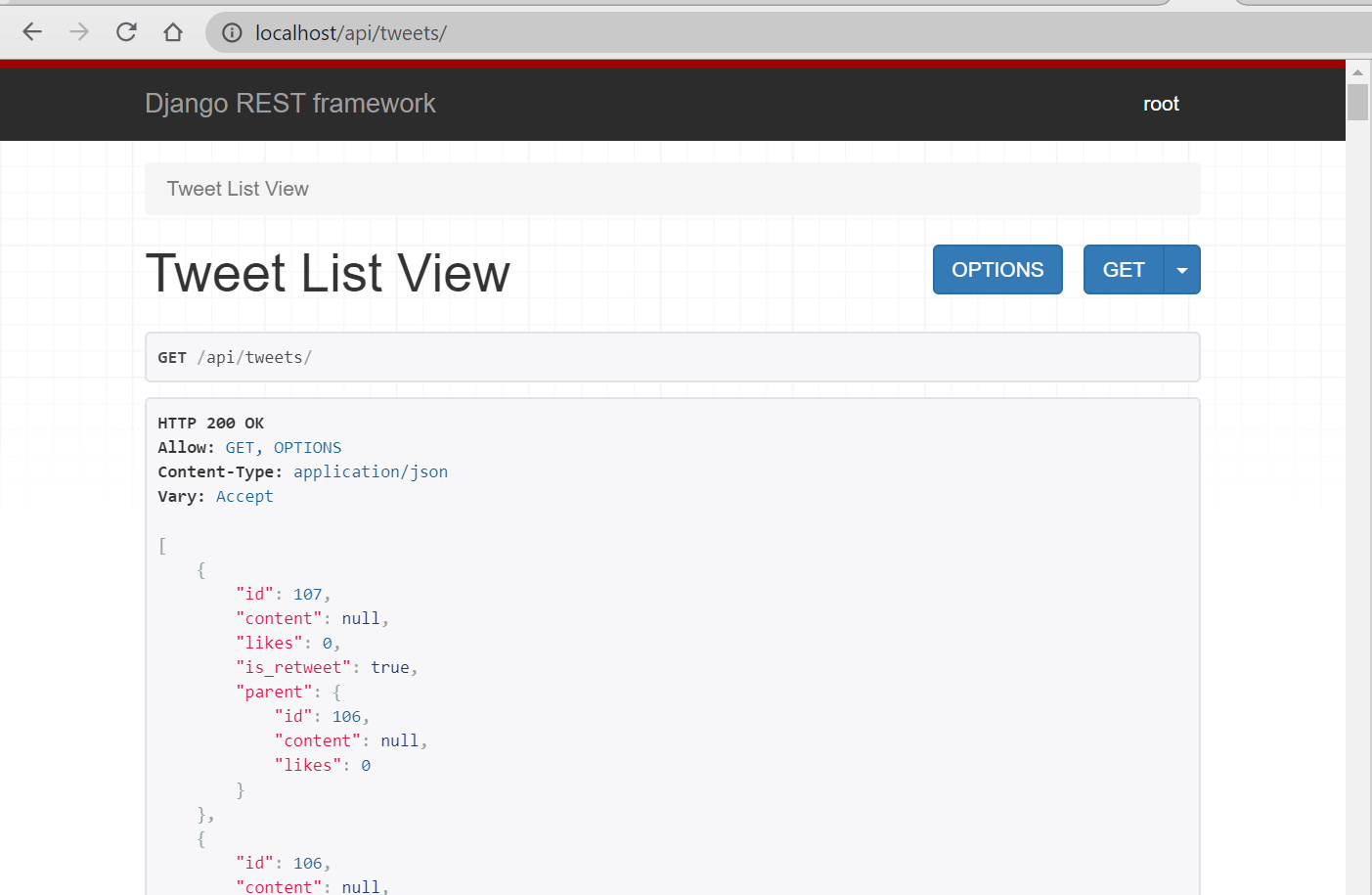
access http://localhost/api/tweets/?username=rootactually there should be some differences for the first and the second list, but because sent username is still always root, and we have only one stuff user now, we should apply rendering method before to split tweets.
Rendering Limited Tweet List by Username:
From now on, we have to spilt tweet list by username if requested.
refer to a user:
we modify /twittme-web/public/index.html
<body><noscript>You need to enable JavaScript to run this app.</noscript><!--<div id="tweetme-2" data-username="root" data-valid="true"></div>--><div id="tweetme-2" data-username="cfe" data-can-tweet="false"></div><!--...--></body>
in /twittme-web/src/tweets/lookup.js
- modify endpoint if there is a username required
- add a apiTweetDetail() to handle request of tweetid ```javascript
//export function apiTweetList(callback) {
export function apiTweetList(username, callback) {
let endpoint = “/tweets/“
if(username){
endpoint = /tweets/?username=${username}
}
backendLookup(“GET”, endpoint, callback); //backendLookup(“GET”, “/tweets/“, callback); }
//new
export function apiTweetDetail(tweetId, callback) {
backendLookup(“GET”, /tweets/${tweetId}/, callback)
}
- also in /twittme-web/src/tweets/components.js- pass username to TweetsList- set default username as props.username in TweetsList```javascriptexport function TweetsComponent(props) {//...return (//[...props] means username here<div className={props.className}><div className="col-12 mb-3"><form onSubmit={handleSubmit}><textarearef={textAreaRef}required={true}className="form-control"name="tweet"></textarea><button type="submit" className="btn btn-primary my-3">Tweet</button></form></div><TweetsList newTweets={newTweets} {...props} /></div>);/*return (<div className={props.className}><div className="col-12 mb-3"><form onSubmit={handleSubmit}><textarearef={textAreaRef}required={true}className="form-control"name="tweet"></textarea><button type="submit" className="btn btn-primary my-3">Tweet</button></form></div><TweetsList newTweets={newTweets} /></div>);*/}export function TweetsList(props) {const [tweetsInit, setTweetsInit] = useState([]);const [tweets, setTweets] = useState([]);const [tweetsDidSet, setTweetsDidSet] = useState(false);useEffect(() => {const final = [...props.newTweets].concat(tweetsInit); //[...content] means a new list with the contentif (final.length !== tweets.length) {setTweets(final);}}, [props.newTweets, tweets, tweetsInit]);useEffect(() => {if (tweetsDidSet === false) {const handleTweetListLookup = (response, status) => {if (status === 200) {setTweetsInit(response);setTweetsDidSet(true);} else {alert("There was an error");}};//apiTweetList(handleTweetListLookup);apiTweetList(props.username, handleTweetListLookup); //new}//}, [tweetsInit, tweetsDidSet, setTweetsDidSet]);}, [tweetsInit, tweetsDidSet, setTweetsDidSet, props.username]); //add a new dependency//...}
after that, refresh and test. 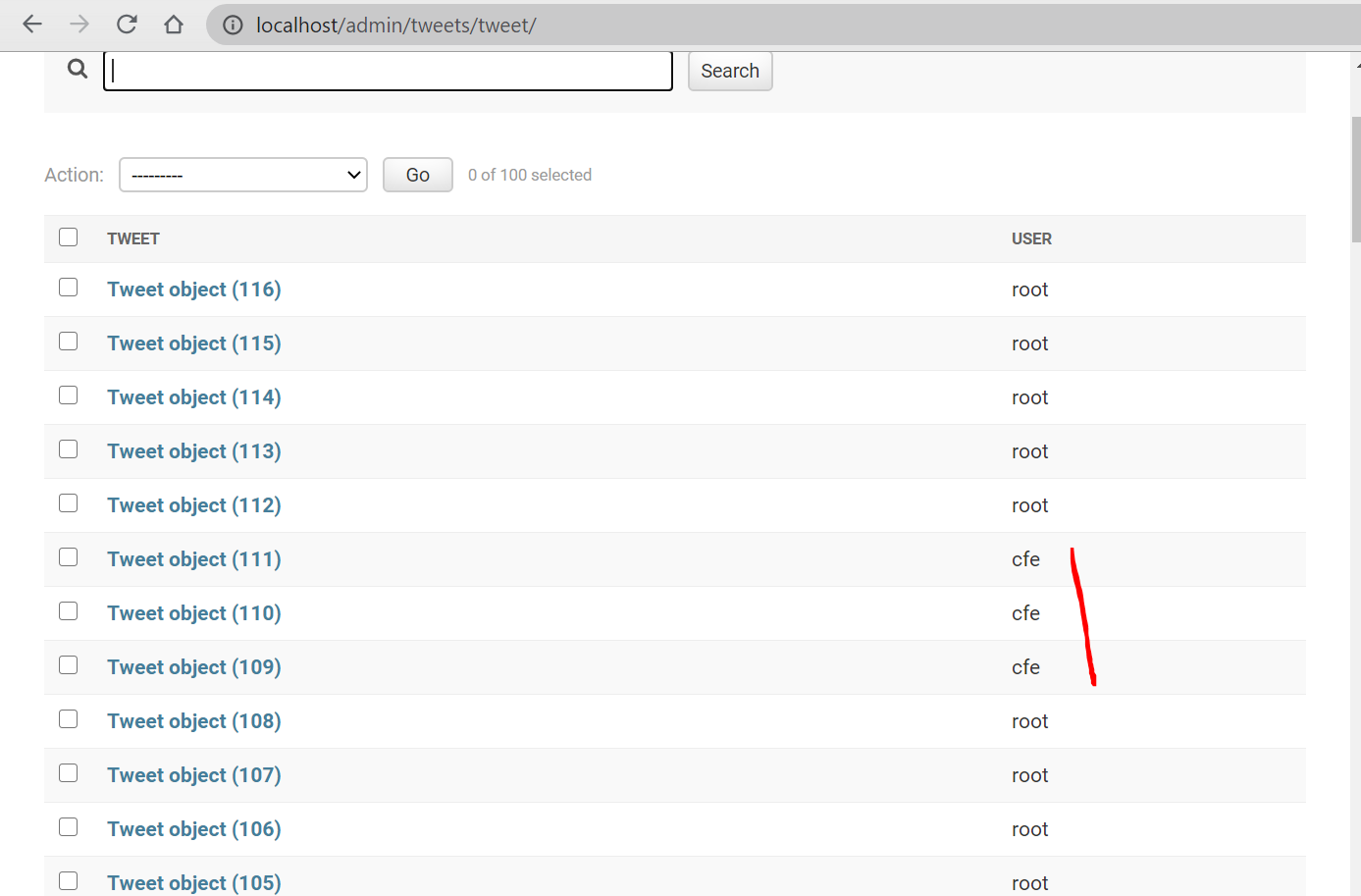
we only have 3 tweets sent by cfe, so http://localhost/api/tweets/?username=cfe shows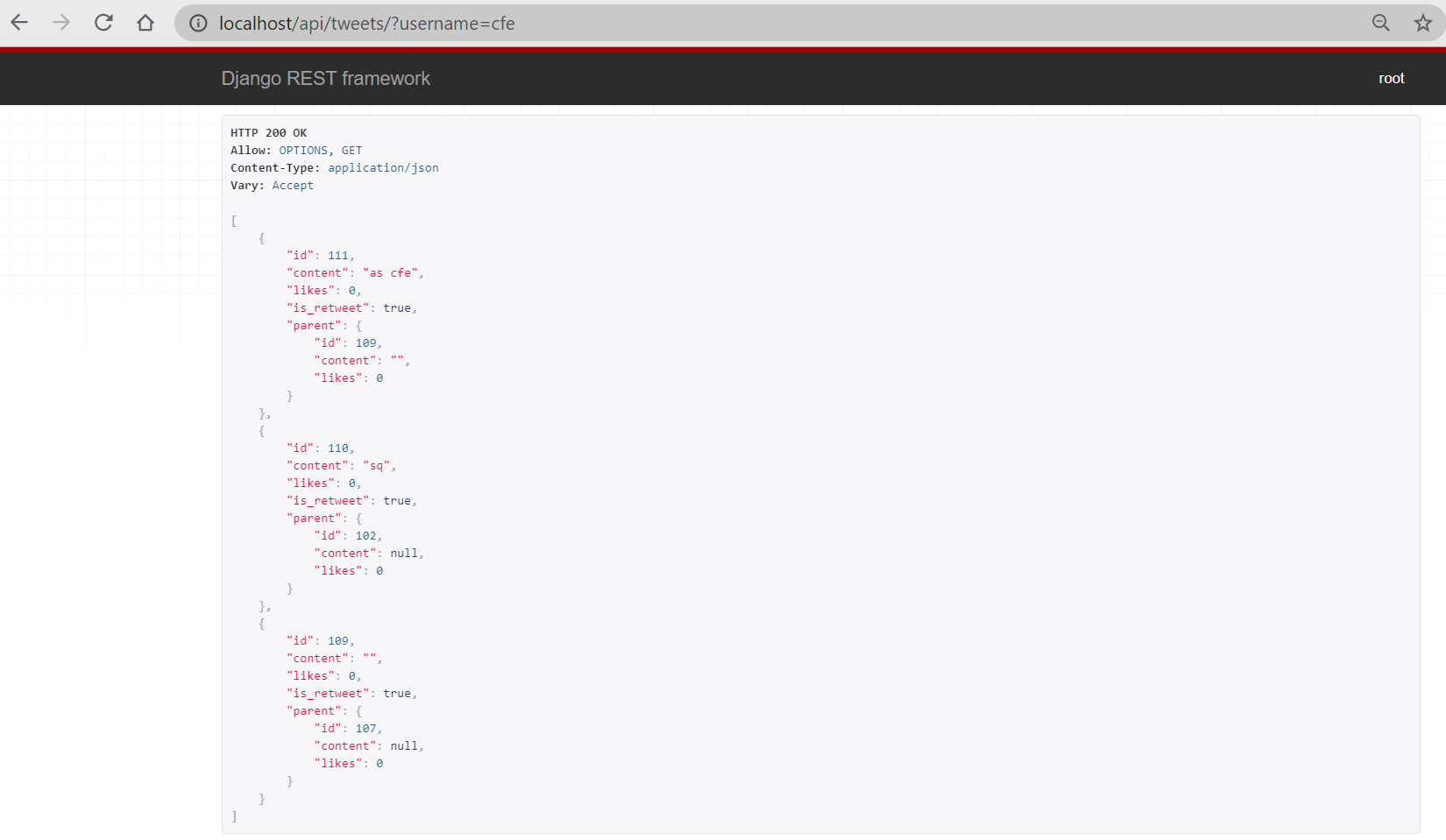
and if we use localhost:30 (reactjs page)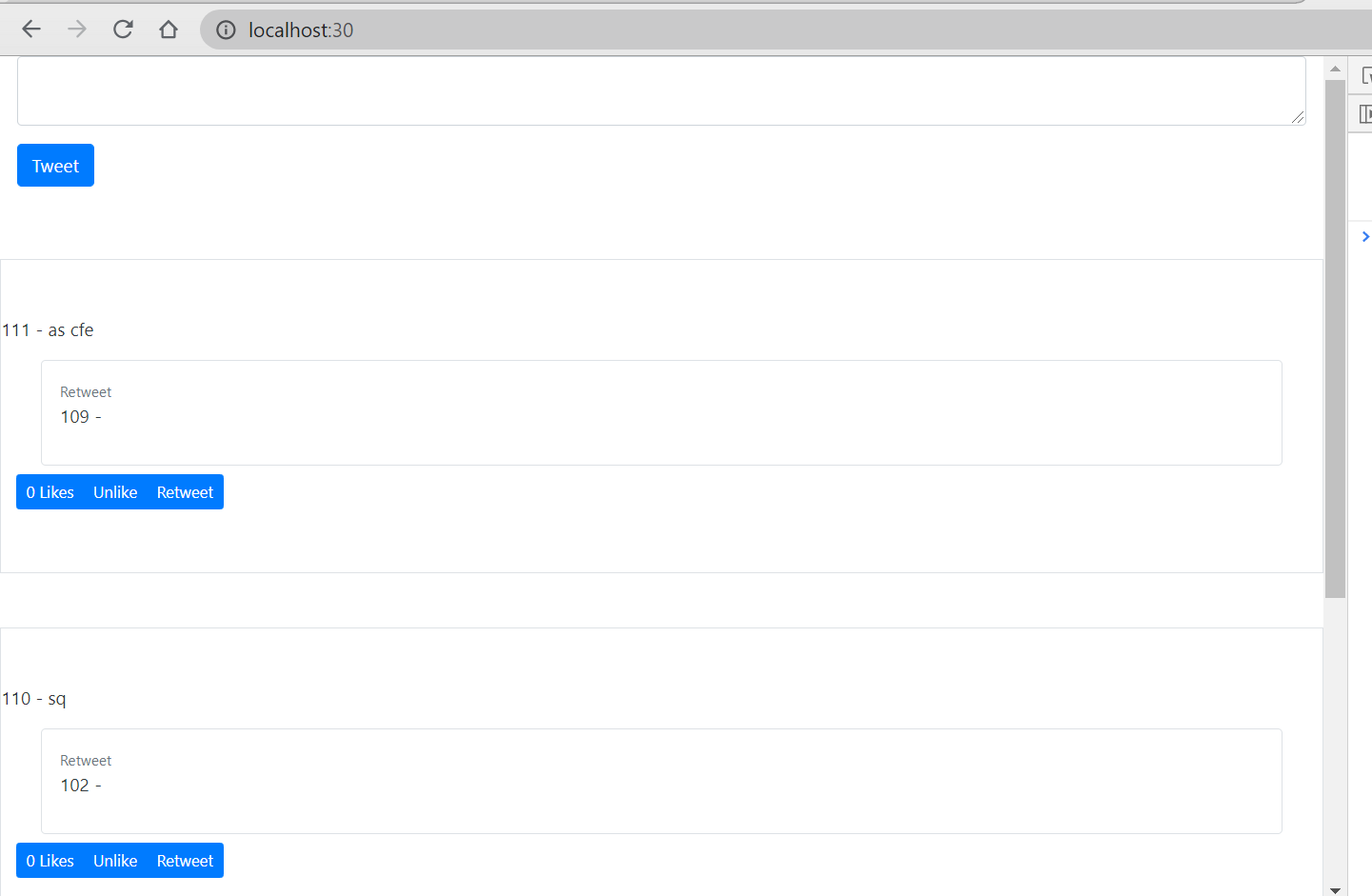
it also only shows 3 tweets.
because in /twittme-web/public/index.html
this block made passed username not null, and
the request of
http://localhost/api/tweets
becomes
http://localhost/api/tweets/?username=cfe
and only shows tweets sent by cfe.
(because of some reason, “root” become the source of all tweets sent, so I changed senders to cfe for test this time.)
apply “canTweet”:
If we request some user who don’t exist, it will return a null list instead of error.
only allow tweet when canTweet === True in /twittme-web/src/tweets/components.js
export function TweetsComponent(props) {const textAreaRef = React.createRef();const [newTweets, setNewTweets] = useState([]);//passed canTweet is a string, not a booleanconst canTweet = props.canTweet === "false" ? false : trueconst handleBackendUpdate = (response, status) => {let tempNewTweets = [...newTweets];if (status === 201) {tempNewTweets.unshift(response);setNewTweets(tempNewTweets);} else {console.log(response);alert("An error occured please try again");}};const handleSubmit = (event) => {event.preventDefault();const newVal = textAreaRef.current.value;console.log("new value", newVal);apiTweetCreate(newVal, handleBackendUpdate);textAreaRef.current = "";};return (<div className={props.className}>{canTweet === true &&<div className="col-12 mb-3"><form onSubmit={handleSubmit}><textarearef={textAreaRef}required={true}className="form-control"name="tweet"></textarea><button type="submit" className="btn btn-primary my-3">Tweet</button></form></div>}<TweetsList newTweets={newTweets} {...props} /></div>);/*return (<div className={props.className}><div className="col-12 mb-3"><form onSubmit={handleSubmit}><textarearef={textAreaRef}required={true}className="form-control"name="tweet"></textarea><button type="submit" className="btn btn-primary my-3">Tweet</button></form></div><TweetsList newTweets={newTweets} {...props} /></div>);*/}
refresh
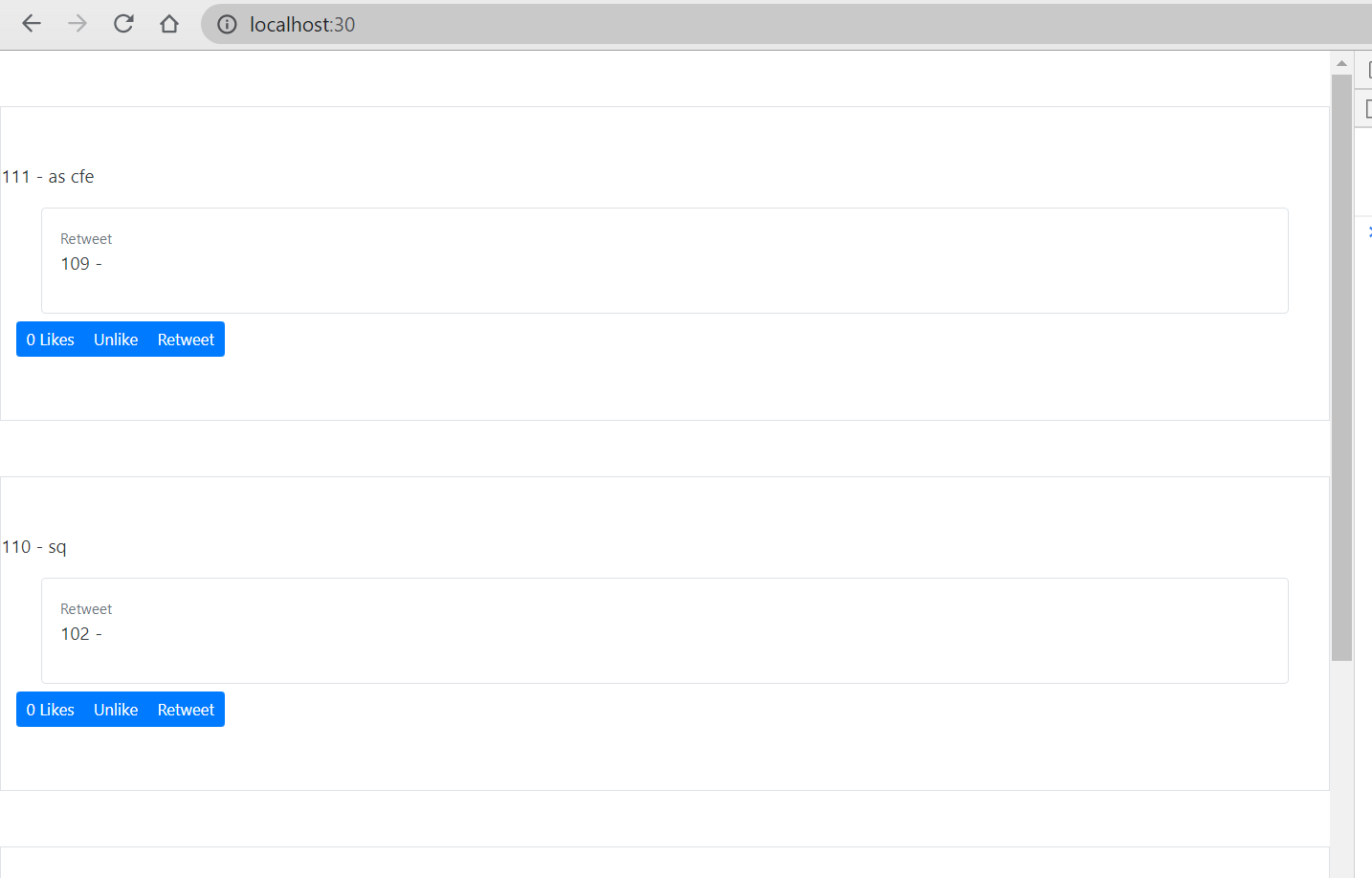
so because we set the div block canTweet === “false”, the textarea for tweet disappeared.

若有收获,就点个赞吧
0 人点赞


