“Tweets” model:
- we start a new app “tweets”: ```bash (reactjs) [root@localhost Twittme]# ./manage.py startapp tweets (reactjs) [root@localhost Twittme]# tree . ├── db.sqlite3 ├── manage.py ├── todo.md ├── tweets │ ├── admin.py │ ├── apps.py │ ├── init.py │ ├── migrations │ │ └── init.py │ ├── models.py │ ├── tests.py │ └── views.py └── Twittme ├── init.py ├── settings.py ├── urls.py └── wsgi.py
3 directories, 14 files
(./manage.py startapp tweets<br />==<br />python manage.py startapp tweets)- modify /tweets/models.py:```pythonfrom django.db import modelsclass Tweet(models.Model):# id = models.AutoField(primary_key=True)content = models.TextField(blank=True, null=True)image = models.FileField(upload_to="images/", blank=True, null=True)# id is the primary key# blank=True -> not mandatory in django# null=True -> not mandatory in the database
then sign the new app in /Twittme/settings.py:
# ...INSTALLED_APPS = ['django.contrib.admin','django.contrib.auth','django.contrib.contenttypes','django.contrib.sessions','django.contrib.messages','django.contrib.staticfiles','tweets', # new]# ...
make migrations for “tweets”: ```bash (reactjs) [root@localhost Twittme]# ./manage.py makemigrations Migrations for ‘tweets’: tweets/migrations/0001_initial.py
- Create model Tweet (reactjs) [root@localhost Twittme]# tree . ├── db.sqlite3 ├── manage.py ├── todo.md ├── tweets │ ├── admin.py │ ├── apps.py │ ├── init.py │ ├── migrations │ │ ├── 0001initial.py │ │ └── init.py │ ├── models.py │ ├── tests.py │ └── views.py └── Twittme ├── _init.py ├── settings.py ├── urls.py └── wsgi.py
3 directories, 15 files
and we have a migration model for tweets.- Finally, let manage.py apply that migrate:```bash(reactjs) [root@localhost Twittme]# ./manage.py migrateOperations to perform:Apply all migrations: admin, auth, contenttypes, sessions, tweetsRunning migrations:Applying contenttypes.0001_initial... OKApplying auth.0001_initial... OKApplying admin.0001_initial... OKApplying admin.0002_logentry_remove_auto_add... OKApplying admin.0003_logentry_add_action_flag_choices... OKApplying contenttypes.0002_remove_content_type_name... OKApplying auth.0002_alter_permission_name_max_length... OKApplying auth.0003_alter_user_email_max_length... OKApplying auth.0004_alter_user_username_opts... OKApplying auth.0005_alter_user_last_login_null... OKApplying auth.0006_require_contenttypes_0002... OKApplying auth.0007_alter_validators_add_error_messages... OKApplying auth.0008_alter_user_username_max_length... OKApplying auth.0009_alter_user_last_name_max_length... OKApplying sessions.0001_initial... OKApplying tweets.0001_initial... OK
Store data from Django model:
- use python shell to test model:
```bash
(reactjs) [root@localhost Twittme]# ./manage.py shell
Python 3.6.5 (default, Sep 10 2018, 09:39:42)
[GCC 4.8.5 20150623 (Red Hat 4.8.5-28)] on linux
Type “help”, “copyright”, “credits” or “license” for more information.
(InteractiveConsole)
from tweets.models import Tweet obj = Tweet() obj.abc = 123 obj.abc 123 obj.content = “Hello World” obj.content ‘Hello World’ obj.save() exit()
(reactjs) [root@localhost Twittme]# ./manage.py shell Python 3.6.5 (default, Sep 10 2018, 09:39:42) [GCC 4.8.5 20150623 (Red Hat 4.8.5-28)] on linux Type “help”, “copyright”, “credits” or “license” for more information. (InteractiveConsole)
from tweets.models import Tweet obj = Tweet.objects.get(id=1) obj.content ‘Hello World’ obj.abc Traceback (most recent call last): File “
“, line 1, in AttributeError: ‘Tweet’ object has no attribute ‘abc’ ``` so we see that for objects, database only saves defined attributes.
URL Routing and Dynamic Routing:
to get rid of only have the default page, we need to create views and route browsers to those views.
- create our first view, home_view in /tweets/views.py: ```python from django.http import HttpResponse # new from django.shortcuts import render
def home_view(request, args, *kwargs): # new return HttpResponse(“
Hello World
“)
- for routing, modify /Twittme/urls.py:```pythonfrom django.contrib import adminfrom django.urls import pathfrom tweets.views import home_view # newurlpatterns = [path('admin/', admin.site.urls),path('', home_view), # new]
to test, runserver
(reactjs) [root@localhost Twittme]# ./manage.py runserver
and access localhost:8000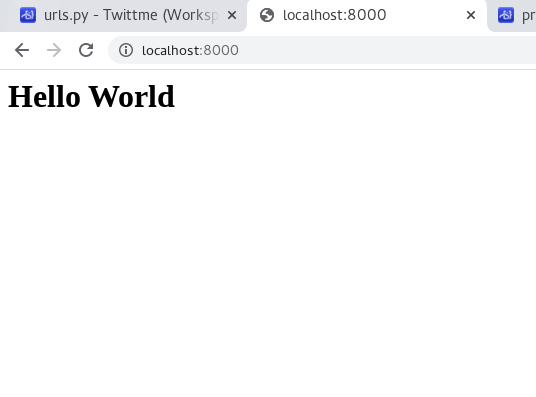
so this is URL routing
- to expand, create another view in /tweets/views.py to receive url details: ```python from django.http import HttpResponse from django.shortcuts import render
def home_view(request, args, *kwargs): print(args, kwargs) return HttpResponse(“
Hello World
“)def tweet_detail_view(request, tweet_id, args, *kwargs): # new print(args, kwargs) return HttpResponse(f”
Hello {tweet_id}
“)
- new route in /Twittme/urls.py:```pythonfrom django.contrib import adminfrom django.urls import path, re_pathfrom tweets.views import home_view, tweet_detail_view # newurlpatterns = [path('admin/', admin.site.urls),path('', home_view),path('tweets/<int:tweet_id>', tweet_detail_view), # new]
to test, runserver
(reactjs) [root@localhost Twittme]# ./manage.py runserver
and access localhost:8000/tweets/(an integer)
for example we have localhost:8000/tweets/15 here: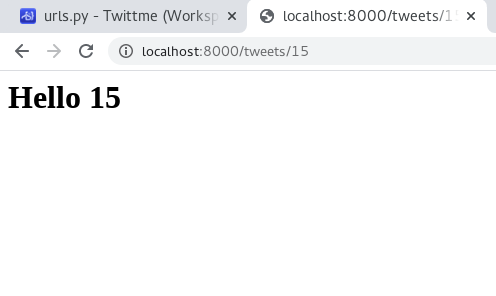
so that “15” is “tweet_id” in urls.py,
and tweet_detail_view in views.py know what “tweet_id” is when they print
f”
Hello {tweet_id}
“How to handle Dynamic Routing:
The routing case before is to just send an integer, but we actually need to get real exist objects
- modify tweet_detail_view in /tweets/views.py ```python from django.http import HttpResponse from django.shortcuts import render
from .models import Tweet
def home_view(request, args, *kwargs): return HttpResponse(“
Hello World
“)def tweet_detail_view(request, tweet_id, args, *kwargs): obj = Tweet.objects.get(id=tweet_id) # what we did in shell return HttpResponse(f”
Hello {tweet_id} - {obj.content}
“)
to test, runserver, access localhost:8000/tweets/1<br />(we only have 1 object now):<br />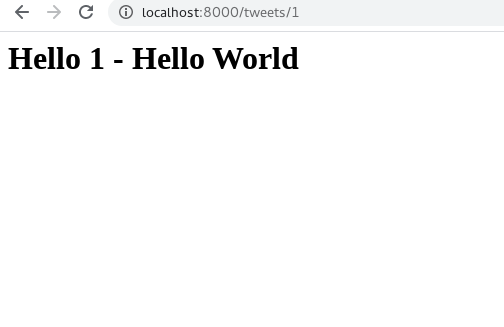<br />and it's successful to get the object and print the content.also, we get DNE if there is no corresponding object:<br />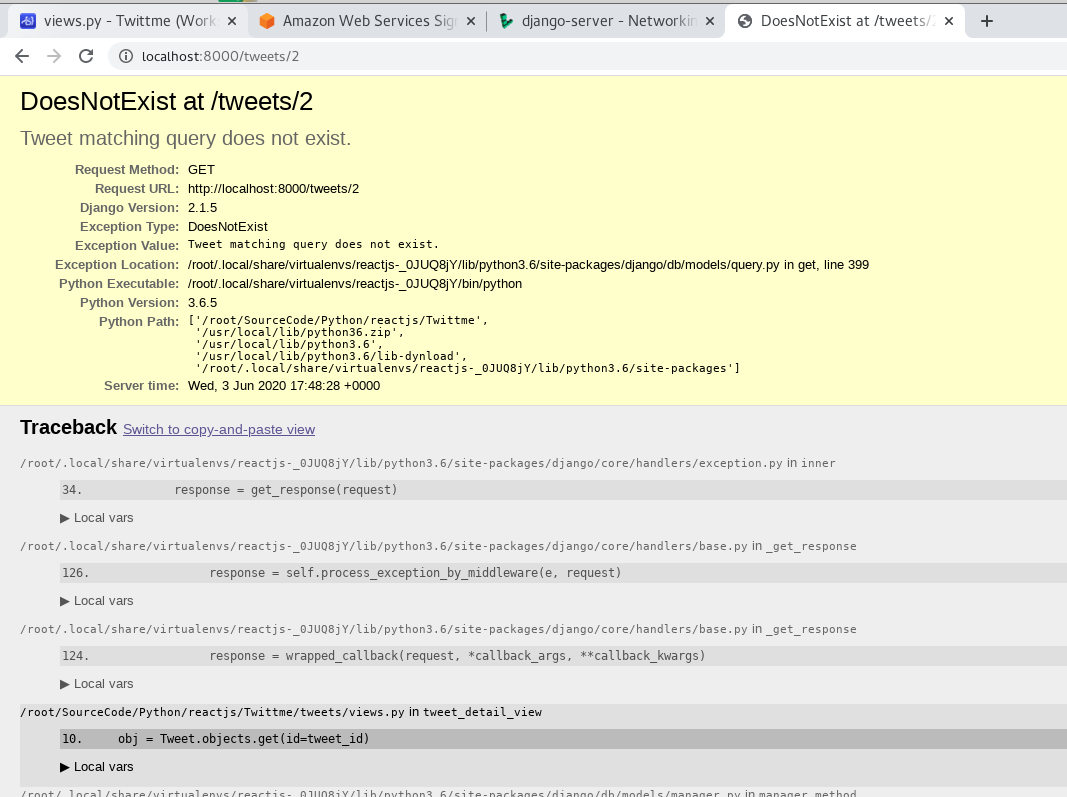<br />we can redirect it to a simpler error- /tweets/views.py```pythonfrom django.http import HttpResponse, Http404 # newfrom django.shortcuts import renderfrom .models import Tweetdef home_view(request, *args, **kwargs):return HttpResponse("<h1>Hello World</h1>")def tweet_detail_view(request, tweet_id, *args, **kwargs):try:obj = Tweet.objects.get(id=tweet_id)except: # if cannot get the objectraise Http404return HttpResponse(f"<h1>Hello {tweet_id} - {obj.content}</h1>")
to test, run and access a tweet_id that not exists: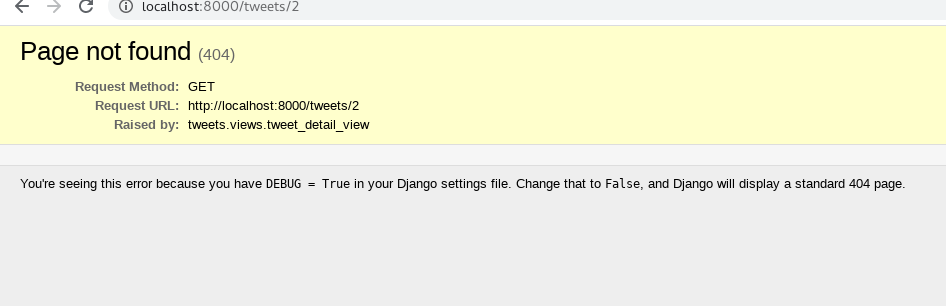
- for further changes, we need to only pass JSON data from views.py
- modify /tweets/views.py ```python from django.http import HttpResponse, Http404, JsonResponse # new from django.shortcuts import render
from .models import Tweet
def home_view(request, args, *kwargs): return HttpResponse(“
Hello World
“)def tweet_detail_view(request, tweet_id, args, *kwargs): try: obj = Tweet.objects.get(id=tweet_id) except: raise Http404
data = {"id" : tweet_id,"content" : obj.content,# "image_path" : obj.image.url # save for later} # newreturn JsonResponse(data) # new
to test, runserver and access localhost:8000/tweets/1<br />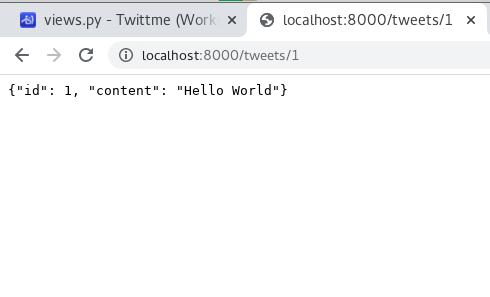<br />and we get some JSON format data.- we can also cut down Http404, and modify status to return by ourselves:- modify /tweets/views.py```pythonfrom django.http import HttpResponse, JsonResponse # removed Http404from django.shortcuts import renderfrom .models import Tweetdef home_view(request, *args, **kwargs):return HttpResponse("<h1>Hello World</h1>")def tweet_detail_view(request, tweet_id, *args, **kwargs):# sequence changeddata = {"id" : tweet_id,}status = 200 # normaltry:obj = Tweet.objects.get(id=tweet_id)data['content'] = obj.contentexcept:data['message'] = "Not found"status = 404 # not foundreturn JsonResponse(data, status = status)
to test, runserver and access localhost:8000/tweets/1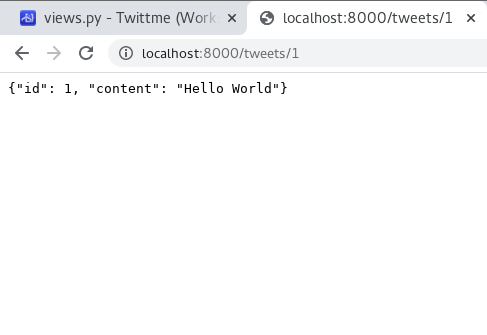
then, access localhost:8000/tweets/2
and the server terminal log:
[02/Jun/2020 18:38:15] "GET /tweets/1 HTTP/1.1" 200 35[02/Jun/2020 18:38:17] "GET /static/5aded14b87e017d32d080b686515f6a26be455f1/dist/serviceWorker.js HTTP/1.1" 404 1810Not Found: /tweets/2[02/Jun/2020 18:38:35] "GET /tweets/2 HTTP/1.1" 404 33[02/Jun/2020 18:38:37] "GET /static/5aded14b87e017d32d080b686515f6a26be455f1/dist/serviceWorker.js HTTP/1.1" 404 1810
Introduce templates:
we need templates to increase code reuse.
- create a templates/ folder under Twittme/ ```bash (reactjs) [root@localhost Twittme]# tree . ├── db.sqlite3 ├── manage.py ├── templates ├── todo.md ├── tweets │ ├── admin.py │ ├── apps.py │ ├── init.py │ ├── migrations │ │ ├── 0001initial.py │ │ └── init.py │ ├── models.py │ ├── tests.py │ └── views.py └── Twittme ├── _init.py ├── settings.py ├── urls.py └── wsgi.py
4 directories, 15 files ```

若有收获,就点个赞吧
0 人点赞


