Most of codes are based on: https://realpython.com/get-started-with-django-1/
# to check package XXX available yum provides XXX # previous commands history # python install pip install # Linux install yum install # sqlite3 version check sqlite3 -- version - Made django into older version to make 'runserver' to lower it 's requirement of sqlite3 version. ```bash pip uninstall django pip install Django==2.1.*
According to the tutorial, created view and a basic “hello world” request listening manipulated settings.py and url.py
To create a database:
Used Object Relational Mapper (ORM) to modify database table models.py
```python
from django.db import models
class Project(models.Model):
title = models.CharField(max_length=100)
description = models.TextField()
technology = models.CharField(max_length=20)
image = models.FilePathField(path=”/img”)
- Created a migration based on the model , and applied that migrate ```python # Generated by Django 2.1.15 on 2020-04-29 03:39 from django.db import migrations, models class Migration(migrations.Migration): initial = True dependencies = [ ] operations = [ migrations.CreateModel( name='Project', fields=[ ('id', models.AutoField(auto_created=True, primary_key=True, serialize=False, verbose_name='ID')), ('title', models.CharField(max_length=100)), ('description', models.TextField()), ('technology', models.CharField(max_length=20)), ('image', models.FilePathField(path='/img')), ], ), ]
db.sqlite3 is created and ready to go
To access Django shell: python manage . py shell
Change the currently project into a blog site featured web app.
This part is based on video: https://www.youtube.com/watch?v=UmljXZIypDc
Get into the correct folder:
```bash
[root@localhost Python]# django-admin startproject django_project
[root@localhost Python]# tree
.
└── djangoproject
├── djangoproject
│ ├── __init .py
│ ├── settings.py
│ ├── urls.py
│ └── wsgi.py
└── manage.py
<a name = "9ytnd" ></a> #### To run the server: This part is based on video: [https://www.youtube.com/watch?v=UmljXZIypDc](https://www.youtube.com/watch?v=UmljXZIypDc) ```bash [root@localhost Python]# cd django_project/ [root@localhost django_project]# python manage.py runserver Performing system checks... System check identified no issues (0 silenced). You have 15 unapplied migration(s). Your project may not work properly until you apply the migrations for app(s): admin, auth, contenttypes, sessions. Run 'python manage.py migrate' to apply them. May 02, 2020 - 23:43:05 Django version 2.1.15, using settings 'django_project.settings' Starting development server at http://127.0.0.1:8000/ Quit the server with CONTROL-C. Use localhost:8000/blog/ in the browser and we’ll see a page that shows
This part is based on video: https://www.youtube.com/watch?v=a48xeeo5Vnk
The tutorial asked me to add an application “blog”, so that we start a blog here:
```bash
[root@localhost django_project]# python manage.py startapp blog
[root@localhost djangoproject]# tree
.
├── blog
│ ├── admin.py
│ ├── apps.py
│ ├── init .py
│ ├── migrations
│ │ └── init .py
│ ├── models.py
│ ├── tests.py
│ └── views.py
├── db.sqlite3
├── djangoproject
│ ├── init .py
│ ├── pycache
│ │ ├── __init .cpython-36.pyc
│ │ ├── settings.cpython-36.pyc
│ │ ├── urls.cpython-36.pyc
│ │ └── wsgi.cpython-36.pyc
│ ├── settings.py
│ ├── urls.py
│ └── wsgi.py
└── manage.py
4 directories, 17 files
- build a webpage to handle / blog request - /blog/ views . py : ```python from django.shortcuts import render from django.http import HttpResponse # handle the traffic from homepage to blog def home(request): return HttpResponse('<h1>Blog Home</h1>')
define a url pattern to that webpage /blog/urls.py:
```python
from django.urls import path
from . import views # import from current directory
urlpatterns = [
path(‘’, views.home, name=’blog-home’),
]
- Then redirect blog / to that pattern - /django_project/ urls . py ```python from django.contrib import admin from django.urls import path from django.conf.urls import include # new urlpatterns = [ path('admin/', admin.site.urls), path('blog/', include('blog.urls')) # to blog/urls.py ] To test:
Here we have a url localhost:8000/blog/about/
/blog/urls.py:
```python
from django.urls import path
from . import views # import from current directory
urlpatterns = [
path(‘’, views.home, name=’blog-home’),
path(‘about/‘, views.about, name=’blog-about’),
]
- /blog/ views . py ```python from django.shortcuts import render from django.http import HttpResponse def home(request): return HttpResponse('<h1>Blog Home</h1>') # new def about(request): return HttpResponse('<h1>Blog About</h1>') To test, input localhost:8000/blog/about/ in a browser.
To make blog as the homepage of the app, change /django_project/urls.py into:
```python
from django.contrib import admin
from django.urls import path
from django.conf.urls import include # new
urlpatterns = [
path(‘admin/‘, admin.site.urls),
# path('blog/', include('blog.urls')) path ( '' , include ( 'blog.urls' )) # change here ]
Now you only need [ localhost : 8000 ]( http : //localhost:8000/blog/about/) to browser the homepage. < a name = "MrGzJ" ></ a > #### Templates: - add an app in django_project / settings . py : ```python //... INSTALLED_APPS = [ 'blog.apps.BlogConfig', # new 'django.contrib.admin', 'django.contrib.auth', 'django.contrib.contenttypes', 'django.contrib.sessions', 'django.contrib.messages', 'django.contrib.staticfiles', ] //...
create 2 directories to save templates:
[ root@localhost django_project ]# mkdir blog / templates [ root@localhost django_project ]# mkdir blog / templates / blog make a basic HTML page for home called home.html in blog/templates/blog/
<!DOCTYPE html> <html> <head> <title></title> </head> <body> <h1> Blog Home! </h1> </body> </html> change blog/views.py to redirect the request to the HTML page we just setup:
```python
from django.shortcuts import render
from django.http import HttpResponse
def home(request):
return render(request, ‘blog/home.html’)
#return HttpResponse('<h1>Blog Home</h1>') def about(request):
return HttpResponse(‘
Blog About ‘)
To test : - [ localhost : 8000 /]( http : //127.0.0.1:8000/blog/) in a browser to see "Blog Home!", same as blog/templates/blog/home.html We can use similar way to set a template and apply it for "about" : - make a basic HTML page for about called about . html in blog / templates / blog / ```html <!DOCTYPE html> <html> <head> <title></title> </head> <body> <h1>Blog About!</h1> </body> </html>
change blog/views.py to redirect the request to the HTML page we just setup:
```python
from django.shortcuts import render
from django.http import HttpResponse
def home(request):
return render(request, ‘blog/home.html’)
#return HttpResponse('<h1>Blog Home</h1>') def about(request):
return render(request, ‘blog/about.html’)
# return HttpResponse('<h1>Blog About</h1>') To test : - [ localhost : 8000 / blog /]( http : //127.0.0.1:8000/blog/) in a browser to see "Blog About!" - To handle more stuffs , here we have a 'post' dictionary in blog / views . py : ```python //... posts = [ { 'author': 'CoreyMS', 'title': 'Blog Post 1', 'content': 'First post content', 'date_posted': 'August 27, 2018' }, { 'author': 'Jane Doe', 'title': 'Blog Post 2', 'content': 'Second post content', 'date_posted': 'August 28, 2018' } ] //...
we want to post them, so we adjust blog/templates/blog/home.html:
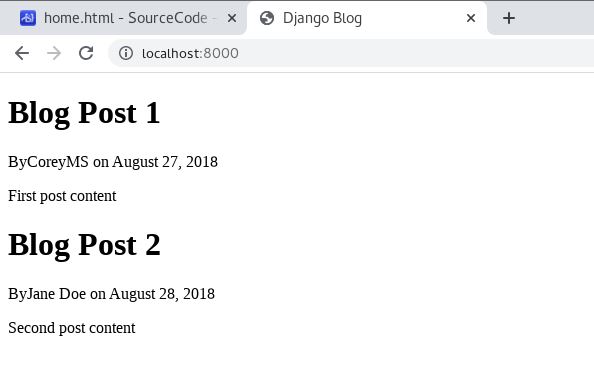
<!DOCTYPE html> <html> <head> <title></title> </head> <body> {% for post in posts %} <h1> {{ post.title }} </h1> <p> By{{ post.author }} on {{ post.date_posted }} </p> <p> {{ post.content }} </p> {% endfor %} </body> </html> and now we have a HTML file with a for loop, so that it can recursively print posts in sequence.
localhost:8000/ in a browser
we see:
Here we do another test, pass dictionary and apply if else in blog/templates/blog/about.html:
<!DOCTYPE html> <html> <head> {% if title %} <title> Django Blog - {{ title }} </title> {% else %} <title> Django Blog </title> {% endif %} </head> <body> <h1> Blog About! </h1> </body> </html> in blog/views.py:
def about ( request ): return render ( request , 'blog/about.html' , { 'title' : 'About' }) # return render(request, 'blog/about.html') To test:
localhost:8000/about/ in a browser
If there is {‘title’: ‘About’} in render, the title(not header) of that page is “Django Blog - About”
We also apply that if else express of title to blog/templates/blog/home.html:
<!DOCTYPE html> <html> <head> {% if title %} <title> Django Blog - {{ title }} </title> {% else %} <title> Django Blog </title> {% endif %} </head> <body> {% for post in posts %} <h1> {{ post.title }} </h1> <p> By{{ post.author }} on {{ post.date_posted }} </p> <p> {{ post.content }} </p> {% endfor %} </body> </html> and now we have an appropriate title for both pages.
We can add another HTML file to make sure more codes are reused.
Create a base.html in blog/templates/blog/ Add common parts and some available starter templates:
<!DOCTYPE html> <html> <head> <!-- Required meta tags --> <meta charset = "utf-8" > <meta name = "viewport" content = "width=device-width, initial-scale=1, shrink-to-fit=no" > <!-- Bootstrap CSS --> <link rel = "stylesheet" href = "https://maxcdn.bootstrapcdn.com/bootstrap/4.0.0/css/bootstrap.min.css" integrity = "sha384-Gn5384xqQ1aoWXA+058RXPxPg6fy4IWvTNh0E263XmFcJlSAwiGgFAW/dAiS6JXm" crossorigin = "anonymous" > {% if title %} <title> Django Blog - {{ title }} </title> {% else %} <title> Django Blog </title> {% endif %} </head> <body> <div class = "container" > {% block content %}{% endblock %} </div> <!-- Optional JavaScript --> <!-- jQuery first, then Popper.js, then Bootstrap JS --> <script src = "https://code.jquery.com/jquery-3.2.1.slim.min.js" integrity = "sha384-KJ3o2DKtIkvYIK3UENzmM7KCkRr/rE9/Qpg6aAZGJwFDMVNA/GpGFF93hXpG5KkN" crossorigin = "anonymous" ></script> <script src = "https://cdnjs.cloudflare.com/ajax/libs/popper.js/1.12.9/umd/popper.min.js" integrity = "sha384-ApNbgh9B+Y1QKtv3Rn7W3mgPxhU9K/ScQsAP7hUibX39j7fakFPskvXusvfa0b4Q" crossorigin = "anonymous" ></script> <script src = "https://maxcdn.bootstrapcdn.com/bootstrap/4.0.0/js/bootstrap.min.js" integrity = "sha384-JZR6Spejh4U02d8jOt6vLEHfe/JQGiRRSQQxSfFWpi1MquVdAyjUar5+76PVCmYl" crossorigin = "anonymous" ></script> </body> </html> use this “extends content” logic on home.html and about.html:
{% extends "blog/base.html" %} {% block content %} {% for post in posts %} <h1> {{ post.title }} </h1> <p> By{{ post.author }} on {{ post.date_posted }} </p> <p> {{ post.content }} </p> {% endfor %} {% endblock content %} {% extends "blog/base.html" %} {% block content %} <h1> Blog About! </h1> {% endblock content %} They will show the same content as those versions which did not apply base.html
https://github.com/CoreyMSchafer/code_snippets/blob/master/Django_Blog/snippets
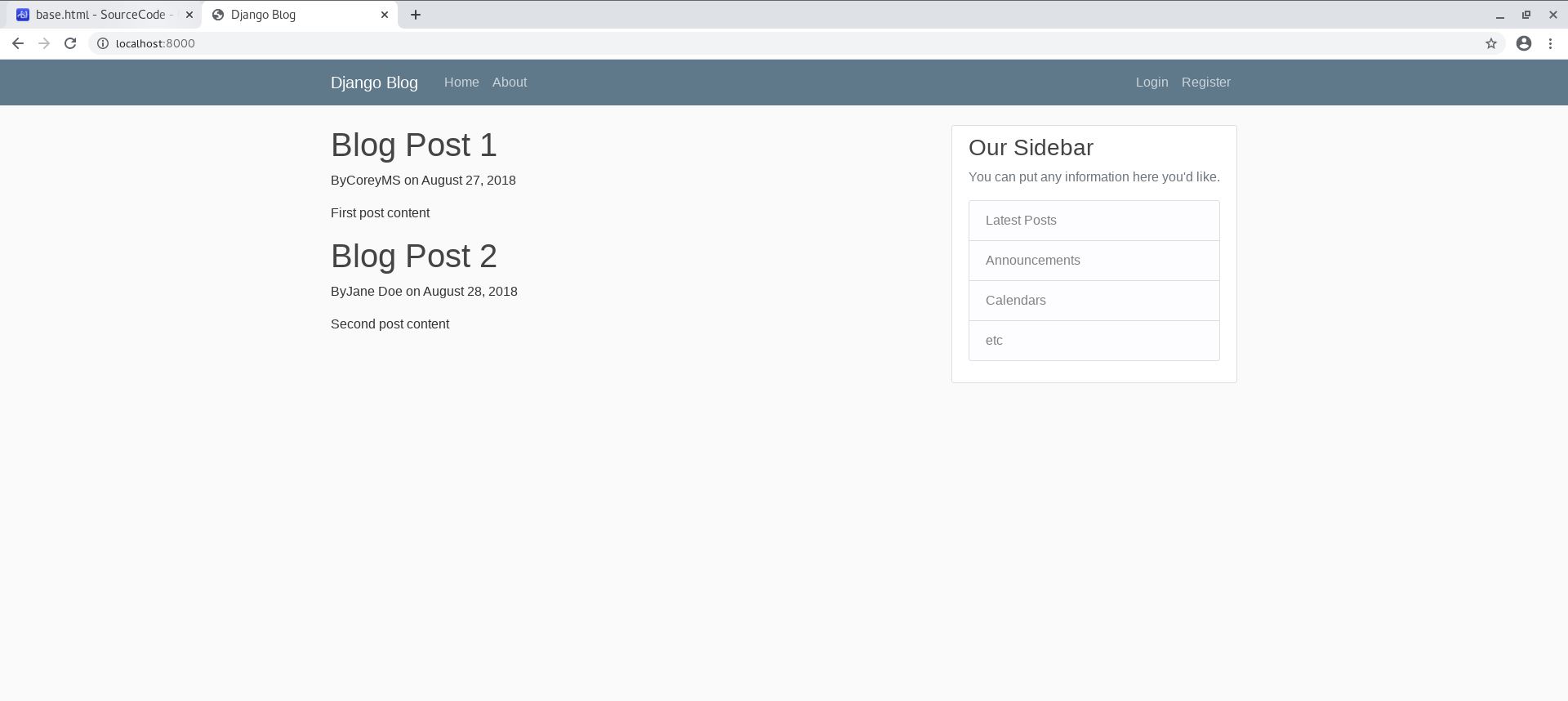
<!DOCTYPE html> <html> <head> <!-- Required meta tags --> <meta charset = "utf-8" > <meta name = "viewport" content = "width=device-width, initial-scale=1, shrink-to-fit=no" > <!-- Bootstrap CSS --> <link rel = "stylesheet" href = "https://maxcdn.bootstrapcdn.com/bootstrap/4.0.0/css/bootstrap.min.css" integrity = "sha384-Gn5384xqQ1aoWXA+058RXPxPg6fy4IWvTNh0E263XmFcJlSAwiGgFAW/dAiS6JXm" crossorigin = "anonymous" > {% if title %} <title> Django Blog - {{ title }} </title> {% else %} <title> Django Blog </title> {% endif %} </head> <body> <!-- navigation.html --> <header class = "site-header" > <nav class = "navbar navbar-expand-md navbar-dark bg-steel fixed-top" > <div class = "container" > <a class = "navbar-brand mr-4" href = "/" > Django Blog </a> <button class = "navbar-toggler" type = "button" data-toggle = "collapse" data-target = "#navbarToggle" aria-controls = "navbarToggle" aria-expanded = "false" aria-label = "Toggle navigation" > <span class = "navbar-toggler-icon" ></span> </button> <div class = "collapse navbar-collapse" id = "navbarToggle" > <div class = "navbar-nav mr-auto" > <a class = "nav-item nav-link" href = "/" > Home </a> <a class = "nav-item nav-link" href = "/about" > About </a> </div> <!-- Navbar Right Side --> <div class = "navbar-nav" > <a class = "nav-item nav-link" href = "#" > Login </a> <a class = "nav-item nav-link" href = "#" > Register </a> </div> </div> </div> </nav> </header> <!-- main.html --> <main role = "main" class = "container" > <div class = "row" > <div class = "col-md-8" > {% block content %}{% endblock %} </div> <div class = "col-md-4" > <div class = "content-section" > <h3> Our Sidebar </h3> <p class = 'text-muted' > You can put any information here you'd like. <ul class = "list-group" > <li class = "list-group-item list-group-item-light" > Latest Posts </li> <li class = "list-group-item list-group-item-light" > Announcements </li> <li class = "list-group-item list-group-item-light" > Calendars </li> <li class = "list-group-item list-group-item-light" > etc </li> </ul> </p> </div> </div> </div> </main> <!-- Optional JavaScript --> <!-- jQuery first, then Popper.js, then Bootstrap JS --> <script src = "https://code.jquery.com/jquery-3.2.1.slim.min.js" integrity = "sha384-KJ3o2DKtIkvYIK3UENzmM7KCkRr/rE9/Qpg6aAZGJwFDMVNA/GpGFF93hXpG5KkN" crossorigin = "anonymous" ></script> <script src = "https://cdnjs.cloudflare.com/ajax/libs/popper.js/1.12.9/umd/popper.min.js" integrity = "sha384-ApNbgh9B+Y1QKtv3Rn7W3mgPxhU9K/ScQsAP7hUibX39j7fakFPskvXusvfa0b4Q" crossorigin = "anonymous" ></script> <script src = "https://maxcdn.bootstrapcdn.com/bootstrap/4.0.0/js/bootstrap.min.js" integrity = "sha384-JZR6Spejh4U02d8jOt6vLEHfe/JQGiRRSQQxSfFWpi1MquVdAyjUar5+76PVCmYl" crossorigin = "anonymous" ></script> </body> </html> Now we have a navigation bar for each page.
Create a folder under blog/ called static/ Then, create another folder called blog/ under blog/static/ Copy https://github.com/CoreyMSchafer/code_snippets/blob/master/Django_Blog/snippets/main.css to blog/static/blog/ Now the project looks like:
```bash
[root@localhost djangoproject]# tree
.
├── blog
│ ├── admin.py
│ ├── apps.py
│ ├── init .py
│ ├── migrations
│ │ ├── init .py
│ │ └── pycache
│ │ └── init .cpython-36.pyc
│ ├── models.py
│ ├── pycache
│ │ ├── admin.cpython-36.pyc
│ │ ├── apps.cpython-36.pyc
│ │ ├── init .cpython-36.pyc
│ │ ├── models.cpython-36.pyc
│ │ ├── urls.cpython-36.pyc
│ │ └── views.cpython-36.pyc
│ ├── static
│ │ └── blog
│ │ └── main.css
│ ├── templates
│ │ └── blog
│ │ ├── about.html
│ │ ├── base.html
│ │ └── home.html
│ ├── tests.py
│ ├── urls.py
│ └── views.py
├── db.sqlite3
├── djangoproject
│ ├── init .py
│ ├── pycache
│ │ ├── __init .cpython-36.pyc
│ │ ├── settings.cpython-36.pyc
│ │ ├── urls.cpython-36.pyc
│ │ └── wsgi.cpython-36.pyc
│ ├── settings.py
│ ├── urls.py
│ └── wsgi.py
└── manage.py
10 directories, 29 files
- Let templates / blog / base . html apply that css file : ```html <!-- new --> {% load static %} <!DOCTYPE html> <html> <head> <meta charset="utf-8"> <meta name="viewport" content="width=device-width, initial-scale=1, shrink-to-fit=no"> <link rel="stylesheet" href="https://maxcdn.bootstrapcdn.com/bootstrap/4.0.0/css/bootstrap.min.css" integrity="sha384-Gn5384xqQ1aoWXA+058RXPxPg6fy4IWvTNh0E263XmFcJlSAwiGgFAW/dAiS6JXm" crossorigin="anonymous"> <!-- load blog/main.css --> <link rel="stylesheet" type="text/css" href="{% static 'blog/main.css' %}"> {% if title %} <title>Django Blog - {{ title }}</title> {% else %} <title>Django Blog</title> {% endif %} </head> <body> <header class="site-header"> <nav class="navbar navbar-expand-md navbar-dark bg-steel fixed-top"> <div class="container"> <a class="navbar-brand mr-4" href="/">Django Blog</a> <button class="navbar-toggler" type="button" data-toggle="collapse" data-target="#navbarToggle" aria-controls="navbarToggle" aria-expanded="false" aria-label="Toggle navigation"> <span class="navbar-toggler-icon"></span> </button> <div class="collapse navbar-collapse" id="navbarToggle"> <div class="navbar-nav mr-auto"> <a class="nav-item nav-link" href="/">Home</a> <a class="nav-item nav-link" href="/about">About</a> </div> <!-- Navbar Right Side --> <div class="navbar-nav"> <a class="nav-item nav-link" href="#">Login</a> <a class="nav-item nav-link" href="#">Register</a> </div> </div> </div> </nav> </header> <main role="main" class="container"> <div class="row"> <div class="col-md-8"> {% block content %}{% endblock %} </div> <div class="col-md-4"> <div class="content-section"> <h3>Our Sidebar</h3> <p class='text-muted'>You can put any information here you'd like. <ul class="list-group"> <li class="list-group-item list-group-item-light">Latest Posts</li> <li class="list-group-item list-group-item-light">Announcements</li> <li class="list-group-item list-group-item-light">Calendars</li> <li class="list-group-item list-group-item-light">etc</li> </ul> </p> </div> </div> </div> </main> <script src="https://code.jquery.com/jquery-3.2.1.slim.min.js" integrity="sha384-KJ3o2DKtIkvYIK3UENzmM7KCkRr/rE9/Qpg6aAZGJwFDMVNA/GpGFF93hXpG5KkN" crossorigin="anonymous"></script> <script src="https://cdnjs.cloudflare.com/ajax/libs/popper.js/1.12.9/umd/popper.min.js" integrity="sha384-ApNbgh9B+Y1QKtv3Rn7W3mgPxhU9K/ScQsAP7hUibX39j7fakFPskvXusvfa0b4Q" crossorigin="anonymous"></script> <script src="https://maxcdn.bootstrapcdn.com/bootstrap/4.0.0/js/bootstrap.min.js" integrity="sha384-JZR6Spejh4U02d8jOt6vLEHfe/JQGiRRSQQxSfFWpi1MquVdAyjUar5+76PVCmYl" crossorigin="anonymous"></script> </body> </html> Now the page looks like:
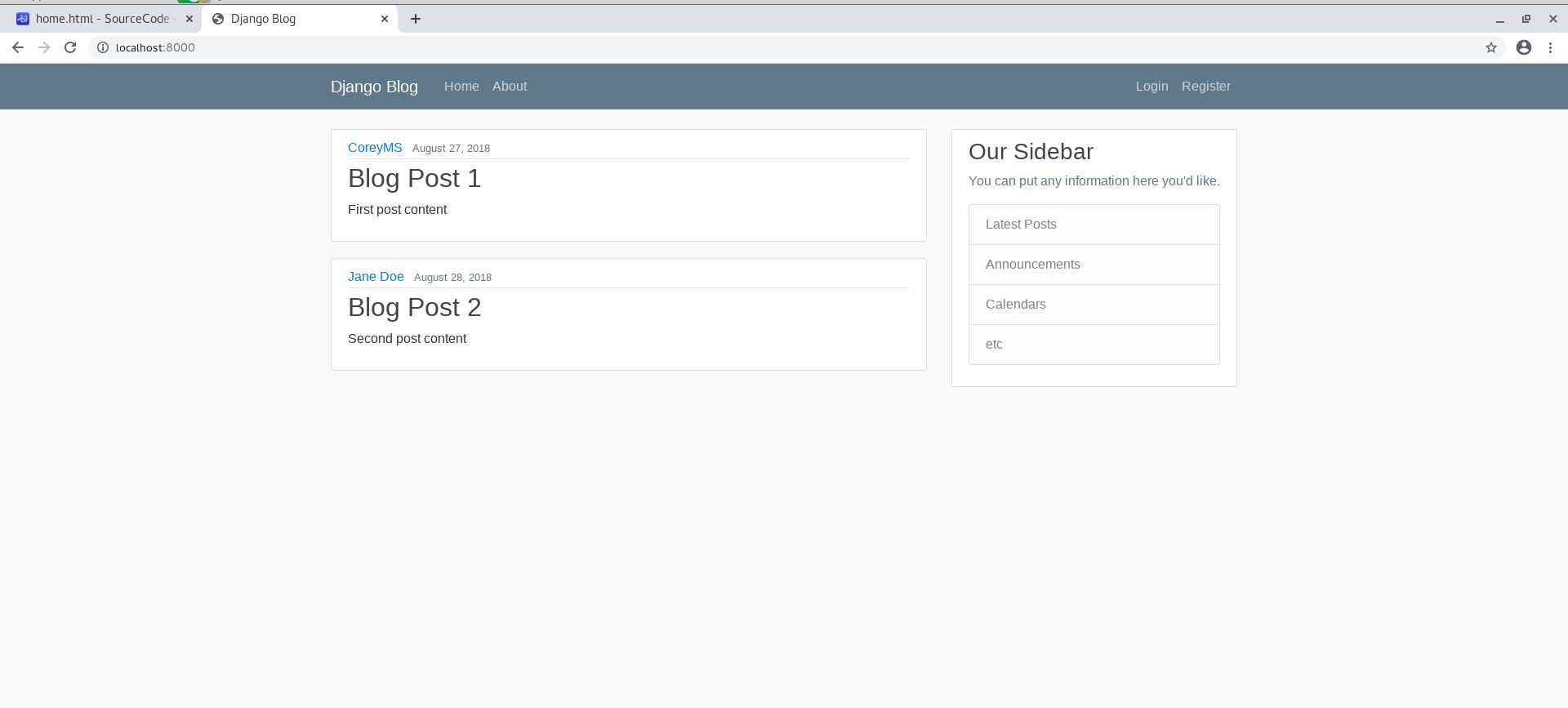
Copy codes in https://github.com/CoreyMSchafer/code_snippets/blob/master/Django_Blog/snippets/article.html Delete the for loop in templates/blog/home.html and add these lines to show articles(posts) better:{% extends "blog/base.html" %} {% block content %} {% for post in posts %} <!-- new --> <article class = "media content-section" > <div class = "media-body" > <div class = "article-metadata" > <a class = "mr-2" href = "#" > {{ post.author }} </a> <small class = "text-muted" > {{ post.date_posted }} </small> </div> <h2><a class = "article-title" href = "#" > {{ post.title }} </a></h2> <p class = "article-content" > {{ post.content }} </p> </div> </article> {% endfor %} {% endblock content %} <header class = "site-header" > <nav class = "navbar navbar-expand-md navbar-dark bg-steel fixed-top" > <div class = "container" > <!-- href="/" --> <a class = "navbar-brand mr-4" href = "{% url 'blog-home' %}" > Django Blog </a> <button class = "navbar-toggler" type = "button" data-toggle = "collapse" data-target = "#navbarToggle" aria-controls = "navbarToggle" aria-expanded = "false" aria-label = "Toggle navigation" > <span class = "navbar-toggler-icon" ></span> </button> <div class = "collapse navbar-collapse" id = "navbarToggle" > <div class = "navbar-nav mr-auto" > <!-- href="/" --> <a class = "nav-item nav-link" href = "{% url 'blog-home' %}" > Home </a> <!-- href="/about" --> <a class = "nav-item nav-link" href = "{% url 'blog-about' %}" > About </a> </div> <!-- Navbar Right Side --> <div class = "navbar-nav" > <a class = "nav-item nav-link" href = "#" > Login </a> <a class = "nav-item nav-link" href = "#" > Register </a> </div> </div> </div> </nav> </header>
urlpatterns = [
path(‘’, views.home, name=’blog-home’),
path(‘about/‘, views.about, name=’blog-about’),
]
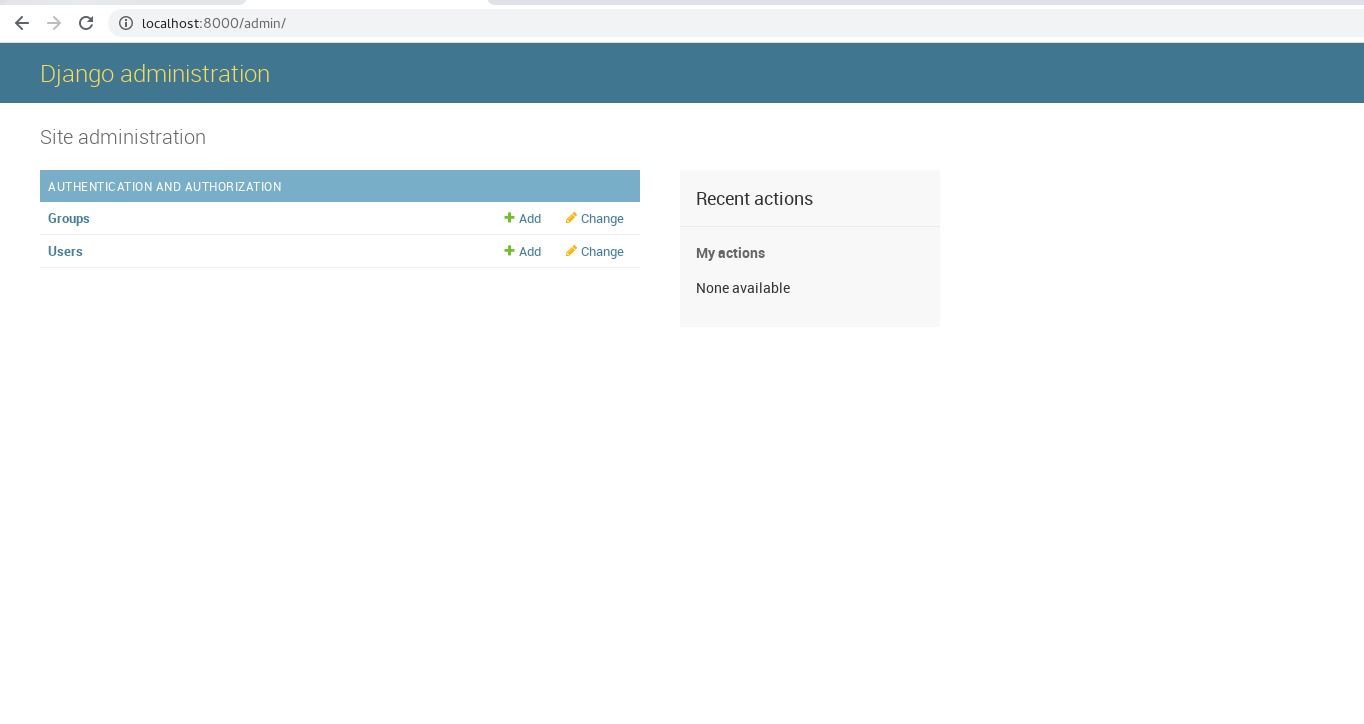
<a name = "wS9Il" ></a> #### Admin page: This step we gonna make that localhost:8000/admin/ useful by adding an admin. ```bash [root@localhost django_project]# python manage.py migrate Operations to perform: Apply all migrations: admin, auth, contenttypes, sessions Running migrations: Applying contenttypes.0001_initial... OK Applying auth.0001_initial... OK Applying admin.0001_initial... OK Applying admin.0002_logentry_remove_auto_add... OK Applying admin.0003_logentry_add_action_flag_choices... OK Applying contenttypes.0002_remove_content_type_name... OK Applying auth.0002_alter_permission_name_max_length... OK Applying auth.0003_alter_user_email_max_length... OK Applying auth.0004_alter_user_username_opts... OK Applying auth.0005_alter_user_last_login_null... OK Applying auth.0006_require_contenttypes_0002... OK Applying auth.0007_alter_validators_add_error_messages... OK Applying auth.0008_alter_user_username_max_length... OK Applying auth.0009_alter_user_last_name_max_length... OK Applying sessions.0001_initial... OK [root@localhost django_project]# python manage.py createsuperuser Username (leave blank to use 'root'): Email address: Password: Password (again): Superuser created successfully. To test, login on localhost:8000/admin/ with the admin account you just created, and you will see the default Django site admin page:
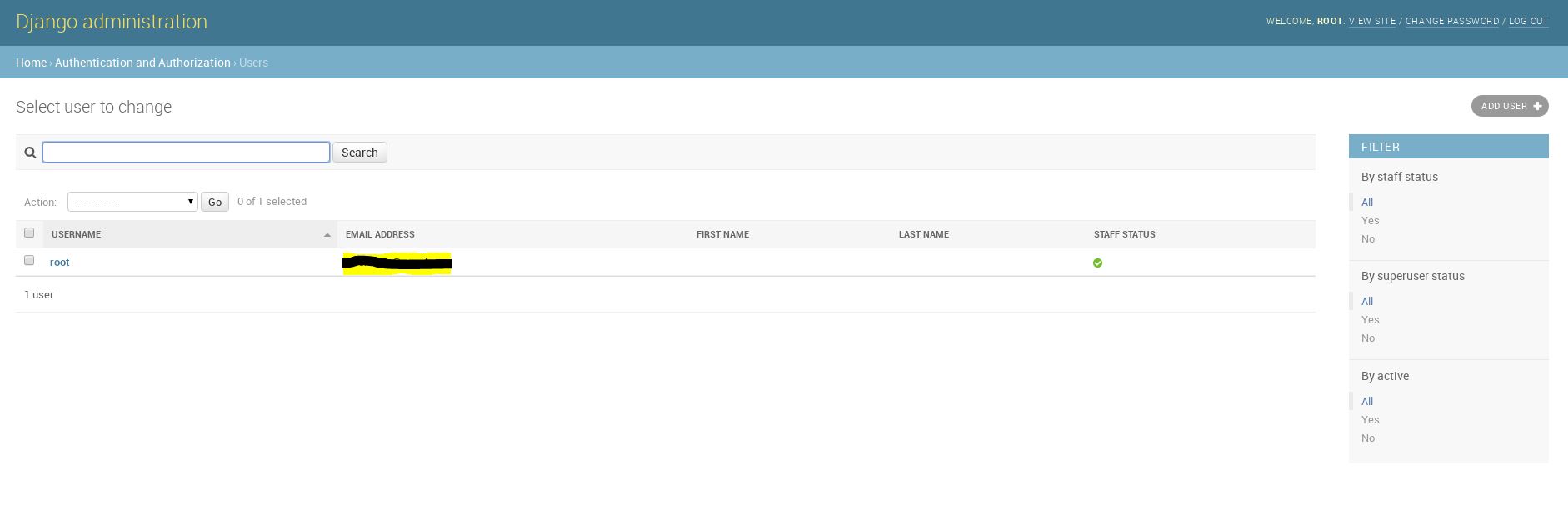
Enter “Users” page, we click that “new user” button:
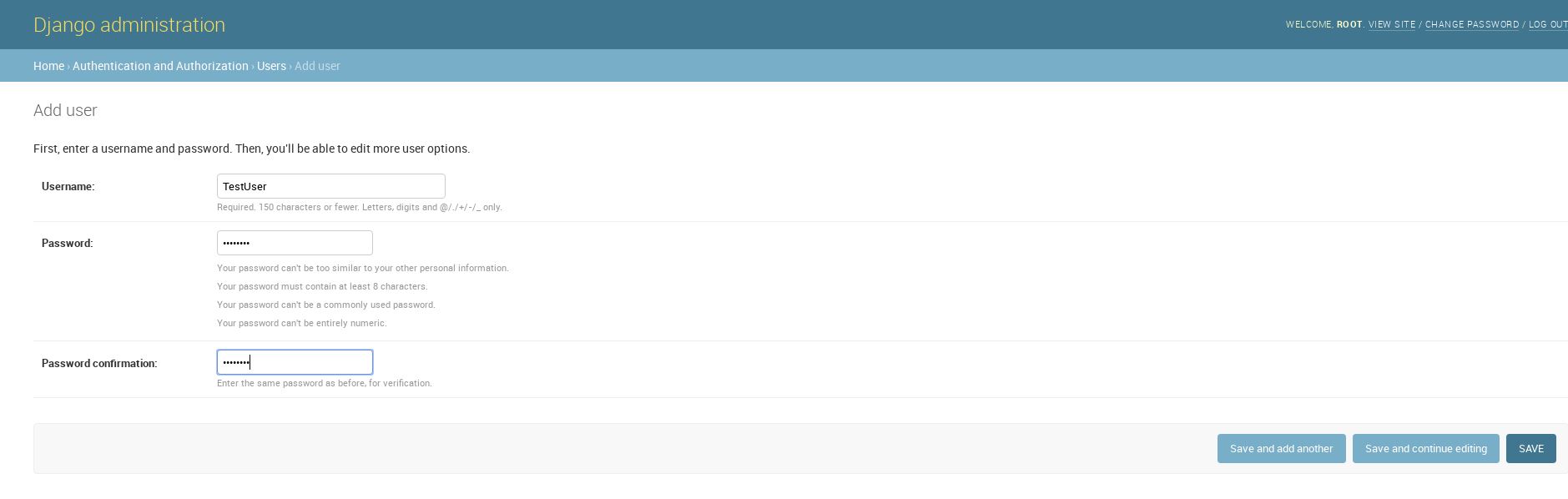
Setup a test user for later tests:
We click “save and continue editing” for further setup of this non-admin account, such as email address and superuser status, etc. There are too many detailed selections, so we don’t show this step. Now we have 2 accounts for this website.
add a “Post” class in blog/models.py
```go
from django.db import models
from django.utils import timezone
from django.contrib.auth.models import User
class Post(models.Model):
title = models.CharField(max_length=100)
content = models.TextField()
date_posted = models.DateField(default=timezone.now)
author = models.ForeignKey(User, on_delete=models.CASCADE)
def __str__ ( self ): return self . title - in the terminal , use makemigrations to create a migration : ```bash [root@localhost django_project]# python manage.py makemigrations Migrations for 'blog': blog/migrations/0001_initial.py
that initiated blog/migrations/0001_initial.py looks like:
```go
from django.conf import settings
from django.db import migrations, models
import django.db.models.deletion
import django.utils.timezone
class Migration(migrations.Migration):
initial = True dependencies = [ migrations . swappable_dependency ( settings . AUTH_USER_MODEL ), ] operations = [ migrations . CreateModel ( name = 'Post' , fields =[ ( 'id' , models . AutoField ( auto_created = True , primary_key = True , serialize = False , verbose_name = 'ID' )), ( 'title' , models . CharField ( max_length = 100 )), ( 'content' , models . TextField ()), ( 'date_posted' , models . DateField ( default = django . utils . timezone . now )), ( 'author' , models . ForeignKey ( on_delete = django . db . models . deletion . CASCADE , to = settings . AUTH_USER_MODEL )), ], ), ] - Now create a "blog_post" SQL table and migrate : ```bash [root@localhost django_project]# python manage.py sqlmigrate blog 0001 BEGIN; -- -- Create model Post -- CREATE TABLE "blog_post" ("id" integer NOT NULL PRIMARY KEY AUTOINCREMENT, "title" varchar(100) NOT NULL, "content" text NOT NULL, "date_posted" date NOT NULL, "author_id" integer NOT NULL REFERENCES "auth_user" ("id") DEFERRABLE INITIALLY DEFERRED); CREATE INDEX "blog_post_author_id_dd7a8485" ON "blog_post" ("author_id"); COMMIT; [root@localhost django_project]# python manage.py migrate Operations to perform: Apply all migrations: admin, auth, blog, contenttypes, sessions Running migrations: Applying blog.0001_initial... OK
add an object into Post model in python shell:
```bash
[root@localhost django_project]# python manage.py shell
Python 3.6.5 (default, Sep 10 2018, 09:39:42)
Type ‘copyright’, ‘credits’ or ‘license’ for more information
IPython 6.5.0 — An enhanced Interactive Python. Type ‘?’ for help.
In [1]: from blog.models import Post
In [2]: from django.contrib.auth.models import User
In [3]: User.objects.all()
Out[3]: , ]>
In [4]: User.objects.first()
Out[4]:
In [5]: User.objects.filter(username = “root”)
Out[5]: ]>
In [6]: User.objects.filter(username = “root”).first()
Out[6]:
In [7]: user = User.objects.filter(username = “root”).first()
In [8]: user
Out[8]:
In [9]: user.id
Out[9]: 1
In [10]: user.pk # primary key
Out[10]: 1
In [12]: user = User.objects.get(id=1)
In [13]: user
Out[13]:
In [14]: Post.objects
Out[14]:
In [15]: Post.objects.all()
Out[15]:
In [16]: post_1 = Post(title=’Blog’, content=’First Post Content!’, author=user)
In [17]: post_1.save()
In [18]: Post.objects.all()
Out[18]: ]>
- Here shows several methods to see variables in a model : ```bash [root@localhost django_project]# python manage.py shell Python 3.6.5 (default, Sep 10 2018, 09:39:42) Type 'copyright', 'credits' or 'license' for more information IPython 6.5.0 -- An enhanced Interactive Python. Type '?' for help. In [1]: from blog.models import Post In [2]: from django.contrib.auth.models import User In [3]: Post.objects.all() Out[3]: <QuerySet [<Post: Blog>]> In [4]: User.objects.filter(username = "root").first() Out[4]: <User: root> In [5]: user = User.objects.filter(username = "root").first() In [6]: user Out[6]: <User: root> In [7]: post_2 = Post(title='Blog 2', content='Second Post Content!', author_id= ...: user.id) In [8]: post_2.save() In [9]: Post.objects.all() Out[9]: <QuerySet [<Post: Blog>, <Post: Blog 2>]> In [10]: post = Post.objects.first() In [11]: post.content Out[11]: 'First Post Content!' In [12]: post.date_posted Out[12]: datetime.date(2020, 5, 7) In [13]: post.author Out[13]: <User: root> In [14]: post.author.email Out[14]: 'root@gmail.com' In [15]: user.post_set Out[15]: <django.db.models.fields.related_descriptors.create_reverse_many_to_one_manager.<locals>.RelatedManager at 0x7ff1f05a3c88> In [16]: user.post_set.all() Out[16]: <QuerySet [<Post: Blog>, <Post: Blog 2>]> In [17]: user.post_set.create(title='Blog 3', content = 'Third Post Content!') Out[17]: <Post: Blog 3> In [18]: Post.objects.all() Out[18]: <QuerySet [<Post: Blog>, <Post: Blog 2>, <Post: Blog 3>]> In [19]: Post.objects.all().first() Out[19]: <Post: Blog>
Now we have a table and several objects, so we can just change the way to post in blog/views.py:
```go
from django.shortcuts import render
from .models import Post #new
def home(request):
context = {
‘posts’: Post.objects.all() #import from blog_post
}
return render ( request , 'blog/home.html' , context ) def about(request):
return render(request, ‘blog/about.html’, {‘title’: ‘About’})
Then we see posts are replaced into stuff in the database :< br /> < a name = "Hzwu4" ></ a > #### Update posts: - in blog / admin . py : ```go from django.contrib import admin from .models import Post admin.site.register(Post)
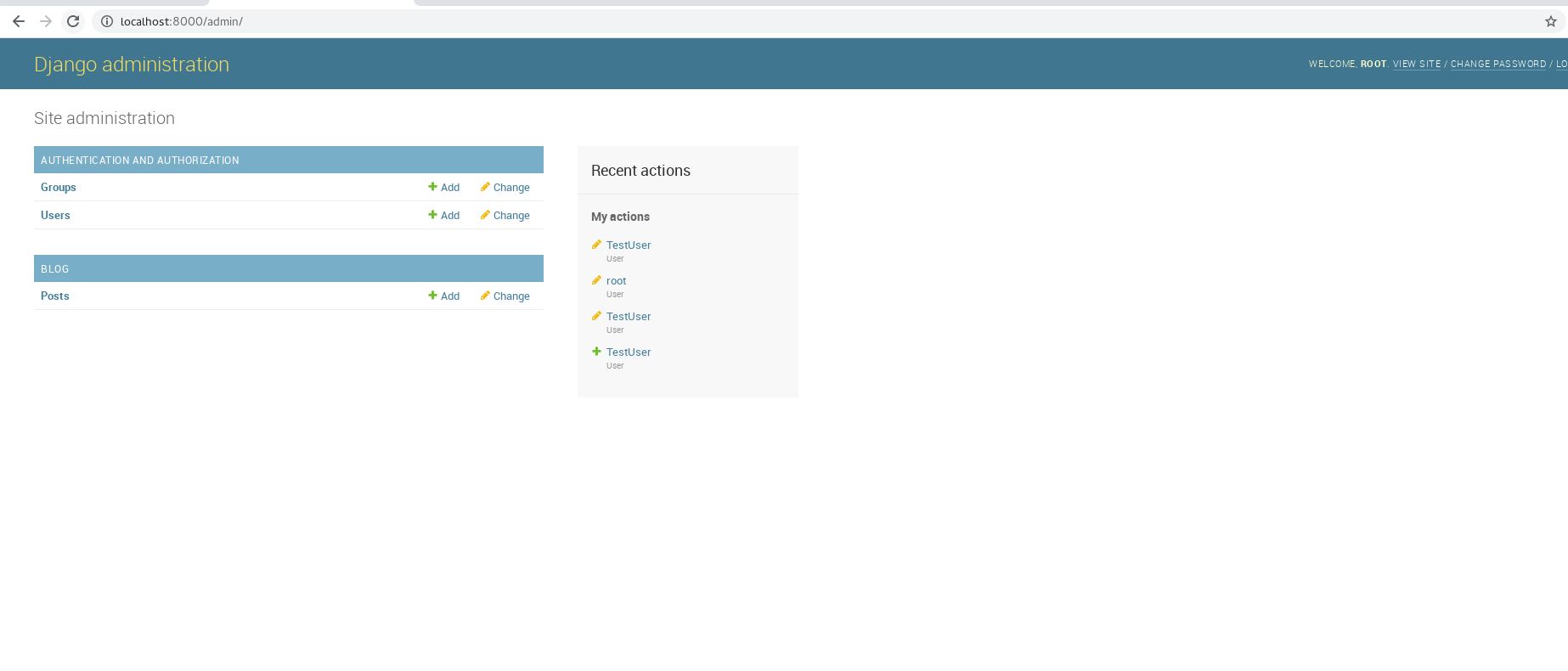
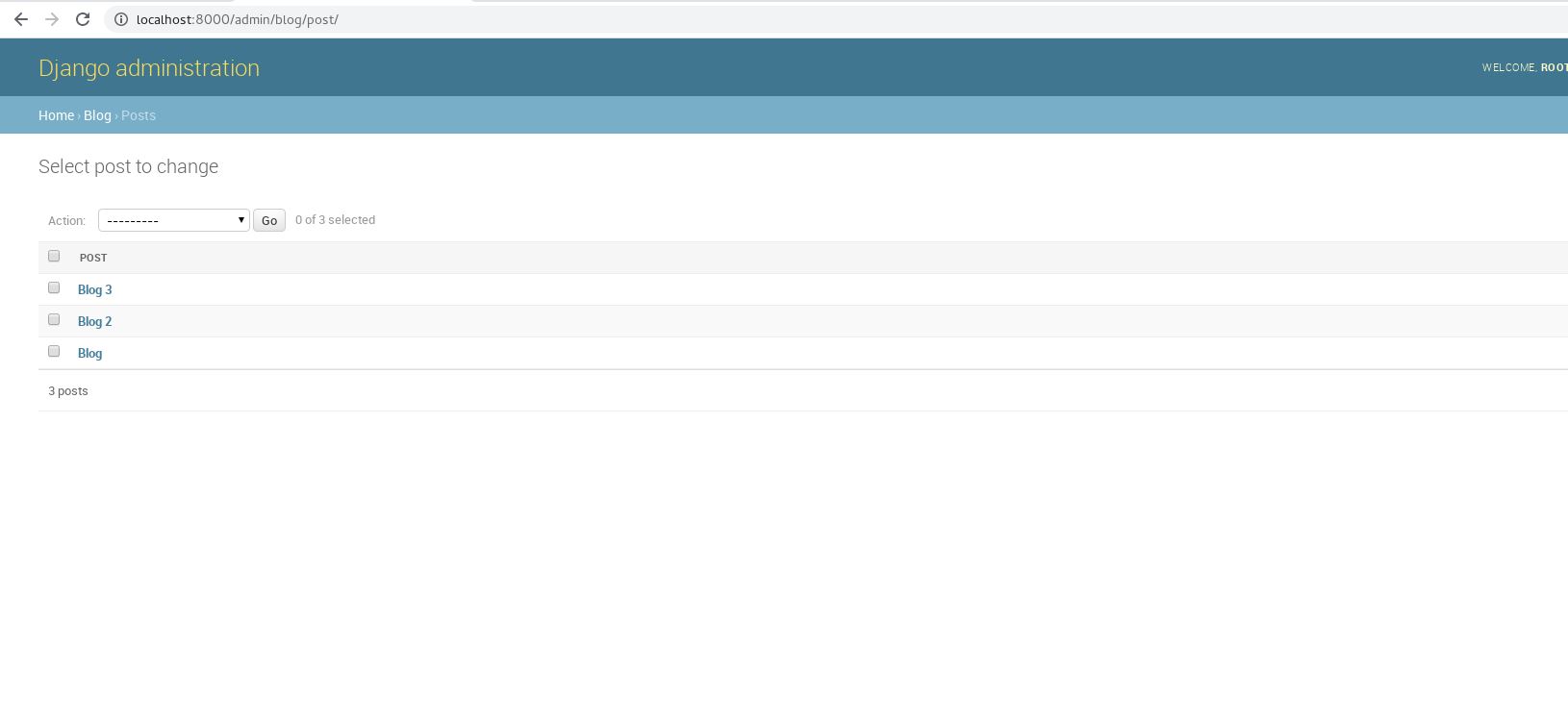
And now we have a link to view and update posts in localhost:8000/admin:
This time we add a user register system.
First, start a new app called users, and now we have a users/ directory:
```bash
[root@localhost djangoproject]# python manage.py startapp users
[root@localhost djangoproject]# tree
.
├── blog
│ ├── admin.py
│ ├── apps.py
│ ├── init .py
│ ├── migrations
│ │ ├── 0001initial.py
│ │ ├── init .py
│ │ └── pycache
│ │ ├── 0001initial.cpython-36.pyc
│ │ └── init .cpython-36.pyc
│ ├── models.py
│ ├── pycache
│ │ ├── admin.cpython-36.pyc
│ │ ├── apps.cpython-36.pyc
│ │ ├── init .cpython-36.pyc
│ │ ├── models.cpython-36.pyc
│ │ ├── urls.cpython-36.pyc
│ │ └── views.cpython-36.pyc
│ ├── static
│ │ └── blog
│ │ └── main.css
│ ├── templates
│ │ └── blog
│ │ ├── about.html
│ │ ├── base.html
│ │ └── home.html
│ ├── tests.py
│ ├── urls.py
│ └── views.py
├── db.sqlite3
├── djangoproject
│ ├── init .py
│ ├── pycache
│ │ ├── _init .cpython-36.pyc
│ │ ├── settings.cpython-36.pyc
│ │ ├── urls.cpython-36.pyc
│ │ └── wsgi.cpython-36.pyc
│ ├── settings.py
│ ├── urls.py
│ └── wsgi.py
├── manage.py
└── users
├── admin.py
├── apps.py
├── __init .py
├── migrations
│ └── __init .py
├── models.py
├── tests.py
└── views.py
12 directories, 38 files
- change django_project / settings . py : ```go //... INSTALLED_APPS = [ 'blog.apps.BlogConfig', 'users.apps.UsersConfig', # new 'django.contrib.admin', 'django.contrib.auth', 'django.contrib.contenttypes', 'django.contrib.sessions', 'django.contrib.messages', 'django.contrib.staticfiles', ] //...
add a view in users/views.py:
```go
from django.shortcuts import render
from django.contrib.auth.forms import UserCreationForm
def register(request):
form = UserCreationForm()
return render(request, ‘users/register.html’, {‘form’: form})
- make a templates / folder in users / and users . in users / templates / - create a register . html file in template / users / ```html {% extends "blog/base.html" %} {% block content %} <div class="content-section"> <form method="POST"> {% csrf_token %} <fieldset class="form-group"> <legend class="border-bottom mb-4">Join Today</legend> {{ form }} </fieldset> <div class="form-group"> <button class="btn btn-outline-info" type="submit">Sign Up</button> </div> </form> <div class="border-top pt-3"> <small class="text-muted"> Already Have An Account? <a class="ml-2" href="#">Sign In</a> </small> </div> </div> {% endblock content %} {% csrf_token %} is added for safety concern, and
includes an automatic method to create an account.
update django_project/urls.py:
```go
from django.contrib import admin
from django.urls import path
from django.conf.urls import include
from users import views as user_views # new
urlpatterns = [
path(‘admin/‘, admin.site.urls),
path(‘register/‘, user_views.register, name = ‘register’), # new
path(‘’, include(‘blog.urls’))
]
To test , run the server and use the path of register / to get : < br /><br />If we change {{ form }} in "form-group" class into {{ form.as_p }}, lines spilts a bit: <br />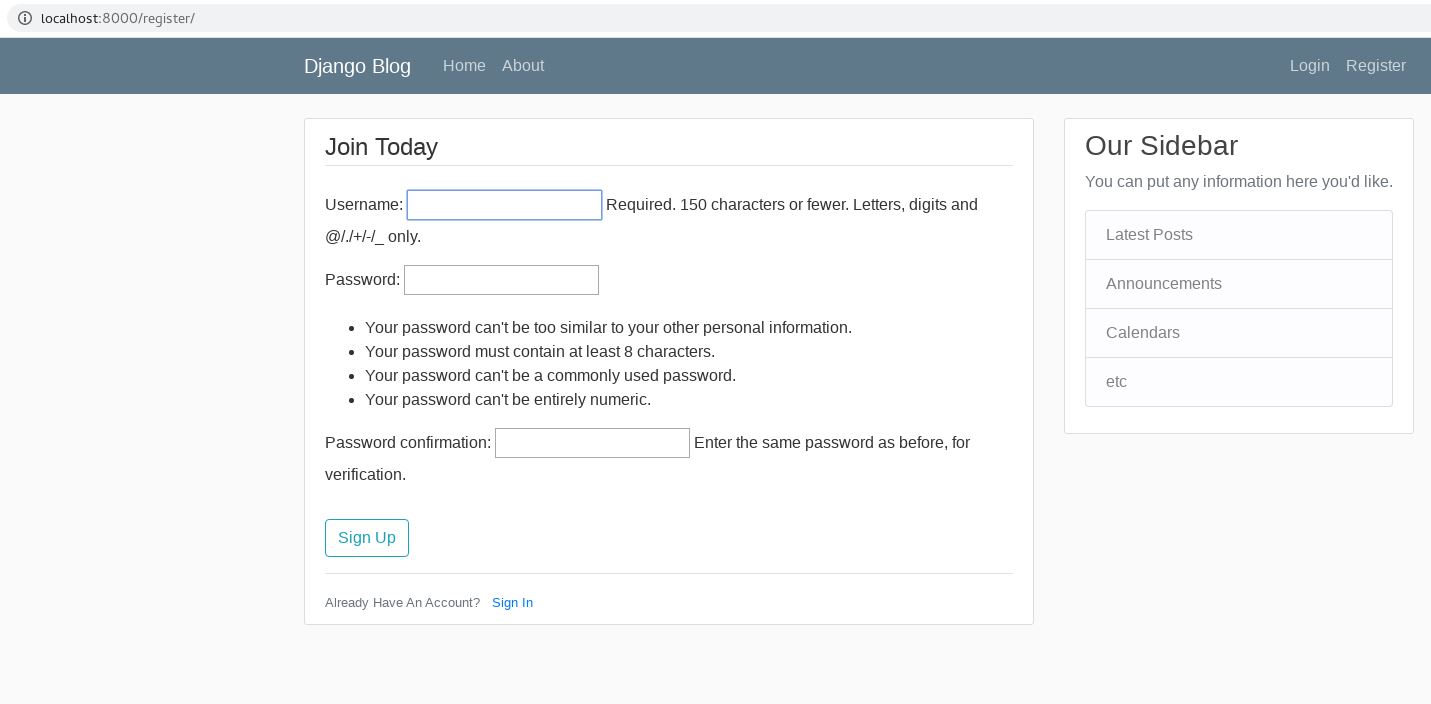 - add a if else logic for users / views . py to handle POST or non - POST requests : ```go from django.shortcuts import render from django.contrib.auth.forms import UserCreationForm from django.contrib import messages def register(request): if request.method == 'POST': form = UserCreationForm(request.POST) if form.is_valid(): form.save() username = form.cleaned_data.get('username') messages.success(request, f'Account created for {username}!') return redirect('blog-home') else: form = UserCreationForm() return render(request, 'users/register.html', {'form': form})
and add several lines for blog/templates/blog/base.html to display messages:
<!--...--> <div class = "col-md-8" > {% if messages %} {% for message in messages %} <div class = "alert alert-{{ message.tags }}" > {{ message }} </div> {% endfor %} {% endif %} {% block content %}{% endblock %} </div> <!--...--> after that, the register page can tell you some common errors such as “A user with that username already exists.” or “The two password fields didn’t match.”, etc.
If username and password pair is valid, a new user is successfully created.
Becuase the default register only includes username and password, here we create forms.py under /users to transmit UserCreationForm into a new form:
```go
from django import forms
from django.contrib.auth.models import User
from django.contrib.auth.forms import UserCreationForm
class UserRegisterForm(UserCreationForm):
email = forms.EmailField()
class Meta : model = User fields = [ 'username' , 'email' , 'password1' , 'password2' ] - Then we discard UserCreationForm , apply UserRegisterForm in users / views . py : ```go from django.shortcuts import render, redirect #new: redirect # from django.contrib.auth.forms import UserCreationForm from django.contrib import messages from .forms import UserRegisterForm def register(request): if request.method == 'POST': form = UserRegisterForm(request.POST) if form.is_valid(): form.save() username = form.cleaned_data.get('username') messages.success(request, f'Account created for {username}!') return redirect('blog-home') else: form = UserRegisterForm() return render(request, 'users/register.html', {'form': form}) Now we try to register:
“Django-crispy-forms is an application that helps to manage Django forms. It allows adjusting forms’ properties (such as method, send button or CSS classes) on the backend without having to re-write them in the template.”
CRISPY_TEMPLATE_PACK = ‘bootstrap4’
Then registers . html : ```html {% extends "blog/base.html" %} {% load crispy_forms_tags %} # new {% block content %} <div class="content-section"> <form method="POST"> {% csrf_token %} <fieldset class="form-group"> <legend class="border-bottom mb-4">Join Today</legend> {{ form|crispy }} # new </fieldset> <div class="form-group"> <button class="btn btn-outline-info" type="submit">Sign Up</button> </div> </form> <div class="border-top pt-3"> <small class="text-muted"> Already Have An Account? <a class="ml-2" href="#">Sign In</a> </small> </div> </div> {% endblock content %} Now the register page looks better:
This time we want to add a pair of pages to login and logout instead of using http://localhost:port/admin/.
add new paths in django_project/urls.py:
```python
from django.contrib import admin
from django.urls import path
from django.conf.urls import include
from users import views as user_views
from django.contrib.auth import views as auth_views # new
urlpatterns = [
path(‘admin/‘, admin.site.urls),
path(‘register/‘, user_views.register, name = ‘register’),
path(‘login/‘, auth_views.LoginView.as_view(template_name=’users/login.html’), name = ‘login’), # new
path(‘logout/‘, auth_views.LogoutView.as_view(template_name=’users/logout.html’), name = ‘logout’), # new
path(‘’, include(‘blog.urls’))
]
as you see here , login . html and logout . html are not yet in users / templates / users /, so we need to create these 2 templates . - in users / templates / users /, create login . html : ```html {% extends "blog/base.html" %} {% load crispy_forms_tags %} # new {% block content %} <div class="content-section"> <form method="POST"> {% csrf_token %} <fieldset class="form-group"> <legend class="border-bottom mb-4">Log In</legend> {{ form|crispy }} # new </fieldset> <div class="form-group"> <button class="btn btn-outline-info" type="submit">Login</button> </div> </form> <div class="border-top pt-3"> <small class="text-muted"> Need An Account? <a class="ml-2" href="{% url 'register' %}">Sign Up Now</a> </small> </div> </div> {% endblock content %}
Recall: href=”{% url ‘[template name]’ %} is a simple method to create button as a url link. Because now we actually have login.html, we setup the button from register to login
Also, we modify users/templates/users/register.html to set the button from login to register
Now we have a login page that can check incorrect username & password pair
The error information said the request url is /accounts/profile/, but our format is quite different from that, so we add a line at the buttom of django_project/settings.py:
# ... LOGIN_REDIRECT_URL = "blog-home" # to home.html in templates of blog/ Then we can login successfully and be redirected into the blog homepage.
Change users/views.py to redirect users into the login page instead of homepage:
```python
from django.shortcuts import render, redirect
from django.contrib import messages
from .forms import UserRegisterForm
def register(request):
if request.method == ‘POST’:
form = UserRegisterForm(request.POST)
if form.is_valid():
form.save()
username = form.cleaned_data.get(‘username’)
messages.success(request, f’Your account has been created! You are now be able to login.’) # new
return redirect(‘login’)
else:
form = UserRegisterForm()
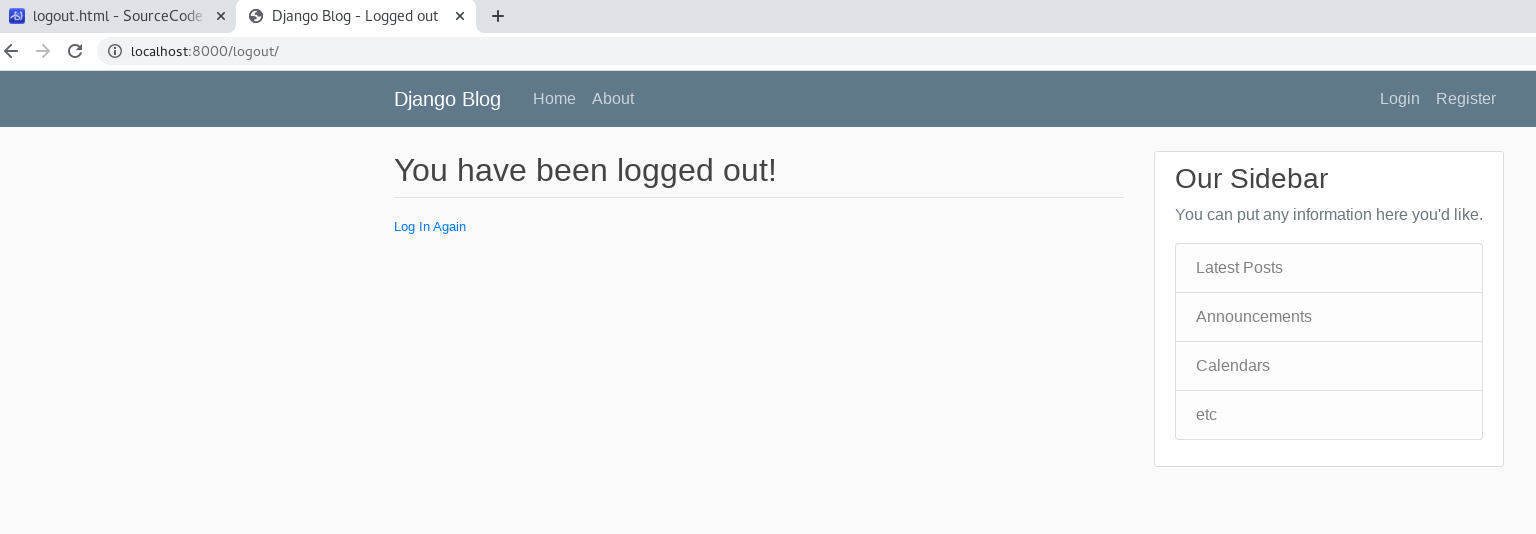
return render ( request , 'users/register.html' , { 'form' : form }) <a name = "Cg1sg" ></a> #### Logout System: - create logout.html in users/templates/users to handle logout request: ```html {% extends "blog/base.html" %} {% block content %} <h2> You have been logged out! </h2> <div class = "border-top pt-3" > <small class = "text-muted" > <a href = "{% url 'login' %}" > Log In Again </a> </small> </div> {% endblock content %}
Now we have:
Now we need to make buttons in the navigation row works.
in blog/templates/blog/base.html:
<!-- ... --> <div class = "navbar-nav" > {% if user.is_authenticated %} <a class = "nav-item nav-link" href = "{% url 'logout' %}" > Logout </a> {% else %} <a class = "nav-item nav-link" href = "{% url 'login' %}" > Login </a> <a class = "nav-item nav-link" href = "{% url 'register' %}" > Register </a> {% endif %} </div> <!-- ... --> change buttons into url links
if-else logic fixes:
if the user isn’t login, only allow login or register if the user is online, only allow logout
For example, not logged in:
As usual, first we create a handler function in users/views.py:
# ... def profile ( request ): return render ( request , 'users/profile.html' ) Then create a corresponding template, users/templates/users/profile.html:
{% extends "blog/base.html" %} {% load crispy_forms_tags %} {% block content %} <h1> {{user.username}} </h1> {% endblock content %} {{ (variable name) }} to show variables.
Finally, register the path in django_project/urls.py:
# ... urlpatterns = [ path ( 'admin/' , admin . site . urls ), path ( 'register/' , user_views . register , name = 'register' ), path ( 'profile/' , user_views . profile , name = 'profile' ), # new path ( 'login/' , auth_views . LoginView . as_view ( template_name = 'users/login.html' ), name = 'login' ), path ( 'logout/' , auth_views . LogoutView . as_view ( template_name = 'users/logout.html' ), name = 'logout' ), path ( '' , include ( 'blog.urls' )) ] and we have:
To see profile easily, we add a button in the navigation row in blog/templates/blog/base.html:
<!-- ... --> <div class = "navbar-nav" > {% if user.is_authenticated %} <a class = "nav-item nav-link" href = "{% url 'profile' %}" > Profile </a> <a class = "nav-item nav-link" href = "{% url 'logout' %}" > Logout </a> {% else %} <a class = "nav-item nav-link" href = "{% url 'login' %}" > Login </a> <a class = "nav-item nav-link" href = "{% url 'register' %}" > Register </a> {% endif %} </div> <!-- ... -->
Because there is no “user.username” variable if there is no user logged in, so we have to set a checking. in users/views.py:
```python
from django.contrib.auth.decorators import login_required # new
@login_required # new
def profile(request):
return render(request, ‘users/profile.html’)
- If the profile request is sent and you are not logged in , redirect to the login page . - in django_project / settings . py : ```python # ... LOGIN_REDIRECT_URL = "blog-home" # to home.html in templates of blog/ LOGIN_URL = 'login' # new and to test with http://localhost:8000/profile/ and stay offline we get(take a look at the new browser url):
User profile and picture:
to make our users able to add other information and pictures for their profiles. in order to make it works, we need to add field for these data. modify users/models.py:
users/models.py:
```python
from django.db import models
from django.contrib.auth.models import User # new
class Profile(models.Model):
# create a one-to-one relationship with the imported user model # if user is deleted, also delete the profile user = models . OneToOneField ( User , on_delete = models . CASCADE ) # a field for images image = models . ImageField ( default = 'default.jpg' , upload_to = 'profile_pics' ) # whenever we printout profile. it will print username, either def __str__ ( self ): return f '{self.user.username} Profile' - in the terminal , install "Pillow" package for ImageField (): ```bash [root@localhost django_project]# pip install Pillow
then create & run migrations:[ root@localhost django_project ]# python manage . py makemigrations Migrations for 'users' : users / migrations / 0001 _initial . py - Create model Profile [ root@localhost django_project ]# python manage . py migrate Operations to perform : Apply all migrations : admin , auth , blog , contenttypes , sessions , users Running migrations : Applying users . 0001 _initial ... OK
users/admin.py:
```python
from django.contrib import admin
from .models import Profile # new
admin.site.register(Profile)
to test , run server and use localhost : 8000 / admin /< br /><br />now we have a Profile section, get inside: <br /><br />use "ADD PROFILE" in the top-right corner to manually add profiles:<br />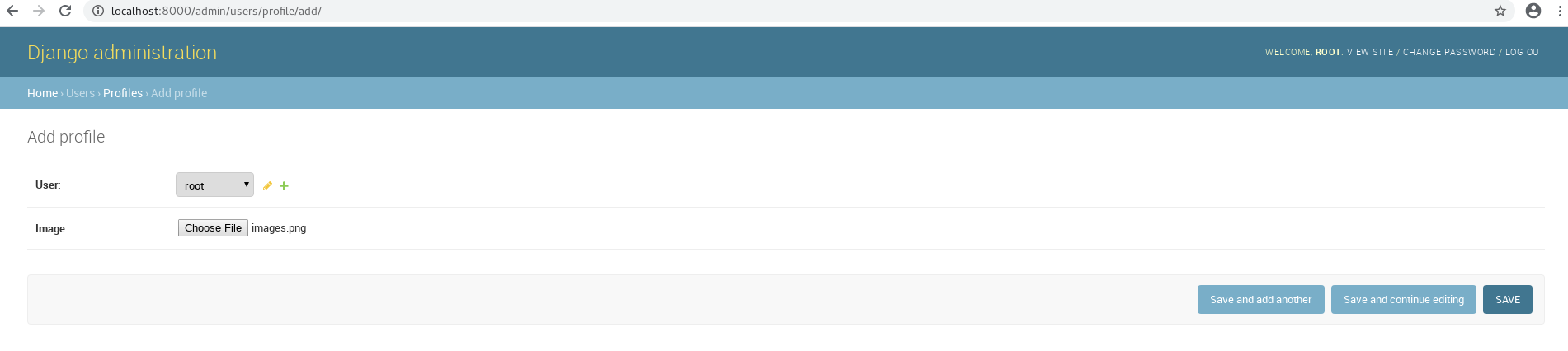 - try to access profile in python shell : ```bash [root@localhost django_project]# python manage.py shell Python 3.6.5 (default, Sep 10 2018, 09:39:42) Type 'copyright', 'credits' or 'license' for more information IPython 6.5.0 -- An enhanced Interactive Python. Type '?' for help. In [1]: from django.contrib.auth.models import User In [2]: user = User.objects.filter(username='root').first() In [3]: user Out[3]: <User: root> In [4]: user.profile Out[4]: <Profile: root Profile> In [5]: user.profile.image Out[5]: <ImageFieldFile: profile_pics/images.png> In [6]: user.profile.width --------------------------------------------------------------------------- AttributeError Traceback (most recent call last) <ipython-input-6-cebf93d147df> in <module>() ----> 1 user.profile.width AttributeError: 'Profile' object has no attribute 'width' In [7]: user.profile.image.width Out[7]: 225 In [8]: user.profile.image.url Out[8]: 'profile_pics/images.png' In [9]: user = User.objects.filter(username='TestUser').first() In [10]: user Out[10]: <User: TestUser> In [11]: user.profile Out[11]: <Profile: TestUser Profile> In [12]: user.profile.image Out[12]: <ImageFieldFile: default.jpg> In [13]: user.profile.image.width --------------------------------------------------------------------------- FileNotFoundError Traceback (most recent call last) <ipython-input-13-9ec2104e1768> in <module>() ----> 1 user.profile.image.width /usr/local/lib/python3.6/site-packages/django/core/files/images.py in width(self) 17 @property 18 def width(self): ---> 19 return self._get_image_dimensions()[0] 20 21 @property /usr/local/lib/python3.6/site-packages/django/core/files/images.py in _get_image_dimensions(self) 26 if not hasattr(self, '_dimensions_cache'): 27 close = self.closed ---> 28 self.open() 29 self._dimensions_cache = get_image_dimensions(self, close=close) 30 return self._dimensions_cache /usr/local/lib/python3.6/site-packages/django/db/models/fields/files.py in open(self, mode) 72 self._require_file() 73 if getattr(self, '_file', None) is None: ---> 74 self.file = self.storage.open(self.name, mode) 75 else: 76 self.file.open(mode) /usr/local/lib/python3.6/site-packages/django/core/files/storage.py in open(self, name, mode) 31 def open(self, name, mode='rb'): 32 """Retrieve the specified file from storage.""" ---> 33 return self._open(name, mode) 34 35 def save(self, name, content, max_length=None): /usr/local/lib/python3.6/site-packages/django/core/files/storage.py in _open(self, name, mode) 216 217 def _open(self, name, mode='rb'): --> 218 return File(open(self.path(name), mode)) 219 220 def _save(self, name, content): FileNotFoundError: [Errno 2] No such file or directory: '/root/SourceCode/Python/django_project/default.jpg' In [14]: user.profile.image.url Out[14]: 'default.jpg' (we have created 2 profiles manually:
root has an imported image TestUser uses default image, but that image is not set yet)
To make sure our uploaded images are save in the right place add 2 variables for django_project/settings.py:
```python
MEDIA_ROOT = os.path.join(BASE_DIR, ‘media’)
MEDIA_URL = ‘/media/‘
to test , do another add profile with a picture :< br /><br />and now we have a folder for images called "profile_pics":<br />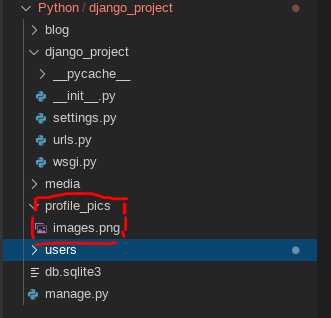 < a name = "i4XYg" ></ a > #### Let profile show other information: - updates users / templates / users / profile . html : ```python {% extends "blog/base.html" %} {% load crispy_forms_tags %} {% block content %} <div class="content-section"> <div class="media"> <img class="rounded-circle account-img" src="{{ user.profile.image.url }}"> <div class="media-body"> <h2 class="account-heading">{{ user.username }}</h2> <p class="text-secondary">{{ user.email }}</p> </div> </div> <!-- FORM HERE --> </div> {% endblock content %}
(continue)
from django . contrib import admin from django . urls import path from django . conf . urls import include from users import views as user_views from django . contrib . auth import views as auth_views from django . conf import settings # new from django . conf . urls . static import static # new urlpatterns = [ path ( 'admin/' , admin . site . urls ), path ( 'register/' , user_views . register , name = 'register' ), path ( 'profile/' , user_views . profile , name = 'profile' ), path ( 'login/' , auth_views . LoginView . as_view ( template_name = 'users/login.html' ), name = 'login' ), path ( 'logout/' , auth_views . LogoutView . as_view ( template_name = 'users/logout.html' ), name = 'logout' ), path ( '' , include ( 'blog.urls' )) ] # if it is in debug mode if settings . DEBUG : urlpatterns += static ( settings . MEDIA_URL , document_root = settings . MEDIA_ROOT ) and now in profile section, we have more info:
Upload a “default.jpg” in media folder(same as the name in users/models.py), and it would be the default image for users who hasn’t upload images:
create users/signals.py for this function:
```python
from django.db.models.signals import post_save
from django.contrib.auth.models import User
from django.dispatch import receiver
from .models import Profile
@receiver(post_save, sender=User)
def create_profile(sender, instance, created, **kwargs):
if created:
Profile.objects.create(user=instance)
@receiver(post_save, sender=User)
def save_profile(sender, instance, **kwargs):
instance.profile.save()
- and to import signal . py when a new user is registered , we extend users / apps . py : ```python from django.apps import AppConfig class UsersConfig(AppConfig): name = 'users' def ready(self): # new import users.signals to test, create a new user and see its profile:
This time we have to allow users update their profile information and image. we add 2 new forms in users/forms.py for later use:
```python
from django import forms
from django.contrib.auth.models import User
from django.contrib.auth.forms import UserCreationForm
from .models import Profile # new
class UserUpdateForm(forms.ModelForm):
email = forms.EmailField()
class Meta : model = User fields = [ 'username' , 'email' ] class ProfileUpdateForm(forms.ModelForm):
class Meta:
model = Profile
fields = [‘image’]
- include UserUpdateForm and ProfileUpdateForm above - and extend profile in users / view . py : ```python from django.shortcuts import render, redirect from django.contrib import messages from django.contrib.auth.decorators import login_required from .forms import UserRegisterForm, UserUpdateForm, ProfileUpdateForm # new # ... @login_required def profile(request): u_form = UserUpdateForm() p_form = ProfileUpdateForm() context = { 'u_form' : u_form, 'p_form' : p_form } return render(request, 'users/profile.html', context)
add a form class in profile.html of templates (similar to register.html):
{% extends "blog/base.html" %} {% load crispy_forms_tags %} {% block content %} <div class = "content-section" > <div class = "media" > <img class = "rounded-circle account-img" src = "{{ user.profile.image.url }}" > <div class = "media-body" > <h2 class = "account-heading" > {{ user.username }} </h2> <p class = "text-secondary" > {{ user.email }} </p> </div> </div> <form method = "POST" enctype = "multipart/form-data" > {% csrf_token %} <fieldset class = "form-group" > <legend class = "border-bottom mb-4" > Profile Info </legend> {{ u_form|crispy }} {{ p_form|crispy }} </fieldset> <div class = "form-group" > <button class = "btn btn-outline-info" type = "submit" > Update </button> </div> </form> </div> {% endblock content %} and our profile page has imported u_from and p_form:
extend profile in users/view.py:
```python
@login_required
def profile(request):
if request.method == ‘POST’: # only create update forms if there is a POST request
u_form = UserUpdateForm(request.POST, instance=request.user)
p_form = ProfileUpdateForm(request.POST,
request.FILES,
instance=request.user.profile)
if u_form.is_valid() and p_form.is_valid(): # check
u_form.save()
p_form.save()
messages.success(request, f’Your account has been updated!’)
return redirect(‘profile’) # redirect to the profile page
else : u_form = UserUpdateForm ( instance = request . user ) p_form = ProfileUpdateForm ( instance = request . user . profile ) context = { 'u_form' : u_form , 'p_form' : p_form } return render ( request , 'users/profile.html' , context ) and the update page actually works :< br /> < a name = "B20zh" ></ a > #### Resize images: - modify users / models . py to make images are resized into 300px * 300px : ```python from django.db import models from django.contrib.auth.models import User from PIL import Image # new # ... def save(self): super().save() img = Image.open(self.image.path) if img.height > 300 or img.width > 300: output_size = (300, 300) img.thumbnail(output_size) img.save(self.image.path) we re-upload images before, and there will be a resized image in /media (if height or width > 300px):
class PostListView(ListView): # new
model = Post
templatename = ‘blog/home.html’ # / .html
context_object_name = ‘posts’ # rename from the default name into ‘posts’
ordering = [‘-date_posted’] # order from newest to oldest
for now , we could think like def home () and class PostListView () do the same thing . - as above , the template name is 'blog/home.html' , so we can apply PostListView in / blog / urls . py to replace views . home : ```python from django.urls import path from .views import PostListView # new from . import views urlpatterns = [ # path('', views.home, name='blog-home'), path('', PostListView.as_view(), name='blog-home'), # new path('about/', views.about, name='blog-about'), ] to test, use a browser and the url is localhost:8000
Define a “PostDetailView” in /blog/view.py:
from django . shortcuts import render from django . views . generic import ListView , DetailView # new from . models import Post #... class PostDetailView ( DetailView ): # new model = Post #... apply PostDetailView in /blog/urls.py:
```python
from django.urls import path
from .views import PostListView, PostDetailView # new
from . import views
urlpatterns = [
path(‘’, PostListView.as_view(), name=’blog-home’),
path(‘post//‘, PostDetailView.as_view(), name=’post-detail’), # new, “pk” as “primary key of the post”
path(‘about/‘, views.about, name=’blog-about’),
]
- Since we have no corresponding post detail template , create a post_detail . html in / templates : ```html {% extends "blog/base.html" %} {% block content %} <article class="media content-section"> <img class="rounded-circle article-img" src="{{ object.author.profile.image.url }}"> <div class="media-body"> <div class="article-metadata"> <a class="mr-2" href="#">{{ object.author }}</a> <small class="text-muted">{{ object.date_posted|date:"F d, Y" }}</small> </div> <h2 class="article-title">{{ object.title }}</a></h2> <p class="article-content">{{ object.content }}</p> </div> </article> {% endblock content %} to test, first see localhost:8000
Add the detail of href in home.html to let titles of blogs connect to corresponding post page:
<!--...--> <!--<h2><a class="article-title" href="#">{{ post.title }}</a></h2>--> <h2><a class = "article-title" href = "{% url 'post-detail' post.id %}" > {{ post.title }} </a></h2> <!--...--> to test, restart the server click a blog title:
as usual, create PostCreateView in /blog/view.py:
```python
from django.shortcuts import render
from django.views.generic import (
ListView,
DetailView,
CreateView # new
)
from .models import Post
class PostCreateView(CreateView): # new
model = Post
fields = [‘title’, ‘content’]
def form_valid ( self , form ): # test valid user form . instance . author = self . request . user return super (). form_valid ( form ) - create a new path in / blog / urls . py : ```python from django.urls import path from .views import ( PostListView, PostDetailView, PostCreateView # new ) from . import views urlpatterns = [ path('', PostListView.as_view(), name='blog-home'), path('post/<int:pk>/', PostDetailView.as_view(), name='post-detail'), path('post/new/', PostCreateView.as_view(), name='post-create'), # new path('about/', views.about, name='blog-about'), ]
create a new template post_form.html
{% extends "blog/base.html" %} {% load crispy_forms_tags %} {% block content %} <div class = "content-section" > <form method = "POST" > {% csrf_token %} <fieldset class = "form-group" > <legend class = "border-bottom mb-4" > Blog Post </legend> {{ form|crispy }} </fieldset> <div class = "form-group" > <button class = "btn btn-outline-info" type = "submit" > Post </button> </div> </form> </div> {% endblock content %} finally, add a function in /blog/models.py to make sure after the new post is sent, the page can jump to the post detail:
from django . db import models from django . utils import timezone from django . contrib . auth . models import User from django . urls import reverse # new # ... class Post ( models . Model ): # ... def get_absolute_url ( self ): # new return reverse ( 'post-detail' , kwargs ={ 'pk' : self . pk }) to test, use localhost:8000/post/new to send a new post:
Also, if the current situation is logout, add a checking step in /blog/views.py:
from django . shortcuts import render from django . contrib . auth . mixins import LoginRequiredMixin # new from django . views . generic import ( ListView , DetailView , CreateView ) from . models import Post # ... class PostCreateView ( LoginRequiredMixin , CreateView ): # new model = Post fields = [ 'title' , 'content' ] def form_valid ( self , form ): form . instance . author = self . request . user return super (). form_valid ( form ) after the step you will get back to login page, if you are not logged in and access localhost:8000/post/new
/blog/views.py:
from django . shortcuts import render from django . contrib . auth . mixins import LoginRequiredMixin , UserPassesTestMixin # new from django . views . generic import ( ListView , DetailView , CreateView , UpdateView # new ) from . models import Post # ... class PostUpdateView ( LoginRequiredMixin , UserPassesTestMixin , UpdateView ): # new model = Post fields = [ 'title' , 'content' ] def form_valid ( self , form ): # to make sure login required form . instance . author = self . request . user return super (). form_valid ( form ) def test_func ( self ): # to make sure the post is sent by the current updating user post = self . get_object () if self . request . user == post . author : return True return False apply PostUpdateView in /blog/urls.py:
```python
from django.urls import path
from .views import (
PostListView,
PostDetailView,
PostCreateView,
PostUpdateView # new
)
from . import views
urlpatterns = [
path(‘’, PostListView.as_view(), name=’blog-home’),
path(‘post//‘, PostDetailView.as_view(), name=’post-detail’),
path(‘post/new/‘, PostCreateView.as_view(), name=’post-create’),
path(‘post//update’, PostUpdateView.as_view(), name=’post-update’), # new
path(‘about/‘, views.about, name=’blog-about’),
]
to test , update by localhost : 8000 / post / 5 / update < br />( actually send a new post or update both apply the template "post_form.html" )< br /><br />successful:<br />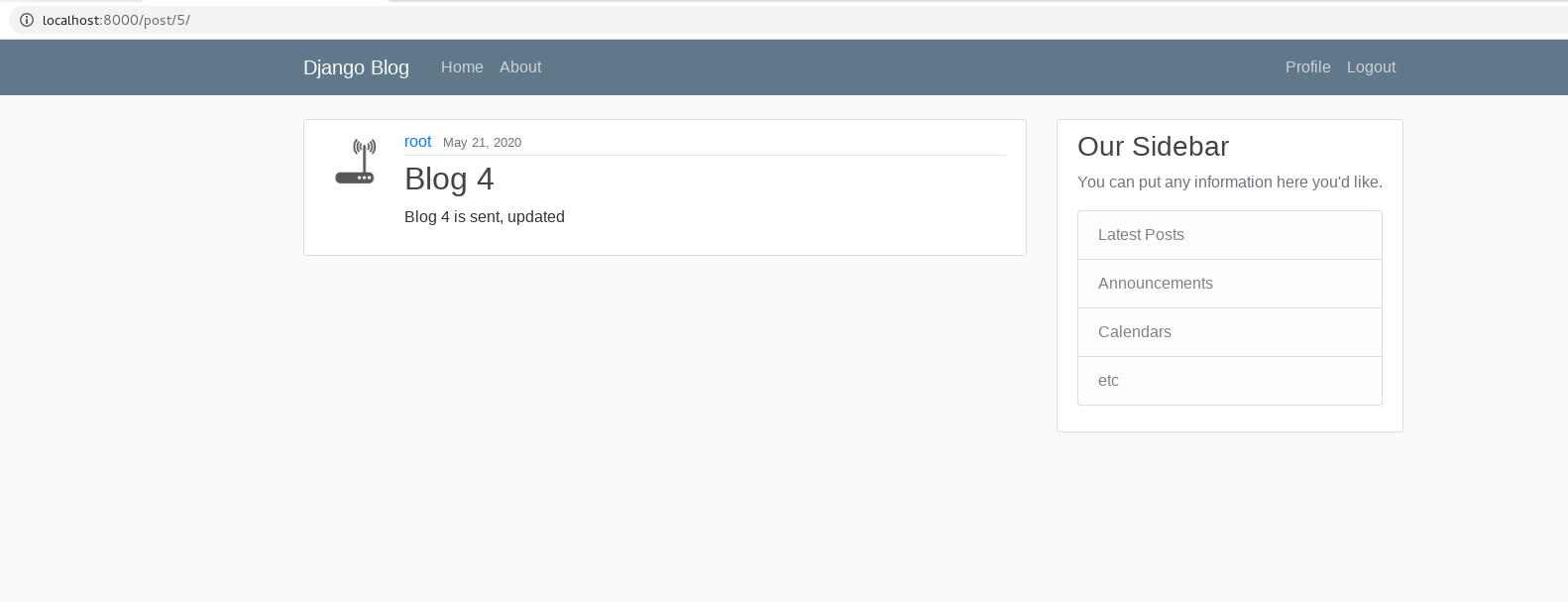<br />and if access/post/3/update (Post 3 is not sent by curren logged in account)<br />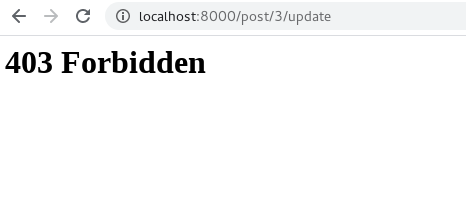 < a name = "H0p5K" ></ a > #### Delete post: - again , use the pattern before - /blog/ views . py for a new view : ```python from django.shortcuts import render from django.contrib.auth.mixins import LoginRequiredMixin, UserPassesTestMixin from django.views.generic import ( ListView, DetailView, CreateView, UpdateView, DeleteView # new ) from .models import Post # ... class PostDeleteView(LoginRequiredMixin, UserPassesTestMixin, DeleteView): # new model = Post success_url = '/' # if delete success, get back to blog-home def test_func(self): post = self.get_object() if self.request.user == post.author: return True return False
apply PostDeleteView in /blog/urls.py
```python
from django.urls import path
from .views import (
PostListView,
PostDetailView,
PostCreateView,
PostUpdateView,
PostDeleteView # new
)
from . import views
urlpatterns = [
path(‘’, PostListView.as_view(), name=’blog-home’),
path(‘post//‘, PostDetailView.as_view(), name=’post-detail’),
path(‘post/new/‘, PostCreateView.as_view(), name=’post-create’),
path(‘post//update’, PostUpdateView.as_view(), name=’post-update’),
path(‘post//delete/‘, PostDeleteView.as_view(), name=’post-delete’), # new
path(‘about/‘, views.about, name=’blog-about’),
]
- a template called "post_confirm_delete.html" for a separate delete page : - Here we have a headline to notice user to make sure they want to delete , and a cancel button to get back to the post detail page : ```html {% extends "blog/base.html" %} {% block content %} <div class="content-section"> <form method="POST"> {% csrf_token %} <fieldset class="form-group"> <legend class="border-bottom mb-4">Delete Post</legend> <h2>Are you sure you want to delete the post "{{ object.title }}"</h2> </fieldset> <div class="form-group"> <button class="btn btn-outline-danger" type="submit">Yes, Delete</button> <!--"btn btn-outline-danger" can create a warning red button--> <a class="btn btn-outline-secondary" href="{% url 'post-detail' object.id %}">Cancel</a> </div> </form> </div> {% endblock content %} to test, I want to delete this accidentally created post 4:
base.html in templates:
<!--...--> {% if user.is_authenticated %} <a class = "nav-item nav-link" href = "{% url 'post-create' %}" > New Post </a> <!--new--> <a class = "nav-item nav-link" href = "{% url 'profile' %}" > Profile </a> <a class = "nav-item nav-link" href = "{% url 'logout' %}" > Logout </a> {% else %} <!--...--> post_detail.html in templates:
<!--...--> <small class = "text-muted" > {{ object.date_posted|date:"F d, Y" }} </small> {% if object.author == user %} <div> <a class = "btn btn-secondary btn-sm mt-1 mb-1" href = "{% url 'post-update' object.id %}" > Update </a> <a class = "btn btn-danger btn-sm mt-1 mb-1" href = "{% url 'post-delete' object.id %}" > Delete </a> </div> {% endif %} <!--...--> now we have corresponding buttons for 3 methods:
“Page->Paginate->Pagination” means split texts into multiple pages.
We need pagination if there are too many contents.
First we need enough data to simulate that situation, and here we download a “posts.json” in github: https://github.com/CoreyMSchafer/code_snippets/blob/master/Django_Blog/11-Pagination/django_project/posts.json
import the content:[ root@localhost django_project ]# python manage . py shell >>> import json >>> from blog . models import Post >>> with open ( 'posts.json' ) as f : ... posts_json = json . load ( f ) ... >>> for post in posts_json : ... post = Post ( title = post [ 'title' ], content = post [ 'content' ], author_id = post [ 'user_id' ]) ... post . save () ... >>> exit ()
so here we have a example to apply paginator:
[ root@localhost django_project ]# python manage . py shell >>> from django . core . paginator import Paginator >>> posts = [ '1' , '2' , '3' , '4' , '5' ] # We have 5 posts >>> p = Paginator ( posts , 2 ) # paginate posts into 2 posts 1 page >>> p . num_pages # int(5/2) = 3 3 >>> for page in p . page_range : ... print ( page ) ... 1 2 3 >>> p1 = p . page ( 1 ) >>> p1 < Page 1 of 3 > >>> p1 . number 1 >>> p1 . object_list # list of objects on this page [ '1' , '2' ] >>> p1 . has_previous () # has the previous page False >>> p1 . has_next () # has the next page True >>> p1 . next_page_number () 2 >>> exit ()
it’s simple to apply paginate in /blog/views.py:
# ... class PostListView ( ListView ): model = Post template_name = 'blog/home.html' context_object_name = 'posts' ordering = [ '-date_posted' ] paginate_by = 2 # new # ... and we can see blog home page only has 2 blogs now:
a bit compliated if else relationship
add those lines in home.html in templates:
```html
{% if is_paginated %}
{% if page_obj.has_previous %}
<a class = "btn btn-outline-info mb-4" href = "?page=1" > First </a> <a class = "btn btn-outline-info mb-4" href = "?page={{ page_obj.previous_page_number }}" > Previous </a> {% endif %}
{% for num in page_obj.paginator.page_range %}
{% if page_obj . number == num %} < a class = "btn btn-info mb-4" href = "?page={{ num }}" >{{ num }}</ a > {% elif num > page_obj . number | add : '-3' and num < page_obj . number | add : '3' %} < a class = "btn btn-outline-info mb-4" href = "?page={{ num }}" >{{ num }}</ a > {% endif %} {% endfor %}
{% if page_obj.has_next %}
<a class = "btn btn-outline-info mb-4" href = "?page={{ page_obj.next_page_number }}" > Next </a> <a class = "btn btn-outline-info mb-4" href = "?page={{ page_obj.paginator.num_pages }}" > Last </a> {% endif %}
{% endif %}
to test , runserver ( now paginate_by = 5 instead of 2 ):< br /> < a name = "DCvCM" ></ a > ### May. 23 < a name = "UL3mm" ></ a > #### User post page: - we want to get a function to show posts from a filtered user only . - update / blog / views . py for a UserPostListView : ```python from django.shortcuts import render, get_object_or_404 # new from django.contrib.auth.models import User # new from django.contrib.auth.mixins import LoginRequiredMixin, UserPassesTestMixin from django.views.generic import ( ListView, DetailView, CreateView, UpdateView, DeleteView ) from .models import Post # ... class UserPostListView(ListView): model = Post template_name = 'blog/user_posts.html' context_object_name = 'posts' paginate_by = 5 def get_queryset(self): # to avoid if cannot find the user user = get_object_or_404(User, username=self.kwargs.get('username')) return Post.objects.filter(author=user).order_by('-date_posted') # order from newest to oldest # ...
in /blog/urls.py import that view:
```python
from django.urls import path
from .views import (
PostListView,
PostDetailView,
PostCreateView,
PostUpdateView,
PostDeleteView,
UserPostListView # new
)
from . import views
urlpatterns = [
path(‘’, PostListView.as_view(), name=’blog-home’),
path(‘user/‘, UserPostListView.as_view(), name=’user-posts’), # new
path(‘post//‘, PostDetailView.as_view(), name=’post-detail’),
path(‘post/new/‘, PostCreateView.as_view(), name=’post-create’),
path(‘post//update’, PostUpdateView.as_view(), name=’post-update’),
path(‘post//delete/‘, PostDeleteView.as_view(), name=’post-delete’),
path(‘about/‘, views.about, name=’blog-about’),
]
- a new template user_posts . html ( based on home . html ): ```html {% extends "blog/base.html" %} {% block content %} <h1 class="mb-3">Posts by {{ view.kwargs.username }} ({{ page_obj.paginator.count }})</h1> {% for post in posts %} <article class="media content-section"> <img class="rounded-circle article-img" src="{{ post.author.profile.image.url }}"> <div class="media-body"> <div class="article-metadata"> <a class="mr-2" href="{% url 'user-posts' post.author.username %}">{{ post.author }}</a> <small class="text-muted">{{ post.date_posted|date:"F d, Y" }}</small> </div> <h2><a class="article-title" href="{% url 'post-detail' post.id %}">{{ post.title }}</a></h2> <p class="article-content">{{ post.content }}</p> </div> </article> {% endfor %} {% if is_paginated %} {% if page_obj.has_previous %} <a class="btn btn-outline-info mb-4" href="?page=1">First</a> <a class="btn btn-outline-info mb-4" href="?page={{ page_obj.previous_page_number }}">Previous</a> {% endif %} {% for num in page_obj.paginator.page_range %} {% if page_obj.number == num %} <a class="btn btn-info mb-4" href="?page={{ num }}">{{ num }}</a> {% elif num > page_obj.number|add:'-3' and num < page_obj.number|add:'3' %} <a class="btn btn-outline-info mb-4" href="?page={{ num }}">{{ num }}</a> {% endif %} {% endfor %} {% if page_obj.has_next %} <a class="btn btn-outline-info mb-4" href="?page={{ page_obj.next_page_number }}">Next</a> <a class="btn btn-outline-info mb-4" href="?page={{ page_obj.paginator.num_pages }}">Last</a> {% endif %} {% endif %} {% endblock content %} also, if we click the username in a post:
to simulate sometimes a user have to reset the password First, we need a new pattern for this function in /django_project/urls.py:
# ... urlpatterns = [ path ( 'admin/' , admin . site . urls ), path ( 'register/' , user_views . register , name = 'register' ), path ( 'profile/' , user_views . profile , name = 'profile' ), path ( 'login/' , auth_views . LoginView . as_view ( template_name = 'users/login.html' ), name = 'login' ), path ( 'logout/' , auth_views . LogoutView . as_view ( template_name = 'users/logout.html' ), name = 'logout' ), path ( 'password-reset/' , auth_views . PasswordResetView . as_view ( template_name = 'users/password_reset.html' ), name = 'password_reset' ), # new path ( '' , include ( 'blog.urls' )) ] # ... a corresponding template called “password_reset.html” in /users:
{% extends "blog/base.html" %} {% load crispy_forms_tags %} {% block content %} <div class = "content-section" > <form method = "POST" > {% csrf_token %} <fieldset class = "form-group" > <legend class = "border-bottom mb-4" > Reset Password </legend> {{ form|crispy }} </fieldset> <div class = "form-group" > <button class = "btn btn-outline-info" type = "submit" > Request Password Reset </button> </div> </form> </div> {% endblock content %} this page is bascially changed from login.html in users templates.
so it’s not enough to reset the password, we need more detailed templates.
a new pattern for “send email to the address” in /django_project/urls.py:
# ... urlpatterns = [ path ( 'admin/' , admin . site . urls ), path ( 'register/' , user_views . register , name = 'register' ), path ( 'profile/' , user_views . profile , name = 'profile' ), path ( 'login/' , auth_views . LoginView . as_view ( template_name = 'users/login.html' ), name = 'login' ), path ( 'logout/' , auth_views . LogoutView . as_view ( template_name = 'users/logout.html' ), name = 'logout' ), path ( 'password-reset/' , auth_views . PasswordResetView . as_view ( template_name = 'users/password_reset.html' ), name = 'password_reset' ), path ( 'password-reset/done/' , auth_views . PasswordResetDoneView . as_view ( template_name = 'users/password_reset_done.html' ), name = 'password_reset_done' ), # new path ( '' , include ( 'blog.urls' )) ] # ... a corresponding template “password_reset_done.html” in /users:
{% extends "blog/base.html" %} {% block content %} <div class = "alert alert-info" > An email has been sent with instructions to reset your password </div> {% endblock content %} then we require a confirmation page for password reset,
a new pattern in /django_project/urls.py:
# ... urlpatterns = [ path ( 'admin/' , admin . site . urls ), path ( 'register/' , user_views . register , name = 'register' ), path ( 'profile/' , user_views . profile , name = 'profile' ), path ( 'login/' , auth_views . LoginView . as_view ( template_name = 'users/login.html' ), name = 'login' ), path ( 'logout/' , auth_views . LogoutView . as_view ( template_name = 'users/logout.html' ), name = 'logout' ), path ( 'password-reset/' , auth_views . PasswordResetView . as_view ( template_name = 'users/password_reset.html' ), name = 'password_reset' ), path ( 'password-reset/done/' , auth_views . PasswordResetDoneView . as_view ( template_name = 'users/password_reset_done.html' ), name = 'password_reset_done' ), path ( 'password-reset-confirm/<uidb64>/<token>/' , auth_views . PasswordResetConfirmView . as_view ( template_name = 'users/password_reset_confirm.html' ), name = 'password_reset_confirm' ), # new path ( '' , include ( 'blog.urls' )) ] # ... a corresponding template “password_reset_confirm.html” in /users:
{% extends "blog/base.html" %} {% load crispy_forms_tags %} {% block content %} <div class = "content-section" > <form method = "POST" > {% csrf_token %} <fieldset class = "form-group" > <legend class = "border-bottom mb-4" > Reset Password </legend> {{ form|crispy }} </fieldset> <div class = "form-group" > <button class = "btn btn-outline-info" type = "submit" > Reset Password </button> </div> </form> </div> {% endblock content %} and we need to tell the user the password reset is done.
in /django_project/urls.py:
urlpatterns = [ path ( 'admin/' , admin . site . urls ), path ( 'register/' , user_views . register , name = 'register' ), path ( 'profile/' , user_views . profile , name = 'profile' ), path ( 'login/' , auth_views . LoginView . as_view ( template_name = 'users/login.html' ), name = 'login' ), path ( 'logout/' , auth_views . LogoutView . as_view ( template_name = 'users/logout.html' ), name = 'logout' ), path ( 'password-reset/' , auth_views . PasswordResetView . as_view ( template_name = 'users/password_reset.html' ), name = 'password_reset' ), path ( 'password-reset/done/' , auth_views . PasswordResetDoneView . as_view ( template_name = 'users/password_reset_done.html' ), name = 'password_reset_done' ), path ( 'password-reset-confirm/<uidb64>/<token>/' , auth_views . PasswordResetConfirmView . as_view ( template_name = 'users/password_reset_confirm.html' ), name = 'password_reset_confirm' ), path ( 'password-reset-complete/' , auth_views . PasswordResetCompleteView . as_view ( template_name = 'users/password_reset_complete.html' ), name = 'password_reset_complete' ), # new path ( '' , include ( 'blog.urls' )) ] and a new template “password_reset_complete.html” in /users:
{% extends "blog/base.html" %} {% block content %} <div class = "alert alert-info" > Your password has been set. </div> <a href = "{% url 'login' %}" > Sign In Here </a> {% endblock content %} finally, we need a “forgot password?” in users/login.html:
<!--...--> <div class = "form-group" > <button class = "btn btn-outline-info" type = "submit" > Login </button> <small class = "text-muted ml-2" > <a href = "{% url 'password_reset' %}" > Forgot Password? </a> </small> </div> <!--...-->
we would apply some default values on save() in /users/models.py:
# ... # def save(self): def save ( self , force_insert = False , force_update = False , using = None ): super (). save () # ...
set sender side in /django_project/settings.py:
# ... EMAIL_BACKEND = 'django.core.mail.backends.smtp.EmailBackend' EMAIL_HOST = 'smtp.gmail.com' EMAIL_PORT = 587 EMAIL_USE_TLS = True EMAIL_HOST_USER = os . environ . get ( 'EMAIL_USER' ) EMAIL_HOST_PASSWORD = os . environ . get ( 'EMAIL_PASS' ) Caution** : I am doing this project in a virtual machine, so that “os.environ.get(‘EMAIL_USER’)” and “os.environ.get(‘EMAIL_PASS’)” would get nothing. As a result, I changed EMAIL_HOST_USER and EMAIL_HOST_PASSWORD to a useable gmail account and password, while I changed my setting of google account to allow access from less secure apps**, but I suggest you turn that off after the test.
To test, create an account with that “allowed less secure access” email address above.
in the mailbox we got an confirmation mail:
change /users/models.py again to allow any arbitrary number of positional or keyword arguments:
# ... # def save(self, force_insert=False, force_update=False, using=None): def save ( self , * args , ** kawrgs ): #super().save() super (). save (* args , ** kawrgs ) # ...
For the program right now, we have a basically complete application that is eligible to be deployed online instead of just use a virtual machine.
To accomplish that, this time we apply “linode”, first we create an account and we see this UI:
after ssh, update & upgrade (I use ubuntu):
root@localhost :~# apt - get update && apt - get upgrade reset hostname:
root@localhost :~# hostnamectl set - hostname django - server root@localhost :~# hostname django - server use “nano” to add the ssh path before into /etc/hosts:
root@localhost :~# nano / etc / hosts
add a new user “coreyms”, and treat it as sudo:
``bash
root@localhost:~# adduser coreyms
Adding user
coreyms’ …
Adding new group coreyms' (1000) ...
Adding new usercoreyms’ (1000) with group coreyms' ...
Creating home directory/home/coreyms’ …
Copying files from `/etc/skel’ …
New password:
Retype new password:
passwd: password updated successfully
Changing the user information for coreyms
Enter the new value, or press ENTER for the default
Full Name []: Corey Schafer
Room Number []:
Work Phone []:
Home Phone []:
Other []:
Is the information correct? [Y/n] Y
root@localhost:~# adduser coreyms sudo
Adding user coreyms' to groupsudo’ …
Adding user coreyms to group sudo
Done.
and we can just log into coreyms next with ssh next time : ```bash [root@localhost django_project]# ssh coreyms@172.105.102.73 coreyms@172.105.102.73's password:
make a ~/.ssh root directory:
coreyms@django - server :~ $ pwd / home / coreyms coreyms@django - server :~ $ mkdir - p ~/. ssh coreyms@django - server :~ $ ls - la total 32 drwxr - xr - x 5 coreyms coreyms 4096 May 28 15 : 42 . drwxr - xr - x 3 root root 4096 May 28 14 : 34 .. - rw - r -- r -- 1 coreyms coreyms 220 May 28 14 : 34 . bash_logout - rw - r -- r -- 1 coreyms coreyms 3771 May 28 14 : 34 . bashrc drwx ------ 2 coreyms coreyms 4096 May 28 14 : 52 . cache drwx ------ 3 coreyms coreyms 4096 May 28 14 : 52 . gnupg - rw - r -- r -- 1 coreyms coreyms 807 May 28 14 : 34 . profile drwxrwxr - x 2 coreyms coreyms 4096 May 28 15 : 42 . ssh open another terminal to generate rsa key:
[ root@localhost ~]# ssh - keygen - b 4096 Generating public / private rsa key pair . Enter file in which to save the key (/ root /. ssh / id_rsa ): Enter passphrase ( empty for no passphrase ): Enter same passphrase again : Your identification has been saved in / root /. ssh / id_rsa . Your public key has been saved in / root /. ssh / id_rsa . pub . access coreyms by ssh and securely copy the key
then change file modes of ssh:
coreyms@django-server:~$ ls .ssh
authorized_keys
coreyms@django-server:~$ sudo chmod 700 ~/.ssh/
[sudo] password for coreyms:
coreyms@django-server:~$ sudo chmod 600 ~/.ssh/*
- modify the config of sshd , and restart sshd : ```bash coreyms@django-server:~$ sudo nano /etc/ssh/sshd_config # PermitRootLogin yes -> no # PasswordAuthentication yes -> no coreyms@django-server:~$ sudo systemctl restart sshd
install ufw, and change ufw settings (ufw - program for managing a netfilter firewall)
```bash
coreyms@django-server:~$ sudo apt-get install ufw
coreyms@django-server:~$ sudo ufw default allow outgoing
Default outgoing policy changed to ‘allow’
(be sure to update your rules accordingly)
coreyms@django-server:~$ sudo ufw default deny incoming
Default incoming policy changed to ‘deny’
(be sure to update your rules accordingly)
coreyms@django-server:~$ sudo ufw allow ssh
Rules updated
Rules updated (v6)
coreyms@django-server:~$ sudo ufw allow 8000
Rules updated
Rules updated (v6)
coreyms@django-server:~$ sudo ufw enable
Command may disrupt existing ssh connections. Proceed with operation (y|n)? y
Firewall is active and enabled on system startup
coreyms@django-server:~$ sudo ufw status
Status: active
To Action From
22/tcp ALLOW Anywhere
<a name = "xxOHQ" ></a> ### May. 27 (continue) - at first, create a virtual environment to pick the requirement to run our project - because I meet problem to use the virtual environment, so I might have too many lines for requirements.txt ```bash [root@localhost django_project]# pip freeze appdirs==1.4.4 asgiref==3.2.7 attrs==19.3.0 awsebcli==3.18.1 bcrypt==3.1.7 blessed==1.17.5 botocore==1.15.49 cached-property==1.5.1 cement==2.8.2 certifi==2020.4.5.1 cffi==1.14.0 chardet==3.0.4 colorama==0.4.3 cryptography==2.9.2 distlib==0.3.0 Django==2.1.15 django-crispy-forms==1.9.1 docker==4.2.0 docker-compose==1.25.5 dockerpty==0.4.1 docopt==0.6.2 docutils==0.15.2 filelock==3.0.12 future==0.16.0 idna==2.7 importlib-metadata==1.6.0 jmespath==0.10.0 jsonschema==3.2.0 paramiko==2.7.1 pathspec==0.5.9 Pillow==7.1.2 pycparser==2.20 PyNaCl==1.3.0 pyrsistent==0.16.0 python-dateutil==2.8.0 pytz==2020.1 PyYAML==5.3.1 requests==2.20.1 semantic-version==2.5.0 six==1.11.0 sqlparse==0.3.1 termcolor==1.1.0 texttable==1.6.2 urllib3==1.24.3 virtualenv==20.0.21 wcwidth==0.1.9 websocket-client==0.57.0 zipp==3.1.0 [root@localhost django_project]# pip freeze > requirements.txt
copy the source code of our project to the linux server:
[ root@localhost Python ]# scp - r django_project coreyms@172 . 105.102 . 73 :~/
for the linux server, install some packages
and create “venv” into django_project/ change the virtual environment into “venv” install required packages
```bash
coreyms@django-server:~$ sudo apt-get install python3-pip
coreyms@django-server:~$ sudo apt-get install python3-venv
coreyms@django-server:~$ python3 -m venv django_project/venv
coreyms@django-server:~$ ls django_project/
blog django_project media profile_pics venv
db.sqlite3 manage.py posts.json users
coreyms@django-server:~$ cd django_project/
coreyms@django-server:~/django_project$ source venv/bin/activate
(venv) coreyms@django-server:~/django_project$ pip install -r requirements.txt
- modify setting . py : ```bash (venv) coreyms@django-server:~/django_project$ sudo nano django_project/settings.py # ALLOWED_HOSTS = [] -> ['(ssh ip before)'] # add STATIC_ROOT = os.path.join(BASE_DIR, 'static') (venv) coreyms@django-server:~/django_project$ python manage.py collectstatic 120 static files copied to '/home/coreyms/django_project/static'.
now we can runserver:
```bash
(venv) coreyms@django-server:~/django_project$ python manage.py runserver 0.0.0.0:8000
Performing system checks…
System check identified no issues (0 silenced).
May 27, 2020 - 20:46:20
Django version 2.1.15, using settings ‘django_project.settings’
Starting development server at http://0.0.0.0:8000/
Quit the server with CONTROL-C.
0.0 . 0.0 stands for ssh ip , so we access with my own ssh ip path : [ http : //172.105.102.73:8000/](http://172.105.102.73:8000/)<br />The deployment is successful, and I am able to use all functions. <br />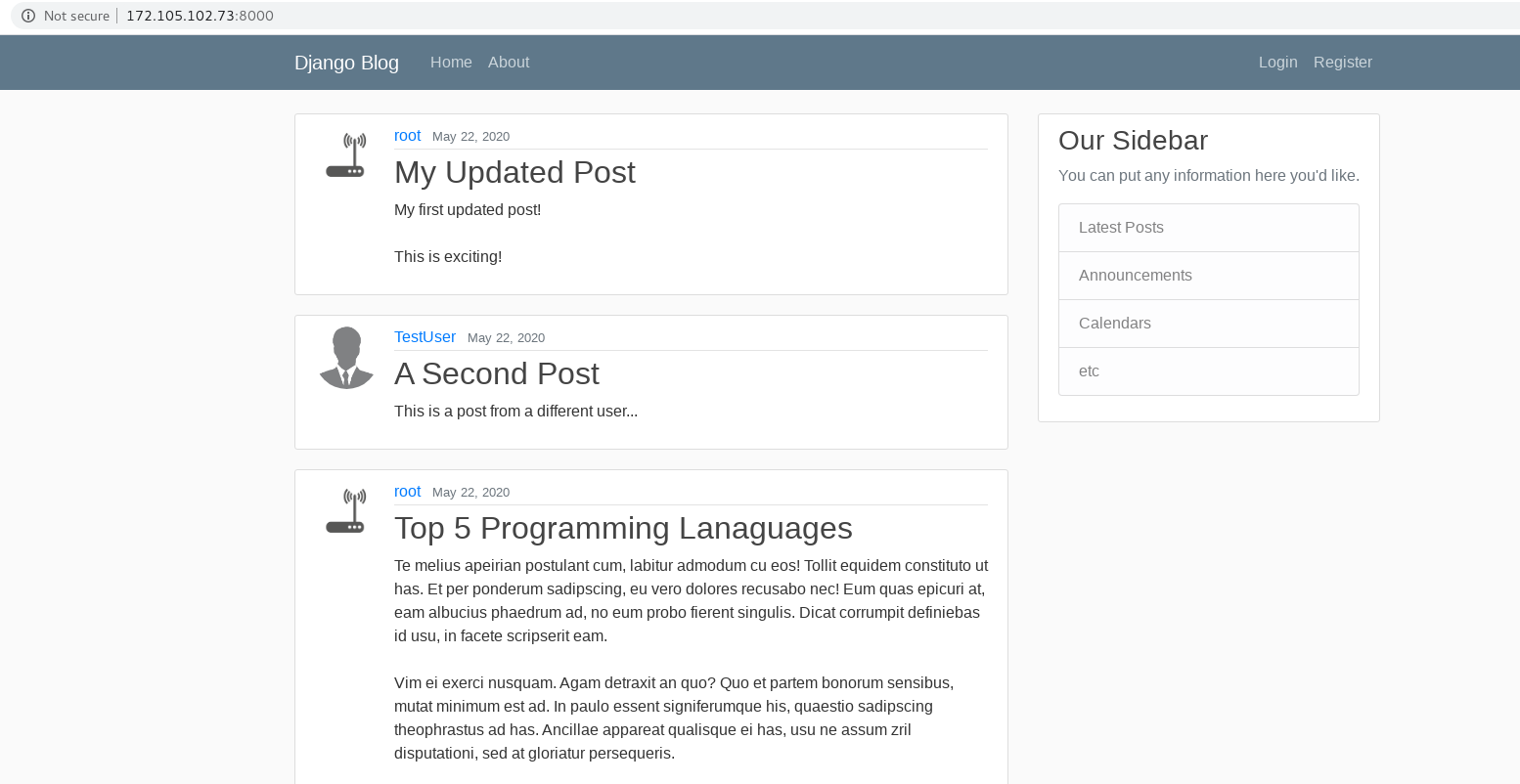<br />new created user: <br />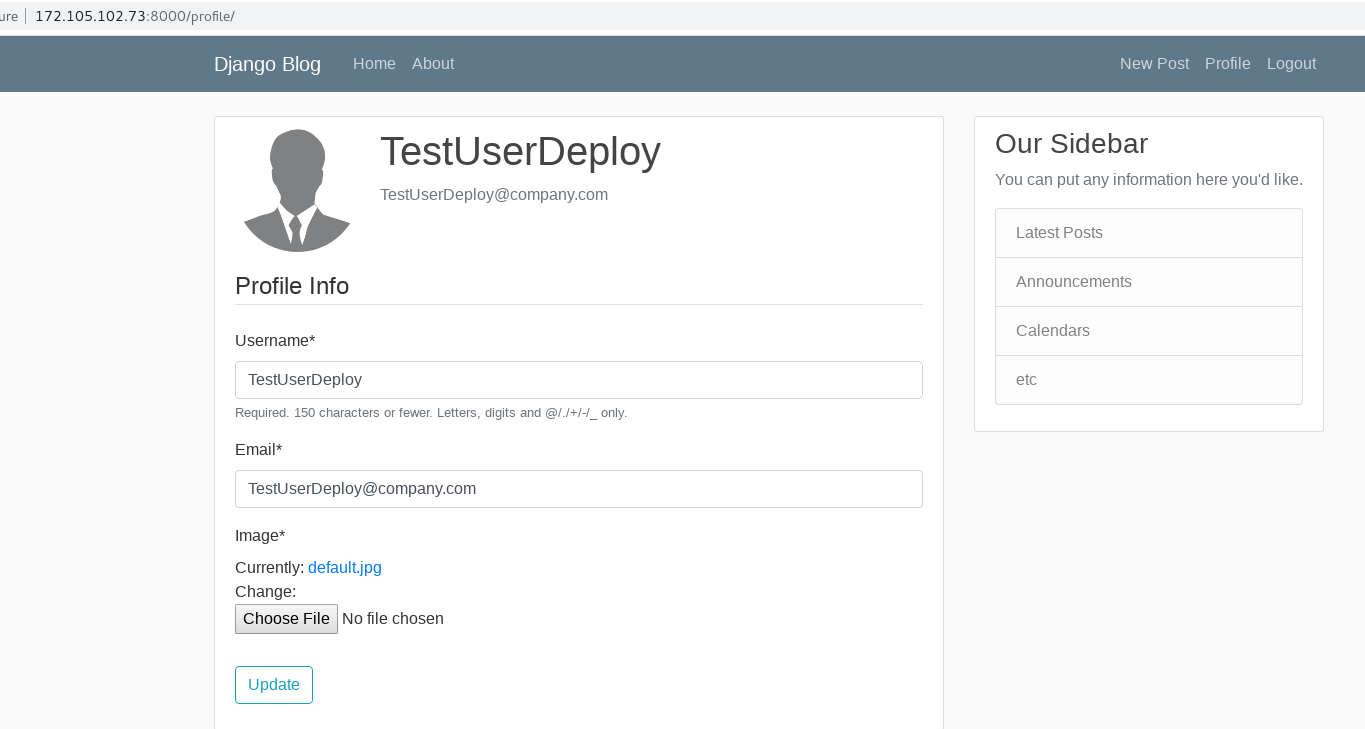 < a name = "OGhaB" ></ a > #### About reset-password: it 's related to some more detailed use of new packages, so I halt this part for later. <br />[https://www.youtube.com/watch?v=Sa_kQheCnds&list=PL-osiE80TeTtoQCKZ03TU5fNfx2UY6U4p&index=13](https://www.youtube.com/watch?v=Sa_kQheCnds&list=PL-osiE80TeTtoQCKZ03TU5fNfx2UY6U4p&index=13) <a name="qzfEQ"></a> ### May. 28 <a name="Be1By"></a> #### Using AWS S3 for File Uploads: - For this part, we need an Amazon Web Services (AWS) account to apply AWS S3. - S3 stands for "Simple Storage Service", it' s web service that users can upload and save files into servers of AWS . - First , setup an AWS account . - Then get into the console page , input "S3" for the service we want : <br /> - create a new bucket :  - get into the bucket just created , we select "Permissions" -> "CORS configuration" <br />copy this cors config text inside, and save it: ```html <?xml version="1.0" encoding="UTF-8"?> <CORSConfiguration xmlns="http://s3.amazonaws.com/doc/2006-03-01/"> <CORSRule> <AllowedOrigin>*</AllowedOrigin> <AllowedMethod>GET</AllowedMethod> <AllowedMethod>POST</AllowedMethod> <AllowedMethod>PUT</AllowedMethod> <AllowedHeader>*</AllowedHeader> </CORSRule> </CORSConfiguration>
back to the console, switch to “IAM”:
edit ~/.bash_profile, add these lines:
export AWS_ACCESS_KEY_ID = "..." #string of the Access Key ID export AWS_SECRET_ACCESS_KEY = "..." #string of the Secret Access Key export AWS_STORAGE_BUCKET_NAME = "django-blogs-files" install some packages:
( django_env ) [ root@localhost Python ]# pip install boto3 ( django_env ) [ root@localhost django_project ]# pip install django - storages update /django_project/settings.py:
```bash
INSTALLED_APPS = [
‘blog.apps.BlogConfig’,
‘users.apps.UsersConfig’,
‘crispy_forms’,
‘django.contrib.admin’,
‘django.contrib.auth’,
‘django.contrib.contenttypes’,
‘django.contrib.sessions’,
‘django.contrib.messages’,
‘django.contrib.staticfiles’,
‘storages’, # new
]
AWS_ACCESS_KEY_ID = os.environ.get(‘AWS_ACCESS_KEY_ID’)
AWS_SECRET_ACCESS_KEY = os.environ.get(‘AWS_SECRET_ACCESS_KEY’)
AWS_STORAGE_BUCKET_NAME = os.environ.get(‘AWS_STORAGE_BUCKET_NAME’)
AWS_S3_FILE_OVERWRITE = False
AWS_DEFAULT_ACL = None
DEFAULT_FILE_STORAGE = ‘storages.backends.s3boto3.S3Boto3Storage’
AWS_S3_REGION_NAME = ‘us-east-2’ # my AWS region
AWS_S3_SIGNATURE_VERSION = ‘s3v4
- and because save method changes , don 't need to define save method on our own, so change /users/models.py: ```python class Profile(models.Model): user = models.OneToOneField(User, on_delete=models.CASCADE) image = models.ImageField(default=' default . jpg ', upload_to=' profile_pics ') def __str__(self): return f' { self . user . username } Profile ' # def save(self, *args, **kawrgs): # super().save(*args, **kawrgs) # img = Image.open(self.image.path) # if img.height > 300 or img.width > 300: # output_size = (300, 300) # img.thumbnail(output_size) # img.save(self.image.path)
now get back to S3 page of AWS and enter the bucket at first:
upload stuff in /media to overview page:
[ root@localhost django_project ]# source ~/ django_env / bin / activate ( django_env ) [ root@localhost django_project ]# python manage . py runserver this S3 modification is successful, we can pick images from the bucket before:
here we update an image for a user: