Removing Redundant Profile View:
This part we need to reduce some redundant codes.
- We move contents of user_follow_view into profile_detail_api_view, and delete user_follow_view in /profiles/api/views.py ```python import random from django.http import HttpResponse, JsonResponse, HttpResponseRedirect from django.shortcuts import render, redirect from django.utils.http import is_safe_url from django.conf import settings from django.contrib.auth import get_user_model
from rest_framework.authentication import SessionAuthentication from rest_framework.decorators import api_view, permission_classes, authentication_classes from rest_framework.permissions import IsAuthenticated from rest_framework.response import Response
from ..models import Profile from ..serializers import PublicProfileSerializer
User = get_user_model() ALLOWED_HOSTS = settings.ALLOWED_HOSTS
‘’’ @api_view([‘GET’, ‘POST’]) @permission_classes([IsAuthenticated]) def user_follow_view(request, username, args, *kwargs): me = request.user other_user_qs = User.objects.filter(username=username) if me.username == username: my_followers = me.profile.followers.all() return Response({“count”: my_followers.count()}, status=200) if not other_user_qs.exists(): return Response({}, status=404)
other = other_user_qs.first()profile = other.profiledata = request.data or {}action = data.get("action")if action == "follow":profile.followers.add(me)elif action == "unfollow":profile.followers.remove(me)else:passdata = PublicProfileSerializer(instance=profile, context={"request": request})return Response(data.data, status=200)
‘’’
@api_view([‘GET’])
@api_view([‘GET’, ‘POST’]) def profile_detail_api_view(request, username, args, *kwargs): qs = Profile.objects.filter(user__username=username) if not qs.exists(): return Response({“detail”: “User not found”}, status=404) profile_obj = qs.first()
# data = PublicProfileSerializer(instance=profile_obj, context={"request": request})# newdata = request.data or {}if request.method == "POST":me = request.useraction = data.get("action")if profile_obj.user != me:if action == "follow":profile_obj.followers.add(me)elif action == "unfollow":profile_obj.followers.remove(me)else:passserializer = PublicProfileSerializer(instance=profile_obj, context={"request": request})# return Response(data.data, status=200)return Response(serializer.data, status=200)
- remove user_follow_view in /profiles/api/urls.py```pythonfrom django.urls import pathfrom .views import (# user_follow_view,profile_detail_api_view,)urlpatterns = [path('<str:username>/', profile_detail_api_view),# path('<str:username>/follow', user_follow_view),path('<str:username>/follow', profile_detail_api_view),]
to test, npm start and runserver, access http://localhost/api/profiles/root/follow and http://localhost:30/
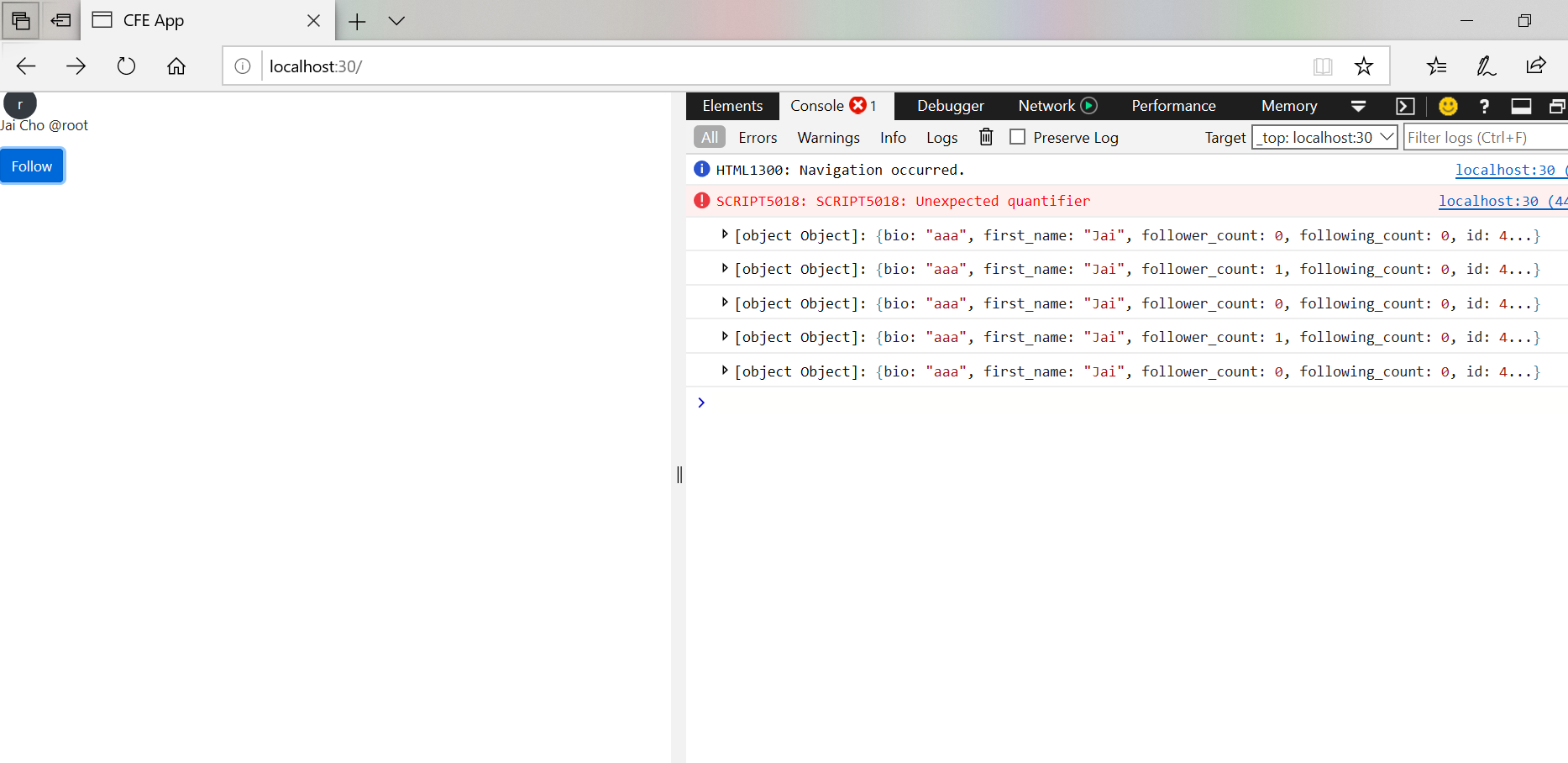
both work exactly same as before.
Display Follower Count with Numeral.js:
In this part, we can add the follower count into profile badge to see how many users are following a profile, or the user of this profile following how many other users.
follower and following:
add follower and following display in /twittme-web/src/profiles/badge.js
function ProfileBadge(props) {const { user, didFollowToggle, profileLoading } = props;let currentVerb = user && user.is_following ? "Unfollow" : "Follow";currentVerb = profileLoading ? "Loading..." : currentVerb;const handleFollowToggle = (event) => {event.preventDefault();if (didFollowToggle && !profileLoading) {didFollowToggle(currentVerb);}};/*return user ? (<div><UserPicture user={user} hideLink /><p><UserDisplay user={user} includeFullName hideLink /></p><button className="btn btn-primary" onClick={handleFollowToggle}>{currentVerb}</button></div>) : null;*/return user ? (<div><UserPicture user={user} hideLink /><p><UserDisplay user={user} includeFullName hideLink /></p><p>Followers: {user.follower_count}</p><p>Following: {user.following_count}</p><button className="btn btn-primary" onClick={handleFollowToggle}>{currentVerb}</button></div>) : null;}
runserver and npm start, access http://localhost:30/

for large numbers:
because we are build this individually, so we mostly don’t have a large count of followings and followers, we need to consider some extreme cases.
temporarily change returns of get_following_count in /profiles/serializers.py
just some randomly big numbers
class PublicProfileSerializer(serializers.ModelSerializer):# ...def get_following_count(self, obj):return 1234567898712386786385 # obj.user.following.count()def get_follower_count(self, obj):return 912467362897 # obj.followers.count()
access http://localhost:30/

so if the number is too big, it might be shown as the following count above with “e+n” or something, and actually users don’t need to get too detailed numbers.
we npm install “numeral” in /twittme-web ```bash [root@localhost twittme-web]# npm install numeral npm WARN optional SKIPPING OPTIONAL DEPENDENCY: fsevents@1.2.13 (node_modules/chokidar/node_modules/fsevents): npm WARN notsup SKIPPING OPTIONAL DEPENDENCY: Unsupported platform for fsevents@1.2.13: wanted {“os”:”darwin”,”arch”:”any”} (current: {“os”:”linux”,”arch”:”x64”}) npm WARN optional SKIPPING OPTIONAL DEPENDENCY: fsevents@2.1.3 (node_modules/watchpack/node_modules/fsevents): npm WARN notsup SKIPPING OPTIONAL DEPENDENCY: Unsupported platform for fsevents@2.1.3: wanted {“os”:”darwin”,”arch”:”any”} (current: {“os”:”linux”,”arch”:”x64”}) npm WARN optional SKIPPING OPTIONAL DEPENDENCY: fsevents@1.2.4 (node_modules/fsevents): npm WARN notsup SKIPPING OPTIONAL DEPENDENCY: Unsupported platform for fsevents@1.2.4: wanted {“os”:”darwin”,”arch”:”any”} (current: {“os”:”linux”,”arch”:”x64”})
- numeral@2.0.6 added 1 package from 1 contributor and audited 1951 packages in 24.243s
35 packages are looking for funding
run npm fund for details
found 1041 vulnerabilities (1032 low, 2 moderate, 7 high)
run npm audit fix to fix them, or npm audit for details
- apply this in /twittme-web/src/profiles/badge.js```javascriptimport React, { useState, useEffect } from "react";import { apiProfileDetail, apiProfileFollowToggle } from "./lookup";import numeral from "numeral"; //newimport { UserDisplay, UserPicture } from "./components";//newfunction DisplayCount(props) {return (<span className={props.className}>{numeral(props.children).format("0a")}</span>);}function ProfileBadge(props) {const { user, didFollowToggle, profileLoading } = props;let currentVerb = user && user.is_following ? "Unfollow" : "Follow";currentVerb = profileLoading ? "Loading..." : currentVerb;const handleFollowToggle = (event) => {event.preventDefault();if (didFollowToggle && !profileLoading) {didFollowToggle(currentVerb);}};/*return user ? (<div><UserPicture user={user} hideLink /><p><UserDisplay user={user} includeFullName hideLink /></p><p>Followers: {user.follower_count}</p><p>Following: {user.following_count}</p><button className="btn btn-primary" onClick={handleFollowToggle}>{currentVerb}</button></div>) : null;*/return user ? (<div><UserPicture user={user} hideLink /><p><UserDisplay user={user} includeFullName hideLink /></p><p>Followers: <DisplayCount>{user.follower_count}</DisplayCount></p><p>Following: <DisplayCount>{user.following_count}</DisplayCount></p><button className="btn btn-primary" onClick={handleFollowToggle}>{currentVerb}</button></div>) : null;}
access http://localhost:30/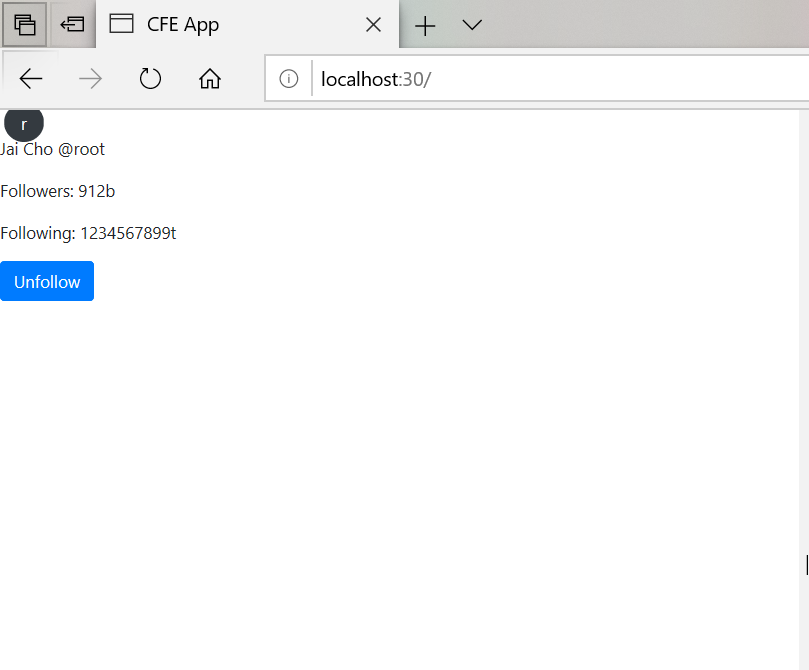
b as “billion”
t as “thousand”
now we can change methods in /profiles/serializers.py back to return correct values
more details:
in /twittme-web/src/profiles/badge.js
- if only 1 follower, show “1 follower” instead of “1 followers“
- show user location and bio infomation ```javascript function ProfileBadge(props) { const { user, didFollowToggle, profileLoading } = props;
let currentVerb = user && user.is_following ? “Unfollow” : “Follow”; currentVerb = profileLoading ? “Loading…” : currentVerb; const handleFollowToggle = (event) => { event.preventDefault(); if (didFollowToggle && !profileLoading) {
didFollowToggle(currentVerb);
} };
/* return user ? (
) : null; */ return user ? (<UserPicture user={user} hideLink /><p><UserDisplay user={user} includeFullName hideLink /></p><p>Followers: <DisplayCount>{user.follower_count}</DisplayCount></p><p>Following: <DisplayCount>{user.following_count}</DisplayCount></p><button className="btn btn-primary" onClick={handleFollowToggle}>{currentVerb}</button>
) : null; } ``` access http://localhost:30/<UserPicture user={user} hideLink /><p><UserDisplay user={user} includeFullName hideLink /></p><p><DisplayCount>{user.follower_count}</DisplayCount>{" "}{user.follower_count === 1 ? "follower" : "followers"}{" "}</p><p><DisplayCount>{user.following_count}</DisplayCount> following</p><p>{user.location}</p><p>{user.bio}</p><button className="btn btn-primary" onClick={handleFollowToggle}>{currentVerb}</button>
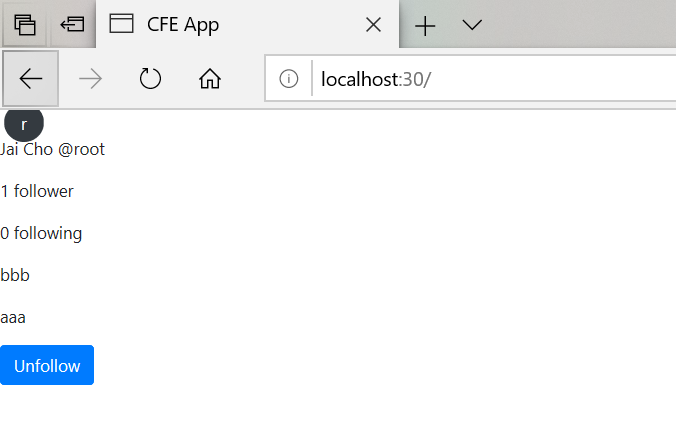
in order to increase code reuse
- create /twittme-web/src/profiles/utils.js
- copy DisplayCount from /twittme-web/src/profiles/badge.js and export ```javascript import React from “react”; import numeral from “numeral”;
- create /twittme-web/src/profiles/utils.js
export function DisplayCount(props) { return ( {numeral(props.children).format(“0a”)} ); }
- import DisplayCount in /twittme-web/src/profiles/badge.js```javascript//...//import numeral from "numeral";//...import { DisplayCount } from "./utils"; //new/*function DisplayCount(props) {return (<span className={props.className}>{numeral(props.children).format("0a")}</span>);}*///...

若有收获,就点个赞吧
0 人点赞


