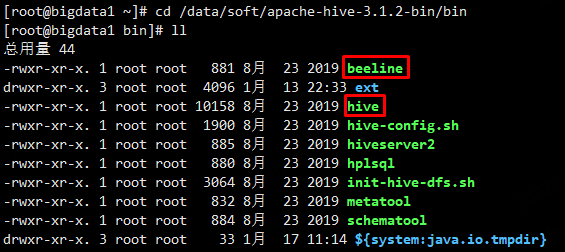
命令行方式
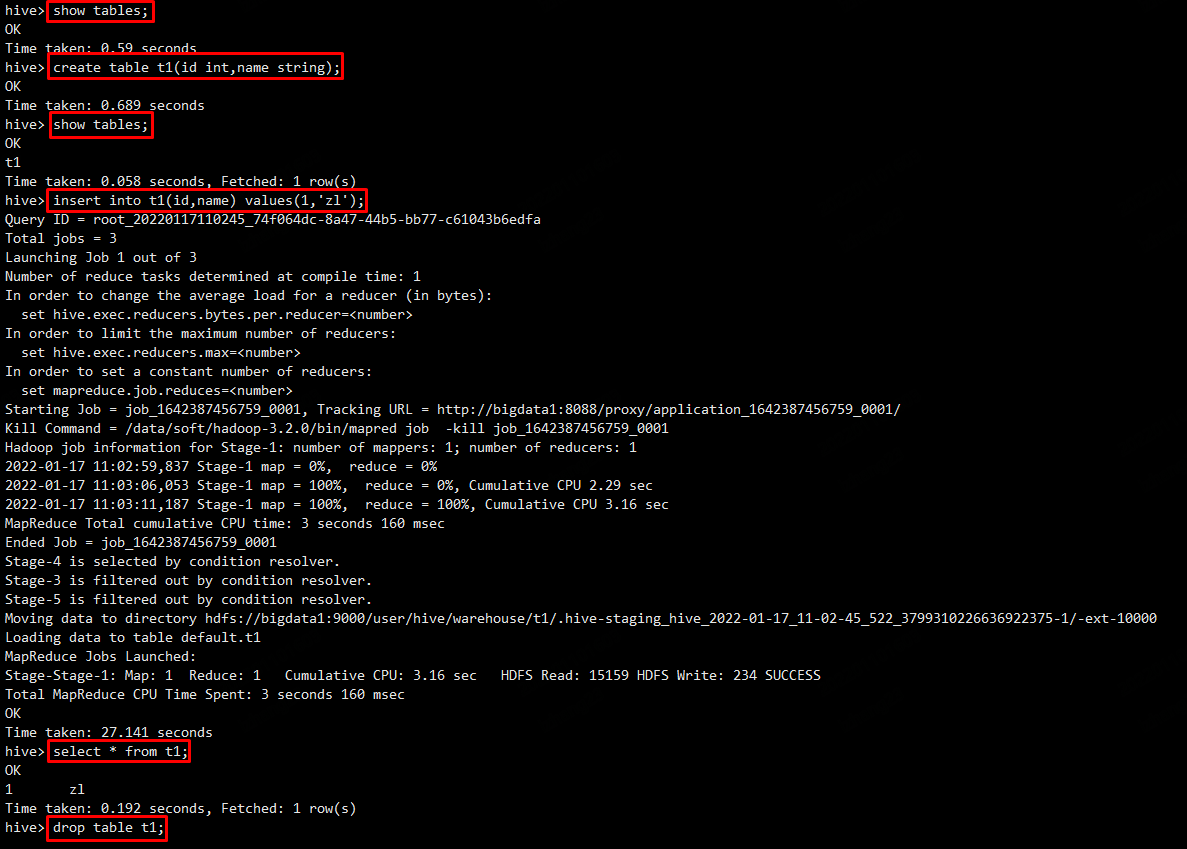
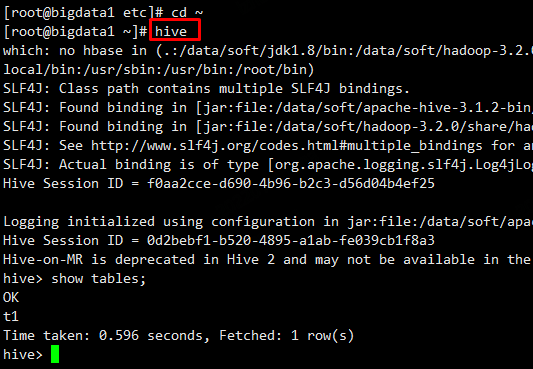
1、bin/hive
cd /data/soft/apache-hive-3.1.2-bin/binhive
hive> show tables;

hive> create table t1(id int,name string);

hive> show tables;

hive> insert into t1(id,name) values(1,'zl');

hive> select * from t1;

hive> drop table t1;

hive> show tables;

hive> quit;
hive -e
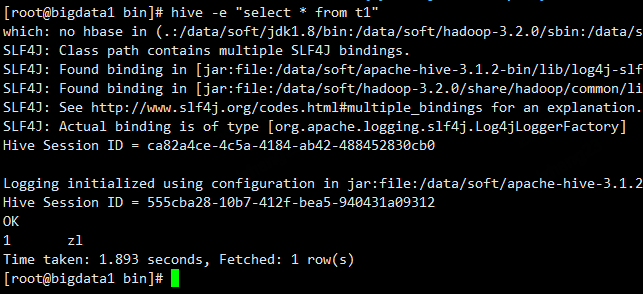
使用 sql 语句或者 sql 脚本进行交互,即不进入 hive 的客户端直接执行 hive 的 hql 语句。(每次开启一个会话执行,执行完关闭会话)
hive -e "select * from t1"
hive -f
或者我们可以将我们的 hql 语句写成一个 sql 脚本然后执行,vi hive_test.sql,脚本内容如下:
create database mytest3;
use mytest3;
create table stu(id int,name string);
通过 hive -f 来执行 sql 脚本:
[root@bigdata04 ~]# cd /data/soft/apache-hive-3.1.2-bin
[root@bigdata04 apache-hive-3.1.2-bin]# bin/hive -f ~/hive_test.sql
2、beeline
这种方式需要先启动一个 hiveserver2 服务 ,因为 beeline 客户端需要通过这个服务连接 hive
cd /data/soft/apache-hive-3.1.2-bin/bin

hiveserver2
或者 nohup hiveserver2 &

bin/beeline -u jdbc:hive2://localhost:10000
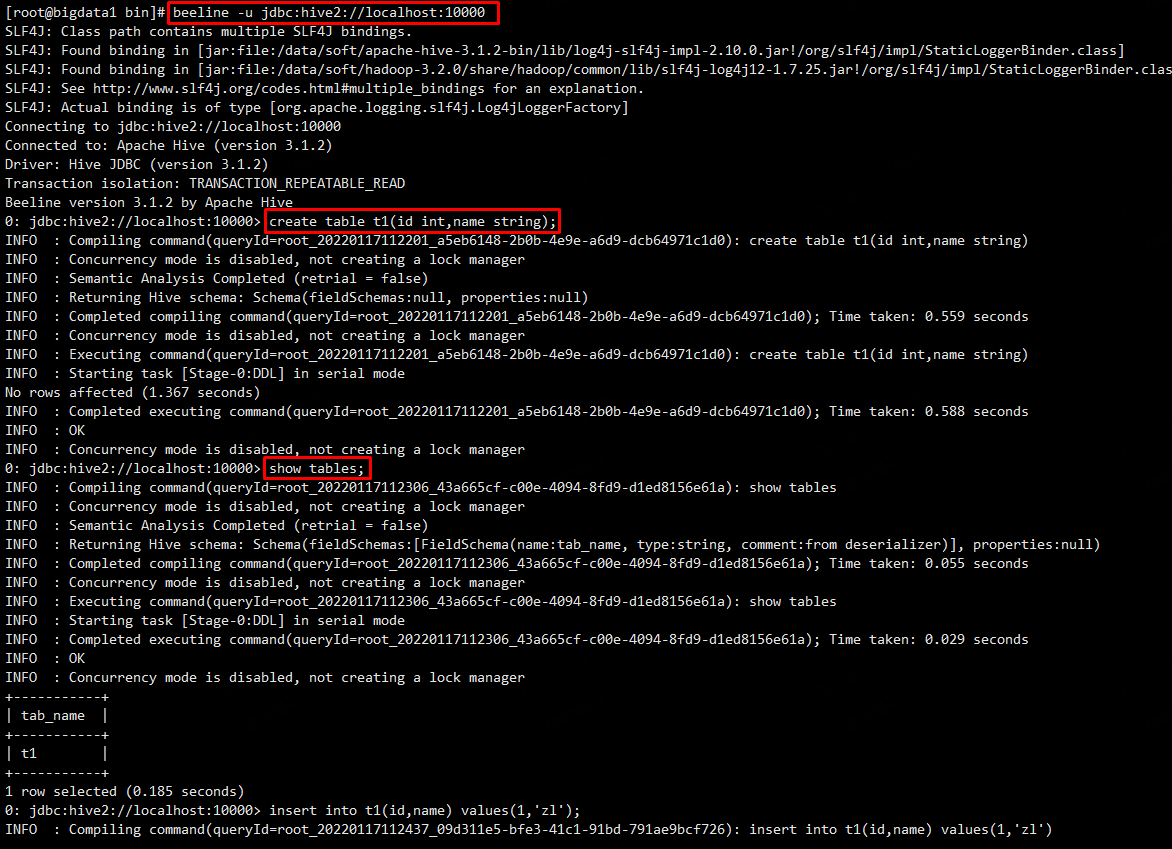
执行insert操作时,会提示报错,提示匿名户对 /tmp/hadoop-yarn 没有写权限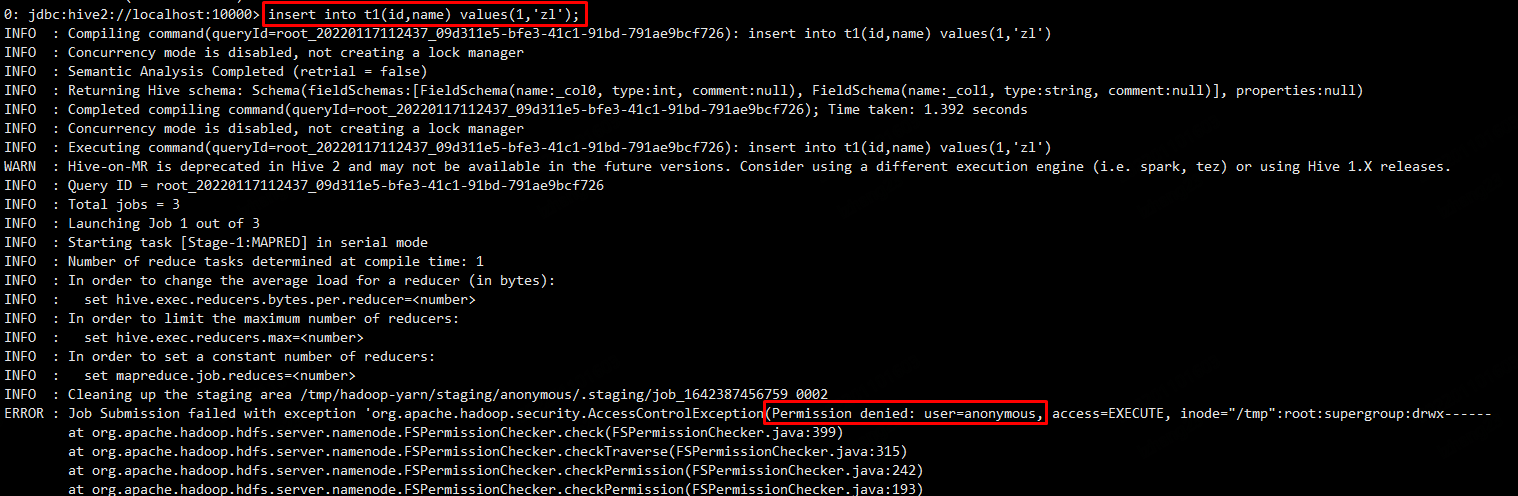
解决方法如下:
1、在启动 beeline 的时候指定一个对这个目录有操作权限的用户
bin/beeline -u jdbc:hive2://localhost:10000 -n root
2、给 hdfs 中的 /tmp/hadoop-yarn 设置 777 权限,让匿名用户具备权限,可以直接给 tmp 及下面的所有目录设置 777 权限
hdfs dfs -chmod -R 777 /tmp
官方目前是推荐使用 beeline 命令的,可以把 hive 的 bin 目录配置到 path 环境变量中,后续直接使用 hive 或者 beeline 就可以了,如下:
vim /etc/profile

export JAVA_HOME=/data/soft/jdk1.8
export HADOOP_HOME=/data/soft/hadoop-3.2.0
export HIVE_HOME=/data/soft/apache-hive-3.1.2-bin
export PATH=.:$JAVA_HOME/bin:$HADOOP_HOME/bin:$HIVE_HOME/bin:$PATH

source /etc/profile
JDBC方式
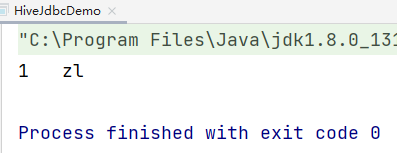
JDBC这种方式也需要连接hiveserver2服务,前面我们已经启动了hiveserver2服务,在这里直接使用就可以了
<!-- https://mvnrepository.com/artifact/org.apache.hive/hive-jdbc -->
<dependency>
    <groupId>org.apache.hive</groupId>
    <artifactId>hive-jdbc</artifactId>
    <version>3.1.2</version>
</dependency>
/**
 * JDBC代码操作Hive
 * 注意:需要先启动hiverserver2服务
 */
public class HiveJdbcDemo {

    public static void main(String[] args) throws Exception{
        //指定hiveserver2的url链接
        String jdbcUrl = "jdbc:hive2://192.168.1.21:10000";
        //获取链接 这里的user使用root,就是linux中用户名,password随便指定即可
        Connection conn = DriverManager.getConnection(jdbcUrl, "root", "any");

        //获取Statement
        Statement stmt = conn.createStatement();

        //指定查询的sql
        String sql = "select * from t1";
        //执行sql
        ResultSet res = stmt.executeQuery(sql);
        //循环读取结果
        while(res.next()){
            System.out.println(res.getInt("id")+"\t"+res.getString("name"));
        }

    }

}
Set命令
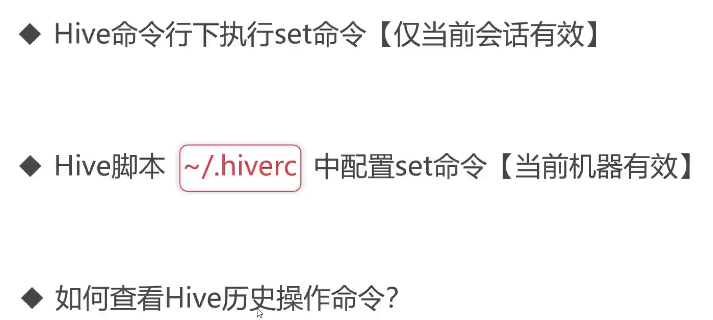
在hive命令行中可以使用set命令临时设置一些参数的值,其实就是临时修改hive-site.xml中参数的值;不过通过set命令设置的参数只在当前会话有效,退出重新打开就无效了,如果想要对当前机器上的当前用户有效的话可以把命令配置在~/.hiverc文件中。
总结一下,使用set命令配置的参数是当前会话有效,在~/.hiverc文件中配置的是当前机器中的当前用户有效,而在hive-site.xml中配置的则是永久有效了。
在hive-site.xml中有一个参数是hive.cli.print.current.db,这个参数可以显示当前所在的数据库名称,默认值为false。
cd /data/soft/apache-hive-3.1.2-bin/conf/

vim hive-site.xml
  <property>
    <name>hive.cli.print.current.db</name>
    <value>true</value>
    <description>Whether to include the current database in the Hive prompt.</description>
  </property>
还有一个参数hive.cli.print.header可以控制获取结果的时候显示字段名称,这样看起来会比较清晰
  <property>
    <name>hive.cli.print.header</name>
    <value>true</value>
    <description>Whether to print the names of the columns in query output.</description>
  </property>
查看Hive历史操作命令
linux中有一个history命令可以查看历史操作命令,hive中也有类似的功能,hive中的历史命令会存储在当前用户目录下的.hivehistory目录中
[root@bigdata1 ~]# more ~/.hivehistory
show tables
create table t1(id int,name string)
...
Hive的日志配置
slf4j
修改前:
cd /data/soft/apache-hive-3.1.2-bin/lib

mv log4j-slf4j-impl-2.10.0.jar log4j-slf4j-impl-2.10.0.jar.bak

Hive运行时日志
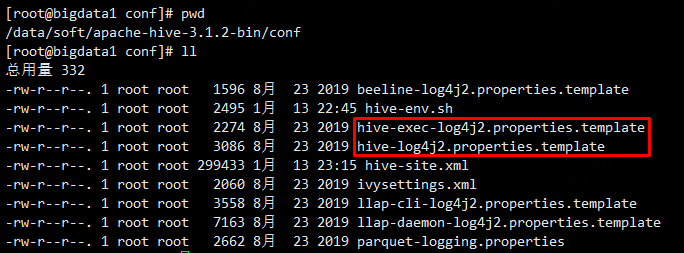
cd /data/soft/apache-hive-3.1.2-bin/conf

mv hive-exec-log4j2.properties.template hive-exec-log4j2.properties

mv hive-log4j2.properties.template hive-log4j2.properties
修改hive-log4j2.properties
property.hive.log.level = WARN

property.hive.log.dir = /data/hive_repo/log
修改hive-exec-log4j2.properties
property.hive.log.level = WARN

property.hive.log.dir = /data/hive_repo/log

Hive任务执行日志
Hadoop UI查看
http://192.168.1.21:8088/cluster
Hive的Web工具-HUE

若有收获,就点个赞吧
0 人点赞


