需求
采集目录中已有的文件内容,存储到HDFS
分析:source是要基于目录的,channel建议使用file,可以保证不丢数据,sink使用hdfs
上传测试文件
mkdir -p /data/log/studentDircd /data/log/studentDirvim class1.dat
jack    18    male
jessic    20    female
tom    17    male
flume配置文件
上传file-to-hdfs.conf到/data/soft/apache-flume-1.9.0-bin/conf/
# Name the components on this agent
a1.sources = r1
a1.sinks = k1
a1.channels = c1

#source
a1.sources.r1.type = spooldir
#Flume监控的目录
a1.sources.r1.spoolDir = /data/log/studentDir

#channel
a1.channels.c1.type = file
a1.channels.c1.checkpointDir = /data/soft/apache-flume-1.9.0-bin/data/studentDir/checkpoint
a1.channels.c1.dataDirs = /data/soft/apache-flume-1.9.0-bin/data/studentDir/data

#sink
a1.sinks.k1.type = hdfs
#生成的HDFS文件地址
a1.sinks.k1.hdfs.path = hdfs://192.168.1.21:9000/flume/studentDir
#加上前缀,可选项,默认值FlumeData
a1.sinks.k1.hdfs.filePrefix = stu-
a1.sinks.k1.hdfs.fileType = DataStream
a1.sinks.k1.hdfs.writeFormat = Text
#hdfs多长时间切分文件,1小时
a1.sinks.k1.hdfs.rollInterval = 3600
#每128M切一次
a1.sinks.k1.hdfs.rollSize = 134217728
#按条数切分
a1.sinks.k1.hdfs.rollCount = 0

# Bind the source and sink to the channel
a1.sources.r1.channels = c1
a1.sinks.k1.channel = c1
启动flume
#前台方式运行
bin/flume-ng agent --name a1 --conf conf --conf-file conf/file-to-hdfs.conf -Dflume.root.logger=INFO,console

#后台方式运行
nohup bin/flume-ng agent --name a1 --conf conf --conf-file conf/file-to-hdfs.conf &

查看HDFS

此时发现文件已经生成了,只不过默认情况下现在的文件是.tmp结尾的,表示它在被使用,因为Flume只要采集到数据就会向里面写。
达到下面之一,或者重启flume,会解除占用,去掉.tmp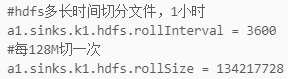

查看原日志文件class1.dat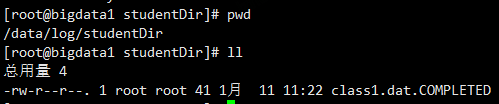
.COMPLETED表明已经被读取了

若有收获,就点个赞吧
0 人点赞


