预设CSS模版
body{font-size: small;font-family: Arial, Helvetica, sans-serif;line-height: 1.6em;/*设置行高*/}h1,h2{color: #007e7e;}h1{font-size: 150%;}h2{font-size: 130%;}
盒模型介绍

- 内容区——盒子与边缘没有空间
- 内边距——内容与盒子见看得见的空间,透明本身无颜色(可选)
- 边框——包围内边距,隔离其他元素(可选)
- 外边框——包围着边框,增加元素空间感,透明本身无颜色(可选)
可以根据需要各类变化边框与内容组合
实现案例
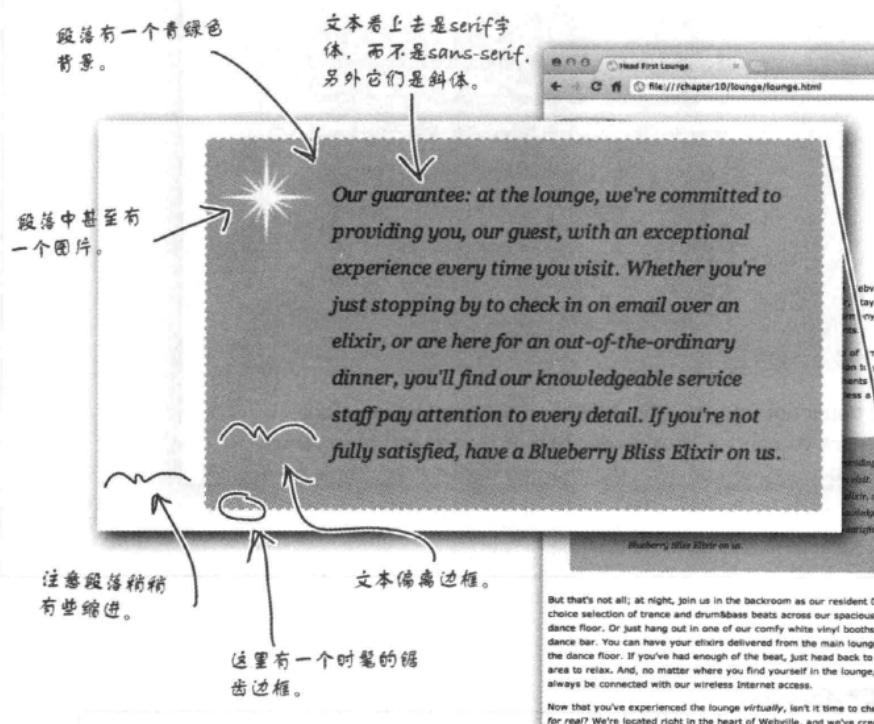
利用边距边框是段落醒目
创建段落类属性
<p class="guarentee">
Documenting my trip around the US on my very own Segway!</p>
添加CSSS模版
.guarentee{
    border-color:black ;
    border-width:1px ;
    border-style: solid;
    background-color: #a7cece;
}
添加内边框&外边框
.guarentee{
    border-color:black ;
    border-width:1px ;
    border-style: solid;
    background-color: #a7cece;
    padding: 25px;/*内边框*/
    margin: 30px;/*外边框*/
}
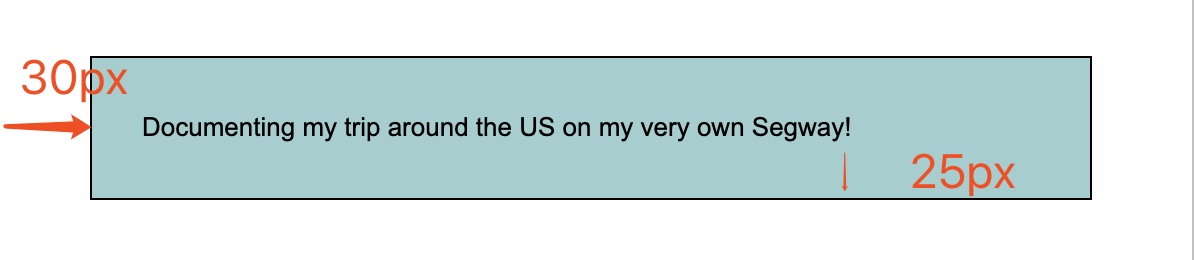
添加背景图&调试
  background-image: url(images/segway1.jpg);
    background-position: top left;
    background-repeat: no-repeat;/*不重复*/
background-repeat:
- no-repeat;(不重复)
- repeat-x
- repeat-y
- inherit(按父级元素来处理)
调节左右边框
.guarentee{
    border-color:black ;
    border-width:1px ;
    border-style: solid;
    background-color: #a7cece;
    padding: 25px;
    padding-left: 150px;
    margin: 30px;
    margin-right: 230px;
    background-image: url(images/segway1.jpg);
    background-position: top left;
    background-repeat: no-repeat;
}
调整边框样式

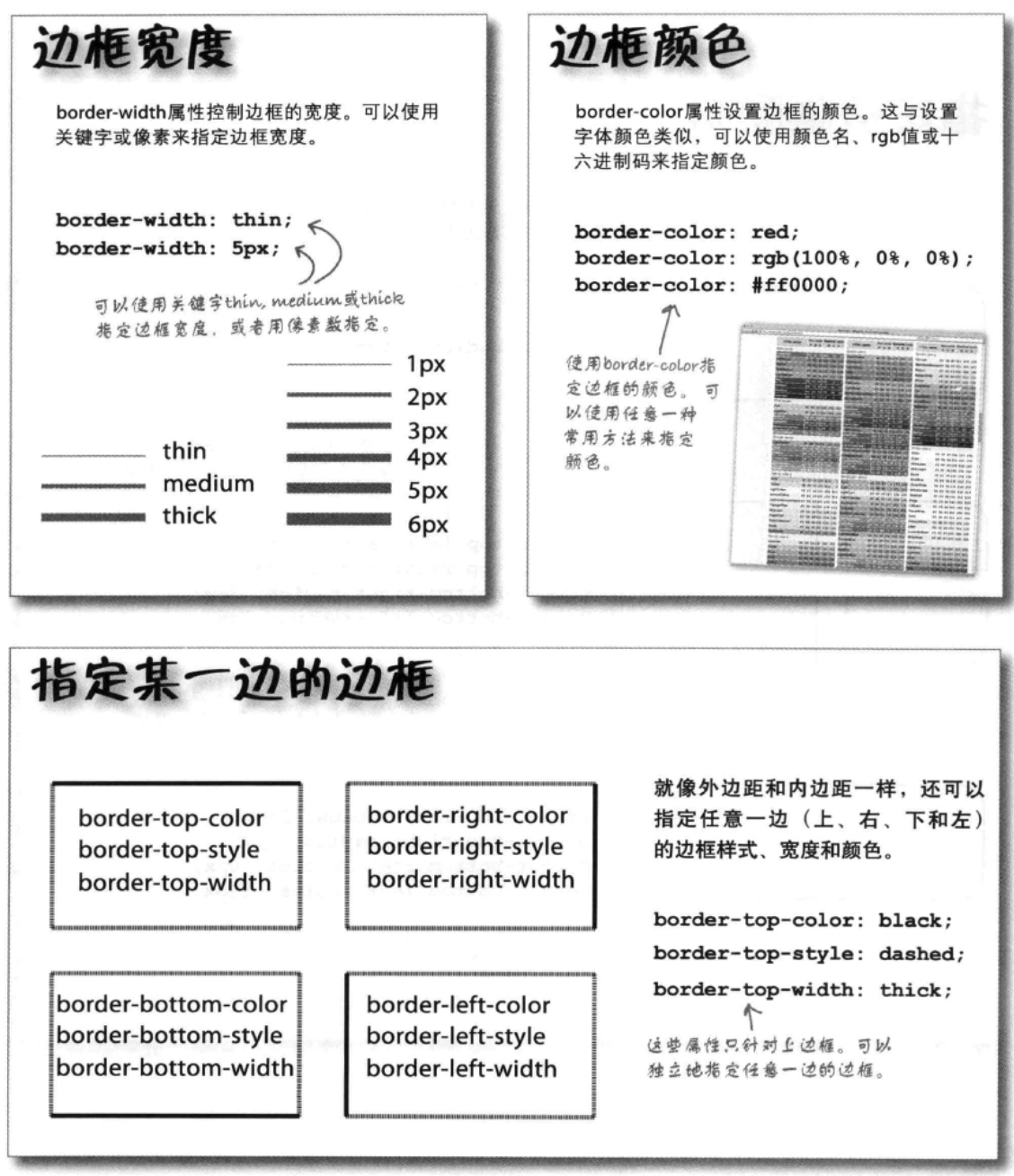

最终输出
.guarentee{
    border-color:white ;
    border-width:1px ;
    border-style: dashed;
    background-color: #a7cece;
    padding: 25px;
    padding-left: 150px;
    margin: 30px;
    margin-right: 230px;
    background-image: url(images/segway1.jpg);
    background-position: top left;
    background-repeat: no-repeat;
}

`class``类的推广
如果存在很多段落需要应用该格式利用id属性替换
id属性替换
<p id=footer>test tesxt~</p>
- 假设页面上有一个页脚,所有页面都有页脚,可以用饱含页脚的段落增加标识符
footer - 增加
id名,唯一id名字 - 每一个元素只能有一个
id id名字不能出现特殊字符- 与
class不同,页面只有一个元素为footer
CSS使用id
#footer{color:red;}
p#footer{color:red;}
修改html文件
<p id="guarentee">Documenting my trip around the US on my very own Segway!</p>
修改CSS
#guarentee{
    border-color:white ;
    border-width:1px ;
    border-style: dashed;
    background-color: #a7cece;
    padding: 25px;
    padding-left: 150px;
    margin: 30px;
    margin-right: 230px;
    background-image: url(images/segway1.jpg);
    background-position: top left;
    background-repeat: no-repeat;/*不重复*/
}
使用多个样式表
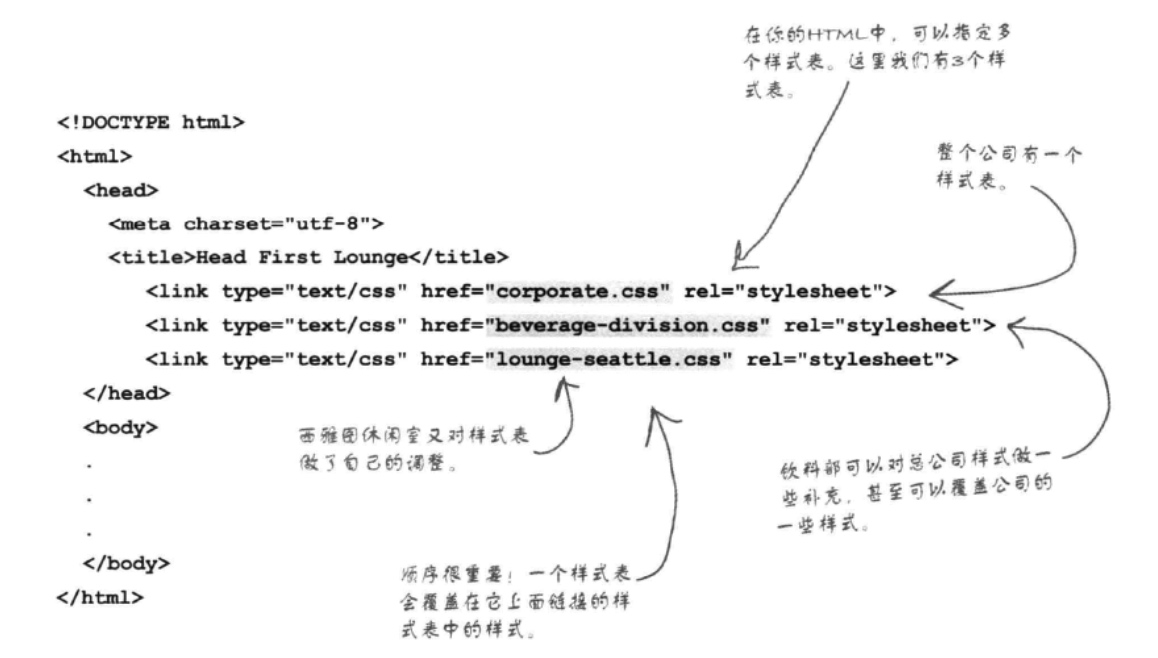
- 链接多个样式表
- 顺序很重要,下面的样式表回覆盖上面链接的样式
多个样式表的有点
可以利用修改media属性修改指定浏览端
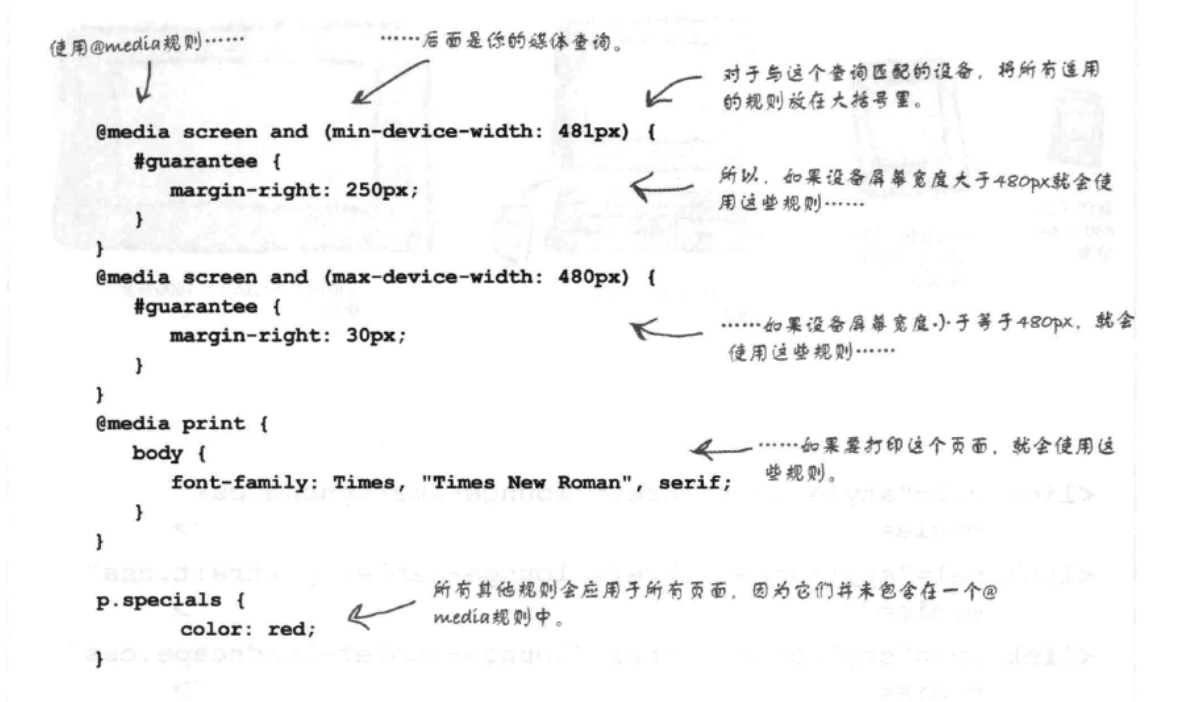
media="screen and (max=device-width:480px)"有屏幕设备,屏幕宽度不超过480像素media="print"打印机查看界面
在CSS中增加媒体查询

若有收获,就点个赞吧
0 人点赞


