cpu温度查看
sensors命令
xxx@System-Product-Name:~$ sensorscoretemp-isa-0000Adapter: ISA adapterPackage id 0: +62.0°C (high = +82.0°C, crit = +100.0°C)Core 0: +56.0°C (high = +82.0°C, crit = +100.0°C)Core 1: +56.0°C (high = +82.0°C, crit = +100.0°C)Core 2: +62.0°C (high = +82.0°C, crit = +100.0°C)Core 3: +55.0°C (high = +82.0°C, crit = +100.0°C)Core 4: +54.0°C (high = +82.0°C, crit = +100.0°C)Core 5: +58.0°C (high = +82.0°C, crit = +100.0°C)
#没有的话需要安装下
CentOS系列:
1.yum install lm_sensors;2.sensors-detect3.sensors
Ubuntu系列:
1.apt-get install lm-sensors2.sensors-detect3.service kmod start4.sensors
cpu频率
cpufreq-info -m 命令
xxx@System-Product-Name:~$ cpufreq-info -mcpufrequtils 008: cpufreq-info (C) Dominik Brodowski 2004-2009Report errors and bugs to cpufreq@vger.kernel.org, please.analyzing CPU 0:driver: intel_pstateCPUs which run at the same hardware frequency: 0CPUs which need to have their frequency coordinated by software: 0maximum transition latency: 0.97 ms.hardware limits: 800 MHz - 4.00 GHzavailable cpufreq governors: performance, powersavecurrent policy: frequency should be within 800 MHz and 4.00 GHz. ##额定频率The governor "powersave" may decide which speed to usewithin this range.current CPU frequency is 3.80 GHz. ##当前频率
#没有的话,需要安装下
yes|sudo apt install cpufrequtils
cpu降频
若当前频率小于 额定频率, 对半,或者更小时, 有可能是降频,
top看看cpu的使用率. 如果是你的程序把cpu占用很多,,吃的满满的. 导致的才是降频.
如果你的程序没在用, 那它自然就恢复到一个较低的频率.
CLI interface报错
WARNING: apt does not have a stable CLI interface. Use with caution in scripts.E: Internal Error, No file name for open-falcon-agent:amd64dpkg-preconfigure: 重新开启标准输入失败:E: Sub-process /usr/bin/dpkg returned an error code (1)
#解决方案
apt install -f
#备用(要不运行 apt-get update 或者加上 —fix-missing)
安装xmind8报错
报错 tail -n 40 /xmind/workspace/.metadata/.log
root@XXX:/home/software/xmind/workspace/.metadata# pwd/home/daiyi/software/xmind/workspace/.metadataroot@daiyi:/home/daiyi/software/xmind/workspace/.metadata# tail -n 40 .logat org.eclipse.e4.core.internal.contexts.TrackableComputationExt.handleInvalid(TrackableComputationExt.java:74)at org.eclipse.e4.core.internal.contexts.EclipseContext.dispose(EclipseContext.java:176)at org.eclipse.e4.core.internal.contexts.osgi.EclipseContextOSGi.dispose(EclipseContextOSGi.java:106)at org.eclipse.e4.core.internal.contexts.osgi.EclipseContextOSGi.bundleChanged(EclipseContextOSGi.java:139)at org.eclipse.osgi.internal.framework.BundleContextImpl.dispatchEvent(BundleContextImpl.java:903)at org.eclipse.osgi.framework.eventmgr.EventManager.dispatchEvent(EventManager.java:230)at org.eclipse.osgi.framework.eventmgr.ListenerQueue.dispatchEventSynchronous(ListenerQueue.java:148)at org.eclipse.osgi.internal.framework.EquinoxEventPublisher.publishBundleEventPrivileged(EquinoxEventPublisher.java:213)at org.eclipse.osgi.internal.framework.EquinoxEventPublisher.publishBundleEvent(EquinoxEventPublisher.java:120)at org.eclipse.osgi.internal.framework.EquinoxEventPublisher.publishBundleEvent(EquinoxEventPublisher.java:112)at org.eclipse.osgi.internal.framework.EquinoxContainerAdaptor.publishModuleEvent(EquinoxContainerAdaptor.java:156)at org.eclipse.osgi.container.Module.publishEvent(Module.java:476)at org.eclipse.osgi.container.Module.doStop(Module.java:634)at org.eclipse.osgi.container.Module.stop(Module.java:498)at org.eclipse.osgi.container.SystemModule.stop(SystemModule.java:191)at org.eclipse.osgi.internal.framework.EquinoxBundle$SystemBundle$EquinoxSystemModule$1.run(EquinoxBundle.java:165)at java.base/java.lang.Thread.run(Thread.java:844)Caused by: java.lang.ClassNotFoundException: javax.annotation.PreDestroy cannot be found by org.eclipse.e4.core.di_1.6.0.v20160319-0612at org.eclipse.osgi.internal.loader.BundleLoader.findClassInternal(BundleLoader.java:398)at org.eclipse.osgi.internal.loader.BundleLoader.findClass(BundleLoader.java:361)at org.eclipse.osgi.internal.loader.BundleLoader.findClass(BundleLoader.java:353)at org.eclipse.osgi.internal.loader.ModuleClassLoader.loadClass(ModuleClassLoader.java:161)at java.base/java.lang.ClassLoader.loadClass(ClassLoader.java:499)... 21 more
看报错,需要java8的包
java --versionsudo apt-get install openjdk-8-jdk
编辑XMind.ini 新增一下内容
vim xmind/XMind_amd64/XMind.ini
-vm/usr/lib/jvm/java-8-openjdk-amd64/bin
添加好之后,结果如下
root@XXX:/home/software/xmind/XMind_amd64# tail -n 20 XMind.ini-configuration./configuration-data../workspace-startup../plugins/org.eclipse.equinox.launcher_1.3.200.v20160318-1642.jar--launcher.library../plugins/org.eclipse.equinox.launcher.gtk.linux.x86_64_1.1.400.v20160518-1444--launcher.defaultActionopenFile--launcher.GTK_version2-eclipse.keyring@user.home/.xmind/secure_storage_linux-vm/usr/lib/jvm/java-8-openjdk-amd64/bin-vmargs-Dfile.encoding=UTF-8
保存退出,打开软件使用吧。
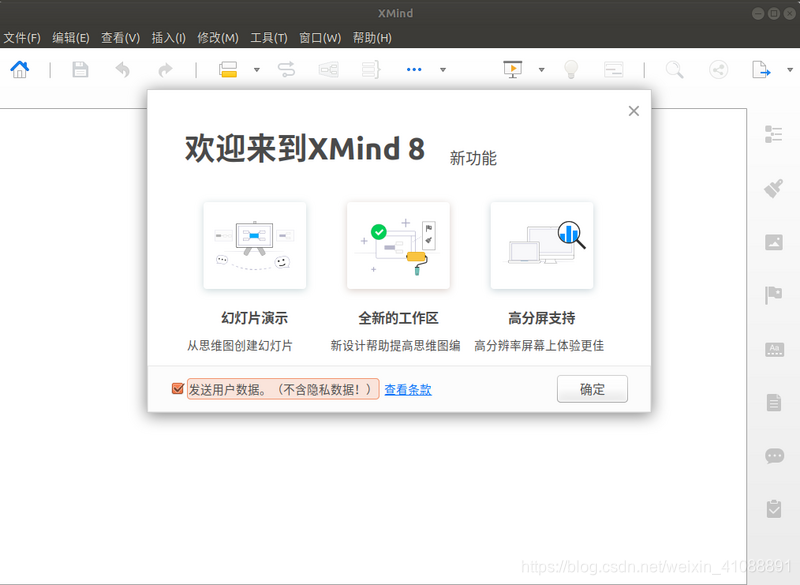
sudo ./XMind
 感谢(https://segmentfault.com/a/1190000015338040)
指定GPU以及用量
1.在终端执行程序时指定GPU
CUDA_VISIBLE_DEVICES=0 python your_file.py # 指定GPU集群中第一块GPU使用,其他的屏蔽掉CUDA_VISIBLE_DEVICES=1 Only device 1 will be seenCUDA_VISIBLE_DEVICES=0,1 Devices 0 and 1 will be visibleCUDA_VISIBLE_DEVICES="0,1" Same as above, quotation marks are optional 多GPU一起使用CUDA_VISIBLE_DEVICES=0,2,3 Devices 0, 2, 3 will be visible; device 1 is maskedCUDA_VISIBLE_DEVICES="" No GPU will be visible
2.在Python代码中指定GPU
import osos.environ["CUDA_VISIBLE_DEVICES"] = "0" #指定第一块gpu
3.设置定量的GPU使用量
config = tf.ConfigProto()config.gpu_options.per_process_gpu_memory_fraction = 0.9 # 占用GPU90%的显存session = tf.Session(config=config)
4设置最小的GPU使用量
config = tf.ConfigProto()config.gpu_options.allow_growth = Truesession = tf.Session(config=config)
感谢(https://blog.csdn.net/alxe_made/article/details/80471739)

若有收获,就点个赞吧
0 人点赞


