安装docker
Docker 要求 Ubuntu 系统的内核版本高于 3.10
uname -rwget -qO- https://get.docker.com/ | sh #获取最新版本的 Docker 安装包
2、启动docker 后台服务
sudo service docker start
#3、测试运行hello-world
docker run hello-world
root@ubuntu:~# docker ps -aCONTAINER ID IMAGE COMMAND CREATED STATUS PORTS NAMES29c3416ab731 hello-world "/hello" About a minute ago Exited (0) About a minute ago angry_wright
安装open-falcon
docker search open-falcon
NAME DESCRIPTION STARS OFFICIAL AUTOMATEDmysql MySQL is a widely used, open-source relation… 7142 [OK]redis Redis is an open source key-value store that… 5897 [OK]python Python is an interpreted, interactive, objec… 3424 [OK]elasticsearch Elasticsearch is a powerful open source sear… 3111 [OK]debian Debian is a Linux distribution that's compos… 2819 [OK]rabbitmq RabbitMQ is an open source multi-protocol me… 2219 [OK]tomcat Apache Tomcat is an open source implementati… 2086 [OK]ruby Ruby is a dynamic, reflective, object-orient… 1522 [OK]openjdk OpenJDK is an open-source implementation of … 1264 [OK]memcached Free & open source, high-performance, distri… 1157 [OK]sonarqube SonarQube is an open source platform for con… 947 [OK]cassandra Apache Cassandra is an open-source distribut… 876 [OK]ghost Ghost is a free and open source blogging pla… 855 [OK]kylemanna/openvpn ? OpenVPN server in a Docker container comp… 800 [OK]solr Solr is the popular, blazing-fast, open sour… 593 [OK]influxdb InfluxDB is an open source time series datab… 584 [OK]drupal Drupal is an open source content management … 579 [OK]rocket.chat The Complete Open Source Chat Solution 353 [OK]opensuse This project contains the stable releases of… 250 [OK]joomla Joomla! is an open source content management… 208 [OK]openshift/hello-openshift Simple Example for Running a Container on Op… 30openfalcon/falcon-plus 10frostynova/open-falcon-docker 9 [OK]open-liberty Official Open Liberty image. 6 [OK]dooma/falconcms The Falcon Conference management system 0
拉取镜像
docker pull openfalcon/falcon-plus:0.2.0
启动容器
docker run -h "ubuntu-xx.0.0.yy-docker-plus" --name="open-falcon-plus-10.yy-00" -p 8081:8081 -p 8433:8433 -v /open_falcon:/open_falcon -it openfalcon/falcon-plus:0.2.0 /bin/bash
修改配置文件
vi /home/work/open-falcon/transfer/config/cfg.json{"debug": true,"minStep": 30,"http": {"enabled": true,"listen": "0.0.0.0:6060"},"rpc": {"enabled": true,"listen": "0.0.0.0:8433" #改成0.0.0.0 若是127.0.0.1 则不能接收外面传进来的信息},"socket": {"enabled": true,"listen": "0.0.0.0:4444","timeout": 3600
启动服务
cd /bash run.sh
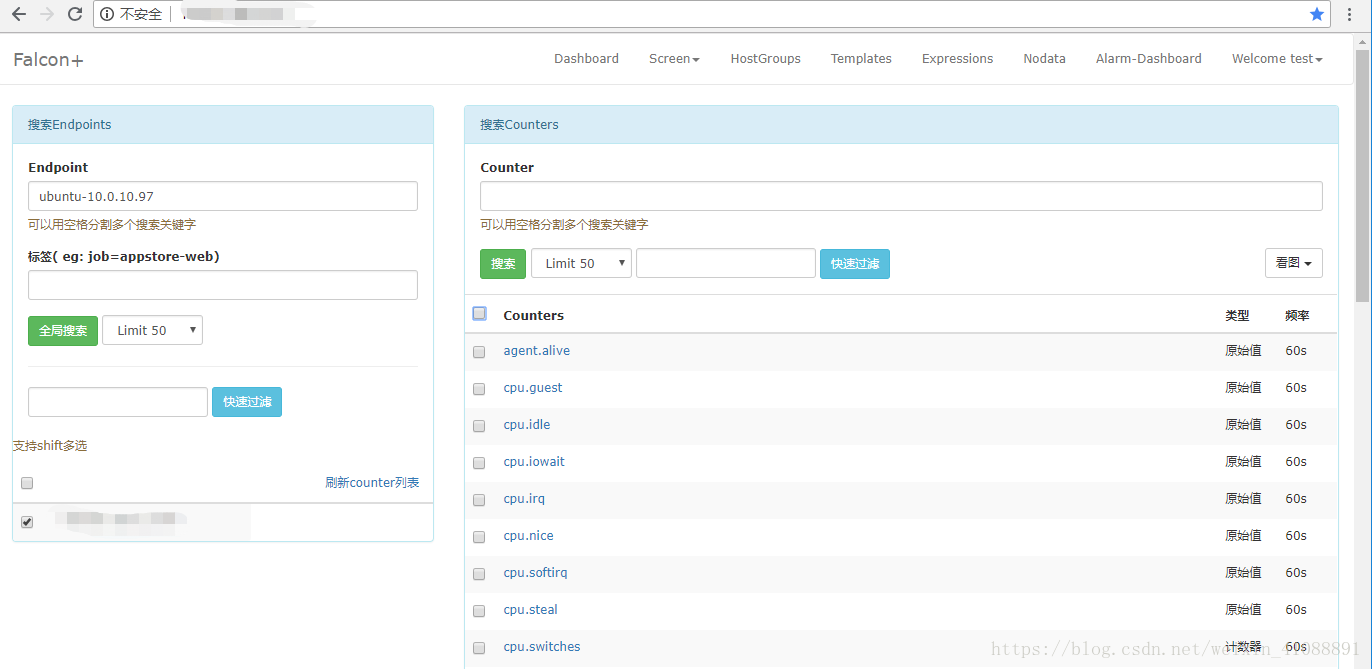
配置agent指向docker。访问
MySQL
这个容器内的 数据在里面,
# 进入容器docker exec -it open-falcon-plus-docker-yun /bin/bash
# 直接mysql 就进入了(没密码)
[root@a406e91c0624 /]# mysqlWelcome to the MySQL monitor. Commands end with ; or \g.Your MySQL connection id is 16Server version: 5.1.73 Source distributionCopyright (c) 2000, 2013, Oracle and/or its affiliates. All rights reserved.Oracle is a registered trademark of Oracle Corporation and/or itsaffiliates. Other names may be trademarks of their respectiveowners.Type 'help;' or '\h' for help. Type '\c' to clear the current input statement.mysql> show databases;+--------------------+| Database |+--------------------+| information_schema || alarms || dashboard || falcon_portal || graph || mysql || test || uic |+--------------------+8 rows in set (0.00 sec)mysql>

若有收获,就点个赞吧
0 人点赞


