01 安装教程
1.1 官网下载:https://www.mysql.com/

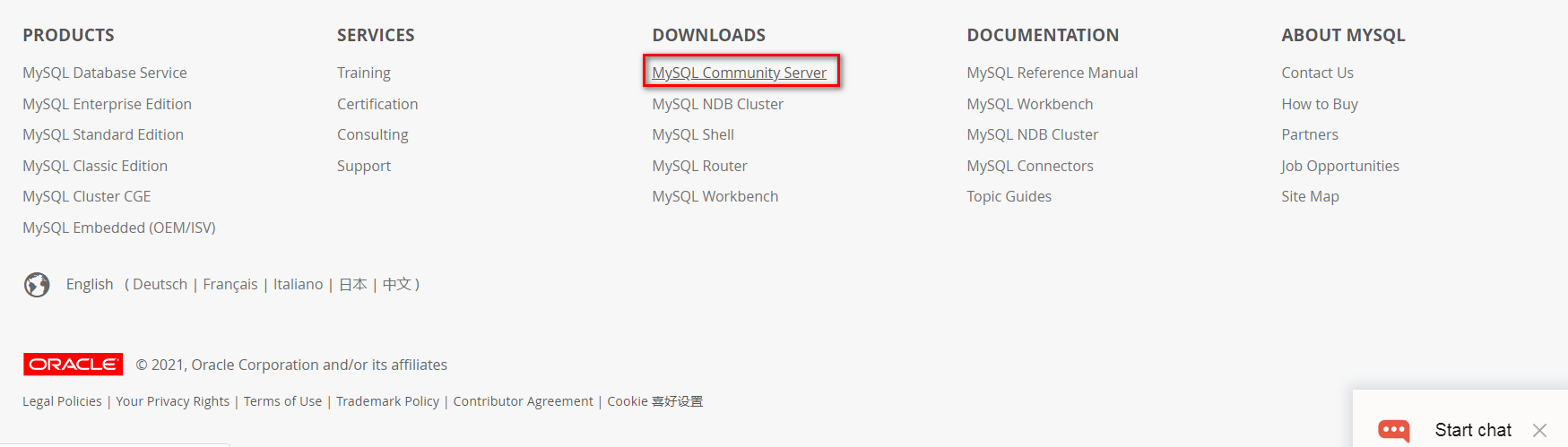
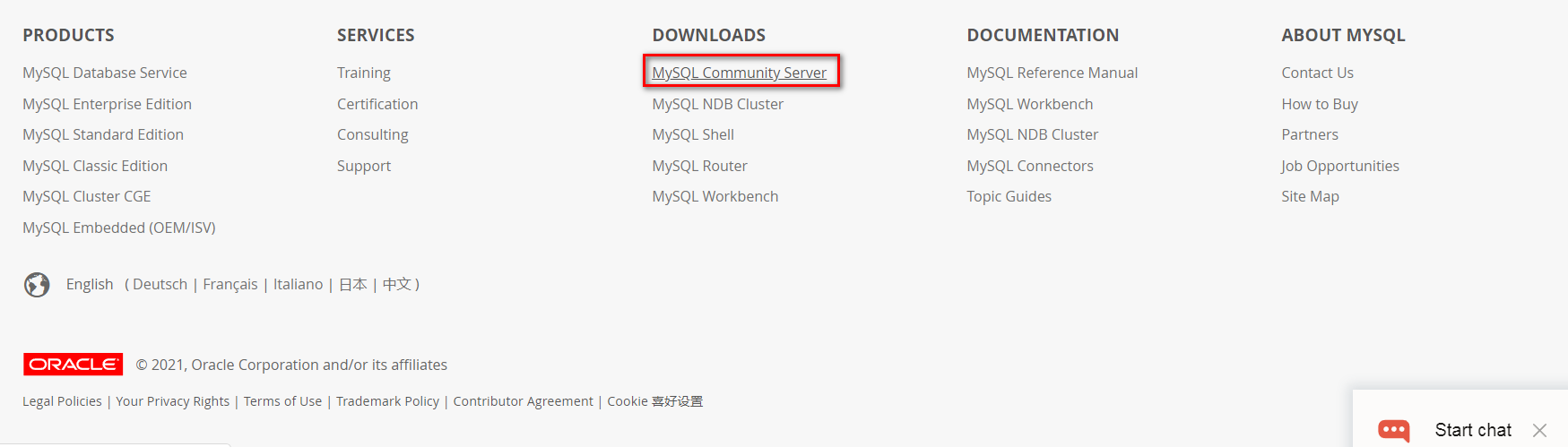
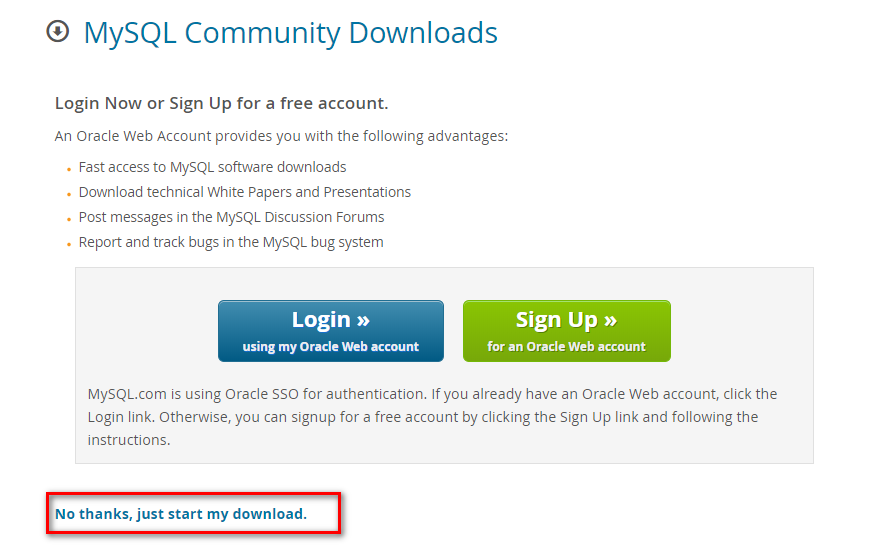
1.2 六个步骤:下载安装
1.双击,32位和64位是相互兼容的
2.同意协议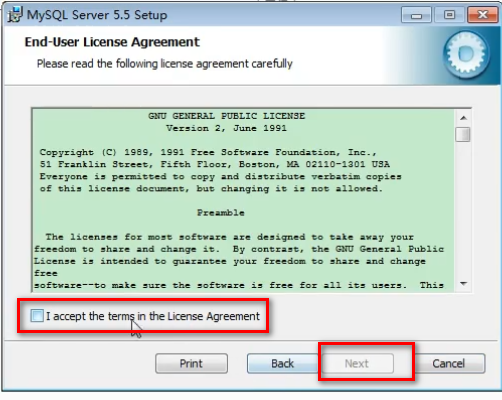
3.选择安装模式,这里是自定义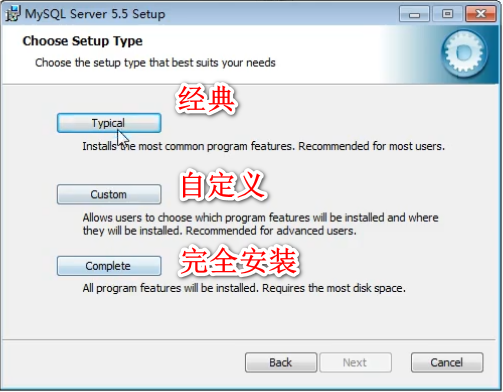
4.安装路径,注意一定是非中文无特殊符号的路径!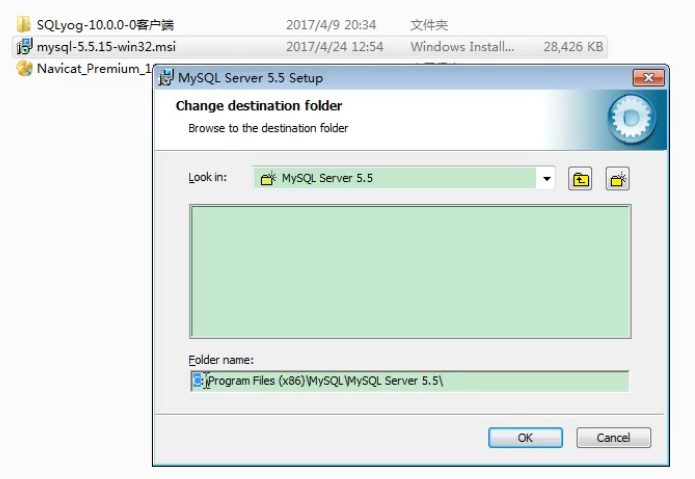
5.安装即可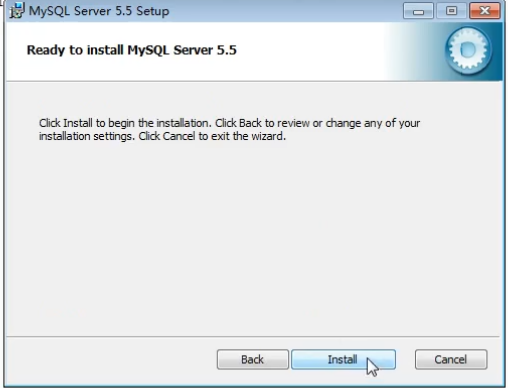
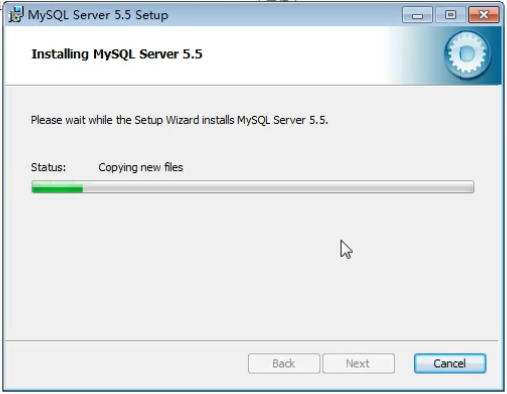
6.有两页广告,可跳过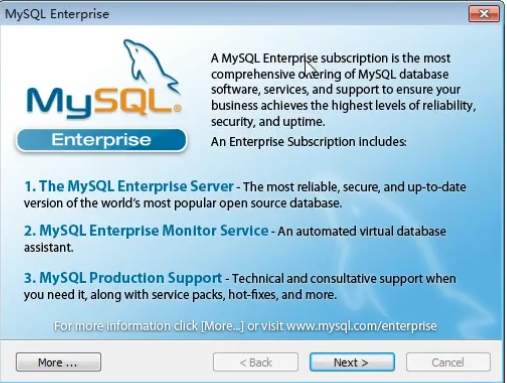
安装完成!
1.3 配置环境
1.到这一步仅仅是环境安装好了,还没有配置。
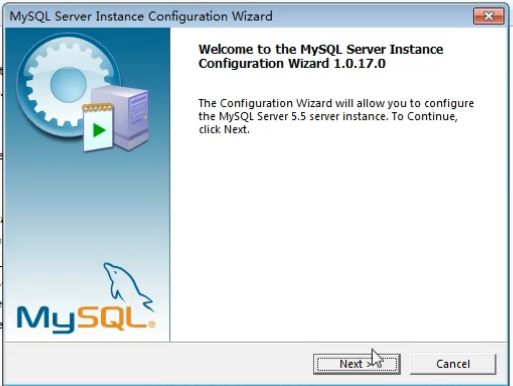
要是不小心叉掉了配置页面,可以见下图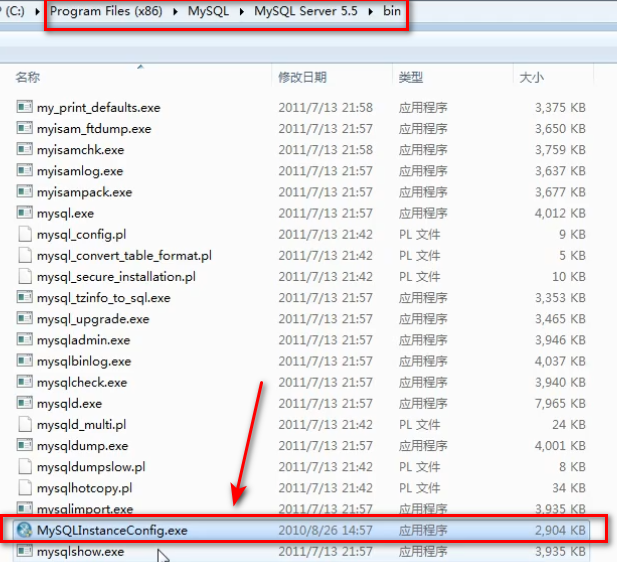
2.打开配置程序的实例
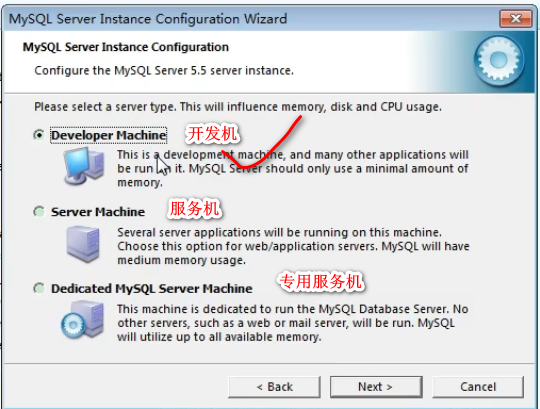

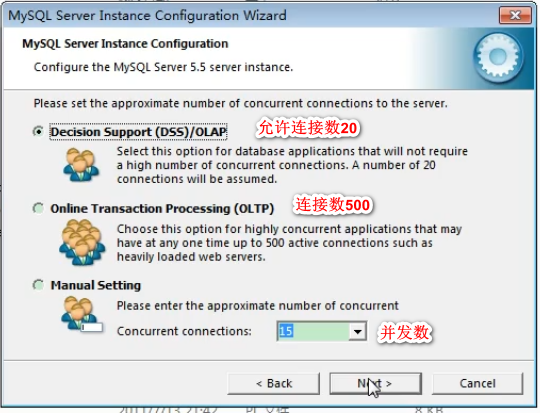

开发过程通常不选,因为总会有人攻击该端口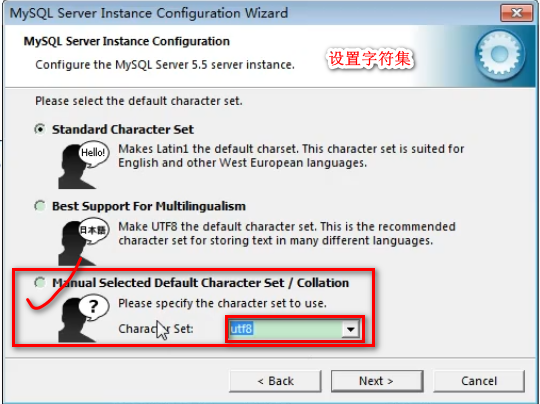
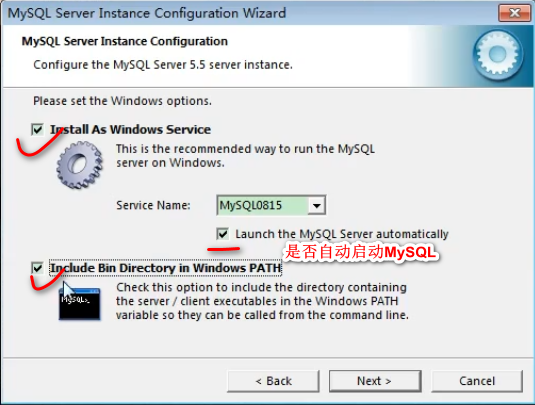
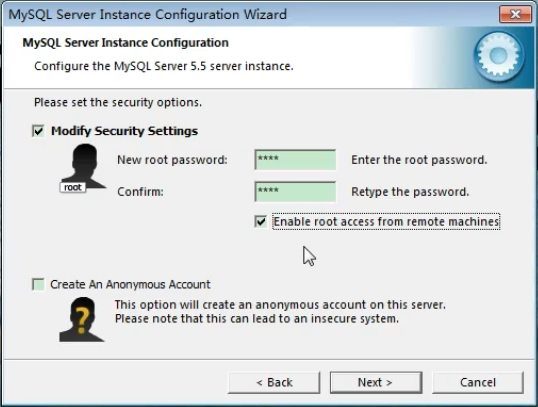

安装完成

1.4 配置my.ini
- 可以修改端口
- 可以修改存储目录


配置完千万记得重启一下MySQL服务
1.5 打开MySQL服务
方法一: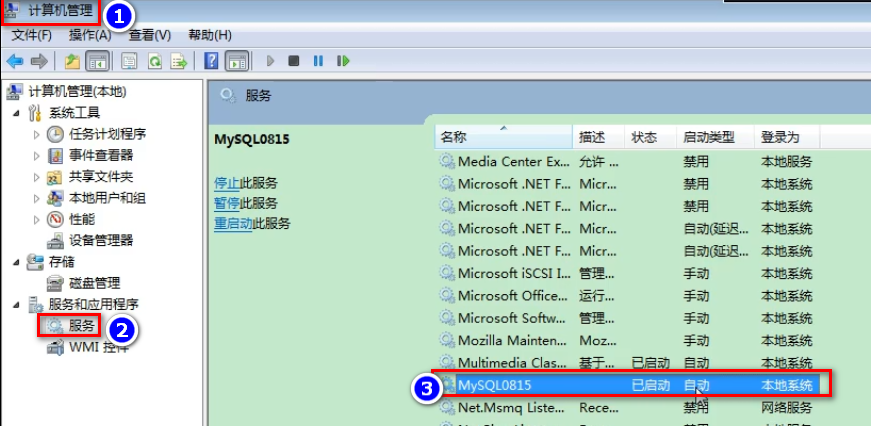
方法二:命令行方式
启动:net start mysql服务名停止:net stop mysql服务名
02 卸载教程
方法一:常规软件卸载
1.主文件卸载
2.找到安装路径,删除残留文件
3.最后,在C盘中会有隐藏文件夹“ProgramData”,里面会有一些数据
方法二:通过软件卸载
- 360卸载
- 软件管家等等

- 一般不需要清理注册表,除非卸载后安装还是有问题
03 MySQL服务端的登录和退出
登录 mysql –h 主机名 –u用户名 –p密码
退出 exit

04 SQL常见命令
show databases; 查看所有的数据库use 库名; 打开指定 的库show tables ; 显示库中的所有表show tables from 库名;显示指定库中的所有表create table 表名(字段名 字段类型,字段名 字段类型); 创建表desc 表名; 查看指定表的结构select * from 表名;显示表中的所有数据
05 MySQL的常见命令
- 不区分大小写
- 每句话用;或\g结尾
- 各子句一般分行写
- 关键字不能缩写也不能分行
- 用缩进提高语句的可读性
- 进入 mysql, 在命令行中输入: mysql –uroot –p#### (其中:####表示密码)
2. 查看 mysql 中有哪些个数据库: show databases; (2)
3. 使用一个数据库: use 数据库名称; (3. atguigu)
4. 新建一个数据库: create database 数据库名 (1. atguigu)
5. 查看指定的数据库中有哪些数据表: show tables; (4, 6, 9)
6. 建表: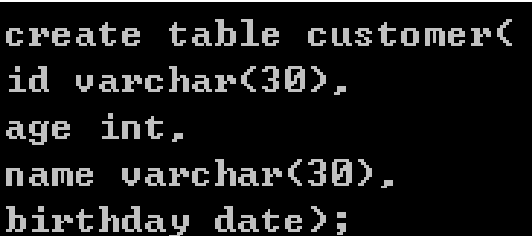 (5)
(5)
7. 查看表的结构:desc 表名 (7)
8. 删除表: drop table 表名 (8)
9.查看表中的所有记录: select from 表名;
10.向表中插入记录:insert into 表名(列名列表) values(列对应的值的列表);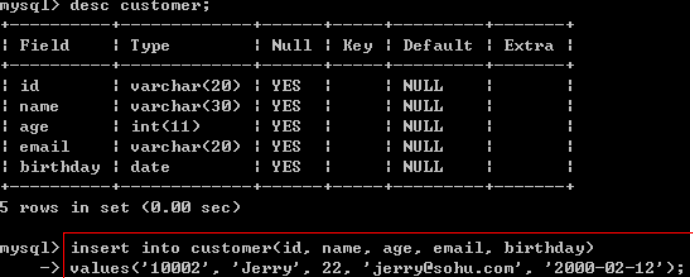
注意:插入 varchar 或 date 型的数据要用 单引号 引起来
11.修改记录: update 表名 set 列1 = 列1的值, 列2 = 列2的值 where …
12.删除记录: *delete from 表名 where ….
13.查看服务器版本
方式一:登录到mysql服务端select version();
方式二:没有登录到mysql服务端mysql --version
或者mysql -v
1.查看当前所有的数据库show databases;2.打开指定的库use 库名3.查看当前库的所有表show tables;4.查看其它库的所有表show tables from 库名;5.创建表create table 表名(列名 列类型,列名 列类型,。。。);6.查看表结构desc 表名;7.查看服务器的版本方式一:登录到mysql服务端select version();方式二:没有登录到mysql服务端mysql --version或mysql --V
06 MySQL的语法规范
1.不区分大小写,但建议关键字大写,表名、列名小写
2.每条命令最好用分号结尾
3.每条命令根据需要,可以进行缩进 或换行
4.注释
单行注释:#注释文字
单行注释:— 注释文字
多行注释:/ 注释文字 /
07 图形化界面客户端SQLyog
7.1 安装教程
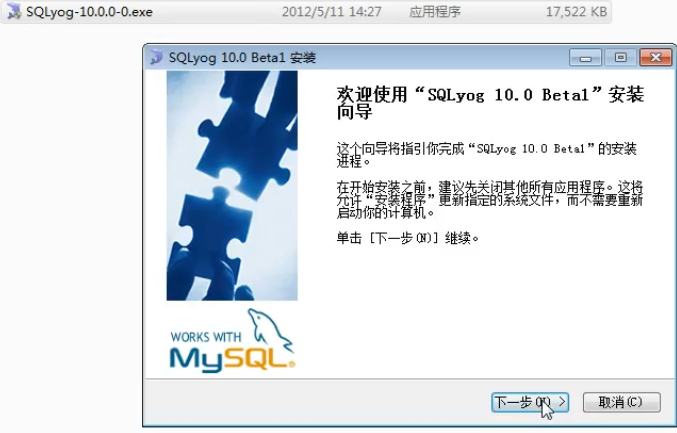
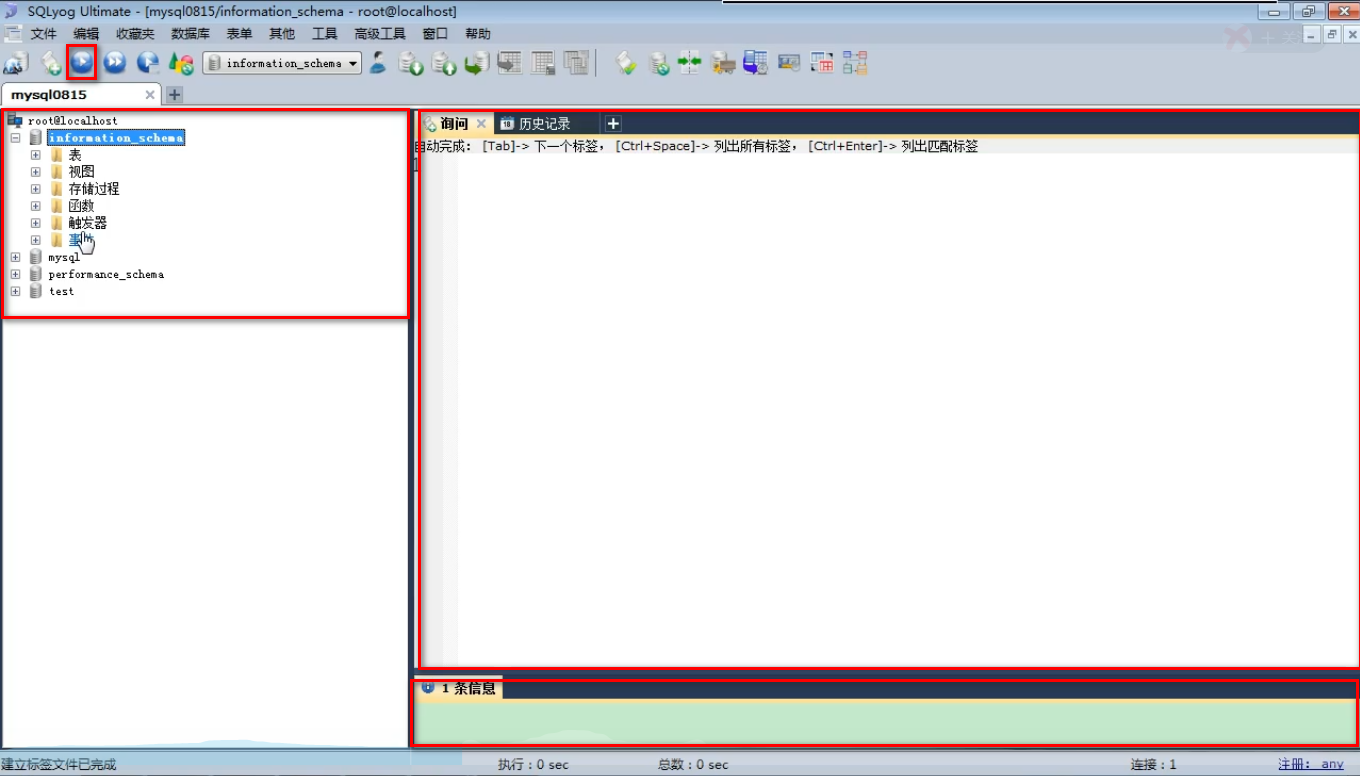
7.2 界面
1.连接界面

附:SQL常用命令实操
在CMD命令行中启动MySQL,并进行常见命令的练习记录
Microsoft Windows [版本 6.1.7600]版权所有 (c) 2009 Microsoft Corporation。保留所有权利。C:\Windows\system32>net stop mysql0815MySQL0815 服务正在停止.MySQL0815 服务已成功停止。C:\Windows\system32>net start mysql0815MySQL0815 服务正在启动 .MySQL0815 服务已经启动成功。C:\Windows\system32>mysql -h localhost -P 3306 -u root -pEnter password: ****Welcome to the MySQL monitor. Commands end with ; or \g.Your MySQL connection id is 2Server version: 5.5.15 MySQL Community Server (GPL)Copyright (c) 2000, 2010, Oracle and/or its affiliates. All rights reserved.Oracle is a registered trademark of Oracle Corporation and/or itsaffiliates. Other names may be trademarks of their respectiveowners.Type 'help;' or '\h' for help. Type '\c' to clear the current input statement.mysql> exitByeC:\Windows\system32>mysql -h localhost -P 3306 -u root -prootWelcome to the MySQL monitor. Commands end with ; or \g.Your MySQL connection id is 3Server version: 5.5.15 MySQL Community Server (GPL)Copyright (c) 2000, 2010, Oracle and/or its affiliates. All rights reserved.Oracle is a registered trademark of Oracle Corporation and/or itsaffiliates. Other names may be trademarks of their respectiveowners.Type 'help;' or '\h' for help. Type '\c' to clear the current input statement.mysql> exitByeC:\Windows\system32>mysql -u root -prootWelcome to the MySQL monitor. Commands end with ; or \g.Your MySQL connection id is 4Server version: 5.5.15 MySQL Community Server (GPL)Copyright (c) 2000, 2010, Oracle and/or its affiliates. All rights reserved.Oracle is a registered trademark of Oracle Corporation and/or itsaffiliates. Other names may be trademarks of their respectiveowners.Type 'help;' or '\h' for help. Type '\c' to clear the current input statement.mysql> show databases;+--------------------+| Database |+--------------------+| information_schema || mysql || performance_schema || test |+--------------------+4 rows in set (0.00 sec)mysql> use test;Database changedmysql> show tables;Empty set (0.00 sec)mysql> show tables from mysql;+---------------------------+| Tables_in_mysql |+---------------------------+| columns_priv || db || event || func || general_log || help_category || help_keyword || help_relation || help_topic || host || ndb_binlog_index || plugin || proc || procs_priv || proxies_priv || servers || slow_log || tables_priv || time_zone || time_zone_leap_second || time_zone_name || time_zone_transition || time_zone_transition_type || user |+---------------------------+24 rows in set (0.00 sec)mysql> select database();+------------+| database() |+------------+| test |+------------+1 row in set (0.00 sec)mysql> create table stuinfo(-> id int,-> name varchar(20));Query OK, 0 rows affected (0.01 sec)mysql> show tables;+----------------+| Tables_in_test |+----------------+| stuinfo |+----------------+1 row in set (0.00 sec)mysql> desc stuinfo;+-------+-------------+------+-----+---------+-------+| Field | Type | Null | Key | Default | Extra |+-------+-------------+------+-----+---------+-------+| id | int(11) | YES | | NULL | || name | varchar(20) | YES | | NULL | |+-------+-------------+------+-----+---------+-------+2 rows in set (0.00 sec)mysql> select * from stuinfo;Empty set (0.00 sec)mysql> insert into stuinfo (id,name) values(1,'john');Query OK, 1 row affected (0.00 sec)mysql> insert into stuinfo (id,name) values(2,'rose');Query OK, 1 row affected (0.00 sec)mysql> select * from stuinfo;+------+------+| id | name |+------+------+| 1 | john || 2 | rose |+------+------+2 rows in set (0.00 sec)mysql> update stuinfo set name='lilei' where id=1;Query OK, 1 row affected (0.00 sec)Rows matched: 1 Changed: 1 Warnings: 0mysql> select * from stuinfo;+------+-------+| id | name |+------+-------+| 1 | lilei || 2 | rose |+------+-------+2 rows in set (0.00 sec)mysql> delete from stuinfo where id=1;Query OK, 1 row affected (0.00 sec)mysql> select * from stuinfo;+------+------+| id | name |+------+------+| 2 | rose |+------+------+1 row in set (0.00 sec)mysql> select version();+-----------+| version() |+-----------+| 5.5.15 |+-----------+1 row in set (0.00 sec)mysql> exitByeC:\Windows\system32>mysql --versionmysql Ver 14.14 Distrib 5.5.15, for Win32 (x86)C:\Windows\system32>mysql -Vmysql Ver 14.14 Distrib 5.5.15, for Win32 (x86)C:\Windows\system32>mysql -uroot -pEnter password: ****Welcome to the MySQL monitor. Commands end with ; or \g.Your MySQL connection id is 5Server version: 5.5.15 MySQL Community Server (GPL)Copyright (c) 2000, 2010, Oracle and/or its affiliates. All rights reserved.Oracle is a registered trademark of Oracle Corporation and/or itsaffiliates. Other names may be trademarks of their respectiveowners.Type 'help;' or '\h' for help. Type '\c' to clear the current input statement.mysql> show DATABASES;+--------------------+| Database |+--------------------+| information_schema || mysql || performance_schema || test |+--------------------+4 rows in set (0.00 sec)mysql> SHOW DATABASES\g+--------------------+| Database |+--------------------+| information_schema || mysql || performance_schema || test |+--------------------+4 rows in set (0.00 sec)mysql> use test;Database changedmysql> select * from stuinfo;+------+------+| id | name |+------+------+| 2 | rose |+------+------+1 row in set (0.00 sec)mysql> select *-> from stuinfo;+------+------+| id | name |+------+------+| 2 | rose |+------+------+1 row in set (0.00 sec)mysql> SELECT-> *-> FROM-> stuinfo;+------+------+| id | name |+------+------+| 2 | rose |+------+------+1 row in set (0.00 sec)mysql> select * from stuinfo;+------+------+| id | name |+------+------+| 2 | rose |+------+------+1 row in set (0.00 sec)mysql> #select * from stuinfo;mysql>

若有收获,就点个赞吧
0 人点赞


