一、安装JDK和Gradle环境
二、安装Scala环境
三、启动Zookeeper
# windowszkServer.cmd# windowszkServer.sh start
四、从Github下载Kafka源码
git clone https://github.com/apache/kafka.git
五、切换源码分支为2.8
git checkout -b 2.8 origin/2.8
六、修改 build.gradle 文件
由于未知原因,直接执行 gradle idea 命令会出错,所以需要修改 build.gradle 文件。
6.1 注释 consistentResolution
java {// consistentResolution {// resolve the compileClasspath and then "inject" the result of resolution as strict constraints into the runtimeClasspath// useCompileClasspathVersions()// }}
6.2 修改 Maven 仓库
repositories {maven {url 'http://maven.aliyun.com/nexus/content/groups/public/'}mavenCentral()}
6.3 添加 SLF4j JAR包
搜索 project(':core'),在 dependencies 中添加以下代码:
compile group: 'org.slf4j', name: 'slf4j-api', version: '1.7.30'compile group: 'org.slf4j', name: 'slf4j-log4j12', version: '1.7.30'
七、添加log4j.properties配置文件
将 config/server.properties 配置文件复制到 /core/src/main/resources 目录下。
八、使用 IDEA 打开 Kafka 源码项目
安静等待 IDEA 导入 Kafka 源码,不需要做其它工作。
九、启动 Kafka Broker
在启动之前,我们需要经过以下配置: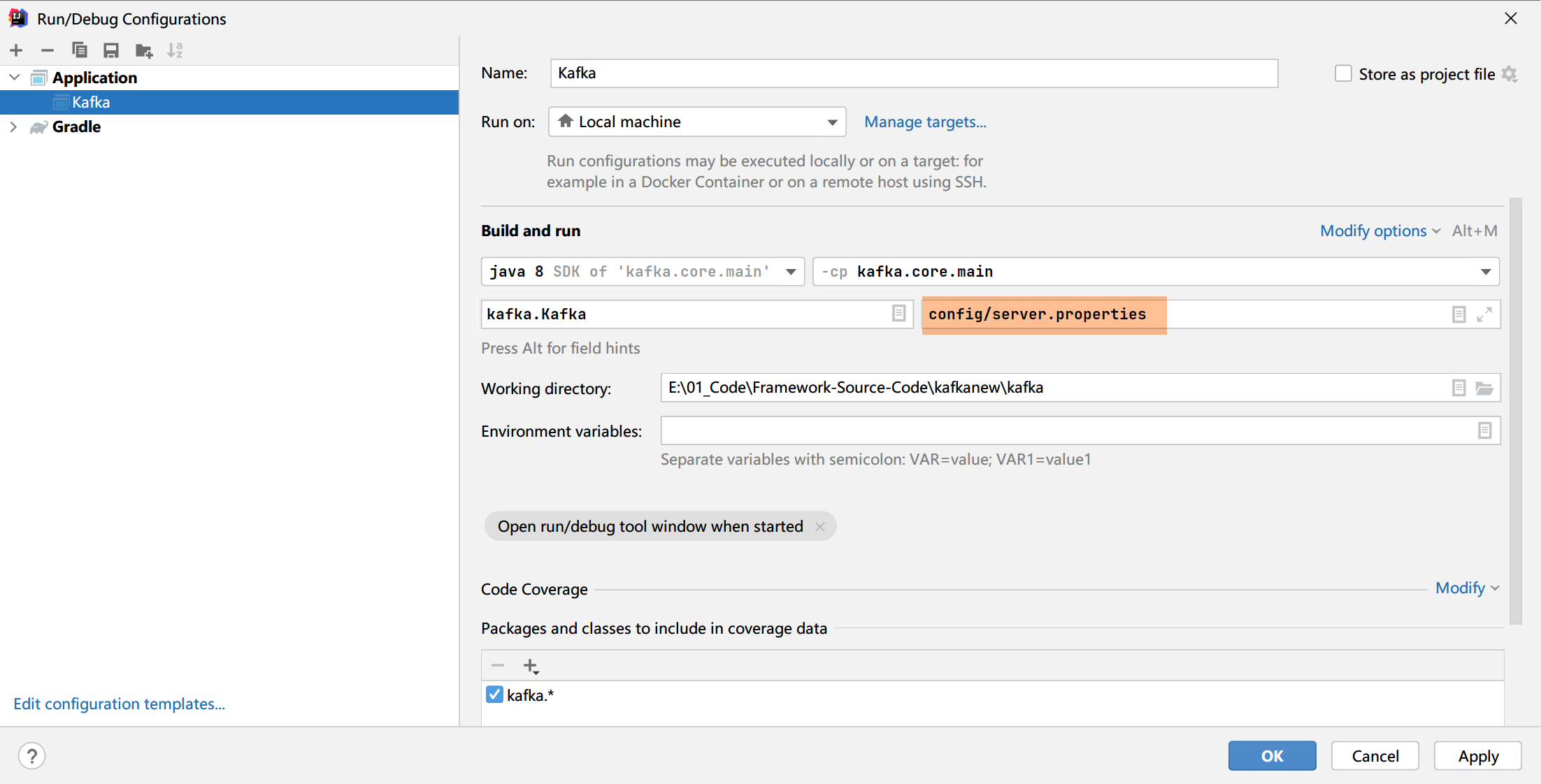
即添加 server.properties 文件相对路径。
同时,我们还根据需要修改 Server.properties 配置项,比如 log.dirs 和 zookeeper.connect 等。
经过以上操作,就可以顺利启动 Kafka Broker 端服务了。入口 main 方法在 core/src/main/scala/kafka/kafka#main
成功启动后的日志输出如下图所示:

若有收获,就点个赞吧
0 人点赞


