一、动画类型
1.逐帧动画(frame-by-frame animation)
2.补间动画(tweened animation)
3.属性动画(property animation)
二、animation-list

三、动画的启动和停止
1.获取动画的Drawable资源

2.启动动画

3.停止动画

四、实现步骤
1.添加animation-list
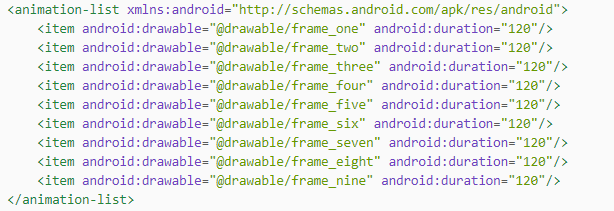
2.以背景图的方式添加在布局中

3.控件绑定,添加点击事件
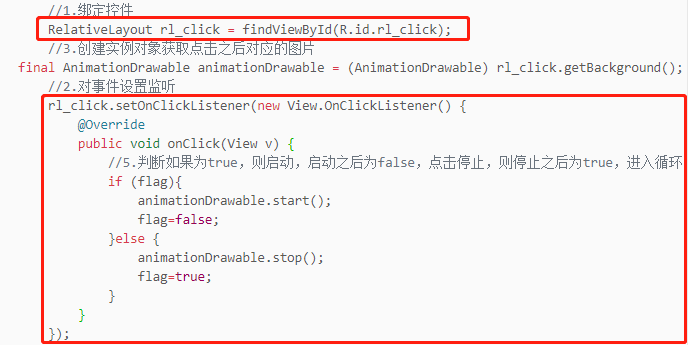
4.创建动画对象获取点击之后对应的图片

5.添加标志位,进行启动和停止对应的判断

五、总体代码
1.动画frame.xml文件
<?xml version="1.0" encoding="utf-8"?><animation-list xmlns:android="http://schemas.android.com/apk/res/android"><item android:drawable="@drawable/frame_one" android:duration="120"/><item android:drawable="@drawable/frame_two" android:duration="120"/><item android:drawable="@drawable/frame_three" android:duration="120"/><item android:drawable="@drawable/frame_four" android:duration="120"/><item android:drawable="@drawable/frame_five" android:duration="120"/><item android:drawable="@drawable/frame_six" android:duration="120"/><item android:drawable="@drawable/frame_seven" android:duration="120"/><item android:drawable="@drawable/frame_eight" android:duration="120"/><item android:drawable="@drawable/frame_nine" android:duration="120"/></animation-list>
2.布局activity_main.xml文件
<?xml version="1.0" encoding="utf-8"?><RelativeLayout xmlns:android="http://schemas.android.com/apk/res/android"android:id="@+id/rl_click"android:layout_width="match_parent"android:layout_height="match_parent"android:background="@drawable/frame"/>
3.MainActivity文件代码
package com.example.myframeanimation;import androidx.appcompat.app.AppCompatActivity;import android.graphics.drawable.AnimationDrawable;import android.graphics.drawable.Drawable;import android.os.Bundle;import android.view.View;import android.widget.RelativeLayout;import android.widget.Toast;public class MainActivity extends AppCompatActivity {//4.添加标志位,点击启动和停止private boolean flag=true;@Overrideprotected void onCreate(Bundle savedInstanceState) {super.onCreate(savedInstanceState);setContentView(R.layout.activity_main);//1.绑定控件RelativeLayout rl_click = findViewById(R.id.rl_click);//3.创建实例对象获取点击之后对应的图片final AnimationDrawable animationDrawable = (AnimationDrawable) rl_click.getBackground();//2.对事件设置监听rl_click.setOnClickListener(new View.OnClickListener() {@Overridepublic void onClick(View v) {//5.判断如果为true,则启动,启动之后为false,点击停止,则停止之后为true,进入循环if (flag){animationDrawable.start();Toast.makeText(MainActivity.this, "动画启动了", Toast.LENGTH_SHORT).show();flag=false;}else {animationDrawable.stop();Toast.makeText(MainActivity.this, "动画停止了", Toast.LENGTH_SHORT).show();flag=true;}}});}}
4.效果图<br />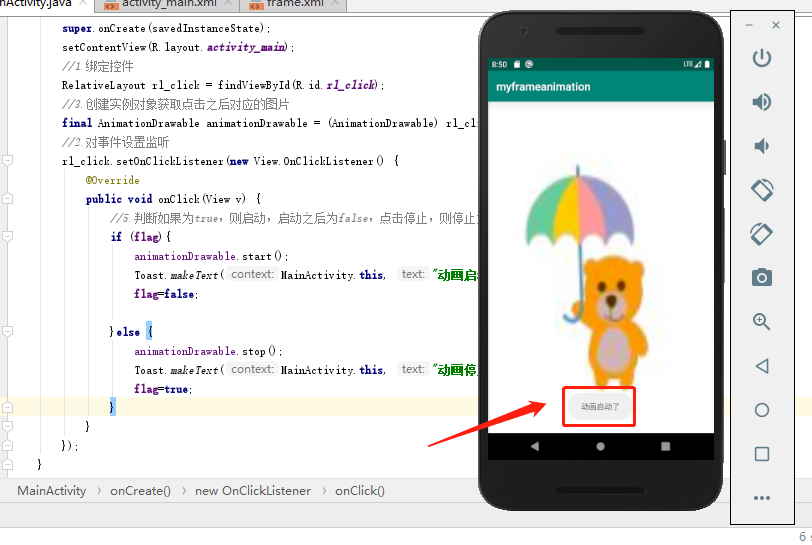<br />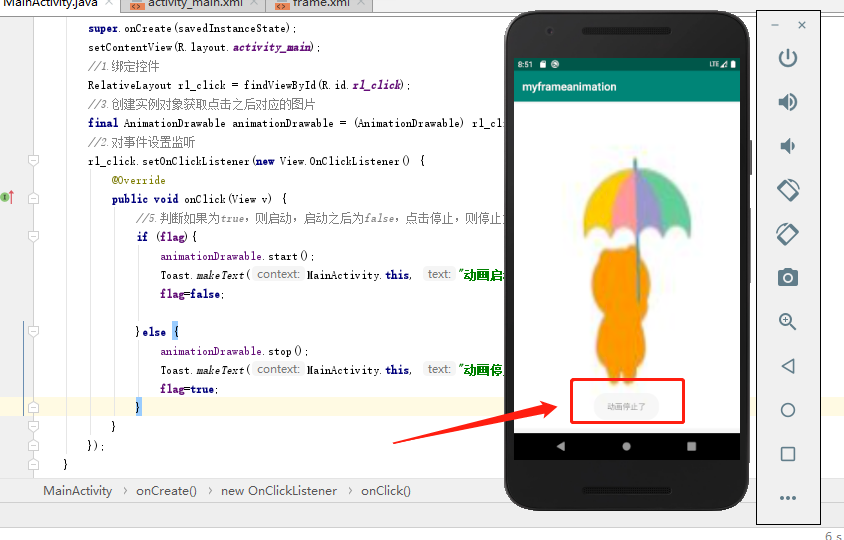

若有收获,就点个赞吧
0 人点赞


