一、PagerAdapter的方法
1.getCount() 获得viewpager中有多少个view
2.instantiateItem()
(1)将给定位置的view添加到ViewGroup(容器)中,创建并显示出来<br /> (2)返回一个代表新增页面的Object(key),通常都是直接返回view本身就可以了,当然你也可以自定义自己的key,但是key和每个view要一一对应的关系。
3.isViewFromObject() 判断instantiateItem(ViewGroup,int)函数返回来的Key与一个页面视图是否是代表的同一个视图(即它俩是否对应的,对应的表示同一个View),通常我们直接写return view==object
4.destroyItem() 移除一个给定位置的页面。适配器有责任从容器中删除这个视图。这是为了确保在finishUpdate(viewGroup)返回时视图能够被移除。而另外两个方法则是涉及到一个key的东东
二、实现步骤
1.创建布局主页面和滑动子页面,绑定控件

2.创建适配器
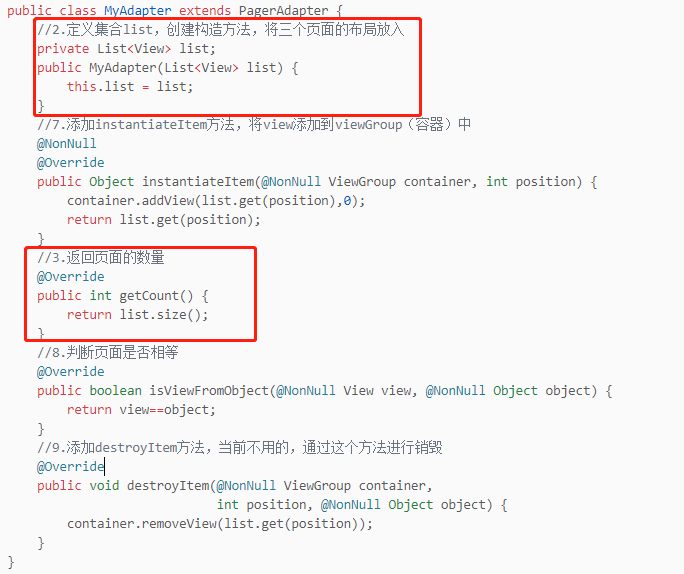
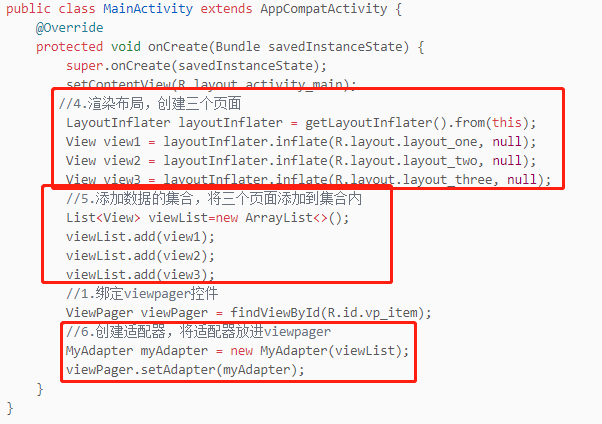
3.渲染布局,添加集合,将页面放进集合,创建适配器,将适配器放入viewpager控件
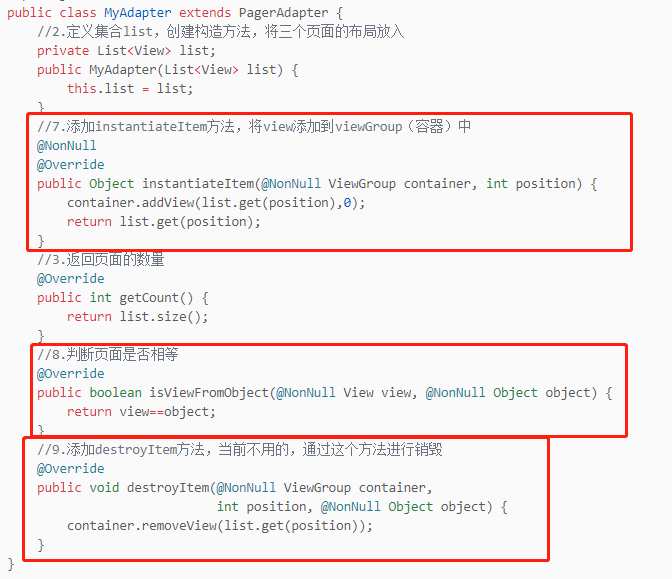
4.添加方法,将页面放入容器中,判断,然后将当前不用的销毁。
三、整体代码
1.布局activity_main.xml文件
<?xml version="1.0" encoding="utf-8"?><LinearLayout xmlns:android="http://schemas.android.com/apk/res/android"android:layout_width="match_parent"android:layout_height="match_parent"android:orientation="vertical"><androidx.viewpager.widget.ViewPagerandroid:id="@+id/vp_item"android:layout_width="match_parent"android:layout_height="match_parent"/></LinearLayout>
2.布局layout_one.xml文件
<?xml version="1.0" encoding="utf-8"?><LinearLayout xmlns:android="http://schemas.android.com/apk/res/android"xmlns:app="http://schemas.android.com/apk/res-auto"xmlns:tools="http://schemas.android.com/tools"android:layout_width="match_parent"android:layout_height="match_parent"android:gravity="center"android:orientation="vertical"><TextViewandroid:layout_width="wrap_content"android:layout_height="wrap_content"android:text="测试1"android:textColor="#287348"android:textSize="40sp" /></LinearLayout>
3.布局layout_two.xml文件
<?xml version="1.0" encoding="utf-8"?><LinearLayout xmlns:android="http://schemas.android.com/apk/res/android"xmlns:app="http://schemas.android.com/apk/res-auto"xmlns:tools="http://schemas.android.com/tools"android:layout_width="match_parent"android:layout_height="match_parent"android:gravity="center"android:orientation="vertical"><TextViewandroid:layout_width="wrap_content"android:layout_height="wrap_content"android:text="测试2"android:textColor="#CC972C"android:textSize="40sp" /></LinearLayout>
4.布局layout_two.xml文件
<?xml version="1.0" encoding="utf-8"?><LinearLayout xmlns:android="http://schemas.android.com/apk/res/android"xmlns:app="http://schemas.android.com/apk/res-auto"xmlns:tools="http://schemas.android.com/tools"android:layout_width="match_parent"android:layout_height="match_parent"android:gravity="center"android:orientation="vertical"><TextViewandroid:layout_width="wrap_content"android:layout_height="wrap_content"android:text="测试3"android:textColor="#8A2C80"android:textSize="40sp" /></LinearLayout>
5.MainActivity文件代码
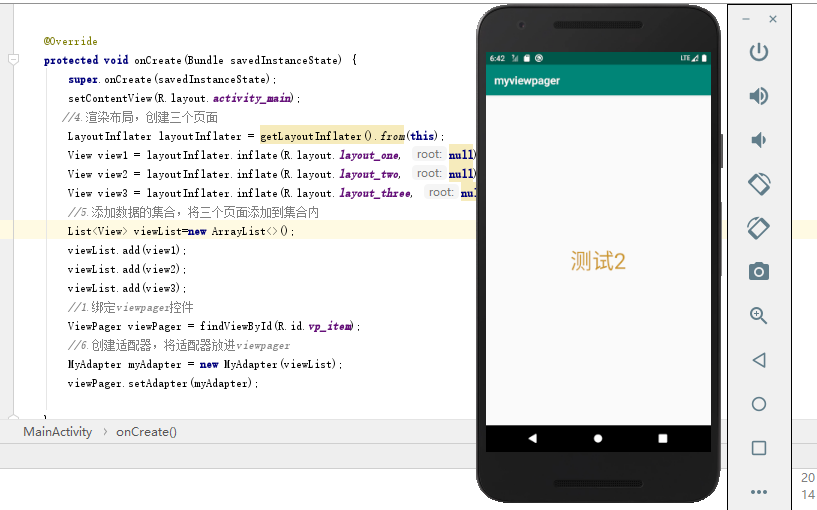
package com.example.myviewpager;import androidx.appcompat.app.AppCompatActivity;import androidx.viewpager.widget.ViewPager;import android.os.Bundle;import android.view.LayoutInflater;import android.view.View;import com.example.myviewpager.adapter.MyAdapter;import java.util.ArrayList;import java.util.List;public class MainActivity extends AppCompatActivity {@Overrideprotected void onCreate(Bundle savedInstanceState) {super.onCreate(savedInstanceState);setContentView(R.layout.activity_main);//4.渲染布局,创建三个页面LayoutInflater layoutInflater = getLayoutInflater().from(this);View view1 = layoutInflater.inflate(R.layout.layout_one, null);View view2 = layoutInflater.inflate(R.layout.layout_two, null);View view3 = layoutInflater.inflate(R.layout.layout_three, null);//5.添加数据的集合,将三个页面添加到集合内List<View> viewList=new ArrayList<>();viewList.add(view1);viewList.add(view2);viewList.add(view3);//1.绑定viewpager控件ViewPager viewPager = findViewById(R.id.vp_item);//6.创建适配器,将适配器放进viewpagerMyAdapter myAdapter = new MyAdapter(viewList);viewPager.setAdapter(myAdapter);}}
6.MyAdapter文件代码
package com.example.myviewpager.adapter;import android.view.View;import android.view.ViewGroup;import androidx.annotation.NonNull;import androidx.viewpager.widget.PagerAdapter;import java.util.List;public class MyAdapter extends PagerAdapter {//2.定义集合list,创建构造方法,将三个页面的布局放入private List<View> list;public MyAdapter(List<View> list) {this.list = list;}//7.添加instantiateItem方法,将view添加到viewGroup(容器)中@NonNull@Overridepublic Object instantiateItem(@NonNull ViewGroup container, int position) {container.addView(list.get(position),0);return list.get(position);}//3.返回页面的数量@Overridepublic int getCount() {return list.size();}//8.判断页面是否相等@Overridepublic boolean isViewFromObject(@NonNull View view, @NonNull Object object) {return view==object;}//9.添加destroyItem方法,当前不用的,通过这个方法进行销毁@Overridepublic void destroyItem(@NonNull ViewGroup container,int position, @NonNull Object object) {container.removeView(list.get(position));}}
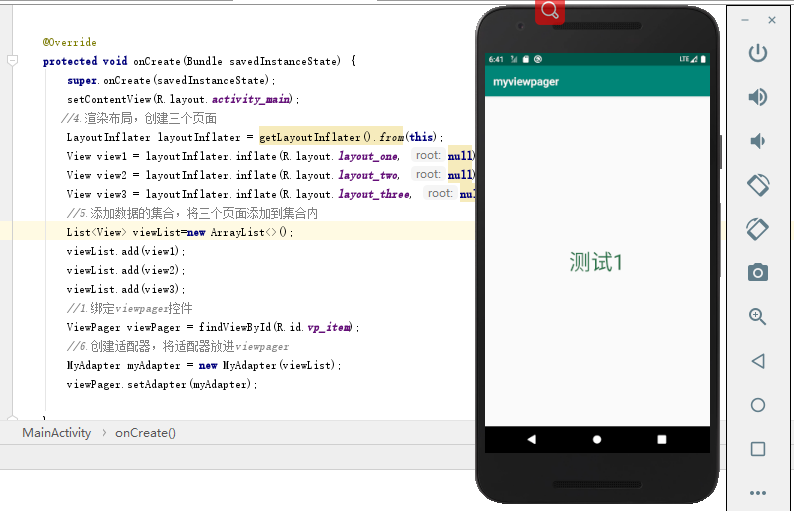
7.效果图:


若有收获,就点个赞吧
0 人点赞


