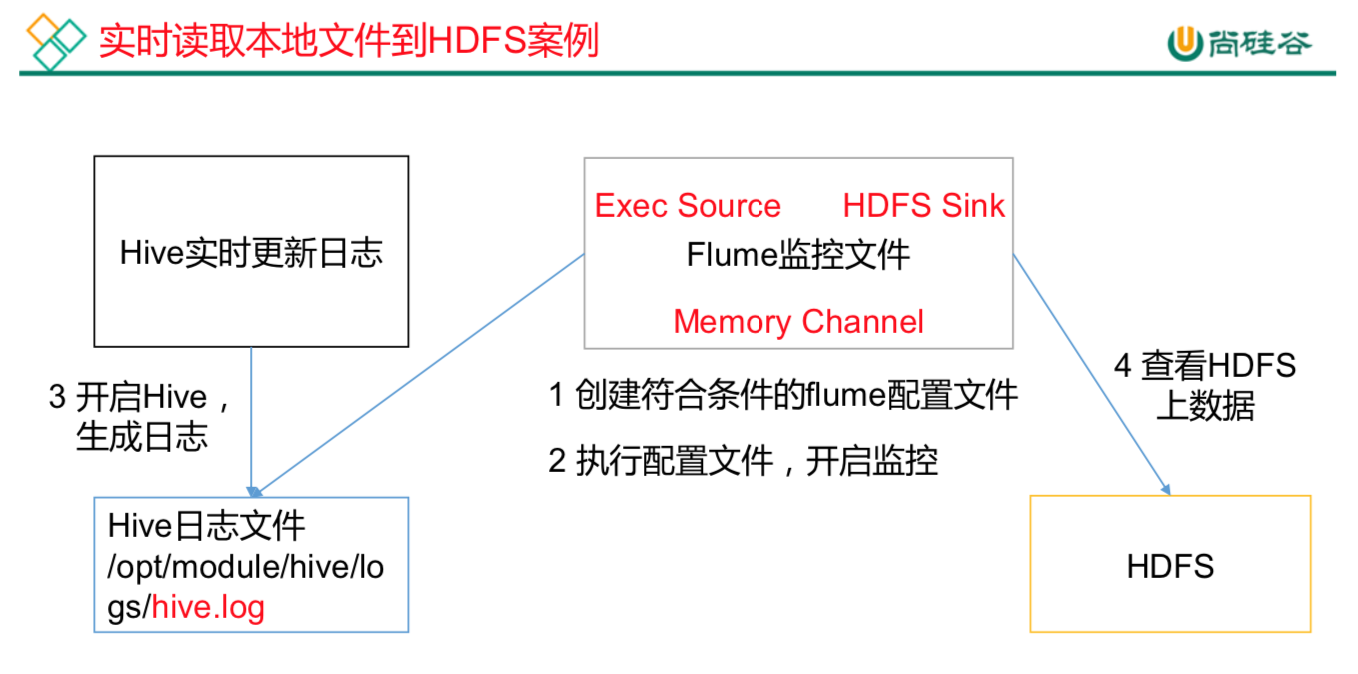
Flume要想将数据输出到HDFS,必须持有Hadoop相关jar包commons-configuration-1.6.jarhadoop-auth-2.7.2.jarhadoop-common-2.7.2.jarhadoop-hdfs-2.7.2.jarcommons-io-2.4.jarhtrace-core-3.1.0-incubating.jar拷贝到/opt/egg/flume/lib文件夹下。创建本次案例的配置文件vim flume-file-hdfs.conf# Name the components on this agenta2.sources = r2a2.sinks = k2a2.channels = c2# Describe/configure the sourcea2.sources.r2.type = exec#选择监控的文件a2.sources.r2.command = tail -F /opt/ha/hadoop-2.7.2/logs/hadoop-root-namenode-hadoop1.log#执行脚本的绝对路径a2.sources.r2.shell = /bin/bash -c# Describe the sink#sink类型a2.sinks.k2.type = hdfsa2.sinks.k2.hdfs.path = hdfs://hadoop1:9000/flume/%Y%m%d/%H#上传文件的前缀a2.sinks.k2.hdfs.filePrefix = logs-#是否按照时间滚动文件夹a2.sinks.k2.hdfs.round = true#多少时间单位创建一个新的文件夹a2.sinks.k2.hdfs.roundValue = 1#重新定义时间单位a2.sinks.k2.hdfs.roundUnit = hour#是否使用本地时间戳a2.sinks.k2.hdfs.useLocalTimeStamp = true#积攒多少个Event才flush到HDFS一次a2.sinks.k2.hdfs.batchSize = 1000#设置文件类型,可支持压缩a2.sinks.k2.hdfs.fileType = DataStream#多久生成一个新的文件a2.sinks.k2.hdfs.rollInterval = 60#设置每个文件的滚动大小a2.sinks.k2.hdfs.rollSize = 134217700#文件的滚动与Event数量无关a2.sinks.k2.hdfs.rollCount = 0# Use a channel which buffers events in memorya2.channels.c2.type = filea2.channels.c2.checkpointDir = /opta2.channels.c2.dataDirs = /opta2.channels.c2.capacity = 1000a2.channels.c2.transactionCapacity = 100# Bind the source and sink to the channela2.sources.r2.channels = c2a2.sinks.k2.channel = c2运行flumebin/flume-ng agent --conf conf/ --name a2 --conf-file job/flume-file-hdfs.conf开启Hadoop和Hive并操作Hive产生日志sbin/start-dfs.shsbin/start-yarn.shbin/hive在hdfs上查看文件hadoop fs -ls /flume/20190901/20drwxr-xr-x - root supergroup 0 2019-09-01 16:01 /flume/20190901/16-rw-r--r-- 3 root supergroup 307944 2019-09-01 16:01 /flume/20190901/16/logs-.1567324803944-rw-r--r-- 3 root supergroup 0 2019-09-01 16:01 /flume/20190901/16/logs-.1567324914795.tmp

若有收获,就点个赞吧
0 人点赞


