1. http链接下载
一般能够在浏览器点击,然后自动触发浏览器弹出下载的就是http链接,右键下载位置,能够获取到下载链接。
这样下载的局限在于:
- 如果要下载大量碎小文件,需要一个一个点击链接,有可能还需要重命名。
- 能够点击即下载的位置不好找,往往需要登录等操作。
- 对于浏览器来说,一般有最大数据规模限制,比如最大只能下载4GB的单个文件。
下载方式—1 : 通过迅雷
这种http url的格式,对于多个数据来说,往往是有规律可循的,比如点击每个下载位置,右键复制下载链接
http://apdrc.soest.hawaii.edu/erddap/griddap/hawaii_soest_c4f8_7ed4_2d75.nc?iicethic[(2006-01-01):1:(2006-12-31)][(-89.5):1:(89.5)][(0.0):1:(359.0)]http://apdrc.soest.hawaii.edu/erddap/griddap/hawaii_soest_c4f8_7ed4_2d75.nc?iicethic[(2007-01-01):1:(2008-12-31)][(-89.5):1:(89.5)][(0.0):1:(359.0)]
可以发现其中变化的就是时间和经纬度。根据这个规律完全可以自己生成这样的链接,生成你想要的时间和经纬度,然后统一复制,到迅雷中创建批量下载,粘贴即可。
下载方式—1 : 通过linux的命令wget -i
将生成的链接复制到一个文件中,然后在命令行中输入:
wget -i 链接.txt
wget有非常强大的下载功能,有许多参数,如果需要更进一步使用,比如说递归下载,断点续传,ip代理等,如果需要就去网上查。
2. FTP下载
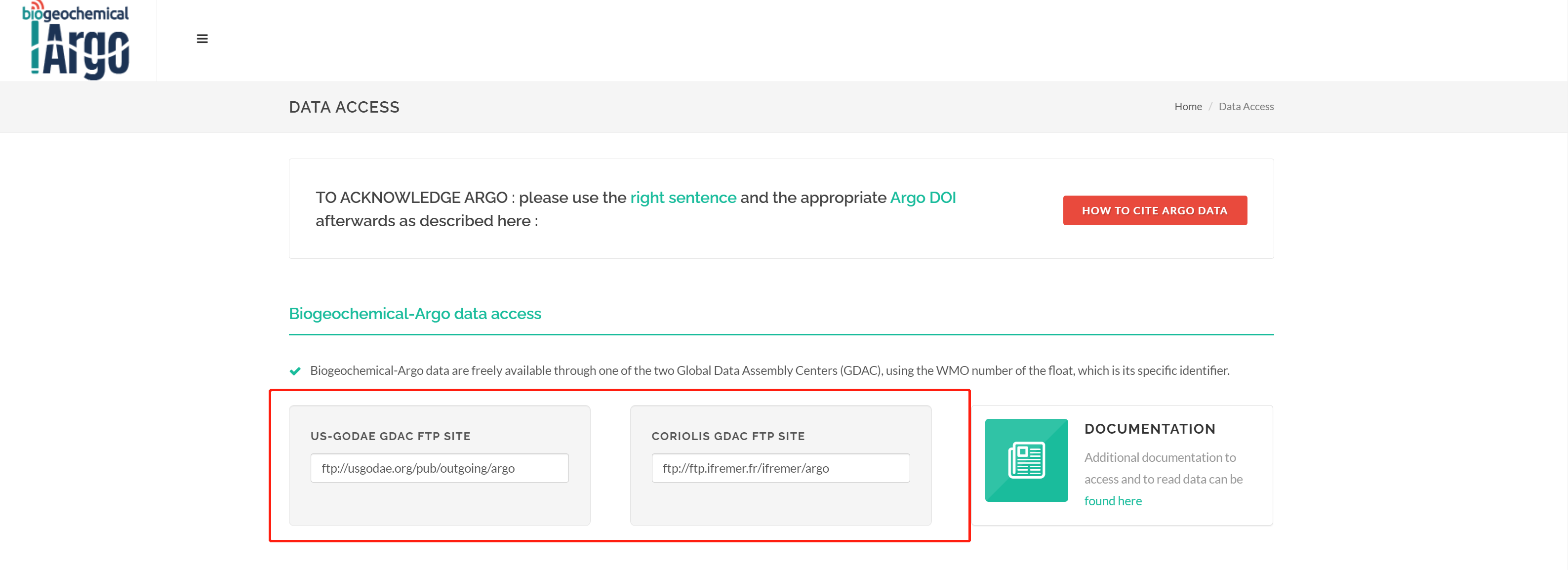
有的数据网站会提供ftp地址,比如像图中的BGC-Argo,有了这样的ftp服务器之后,下载数据就比较容易。直接用FileZilla等ftp软件连接服务器地址即可,如果网站没有提示用户名和密码,一般来说选择匿名连接即可。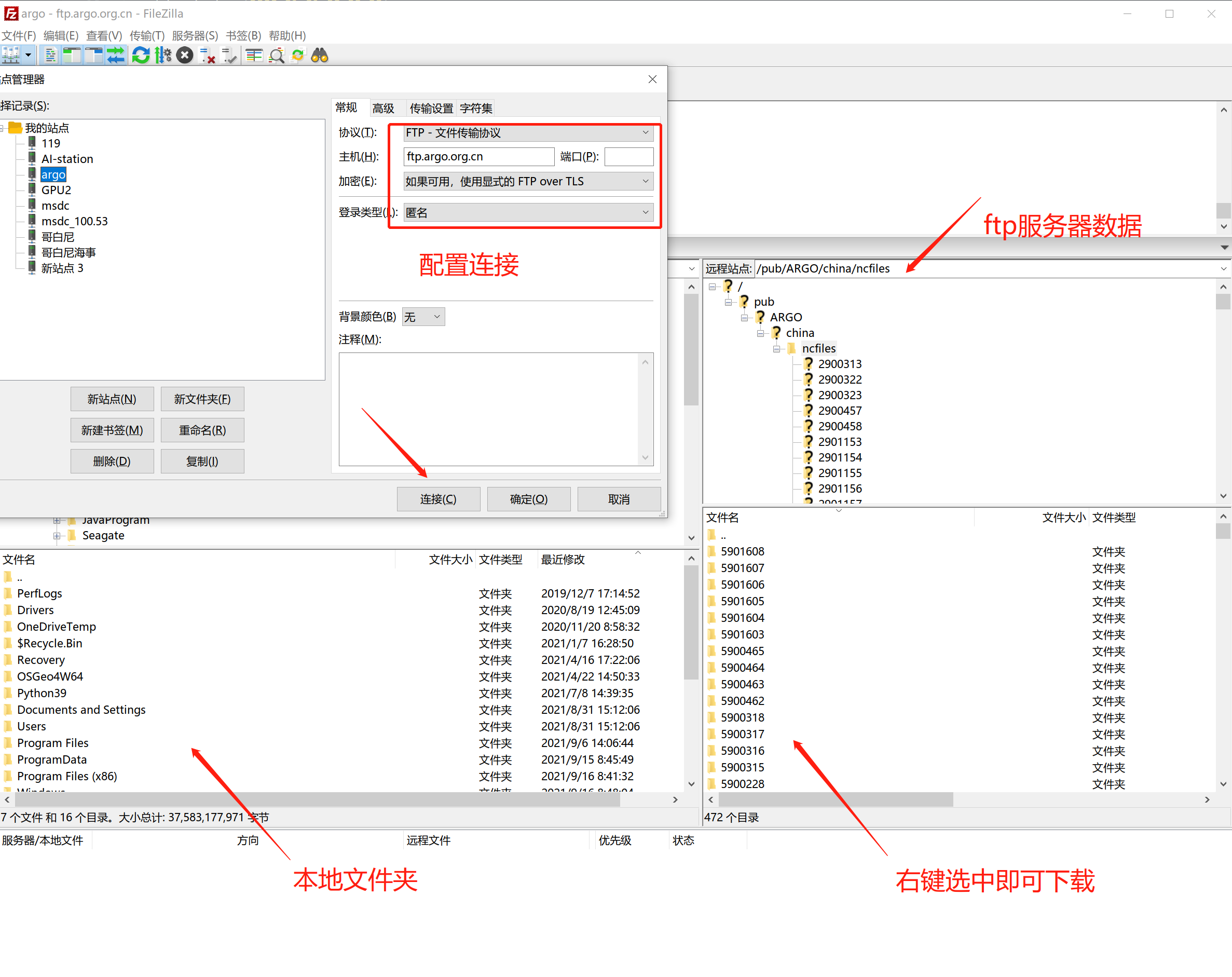
3. opendap下载
网络数据访问协议的开源项目 ( OPeNDAP ) 是同名客户端/服务器软件的开发商,它使科学家能够更轻松地通过互联网共享数据。
如果你查找的数据网站有opendap地址,那么我建议首选这一条,因为opendap能与xarray 无缝衔接,非常好用!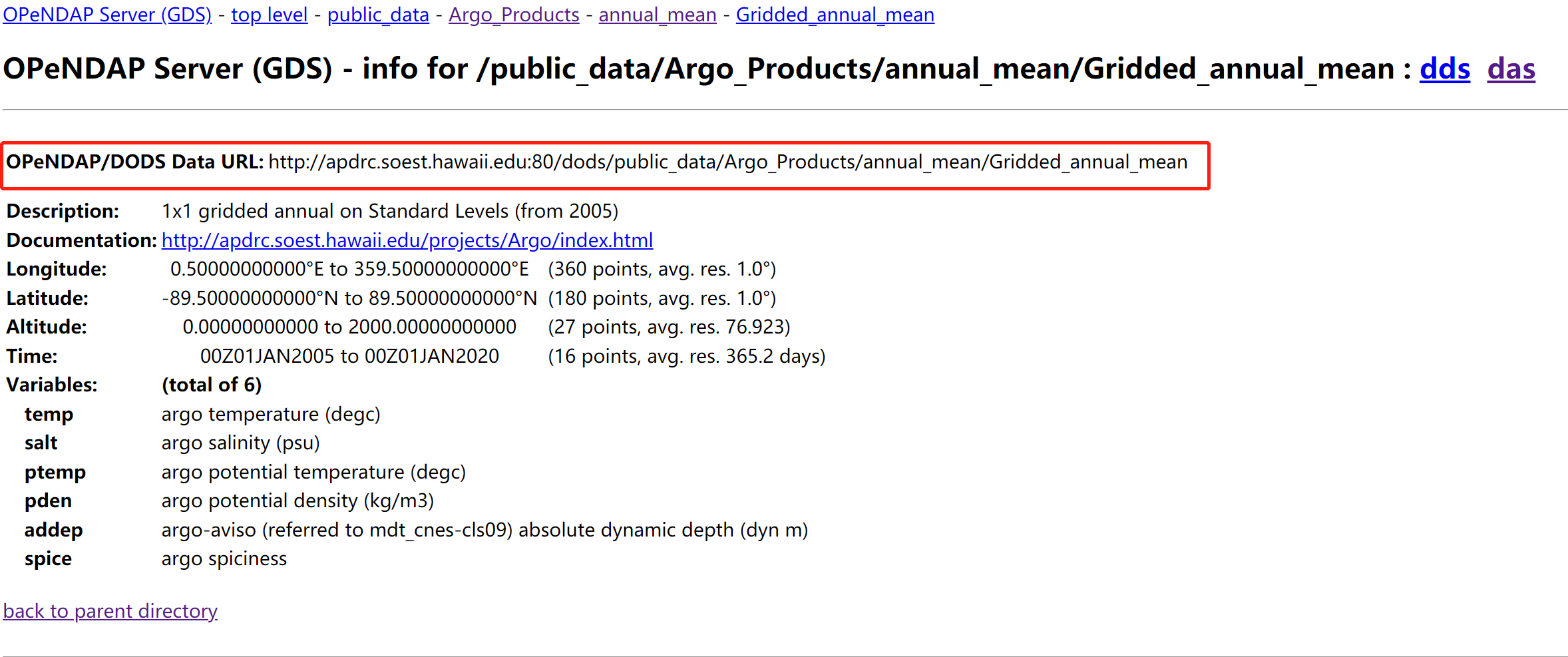
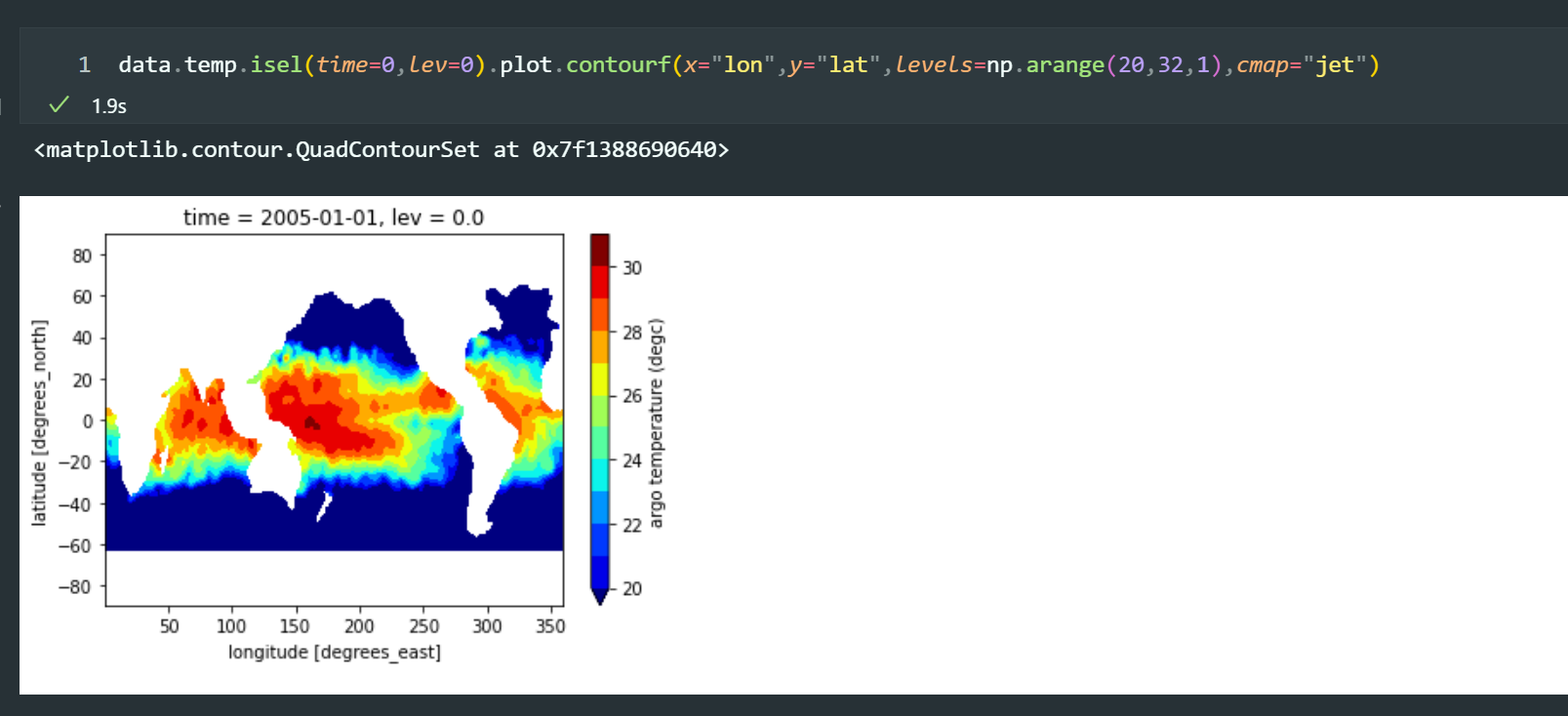
复制该链接,直接用xarray读取即可,甚至不用下载就能查看数据信息,并且画图!!只需要0.7s!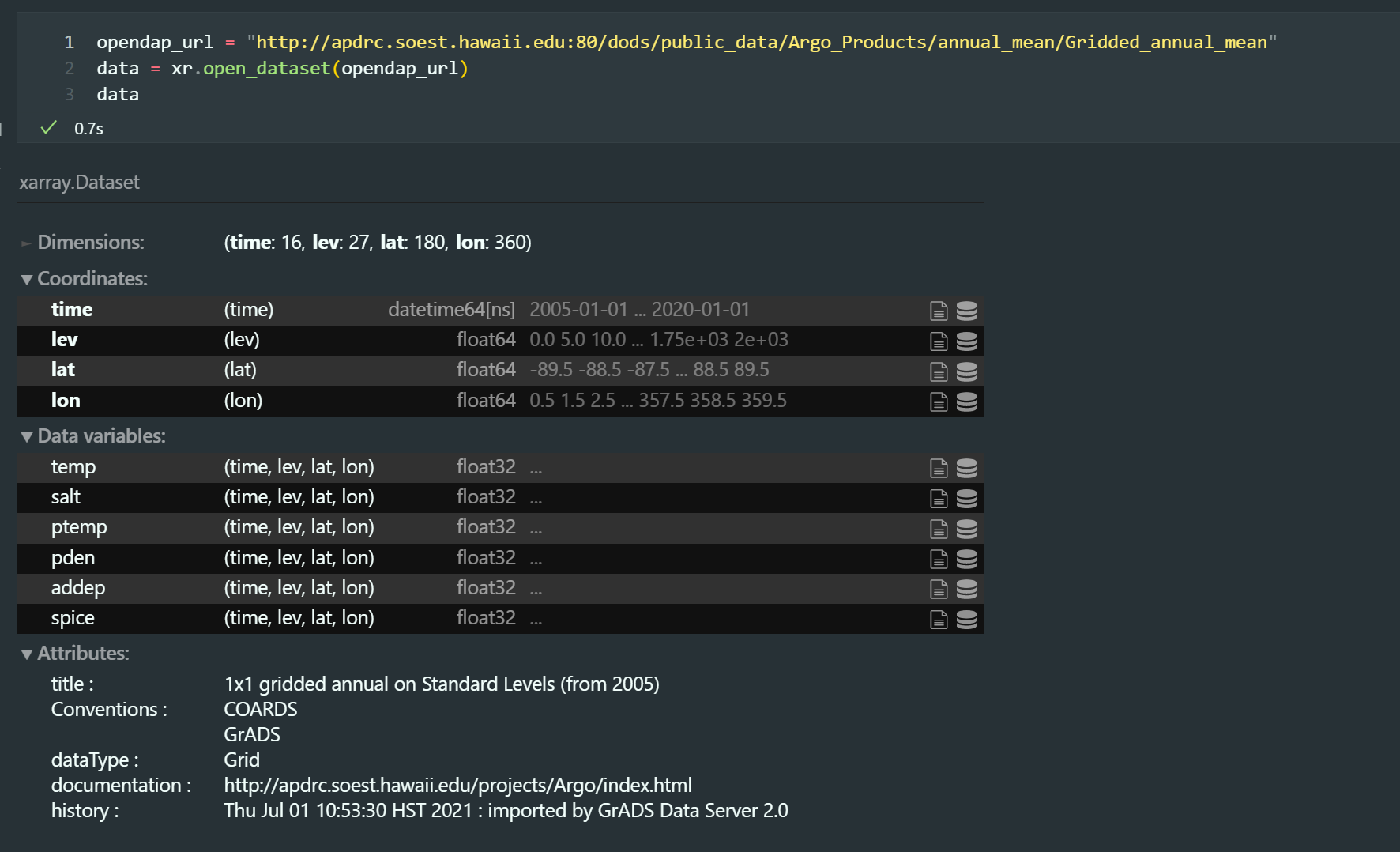
利用xarray下载hycom-opendap数据
Hycom 数据的时间起始点是2000-01-01 00:00:00,里面存的是小时数,所以需要对时间进行一个解码校正。opendap的优势在于可以先读进来数据,然后对其切割你想下载的局部海域,然后再进行下载。
import xarray as xrimport osfrom datetime import datetime,timedeltaimport pandas as pdimport numpy as npdef return_latest_time():date_start = '2000-01-01 00:00:00'date_list = []for i in data_latest.time.data:date_list.append(pd.to_datetime(date_start)+timedelta(hours = i))return date_listdata_global = xr.open_dataset('http://tds.hycom.org/thredds/dodsC/GLBy0.08/expt_93.0',decode_times=False,chunks={"time":100})data_latest = data_global.sel(lat = slice(2,42),lon = slice(104,132),depth=slice(0,1001))date_list = return_latest_time()data_latest['time'] = pd.to_datetime(date_list) # 重新更新文件时间date_time = pd.to_datetime(date_list)#每天到点下载就行,就下载最近的,0点和12点,如果本地有就覆盖就行了for date in date_time[-58:]:if date.hour == 0 or date.hour == 12 :data_latest_now = data_latest.sel(time = date)if not os.path.exists("/data/hycom_2018_latest/{}.nc".format(str(date))) or os.path.getsize("/data/hycom_2018_latest/{}.nc".format(str(date)))<96320000:data_latest_now.to_netcdf("/data/hycom_2018_latest/{}.nc".format(str(date)))print(date,"下载完成!!!")
dask并行下载:
import xarray as xr# 利用chunks参数,将文件用dask打开data_global = xr.open_dataset('http://tds.hycom.org/thredds/dodsC/GLBy0.08/expt_93.0',decode_times=False,chunks={"time":100})#索引需要的海域范围和深度范围data_latest = data_global.sel(lat = slice(2,42),lon = slice(104,132),depth=slice(0,1001))# 更新源数据文件的时间from datetime import datetime,timedeltaimport pandas as pdimport numpy as npdef return_latest_time():date_start = '2000-01-01 00:00:00'date_list = []for i in data_latest.time.data:date_list.append(pd.to_datetime(date_start)+timedelta(hours = i))return date_listdate_list = return_latest_time()data_latest['time'] = pd.to_datetime(date_list) # 重新更新文件时间date_time = pd.to_datetime(date_list)# 构建用于mfdataset保存的数据列表和文件列表data_latest_now =[]data_latest_path= []for date in date_time:if (date.hour == 0 or date.hour == 12) and date.year>2019:data_latest_now.append(data_latest.sel(time = date))data_latest_path.append("/data/hycom_2020_latest/{}.nc".format(str(date)))xr.save_mfdataset(data_latest_now,data_latest_path)
4. Linux 命令行中的ftp
在第二种方式中,我推荐了ftp软件下载,这样做的方式是界面可操作,但是也有弊端,通常我们不想将数据下载到本地,而是想要直接下载到linux服务器怎么办呢?
这样就需要通过linux远程终端去操作ftp下载,也很简单,具体参考这篇文章https://linux.cn/article-6746-1.html。
比如下载Argo FTP数据
(base) msdc@msdc-virtual-machine:~/hycom_predict_temp_3D$ ftp data.argo.org.cnConnected to data.argo.org.cn.220 (vsFTPd 3.0.2)Name (data.argo.org.cn:msdc): anonymous # anonymous 表示匿名登陆331 Please specify the password.Password:230-$$$$$$$$$$$$$$$$$$$$$$$$$$$$$$$$$$$$$$$$$$$$$$$$$$$$$$$$$$$$$$$$$$$$$$$$$$$$230- Welcome to the FTP site of the China Argo Real-time Data Centre (CARDC).230- The site is maintained by the Second Institute of Oceanography, Ministry230- of Natural Resources.230- CARDC website: http://www.argo.org.cn/230-$$$$$$$$$$$$$$$$$$$$$$$$$$$$$$$$$$$$$$$$$$$$$$$$$$$$$$$$$$$$$$$$$$$$$$$$$$$$$230 Login successful.Remote system type is UNIX.Using binary mode to transfer files.ftp> ls200 PORT command successful. Consider using PASV.150 Here comes the directory listing.drwxr-xr-x 3 0 0 26 Nov 10 2019 pub226 Directory send OK.ftp> cd pub250 Directory successfully changed.ftp> ls200 PORT command successful. Consider using PASV.150 Here comes the directory listing.drwxr-xr-x 12 1000 1000 246 Apr 23 2020 ARGO226 Directory send OK.ftp> cd ARGO250-$$$$$$$$$$$$$$$$$$$$$$$$$$$$$$$$$$$$$$$$$$$$$$$$$$$$$$$$$$$$$$$$$$$$$$$$$$$$250- Welcome to the FTP site of the China Argo Real-time Data Centre (CARDC).250- The site is maintained by the Second Institute of Oceanography, Ministry250- of Natural Resources. All data contained on this site is produced by CARDC.250- Users are permitted to download and make use of all the data.250-$$$$$$$$$$$$$$$$$$$$$$$$$$$$$$$$$$$$$$$$$$$$$$$$$$$$$$$$$$$$$$$$$$$$$$$$$$$$$250 Directory successfully changed.ftp> ls200 PORT command successful. Consider using PASV.150 Here comes the directory listing.drwxr-xr-x 2 1000 1000 131 Nov 10 2019 ArgoQuerySystemdrwxr-xr-x 6 1000 1000 158 Nov 10 2019 Argo_deriveddrwxr-xr-x 5 1000 1000 58 Nov 10 2019 BOA_Argodrwxr-xr-x 4 1000 1000 53 Nov 10 2019 G-argodrwxr-xr-x 2 1000 1000 12288 Nov 10 2019 GDCSMdrwxr-xr-x 2 1000 1000 8192 Nov 10 2019 ROSWPOAdrwxr-xr-x 2 1000 1000 4096 Sep 08 08:14 argo-indexdrwxrwxr-x 2 1000 1000 144 Apr 23 2020 etopodrwxr-xr-x 13 1000 1000 4096 Oct 11 02:22 raw_argo_datadrwxr-xr-x 2 1000 1000 142 Nov 10 2019 surface_current226 Directory send OK.ftp> cd BOA_Argo250 Directory successfully changed.ftp> ls200 PORT command successful. Consider using PASV.150 Here comes the directory listing.drwxr-xr-x 2 1000 1000 8192 May 22 04:33 MATdrwxr-xr-x 2 1000 1000 8192 May 22 04:33 NetCDFdrwxr-xr-x 2 1000 1000 171 Apr 30 08:27 doc226 Directory send OK.ftp> cd NetCDF250 Directory successfully changed.ftp> ls200 PORT command successful. Consider using PASV.150 Here comes the directory listing.-rw-r--r-- 1 1000 1000 54151116 Apr 06 2021 BOA_Argo_2004_01.nc-rw-r--r-- 1 1000 1000 54151116 Apr 01 2021 BOA_Argo_2004_02.nc-rw-r--r-- 1 1000 1000 54151116 Apr 01 2021 BOA_Argo_2004_03.nc******************************************226 Directory send OK.ftp> lcd ARGOLocal directory now /home/msdc/Downloads/ARGOftp> prompt offInteractive mode off.ftp> mget BOA_Argo_2*.nclocal: BOA_Argo_2004_01.nc remote: BOA_Argo_2004_01.nc200 PORT command successful. Consider using PASV.150 Opening BINARY mode data connection for BOA_Argo_2004_01.nc (54151116 bytes).226 Transfer complete........................

若有收获,就点个赞吧
0 人点赞


