内容大纲
- input表单扩充
- 表单属性
- 链接属性
- 其他属性
input新增的标签 — email、url、tel、number
电子邮件input类型
语法:
<input type="email" name="email"/>
统一资源定位符input类型
语法:
<input type="url" name="email"/>
电话类型input类型
语法:
<input type="tel" name="tel"/>
数字input类型
语法:
<input type="number" name="number"/>
Date Pickers Input类型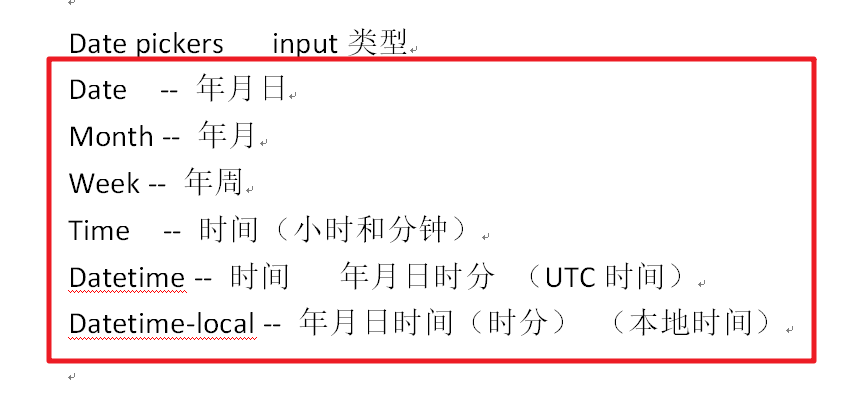
Date:选取年月日
<input type="date" id="date" name="date">
Month:选取月,日
<input type="month">
week:选取周,年
<input type="week">
Time:选取时间(小时和分钟)
<input type="time">
iphone:12小时制
安卓端:24小时制
DateTime:选取时间(UTC时间 — 年,月,日,时分秒的时间)
DateTime针对iPhone的ios10之后不再兼容,而且安卓系统对其也不再兼容;
<input type="datetime">
UTC:指的是协调世界时间,又称世界统一时间,世界标准时间,国际协调时间
DateTime-local:选取时间(UTC时间 — 年,月,日,时分秒的时间)
<input type="datetime-local" name="">
Input新增类型 — range,search,color
//Range范围input类型 -- 默认值 0到100<input type="range" name="">//search搜索input类型<input type="search" name="">//color颜色input类型<input type="color" name="">
表单新增属性
| 属性 | 值 | 说明 |
|---|---|---|
| required | required | 表单拥有该属性表示其内容不能为空,必填 |
| placeholder | 提示文本 | 表单的提示信息,存在默认值将不显示 |
| autofocus | autofocus | 自动聚焦属性,页面加载完成自动聚焦到指定表单 |
| autocomplete | off/on | 当用户在字段开始键入时,浏览器基于之前键入过的值,应该显示出在字段中填写的选项。 默认已经打开,如 autocomplete=”on”,关闭autocomplete=”off”,需要放在表单内,同时加上name属性,同时成功提交。 |
| multiple | multiple | 可以多选文件提交 |
- multiple属性 — 规定在输入域中可以选择多个值
适用于:input类型的email和file
placeholder属性 — 提示功能,描述的是输入域所期待的值
适用于text,search,url,telephone,email,password
required属性 — 规定在提交之前填写输入域(不能为空) — 后期使用JavaScript验证 — 此时可以减少程序员的压力
适用于text,search,url,telephone,email,password,datapickers,number,checkbox,radio,file
注意:hidden不适用 — 隐藏域
注释:
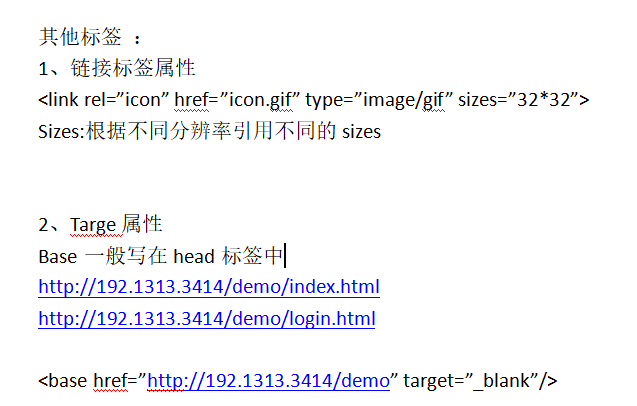
1、base标签表示在网页中出现类似需要编辑超链接的时候,不再需要编写头部:http://localhost/
因为base标签里的href就是将网页所有连接以base作为开头
2、再切新增的target属性的设置将会把网页中的所有超链接的打开方式设置为新开一个窗口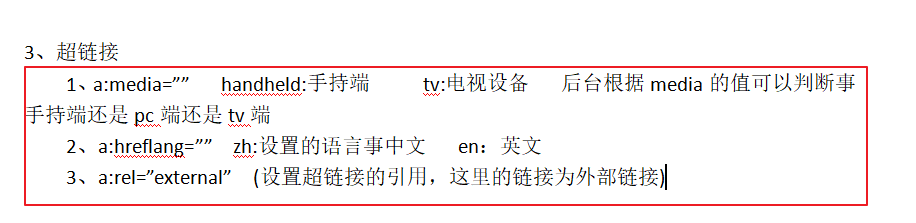
script标签
1、用于定义客户端脚本的,比如JavaScript
2、通过src链接外部的脚本文件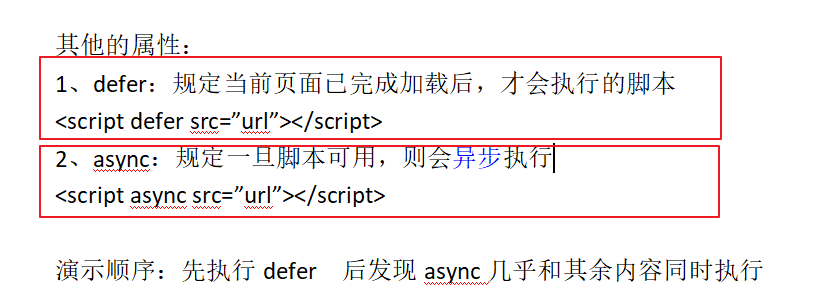
OL标签属性
1、ol有序列表 — start(起始值) — reversed(倒序排列)

若有收获,就点个赞吧
0 人点赞


