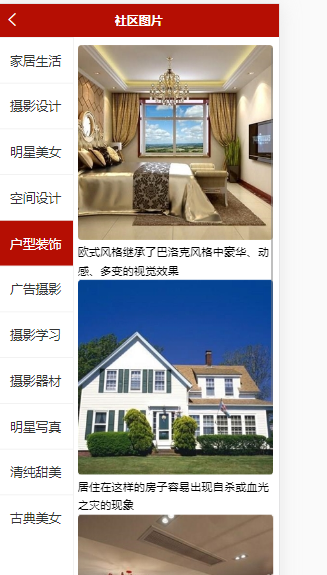
实现右边数据的加载渲染: pic.vue
<template><view class='pics'><scroll-view class='left' scroll-y><view :class="active === index?'active':''" v-for='(item,index) in cates' :key='item.id' @click="leftClickHandle(index,item.id)">{{item.title}}</view></scroll-view><scroll-view class='right' scroll-y><view class='item' v-for='item in secondData' :key='item.id'><image :src='item.img_url'></image><text>{{item.title}}</text></view><text v-if='secondData.length === 0'>暂无数据</text></scroll-view></view></template><script>export default {data() {return {cates:[],active:0,secondData:[]};},methods:{async getPicsCate(){const res = await this.$myRequest({url:'/api/getimgcategory'})this.cates = res.data.messagethis.leftClickHandle(0,this.cates[0][id])},async leftClickHandle(index,id){ //点击一下就变成高亮this.active = index//console.log(id)//获取右侧的数据const res = await this.$myRequest({url:'/api/getimages/'+id})this.secondData = res.data.message}},onLoad(){this.getPicsCate()}}</script><style lang="scss">page{height:100%;}.pics{height:100%;display: flex;.left{width:200rpx;height:100%;border-right:1px solid #eee;view{height:60px;line-height:60px;color:#333;text-align: center;font-size:35rpx;border-top:1px solid #eee;}.active{background: $shop-color;color:#fff;}}.right{height:100%;width:530rpx;margin:20rpx auto;.item{image{width:520rpx;height:520rpx;border-radius: 5px;}text{font-size: 30rpx;line-height: 50rpx;}}}}</style>

若有收获,就点个赞吧
0 人点赞


