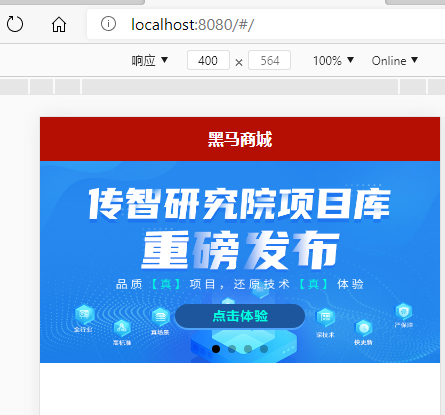
index.vue 全部代码:
<template><view class='home'><swiper indicator-dots circular><swiper-item v-for='item in swipers' :key='item.id'><image :src='item.img'></image> //v-bind可以用:表示</swiper-item></swiper></view></template><script>export default {data() {return {swipers:[]}},onLoad() { //监听页面加载this.getSwiper()},methods: {//获取轮播的数据// async getSwiper(){// console.log('获取轮播的数据')// const res = await uni.request({// url:'http://localhost:8082/api/getlunbo',// })// console.log(res.data)// }//获取轮播数据async getSwiper(){// console.log('获取轮播的数据')// uni.request({// url:'http://localhost:8082/api/getlunbo',// success:res=>{// console.log(res.data.message)// if(res.data.status !== 0){// return uni.showToast({// title:'获取数据失败'// })// }// this.swipers = res.data.message// }// })const res =await this.$myRequest({url:'/api/getlunbo'})this.swipers = res.data.message}}}</script>//scss 注意需要安装,否则会出现错误的<style lang="scss">.home{swiper{width:750rpx; //750rpx表示的是全屏的height: 380rpx; //表示一半image{height:100%;width:100%;}}}</style>

若有收获,就点个赞吧
0 人点赞


