创建新的message页面
右键pages新建message目录,在message目录下右键新建.vue文件,并选择基本模板
<template><view></view></template><script>export default {data() {return {}},methods: {}}</script><style></style>
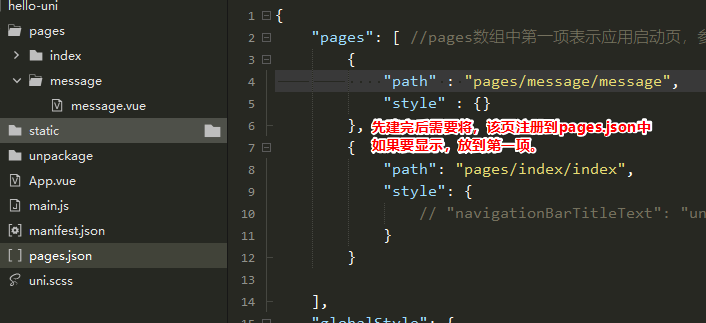
给单页面加入style样式:网址:https://uniapp.dcloud.io/collocation/pages?id=stylepages.json
{
    "pages": [ //pages数组中第一项表示应用启动页,参考:https://uniapp.dcloud.io/collocation/pages
        {
            "path" : "pages/message/message",
            "style" : {
                "navigationBarTitleText":"信息页",
                "navigationBarBackgroundColor":"#007AFF",
                //可以给H5设置单独的样式,当然其他平台也是可以的
                "h5":{
                    "pullToRefresh":{
                        "color":"#4CD964"
                    }
                }

            }
        },
        {
            "path": "pages/index/index",
            "style": {
                // "navigationBarTitleText": "uni-app"
            }
        }

    ],
    "globalStyle": {
        "navigationBarTextStyle": "black",
        "navigationBarTitleText": "逻辑药师",
        "navigationBarBackgroundColor": "#FFFFFF",
        "backgroundColor": "#7CCD7C",
        "enablePullDownRefresh":true,
        "backgroundTextStyle":"dark"
    }
}

若有收获,就点个赞吧
0 人点赞


