在这里将不会自己写,会放在组件里面写。
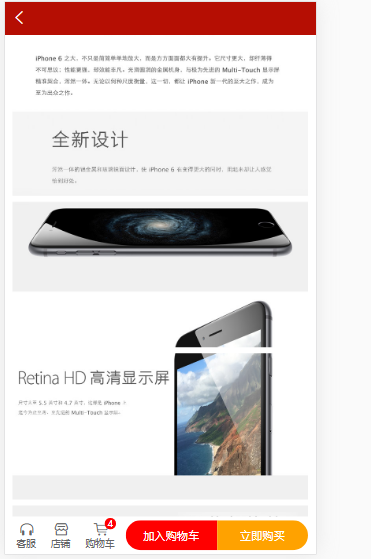
<template><view class='goods_detail'><swiper indicator-dots><swiper-item v-for="(item,index) in swipers" :key="index"><image :src='item.src'></image></swiper-item></swiper><view class='box1'><view class='price'><text>¥{{info.sell_price}}</text><text>¥{{info.market_price}}</text><view class='goods_name'>{{info.title}}</view></view></view><view class='line'></view><view class='box2'><view>货号:{{info.goods_no}}</view><view>库存:{{info.stock_quantity}}</view></view><view class='line'></view><view class='box3'><view class='tit'>详情介绍</view><view class='content'><rich-text :nodes="content"></rich-text></view></view><view class='goods_nav'><uni-goods-nav :fill="true" :options="options" :buttonGroup="buttonGroup" @click="onClick" @buttonClick="buttonClick" /></view></view></template><script>import uniGoodsNav from '@/components/uni-goods-nav/uni-goods-nav.vue'export default {data() {return {id: 0,swipers: [],info:{},content:null,options: [{icon: 'headphones',text: '客服'}, {icon: 'shop',text: '店铺',info: 0,infoBackgroundColor:'#007aff',infoColor:"red"}, {icon: 'cart',text: '购物车',info: 2}],buttonGroup: [{text: '加入购物车',backgroundColor: '#ff0000',color: '#fff'},{text: '立即购买',backgroundColor: '#ffa200',color: '#fff'}]}},methods: {//获取轮播图的数据,首先会有函数async getSwipers() {const res = await this.$myRequest({url: '/api/getthumimages/' + this.id})this.swipers = res.data.message},async getDetailInfo(){const res = await this.$myRequest({url:'/api/goods/getinfo/'+this.id})this.info = res.data.message[0]},async getDetailContent(){const res= await this.$myRequest({url:'/api/goods/getdesc/'+this.id})this.content = res.data.message[0].content},onClick (e) {uni.showToast({title: `点击${e.content.text}`,icon: 'none'})},buttonClick (e) {console.log(e)this.options[2].info++}},onLoad(options) {// console.log(options)this.id = options.idthis.getSwipers()this.getDetailInfo()this.getDetailContent()},components: {uniGoodsNav}}</script><style lang="scss">.goods_detail {swiper {height: 750rpx;image {width: 100%;height: 100%;}}.box1 {padding: 10px;.price {font-size: 35rpx;color: $shop-color;line-height: 80rpx;text:nth-child(2) {color: #ccc;font-size: 28rpx;text-decoration: line-through;margin-left: 20rpx;}}.goods_name {font-size: 35rpx;line-height: 60rpx;color:#333;}}.box2{padding:10rpx 20rpx;font-size: 35rpx;line-height: 60rpx;}.box3{padding-bottom: 50px;.tit{font-size: 40rpx;padding-left: 10px;border-bottom: 1px solid #eee;line-height: 70rpx;}.content{padding:10px;font-size:28rpx;color:#333;line-height: 50rpx;}}}.goods_nav{position: fixed;bottom:0;width:750rpx;}.line{height:10rpx;width:750rpx;background: #eee;}</style>

若有收获,就点个赞吧
0 人点赞


