配置tabbar
- 创建tabbar对应的四个页面和图标准备好
将页面路径配置到pages.json中的pages数组中 ```json { “pages”: [ //pages数组中第一项表示应用启动页,参考:https://uniapp.dcloud.io/collocation/pages
{"path": "pages/index/index","style": {"navigationBarTitleText": "黑马商城"}},{"path" : "pages/cart/cart","style" :{"navigationBarTitleText": "购物车","enablePullDownRefresh": false}},{"path" : "pages/member/member","style" :{"navigationBarTitleText": "会员中心","enablePullDownRefresh": false}},{"path" : "pages/news/news","style" :{"navigationBarTitleText": "咨询页面","enablePullDownRefresh": false}}
], “globalStyle”: {
"navigationBarTextStyle": "white","navigationBarTitleText": "黑马商城","navigationBarBackgroundColor": "#b50e03","backgroundColor": "#F8F8F8"
}, “tabBar”:{
"selectedColor":"#b50e03","color":"#ccc","list":[{"text":"首页","pagePath":"pages/index/index","iconPath":"static/icon/home.png","selectedIconPath":"static/icon/home-active.png"},{"text":"咨询","pagePath":"pages/news/news","iconPath":"static/icon/news.png","selectedIconPath":"static/icon/news-active.png"},{"text":"购物车","pagePath":"pages/cart/cart","iconPath":"static/icon/cart.png","selectedIconPath":"static/icon/cart-active.png"},{"text":"首页","pagePath":"pages/member/member","iconPath":"static/icon/member.png","selectedIconPath":"static/icon/member-active.png"}]
} }
```
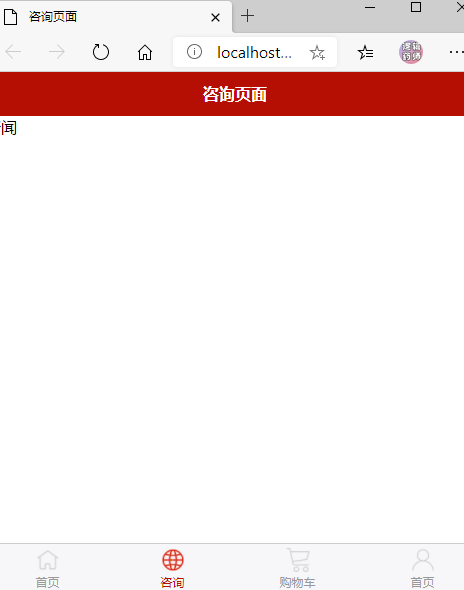
上面完成了4个页面的创建,以及tabbar的创建!

若有收获,就点个赞吧
0 人点赞


