网络请求
在uni中可以调用uni.request方法进行请求网络请求。
需要注意的是:在小程序中网络相关的api在使用前需要配置域名白名单。
发送get请求
本地搭建接口文件: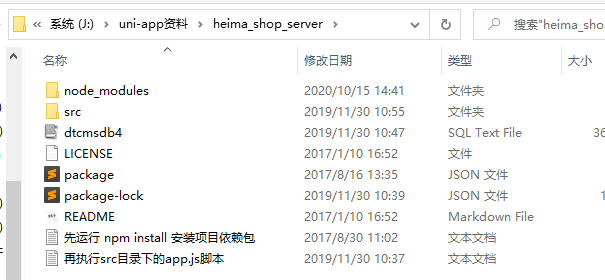
将里面的数据导入到自己本地数据库中。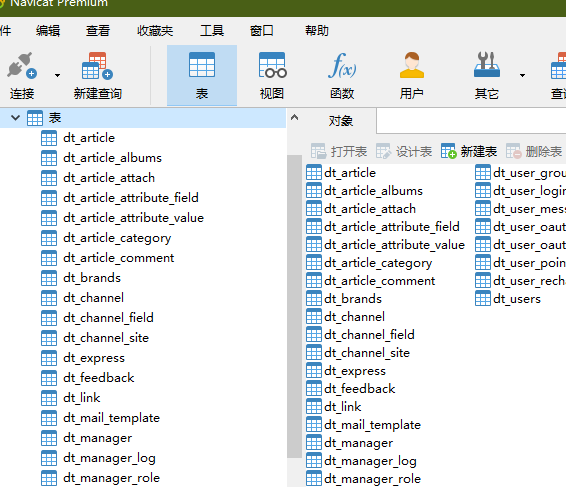
进入该文件夹下的shell,执行 npm i 进行安装。
执行代码: node ./src/app.js 如果出现问题,可以在app.js
中修改数据库用户名和密码。
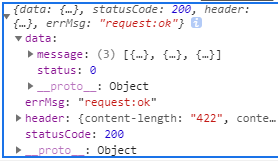
<template><view><button @click="getApi">点击</button><view>这是列表页面</view><view v-for="(item,index) in list" :key='index'>{{item}}<br></view><button type="default" @click="pullDown">下拉刷新</button></view></template><script>export default {data() {return {list:['前端','JAVA','UI','测试','大数据']}},onPullDownRefresh() {console.log('触发了下拉刷新')setTimeout(()=>{this.list = ['JAVA','UI','测试','大数据','前端'] //下拉刷新更新了数据,但是还在不停刷新uni.stopPullDownRefresh()},2000) //加了一个延时2秒},onReachBottom(){console.log('页面触底了')this.list = [...this.list,...['JAVA1','UI1','测试1','大数据1','前端1']]},methods: {pullDown(){//点击按钮触发下拉刷新uni.startPullDownRefresh()},getApi(){uni.request({url:'http://localhost:8082/api/getlunbo',success(res){console.log(res)}})}}}</script><style></style>

若有收获,就点个赞吧
0 人点赞


