语句启动了Hadoop和spark集群
启动了hive元数据服务
nohup hive —service metastore>metastore.log 2>&1 &
启动spark-sql
spark-sql —master spark://test:7077 \
—executor-memory 1g \
—driver-class-path /opt/spark/jars/mysql-connector-java-5.1.48.jar
退出spark-sql
quit;

spark-sql —master spark://test:7077 \
—executor-memory 1g \
—driver-class-path /opt/spark/jars/mysql-connector-java-5.1.48.jar

create database testdb;
show databases;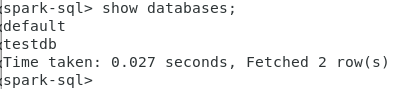
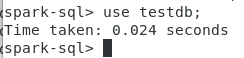

create table t(col1 int,col2 string);

desc t; 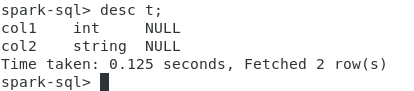
— 格式化表t的表结构信息,信息更详细,包括在hdfs的存储位置
desc formatted t;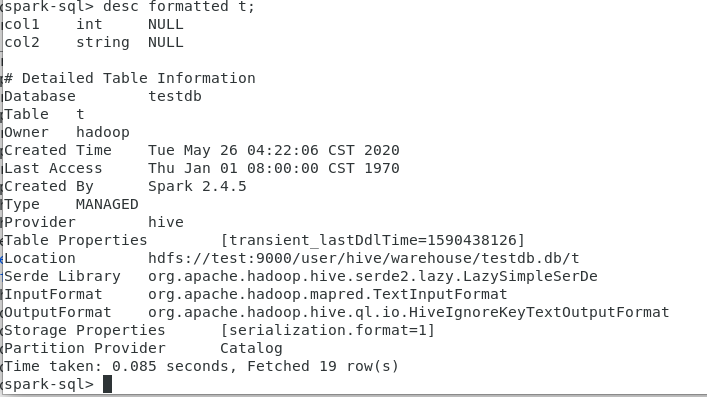
— 显示表t的分区信息,表必需是分区表
show partitions partufo; 
(将来再做测试)
— 查看建表语句
show create table t; 
insert into t values(1,’a’);
insert into t values(2,’b’);
insert into t values(3,’c’);
insert into t values(4,’d’);

truncate table t;
select * from t;
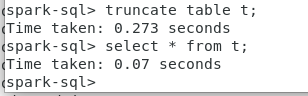
insert into t values(1,’a’);
insert into t values(2,’b’);
insert into t values(3,’c’);
insert into t values(4,’d’);
下面的语句不支持:
delete from t where col1=1;
下面的语句可行,但属于玩赖!(重建表)
insert overwrite table t select col1,col2 from t where col1 !=1;
https://blog.csdn.net/a308601801/article/details/93970153
drop table t;
create table t(col1 int,col2 string);
如果数据库testdb中还有表,就不能直接使用drop database testdb删除数据库。
drop database testdb;
如果数据库testdb中还有表,需要使用下面的命令来删除testdb数据库。
drop database if exists testdb cascade;
create database testdb;
use testdb;
create table t(col1 int,col2 string);
insert into t values(1,’a’);
insert into t values(2,’b’);
insert into t values(3,’c’);
insert into t values(4,’d’);
**Spark
https://www.cnblogs.com/xzjf/p/8857081.html
[spark-sql 常用命令
https://www.cnblogs.com/BlueSkyyj/p/9640626.html
drop database if exists testdb cascade;

nohup hive —service metastore>metastore.log 2>&1 &
**启动hive
在test上启动Thrift服务器
服务模式
/opt/hive/bin/hiveserver2 start &
停止命令:
/opt/hive/bin/hiveserver2 stop &

若有收获,就点个赞吧
0 人点赞


