开始前准备
将airlinedata复制到虚拟机
hdfs dfs -mkdir -p /user/hdfs/airlinedata
hdfs dfs -mkdir -p /user/hdfs/sampledata
hdfs dfs -mkdir -p /user/hdfs/masterdata
cd /home/hadoop/proHadoop/
hdfs dfs -copyFromLocal airlinedata/ /user/hdfs/airlinedata/
hdfs dfs -copyFromLocal sampledata/ /user/hdfs/sampledata/
hdfs dfs -copyFromLocal masterdata/* /user/hdfs/masterdata/
hdfs dfs -ls /user/hdfs/airlinedata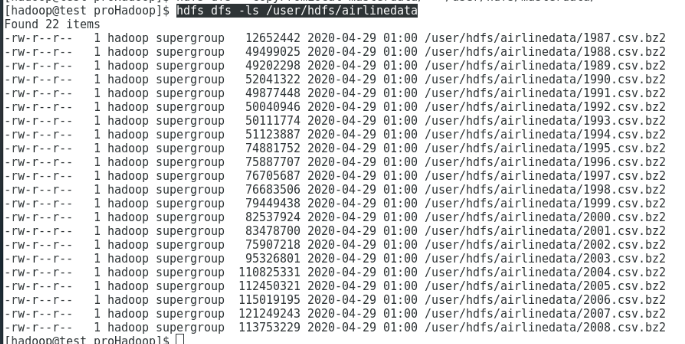
hdfs dfs -ls /user/hdfs/sampledata
hdfs dfs -ls /user/hdfs/masterdata
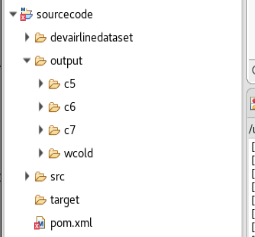
TestSelect
1.启动eclipse
root用户转hadoop用户
[root@test ~]# su - hadoop
使用hadoop用户运行以下命令:
[hadoop@test ~]$ eclipse
如果出现以下错误:
[hadoop@test ~]$ eclipseEclipse: Cannot open display:org.eclipse.m2e.logback.configuration: The org.eclipse.m2e.logback.configuration bundle was activated before the state location was initialized. Will retry after the state location is initialized.Eclipse: Cannot open display:Eclipse:An error has occurred. See the log file/opt/eclipse/configuration/1588190319670.log.
上述错误没有解决
直接到/opt/eclipse中点击应用开启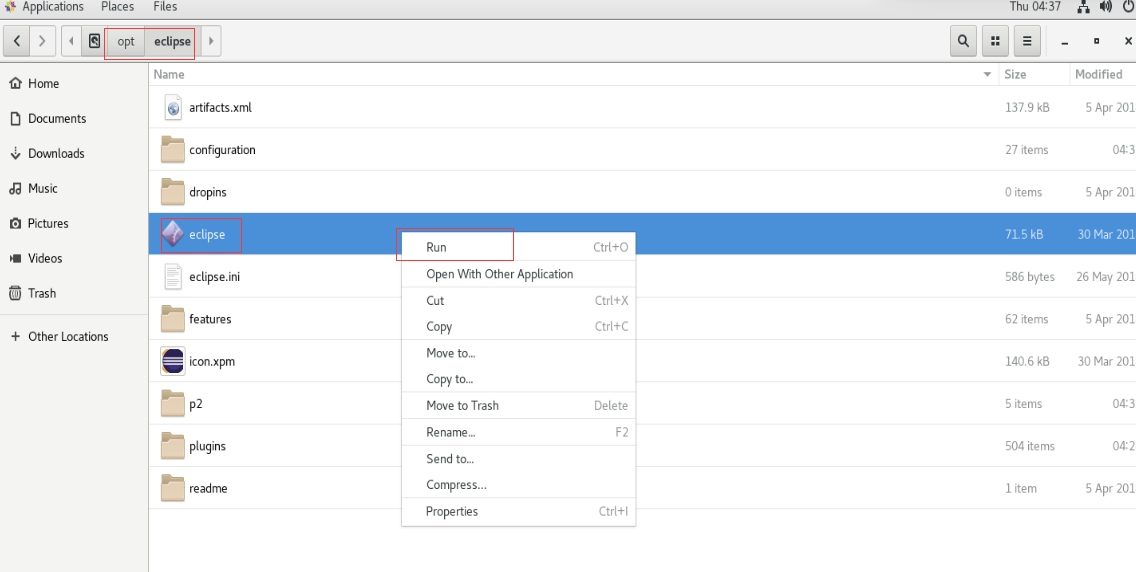
eclipse过了一段时间自己可以运行了,具体原因不明 。 ̄□ ̄||
2.建立TestSelect项目
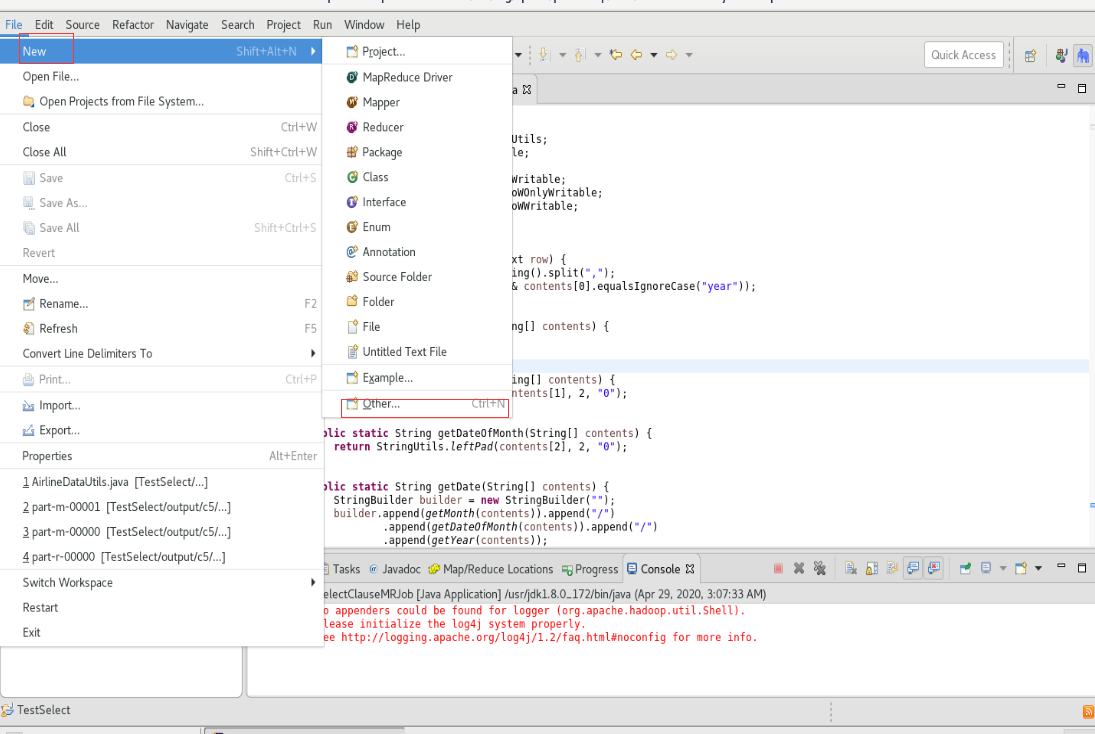
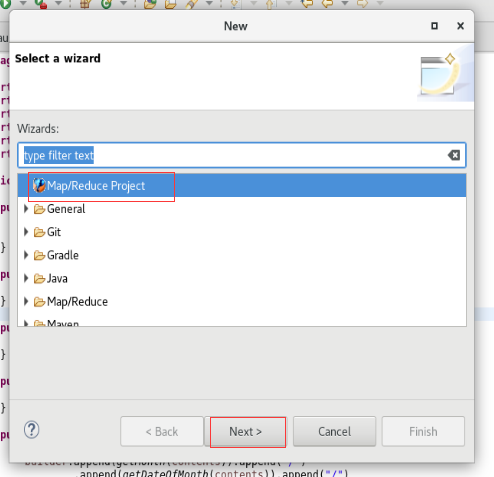
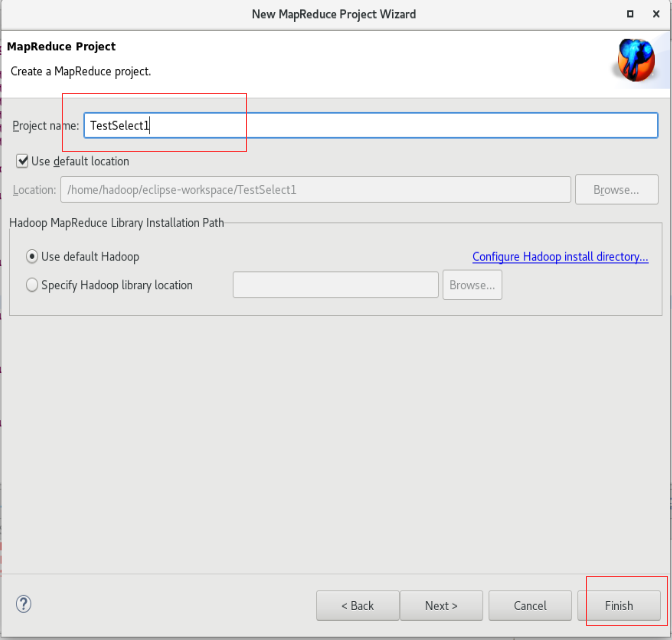
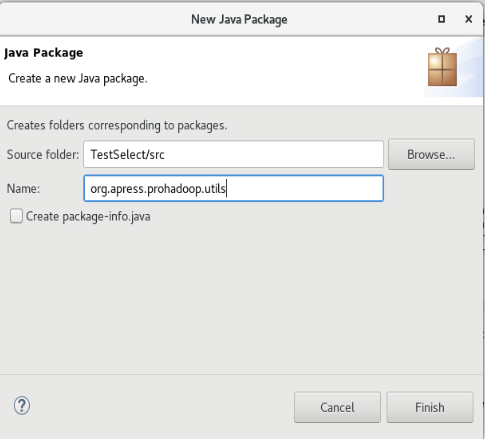
3.创建org.apress.prohadoop.c5包和org.apress.prohadoop.utils包


4.将所需的输入文件拷贝过来,并且创建输出文件夹
输入文件位置是:/TestSelect/devairlinedataset/input/txt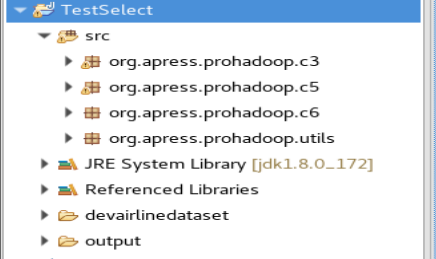
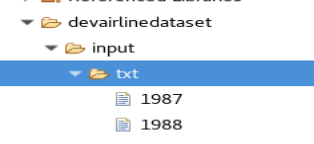
将已有的select文件夹删除
输出文件夹是:/TestSelect/output/c5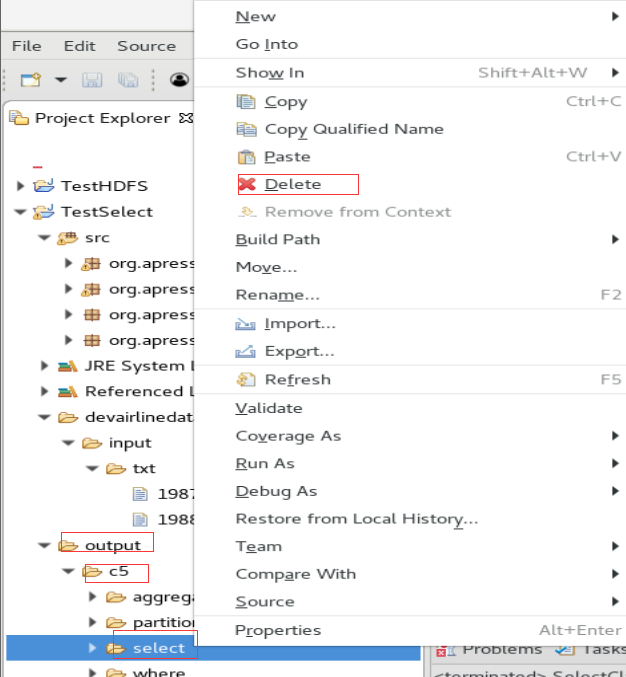
5.新建SelectClauseMRJob类和AirlineDataUtils类
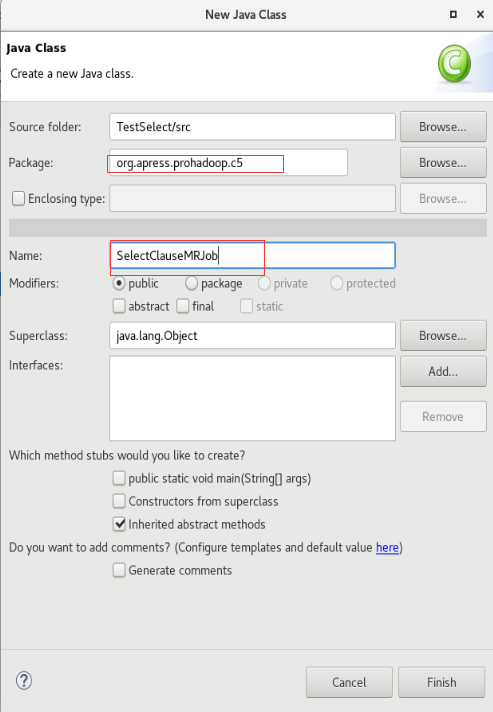
内容为:
package org.apress.prohadoop.c5;
import java.io.IOException;
import org.apache.hadoop.conf.Configuration;
import org.apache.hadoop.conf.Configured;
import org.apache.hadoop.fs.Path;
import org.apache.hadoop.io.LongWritable;
import org.apache.hadoop.io.NullWritable;
import org.apache.hadoop.io.Text;
import org.apache.hadoop.mapreduce.Job;
import org.apache.hadoop.mapreduce.Mapper;
import org.apache.hadoop.mapreduce.lib.input.FileInputFormat;
import org.apache.hadoop.mapreduce.lib.input.TextInputFormat;
import org.apache.hadoop.mapreduce.lib.output.FileOutputFormat;
import org.apache.hadoop.mapreduce.lib.output.TextOutputFormat;
import org.apache.hadoop.util.GenericOptionsParser;
import org.apache.hadoop.util.Tool;
import org.apache.hadoop.util.ToolRunner;
import org.apress.prohadoop.utils.AirlineDataUtils;


public class SelectClauseMRJob extends Configured implements Tool {
    public static class SelectClauseMapper extends
            Mapper<LongWritable, Text, NullWritable, Text> {
        public void map(LongWritable key, Text value, Context context)
                throws IOException, InterruptedException {
            if (!AirlineDataUtils.isHeader(value)) {
                StringBuilder output = AirlineDataUtils.mergeStringArray(
                        AirlineDataUtils.getSelectResultsPerRow(value), ",");
                context.write(NullWritable.get(), new Text(output.toString()));
            }
        }
    }
    public int run(String[] allArgs) throws Exception {
        Job job = Job.getInstance(getConf());
        job.setJarByClass(SelectClauseMRJob.class);
        job.setInputFormatClass(TextInputFormat.class);
        job.setOutputFormatClass(TextOutputFormat.class);
        job.setOutputKeyClass(NullWritable.class);
        job.setOutputValueClass(Text.class);
        job.setMapperClass(SelectClauseMapper.class);
        job.setNumReduceTasks(0);
        String[] args = new GenericOptionsParser(getConf(), allArgs)
                .getRemainingArgs();
        FileInputFormat.setInputPaths(job, new Path(args[0]));
        FileOutputFormat.setOutputPath(job, new Path(args[1]));
        boolean status = job.waitForCompletion(true);
        if (status) {
            return 0;
        } else {
            return 1;
        }
    }
    public static void main(String[] args) throws Exception {
        Configuration conf = new Configuration();
        ToolRunner.run(new SelectClauseMRJob(), args);
    }
}
3.本机运行
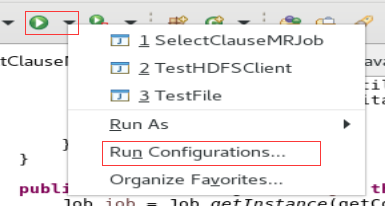
输入参数
/home/hadoop/eclipse-workspace/TestSelect/devairlinedataset/input/txt/ /home/hadoop/eclipse-workspace/TestSelect/output/c5/select/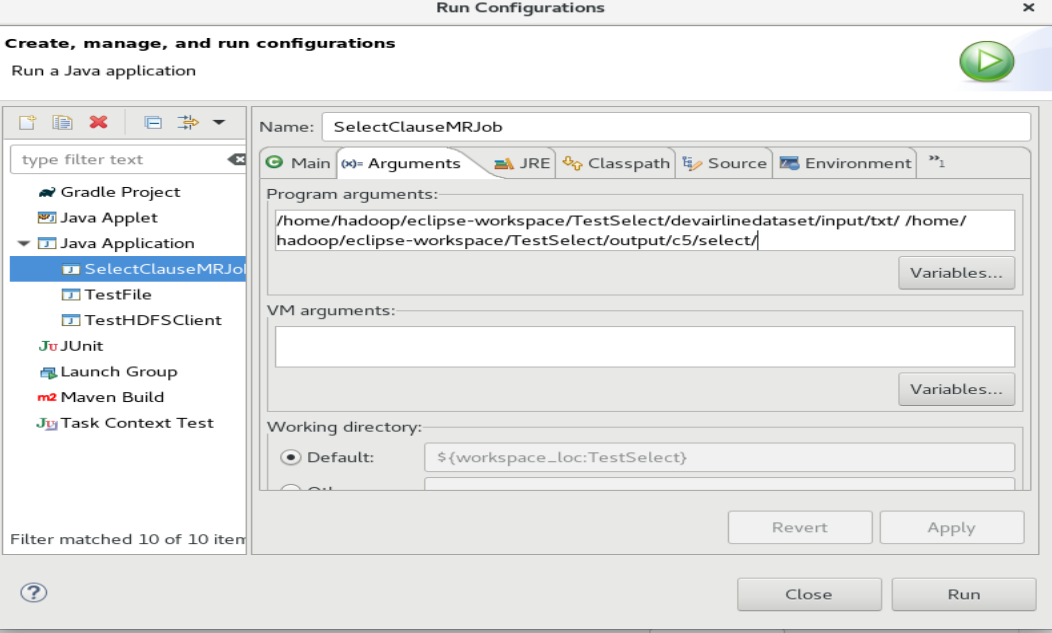

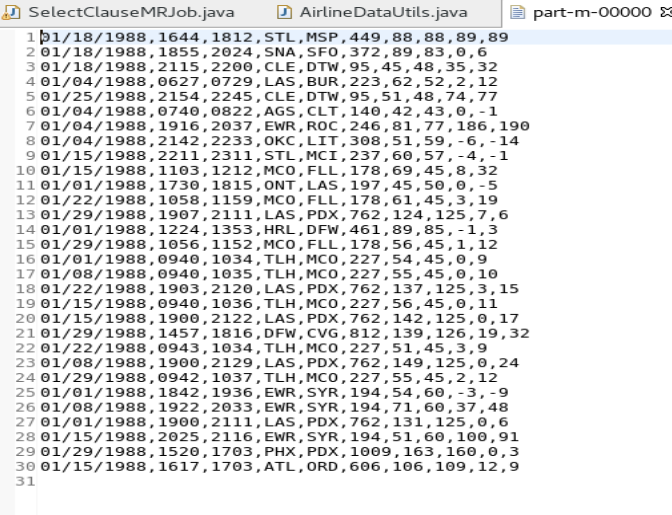
运行成功结束
查看结果
刷新output

4.集群环境运行
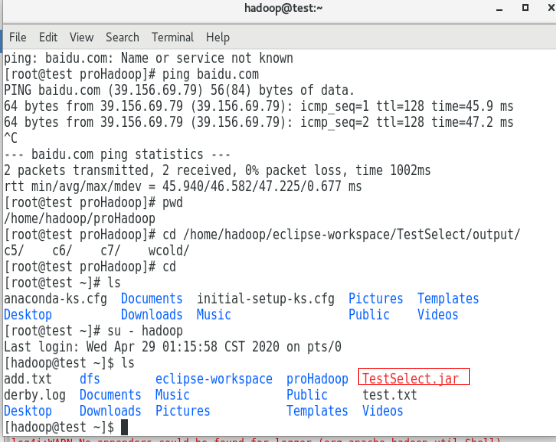
将java项目打成jar包


选一个jar包存放的位置,并且起一个名字
存放的位置/home/hadoop
jar名字:TestSelect.jar

运行jar
hdfs dfs -ls /user/hdfs
cd /home/hadoop
hadoop jar TestSelect.jar org.apress.prohadoop.c5.SelectClauseMRJob /user/hdfs/sampledata /user/hdfs/output/c5/select
出现
Retrying connect to server: 0.0.0.0/0.0.0.0:8031. Already tried 0 time(s)
解决:没有启动yarn
start-yarn.sh
hadoop jar TestSelect.jar org.apress.prohadoop.c5.SelectClauseMRJob /user/hdfs/sampledata /user/hdfs/output/c5/select
运行结果
hdfs dfs -ls /user/hdfs/output/c5/select
hdfs dfs -cat /user/hdfs/output/c5/select/part-m-00000
hdfs dfs -cat /user/hdfs/output/c5/select/part-m-00001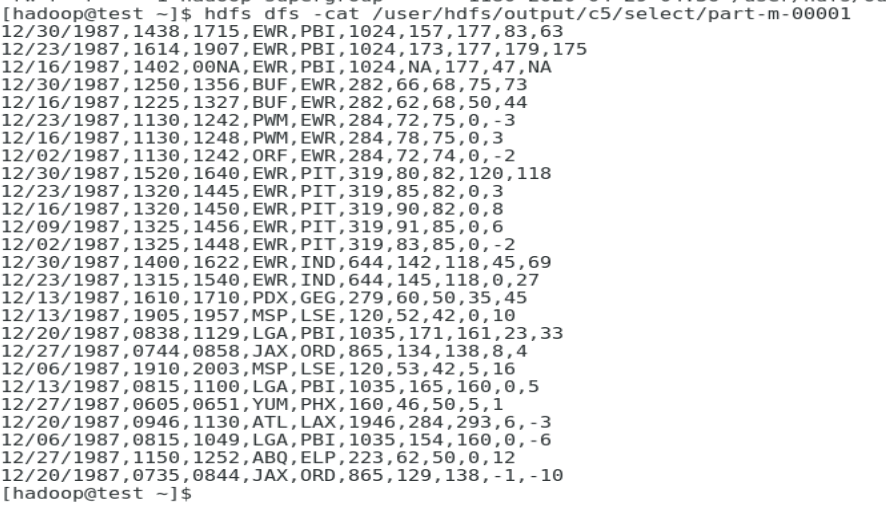
TestWhere
在TestSelect基础上将WhereClauseMRJob.java拷贝过去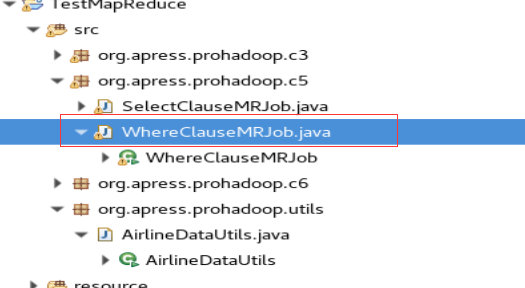
打成jar包,过程同TestSelect
jar包命名TestWhere.jar
存在/home/hadoop下
运行
hadoop jar TestWhere.jar org.apress.prohadoop.c5.WhereClauseMRJob -D map.where.delay=10 /user/hdfs/sampledata /user/hdfs/output/c5/where
TestSUM
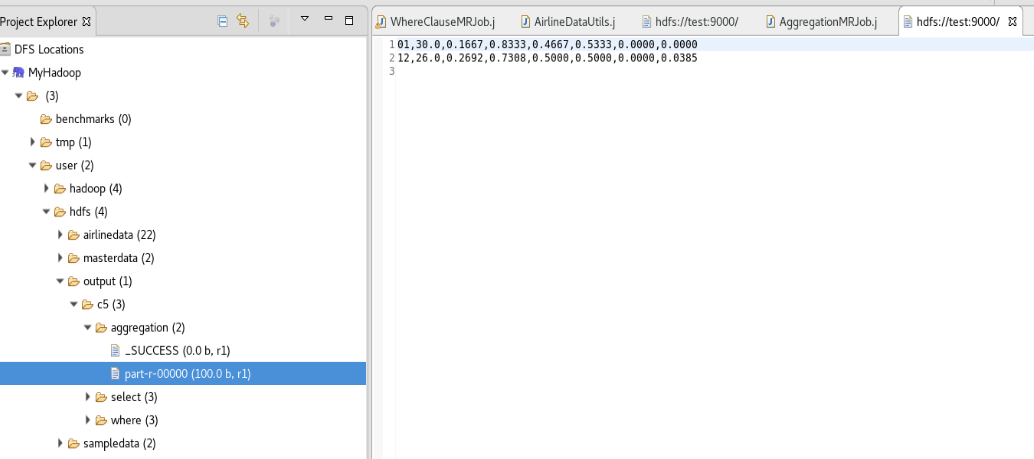
hadoop jar TestSUM.jar org.apress.prohadoop.c5.AggregationMRJob /user/hdfs/sampledata /user/hdfs/output/c5/aggregation
TestSUMWithCombiner
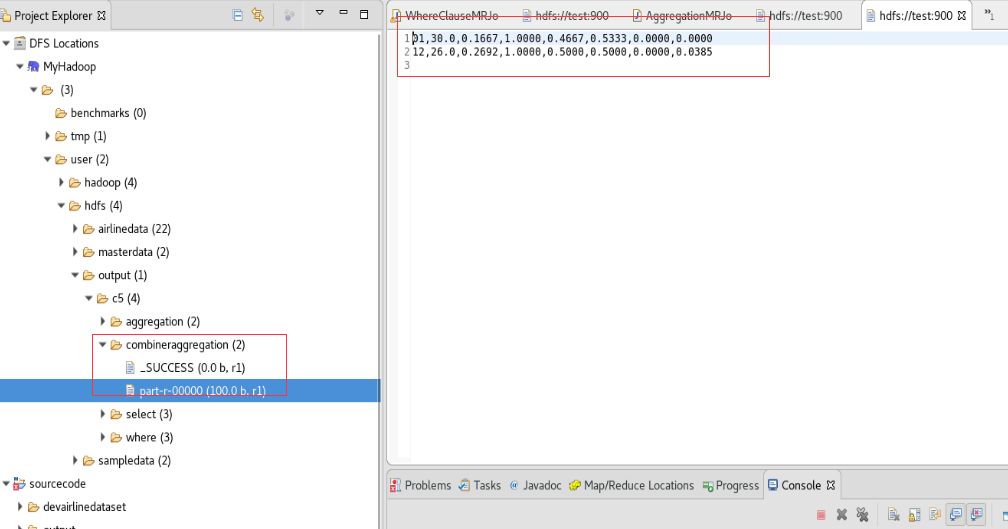
hadoop jar TestSUMWithCombiner.jar org.apress.prohadoop.c5.AggregationWithCombinerMRJob /user/hdfs/sampledata /user/hdfs/output/c5/combineraggregation
TestSplitByMonth
hadoop jar TestSplitByMonth.jar org.apress.prohadoop.c5.SplitByMonthMRJob /user/hdfs/sampledata /user/hdfs/output/c5/partitioner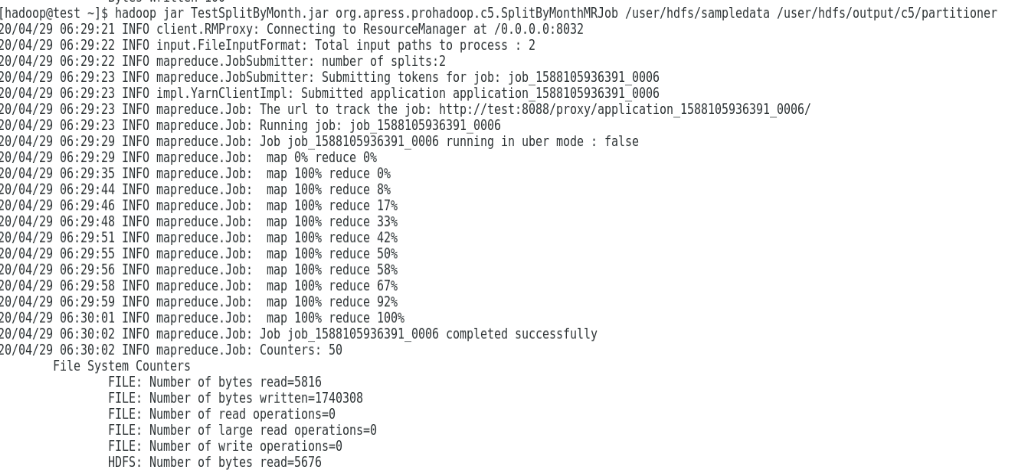


若有收获,就点个赞吧
0 人点赞


