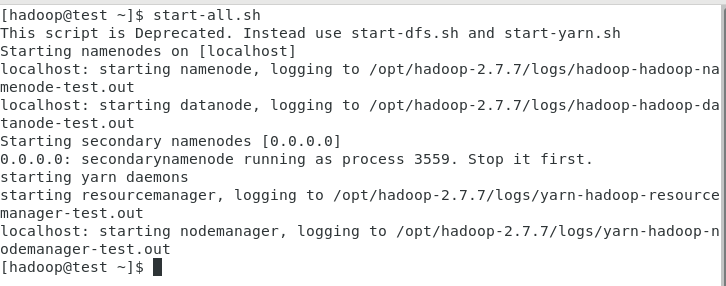
用超级用户root执行如下命令:
su - root
systemctl start mysqld.service
查看mysql启动状态
systemctl status mysqld.service
使用hadoop用户
hive —service metastore &
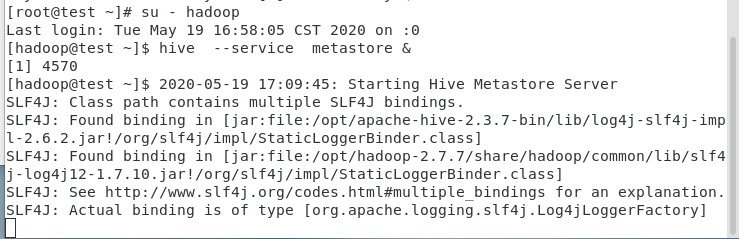
另启动一个终端验证已经启动了metastore服务
netstat -an |grep 9083

在test上启动Thrift服务器
服务模式
hiveserver2 start &
验证已经启动了Thrift服务器
netstat -an |grep 10000

====
命令行模式:
hive —service hiveserver2 —hiveconf hive.server2.thrift.port=10001
hive —service hiveserver2
http://blog.csdn.net/huanggang028/article/details/44591663
(beeline使用)
http://www.aboutyun.com/blog-6-1855.html
(beeline异常)
beeline
!connect jdbc:hive2://192.168.100.13:10000
密码是Passw0rd!
0: jdbc:hive2://192.168.100.13:10000> !quit
[hadoop@test ~]$ beeline
SLF4J: Class path contains multiple SLF4J bindings.
SLF4J: Found binding in [jar:file:/opt/apache-hive-2.3.3-bin/lib/log4j-slf4j-impl-2.6.2.jar!/org/slf4j/impl/StaticLoggerBinder.class]
SLF4J: Found binding in [jar:file:/opt/hadoop-2.7.6/share/hadoop/common/lib/slf4j-log4j12-1.7.10.jar!/org/slf4j/impl/StaticLoggerBinder.class]
SLF4J: See http://www.slf4j.org/codes.html#multiple_bindings for an explanation.
SLF4J: Actual binding is of type [org.apache.logging.slf4j.Log4jLoggerFactory]
Beeline version 2.3.3 by Apache Hive
beeline> !connect jdbc:hive2://192.168.100.21:10000
Connecting to jdbc:hive2://192.168.100.21:10000
Enter username for jdbc:hive2://192.168.100.21:10000: hive
Enter password for jdbc:hive2://192.168.100.21:10000: *
18/06/05 21:46:19 [main]: WARN jdbc.HiveConnection: Failed to connect to 192.168.100.21:10000
Error: Could not open client transport with JDBC Uri: jdbc:hive2://192.168.100.21:10000: Failed to open new session: java.lang.RuntimeException: org.apache.hadoop.ipc.RemoteException(org.apache.hadoop.security.authorize.AuthorizationException): User: hadoop is not allowed to impersonate hive (state=08S01,code=0)
https://blog.csdn.net/u014033218/article/details/76222529
在hadoop的配置文件core-site.xml中添加如下:

[hadoop@test Desktop]$ hdfs dfs -ls /user/hive/warehouse
hive>
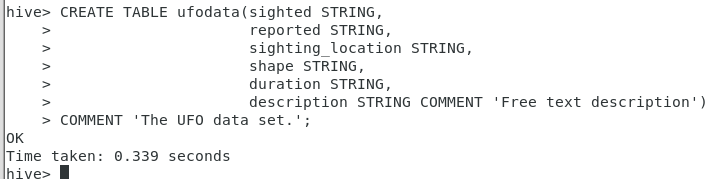
CREATE TABLE ufodata(sighted STRING,
reported STRING,
sighting_location STRING,
shape STRING,
duration STRING,
description STRING COMMENT ‘Free text description’)
COMMENT ‘The UFO data set.’;
[hadoop@test Desktop]$ hdfs dfs -ls /user/hive/warehouse
hive>
show tables;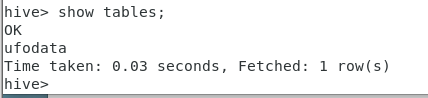
hive>
show tables ‘ufo‘;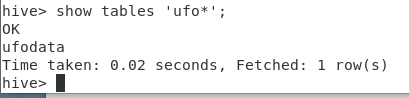
hive>
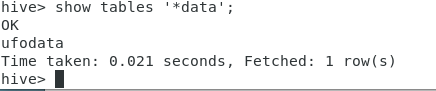
show tables ‘data’;
hive>
describe ufodata;
hive>
describe extended ufodata;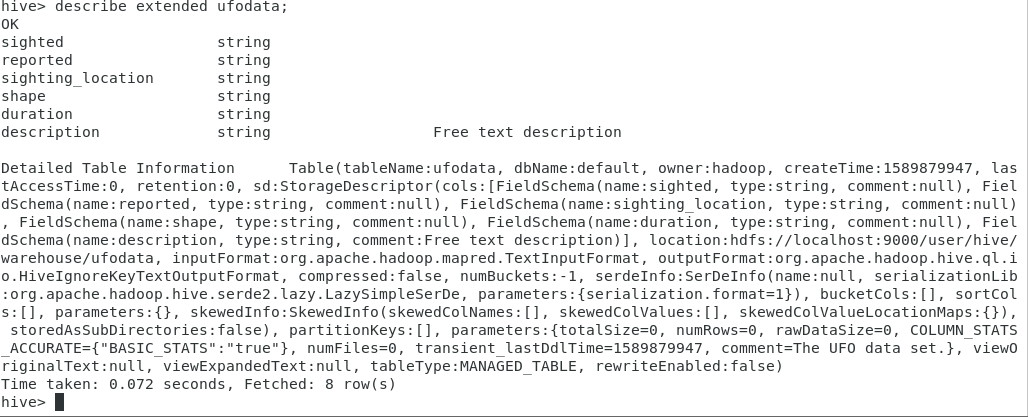
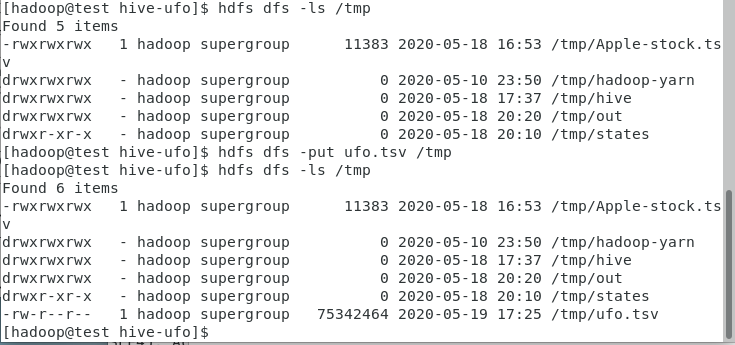
cd /home/hadoop/Desktop/1/hive-ufo #数据所在目录
hdfs dfs -put ufo.tsv /tmp

hive>
LOAD DATA INPATH ‘/tmp/ufo.tsv’ OVERWRITE INTO TABLE ufodata;
hive>
select count() from ufodata limit 5;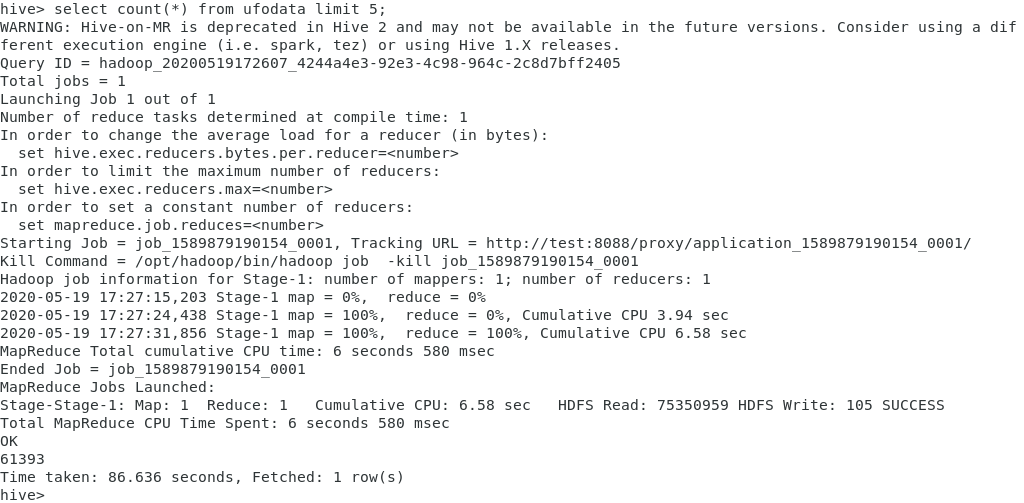
*
hive>
select sighted from ufodata limit 5;
tsv格式的分隔符是TAB;
Hive默认输入文件的分隔符是ASCII码00(Ctrl+A)
hive>
DROP TABLE ufodata ;
hive>
CREATE TABLE ufodata(sighted string,
reported string,
sighting_location string,
shape string,
duration string,
description string)
ROW FORMAT DELIMITED FIELDS TERMINATED BY ‘\t’ ;
hdfs dfs -put ufo.tsv /tmp
hive>
LOAD DATA INPATH ‘/tmp/ufo.tsv’ OVERWRITE INTO TABLE ufodata;
重新执行查询:
hive>
select sighted from ufodata limit 5;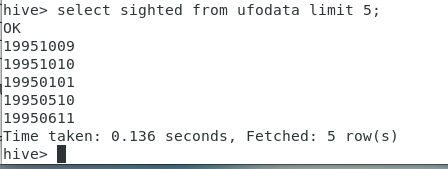
一切OK!
hdfs dfs -mkdir /tmp/states
hdfs dfs -put states.txt /tmp/states
hive>
CREATE EXTERNAL TABLE states(abbreviation string,
full_name string)
ROW FORMAT DELIMITED FIELDS TERMINATED BY ‘\t’
LOCATION ‘/tmp/states’;

[hadoop@test Desktop]$ hdfs dfs -ls /tmp/states/states.txt
hive>
select full_name
from states
where abbreviation like ‘CA’;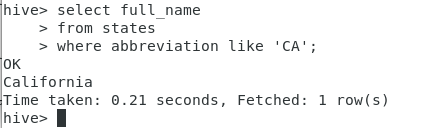
hive>
SELECT t1.sighted, t2.full_name
FROM ufodata t1 JOIN states t2
ON (LOWER(t2.abbreviation) =
LOWER(SUBSTR( t1.sighting_location,(LENGTH(t1.sighting_location)-1))))
LIMIT 5 ;

注意:连接的条件只能是等于条件,不能是不等条件!(>、< 、like)
hive>
SELECT t1.sighted, t2.full_name
FROM ufodata t1 JOIN states t2
ON (LOWER(t2.abbreviation) =
LOWER(SUBSTR( t1.sighting_location,(LENGTH(t1.sighting_location)-1))))
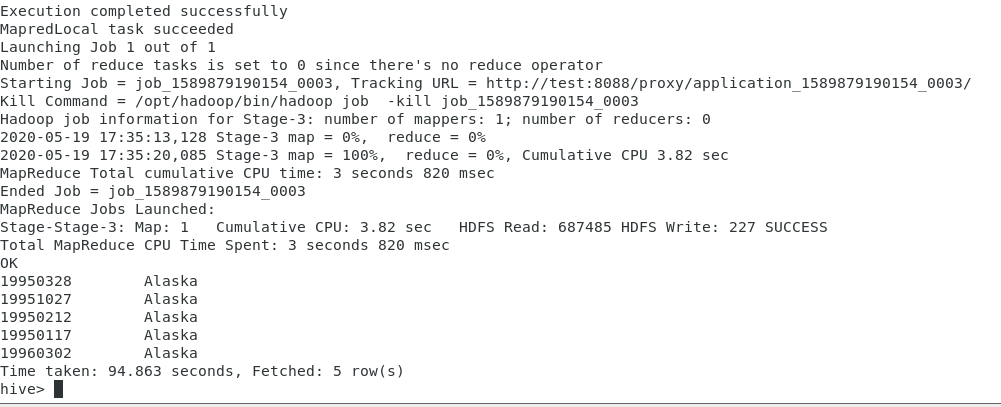
WHERE UPPER(t2.full_name)=’ALASKA’
LIMIT 5;
hive>
SELECT t1.sighted, t2.full_name
FROM ufodata t1 JOIN states t2
ON (LOWER(t2.abbreviation) =
LOWER(SUBSTR( t1.sighting_location,(LENGTH(t1.sighting_location)-1))))
WHERE UPPER(t2.full_name)=’ALASKA’;

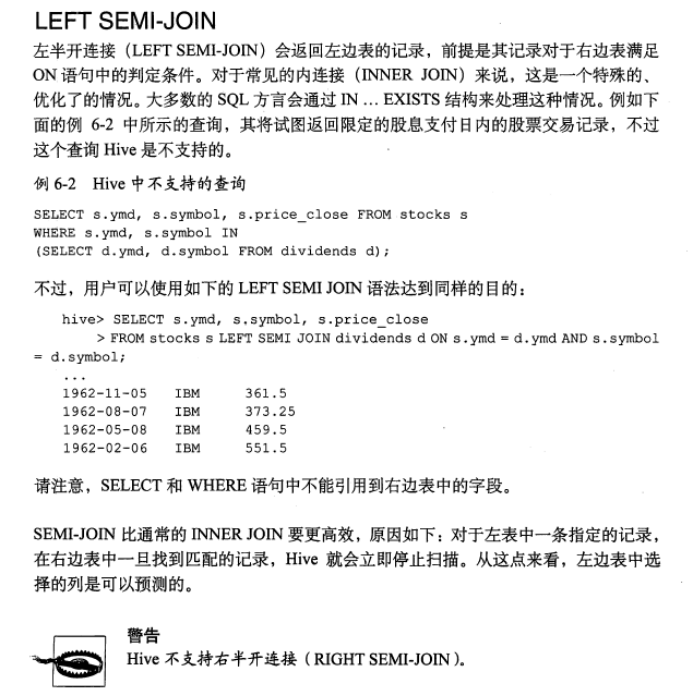
Hive支持内连接、左外连接、右外连接、全外连接、左半连接
hive>
CREATE VIEW
IF NOT EXISTS usa_sightings (sighted, reported,shape, state)
AS
select t1.sighted, t1.reported, t1.shape, t2.full_name
FROM ufodata t1 JOIN states t2
ON (LOWER(t2.abbreviation) = LOWER(substr( t1.sighting_location,
(LENGTH(t1.sighting_location)-1)))) ;

hive>
select count(state)
from usa_sightings
where state =’California’;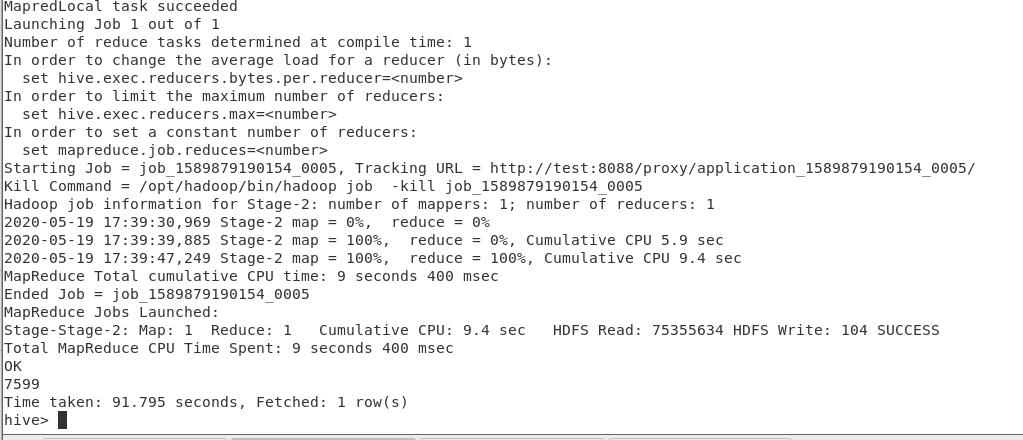
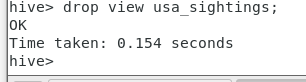
hive>
CREATE VIEW
IF NOT EXISTS usa_sightings (sighted, reported,shape, state)
AS
select t1.sighted, t1.reported, t1.shape, t2.full_name
FROM ufodata t1 JOIN states t2
ON (LOWER(t2.abbreviation) = LOWER(substr( t1.sighting_location,
(LENGTH(t1.sighting_location)-1)))) ;
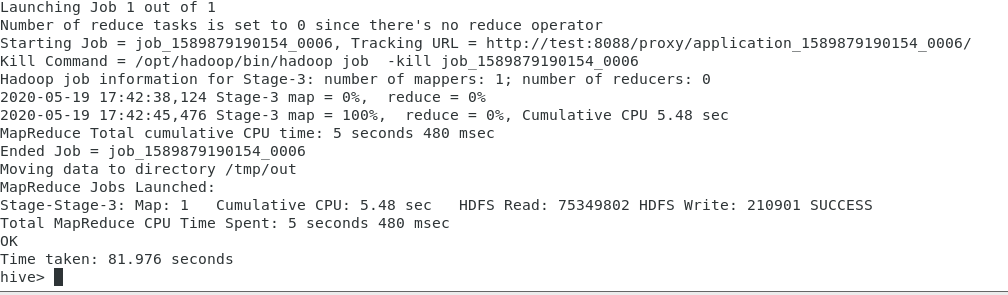
hive>
INSERT OVERWRITE DIRECTORY ‘/tmp/out’
SELECT reported, shape, state
FROM usa_sightings
WHERE state = ‘California’;
[hadoop@test Desktop]$ hdfs dfs -ls /tmp/out

[hadoop@test Desktop]$ hdfs dfs -cat /tmp/out/000000_0|tail
[hadoop@test tmp]$ hdfs dfs -ls /user/hive/warehouse

hive>
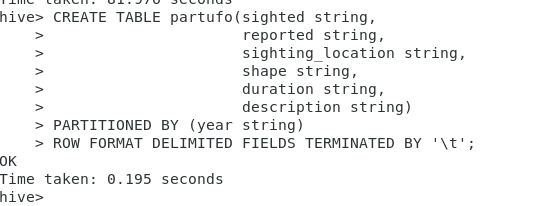
CREATE TABLE partufo(sighted string,
reported string,
sighting_location string,
shape string,
duration string,
description string)
PARTITIONED BY (year string)
ROW FORMAT DELIMITED FIELDS TERMINATED BY ‘\t’;
[hadoop@test tmp]$ hdfs dfs -ls /user/hive/warehouse

hive>
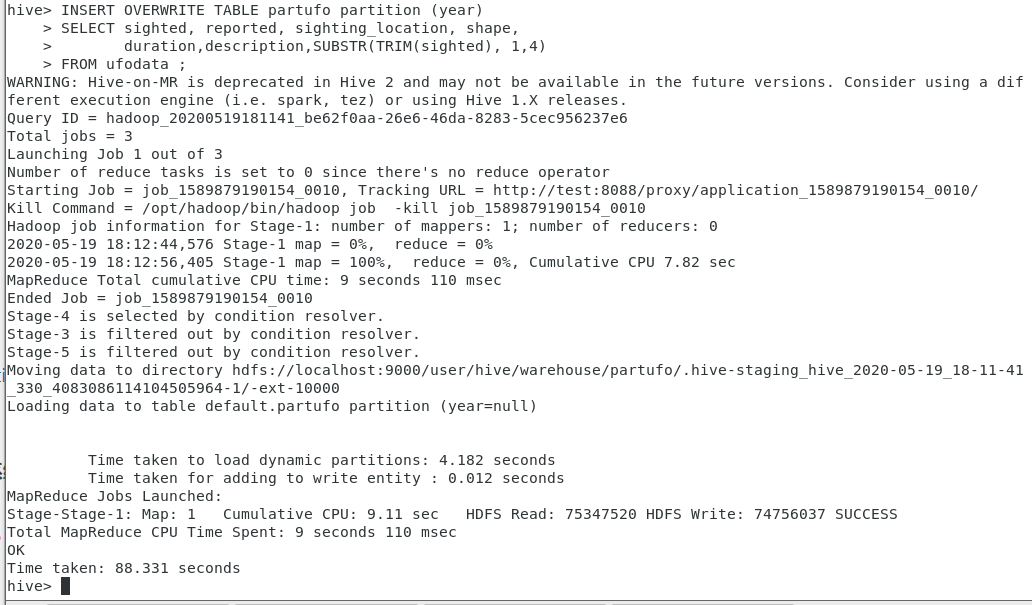
SET hive.exec.dynamic.partition=true;
SET hive.exec.dynamic.partition.mode=nonstrict;
INSERT OVERWRITE TABLE partufo partition (year)
SELECT sighted, reported, sighting_location, shape,
duration,description,SUBSTR(TRIM(sighted), 1,4)
FROM ufodata ;
如果报错Container [pid=50327,containerID=container_1589879190154_0009_01_000005] is running beyond virtual memory limits. Current usage: 242.2 MB of 1 GB physical memory used; 2.1 GB of 2.1 GB virtual memory used. Killing container.
,参考:https://blog.csdn.net/qq_26442553/article/details/89343579
[hadoop@test tmp]$ hdfs dfs -ls /user/hive/warehouse/partufo

hive>
SELECT count(*)
FROM ufodata
WHERE sighted like ‘1989%’;
hive>
SELECT count(*)
FROM partufo
WHERE sighted like ‘1989%’;
hive>
ALTER TABLE partufo DROP PARTITION (year=’1989’);

[hadoop@test tmp]$ hdfs dfs -ls /user/hive/warehouse/partufo/year=1989
hive>
ALTER TABLE partufo ADD IF NOT EXISTS PARTITION (year=’1989’);
[hadoop@test tmp]$ hdfs dfs -ls /user/hive/warehouse/partufo/year=1989
**恢复分区
hive>
SET hive.exec.dynamic.partition=true;
SET hive.exec.dynamic.partition.mode=nonstrict;
INSERT OVERWRITE TABLE partufo partition (year)
SELECT sighted, reported, sighting_location, shape,
duration,description,SUBSTR(TRIM(sighted), 1,4)
FROM ufodata
WHERE sighted like ‘1989%’;
hive>
SELECT count(*)
FROM partufo
WHERE sighted like ‘1989%’;

===
重做的话需要先删除分区表partufo
hive>
drop table partufo ;
[hadoop@test tmp]$ hdfs dfs -ls /user/hive/warehouse
hive>
CREATE TABLE partBucketUfo(sighted string,
reported string,
sighting_location string,
shape string,
duration string,
description string)
PARTITIONED BY (year string)
CLUSTERED BY (shape) INTO 4 BUCKETS
ROW FORMAT DELIMITED FIELDS TERMINATED BY ‘\t’;

[hadoop@test tmp]$ hdfs dfs -ls /user/hive/warehouse

[hadoop@test Desktop]$ hdfs dfs -ls /user/hive/warehouse/partbucketufo
hive>
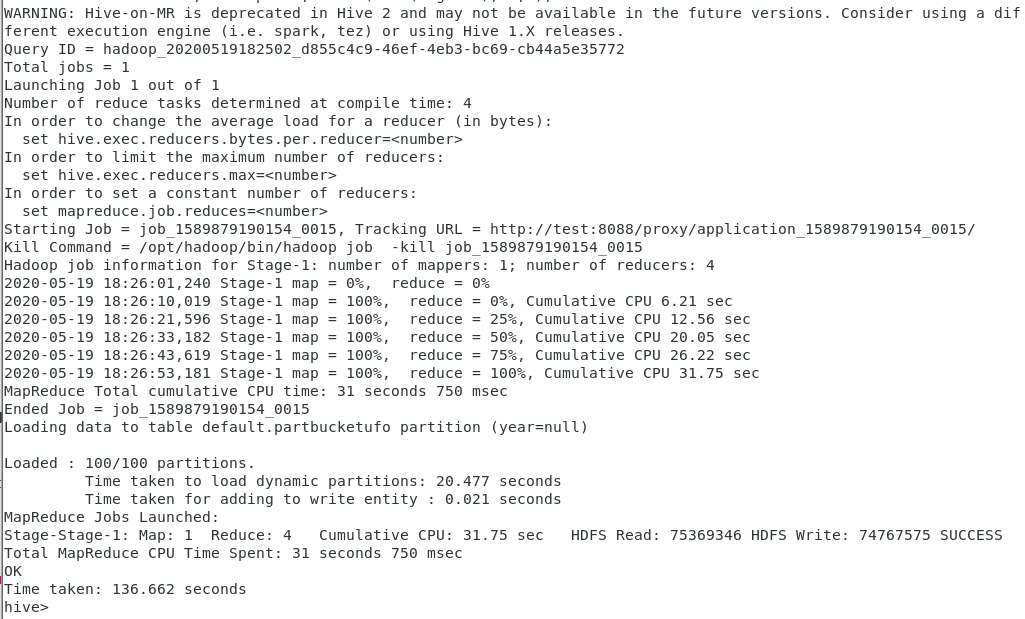
SET hive.exec.dynamic.partition=true;
SET hive.exec.dynamic.partition.mode=nonstrict;
SET hive.enforce.bucketing=true;
FROM ufodata
INSERT OVERWRITE TABLE partBucketUfo partition (year)
SELECT sighted, reported, sighting_location, shape,
duration,description,SUBSTR(TRIM(sighted), 1,4);
[hadoop@test tmp]$ hdfs dfs -ls /user/hive/warehouse/partbucketufo|more

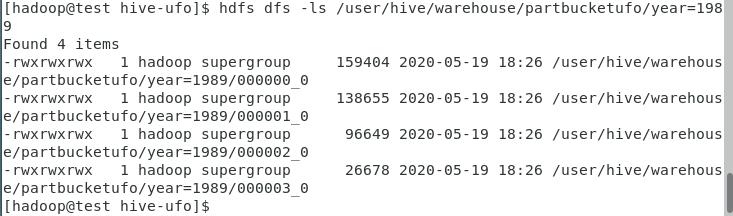
[hadoop@test Desktop]$ hdfs dfs -ls /user/hive/warehouse/partbucketufo/year=1989
hive>
drop table partBucketUfo;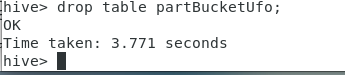
hive>
CREATE TABLE partBucketUfo(sighted string,
reported string,
sighting_location string,
shape string,
duration string,
description string)
PARTITIONED BY (year string)
CLUSTERED BY (shape) INTO 4 BUCKETS
ROW FORMAT DELIMITED FIELDS TERMINATED BY ‘\t’;
hive>
SET hive.exec.dynamic.partition=true;
SET hive.exec.dynamic.partition.mode=nonstrict;
SET hive.enforce.bucketing=true;
SET mapred.reduce.tasks=4;
FROM ufodata
INSERT OVERWRITE TABLE partBucketUfo partition (year)
SELECT sighted, reported, sighting_location, shape,
duration,description,SUBSTR(TRIM(sighted), 1,4)
CLUSTER BY shape;
[hadoop@test tmp]$ hdfs dfs -ls /user/hive/warehouse/partbucketufo|more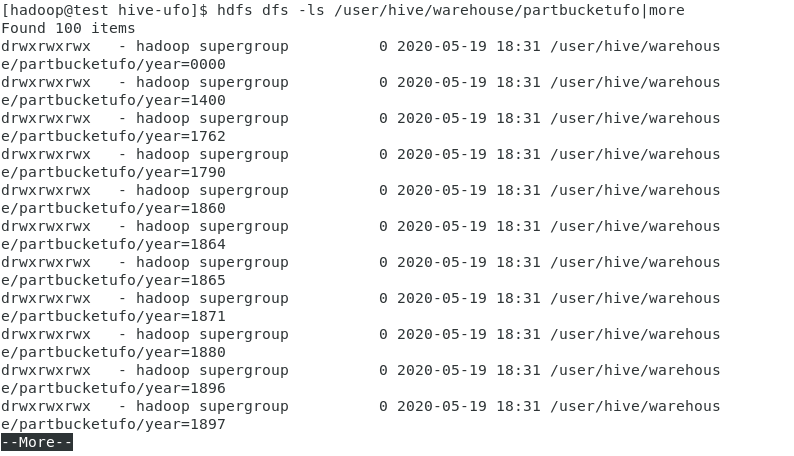
[hadoop@test Desktop]$ hdfs dfs -ls /user/hive/warehouse/partbucketufo/year=1989
hive>
drop table partBucketUfo;
hive>
CREATE TABLE partBucketUfo(sighted string,
reported string,
sighting_location string,
shape string,
duration string,
description string)
PARTITIONED BY (year string)
CLUSTERED BY (shape) INTO 4 BUCKETS
ROW FORMAT DELIMITED FIELDS TERMINATED BY ‘\t’;
hive>
SET hive.exec.dynamic.partition=true;
SET hive.exec.dynamic.partition.mode=nonstrict;
SET hive.enforce.bucketing=true;
FROM ufodata
INSERT OVERWRITE TABLE partBucketUfo partition (year)
SELECT sighted, reported, sighting_location, shape,
duration,description,SUBSTR(TRIM(sighted), 1,4)
SORT by sighted;
数据导入分区分桶表partBucketUfo后,执行下面的查询:
hive>
SELECT sighted
FROM partBucketUfo
WHERE year=’1989’;
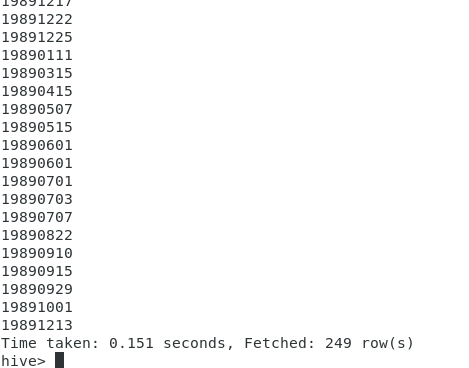
从输出结果可以看出,分区的每一个分桶,按被观测到时间升序排序!
打开eclipse
**
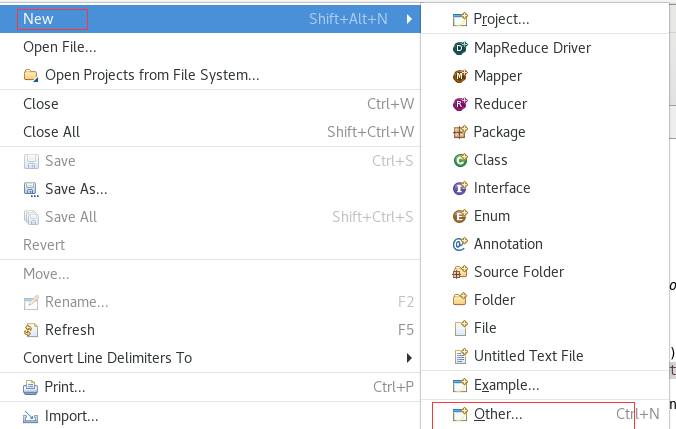

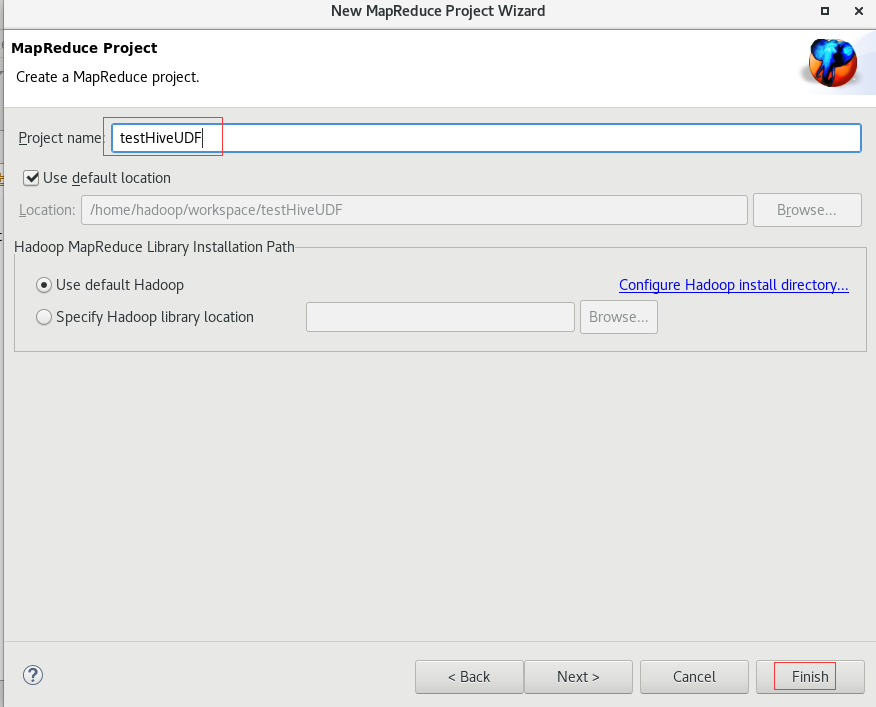
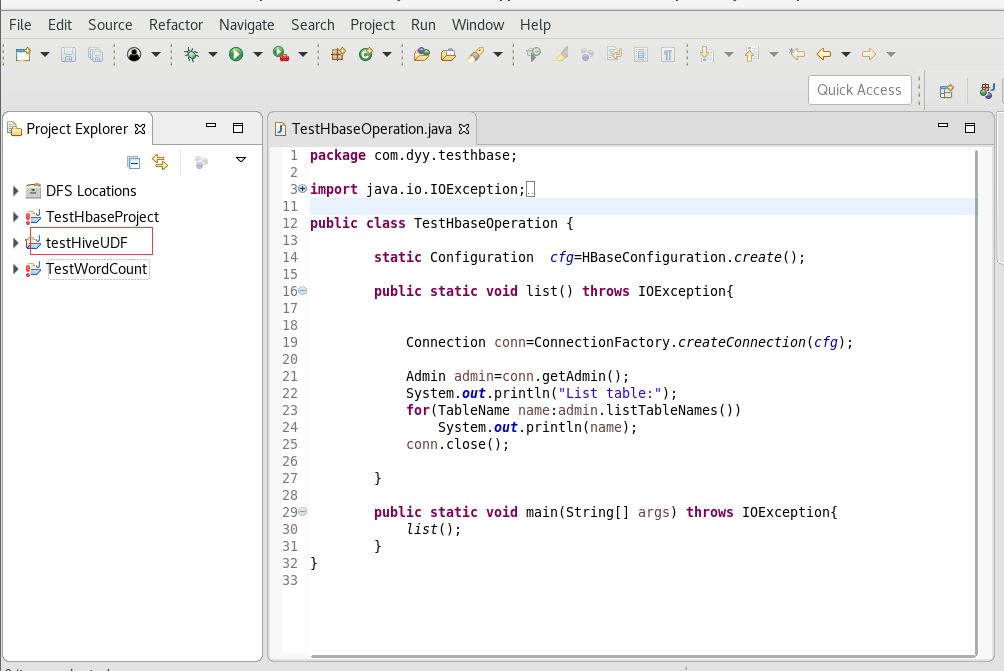
**
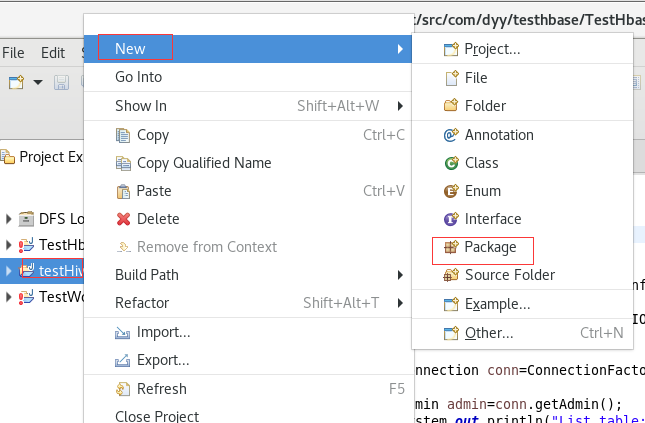
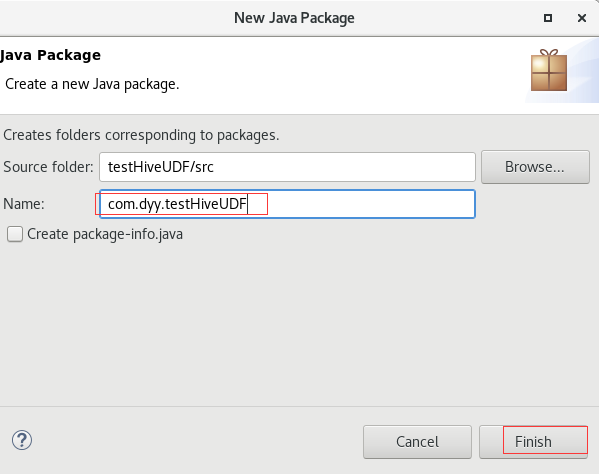

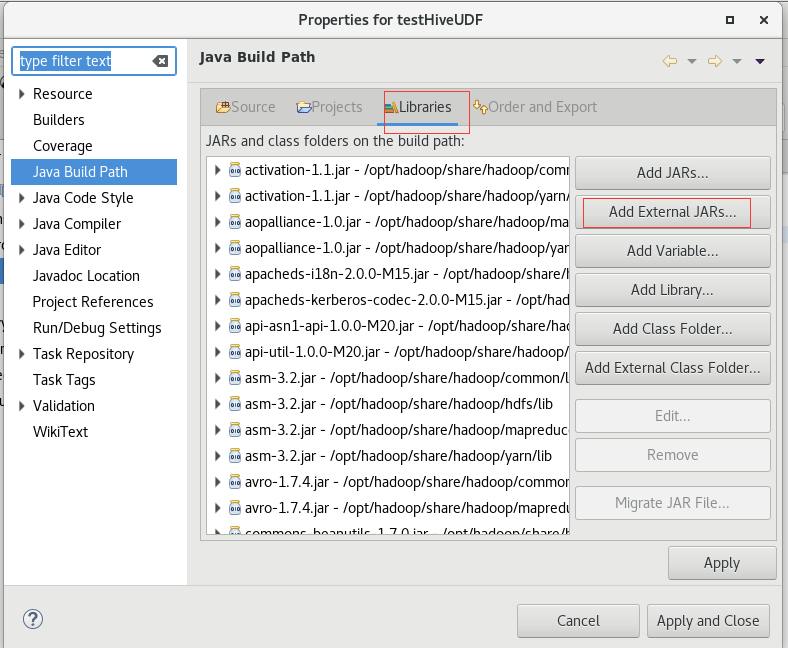
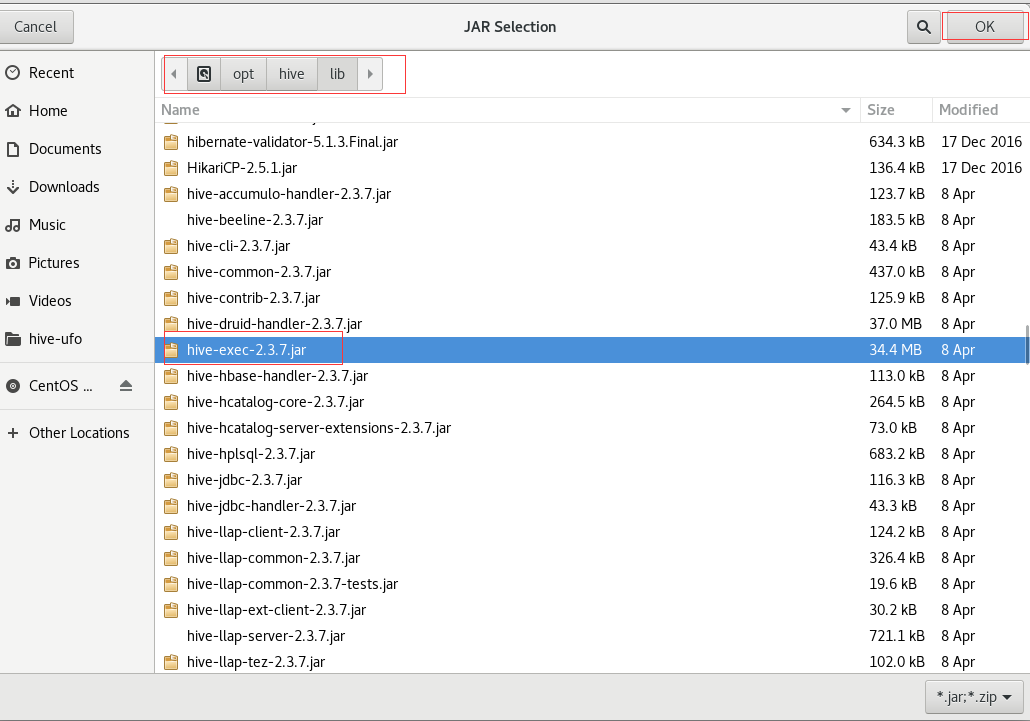
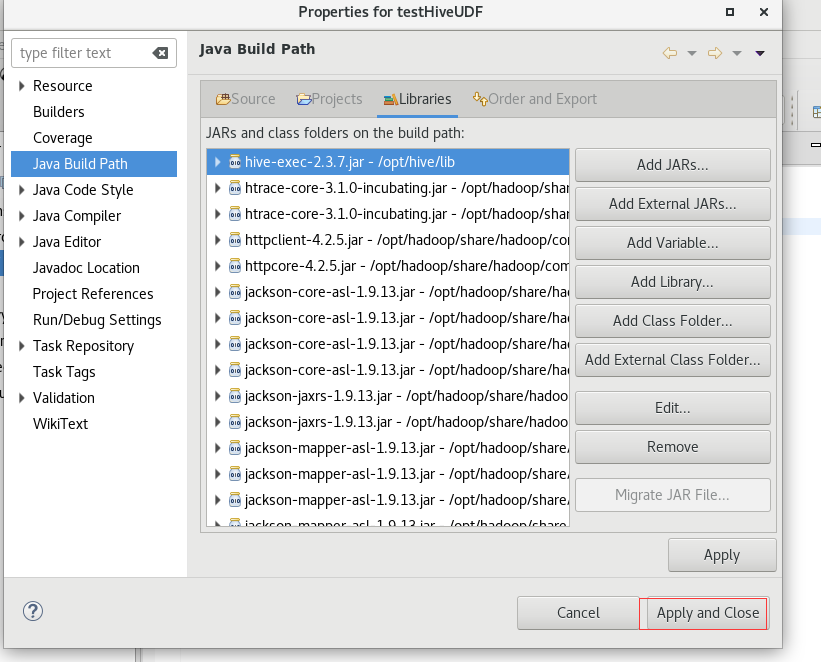
创建一个JAVA类City.java
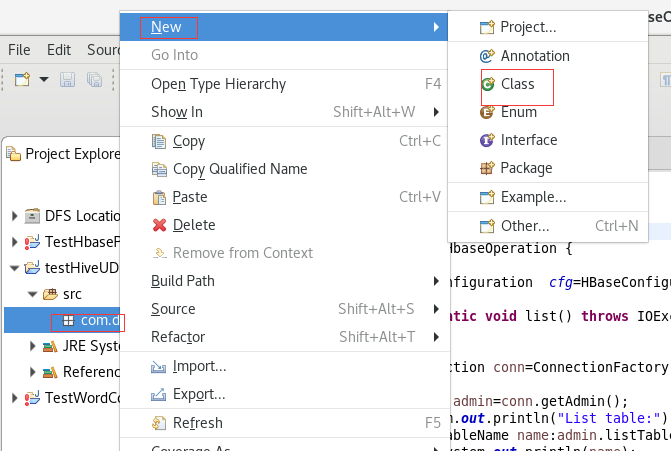
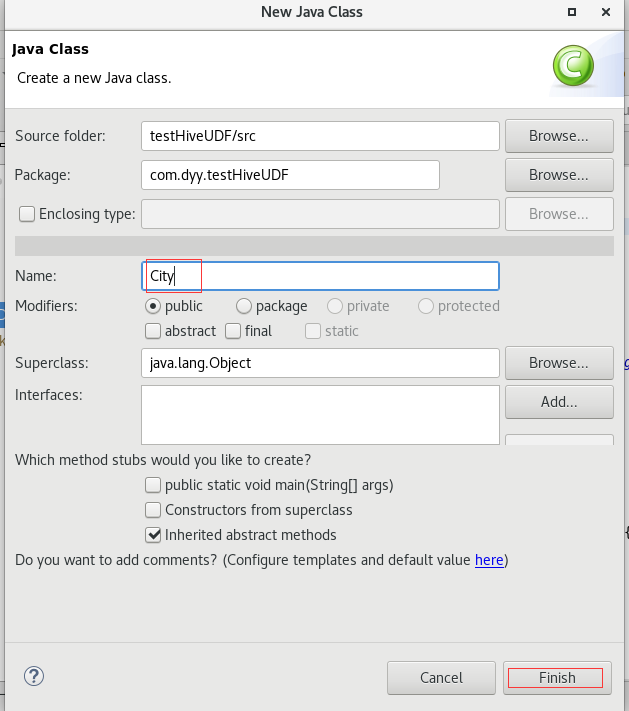
package com.dyy.testHiveUDF;import java.util.regex.Matcher;import java.util.regex.Pattern;import org.apache.hadoop.hive.ql.exec.UDF;import org.apache.hadoop.io.Text;public class City extends UDF {private static Pattern pattern = Pattern.compile("[a-zA-z]+?[\\. ]*[a-zA-z]+?[\\, ][^a-zA-Z]");public Text evaluate(final Text str) {Text result;String location = str.toString().trim();Matcher matcher = pattern.matcher(location);if (matcher.find()) {result = new Text(location.substring(matcher.start(), matcher.end() - 2));} else {result = new Text("Unknown");}return result;}}
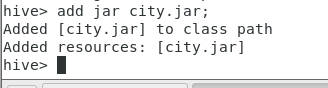
将City.java导出为Jar
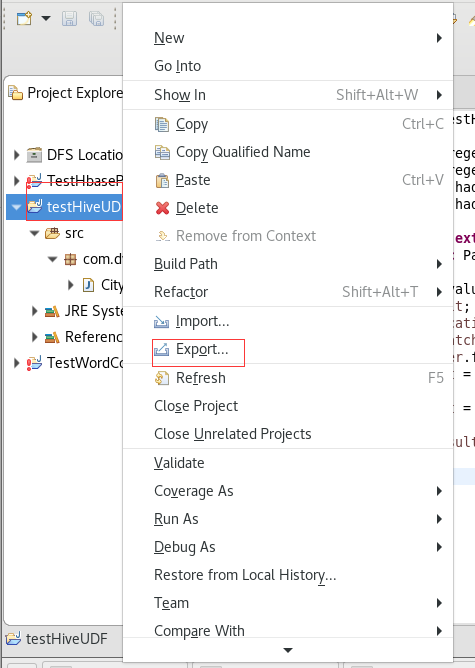

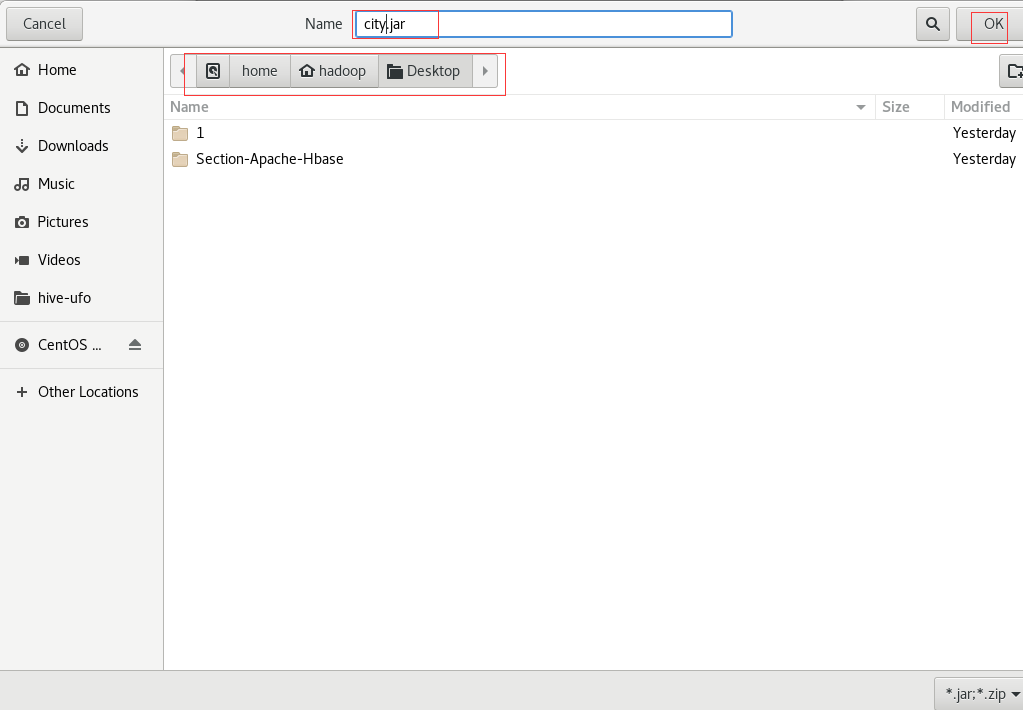

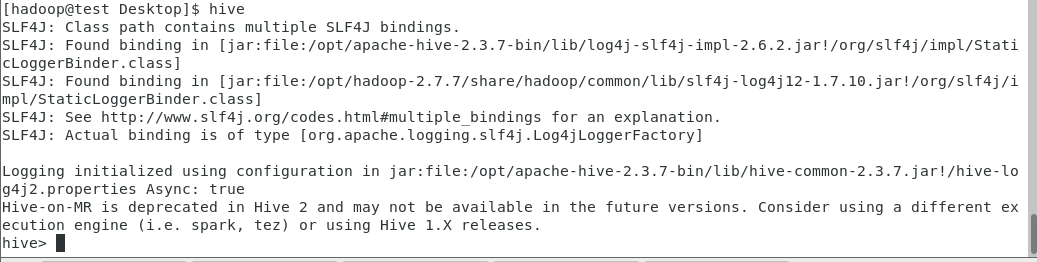
hive

hive>
create temporary function city as ‘com.dyy.testHiveUDF.City’;
hive>
select city(sighting_location), count(*) as total
from partufo
where year = ‘1999’
group by city(sighting_location)
having total > 15 ;

若有收获,就点个赞吧
0 人点赞


