启动和停止Hbase
首先使用hadoop用户启动hadoop
start-dfs.sh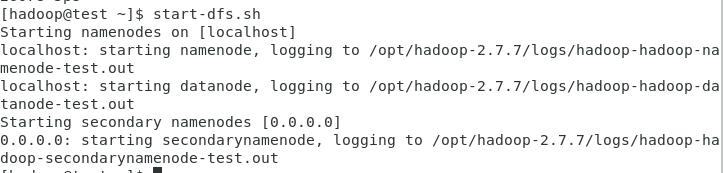
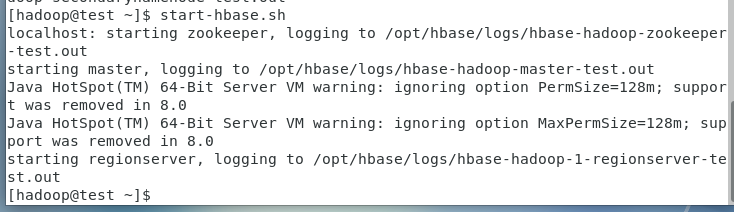

停止Hbase
stop-hbase.sh
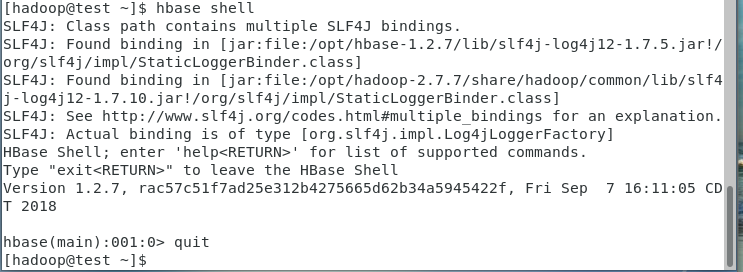
hbase shell
hbase(main):001:0> quit
hbase> status
hbase> status ‘simple’
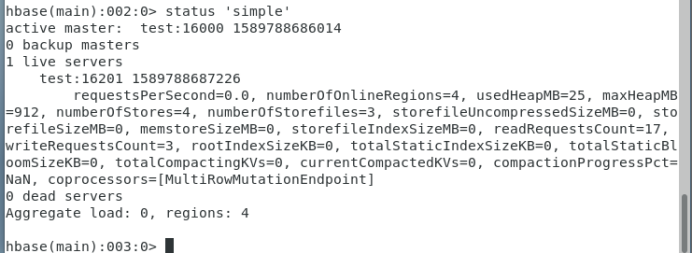
hbase> status ‘summary’
hbase> status ‘detailed’
hbase> whoami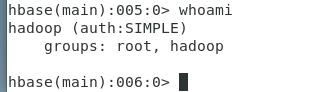
hbase> version

hbase> create ‘apple’,’price’,’volume’

hbase> disable ‘apple’
hbase> drop ‘apple’

hbase> create ‘apple’,’price’,’volume’
put ‘apple’,’6-May-15’,’price:open’,’126.56’
put ‘apple’,’6-May-15’,’price:high’,’126.75’
put ‘apple’,’6-May-15’,’price:low’,’123.36’
put ‘apple’,’6-May-15’,’price:close’,’125.01’
put ‘apple’,’6-May-15’,’volume’,’71820387’
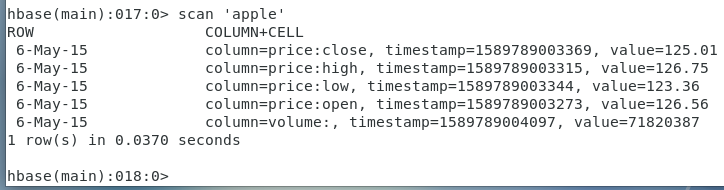
hbase> scan ‘apple’
hbase> get ‘apple’,’6-May-15’,{COLUMN => ‘price:low’}

hbase> get ‘apple’,’6-May-15’,{COLUMN => [‘price:low’,’price:high’]}

hbase> get ‘apple’,’6-May-15’,{COLUMN => [‘price:low’,’price:high’ ,’volume’]}

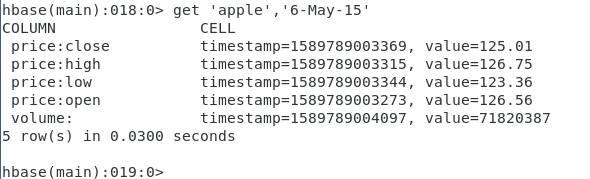
hbase> get ‘apple’,’6-May-15’
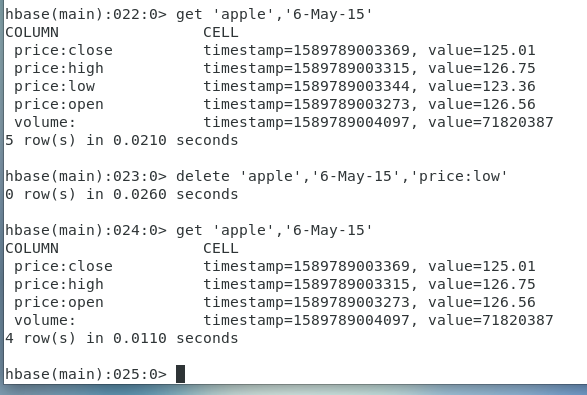
hbase> delete ‘apple’,’6-May-15’,’price:low’
hbase> get ‘apple’,’6-May-15’
hbase> deleteall ‘apple’,’6-May-15’
hbase> get ‘apple’,’6-May-15’

hbase> describe ‘apple’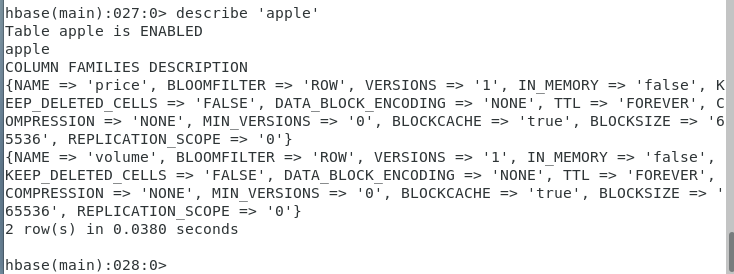
重新为表’apple’插入数据
put ‘apple’,’6-May-15’,’price:open’,’126.56’
put ‘apple’,’6-May-15’,’price:high’,’126.75’
put ‘apple’,’6-May-15’,’price:low’,’123.36’
put ‘apple’,’6-May-15’,’price:close’,’125.01’
put ‘apple’,’6-May-15’,’volume’,’71820387’
hbase> truncate ‘apple’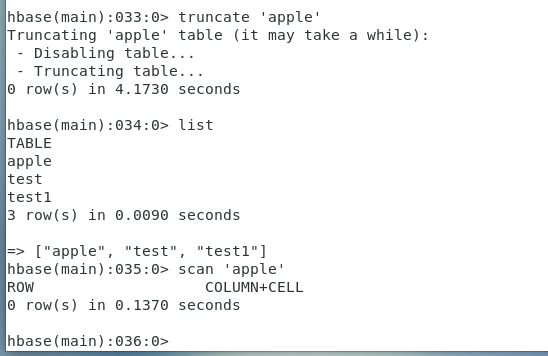
hbase>describe ‘apple’
重新为表’apple’插入数据
put ‘apple’,’6-May-15’,’price:open’,’126.56’
put ‘apple’,’6-May-15’,’price:high’,’126.75’
put ‘apple’,’6-May-15’,’price:low’,’123.36’
put ‘apple’,’6-May-15’,’price:close’,’125.01’
put ‘apple’,’6-May-15’,’volume’,’71820387’
hbase> scan ‘apple’

在HBase中,namespace命名空间指对一组表的逻辑分组,类似RDBMS中的database,方便对表在业务上划分。<br /> <br />alter_namespace<br />create_namespace<br />describe_namespace<br />drop_namespace<br />list_namespace<br />list_namespace_tables<br />
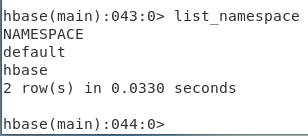
hbase> list_namespace_tables ‘default’

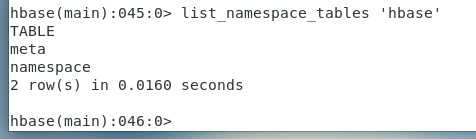
hbase> list_namespace_tables ‘hbase’
hbase> create_namespace ‘dyydb’
hbase> list_namespace

hbase> list_namespace
hbase> drop_namespace ‘dyydb’
hbase> list_namespace

hbase> list_namespace
hbase> create_namespace ‘dyydb’
hbase> list_namespace
以下命令在命名空间dyydb下创建apple表
hbase> create ‘dyydb:apple’,’price’,’volume’
hbase> list_namespace_tables ‘dyydb’

hbase> describe_namespace ‘dyydb’
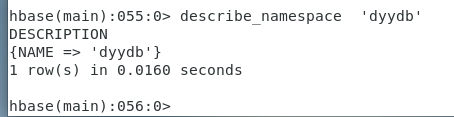
hbase> describe_namespace ‘dyydb’
hbase> alter_namespace ‘dyydb’,{METHOD=>’set’,’TEST_PROPERTY’=>’TEST_VALUE’}
hbase> disable ‘apple’
hbase> drop ‘apple’
hbase> create ‘apple’,’price’,’volume’
put ‘apple’,’6-May-15’,’price:open’,’126.56’
put ‘apple’,’6-May-15’,’price:high’,’126.75’
put ‘apple’,’6-May-15’,’price:low’,’123.36’
put ‘apple’,’6-May-15’,’price:close’,’125.01’
put ‘apple’,’6-May-15’,’volume’,’71820387’
hbase> describe ‘apple’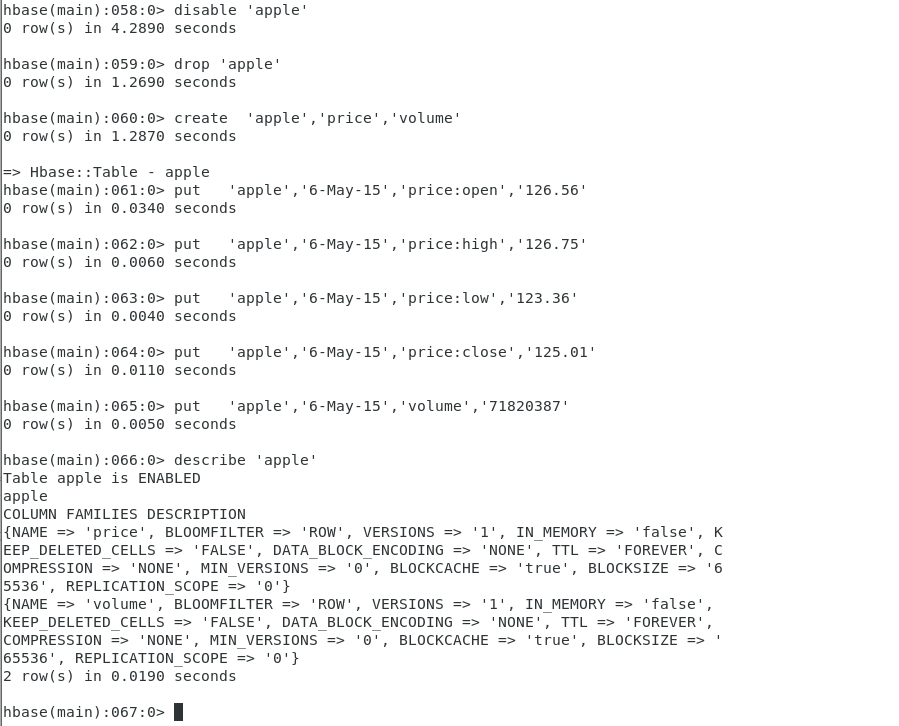
hbase> alter ‘apple’,{NAME => ‘NewCF2’,VERSIONS =>1}
hbase> describe ‘apple’
put ‘apple’,’6-May-15’,’NewCF2:NewColumn’,’dyy’
hbase> scan ‘apple’
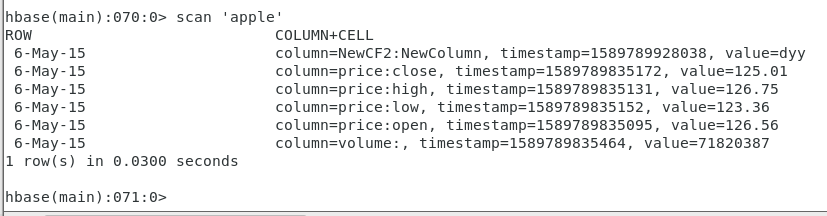
以下两条命令均可删除列族!
hbase> alter ‘apple’,{NAME => ‘NewCF2’, METHOD => ‘delete’}
或者
hbase> alter ‘apple’, ‘delete’ => ‘NewCF2’
hbase> scan ‘apple’

hbase> alter ‘apple’,{NAME => ‘NewCF2’, VERSIONS => 3}
改变一个列族的最大大小为128MB
alter ‘apple’, METHOD => ‘table_att’, MAX_FILESIZE => ‘134217728’
**
删除NewCF2,增加NewCF3
alter ‘apple’, {NAME => ‘NewCF3’}, {NAME => ‘NewCF2’, METHOD => ‘delete’}
hbase> describe ‘apple’
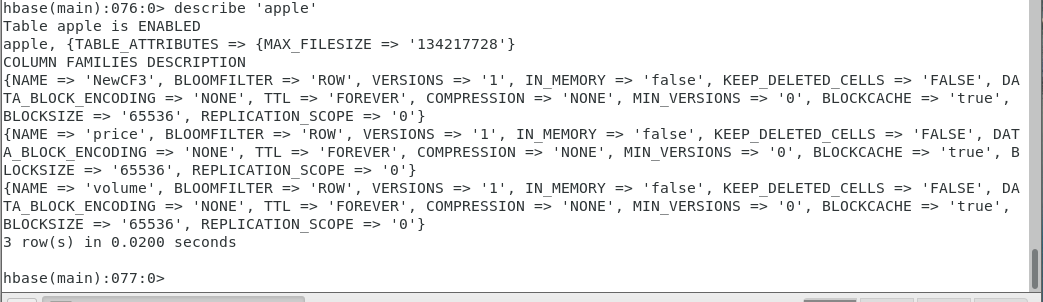
hbase> exists ‘apple’
hbase> exists ‘dyydb:apple’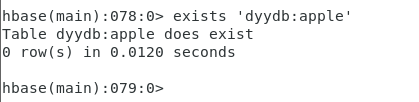
hbase> exists ‘dyydb:cisco’
hbase> is_enabled ‘dyydb:apple’
hbase> disable ‘dyydb:apple’
hbase> is_enabled ‘dyydb:apple’
hbase> is_disabled ‘dyydb:apple’
====
hbase> disable ‘apple’
hbase> enable ‘apple’
=====
put ‘apple’,’6-May-15’,’price:testcount’,’1’

vi testHbaseShellScript2.sh
hbase shell<
drop ‘apple’
create ‘apple’,’price’,’volume’
put ‘apple’,’6-May-15’,’price:open’,’126.56’
put ‘apple’,’6-May-15’,’price:high’,’126.75’
put ‘apple’,’6-May-15’,’price:low’,’123.36’
put ‘apple’,’6-May-15’,’price:close’,’125.01’
put ‘apple’,’6-May-15’,’volume’,’71820387’
exit
EOF

运行脚本input_to_hbase.sh,将AppleStock.csv文件导入Hbase
vim input_to_hbase.sh
#!/bin/bash
# Loads stock data in to Hbase table
TABLENAME="apple"
if ! [ -e "$1" ]; then
echo "Usage: provide file name"
exit 1
fi
# remove the first line
sed  -e "1d" $1 > clean_$1
while IFS=, read Date Open High Low Close Volume
do
#    echo "$Date|$Open|$High|$Low|$Close|$Volume"
echo -e put "'"$TABLENAME"','"$Date"','price:open','"$Open"'\n"\
put "'"$TABLENAME"','"$Date"','price:high','"$High"'\n"\
put "'"$TABLENAME"','"$Date"','price:low','"$Low"'\n"\
put "'"$TABLENAME"','"$Date"','price:close','"$Close"'\n"\
put "'"$TABLENAME"','"$Date"','volume','"$Volume"'" | hbase shell
status=$?
if [ $status -ne 0 ]; then
  echo "Error: HBase input failed. Input data:"
  echo "date=$Date|open=$Open|high=$High|low=$Low|close=$Close|volume=$Volume"
fi
done < clean_$1
/bin/rm clean_$1
hbase> disable ‘apple’
hbase> drop ‘apple’
hbase> create ‘apple’,’price’,’volume’
cd /home/hadoop/Desktop/Section-Apache-Hbase
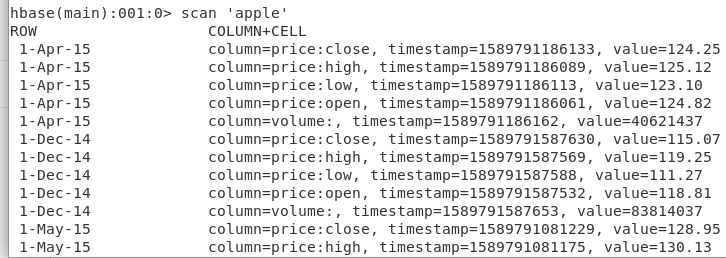
./input_to_hbase.sh Apple-stock.csv
hbase> disable ‘apple’
hbase> drop ‘apple’
hbase> create ‘apple’,’price’,’volume’
将文件AppleStock.csv
cd /home/hadoop/Desktop/Section-Apache-HBase
./convert-to-tsv.sh Apple-stock.csv
运行之前先开启hadoop和hbase
start-dfs.sh
start-yarn.sh
start-hbase.sh
将转换后的文件拷贝到HDFS上
hdfs dfs -put Apple-stock.tsv
**
hbase org.apache.hadoop.hbase.mapreduce.ImportTsv -Dimporttsv.columns=HBASE_ROW_KEY,price:open,price:high,price:low,price:close,volume apple /tmp/Apple-stock.tsv
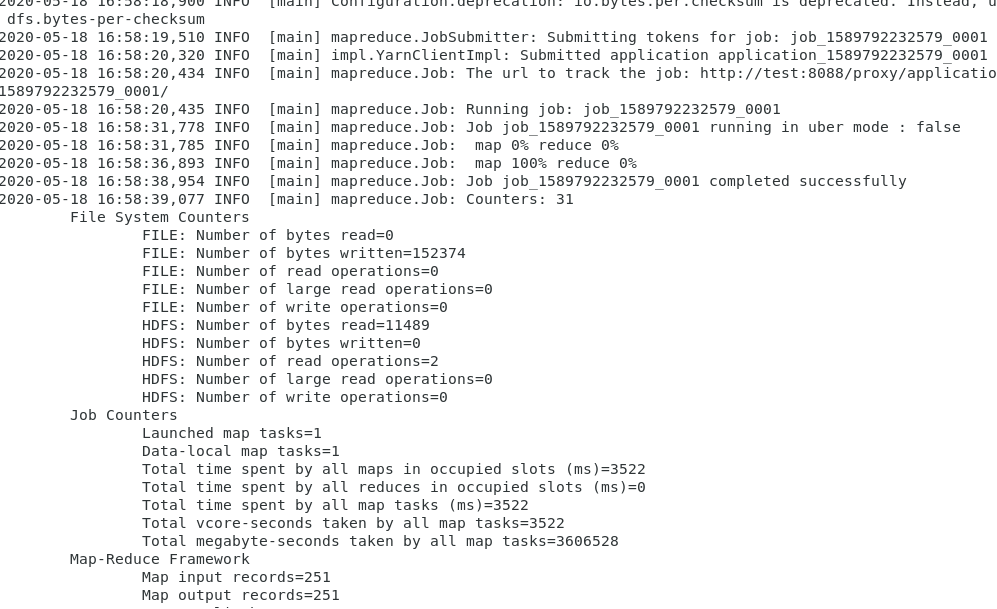
hbase>scan ‘apple’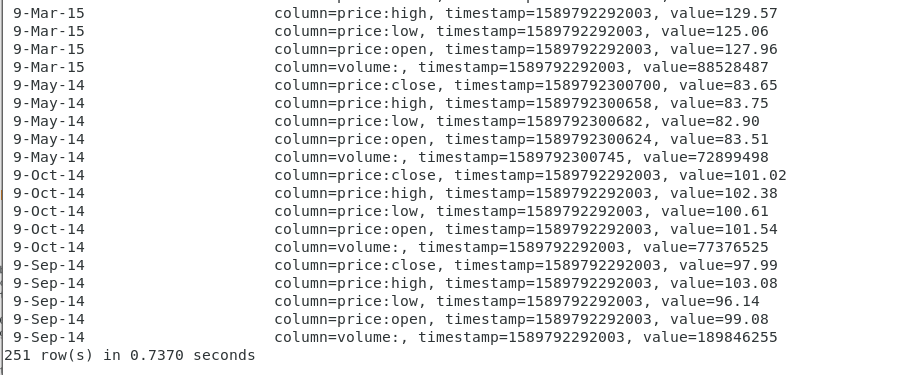
http://192.168.100.13:16010/master-status
http://test:16010/master-status
http://localhost:16010/master-status

若有收获,就点个赞吧
0 人点赞


