默认情况下hive使用MapReduce引擎
hive的配置文件/opt/hive/conf/hive-site.xml内容为
<?xml version=”1.0”?>
<?xml-stylesheet type=”text/xsl” href=”configuration.xsl”?>
测试以MapReduce为引擎的hive
确保已经启动了hadoop的HDFS和YARN
start-all.sh
jps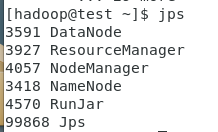
启动MySQL数据库
用超级用户root执行如下命令:
su - root
systemctl start mysqld.service
查看mysql启动状态
systemctl status mysqld.service
启动metastore服务
使用hadoop用户
hive —service metastore &
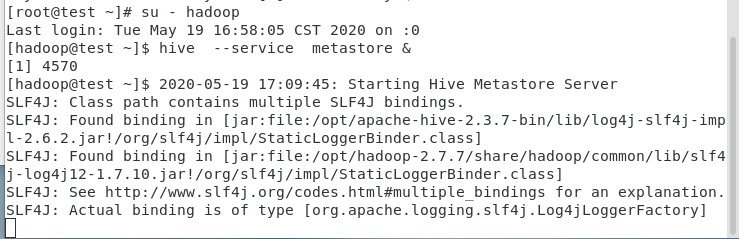
另启动一个终端验证已经启动了metastore服务
netstat -an |grep 9083

启动Thrift服务器
在test上启动Thrift服务器
服务模式
hiveserver2 start &
验证已经启动了Thrift服务器
netstat -an |grep 10000

启动以mapreduce为执行引擎的hive
hive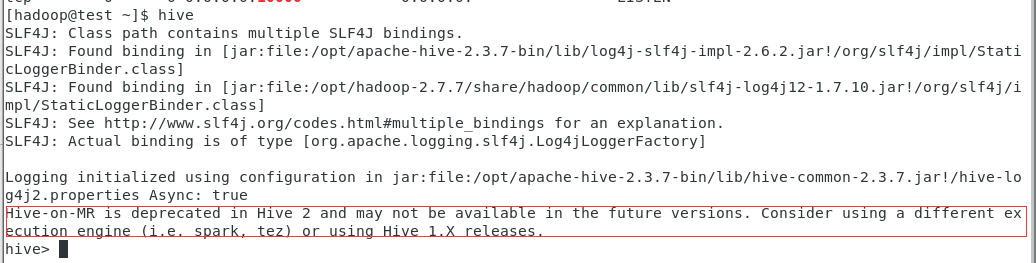
create table test(ts BIGINT,line STRING);

insert into test values(1,’a’);
从输出可以看到,hive的执行引擎是mapreduce
安装的Spark为自己编译的没有hive支持的版本
配置hive的执行引擎为spark
https://blog.csdn.net/u010708577/article/details/79001945
要让hive使用Spark引擎,可以在hive的配置文件/opt/hive/conf/hive-site.xml中增加如下内容:
vi /opt/hive/conf**/**hive-site.xml
备份该配置文件(使用spark作为hive的引擎)
cd /opt/hive/conf
cp hive-site.xml hive-site.xml.spark
拷贝spark的jar包到hive的目录下
cp /opt/spark/jars/* /opt/hive/lib
测试以spark为引擎的hive
启动spark集群
/opt/spark/sbin/start-all.sh
确保已经启动了Spark集群
jps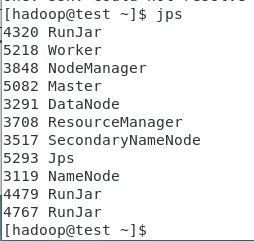
cd
hive
create table test(ts BIGINT,line STRING);
insert into test values(2,’b’);
从输出可以看到hive的执行引擎是spark
将hive执行引擎临时切换成mapreduce
set hive.execution.engine=mr;
insert into test values(3,’c’);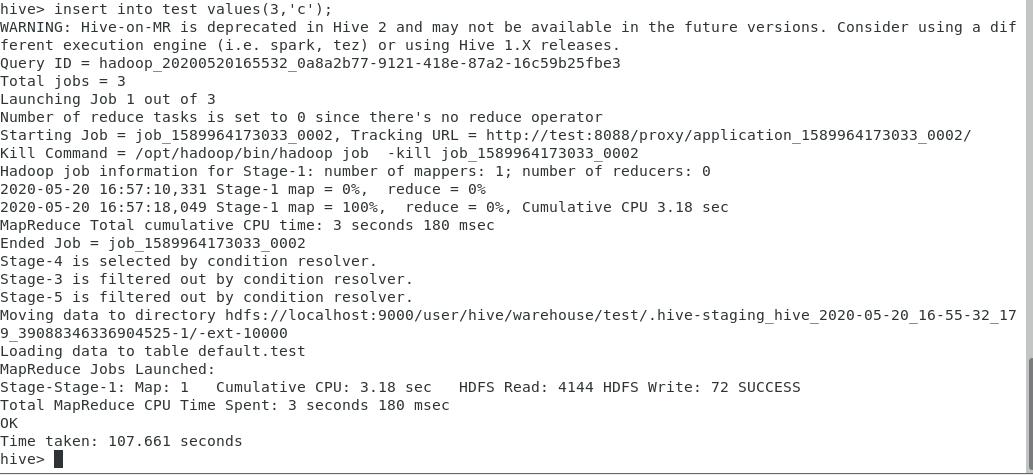
从输出可以看到,执行的引擎是mapreduce
恢复执行引擎为spark
set hive.execution.engine=spark;
insert into test values(4,’d’);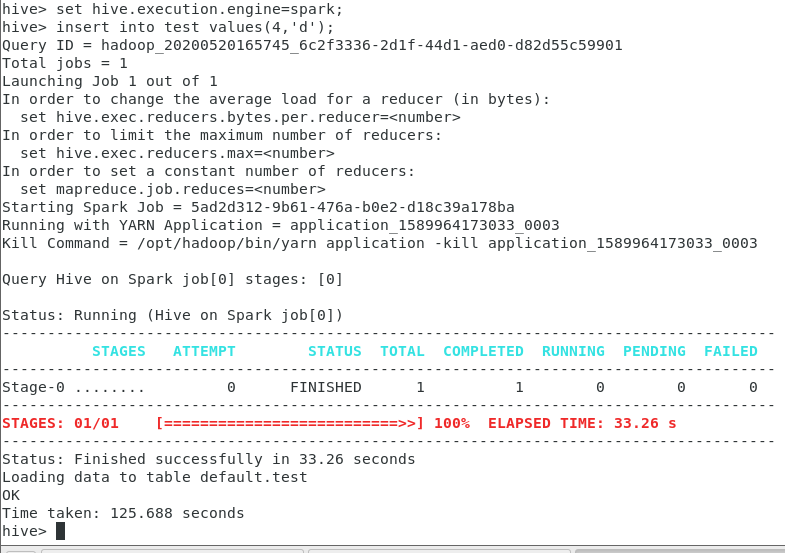
附录
https://blog.csdn.net/u010708577/article/details/79001945
启动Spark Thrift Server
/opt/spark/sbin/start-thriftserver.sh —master spark://test:7077 \
—executor-memory 1g \
—driver-class-path /opt/spark/lib/mysql-connector-java-5.1.48-bin.jar

若有收获,就点个赞吧
0 人点赞


