 ">
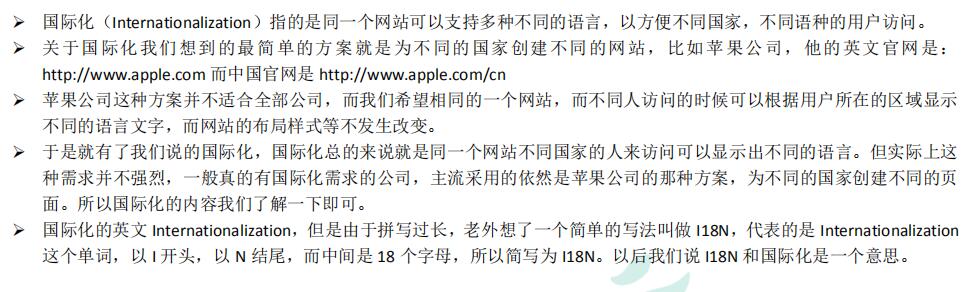
1. 什么是 i18n 国际化?
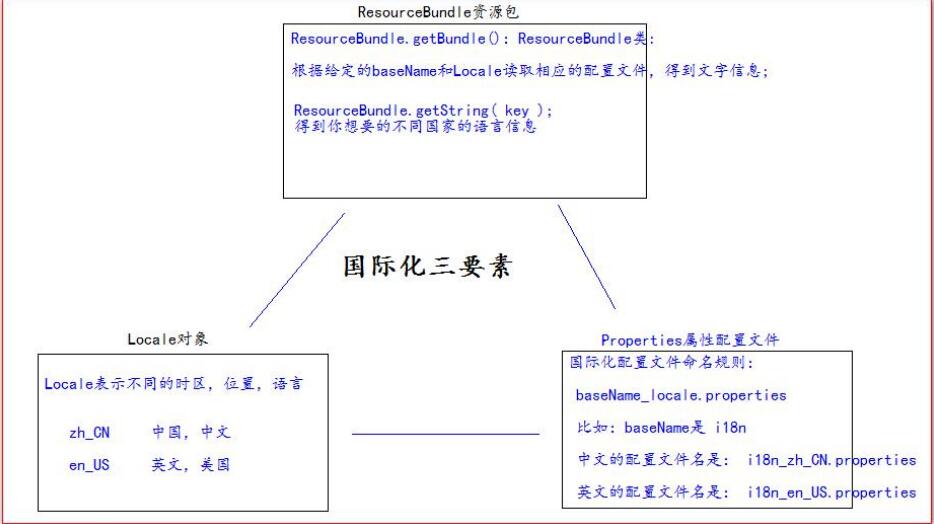
2. 国际化相关要素介绍
3. 国际化资源 properties 测试
国际化测试代码:
说明:使用的是Locale这个类,getDefault()获取你所在的对应语言标识,getAvailableLocals()获取所有国家标识,也可以直接选择对应国家标识,如Locale.CHINA是中国。
@Testpublic void test01(){// 获取你系统默认的语言。国家信息Locale aDefault = Locale.getDefault();//System.out.println(aDefault);//zh_CN//遍历所有国家的标识// for (Locale locale : Locale.getAvailableLocales()) {// System.out.println(locale);// }// 获取中文,中文的常量的 Locale 对象System.out.println(Locale.CHINA);//zh_CN// 获取英文,美国的常量的 Locale 对象System.out.println(Locale.US);//en_US}
通过配置文件与Local来进行获取
- 首先创建配置文件
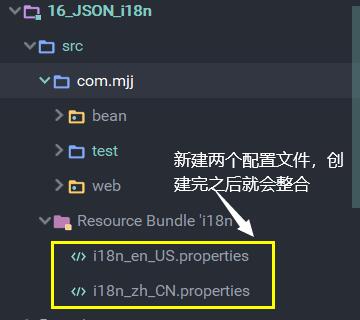
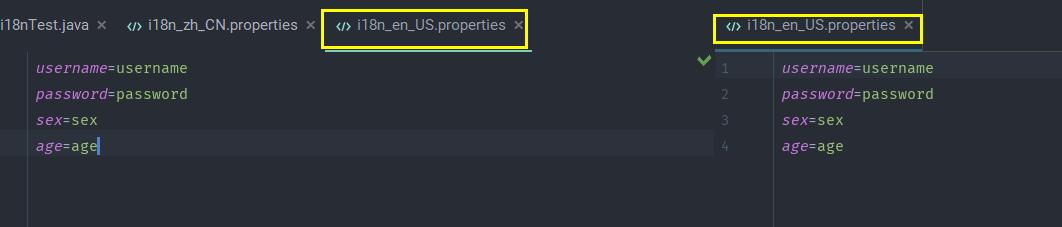
- 来进行测试
说明:
① 选择对应位置标识,如中国 。
② 使用ResourceBundle.getBundle()将对应整合的名字以及Locale作为参数。
③ 使用getString()方法就能取得对应配置文件的键值对了。
@Testpublic void test02(){//1.选择对应的位置标识//Locale china = Locale.US;Locale china = Locale.CHINA;//2.通过指定的basename与locale对象,读取相应的配置文件ResourceBundle bundle = ResourceBundle.getBundle("i18n", china);//3.使用getString()来输出对应properties中的内容System.out.println(bundle.getString("username"));//用户名System.out.println(bundle.getString("password"));//密码System.out.println(bundle.getString("sex"));//性别System.out.println(bundle.getString("age"));//年龄}
这里是获取对应zn-CN中的。
**
4. 通过请求头国际化页面
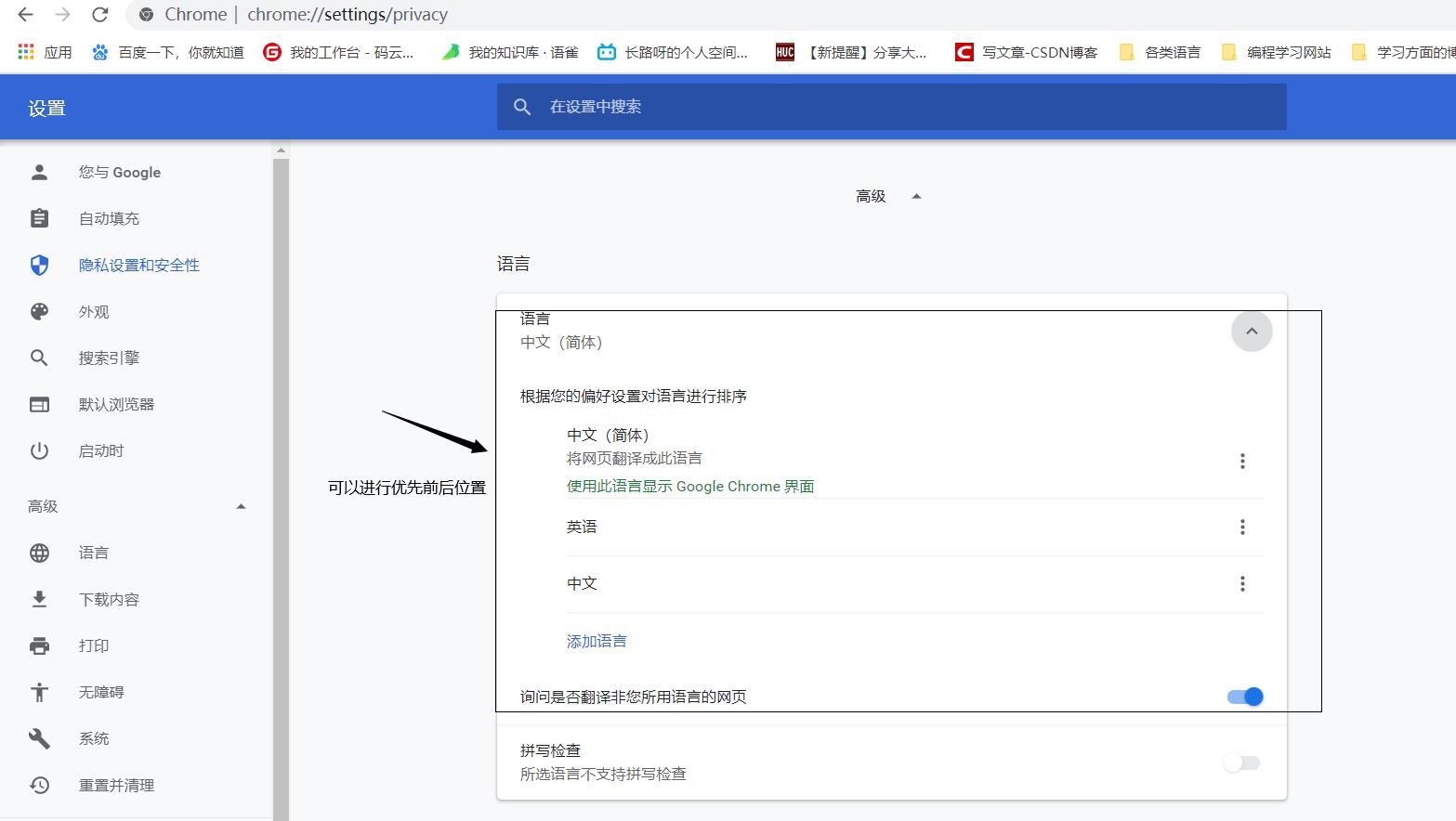
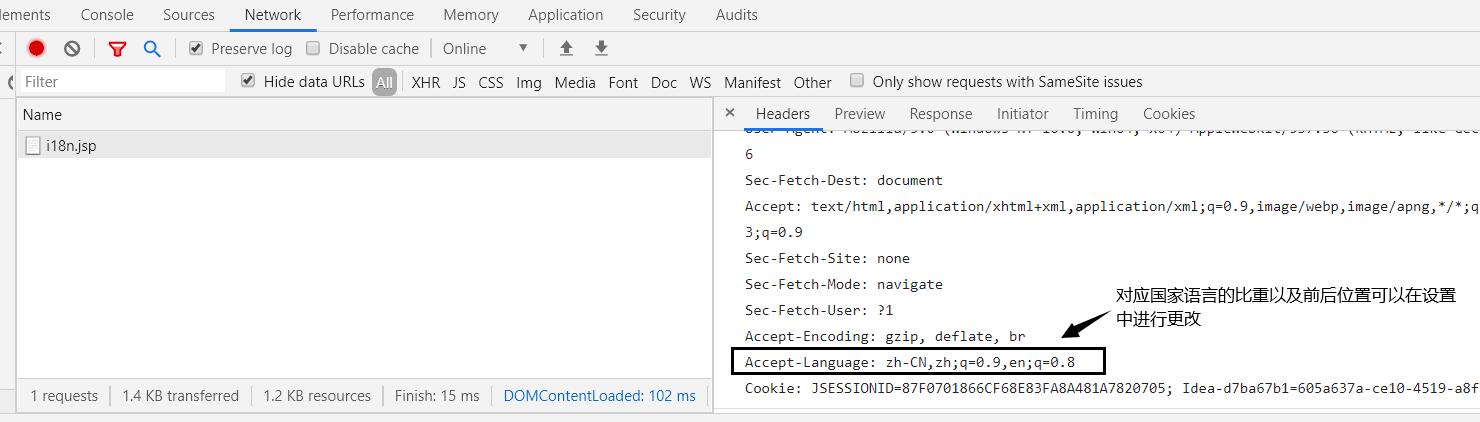
浏览器的请求头说明
代码演示:
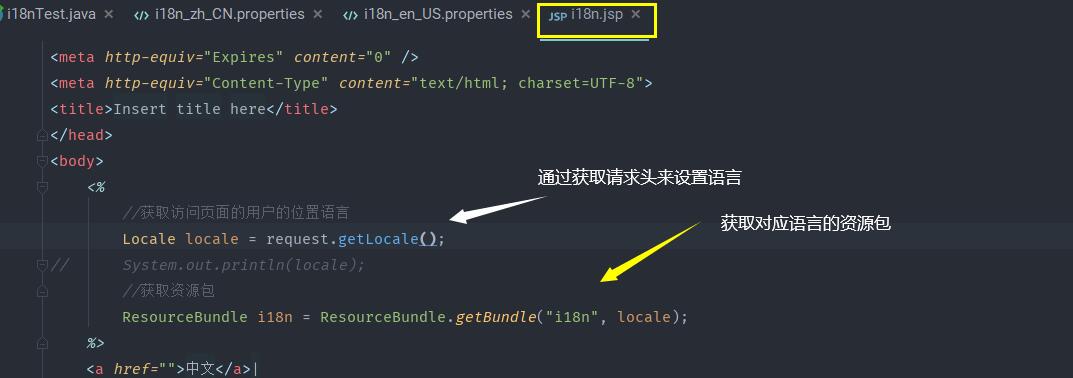
<%@ page import="java.util.Locale" %><%@ page import="java.util.ResourceBundle" %><%@ page language="java" contentType="text/html; charset=UTF-8"pageEncoding="UTF-8"%><!DOCTYPE html PUBLIC "-//W3C//DTD HTML 4.01 Transitional//EN" "http://www.w3.org/TR/html4/loose.dtd"><html><head><meta http-equiv="pragma" content="no-cache" /><meta http-equiv="cache-control" content="no-cache" /><meta http-equiv="Expires" content="0" /><meta http-equiv="Content-Type" content="text/html; charset=UTF-8"><title>Insert title here</title></head><body><%//获取访问页面的用户的位置语言Locale locale = request.getLocale();// System.out.println(locale);//获取资源包ResourceBundle i18n = ResourceBundle.getBundle("i18n", locale);%><a href="">中文</a>|<a href="">english</a><center><h1><%=i18n.getString("regist")%></h1><table><form><tr><td><%=i18n.getString("username")%></td><td><input name="username" type="text" /></td></tr><tr><td><%=i18n.getString("password")%></td><td><input type="password" /></td></tr><tr><td><%=i18n.getString("sex")%></td><td><input type="radio" /><%=i18n.getString("boy")%><input type="radio" /><%=i18n.getString("girl")%></td></tr><tr><td><%=i18n.getString("email")%></td><td><input type="text" /></td></tr><tr><td colspan="2" align="center"><input type="reset" value="<%=i18n.getString("reset")%>" /> <input type="submit" value="<%=i18n.getString("submit")%>" /></td></tr></form></table><br /> <br /> <br /> <br /></center>国际化测试:<br /> 1、访问页面,通过浏览器设置,请求头信息确定国际化语言。<br /> 2、通过左上角,手动切换语言</body></html>
运行结果: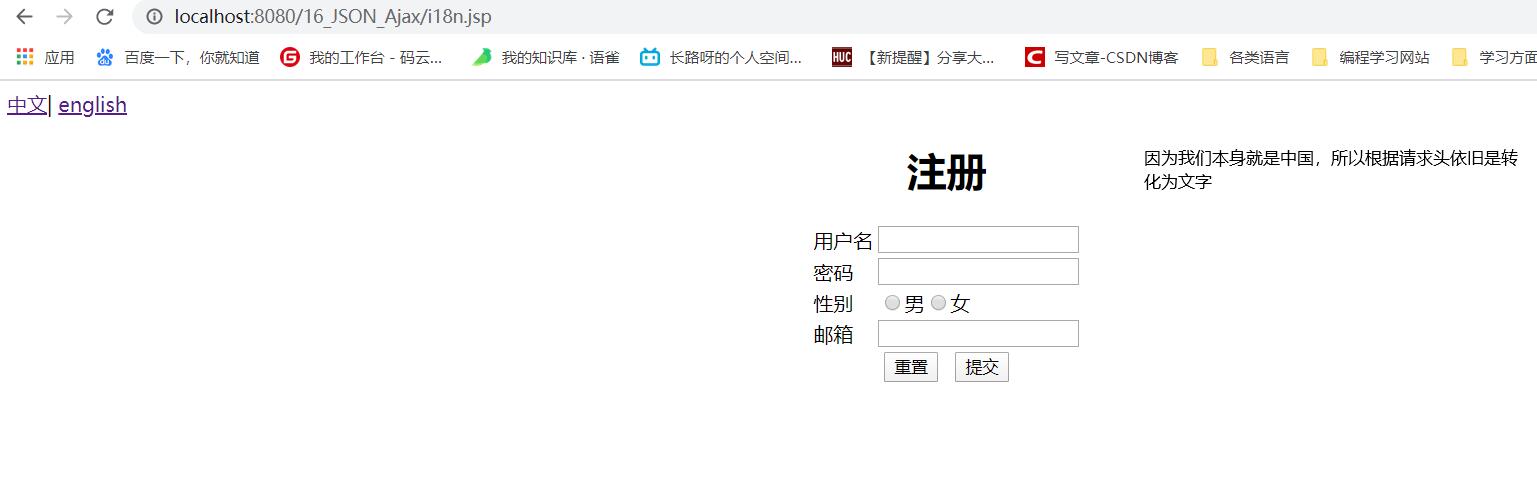
5. 通过显示的选择语言类型进行国际化
说明:就是根据请求参数,再在本页面进行判断进行选择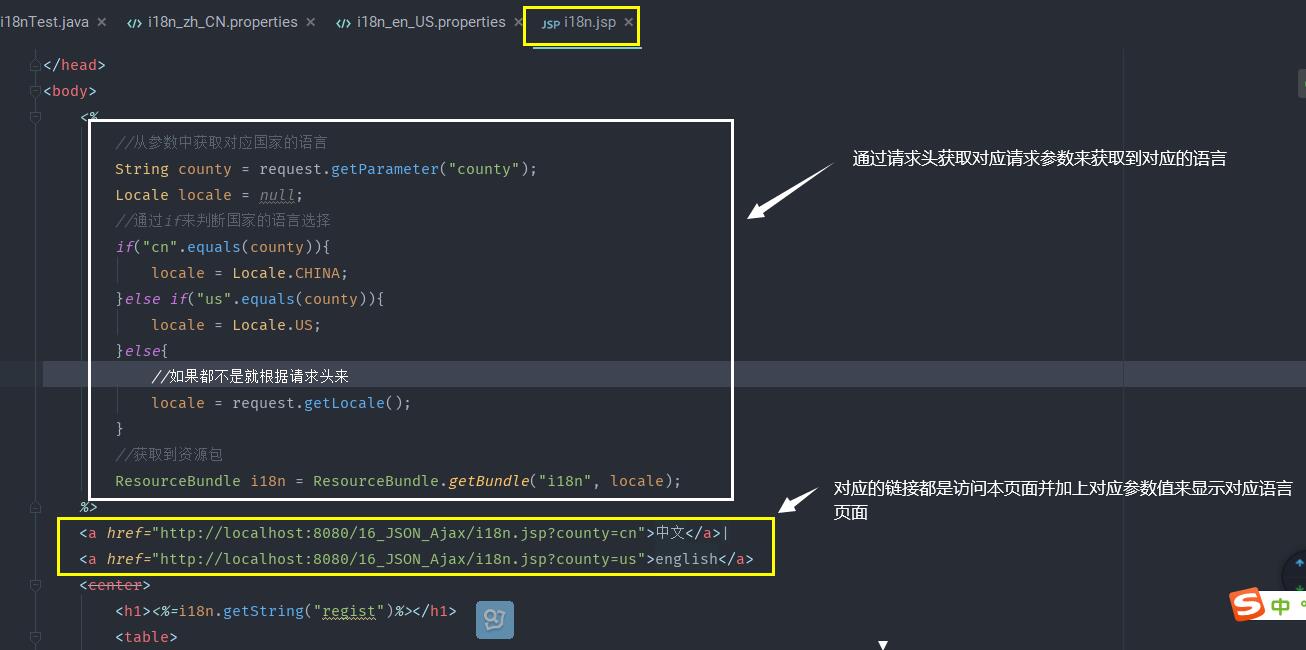
<%@ page import="java.util.Locale" %>
<%@ page import="java.util.ResourceBundle" %>
<%@ page language="java" contentType="text/html; charset=UTF-8"
pageEncoding="UTF-8"%>
<!DOCTYPE html PUBLIC "-//W3C//DTD HTML 4.01 Transitional//EN" "http://www.w3.org/TR/html4/loose.dtd">
<html>
<head>
<meta http-equiv="pragma" content="no-cache" />
<meta http-equiv="cache-control" content="no-cache" />
<meta http-equiv="Expires" content="0" />
<meta http-equiv="Content-Type" content="text/html; charset=UTF-8">
<title>Insert title here</title>
</head>
<body>
<%
//从参数中获取对应国家的语言
String county = request.getParameter("county");
Locale locale = null;
//通过if来判断国家的语言选择
if("cn".equals(county)){
locale = Locale.CHINA;
}else if("us".equals(county)){
locale = Locale.US;
}else{
//如果都不是就根据请求头来
locale = request.getLocale();
}
//获取到资源包
ResourceBundle i18n = ResourceBundle.getBundle("i18n", locale);
%>
<a href="http://localhost:8080/16_JSON_Ajax/i18n.jsp?county=cn">中文</a>|
<a href="http://localhost:8080/16_JSON_Ajax/i18n.jsp?county=us">english</a>
<center>
<h1><%=i18n.getString("regist")%></h1>
<table>
<form>
<tr>
<td><%=i18n.getString("username")%></td>
<td><input name="username" type="text" /></td>
</tr>
<tr>
<td><%=i18n.getString("password")%></td>
<td><input type="password" /></td>
</tr>
<tr>
<td><%=i18n.getString("sex")%></td>
<td><input type="radio" /><%=i18n.getString("boy")%><input type="radio" /><%=i18n.getString("girl")%></td>
</tr>
<tr>
<td><%=i18n.getString("email")%></td>
<td><input type="text" /></td>
</tr>
<tr>
<td colspan="2" align="center">
<input type="reset" value="<%=i18n.getString("reset")%>" />
<input type="submit" value="<%=i18n.getString("submit")%>" /></td>
</tr>
</form>
</table>
<br /> <br /> <br /> <br />
</center>
国际化测试:
<br /> 1、访问页面,通过浏览器设置,请求头信息确定国际化语言。
<br /> 2、通过左上角,手动切换语言
</body>
</html>
运行结果: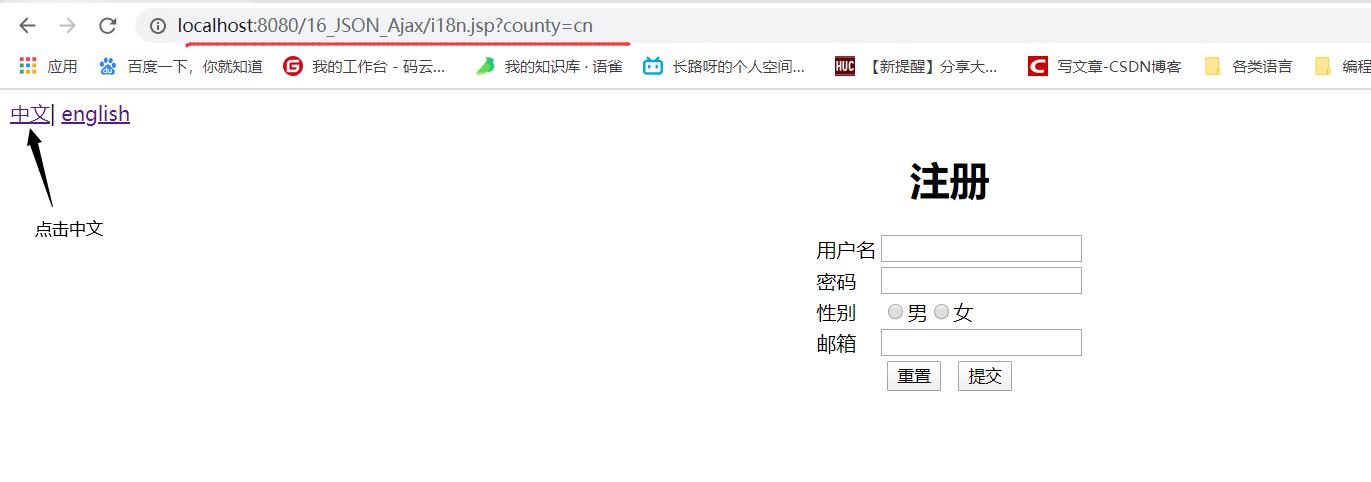
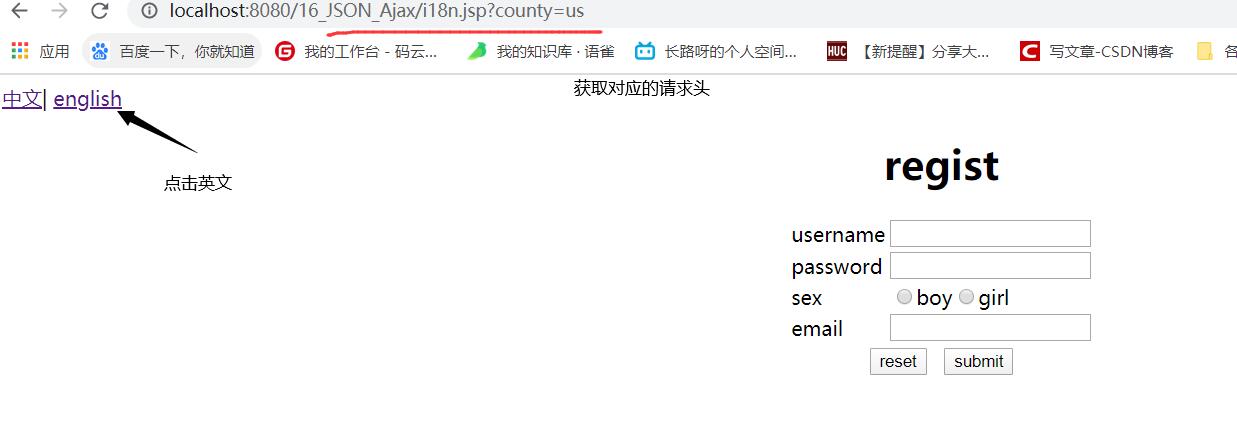
6. JSTL 标签库实现国际化
前提说明
首先需要导入包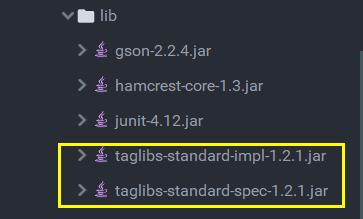
引入fmt标签库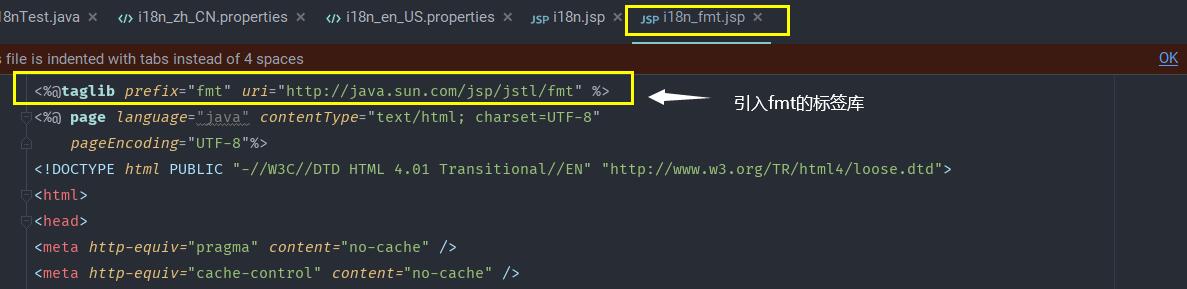
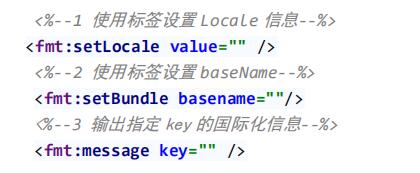
代码演示
<%@taglib prefix="fmt" uri="http://java.sun.com/jsp/jstl/fmt" %>
<%@ page language="java" contentType="text/html; charset=UTF-8"
pageEncoding="UTF-8"%>
<!DOCTYPE html PUBLIC "-//W3C//DTD HTML 4.01 Transitional//EN" "http://www.w3.org/TR/html4/loose.dtd">
<html>
<head>
<meta http-equiv="pragma" content="no-cache" />
<meta http-equiv="cache-control" content="no-cache" />
<meta http-equiv="Expires" content="0" />
<meta http-equiv="Content-Type" content="text/html; charset=UTF-8">
<title>Insert title here</title>
</head>
<body>
<%--1 使用标签设置 Locale 信息--%>
<fmt:setLocale value="${param.locale}" />
<%--2 使用标签设置 baseName--%>
<fmt:setBundle basename="i18n"/>
<a href="i18n_fmt.jsp?locale=zh_CN">中文</a>|
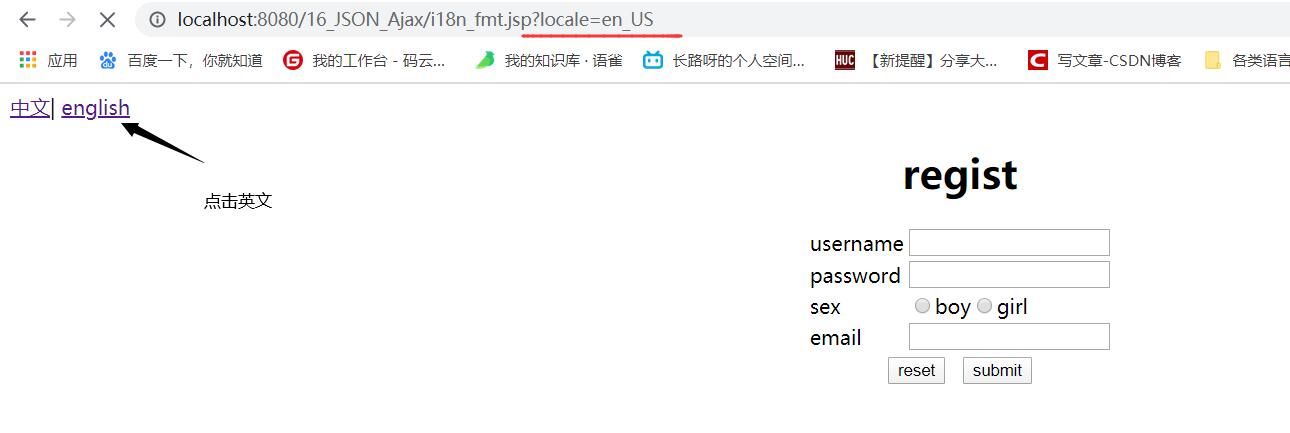
<a href="i18n_fmt.jsp?locale=en_US">english</a>
<center>
<h1> <fmt:message key="regist"/> </h1>
<table>
<form>
<tr>
<td><fmt:message key="username"/></td>
<td><input name="username" type="text" /></td>
</tr>
<tr>
<td><fmt:message key="password"/></td>
<td><input type="password" /></td>
</tr>
<tr>
<td><fmt:message key="sex"/></td>
<td><input type="radio" /><fmt:message key="boy"/><input type="radio" /><fmt:message key="girl"/></td>
</tr>
<tr>
<td><fmt:message key="email"/></td>
<td><input type="text" /></td>
</tr>
<tr>
<td colspan="2" align="center">
<input type="reset" value="<fmt:message key="reset"/>" />
<input type="submit" value="<fmt:message key="submit"/>" /></td>
</tr>
</form>
</table>
<br /> <br /> <br /> <br />
</center>
</body>
</html>
运行结果: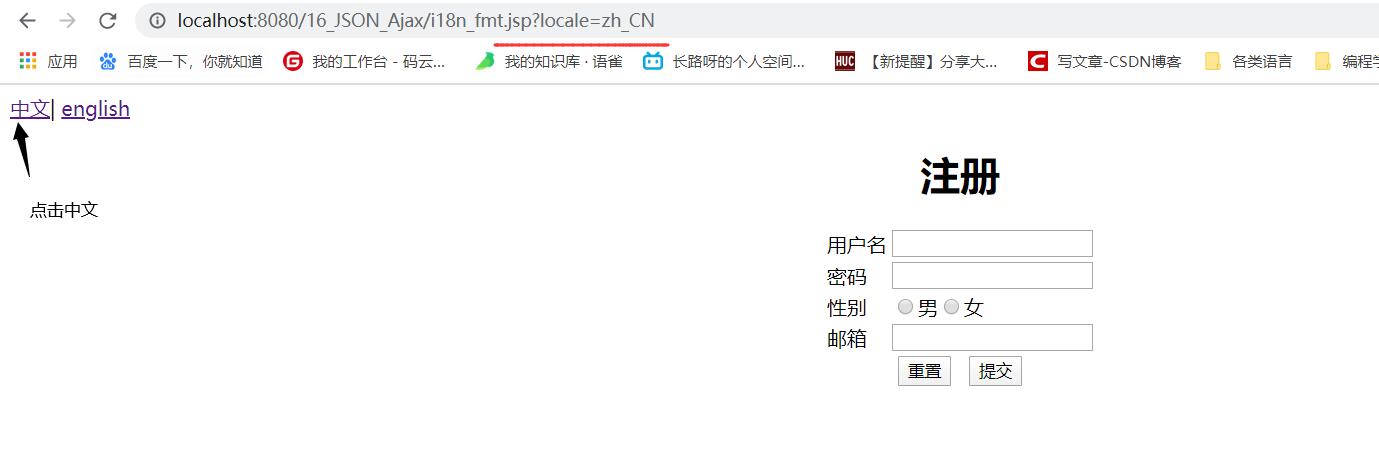
整理者:长路 时间:2020/8/4

若有收获,就点个赞吧
0 人点赞


