学习目标
资料区
一、数据库与表结构
日志表信息描述sysLog
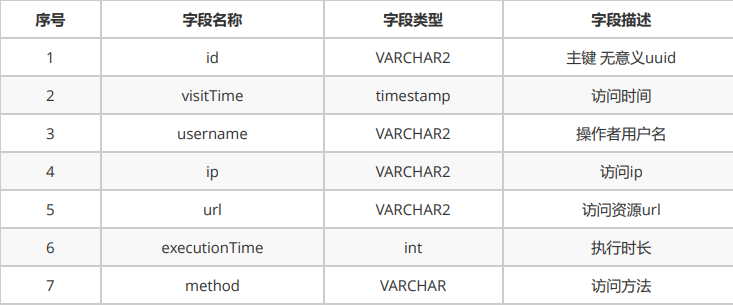
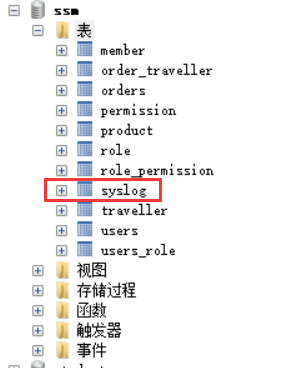
CREATE TABLE sysLog(id VARCHAR(32) PRIMARY KEY,visitTime TIMESTAMP,username VARCHAR(50),ip VARCHAR(30),url VARCHAR(50),executionTime INT,method VARCHAR(200))
添加触发器:
DELIMITER $$
CREATE
    TRIGGER `ssm`.`syslog_id_trigger` -- 触发器名称
    BEFORE INSERT             -- 触发器被触发的时机
    ON `ssm`.`syslog`      -- 触发器所作用的表名称
    FOR EACH ROW BEGIN
    SET new.id=REPLACE(UUID(),'-',''); -- 触发器执行的逻辑
    END$$

DELIMITER
创建实体类SysLog
/**
 * @anthor changlu
 * @create 2020-11-10-16:46
 */
public class SysLog {
    private String id;
    private Date visitTime;
    private String visitTimeStr;
    private String username;
    private String ip;
    private String url;
    private Long executionTime;
    private String method;

    ...set/get方法

    public String getVisitTimeStr() {
        if(visitTime != null){
            visitTimeStr = DateUtils.date2String(visitTime,"yyyy-MM-dd HH:mm");
        }
        return visitTimeStr;
    }
}
二、基于AOP日志处理
ContextLoaderListener与RequestContextListener配置问题
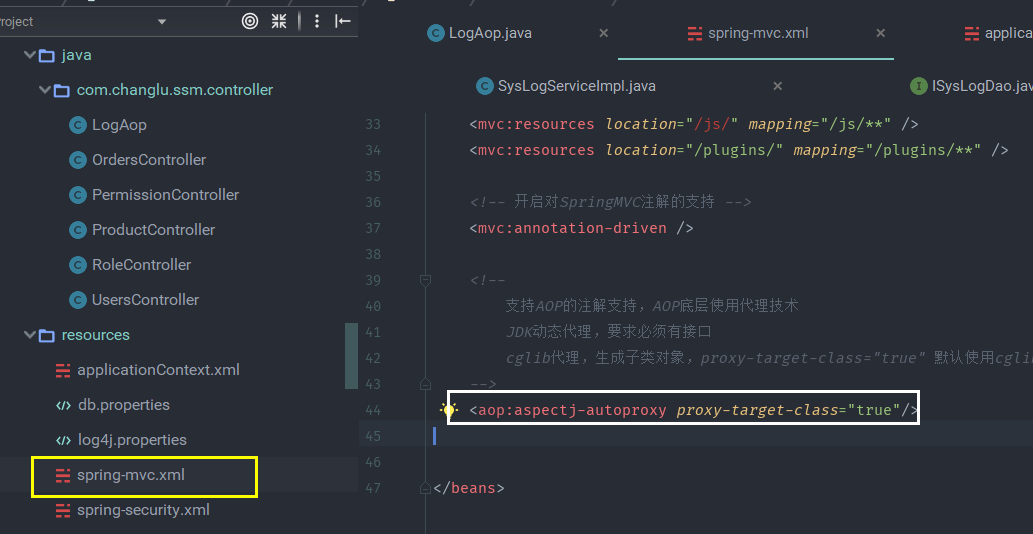
首先开启AOP注解支持
1、LogAop类(创建切面类处理日志)
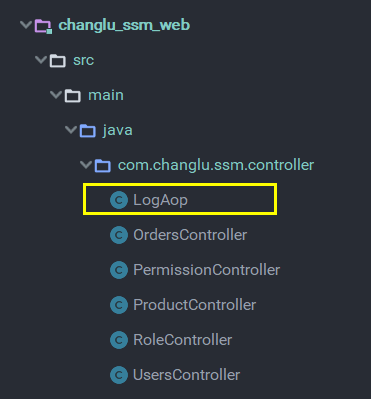
前后置方法使用execution来设置范围为Controller这个包的所有controller类
前置通知:获取到访问方法名称methodName、获取访问的方法executionMethod、访问的类executionClass
后置通知:获取访问的总时间、获取访问的url、获取ip地址、获取操作者名称(登陆用户名)
之后将对应信息信息存储到实体类中
/**
 * @anthor changlu
 * @create 2020-11-10-18:23
 */
@Component
@Aspect
public class LogAop {

    @Autowired
    private HttpServletRequest request;//在web.xml中配置listener,RequestContextListener这个类来产生request

    @Autowired
    private ISysLogService sysLogService;

    private Date startTime;//访问时间
    private Class executionClass;//访问的类
    private Method executionMethod;//访问的方法

    //前置通知
    @Before("execution(* com.changlu.ssm.controller.*.*(..))")
    public void doBefore(JoinPoint jp) throws NoSuchMethodException {
        startTime = new Date();
        //获取访问的类
        executionClass = jp.getTarget().getClass();
        //1、获取访问的方法名称
        String methodName = jp.getSignature().getName();
        Object[] args = jp.getArgs();//获取方法中的所有参数
        //获取对应方法Method
        if(args == null || args.length == 0){
            executionMethod = executionClass.getMethod(methodName);//获取无参方法
        }else{
            //填充有效参数的class数组
            Class[] classArgs = new Class[args.length];
            for(int i=0;i<args.length;i++){
                classArgs[i] = args[i].getClass();
            }
            executionMethod = executionClass.getMethod(methodName,classArgs);//获取有效参数方法
        }
    }

    //后置通知
    @After("execution(* com.changlu.ssm.controller.*.*(..))")
    public void doAfter(JoinPoint joinPoint) throws Exception {
        //2、获取访问的总时间
        long time = new Date().getTime() - startTime.getTime();

        //3、获取访问的url
        String url = "";

        if(executionClass != null && executionMethod != null && executionClass != LogAop.class){
            //获取类上的@RequestMapping
            RequestMapping classAnnotation = (RequestMapping) executionClass.getAnnotation(RequestMapping.class);
            if(classAnnotation != null){
                String[] classValue = classAnnotation.value();

                //获取方法上的@RequestMapping
                RequestMapping methodAnnotation = executionMethod.getAnnotation(RequestMapping.class);
                String[] methodValue = methodAnnotation.value();
                url = classValue[0]+methodValue[0];//类与方法上的注解中的值进行合并,就是对应的访问url

                //4.获取ip地址
                String ip = request.getRemoteAddr();

                //5、获取操作者,也就是用户名称,这是方式一
                SecurityContext context = SecurityContextHolder.getContext();
                User user = (User) context.getAuthentication().getPrincipal();
                String username = user.getUsername();

                //注入到SysLog实体类中
                SysLog sysLog = new SysLog();
                sysLog.setExecutionTime(time);
                sysLog.setIp(ip);
                sysLog.setUsername(username);
                sysLog.setVisitTime(startTime);
                sysLog.setUrl(url);
                sysLog.setMethod("[类名]"+executionClass.getName()+" [方法名]"+executionMethod.getName());

                sysLogService.save(sysLog);

            }

        }

    }
}
注意:还需要在web.xml配置文件中进行配置,来搭配对应HttpServletRequest实体类注入
  <listener>
    <listener-class>org.springframework.web.context.request.RequestContextListener</listener-class>
  </listener>
获取对应参数分析
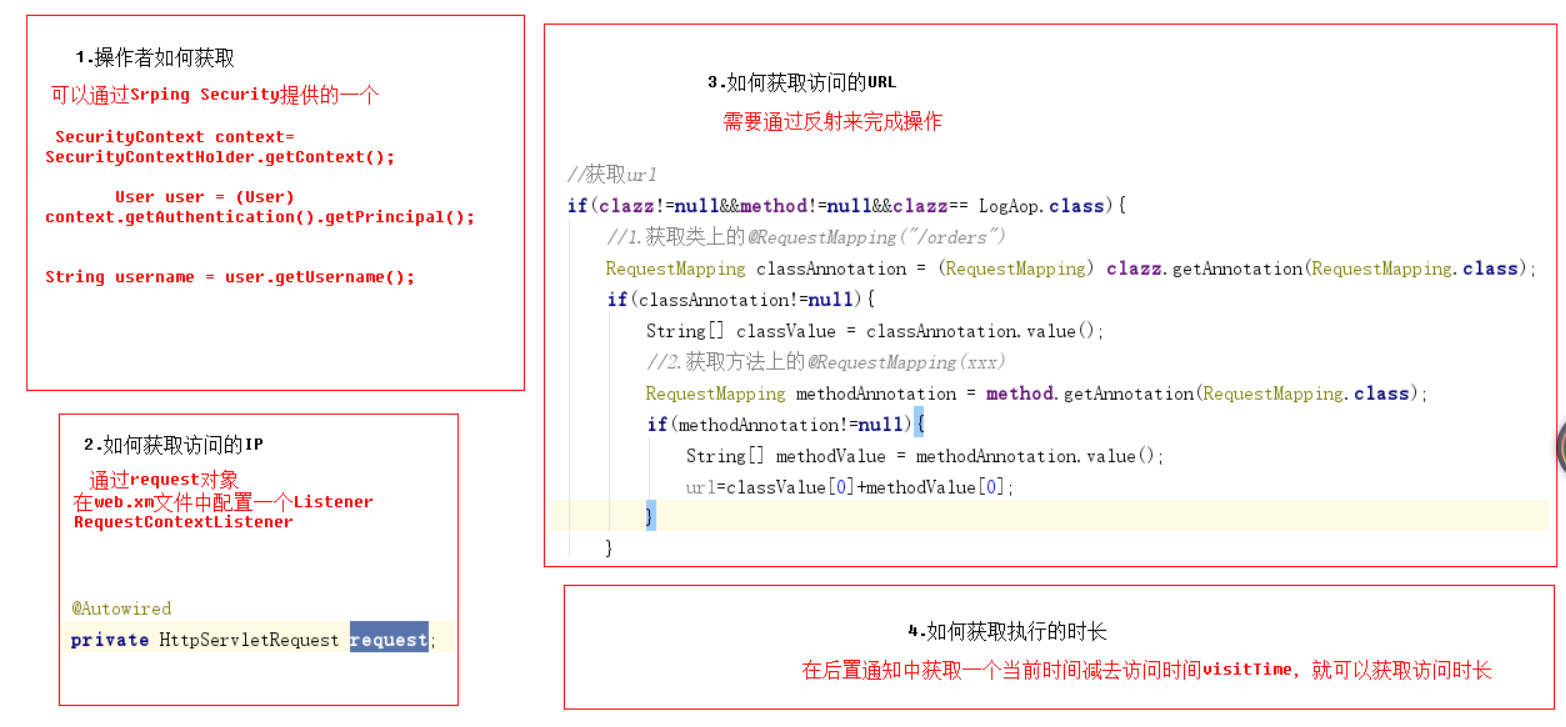
获取ip地址
注意在对应获取访问ip地址,需要在web.xml中配置listener,如下:
  <listener>
    <listener-class>org.springframework.web.context.request.RequestContextListener</listener-class>
  </listener>
接着使用自动注入来获取HttpServletRequest的实体类,接着使用其实体类的方法getRemoteAddr来获取ip地址: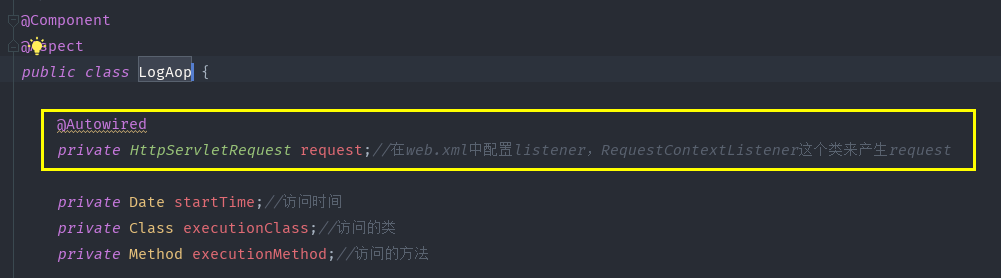
获取对应访问的Class类及Method类
使用对应JoinPoint这个参数的方法来获取Class类、类名及方法名,再通过反射结合方法名来获取到Method类
对应JoinPoint这个参数其中的方法参考:Spring JoinPoint的用法
获取操作者名称,方式二
第二种方式是通过request的获取session方法来获取到对应context
// 可以通过securityContext获取,也可以从request.getSession中获取
SecurityContext context = request.getSession().getAttribute("SPRING_SECURITY_CONTEXT")
String username = ((User)(context.getAuthentication().getPrincipal())).getUsername();

sysLog.setUsername(username);
获取url
就是通过对应访问Class类及Method类通过反射来获取到对应类与方法上面的@RequestMapping这个注解中的值,类+方法上的值合并起来也就是访问的对应url地址。
问题处理
① 存储到数据库的日志信息的URL为空(*)
问题描述: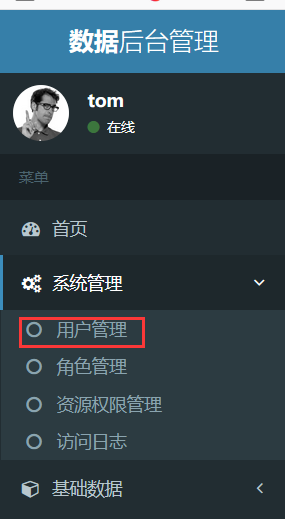

解决过程:
对应LogApp中的判断应该是!=,访问的Class类不应该是LogAop类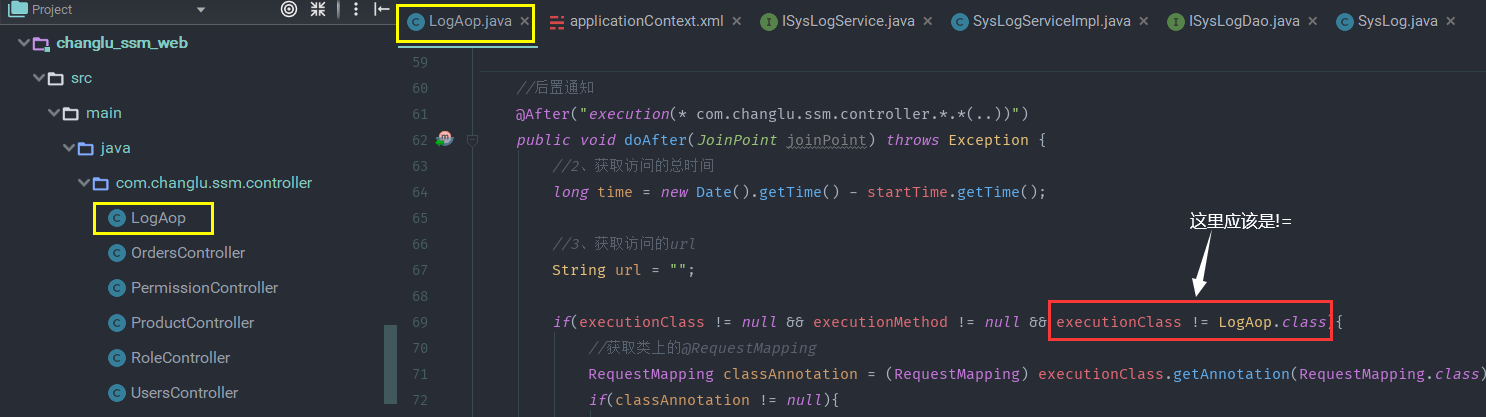
效果展示:
② 访问订单管理时报错(*)
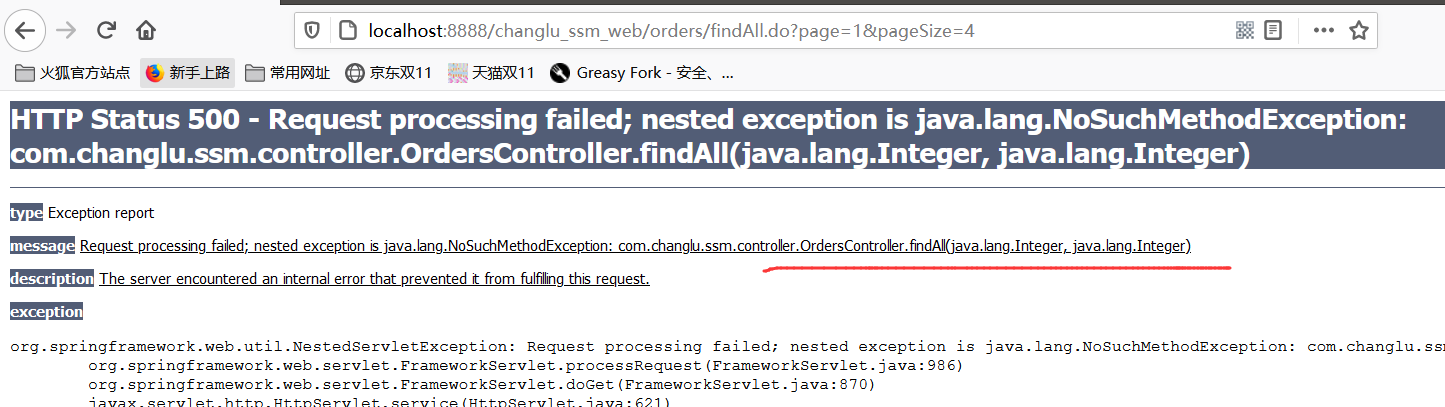
问题描述: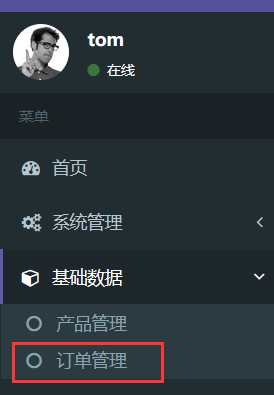
解决过程:
在对应的OrdersController控制器的findAll()方法中的参数为int型,由于在前后置方法中使用到了反射获取参数的class类,就会报错,更改为Integer类即可。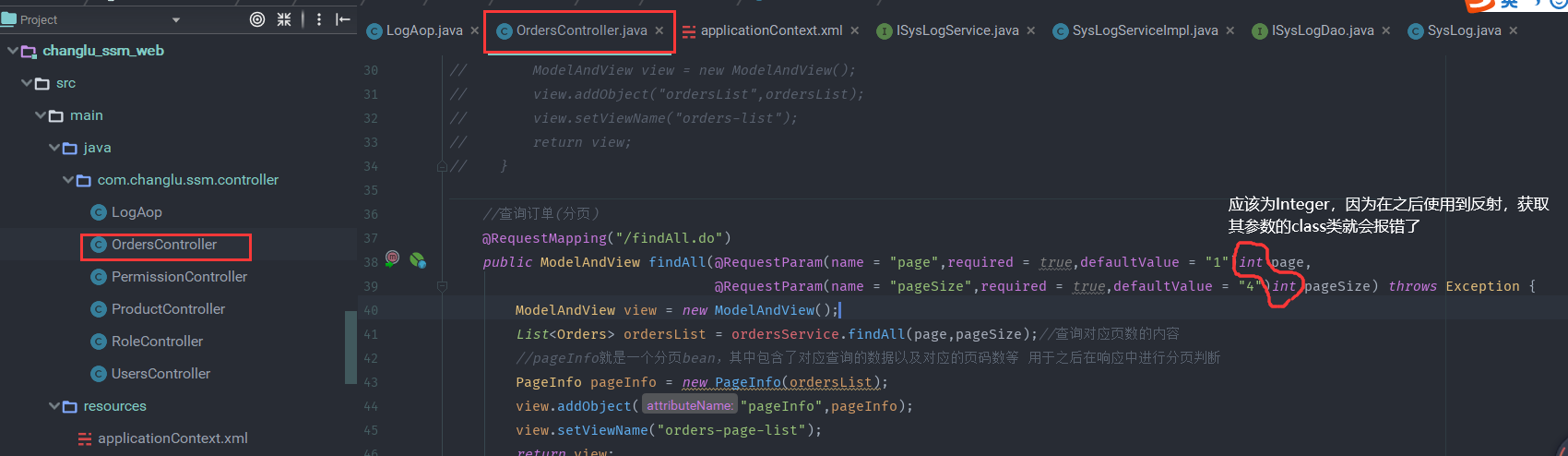
//查询订单(分页)
@RequestMapping("/findAll.do")
public ModelAndView findAll(@RequestParam(name = "page",required = true,defaultValue = "1")Integer page,
                            @RequestParam(name = "pageSize",required = true,defaultValue = "4")Integer pageSize) throws Exception {
效果展示: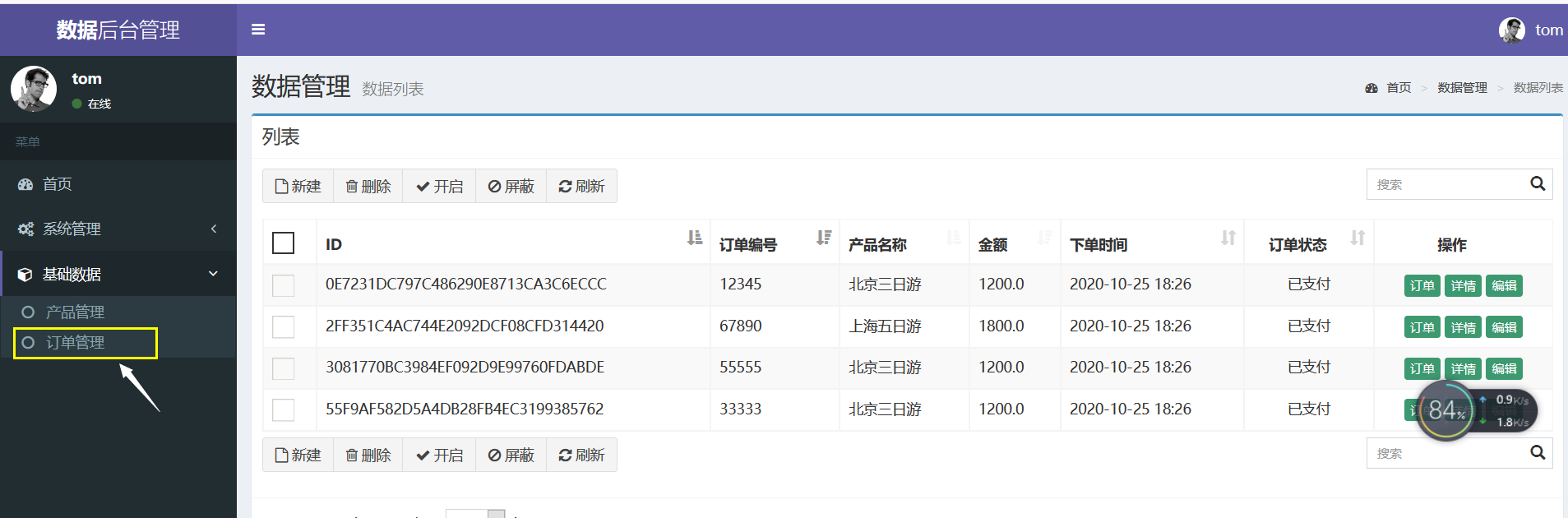

③ 代码位置修改
对应获取ip地址下内容放置到if判断中去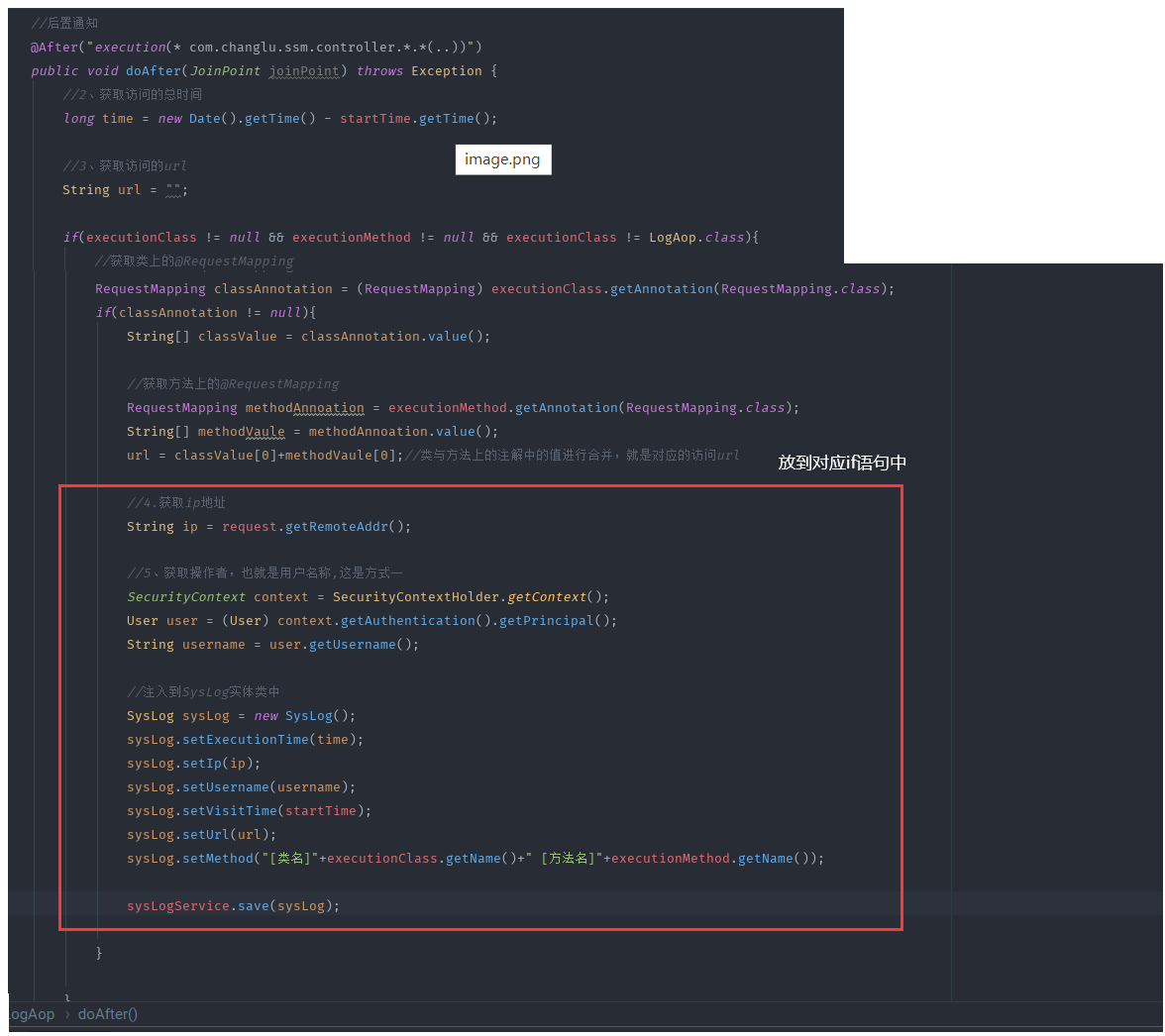
2、【两层代码实现:Service、Dao】
Service层
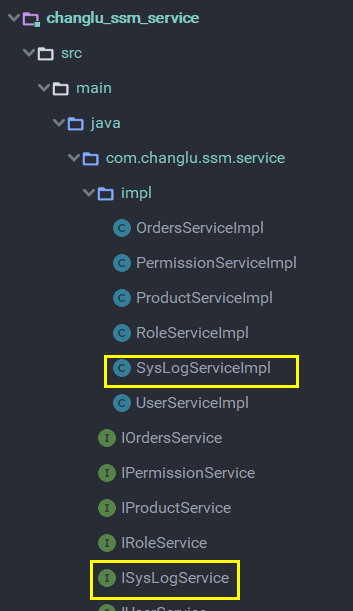
接口
/**
 * @anthor changlu
 * @create 2020-11-11-10:44
 */
public interface ISysLogService {

    void save(SysLog sysLog)throws Exception;
}
实现类
/**
 * @anthor changlu
 * @create 2020-11-11-10:45
 */
@Service
@Transactional
public class SysLogServiceImpl implements ISysLogService {

    @Autowired
    private ISysLogDao sysLogDao;

    @Override
    public void save(SysLog sysLog) throws Exception {
        sysLogDao.save(sysLog);
    }
}
Dao层
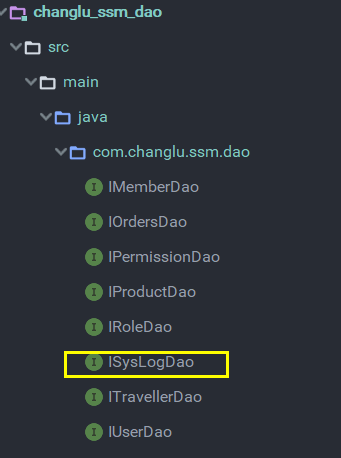
/**
 * @anthor changlu
 * @create 2020-11-11-10:46
 */
public interface ISysLogDao {

    @Insert("insert into syslog values('null',#{visitTime},#{username},#{ip},#{url},#{executionTime},#{method})")
    void save(SysLog sysLog)throws Exception;

}
效果展示
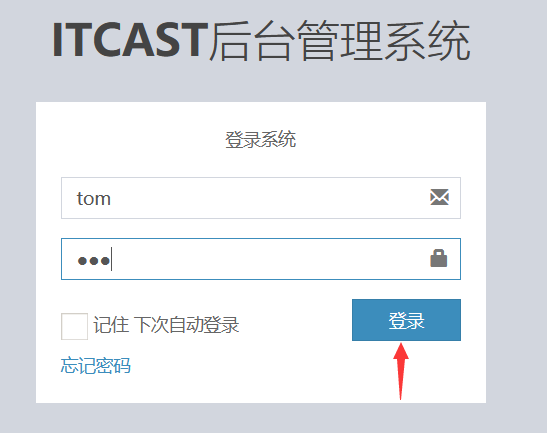
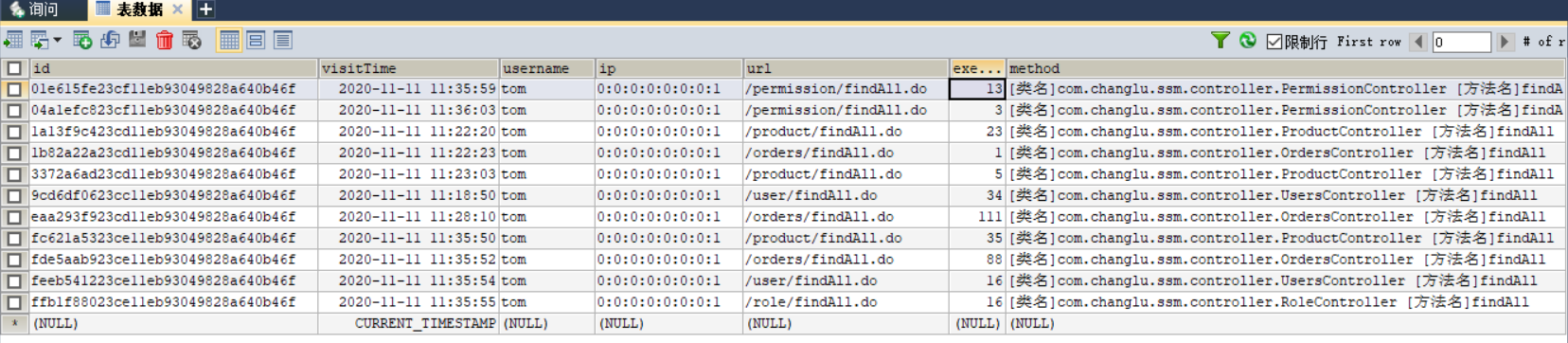
点击用户管理,就会执行日志的前置后置操作了,并且存储数据到数据库中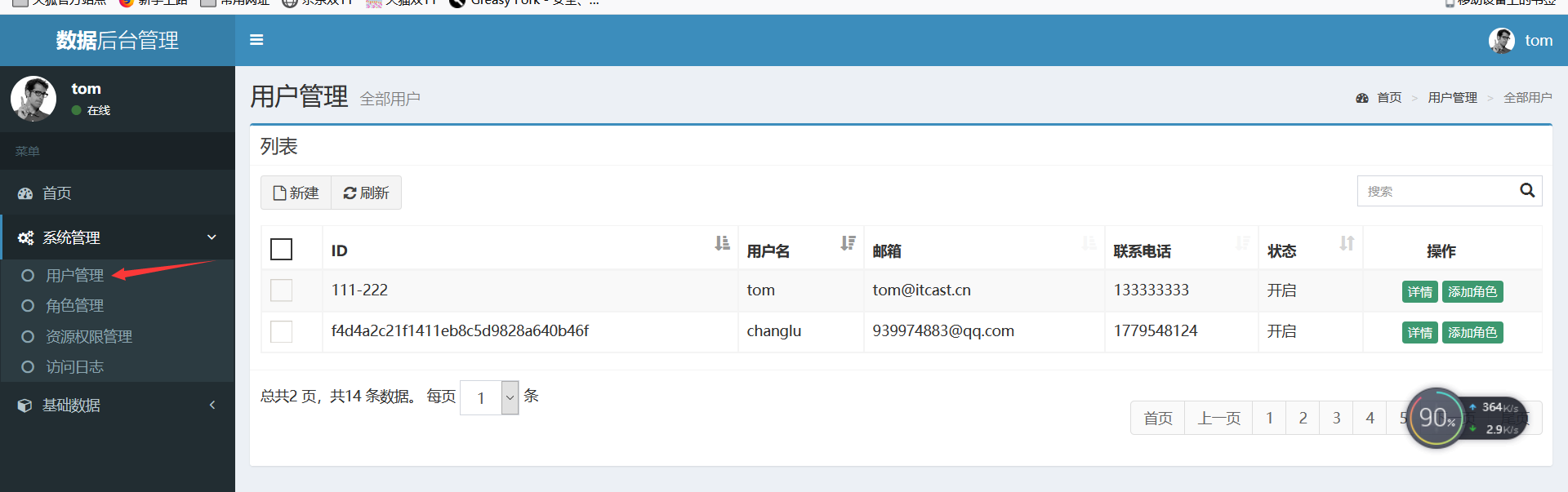
三、查询日志流程分析
请求页面
我们查看aside.jsp页面: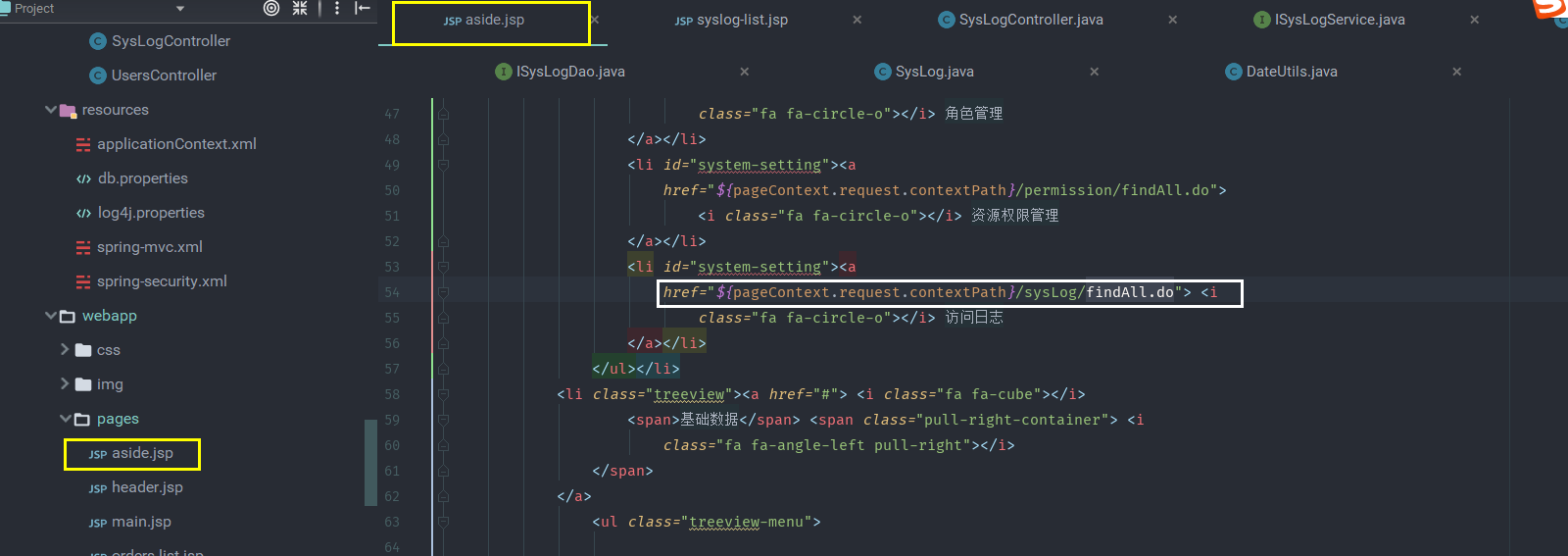
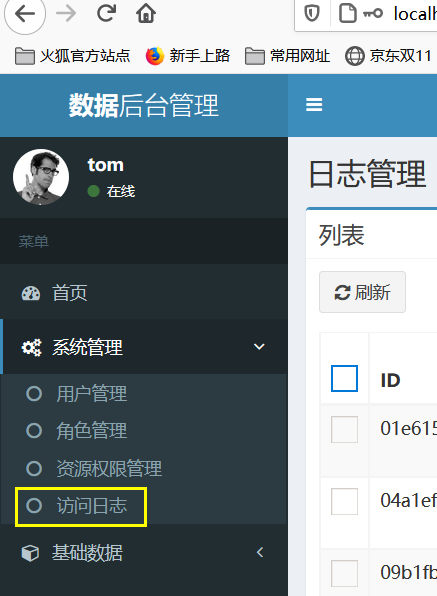 对应这个部分的内容
【三层代码实现】
Controller层
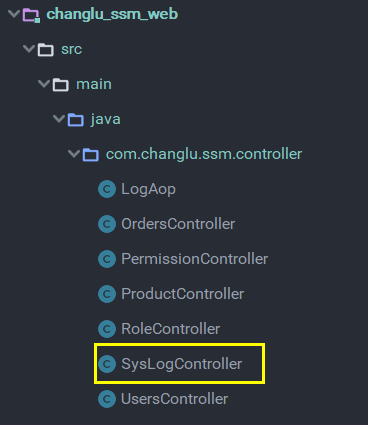
/**
 * @anthor changlu
 * @create 2020-11-11-14:08
 */

@Controller
@RequestMapping("/sysLog")
public class SysLogController {

    @Autowired
    private ISysLogService sysLogService;

    //查询所有日志信息
    @RequestMapping("/findAll.do")
    public ModelAndView findAll()throws Exception{
        ModelAndView mv = new ModelAndView();
        List<SysLog> sysLogList = sysLogService.findAll();
        mv.addObject("sysLogs",sysLogList);
        mv.setViewName("syslog-list");
        return mv;
    }
}
Service层
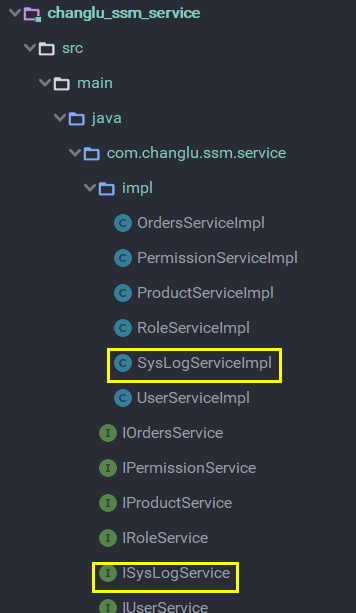
实现类
/**
 * @anthor changlu
 * @create 2020-11-11-10:45
 */
@Service
@Transactional
public class SysLogServiceImpl implements ISysLogService {

    @Autowired
    private ISysLogDao sysLogDao;

    ...

    @Override
    public List<SysLog> findAll() throws Exception {
        return sysLogDao.findAll();
    }
}
Dao层
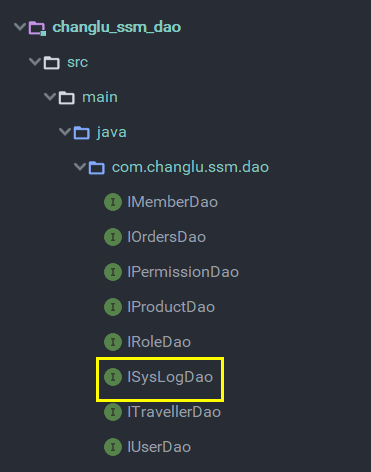
/**
 * @anthor changlu
 * @create 2020-11-11-10:46
 */
public interface ISysLogDao {

    ...

    @Select("select * from syslog")
    List<SysLog> findAll()throws Exception;
}
效果展示: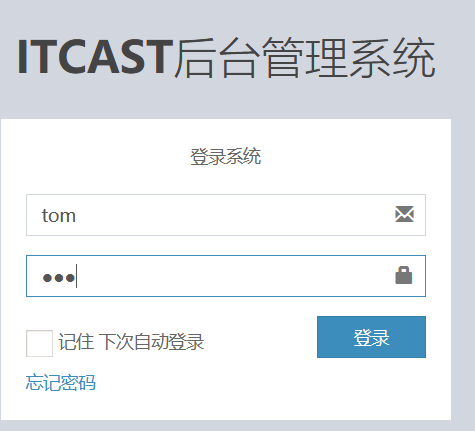
点击访问日志查看: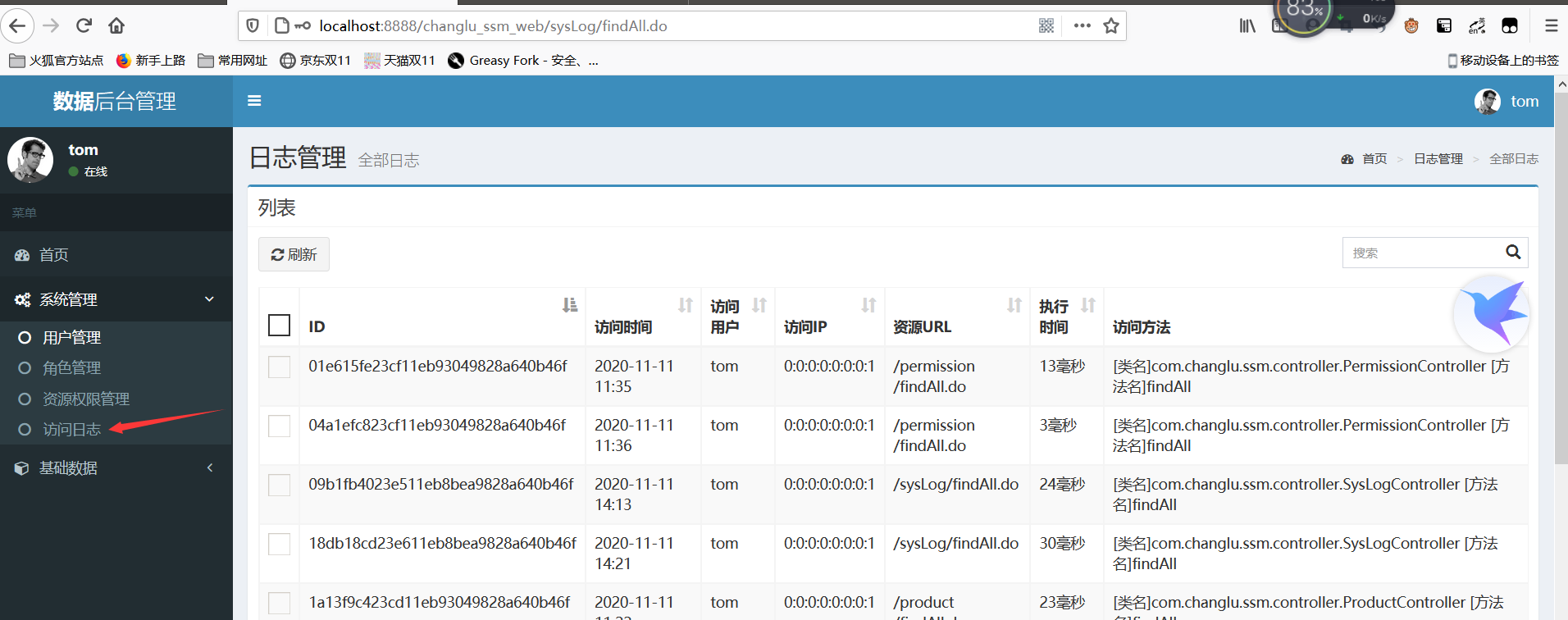
进行日志查询时不进行记录存储
在对应LogAop中增加一个判定条件(对应class类不为SysLogController.class)即可: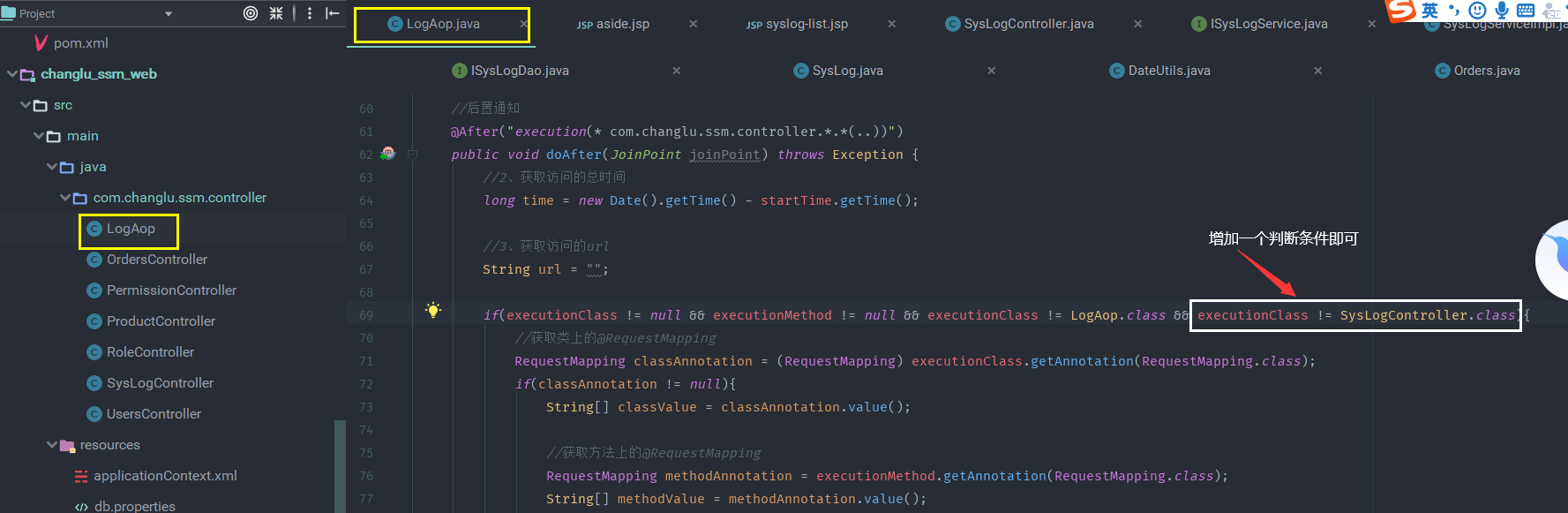
整理者:长路 时间:2020/11/10-2020/11/11

若有收获,就点个赞吧
0 人点赞


