log日志:log4j.zip
三大框架
springmvc
重定向
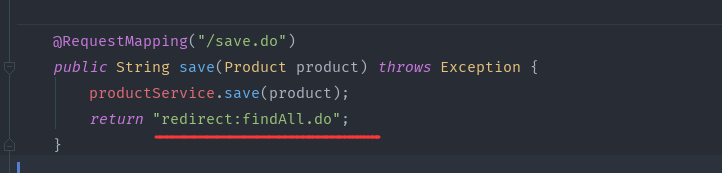
对于重定向是到对应资源目录下有/的,所以在redirect后面就不需要/了。
前端三件套
HTML
css
js
① 点击按钮跳转网页(内嵌js)
<button type="button" class="btn btn-default" title="新建"onclick="location.href='${pageContext.request.contextPath}/pages/product-add.jsp'">
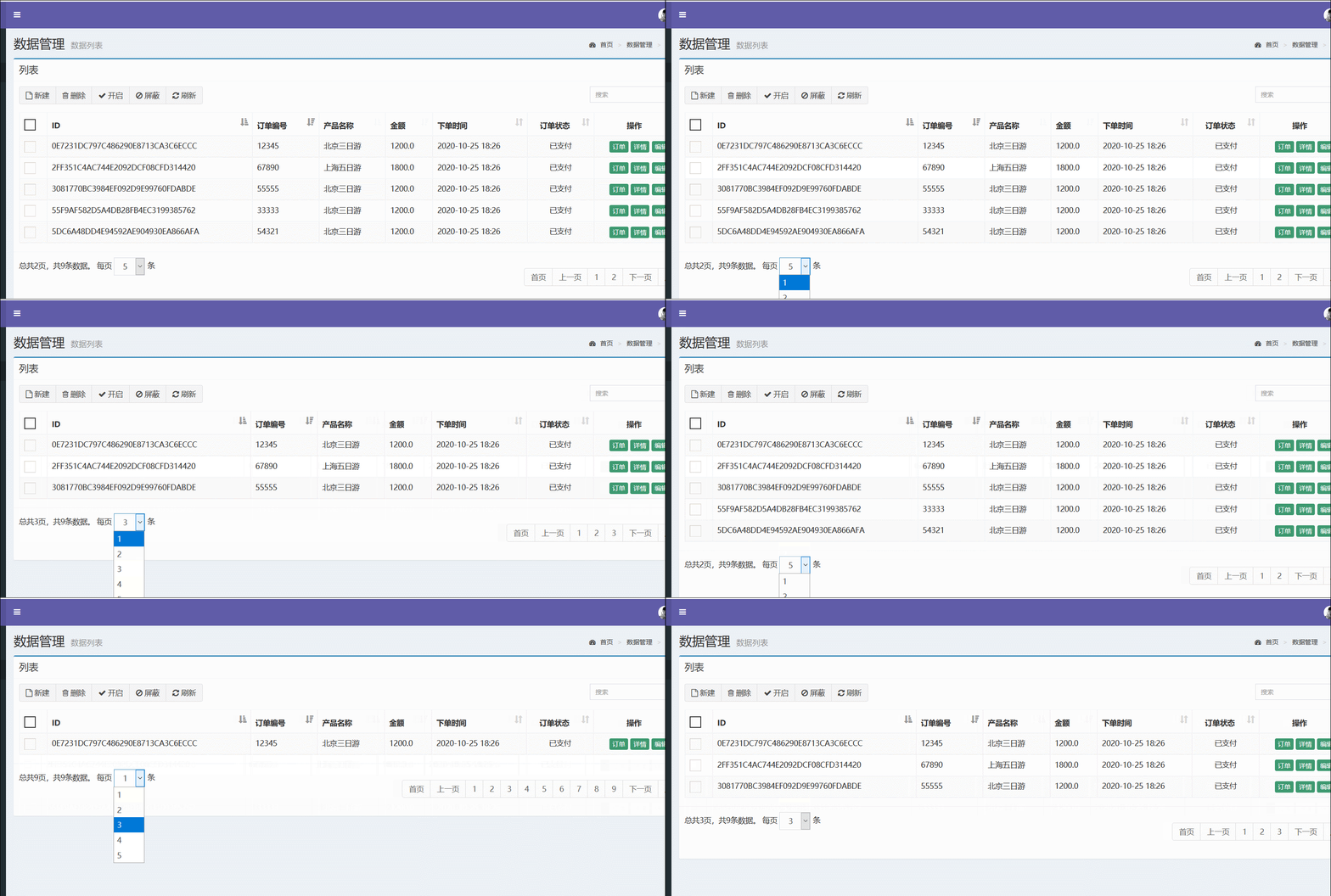
② select标签实现分页并实时显示页码条目数
效果使用的是AdminLTE黑马中的样式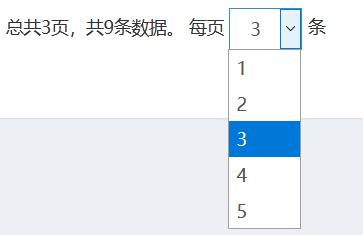
<div class="pull-left">
  <div class="form-group form-inline">
    总共${pageInfo.pages}页,共${pageInfo.total}条数据。 每页
    <select class="form-control" id="changePageSize" onchange="changePageSize()">
      <option>1</option>
      <option>2</option>
      <option>3</option>
      <option>4</option>
      <option>5</option>
    </select> 条
  </div>
</div>
    <script>
    //配合上面使用函数
        function changePageSize() {
            //获取下拉框的值
            var pageSize = $("#changePageSize").val();

            //向服务器发送请求,改变没页显示条数
            location.href = "${pageContext.request.contextPath}/orders/findAll.do?page=${pageInfo.pageNum}&pageSize="
                    + pageSize;
        }

        //自动执行 动态获取展示对应条目数
        $(document).ready(function() {
      //动态获取到当前页显示的条目数
      function getQueryVariable(variable)
      {
        var query = window.location.search.substring(1);//获得了当前链接的中?号后的参数
        var vars = query.split("&");//分割&号 vars中包含了多个参数对
        for (var i=0;i<vars.length;i++) {
          var pair = vars[i].split("=");
          if(pair[0] == variable){return pair[1];}//如果参数对中的键与传入的键相符合,那么返回对应的值
        }
        return(false);
      }
      var pageSize = getQueryVariable("pageSize");//获取到请求参数中的pageSize值
      var ops = document.getElementById("changePageSize");//获取到对应的select标签
      for(var i=0;i<ops.length;i++){
        if(ops.options[i].value == pageSize){//根据对应标签中的option的值来进行判断,如果相等那么就设置其selected为true
          ops.options[i].setAttribute("selected","true");//设置为true
        }
      }
    });
</script>
JavaWeb部分
jsp标签
静态包含(包含别的页面)
<jsp:include page="#"></jsp:include>
jsp标签
<!--jsp的动作标签,作用是跳转到另外一个页面 -->
<jsp:forward page="/pages/main.jsp"></jsp:forward>

JSTL使用
JSTL核心标签库及主要使用
<!--核心标签库 -->
<%@ taglib prefix="c" uri="http://java.sun.com/jsp/jstl/core" %>

<!--for-each遍历 -->
<c:forEach var="product" items="${productList}">
<tr>
  <td><input name="ids" type="checkbox"></td>
</tr>
EL表达式
获取到对应工程路径
“${pageContext.request.contextPath}/目录(webapp下)/页面”
工具类
查询到的工具类
时间工具类DateUtils
package com.example.administrator.myapp;

import java.text.ParseException;
import java.text.SimpleDateFormat;
import java.util.Calendar;
import java.util.Date;

/**
 * Date 工具类
 * Created by lychun on 2017/12/07.
 */

public class DateUtils {

  /**
   * 得到几天前的时间
   *
   * @param d  时间
   * @param day 几天
   * @return 结果
   */
  public static Date getDateBefore(Date d, int day) {
    Calendar now = Calendar.getInstance();
    now.setTime(d);
    now.set(Calendar.DATE, now.get(Calendar.DATE) - day);
    return now.getTime();
  }

  /**
   * 得到几天后的时间
   *
   * @param d  时间
   * @param day 几天
   * @return 结果
   */
  public static Date getDateAfter(Date d, int day) {
    Calendar now = Calendar.getInstance();
    now.setTime(d);
    now.set(Calendar.DATE, now.get(Calendar.DATE) + day);
    return now.getTime();
  }

  /**
   * 取得当前时间戳(精确到秒)
   */
  public static String getCurrTimeStamp() {
    long time = System.currentTimeMillis();
    String t = String.valueOf(time / 1000);
    return t;
  }

  /**
   * 日期格式字符串转换成时间戳
   *
   * @param date_str 字符串日期
   * @param format  如:yyyy-MM-dd HH:mm:ss
   * @return
   */
  public static String date2TimeStamp(String date_str, String format) {
    try {
      SimpleDateFormat sdf = new SimpleDateFormat(format);
      return String.valueOf(sdf.parse(date_str).getTime() / 1000);
    } catch (Exception e) {
      e.printStackTrace();
    }
    return "";
  }

  /**
   * Date 转化为时间戳
   * @param date 时间
   * @return
   */
  public static String dateTimeStamp(Date date) {
    return String.valueOf(date.getTime() / 1000);
  }

  /**
   * 将String转化为Date
   *
   * @param str  字符串
   * @param format 格式
   * @return 结果
   */
  public static Date stringToDate(String str, String format) {
    SimpleDateFormat sdf = new SimpleDateFormat(format);//小写的mm表示的是分钟
    Date date = null;
    try {
      date = sdf.parse(str);
    } catch (ParseException e) {
      e.printStackTrace();
    }
    return date;
  }

  //将String转化为Date
  public static Date stringToDate(String str) {
    return stringToDate(str, "yyyy-MM-dd");
  }


  /**
   * 将Date转化为String
   *
   * @param date  时间
   * @param format 转化的格式
   * @return 结果
   */
  public static String dateToString(Date date, String format) {
    SimpleDateFormat sdf = new SimpleDateFormat(format);
    String result = sdf.format(date);
    return result;
  }

  //将时间转化为 年-月-日 的格式
  public static String dateToString(Date date) {
    return dateToString(date, "yyyy-MM-dd");
  }
}

若有收获,就点个赞吧
0 人点赞


