介绍

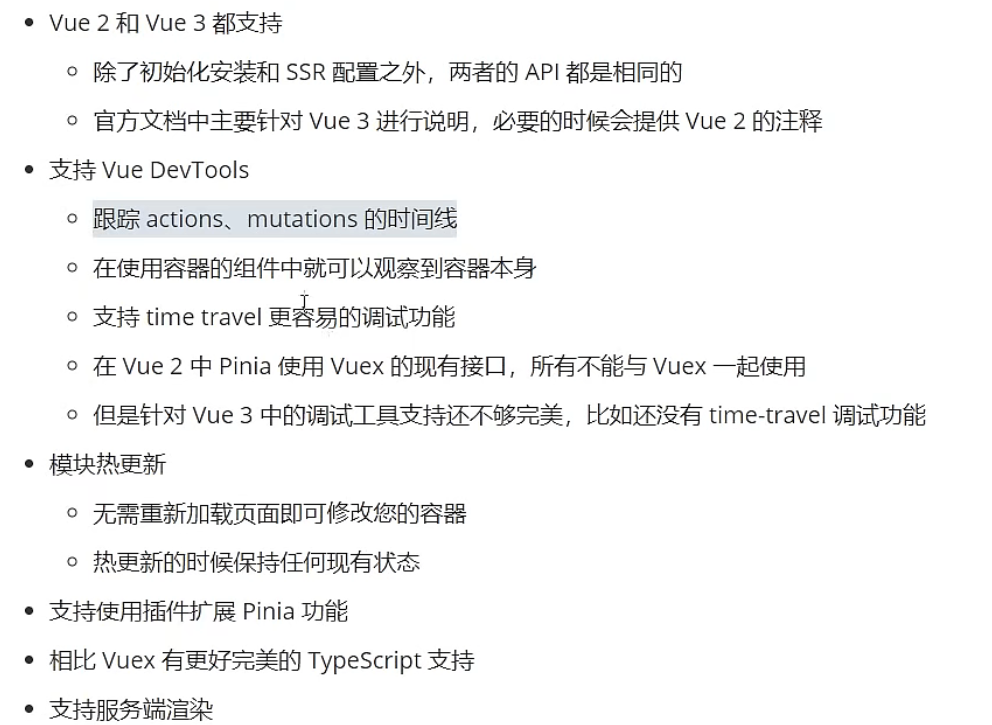
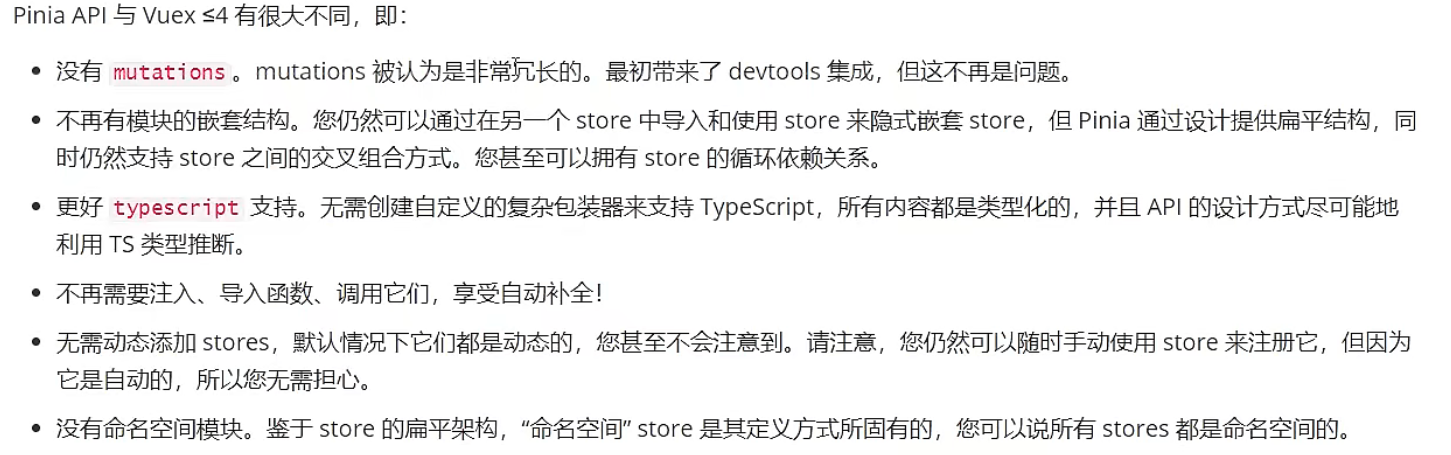
pinia只有state、getters、actions三个 actions 同步异步都支持,不需要像vuex封装mutations
pinia VS vuex
安装&创建
- npm init vite@latest
- npm install pinia
- main.js创建引用 ```javascript import { createPinia } from ‘pinia’ const pinia = createPinia();
const app = createApp(App) app.use(pinia)
4. 创建文件导出store```javascriptimport { defineStore } from 'pinia'export const useMainStore = defineStore('main', {state() {return {}},getters: {},actions: {}})
基本使用
state
store/index.ts
state() {return {count: 100,arr: [1, 2, 3]}},
xx.vue 展示数据
<p>{{mainStore.count}}</p>
<p>{{count}}</p>

import {storeToRefs} from 'pinia'
import {useMainStore} from '../store'

const mainStore = useMainStore();
let {count} = storeToRefs(mainStore)
acionts
store/index.ts 修改数据、异步操作数据
actions: {
  changeState(num: number) {
    // 方式一
    this.count += num;
    this.arr.push(4);

    // 方式二、三
    this.$patch({})
    this.$patch(state => { })
  },
  //异步调用接口
  async getProducts(){
    const ret = await getProducts()
    //赋值给state
    this.all = ret
  }
}
xx.vue
import {useMainStore} from '../store'
const mainStore = useMainStore();

const handleChangeState = ()=>{
  //方式一: 直接修改
  mainStore.count+1;
  mainStore.arr.push(4)

  //方式二:通过$patch批量修改
  mainStore.$patch({
    count:mainStore.count+1,
    arr:[...mainStore.arr,4]
  })

  // 方式三:通过$patch更简介方式
  mainStore.$patch(state=>{
    state.count++
    state.arr.push(4)
  })

  //方式四:通过acionts
  mainStore.changeState(5)
}
getters
store/index.ts
getters: {
  doubleCount(state) {
    return state.count * 2;
  }
  //如果ts使用this时要指定返回值类型
  doubleCount(): number {
    return this.count * 2;
  }
},
跨模块使用
store/a.ts
//userAStore

actions:{
    add(num){
      this.count += num;
  }
}
store/b.ts
//userBStore
import {userAStore} from './b.ts'

actions:{
    addForA(){
      const aStore = userAStore()
    aStore.add(5)
  }
}
devtooles


若有收获,就点个赞吧
0 人点赞


