一些实用快捷键
ctrl + shift + f 在项目中找关键字ctrl + shift + n 在项目中找文件ctrl + \ 在项目中找接口,需要安装RestServices插件
开发规范的配置
配置每个java类头部都有Java doc注释
/*** @author ${USER}* @date ${DATE}*/

编码格式
换行符改为unix
Editor->File Encodings
IDE的text file encoding设置为UTF-8
IDE中文件的换行符使用Unix格式,不要使用windows格式
Editor->Code Style
Transparent native-to-ascii conversion 这个功能会将我们输入的所有字符转换成Unicode序列码保存,避免properties的乱码问题。
Create UTF-8 files选择with NO BOM
UTF-8 BOM又叫UTF-8 签名。BOM, byte order mark。
UTF-8的BOM在文件头部,用来标识该文件属于utf-8编码,但是BOM虽然在编辑器中不显示,但是会产生输出,占用三个字节。
缩进格式
Editor->Code Style->Java
缩进采用四个空格,如果想使用tab键就需要设置tab键缩进等于四个空格,不要勾选Use tab character
个人习惯的配置
设置前进后退
免得一路看调用的代码不知道从哪里进来的了
点一下stop表示在stop后面新增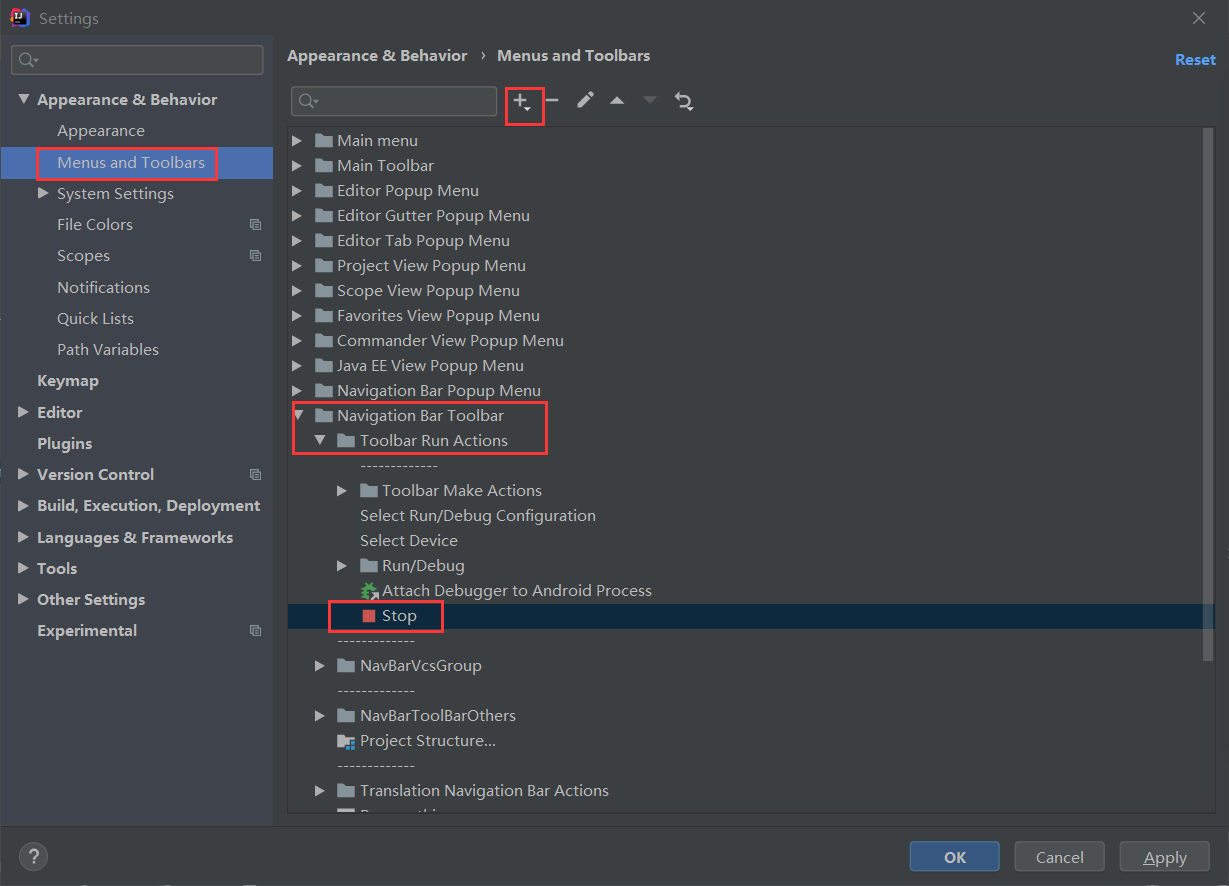

配置完之后可以在stop按钮的后面看到了
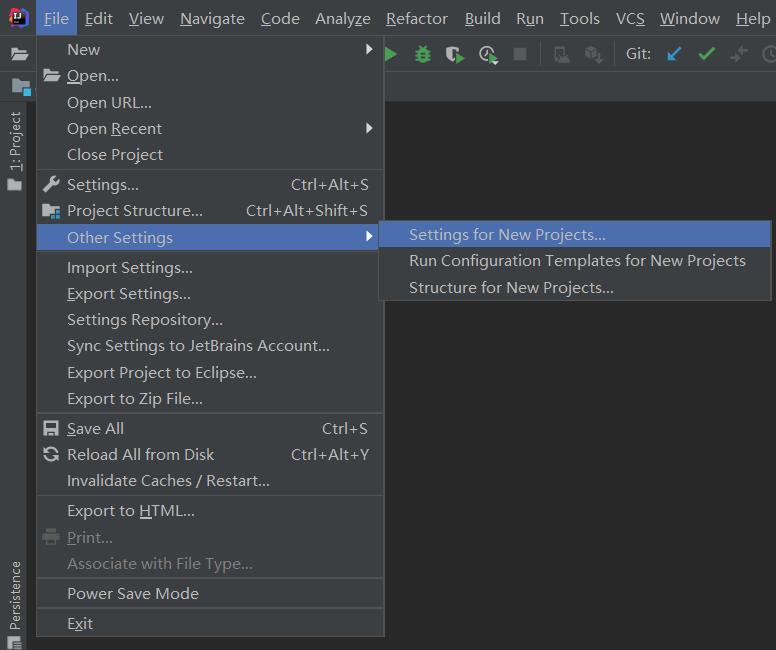
启动时不自动打开上一次的项目
取消这个勾选
避免每次打开新项目都重新配置
插件推荐
| 名称 | 作用 |
|---|---|
| Lombok | 简化POJO类代码,省掉get set方法 |
| Alibaba Java Coding Guidelines | 阿里巴巴开发规范 |
| SonarLint | 检查代码编写的坏味道 |
| Save Actions | 清除无用的import代码 |
| GitLab Project | GitLab项目管理idea插件,注意配置url和token |
| Free MyBatis plugin/MybatisX | 生成mapper xml文件,快速从代码跳转到mapper及从mapper返回代码,mybatis自动补全及语法错误提示 |
| Git Commit Template | 代码提交注释规范 |
| JSON Parser | 格式化json,方便查看 |
| RestfulToolkit | RESTful 服务开发辅助工具 |
| leetcode editor | 用idea刷力扣 |
| EasyCode-MybatisCodeHelper | 代码生成器 |
| CodeGlance | 更爽的浏览代码 |
| Maven Helper | 可视化maven依赖,处理版本冲突更方便 |
Save Actions配置

设置好之后,写代码时按 ctrl + s 就会把无用的import自动清除
Command line is too long问题解决
Idea启动项目报错:Command line is too long. Shorten command line for className or also for JUnit defaultconfiguration.
解决方法:
在该项目文件夹.idea/workspace.xml中找到
…
然后在其中添加:
<property name="dynamic.classpath" value="true" />
问题得到解决。

若有收获,就点个赞吧
0 人点赞


