安装
yum -y install epel-release.noarchyum -y install ansible
会把所需的python2.7环境也安装好
推荐使用python的pip安装
pip安装问题笔记
但是pip安装的不自带ansible.cfg配置文件
可以去github上下载,注意ansible版本
https://github.com/ansible/ansible/blob/stable-2.7/examples/ansible.cfg
配置文件
配置环境变量export ANSIBLE_CONFIG
不配置的话默认路径为/etc/ansible/ansible.cfg
修改一个地方
取消注释以禁用SSH密钥主机检查,这样进行自动化运维更加灵活
Hosts文件
ansible要管理非常多的服务器,默认通过/etc/ansible/hosts来配置
[web]表示为别名(主机名)
[web:vars]表示为配置项,这里的事例表示配置需要访问的目标服务器ip和用户名密码等
[web]
192.168.12.104
[web:vars]
ansible_ssh_user=root
ansible_ssh_pass=1234
也可以直接写在一行里
[web]
192.168.12.104 ansible_ssh_user=root ansible_ssh_pass=1234
ansible会自动检测ssh信任,默认不支持使用账户密码,若要支持需要改动/etc/ansible/ansible.cfg 配置文件
在文件中进行搜索定位到
:/host_key_checking
uncomment this to disable SSH key host checking
#host_key_checking = False
修改后:
uncomment this to disable SSH key host checking
host_key_checking = False
ansible命令的参数 -i 用于指定host文件路径, all指定host文件中的所有主机,例如
ansible -i /root/host all -m script -a '/root/hello.sh'
建立SSH信任关系(非必须)
如果需要就安装一下
yum -y install openssh-clientsansible
ansible是基于ssh协议的,如果访问目标主机不想输入密码的话,在管理节点和被管理节点之间最好能建立ssh信任
cd /root
rm -rf .ssh/
ssh-keygen -t rsa
# 然后一路敲回车
生成公钥和私钥了,将公钥私钥传到被管理节点上
ssh-copy-id root@192.168.246.104
Ansible命令入门
参考博客 https://www.cnblogs.com/keerya/p/7987886.html
ansible命令使用 -m 参数指定模块
用的比较多的就是shell,copy,script模块
shell模块
在目的机执行命令
ansible -i /root/host all -m shell -a 'echo "hello"'
copy模块
将本机的文件复制到目标机的指定路径中
将/root/a.txt文件复制到目标机器的/usr/local目录下 并设置777权限
ansible all -m copy -a "src='/root/a.txt' dest='/usr/local/' force='yes' mode='777'"
script模块
在目标机执行位于本机的脚本 -a指定本机脚本路径,然而脚本虽然位于本机,但却是在目标机器上执行
ansible web -m script -a '/tmp/df.sh'
配置windows执行
参考博客 https://www.cnblogs.com/herui1991/p/12304487.html
Playbooks入门
参考文档 Ansible文档 — 国内最专业的Ansible中文官方学习手册
参考博客 https://www.cnblogs.com/keerya/p/8004566.html
Playbooks之于ansible就相当于shell之于linux
Playbooks的格式是yaml(yml)
playbook 由一个或多个 ‘plays’ 组成.它的内容是一个以 ‘plays’ 为元素的列表.
--- 在第一行,表示从这里开始是一个play
入门demo
这里写一个demo,文件名为myplaybook.yml
作用是安装并运行nginx,将当前目录下的nginx.conf 复制到目的目录下
---
- name: manage web server
  hosts: webservers
  remote_user: root
  tasks:
  - name: install nginx package
    yum: name=nginx state=present
  - name: copy nginx.conf to remote server
    copy: src=nginx.conf dest=/etc/nginx/nginx.conf
  - name: nginx running
    service:
      name: nginx
      enabled: true
      state: started
为了与host的目标主机映射地址需要在该yml所在目录中写一个hosts文件
文件名可以随意取,执行时对应好就行,也可以写参数列表
例:
[webservers]
192.168.246.104
[webservers:vars]
user=root
output=/root/test.log
运行playbooks
校验
ansible-playbook myplaybook.yml --syntax-check
但是没有指定hosts文件的话会报警告,应该这样写,如果不想指定hosts文件就需要去/etc/hosts下面改
ansible-playbook -i hosts myplaybook.yml --syntax-check
执行一个playbook,同样需要指定hosts,并行的级别 是10(是10个并发的进程?):
ansible-playbook -i hosts myplaybook.yml -f 10
调试
ansible-playbook -i hosts myplaybook.yml --step
每一步都会有三个选项:(N)o/(y)es/(c)ontinue ,continue就表示继续往下走不再一步步确认了
常用模块
File
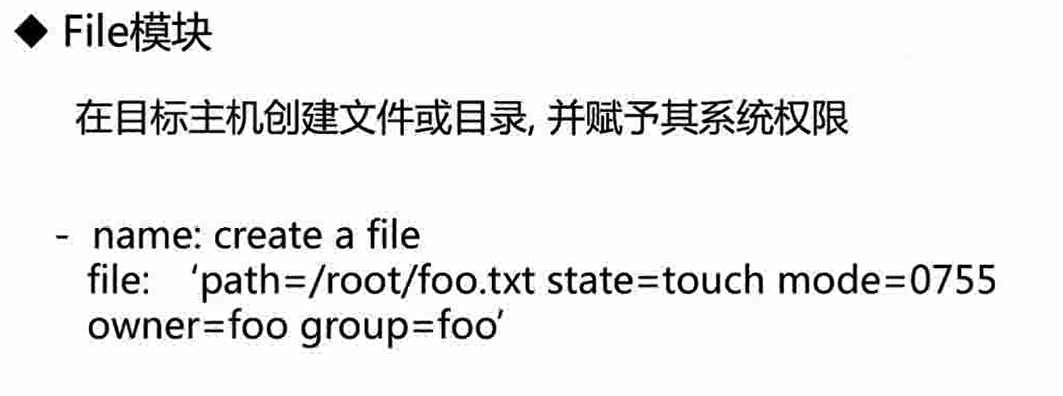
mode表示用来授权
Copy 文件复制
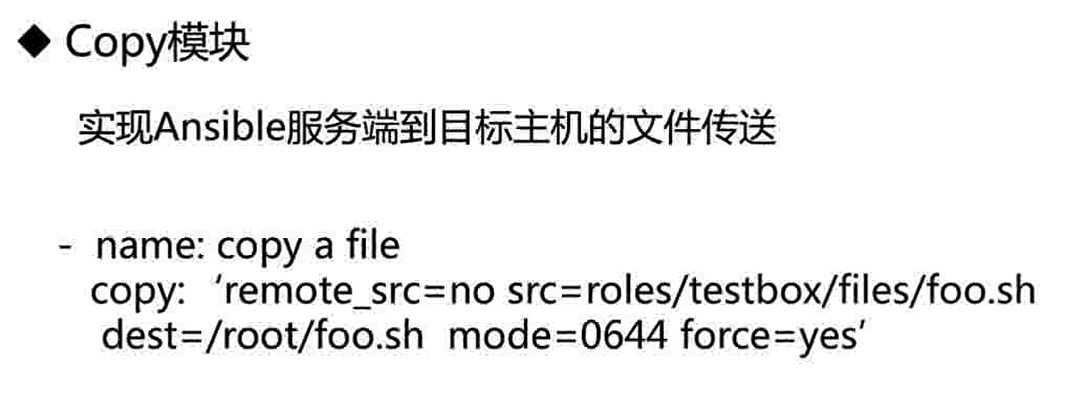
Stat
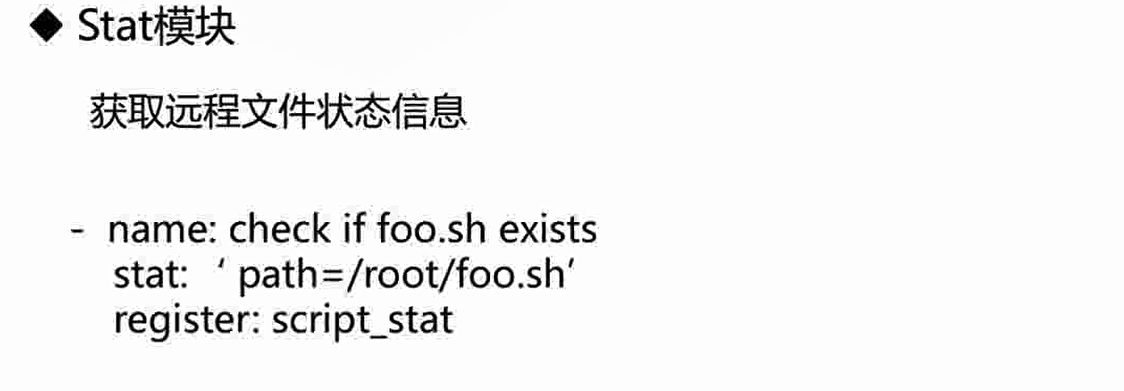
register表示将变量信息传递给名为script_stat变量
Debug

debug语句后表示打印的信息,when语句通常与stat模块的变量配合使用
Command/Shell

shell模块可以直接调用系统变量,command模块则不行
Template
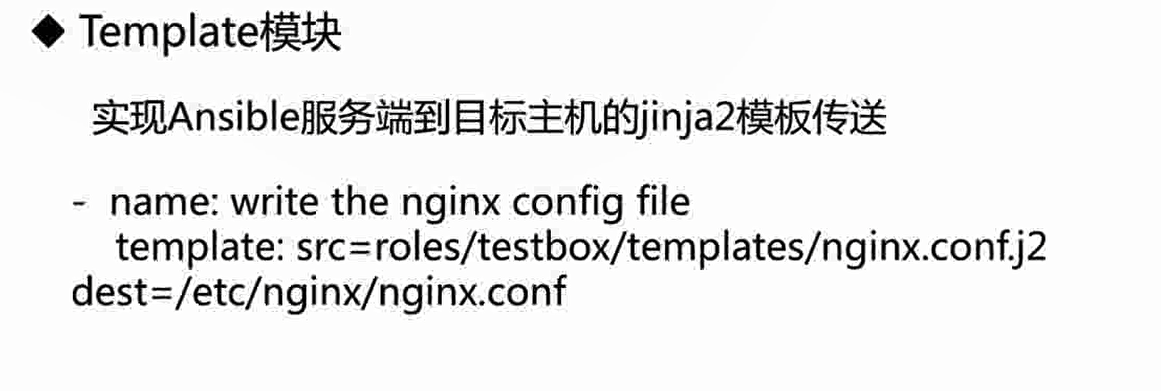
根据上面的配置文件参数来生成配置文件
Packaging

Service


若有收获,就点个赞吧
0 人点赞


