了解安全上下文中可以配置的内容
配置安全上下文可以允许你做很多事 :
- 指定容器中运行进程的用户(用户 ID)。
- 阻止容器使用 root 用户运行(容器的默认运行用户通常在其镜像中指定,所 以可能需要阻止容器 以 root 用户运行〉。
- 使用特权模式运行容器,使其对宿主节点的内核具有完全的访问权限。
- 与以上相反,通过添加或禁用内核功能,配置细粒度的内核访问权限。
- 设置 SELinux (Security Enhaced Linux, 安全增强型 Linux)边项,加强对容 器的限制。
运行 pod 而不配置安全上下文
首先,运行一个没有任何安全上下文配置的 pod (不指定任何安全上下文选项), 与配置了安全上下文的 pod 形成对比
kubectl run pod-with-defaults --image alpine --restart Never -- /bin/sleep 999999

kubectl exec -it pod-with-defaults id

使用指定用户运行容器
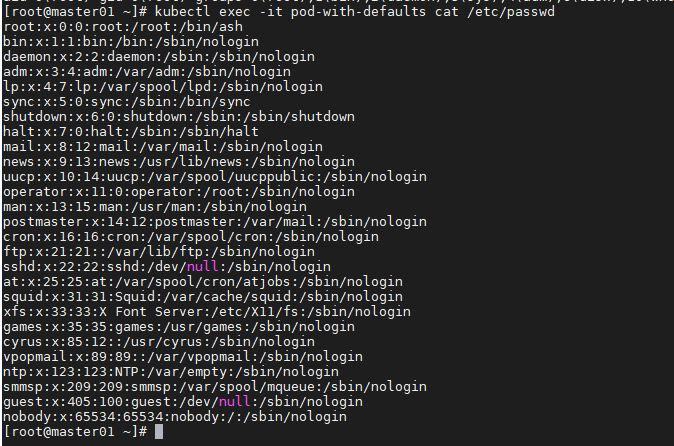
为了使用 一个与镜像中不同的用户 ID 来运行 pod, 需要设置该 pod 的 securityContext.runAsUser 选项。 可以通过以下代码清单来运行一个使用 guest用户运行的容器,该用户在 alpine 镜像中的用户 ID 为 405
kubectl exec -it pod-with-defaults cat /etc/passwd
cat > pod-user-guest.yaml << EOF
apiVersion: v1
kind: Pod
metadata:
  name: pod-as-user-guest
spec:
  containers:
  - name: main
    image: alpine
    command: ["/bin/sleep","999999"]
    securityContext:
      runAsUser: 405
EOF
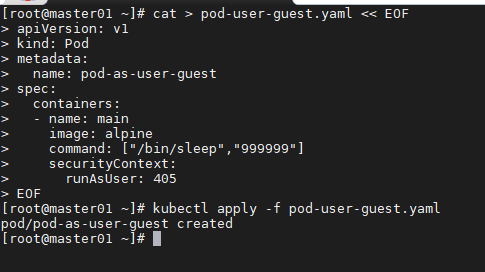
kubectl exec pod-as-user-guest id

阻止容器以 root 用户运行
cat > pod-user-non-root.yaml << EOF
apiVersion: v1
kind: Pod
metadata:
  name: pod-run-as-non-root
spec:
  containers:
  - name: main
    image: alpine
    command: ["/bin/sleep","999999"]
    securityContext:
      runAsNonRoot: true
EOF
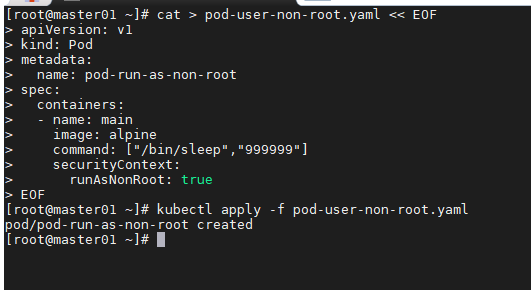
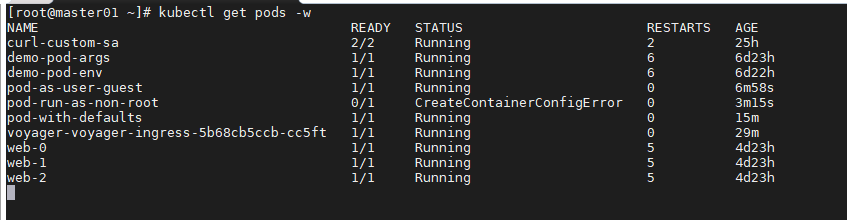
kubectl describe pod pod-run-as-non-root
部署这个 pod 之后,它会被成功调度,但是不允许运行

使用特权模式运行 pod
有时 pod 需要做它们的宿主节点上能够做的任何事,例如操作被保护的系统设备,或使用其他在通常容器中不能使用的内核功能。
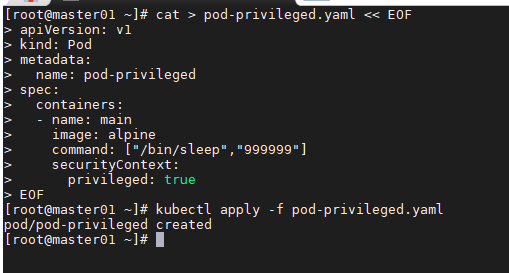
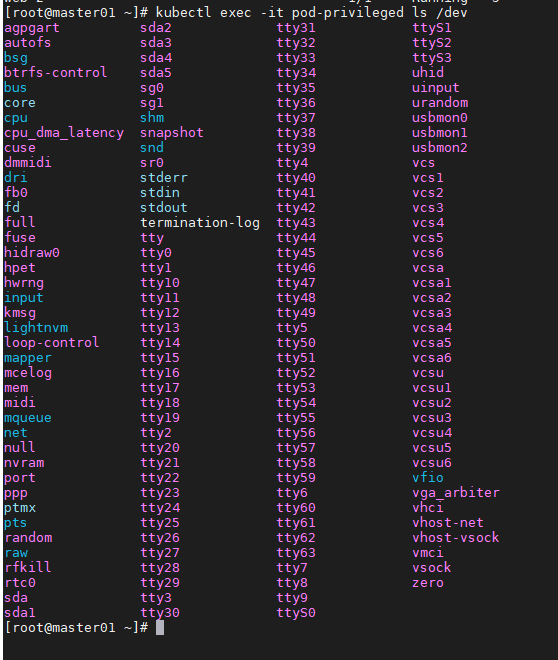
为获取宿主机内核的完整权限,该 pod 需要在特权模式下运行。这可以通过将容器的 securityContext 中的 privileged 设置为 true 实现
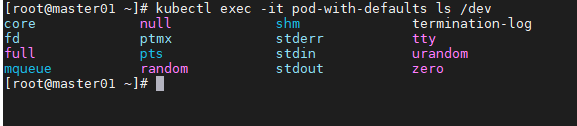
非特权 pod 可用的设备列表
kubectl exec -it pod-with-defaults ls /dev
特权 pod 可用的设备列表
cat > pod-privileged.yaml << EOF
apiVersion: v1
kind: Pod
metadata:
  name: pod-privileged
spec:
  containers:
  - name: main
    image: alpine
    command: ["/bin/sleep","999999"]
    securityContext:
      privileged: true
EOF
kubectl exec -it pod-privileged ls /dev
为容器单独添加内核功能
相比于让容器运行在特权模式下以给予其无限的权限,一个更加安全的做法是只给予它使用真正需要的内核功能的权限。 Kubernetes 允许为特定的容器添加内核功能,或禁用部分内核功能,以允许对容器进行更加精细的权限控制,限制攻击者潜在侵入的影响。
非特权模式下无法修改时间
kubectl exec -it pod-with-defaults -- date -s "00:00"

为容器单独添加内核功能
cat > pod-add-settime-capability.yaml << EOF
apiVersion: v1
kind: Pod
metadata:
  name: pod-add-settime-capability
spec:
  containers:
  - name: main
    image: alpine
    command: ["/bin/sleep","999999"]
    securityContext:
      capabilities:
        add:
        - SYS_TIME
EOF
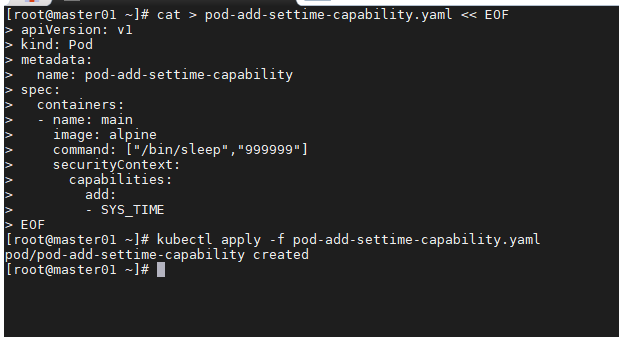
kubectl exec -it pod-add-settime-capability -- date -s "00:00"

在容器中禁用内核功能
cat > pod-drop-chown-capability.yaml << EOF
apiVersion: v1
kind: Pod
metadata:
  name: pod-drop-chown-capability
spec:
  containers:
  - name: main
    image: alpine
    command: ["/bin/sleep","999999"]
    securityContext:
      capabilities:
        drop:
        - CHOWN
EOF
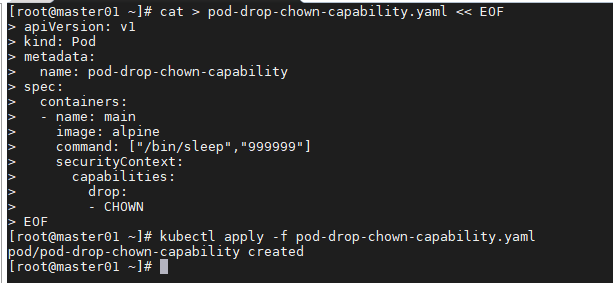
kubectl exec -it pod-drop-chown-capability chown guest /tmp

阻止对容器根文件系统的写入
因为安全原因,你可能需要阻止容器中的进程对容器的根文件系统进行写入, 仅允许它们写入挂载的存储卷。
cat > pod-with-readonly-filesystem.yaml << EOF
apiVersion: v1
kind: Pod
metadata:
  name: pod-with-readonly-filesystem
spec:
  containers:
  - name: main
    image: alpine
    command: ["/bin/sleep","999999"]
    securityContext:
      readOnlyRootFilesystem: true
    volumeMounts:
    - name: my-volume
      mountPath: /volume
      readOnly: false
  volumes:
  - name: my-volume
    emptyDir: {}
EOF
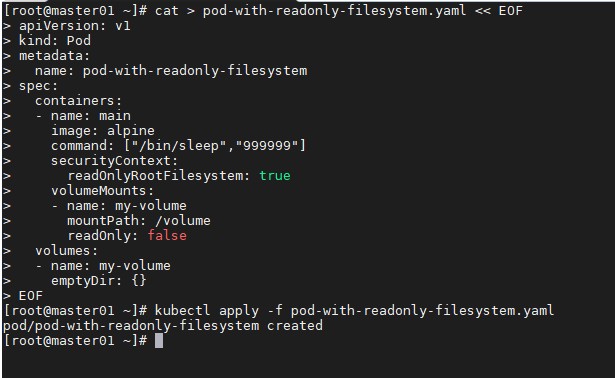
kubectl exec -it pod-with-readonly-filesystem touch /test

kubectl exec -it pod-with-readonly-filesystem touch /volume/test

容器使用不同用户运行时共享存储卷
Kubemetes 允许为 pod 中所有容器指定 supplemental 组,以允许它们无 论以哪个用户 ID 运行都可以共享文件。 这可以通过以下两个属性设置 :
- fsGroup
- supplementalGroups
cat > pod-with-shared-volume-fsgroup.yaml << EOF
apiVersion: v1
kind: Pod
metadata:
  name: pod-with-shared-volume-fsgroup
spec:
  securityContext:
    fsGroup: 555
    supplementalGroups: [666, 777]
  containers:
  - name: first
    image: alpine
    command: ["/bin/sleep","999999"]
    securityContext:
      runAsUser: 1111
    volumeMounts:
    - name: shared-volume
      mountPath: /volume
      readOnly: false
  - name: second
    image: alpine
    command: ["/bin/sleep","999999"]
    securityContext:
      runAsUser: 1111
    volumeMounts:
    - name: shared-volume
      mountPath: /volume
      readOnly: false
  volumes:
  - name: shared-volume
    emptyDir: {}
EOF
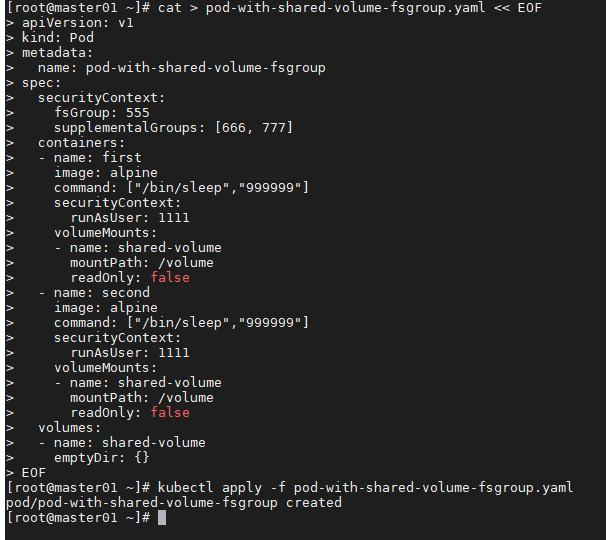
kubectl exec -it pod-with-shared-volume-fsgroup -c first -- sh
id 命令显示,这个 pod 运行在 ID 为 1111 的用户下,它的用户组为 0 (root), 但用户组 555、 666、 777 也关联到了该用户下。 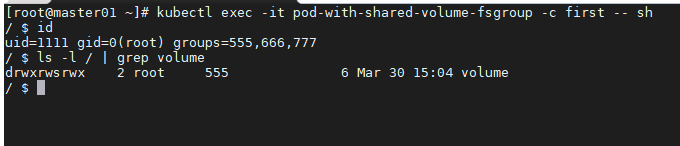
该容器在这个存储卷所在目录中创建的文件,所属的用户 ID 为 1111 (即该容器运行时使用的用户 ID),所属的用户组 ID 为 555 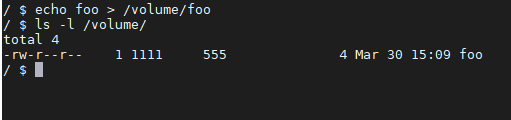
这个文件的所属用户情况与通常设置下的新建文件不同。在通常情况下,某一用户新创建文件所属的用户组 ID,与该用户的所属用户组 ID 相同,在这种情下是 0。 在这个容器的根文件系统中创建一个文件,可以验证这一点 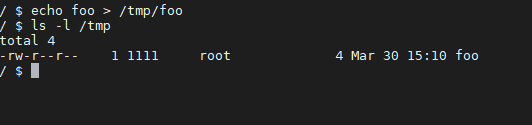

若有收获,就点个赞吧
0 人点赞


