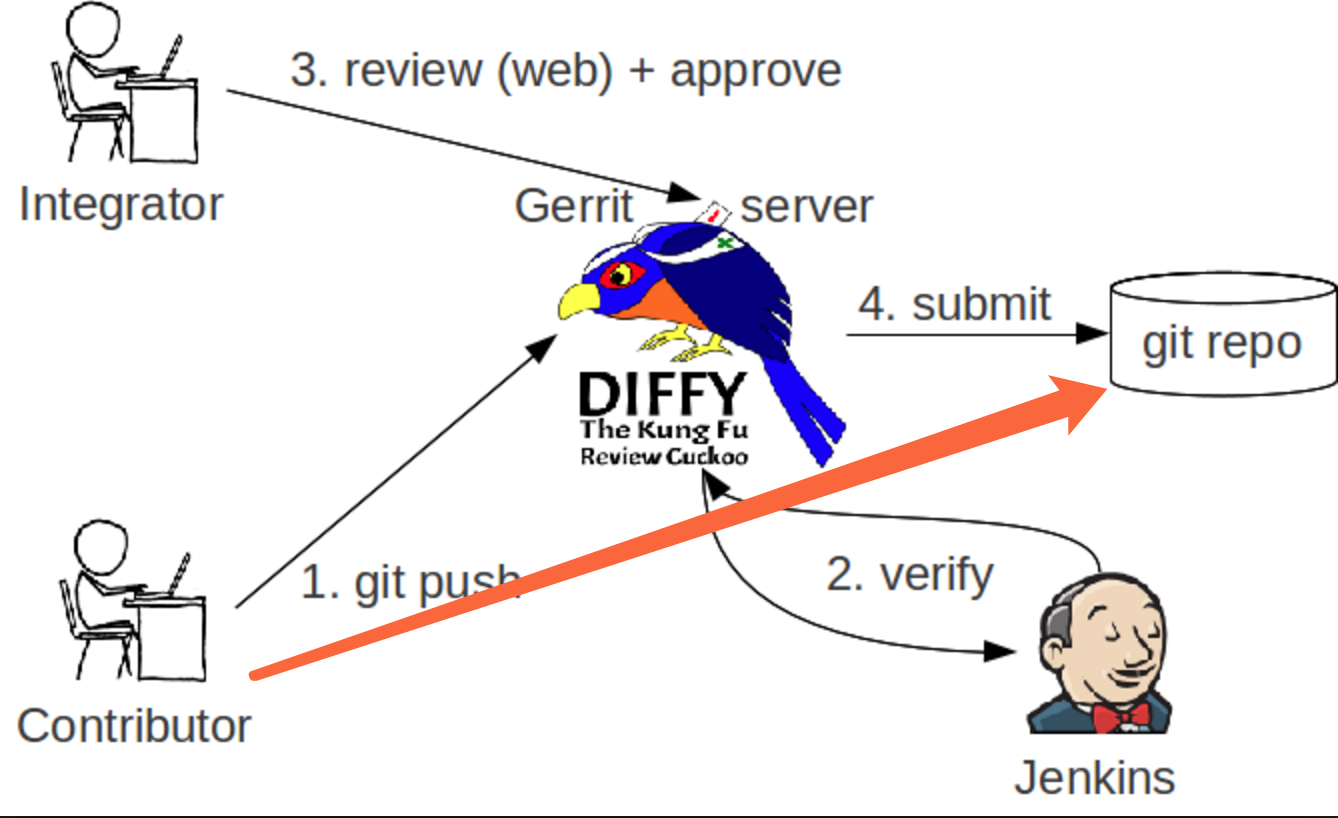
安装 git review
# debian, ubuntusudo apt install git-review# centosyum install -y epel-release yum install -y git-review# archlinuxsudo pacman -S git-review
添加ssh公钥

Git Clone
选择 Clone 和 clone with commit-msg hook hooks 自动帮我们生成Change-Id
配置认证
git config user.name "username”git config user.email "yourname@yourdomain.tld"
切换分支
git checkout -b TOPIC-BRANCH
- 当你在为⼀一个spec进⾏行行开发时, topic可以命名为bp/[spec_name], 单词使⽤用下划线连接.
- 当你在做⼀一个⼩小功能时, topic可以命名为feature/[redmine_issue]
- 当你在做⼀一个bugfix时, topic可以命名为bugix/[redmine_issue]
- 当你在做⼀一个⽂文档⼯工作时, topic可以命名为doc/[redmine_issue]
- 当你在编写测试相关的代码时, topic可以命名为test/[redmine_issue]
- 当你在重构代码时, topic可以命名为refactor/[redmine_issue]
提交
第一次执行git review
[root@control01 ansible-deployment]# git reviewCould not connect to gerrit.Enter your gerrit username: weilongfeiTrying again with ssh://weilongfei@review.sh.99cloud.net:29418/nokia/ansible-deploymentCreating a git remote called "gerrit" that maps to:ssh://weilongfei@review.sh.99cloud.net:29418/nokia/ansible-deploymentThis repository is now set up for use with git-review. You can set thedefault username for future repositories with:git config --global --add gitreview.username "weilongfei"remote: Resolving deltas: 100% (12/12)remote: Processing changes: updated: 1, refs: 1, doneremote:remote: Updated Changes:remote: http://review.sh.99cloud.net:8081/13826 add ipmi exporterremote:To ssh://weilongfei@review.sh.99cloud.net:29418/nokia/ansible-deployment* [new branch] HEAD -> refs/publish/master/dev

若有收获,就点个赞吧
0 人点赞


