https://www.npmjs.com/package/newman
配置环境
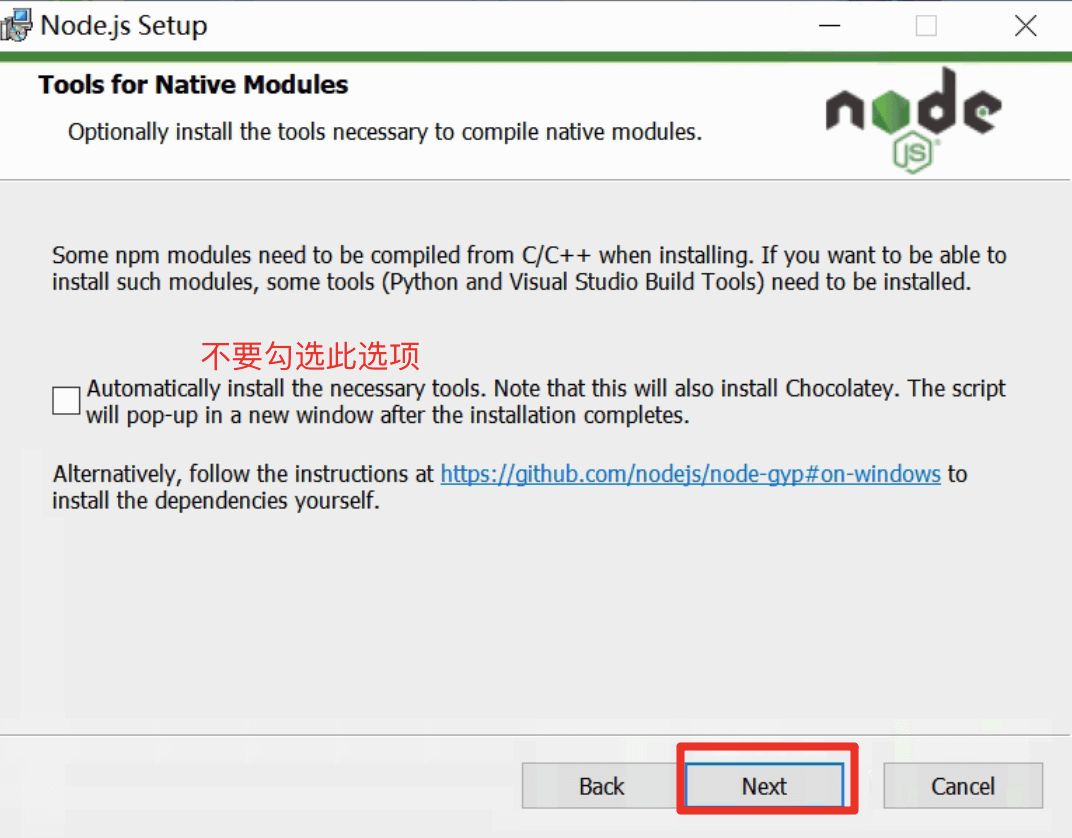
安装node.js 环境
从node.js官网下载安装包 https://nodejs.org/en/download/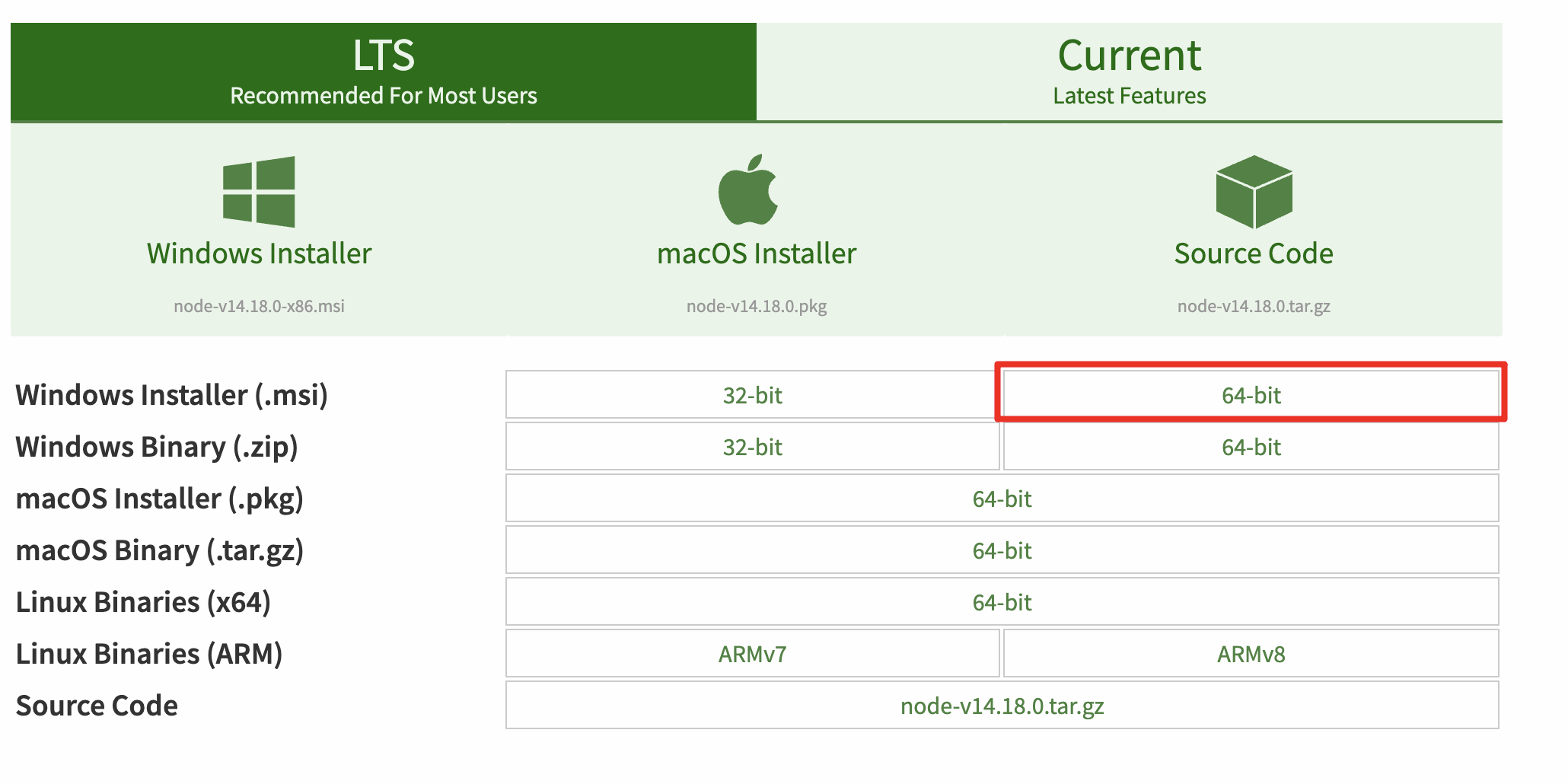
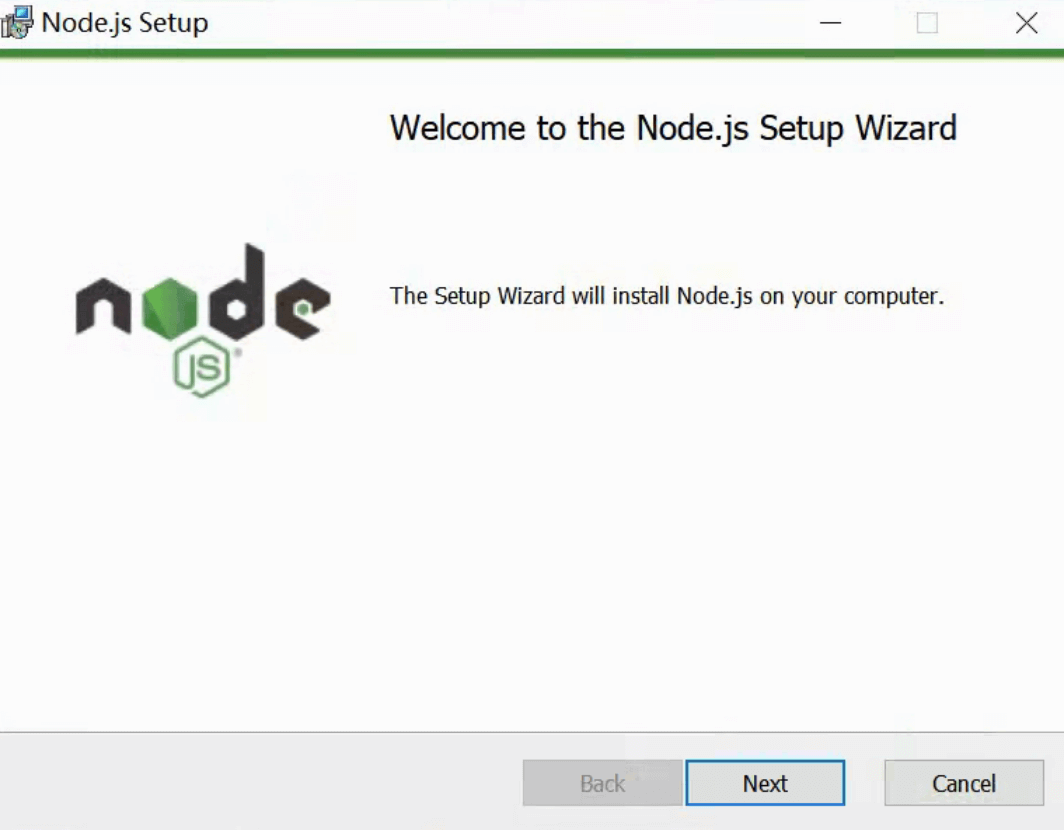
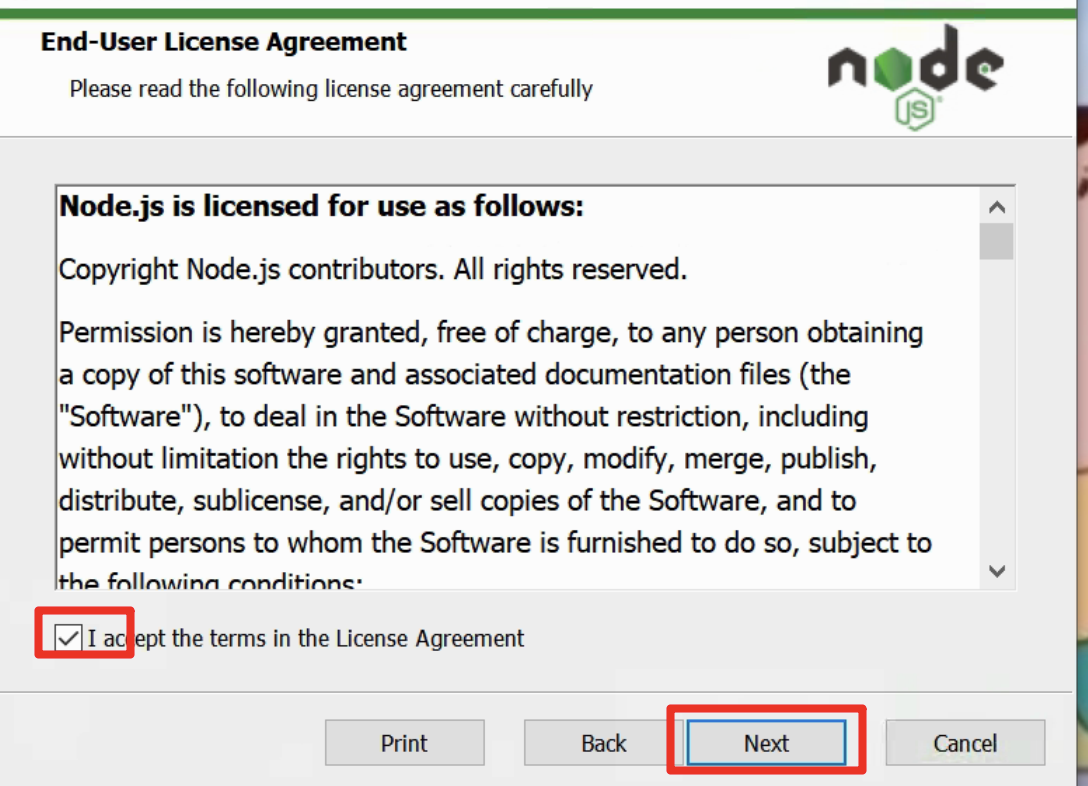
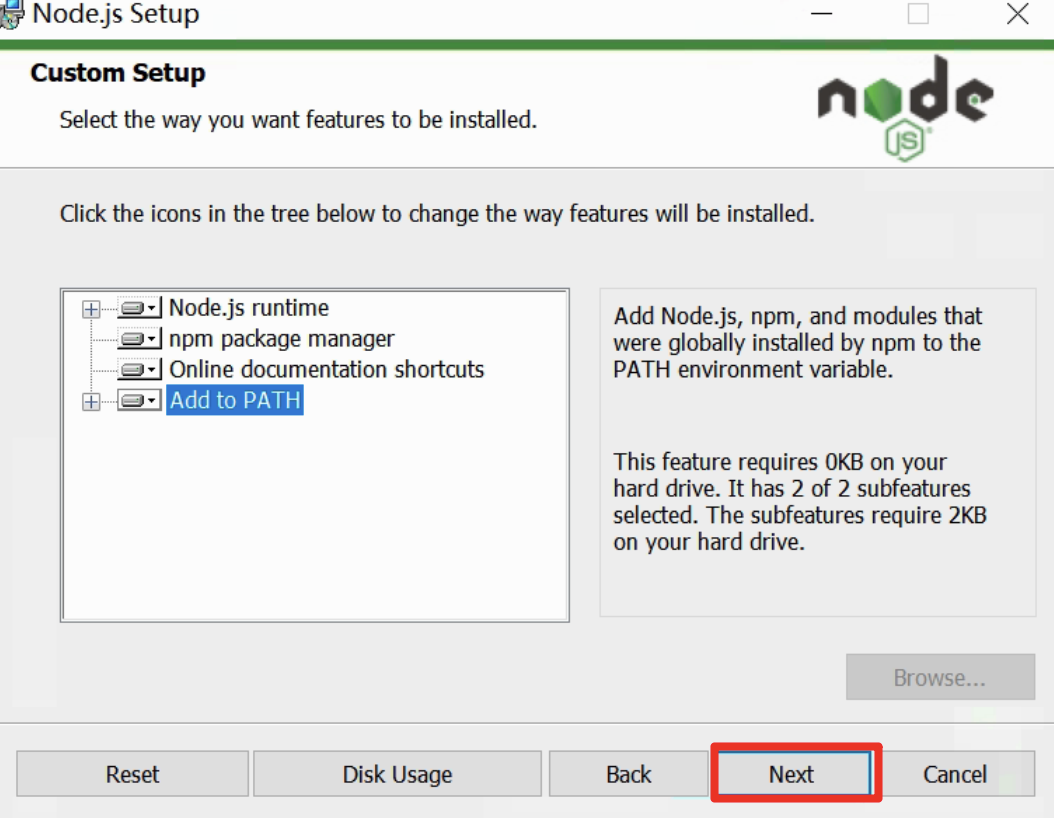
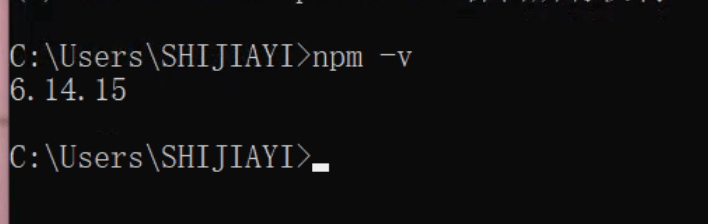
检验安装是否成功
命令行中运行
npm -v
安装newman
在命令行中执行命令
npm install -g newman

执行上面命令 会自动从服务器上下载并安装newman命令, 安装成功之后会有对应的提示。
Newman使用
基本使用
newman run collection的文件路径
单接口测试.postman_collection.json
createtopics.csv
运行
newman run /Users/zack/Desktop/testdata/单接口测试.postman_collection.json -d /Users/zack/Desktop/testdata/createtopics.csv
- run 执行postman中导出文件
- -d 跟csv文件的路径
- -g 后跟globals 全局环境变量文件路径。
执行结果
zack@zackdeMacBook-Pro ~ % newman run /Users/zack/Desktop/testdata/单接口测试.postman_collection.json -d /Users/zack/Desktop/testdata/createtopics.csvnewman单接口测试Iteration 1/8→ 新建主题POST http://47.100.175.62:3000/api/v1/topics [401 Unauthorized, 408B, 364ms]✓ 状态码断言401✓ 服务器返回结果中包含字段错误的accessTokenIteration 2/8→ 新建主题POST http://47.100.175.62:3000/api/v1/topics [401 Unauthorized, 408B, 24ms]✓ 状态码断言401✓ 服务器返回结果中包含字段错误的accessTokenIteration 3/8→ 新建主题POST http://47.100.175.62:3000/api/v1/topics [401 Unauthorized, 408B, 14ms]✓ 状态码断言401✓ 服务器返回结果中包含字段错误的accessTokenIteration 4/8→ 新建主题POST http://47.100.175.62:3000/api/v1/topics [400 Bad Request, 462B, 20ms]✓ 状态码断言400✓ 服务器返回结果中包含字段标题不能为空Iteration 5/8→ 新建主题POST http://47.100.175.62:3000/api/v1/topics [400 Bad Request, 471B, 15ms]✓ 状态码断言400✓ 服务器返回结果中包含字段标题字数太多或太少Iteration 6/8→ 新建主题POST http://47.100.175.62:3000/api/v1/topics [200 OK, 457B, 27ms]1. 状态码断言4002. 服务器返回结果中包含字段标题字数太多或太少Iteration 7/8→ 新建主题POST http://47.100.175.62:3000/api/v1/topics [400 Bad Request, 468B, 18ms]✓ 状态码断言400✓ 服务器返回结果中包含字段必须选择一个版块Iteration 8/8→ 新建主题POST http://47.100.175.62:3000/api/v1/topics [400 Bad Request, 462B, 22ms]✓ 状态码断言400✓ 服务器返回结果中包含字段内容不可为空┌─────────────────────────┬────────────────────┬───────────────────┐│ │ executed │ failed │├─────────────────────────┼────────────────────┼───────────────────┤│ iterations │ 8 │ 0 │├─────────────────────────┼────────────────────┼───────────────────┤│ requests │ 8 │ 0 │├─────────────────────────┼────────────────────┼───────────────────┤│ test-scripts │ 8 │ 0 │├─────────────────────────┼────────────────────┼───────────────────┤│ prerequest-scripts │ 0 │ 0 │├─────────────────────────┼────────────────────┼───────────────────┤│ assertions │ 16 │ 2 │├─────────────────────────┴────────────────────┴───────────────────┤│ total run duration: 676ms │├──────────────────────────────────────────────────────────────────┤│ total data received: 425B (approx) │├──────────────────────────────────────────────────────────────────┤│ average response time: 63ms [min: 14ms, max: 364ms, s.d.: 113ms] │└──────────────────────────────────────────────────────────────────┘# failure detail1. AssertionErr… 状态码断言400iteration: 6 expected response to have status code 400 but got 200at assertion:0 in test-scriptinside "新建主题"2. AssertionErr… 服务器返回结果中包含字段标题字数太多或太少iteration: 6 expected'{"success":true,"topic_id":"61557899f7759804f43d6afd…to include '标题字数太多或太少'at assertion:1 in test-scriptinside "新建主题"
使用命令行方式运行脚本,可以部署在服务器上通过设置定时任务 进行自动化执行接口测试。
在公司中,做自动化测试,一般都设置放在服务器端运行。
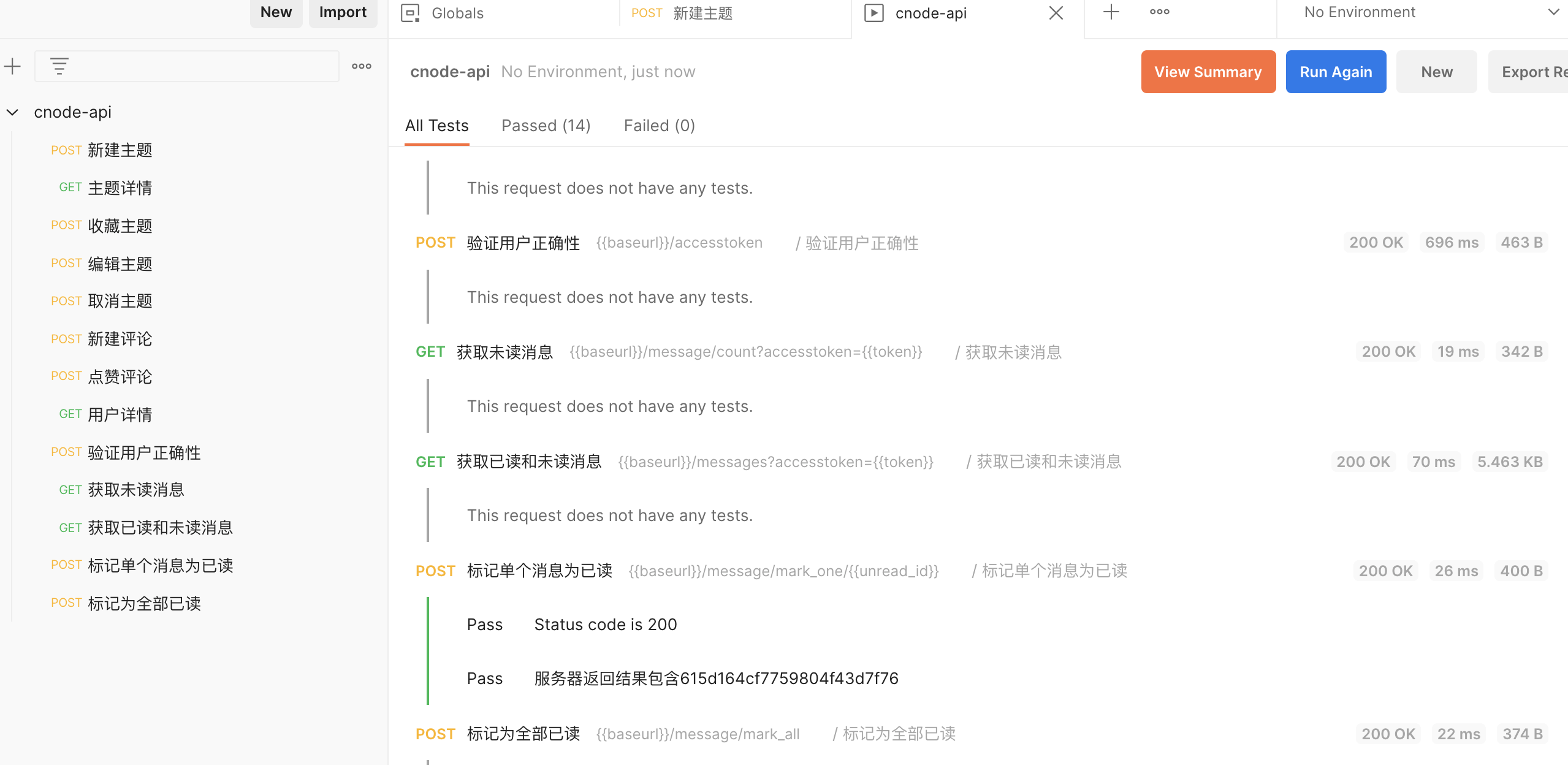
作业
假期作业:
将cnode 上面的所有接口都做一下 正常场景
要求:
- 使用上下游传参
- 每个接口都需要添加断言
- 使用newman命令能够运行
cnode-api.postman_collection.json
postman_globals.json
zack@zackdeMacBook-Pro tmp % newman run cnode-api.postman_collection.json -g postman_globals.jsonnewmancnode-api→ 新建主题POST http://47.100.175.62:3000/api/v1/topics [200 OK, 457B, 692ms]✓ Status code is 200✓ 返回结果中包含字段→ 主题详情GET http://47.100.175.62:3000/api/v1/topic/615d17fbf7759804f43d7faf [200 OK, 863B, 42ms]✓ Status code is 200✓ 返回结果中应该包含615d17fbf7759804f43d7faf→ 收藏主题POST http://47.100.175.62:3000/api/v1/topic_collect/collect [200 OK, 362B, 17ms]✓ 状态码为200✓ Body matches string→ 编辑主题POST http://47.100.175.62:3000/api/v1/topics/update [200 OK, 400B, 17ms]✓ 服务器返回的结果中一定包含话题id615d17fbf7759804f43d7faf→ 取消主题POST http://47.100.175.62:3000/api/v1/topic_collect/de_collect [200 OK, 362B, 20ms]✓ 状态码为200✓ Body matches string→ 新建评论POST http://47.100.175.62:3000/api/v1/topic/615d17fbf7759804f43d7faf/replies[200 OK, 457B, 24ms]✓ Status code is 200→ 点赞评论POST http://47.100.175.62:3000/api/v1/reply/615d17fbf7759804f43d7fb1/ups [200 OK, 376B, 18ms]✓ Status code is 200✓ 返回结果中包含字段→ 用户详情GET http://47.100.175.62:3000/api/v1/user/fanmao-feixiaomin [200 OK, 4.35KB, 734ms]→ 验证用户正确性POST http://47.100.175.62:3000/api/v1/accesstoken [200 OK, 468B, 14ms]→ 获取未读消息GET http://47.100.175.62:3000/api/v1/message/count?accesstoken=057997b2-5a3c-408c-a57e-04853323eb39 [200 OK, 347B, 25ms]→ 获取已读和未读消息GET http://47.100.175.62:3000/api/v1/messages?accesstoken=057997b2-5a3c-408c-a57e-04853323eb39 [200 OK, 7.36KB, 88ms]→ 标记单个消息为已读POST http://47.100.175.62:3000/api/v1/message/mark_one/615d17fbf7759804f43d7fb2 [200 OK, 405B, 14ms]✓ Status code is 200✓ 服务器返回结果包含615d17fbf7759804f43d7fb2→ 标记为全部已读POST http://47.100.175.62:3000/api/v1/message/mark_all [200 OK, 380B, 845ms]┌─────────────────────────┬────────────────────┬────────────────────┐│ │ executed │ failed │├─────────────────────────┼────────────────────┼────────────────────┤│ iterations │ 1 │ 0 │├─────────────────────────┼────────────────────┼────────────────────┤│ requests │ 13 │ 0 │├─────────────────────────┼────────────────────┼────────────────────┤│ test-scripts │ 9 │ 0 │├─────────────────────────┼────────────────────┼────────────────────┤│ prerequest-scripts │ 0 │ 0 │├─────────────────────────┼────────────────────┼────────────────────┤│ assertions │ 14 │ 0 │├─────────────────────────┴────────────────────┴────────────────────┤│ total run duration: 2.7s │├───────────────────────────────────────────────────────────────────┤│ total data received: 11.99KB (approx) │├───────────────────────────────────────────────────────────────────┤│ average response time: 196ms [min: 14ms, max: 845ms, s.d.: 309ms] │└───────────────────────────────────────────────────────────────────┘

若有收获,就点个赞吧
0 人点赞


