一、基本搭建
1 准备springboot工程
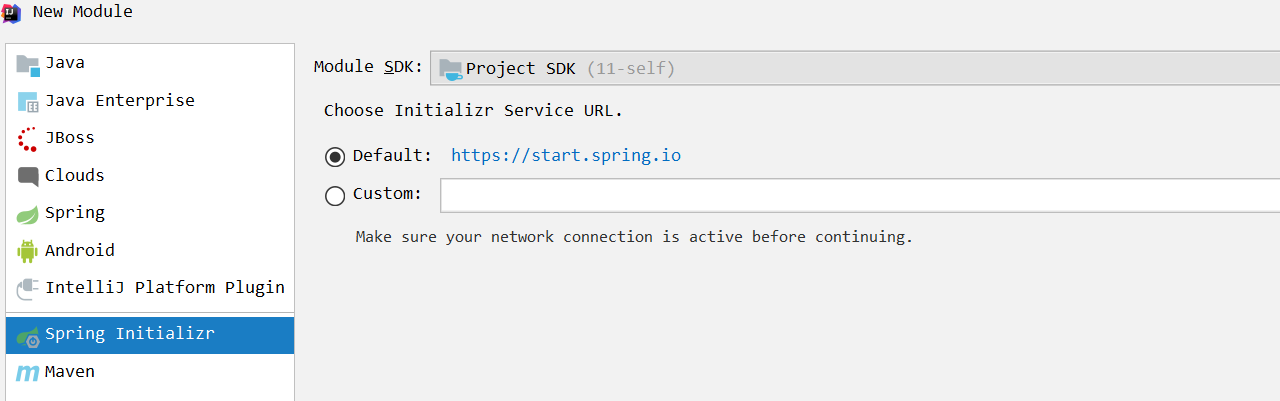
下一步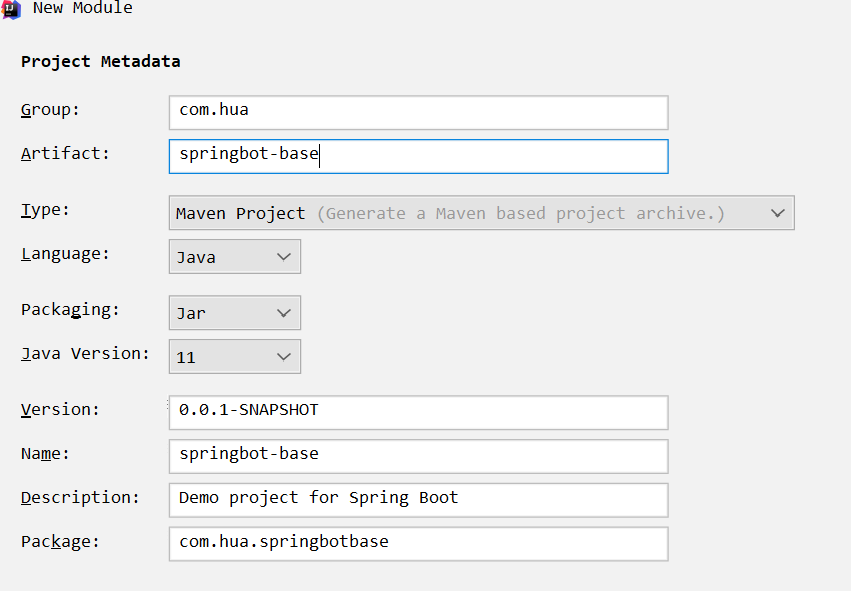
下一步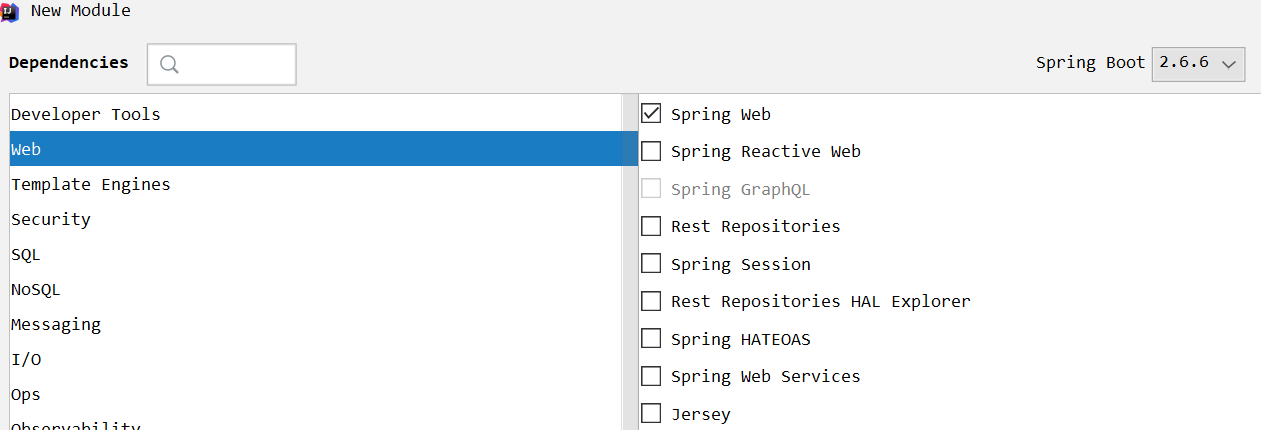
添加组件
2 新增依赖
<dependency><groupId>org.springframework.boot</groupId><artifactId>spring-boot-starter-data-redis</artifactId></dependency>
3 配置application.yml
spring:
  redis:
    host: 192.168.72.128
    port: 6379
    jedis:
      pool:
        min-idle: 0
        max-idle: 8
        max-active: 80
        max-wait: 30000
        timeout: 3000
    password: muZI5945@
4 编写RedisConfig
package com.hua.config;

import org.springframework.beans.factory.annotation.Autowired;
import org.springframework.context.annotation.Bean;
import org.springframework.context.annotation.Configuration;
import org.springframework.data.redis.connection.RedisConnectionFactory;
import org.springframework.data.redis.core.RedisTemplate;
import org.springframework.data.redis.serializer.StringRedisSerializer;


@Configuration
public class RedisConfig {
    @Autowired
    private RedisConnectionFactory factory;

    @Bean
    public RedisTemplate<String, Object> redisTemplate() {
        RedisTemplate<String, Object> redisTemplate = new RedisTemplate<>();
        redisTemplate.setKeySerializer(new StringRedisSerializer());
        redisTemplate.setHashKeySerializer(new StringRedisSerializer());
        redisTemplate.setHashValueSerializer(new StringRedisSerializer());
        redisTemplate.setValueSerializer(new StringRedisSerializer());
        redisTemplate.setConnectionFactory(factory);
        return redisTemplate;
    }
}
5 controller层测试
import org.springframework.beans.factory.annotation.Autowired;
import org.springframework.data.redis.core.RedisTemplate;
import org.springframework.web.bind.annotation.GetMapping;
import org.springframework.web.bind.annotation.RequestMapping;
import org.springframework.web.bind.annotation.RequestParam;
import org.springframework.web.bind.annotation.RestController;

import java.util.concurrent.TimeUnit;


@RestController
@RequestMapping(value = "/redis")
public class RedisController {
    @Autowired
    RedisTemplate redisTemplate;


    @GetMapping("/put")
    public String put(@RequestParam(required = true) String key,
                      @RequestParam(required = true) String value) {
        //设置过期时间为20秒
        redisTemplate.opsForValue().set(key, value, 20, TimeUnit.SECONDS);
        return "Success";
    }


    @GetMapping("/get")
    public String get(@RequestParam(required = true) String key) {
        return (String) redisTemplate.opsForValue().get(key);
    }
}
6 修改启动类
import org.springframework.boot.SpringApplication;
import org.springframework.boot.autoconfigure.SpringBootApplication;
import org.springframework.cache.annotation.EnableCaching;

@SpringBootApplication
@EnableCaching // 添加此注解
public class SpringbootBaseApplication {

    public static void main(String[] args) {
        SpringApplication.run(SpringbootBaseApplication.class, args);
    }

}
7 启动测试

若有收获,就点个赞吧
0 人点赞


