1 Spring Cloud Config简介
在分布式系统中,由于服务数量巨多,为了方便服务配置文件统一管理,实时更新,所以需要分布式配置中心组件。在Spring Cloud中,有分布式配置中心组件spring cloud config ,它支持配置服务放在配置服务的内存中(即本地),也支持放在远程Git仓库中。在spring cloud config 组件中,分两个角色,一是config server,二是config
client。
Config Server是一个可横向扩展、集中式的配置服务器,它用于集中管理应用程序各个环境下的配置,默认使用Git存储配置文件内容,也可以使用SVN存储,或者是本地文件存储。
Config Client是Config Server的客户端,用于操作存储在Config Server中的配置内容。微服务在启动时会请求Config Server获取配置文件的内容,请求到后再启动容器。
详细内容看在线文档: https://springcloud.cc/spring-cloud-config.html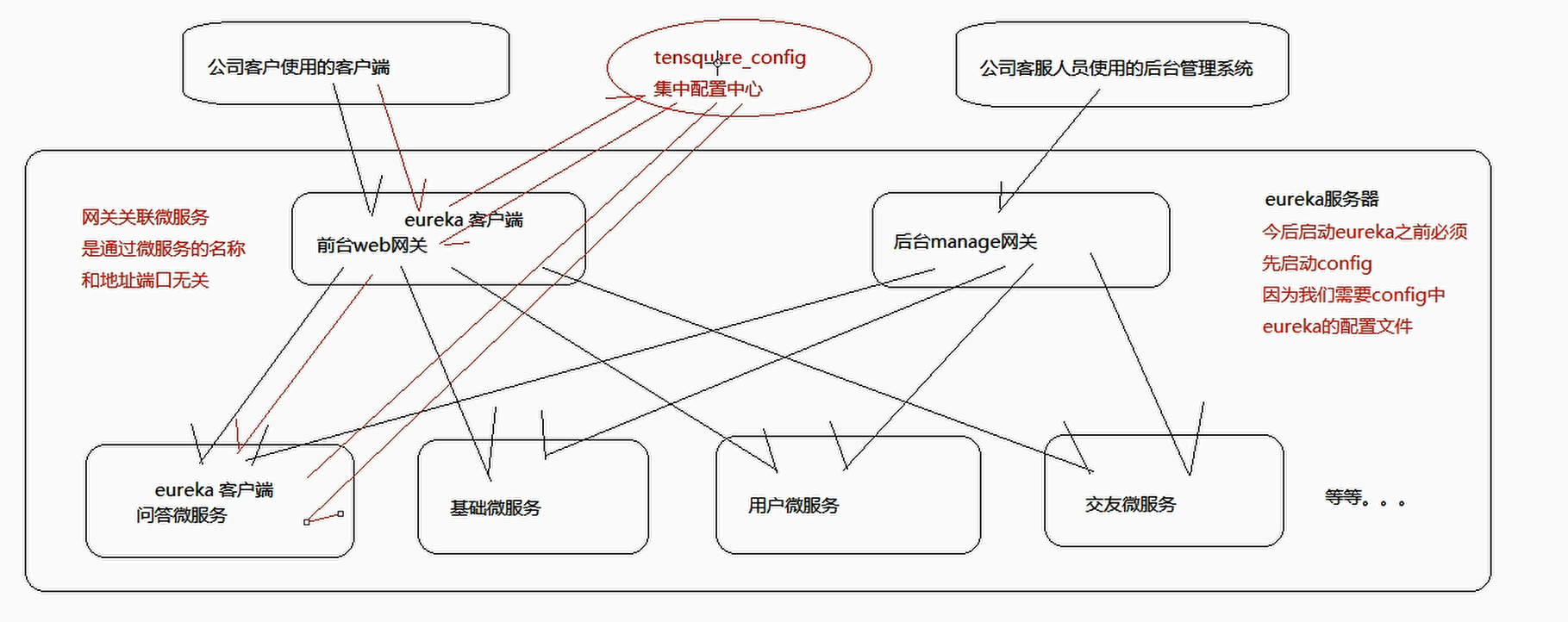
2 集中配置组件入门
2.1配置服务端
2.1.1 将配置文件提交到码云
使用GitHub时,国内的用户经常遇到的问题是访问速度太慢,有时候还会出现无法连接的情况。如果我们希望体验Git飞一般的速度,可以使用国内的Git托管服务——码云(gitee.com)。
和GitHub相比,码云也提供免费的Git仓库。此外,还集成了代码质量检测、项目演示等功能。对于团队协作开发,码云还提供了项目管理、代码托管、文档管理的服务。
步骤:
(1)浏览器打开gitee.com,注册用户 ,注册后登陆码云管理控制台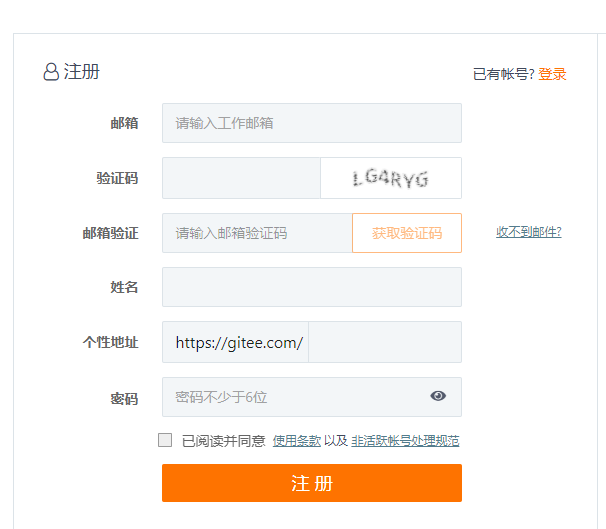
(2)创建项目 tensquare-config (点击右上角的加号 ,下拉菜单选择创建项目)
(3)上传配置文件,将tensquare_base工程的application.yml改名为base-dev.yml后上传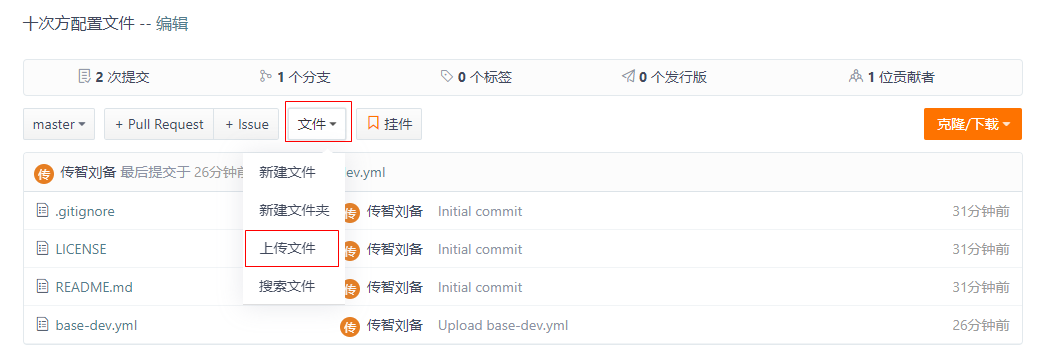
上传成功后列表可见
可以再次编辑此文件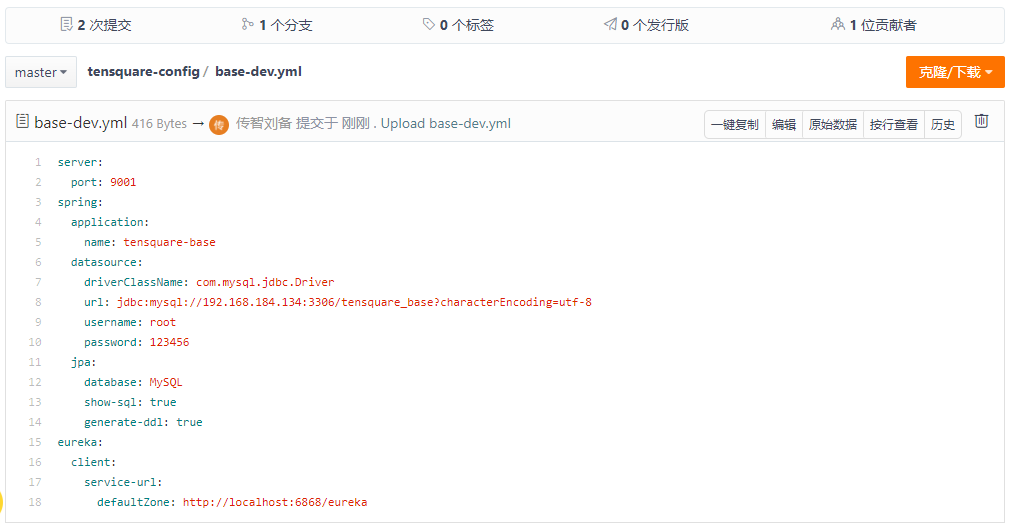
文件命名规则:
{application}-{profile}.yml或{application}-{profile}.properties application为应用名称 profile指的开发环境(用于区分开发环境dev,测试环境test、生产环境prod等)
(4)复制git地址 ,备用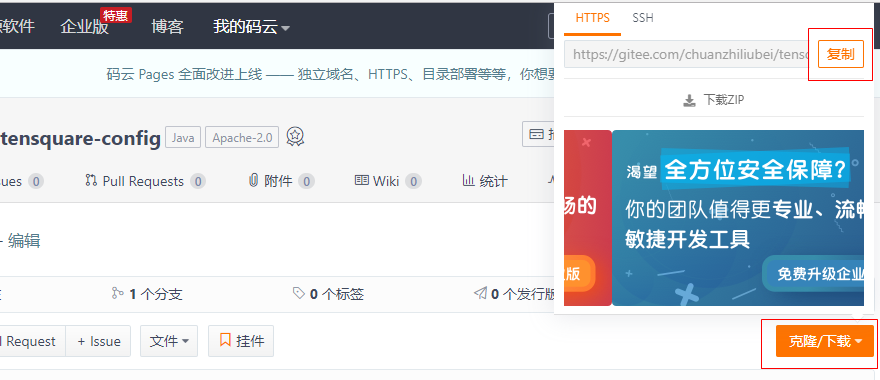
地址为:https://gitee.com/Zb19920107446/tensquare_config.git
2.1.2配置中心微服务
(1)创建工程模块 配置中心微服务 tensquare_config ,pom.xml引入依赖
<dependencies><dependency><groupId>org.springframework.cloud</groupId><artifactId>spring‐cloud‐config‐server</artifactId></dependency></dependencies>
(2)创建启动类ConfigServerApplication
package com.tensquare.config;

import org.springframework.boot.SpringApplication;
import org.springframework.boot.autoconfigure.SpringBootApplication;
import org.springframework.cloud.config.server.EnableConfigServer;

/**
 * @author: Luck-zb
 * description:spring cloud Config集中配置组件使用 -- 启动主程序
 * Date:2021/2/3 - 10:02
 */
@SpringBootApplication
@EnableConfigServer //开启配置服务
public class ConfigApplication {

    public static void main(String[] args) {
        SpringApplication.run(ConfigApplication.class,args);
    }
}
(3)编写配置文件application.yml
server:
  port: 12000
spring:
  application:
    name: tensquare-config
  cloud:
    config:
      server:
        git:
          uri: https://gitee.com/Zb19920107446/tensquare_config.git
          password: Zb250936
  rabbitmq:
    host: 192.168.108.140
management:
  endpoints:
    web:
      exposure:
        include: bus-refresh
(4)浏览器测试:http://localhost:12000/base-dev.yml 可以看到配置内容
2.2 配置客户端
(1)在tensquare_base工程添加依赖
<dependency>
  <groupId>org.springframework.cloud</groupId>
  <artifactId>spring‐cloud‐starter‐config</artifactId>
</dependency>
(2)添加bootstrap.yml ,删除application.yml
spring:
 cloud:
  config:
    name: base
    profile: dev
    label: master
    uri: http://192.168.108.140:12000
(3)测试: 启动工程tensquare_eureka tensquare_config tensquare_base,看是否可以正常运行
http://192.168.108.140:9001/label

若有收获,就点个赞吧
0 人点赞


