表单
- 作用:用来收集用户信息
- 里面填写姓名、性别、年龄… 的信息
- 当你提交时,我
form直接打包,把整体信息传到数据库
- 属性
action=”表单数据提交的URL地址”(比如注册信息提交到世纪佳缘数据库)method=”数据提交过去的方式” 有两种值post稳、慢、可携带数据量没有限制get快、不安全、存在数据泄露的风险(因为快,所以可携带数据有限制,不能超过4kb)
name=”表单名字” 为了区分种类<form action="世纪佳缘数据库地址" method="传送数据的方式" name="表单名字"></form>
文本框
value="实心的提示信息"placeholder="虚焦的提示信息"<p>姓名:<input type="text"></p> <p>性别:<input type="text" value="请输入"></p><!-- 属性 value --> <p>电话:<input type="text" placeholder="请输入"></p><!-- 属性 placeholder --> <p>住址:<input type="text"></p>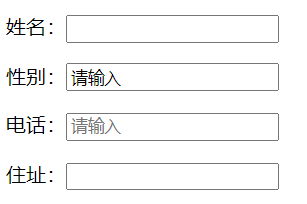
密码框
<p>密码:<input type="password" placeholder="请输入密码"></p>
按钮
普通按钮
建议结合
value使用<input type="button"> <input type="button" value="上一页"> <input type="button" value="下一页">普通中的战斗机按钮
只是会跳转到
form里面的action所指的路径中什么也不干,提交不了数据。
<button>战斗机</button>重置按钮
注意:重置按钮一定要写在
form里面,重置的是form里面的内容。<input type="reset"> <input type="reset" value="hello">提交按钮
跳转到
action所指的路径中,并提交了form里面所有数据<input type="submit"> <input type="submit" value="免费注册">代码汇总
<form action="世纪佳缘数据库地址" method="传送数据的方式" name="表单名字">
  <!-- 文本框 -->
  <input type="text">
  <p>姓名:<input type="text"></p>
  <!-- 属性value -->
  <p>性别:<input type="text" value="请输入"></p>
  <!-- 属性placeholder -->
  <p>电话:<input type="text" placeholder="请输入"></p>
  <p>住址:<input type="text"></p>
  <!-- 密码框 -->
  <input type="password">
  <p>密码:<input type="password" placeholder="请输入密码"></p>
  <!-- 按钮 -->
  <!-- 普通按钮 -->
  <input type="button">
  <input type="button" value="上一页">
  <input type="button" value="下一页">
  <!-- 战斗机 -->
  <button>战斗机</button>
  <!-- 重置按钮 -->
  <input type="reset">
  <input type="reset" value="hello">
  <!-- 提交按钮 -->
  <input type="submit">
  <input type="submit" value="免费注册">
</form>
扩展按钮
单选框

- 注意!单选按钮有一个属性
**name**必须写,并且同一组的**name**值相同。 - 属性
- 默认选中
checked="checked" - 禁止使用
disabled="disabled" - 注意!
XHTML必须这么写,在HTML5中自由一些,可简写为checked、disabled。<input type="radio" name="cc" checked="checked">未婚 <input type="radio" name="cc">离异 <input type="radio" name="cc">丧偶 <br> <input type="radio" name="sex">男生 <input type="radio" name="sex">女生 <input type="radio" name="sex" disabled>其他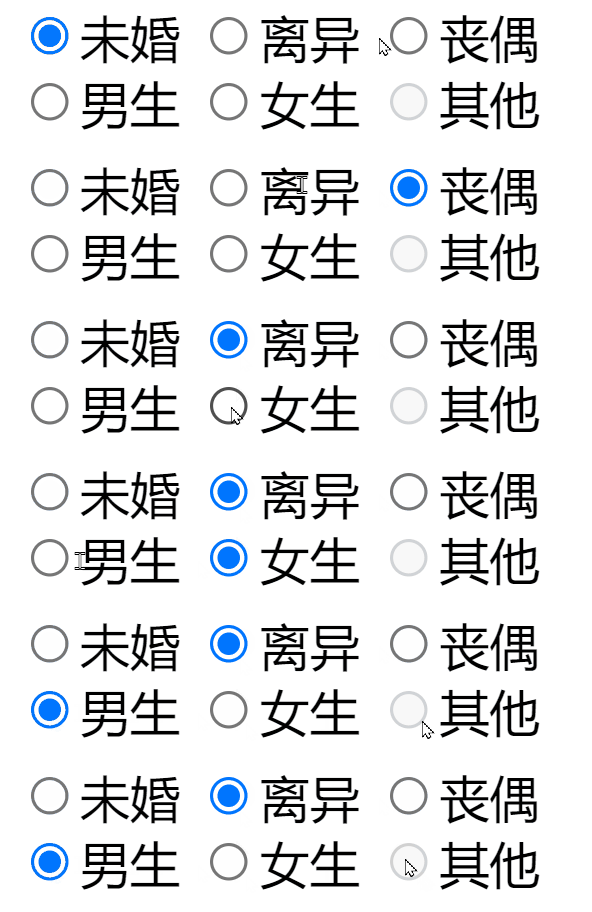
复选框
- 注意!属性
name必须写,并且同一组的name值相同。 - 属性
- 默认选中
checked="checked" - 禁止使用
disabled="disabled" - 注意!
XHTML必须这么写,在HTML5中自由一些,可简写为checked、disabled。
<input type="checkbox" name="study">HTML
<input type="checkbox" name="study">Css
<input type="checkbox" name="study">Js
<input type="checkbox" name="study" checked>Java
<input type="checkbox" name="study">Python
<input type="checkbox" name="study" disabled>js

表单扩展及汇总
<head>
    <meta charset="UTF-8">
    <meta http-equiv="X-UA-Compatible" content="IE=edge">
    <meta name="viewport" content="width=device-width, initial-scale=1.0">
    <title>Document</title>
    <style>
        legend {
            text-align: right;/* center */
        }

        /* 让多行文本域不能自定义大小 */
        textarea {
            resize: none;
        }
    </style>
</head>

<body>
    <form action="将数据传送到哪里的url" method="将数据传送过去的方式post/get" name="表单名字" id="">
        <!-- 表单字段集 是包裹里面所有表单控件 -->
        <fieldset>
            <!-- 表单字段集标题  必须是fieldset里面第一个子元素 -->
            <legend>个人简介</legend><!-- 默认水平居左 -->
            <!-- 1、文本框 -->
            <p><input type="text"></p>
            <p><input type="text" value="实心的提示信息"></p>
            <p><input type="text" placeholder="虚焦的提示信息"></p>
            <!-- 2、密码框 -->
            <p><input type="password"></p>
            <!-- 3、按钮 -->
            <!-- 普通按钮 -->
            <input type="button" value="普通按钮">
            <button>战斗机 只跳转不提交  跳转到action所指的url中</button>
            <!-- 重置按钮  必须写在form里面 -->
            <input type="reset">
            <input type="reset" value="自定义文字">
            <!-- 提交按钮 既跳转又提交 -->
            <input type="submit">
            <input type="submit" value="自定义文字">
            <hr>
            <!--
                * 4、单选按钮/单选框  有一个属性name必须写  并且同一组的name值相同
                * <label>信息提示标签  设置后可以点选文字  扩大了元素的可点击区域
            -->
            <label><input type="radio" name="boy">火锅</label>
            <label><input type="radio" name="boy">烤肉</label>
            <label><input type="radio" name="boy" disabled>米线</label>
            <label><input type="radio" name="boy">炸鸡</label>
            <label><input type="radio" name="boy" checked="checked">韩料</label>
            <hr>
            <!-- 5、多选按钮/复选框  有一个属性name必须写  并且同一组的name值相同 -->
            <input type="checkbox" name="girl">芝麻酱
            <input type="checkbox" name="girl" checked>韭菜
            <input type="checkbox" name="girl" disabled>蒜泥
            <input type="checkbox" name="girl">香油
            <input type="checkbox" name="girl">葱花
            <input type="checkbox" name="girl">腐乳
            <!-- 6、下拉框 -->
            <select name="" id="">
                <!-- 注意  <option>具有属性value值  暂时不建议写  js会获取option里面的内容  会获取到value值为空 -->
                <option>2000</option>
                <option>2001</option>
                <option>2002</option>
                <option>2003</option>
                <option>2004</option>
                <option>2005</option>
                <option>2006</option>
            </select>
            <!--
                * 7、多行文本域
                * cols="30"字符宽度  也就是说 一行可以显示30个英文字母  一个中文占两个字符宽度
                * rows="10"行数  超过10行 出现滚动条
            -->
            <textarea name="" id="" cols="30" rows="10"></textarea>
            <!-- 8、上传文件 -->
            <input type="file">
            <!-- 9、图像域 -->
            <input type="image" src="../1.png" width="100" height="100">
            <!-- 10、隐藏文本框 -->
            <input type="hidden" value="999999"><!-- 获取传参用 -->
        </fieldset>
    </form>
</body>
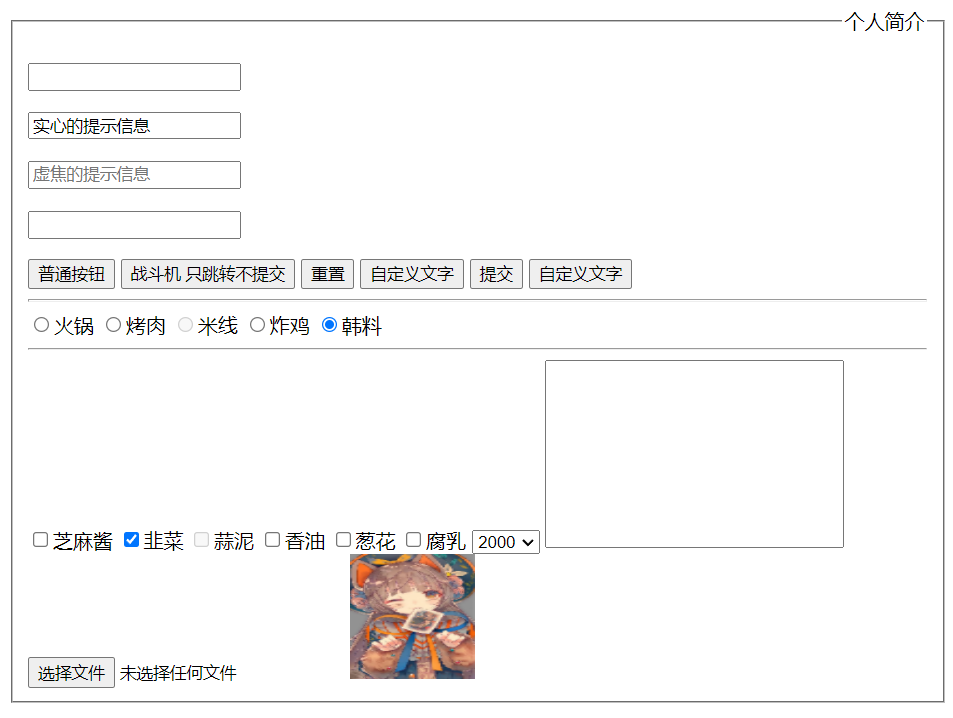
<input type="radio" name="rel" id="ipt1">
<label for="ipt1">男生</label>

<input type="radio" name="rel" id="ipt2">
<label for="ipt2">女生</label>

<input type="radio" name="rel" id="ipt3">
<label for="ipt3">其他</label>

扩展
Form中的获取数据的两个方式get和post的区别?
<form name="表单名称" method="post/get" action=""></form>
get请求通常是从服务器上获取数据
post请求通常表示向服务器提交数据
get请求发送的数据都写在地址栏上,用户可见
post请求发送的数据,用户不可见
get请求不能提交大量的数据
get方式的安全性较Post方式要差些
- 包含机密信息的话,建议用
Post数据提交方式;
- 在做数据查询时,建议用
Get方式;
- 而在做数据添加、修改或删除时,建议用
Post方式;

若有收获,就点个赞吧
0 人点赞


