HTML5 新增语义化标签
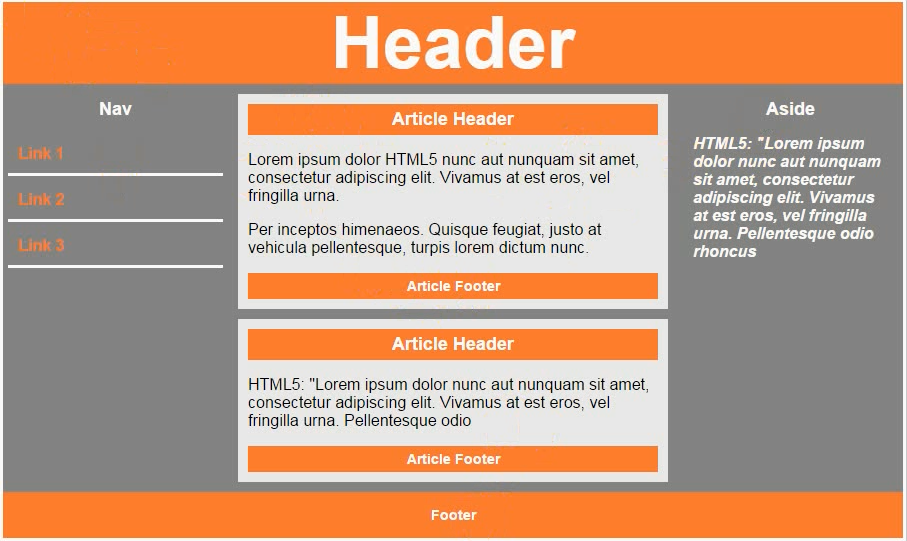
类似div、li
-
表示页面中导航链接部分
<nav><!-- 导航栏 --><section>类似div和li</section><section>用来表示一个小块</section><section>首页</section><!-- 首页就是用<section>来表示的 --><section>首页</section><section>块状元素</section><section>首页</section></nav>
类似di>dt+dd 表示一段独立的流内容,使用
figcaption元素为其添加标题(第一个或者最后一个子元素的位置)- 注意!图片很特殊,当你设置宽度百分百,代表宽度和父元素的宽度一致,那么他的高度,会等比例进行缩放
<figure>
  <img src="../images/1.jpg" alt="">
  <figcaption>类似dl>dt+dd的存在</figcaption>
</figure>
主体

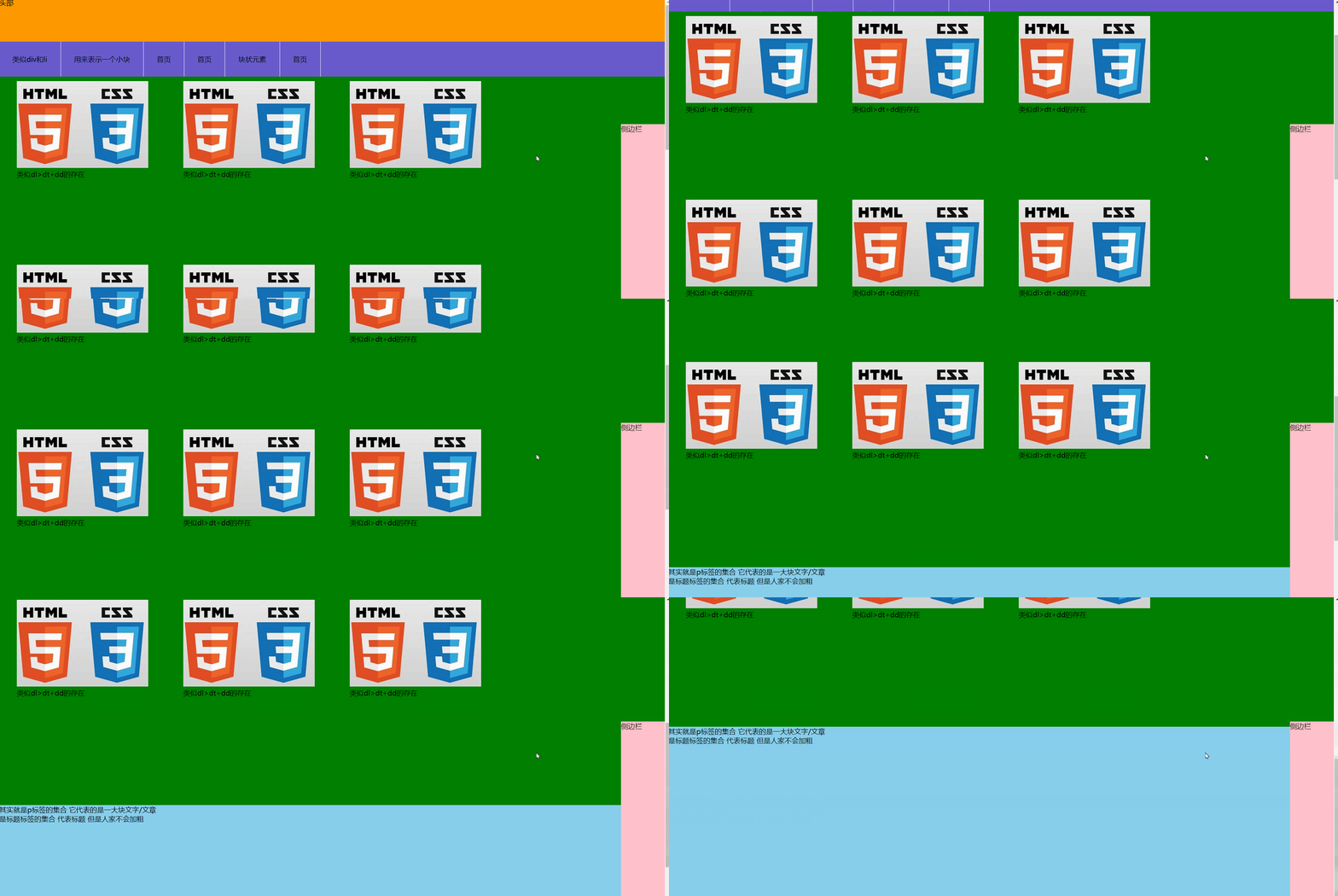
<a name="qLn78"></a>
## 汇总
```html
<header></header> 表示页面的头部
<nav></nav> 表示页面的导航栏区域
<main></main> 表示页面的主体内容区域 注意!IE低版本不识别 那你在PC端慎重使用
<footer></footer> 表示页面的尾部
<section></section> 表示区域块 类似div和li的结合体(比div小比li大) 是块状元素
<figure> 表示一个独立的区域 有点类似dl>dt+dd组合
<figcatipon></figcatipon>注意!要么在figure里面第一位 要么在figure里面最后一位
</figure>
<article></article> 代表<p>的集合 类似表示一大块 多用于表示很多文字
<aside></aside> 侧边栏 一般用于表示页面的某一侧边 也可以作为页面左右侧固定定位区域
<hgroup></hgroup> 代表 标题标签的集合 注意!不会加粗
<dialog></dialog> 代表页面弹出的对话框 默认元素消失 并且自己是绝对定位
<time></time> 表示时间 行内元素
<mark></mark> 蒙层 是行内元素 默认黄色背景色
音/视频的引入
- 我们知道,图片的形式有
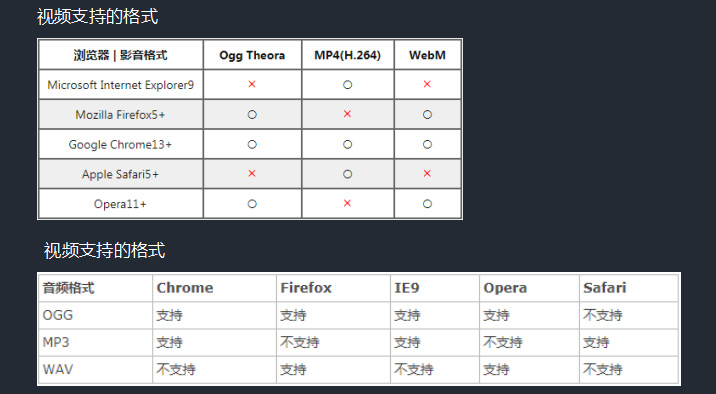
.jpg/.png/.gif,同样,音/视频文件的格式也是有很多种类的 - 拿音频文件来说,它具有很多种格式
- 比如有的浏览器只能识别
.mp3/.ogg/.webm中的一种格式
- 我们不可以规定用户使用哪一个浏览器,但我们需要让用户在各个浏览器下都可以正常的听音乐,所以我们需要去兼容各个格式,有一个标签叫
<source>
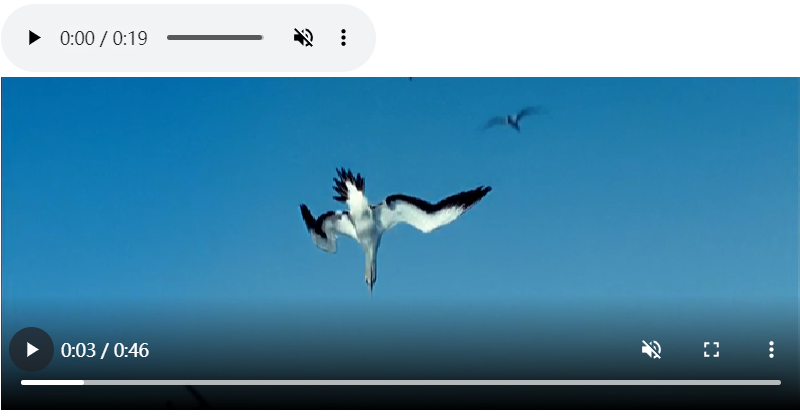
| 属性 | 作用 | | —- | —- | |<audio controls autoplay loop muted> <source src="./video/3theA.mp4" type="audio/mpeg"><!-- 先识别第一个音乐 不能播放再往下识别 和字体规则一样(海王) --> <source src="./video/a.mp3" type="audio/mpeg"><!-- type属性可以省略不写 --> <source src="./video/movie.ogg" type="audio/ogg"> <source src="./video/movie.webm" type="audio/webm"> </audio>controls| 控制条显示 | |autoplay| 自动播放 | |loop| 循环播放 | |muted| 默认静音 | |poster| 视频中用作加载时出现 |
loop="2"播放两次
<!DOCTYPE html>
<html lang="en">

<head>
    <meta charset="UTF-8">
    <meta http-equiv="X-UA-Compatible" content="IE=edge">
    <meta name="viewport" content="width=device-width, initial-scale=1.0">
    <title>音/视频的引入</title>
</head>

<body>
    <!-- 音频的引入 -->
    <audio controls autoplay loop muted>
        <source src="./video/3theA.mp4" type="audio/mpeg"><!-- 先识别第一个音乐  不能播放再往下识别  和字体规则一样-海王 -->
        <source src="./video/a.mp3" type="audio/mpeg"><!-- type属性可以省略不写 -->
        <source src="./video/movie.ogg" type="audio/ogg">
        <source src="./video/movie.webm" type="audio/webm">
    </audio>

    <!-- 视频的引入 -->
    <video controls loop autoplay muted poster="../banner.png">
        <source src="./video/movie.mp4" type="video/mp4">
        <source src="./video/movie.ogg" type="video/ogg">
        <source src="./video/movie.webm" type="video/webm">
    </video>
</body>

</html>
HTML5 表单新增
<form action="后台接口(世纪佳缘数据库地址)" method="传送数据的方式" name="表单名字" id="">
    <!-- 1、数字框  仅能输入数字 -->
    <input type="number">
    <!-- min最小值  max最大值  step间隔步幅 -->
    <input type="number" min="50" max="60" step="2">
    <!-- 2、 搜索框-->
    <input type="search">
    <!-- 3、颜色框  用作取色 -->
    <input type="color">
    <!-- 4、范围框 -->
    <input type="range">
    <!-- step间隔步幅 -->
    <input type="range" step="10">
    <!-- 5、网址框 -->
    <input type="url">
    <!-- 可以输入多个网址  逗号隔开  multiple="2"代表可以写两个   multiple代表无数个 -->
    <input type="url" multiple="2">
    <!-- 6、邮件框 -->
    <input type="email">
    <!-- 也可以写多个  英文逗号隔开就可 -->
    <input type="email" multiple>
    <!-- 我们还有一个属性  叫正则表达式pattern -->
    <!-- pattern="[a-z]{6}" 代表可以输入6位小写英文字母 -->
    <input type="text" pattern="[a-z]{6}">
    <!-- 7、电话框 -->
    <input type="tel">
    <!-- 8、日期 -->
    <!-- 年月 -->
    <input type="month">
    <!-- 年周 -->
    <input type="week">
    <!-- 年月日 -->
    <input type="date">
    <!-- 时分 -->
    <input type="time">
    <!-- 年月日时分 -->
    <input type="datetime-local">
    <input type="submit">
</form>

HTML5 表单新增属性
<form action="" novalidate>
    <!-- 1、虚焦提示信息 -->
    <input type="text" placeholder="请输入">
    <!-- 2、最大值max    -->
    <!-- 3、最小值min -->
    <!-- 4、间隔步幅step -->
    <input type="number" max="20" min="1" step="2">
    <!-- 5、可以写多个网址/邮箱 multiple-->
    <input type="url" multiple>
    <!-- 6、正则表达式 pattern-->
    <input type="text" pattern="[a-z]{8}">
    <!-- 7、自动聚焦 -->
    <input type="text" autofocus>
    <!-- 8、只读 readonly  你只能看 不能改变 -->
    <input type="text" value="123" readonly>
    <!-- 9、必填项 -->
    <input type="text" required>
    <!-- 10、默认选中 checked    -->
    <!-- 11、禁止使用 disabled  -->
    <!-- 12、除了禁止使用的  剩下的都是可使用的  enabled -->
    <!-- 13、取消验证 novalidate 给form标签加  那么form里面的所有验证条件全部失效 -->
    <!-- 14、数据列表 list="你给<datalist>标签起的id值"-->
    <!-- 15、历史记录 自动补全 针对datalist -->
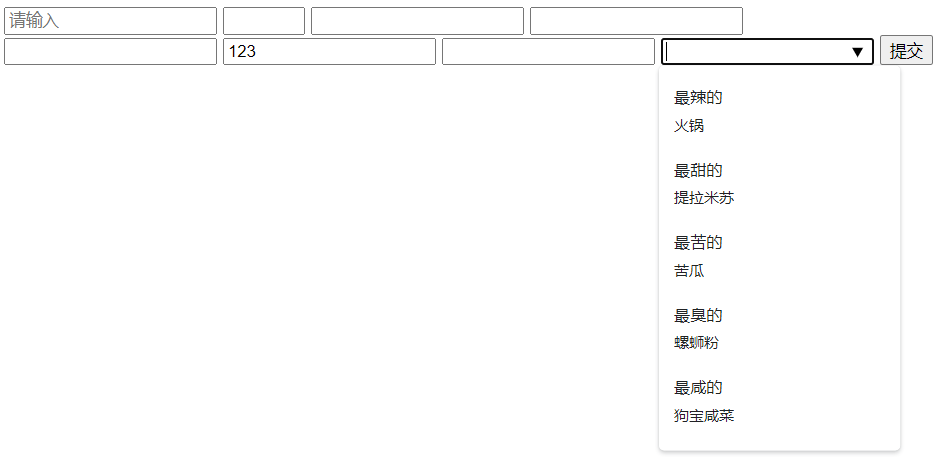
    <input type="text" list="demo" autocomplete="on">
    <datalist id="demo">
        <option value="最辣的" label="火锅"></option>
        <option value="最甜的" label="提拉米苏"></option>
        <option value="最苦的" label="苦瓜"></option>
        <option value="最臭的" label="螺蛳粉"></option>
        <option value="最咸的" label="狗宝咸菜"></option>
    </datalist>
    <input type="submit">
</form>

若有收获,就点个赞吧
0 人点赞


